1. State of the art, project management and documentation
Research & Ideation
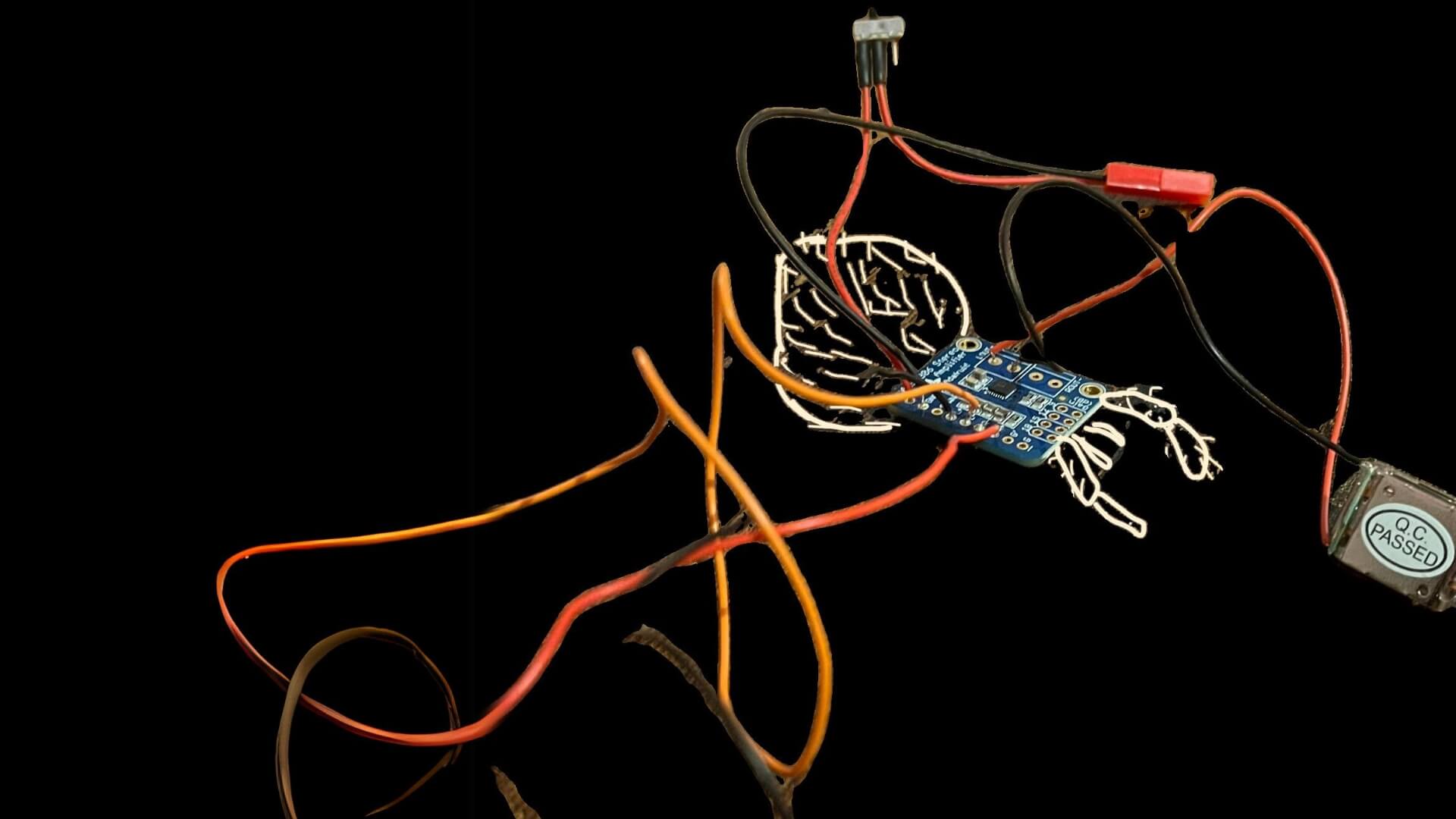 I decided to join Fabricademy to build some more specific and in-depth skills related to textile, electronics and sustainability and to integrate these new discoveries into my artistic practice.
During my BioArt and BioDesign I have been experimenting a little bit with Mycelium, Kombucha leather, bacterias, bioplastics and lichens, and a whole new world unfolded in front of my eyes. Additionally, I was able to access the Techlab where I got some basic knowledge of electronics, which also brought me to attend an e-textile workshop. Below you can find some documentation of what I did.
I decided to join Fabricademy to build some more specific and in-depth skills related to textile, electronics and sustainability and to integrate these new discoveries into my artistic practice.
During my BioArt and BioDesign I have been experimenting a little bit with Mycelium, Kombucha leather, bacterias, bioplastics and lichens, and a whole new world unfolded in front of my eyes. Additionally, I was able to access the Techlab where I got some basic knowledge of electronics, which also brought me to attend an e-textile workshop. Below you can find some documentation of what I did.
 |
Open PDF |
References & Inspiration
Here you can find artists, designers, books and more that have inspired me.

- Irene Posch — The Knitted Radio
- Faith Wilding — Crocheted Environment
- Tamara Kostianovsky — The Flesh of the World
- Chiharu Shiota — Uncertain Journey
- Lulu González Osnaya — Onion Epidermis
- Sissel Marie Tonn — Becoming Escargotapien
- Bela Rofe — Algae, Human Hair
- Ernesto Neto — Nosso Barco Tambor Terra (Our Boat Drum Earth)
- Jasper Venus — Murky Murky, Little Bitch Witch
- Anna Ting Møller — The Baby Bucha Project
- Cecilia Fiona
- Anna Dumitriu — The MRSA Quilt
❦❦❦
Here’s a little collage of experiments and hobbies that keep my hands (and curiosity) busy: crochet and knitting, growing kombucha, latex and embroidery, bass shaker and bone transducers and mycelium.

Testing a keyboard glove I made after a wearable art workshop
❦❦❦
And a little collage of books! I'm going to update this section with my next readings!

- Abel, E. K., & Nelson, M. K. (1990). Circles of care: Work and identity in women’s lives. State University Of New York Press.
- Bailey, J. (2021). Many Hands Make a Quilt. Common Threads Press.
- Barnett, R. (2014). The sick rose. London Thames & Hudson.
- Bell, C. (1992). Ritual Theory, Ritual Practice. Oxford University Press.
- Blackie, S. (2018). The Enchanted Life. House of Anansi.
- Callaghan, C. (2022). Slow Grow.: Plants, Folklore and Natural Dyeing. Common Threads Press.
- Camus, A. (2005). The Myth of Sysyphus. Penguin Books Ltd.
- De Martino, E. (2008). La terra del rimorso. 4th ed. Milano, Il Saggiatore.
- Estés, C. P. (2008). Women who run with the wolves: Contacting the power of the wild woman. Random House.
- Federici, S. (2004). Caliban and the Witch: Women, the Body and Primitive Accumulation. Autonomedia.
- Lyanda Lynn Haupt. (2011). Crow planet : essential wisdom from the urban wilderness. Back Bay Books.
- Parker, R. (2019). The subversive stitch: Embroidery and the making of the feminine. Bloomsbury Visual Arts.
- Plummer, S. S. (2022). Diasporic Threads. Common Threads Press.
- Van der Kolk, B. (2014). The body keeps the score: Mind, brain and body in the transformation of trauma. Penguin Books.
- Veire, M. V. (2021). When The Body Flourishes. An edited selection from The Body Histeria Book. Other Publisher.
Documentation workflow
To take my notes, I am using Notion. I find it an intuitive and clear platform to organise thoughts and keep track of progress.
For building my website, I followed the general style I wanted and gave it a more pixelated twist. Recently I’ve been obsessed with the halftone filter in Adobe, which you can see in the background and here and there in my website.
I used AI mainly as a troubleshooting and adapting tool. For example, when I got stuck I asked AI for explanations and solutions. I also used it to adapt code and design ideas I found online to fit my own project. I broswed throgh Siteinspire and React Bits to find some inspiration. I tried to use less words as possible, as Aslı also suggested, since the high environmental impact of AI.
At first, I tried using Duck AI since I'm slowly transitioning from Google to DuckDuckGo, but after comparing responses with Maddie’s, I realised that ChatGPT was more precise and reliable. Her questions were also related to what I was trying to do (add custom fonts and apply them to my texts).
I feel I’m starting to understand coding language, so I hope I will rely less on AI in the future and try to figure out solutions on my own.
Examples of how I used AI
- I asked for help in changing the fonts of my headings and navigation bar so the site would feel more personal and playful.
- I learned how to add captions under my photos and how to place text next to images to create more dynamics in my pages.
- I asked how to experiment with background effects, unusual layouts and animation and ask how to adapt them into my site. It didn't really work out as I wanted. AI was making a simpler versione of them, but the outcome was not what I expected.
- When something wasn’t showing (like an image or a font), AI guided me step by step to figure out what was wrong and how to fix it.
 |
 |
 |
❦❦❦
Add my own styles
To add my own style to the default theme I paste this code in the mkdocs.yaml
extra_css:
  - stylesheets/extra.css
Fonts
I encountered several issues when trying to use external fonts from Google Fonts. Since I wanted to keep the pixelated effect, I decided to use PF Pixelscript Regular and Advine Pixel Regular. The first step was converting my font files into the WOFF2 format, which is the most modern and widely recommended format for web fonts. After that, I uploaded the converted files into a folder I created called /fonts inside my /docs directory.
How the new fonts show in my extra.css
@font-face {
    font-family: "Advine Pixel";
    src: url("../fonts/AdvinePixel-Regular.woff2") format("woff2");
    font-weight: normal;
    font-style: normal;
}
@font-face {
    font-family: "PF Pixelscript Pro";
    src: url("../fonts/PFPixelscriptProRegular.woff2") format("woff2");
    font-weight: normal;
    font-style: normal;
}
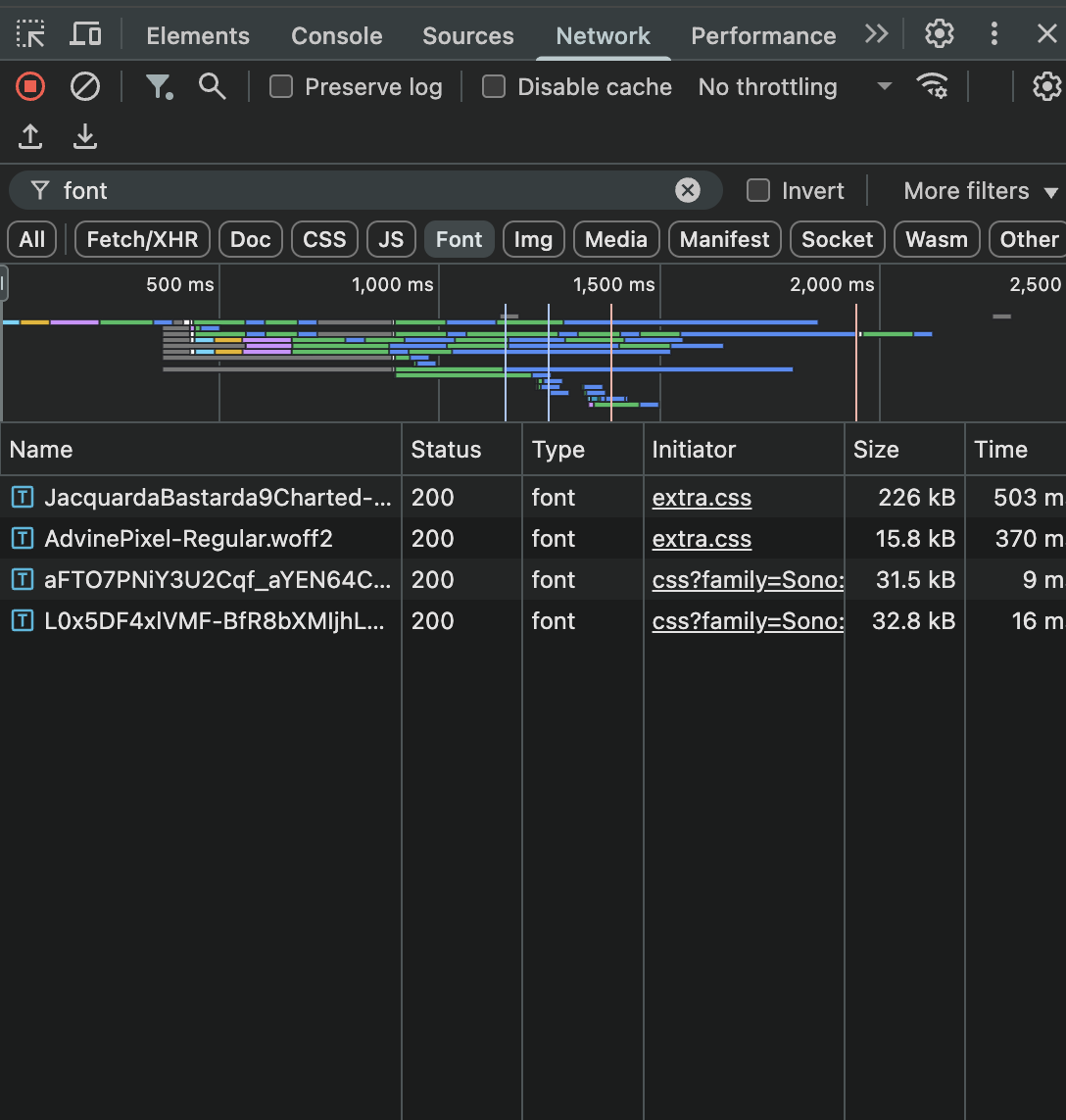
I used Chrome’s Inspect tool to check whether my font was loading correctly. When the font didn’t appear, I noticed that the Inspect tool showed a 404 error, which confirmed that there was an issue with how the font was linked in my code. In the DevTools window, I went to the Network tab and typed “font” in the filter bar. This showed me all the font files I had uploaded and possible issues. At the end, the problem was just a few misspellings and missing characters in the file paths.
Then I'm using this code in my extra.css to edit each header
main .md-typeset h1 {
    font-size: 2.5rem; /* ~40px */
    color: rgb(92, 24, 4);
}
main .md-typeset h2 {
    font-size: 1.6rem; /* ~40px */
    color: rgb(178, 36, 23);
}
Scrambled Text
I also saw a cool font effect called ScrambledText on React Bits. I asked AI how I could incorporate it in my file and it created a simpler version for me.
Scrambled text example
Inside my /docs folder, create a /js directory and add a file named scramble-text.js. Paste the following code inside:
(function () {
    console.log("scramble-text.js loaded");

    const scrambleChars = "@%*.:!?".split("");
    function randChar() {
      return scrambleChars[Math.floor(Math.random() * scrambleChars.length)];
    }

    // Create a scramble animation for one element
    function scrambleOnce(el, opts = {}) {
      if (el.__scrambling) return; // prevent parallel animations
      el.__scrambling = true;

      const original = el.dataset.original !== undefined ? el.dataset.original : (el.dataset.original = el.textContent);
      const totalFrames = opts.frames || 18;
      let frame = 0;

      function step() {
        frame++;
        const progress = frame / totalFrames;

        // Build the scrambled string
        const scrambled = original.split("").map((ch, i) => {
          // Keep whitespace and newlines intact
          if (ch.trim() === "") return ch;
          // Increase chance of showing a random char as progress grows
          if (Math.random() < progress) return randChar();
          return ch;
        }).join("");

        el.textContent = scrambled;

        if (frame < totalFrames) {
          requestAnimationFrame(step);
        } else {
          el.textContent = original;
          el.__scrambling = false;
        }
      }

      requestAnimationFrame(step);
    }

    // Use event delegation so it works for headings and dynamically added content
    document.addEventListener("mouseover", (ev) => {
      const el = ev.target.closest && ev.target.closest(".scramble");
      if (el) scrambleOnce(el);
    });

    // Also support touch (tap)
    document.addEventListener("touchstart", (ev) => {
      const el = ev.target.closest && ev.target.closest(".scramble");
      if (el) scrambleOnce(el);
    });

  })();
</code></pre>
.scramble {
    font-family: "Advine Pixel", sans-serif; /* or whatever font you like */
    font-size: 3em;
    transition: color 0.3s;
  }

  .scramble:hover {
    color: #bf3535; /* change color on hover if you want */
  }
  </code></pre>
Logo
The logo is the same one as my website's. To add my logo I used this code in my extra.css
theme:
  name: material
  logo: images/home/logo.png
Images
Editing
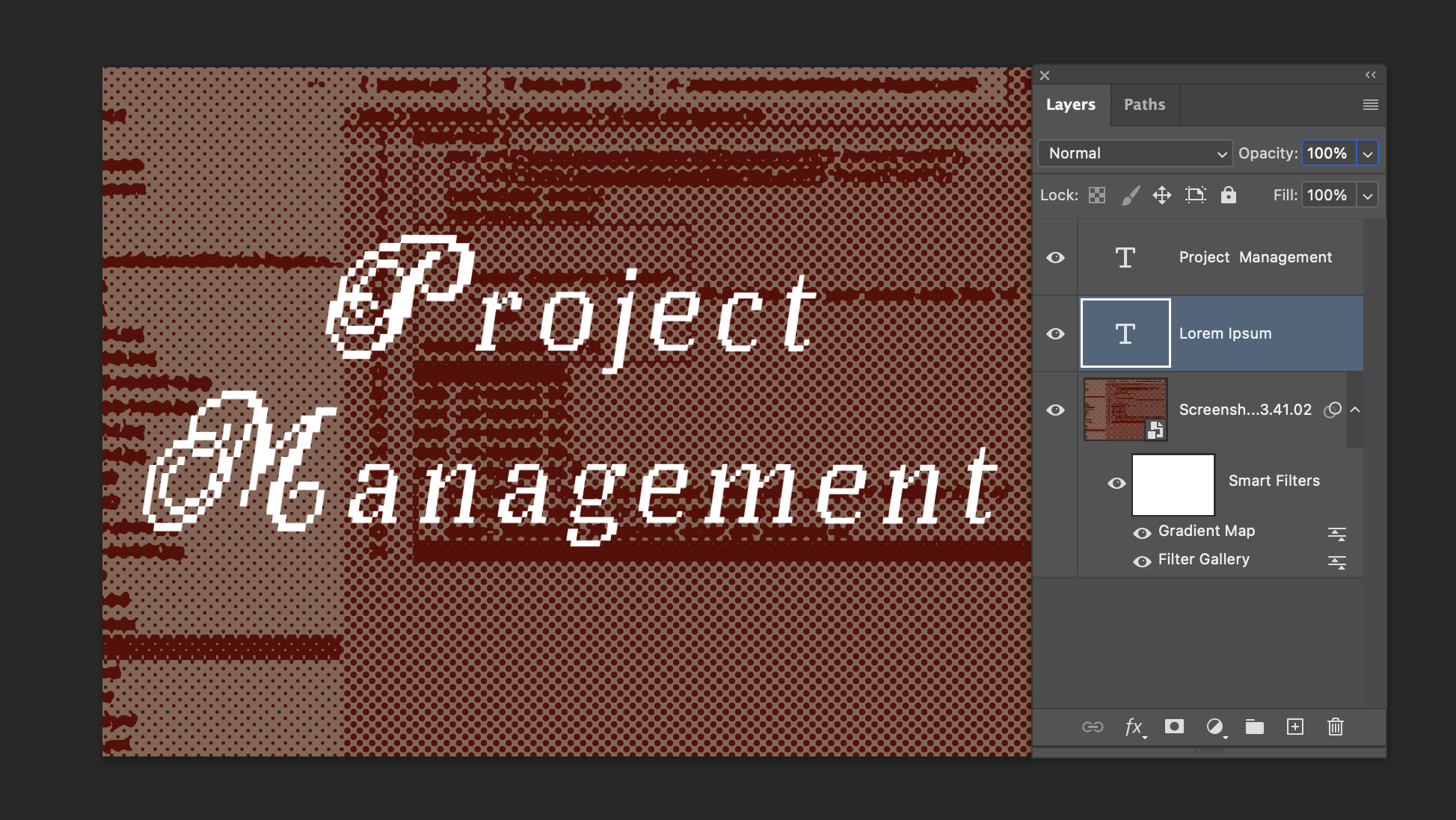
I'm now used to using Photoshop to edit my images (removing background, resizing, filters, etc..). As you can see in my background and my assignment page, I use a lot the Halftone Filter.
Displaying
To display my images next to a text I use this code
<div style="display: flex; align-items: flex-start; gap: 20px;">
  <figure style="margin: 0; text-align: center;">
    <img src="/2026/alessia-talo/images/week01/image-editing.png" style="width: 900px; border-radius: 6px;">
    <figcaption style="font-size: 0.7em; color: #666; margin-top: 4px;">
      Schreenshot of my Photoshop window
    </figcaption>
  </figure>

  <p>
    I am now used to using Photoshop to edit my images (removing background, resizing, filters, etc..). As you can see in my background and my assignment page, I use a lot the Halftone Filter.
  </p>
</div>
After a lot of frustration with images not showing, I discovered that on my /week01 page I need to reference images using the following link:
<img src="/2026/alessia-talo/images/week01/image-editing.png">;
Collage
To create my collages I used Adobe Express Free Collage Generator and Photo Collage
Assignment Page
At this link I found this example of a GRID using HTML/CSS. I saw that Aslı Aydın Aksan and Diane Wakim were using the same!
And I followed this suggestion of Aslı, that is also on Mattermost for everyone
---
glightbox: false
---
You need to insert this at the top of the index.md under assignments. As it is now, when you click on the preview images, instead of taking you to the week's page, it opens a lightbox.
The links to each week’s page were not working, so I troubleshooted with the help of AI. I found out that the links should be written like this:
<a href="week01/" class="assignment-link" style="background-image: url('../images/assignments/state-of-the-art.jpg')">
            <span>1. State of the Art</span>
        </a>
Navigation and Table of Contents
To remove my side navigation and table of contents I used this a global CSS that is styling the whole website
/* Hide the left sidebar (site navigation) */
.md-sidebar--primary {
    display: none !important;
  }

  /* Hide the right sidebar (table of contents) */
  .md-sidebar--secondary {
    display: none !important;
  }
Full width
Then I used this CSS to expand the content to use full width
.md-content {
  margin: 0 auto;
  max-width: 100%;
}
Sticky Navigation Tab
Since I still wanted to provide navigation tools on my website, I found the Sticky Navigation Tab feature on Squidfunk’s MkDocs Material documentation.
Videos
To link a video from vimeo I used this code you can just get an emeded code from the sharing window
PDFs
To link pdfs, I uploaded them in my file folder and use this:
 [Open PDF](../files/week1/example.pdf)
</code></pre>
I’m trying to keep my file folder organized by creating separate folders for each page. I do tend to be disorganized...