1. Project Management and Documentation week
Project Management and Documentation
Building a Foundation for Digital Fabrication Excellence
Overview
Week 01 marks the beginning of my Fabricademy journey, where I established the technical infrastructure and documentation practices that will support all future projects. This week focused on setting up version control systems, learning documentation workflows, and understanding the tools and platforms essential for collaborative digital fabrication.
My Approach to Digital Fabrication Documentation
As a CTO with extensive experience in software engineering and startup leadership, I bring a systematic approach to project management and documentation that bridges technical rigor with creative exploration. My background in AI/ML development has taught me the importance of iterative design, comprehensive documentation, and version control - principles that translate perfectly to digital fabrication workflows.
In my professional experience, I've led cross-functional teams through complex product development cycles, from initial concept to market deployment. This experience in managing ambiguity, setting clear milestones, and maintaining technical documentation while fostering innovation provides a strong foundation for navigating Fabricademy's interdisciplinary challenges.
My approach emphasizes transparent communication, systematic experimentation, and continuous learning - treating each fabrication experiment as a technical iteration that builds toward larger innovations in sustainable design and smart textiles.
Inspiration for Fabricademy
During my journey through Fabricademy, I drew inspiration from various artists, scientists, and design pioneers whose work bridges the realms of technology, art, and sustainability.
Nature's Patterns and Biomimicry
Observing natural structures, like the intricate design of leaves, the geometry of honeycombs, and the strength of seashells, has inspired my approach to creating biomaterials and sustainable designs. The resilience and efficiency found in nature inform how I think about constructing textiles that are both beautiful and functional.
Technology in Fabrication
My exposure to advancements in digital fabrication and wearable technology pushed me to leverage modern tools such as 3D printers, laser cutters, and electronic textiles in my projects. The integration of these technologies allowed me to reimagine how traditional textiles could be developed with adaptive and responsive qualities.
Scientific Research and Material Experimentation
My background in chemistry and design has enabled me to conduct hands-on research with natural fibers, bio-based resins, and composite materials. This aspect of exploration has been key in understanding the properties of materials and how they can be adapted to innovative design solutions.
These inspirations have shaped my projects at Fabricademy, driving me to push the boundaries of traditional design methods and integrate sustainable practices that highlight both art and science.
Documentation Workflow
In our first week, we familiarized ourselves with various platforms to document our work and facilitate communication across the global Fabricademy network.
Platforms and Tools
Fablabs.io
A global network connecting fabrication laboratories worldwide, enabling collaboration and knowledge sharing across the Fab Lab community.
GitLab
Version control platform hosting our documentation websites, enabling systematic tracking of changes and collaborative development.
NuEval
Evaluation and feedback system for tracking progress and receiving instructor assessments throughout the program.
Mattermost
Real-time communication platform for assignment discussions, questions, and collaborative problem-solving with peers and instructors.
Learning Outcomes
To document and manage my Fabricademy project effectively, I learned how to upload images, videos, references, and utilize Markdown and GitLab. This process was crucial for creating a comprehensive and engaging project page. By mastering Markdown, I was able to structure content with headings, lists, and emphasis, making my documentation readable and professional. Integrating multimedia elements such as images and videos enriched my project presentation, showcasing my work in a visually appealing way.
GitLab provided a collaborative platform that allowed me to version-control my documentation, ensuring that any updates or changes were tracked efficiently. Through this process, I gained confidence in using Git commands and uploading files, which supported my ability to maintain and share my project effectively with the Fabricademy community.
Technical Documentation Strategy
Drawing from my experience leading technical teams, I understand that effective documentation serves as both a communication tool and a knowledge repository. In software development, we use documentation to maintain system coherence, enable collaboration, and facilitate future iterations.
My Documentation Principles:
- Treat each experiment as a documented iteration with clear objectives, methodologies, results, and learnings
- Maintain systematic records for reproducibility and knowledge transfer
- Combine technical rigor with creative exploration
- Build toward innovative solutions in sustainable digital fabrication
Markdown Fundamentals
Markdown is a lightweight markup language that makes it easy to format text for the web. It is widely used for project documentation, including adding images, videos, and references. Mastering Markdown syntax is essential for creating professional, well-structured documentation.
Headings
Create hierarchical structure using # symbols:
# Main Heading (H1)
## Subheading (H2)
### Sub-subheading (H3)
#### Fourth Level (H4)
Text Formatting
Emphasize content with various styles:
**Bold text**
*Italic text*
***Bold and italic***
`Inline code`
~~Strikethrough~~
Lists
Create ordered and unordered lists:
- Unordered item
- Another item
  - Nested item

1. First item
2. Second item
3. Third item
Links and Images
Connect and visualize content:
[Link text](https://example.com)

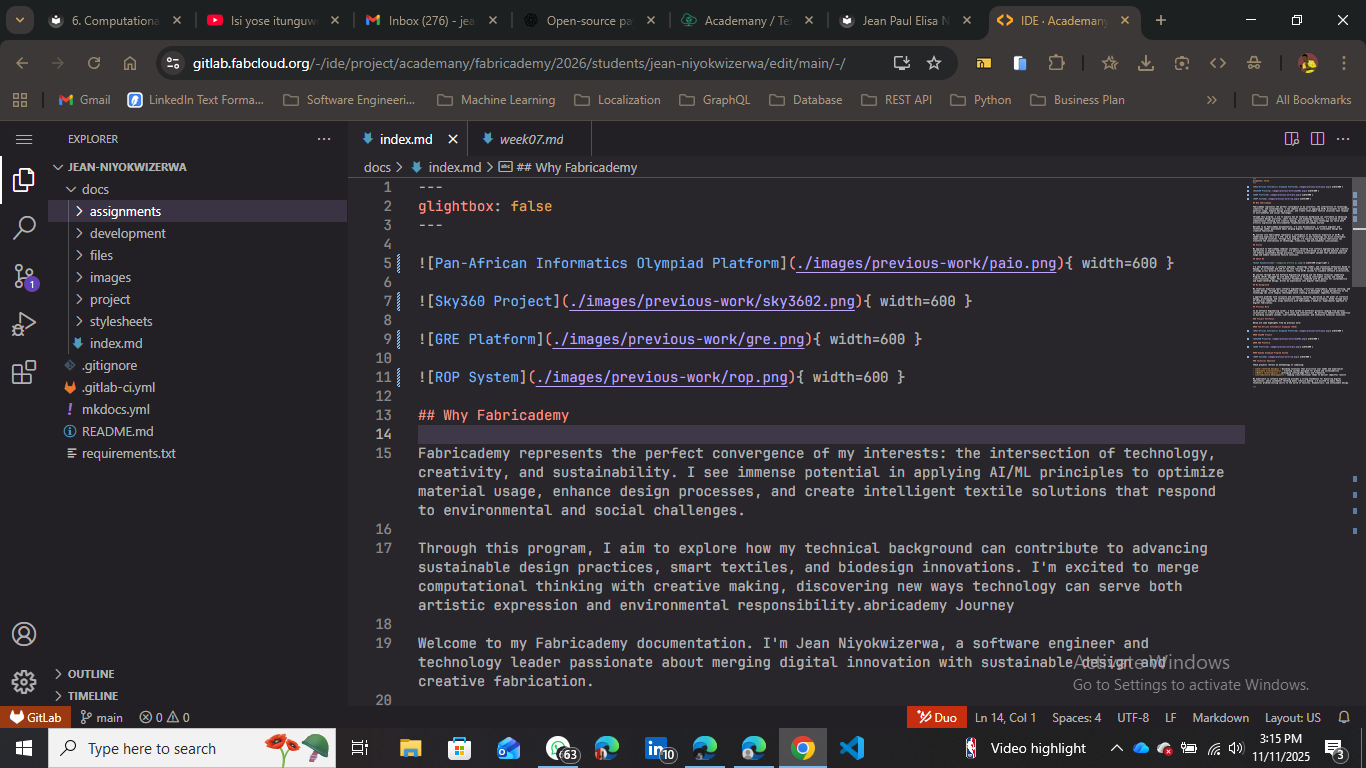{ width=80% }
Advanced Image Styling
For precise control over image display:
{ width=80% style="display:block;margin:0 auto;" }
This centers the image and sets its width to 80% of the container.
Git and GitLab Workflow
GitLab enables systematic version control for documentation, ensuring every change is tracked and reversible. This professional workflow mirrors industry-standard development practices.
Essential Git Commands
Clone a Repository
git clone https://gitlab.com/your_username/your_project.git
cd your_project
Check Status
git status
Add Changes
git add .                    # Stage all changes
git add filename.md         # Stage specific file
Commit Changes
git commit -m "Week 01: Added project management documentation"
Push to Remote
git push origin main
Pull Latest Changes
git pull origin main
My GitLab Workflow
1. Local Changes
Create or edit documentation files locally using VS Code or preferred text editor. Add images to the appropriate folders.
2. Stage and Commit
Use git add to stage changes and git commit with descriptive messages documenting what was changed.
3. Push to Remote
Upload changes to GitLab with git push, making them available to instructors and the Fabricademy community.
4. Deploy Site
GitLab CI/CD pipeline automatically builds and deploys the MkDocs site, making updates visible within minutes.
Best Practice: Write clear, descriptive commit messages that explain what changed and why. This creates a meaningful project history that's valuable for reflection and collaboration.
Media Optimization Best Practices
High-quality documentation requires optimized media files that load quickly without sacrificing visual clarity. Following these practices ensures professional, performant documentation.
Image Guidelines
- Maximum dimension: 1200px on longest edge
- Use TinyPNG or similar tools for compression
- Preferred formats: JPEG (photos), PNG (graphics/screenshots), WebP (modern browsers)
- Target file size: Under 500KB per image
Video Guidelines
- Keep clips short and focused (under 2 minutes ideal)
- Re-encode to reduce file size
- Use H.264 codec for broad compatibility
- Consider hosting on YouTube/Vimeo for large files
Organization
- Store media in
/docs/images/weekXX/folders - Use descriptive filenames:
leather-forming-process.jpg - Maintain consistent naming conventions
- Keep source files backed up separately
FFmpeg Video Compression
For efficient video encoding using FFmpeg:
ffmpeg -i original.mp4 \
  -c:v libx264 \
  -crf 28 \
  -preset slow \
  -c:a aac \
  -b:a 128k \
  output-compressed.mp4
This command balances quality and file size effectively.
CSS Customization
MkDocs Material theme can be customized through CSS to match your personal style and improve visual hierarchy.
Custom Color Scheme
Edit docs/stylesheets/extra.css to define custom color variables:
:root {
  --md-primary-fg-color: #4a4a4a;
  --md-accent-color: #ff4081;
  --light-pink: #ffb3c1;
  --md-accent-fg-color: var(--light-pink);
  --link: #eee;
}
Media Embedding Techniques
Centered Images
{ width=80% style="display: block; margin: 0 auto" }
YouTube Embeds
<iframe width="560" height="315"
  src="https://www.youtube.com/embed/VIDEO_ID"
  title="YouTube video player"
  frameborder="0"
  allow="accelerometer; autoplay; clipboard-write; encrypted-media; gyroscope; picture-in-picture"
  allowfullscreen
  class="iframe-youtube">
</iframe>
Local Videos with Fallback
<video width="640" controls>
  <source src="../../images/week01/clip.mp4" type="video/mp4">
  Your browser does not support the video tag.
  <a href="../../images/week01/clip.mp4">Download the video</a>
</video>
Technology Stack and Tools
My documentation infrastructure combines industry-standard development tools with creative presentation techniques.
Version Control
- Git for tracking changes
- GitLab for hosting and CI/CD
- Systematic commit history
- Collaborative workflows
Documentation Platform
- MkDocs static site generator
- Material theme for responsiveness
- Markdown-based authoring
- Fast, searchable content
Media Optimization
- TinyPNG for image compression
- FFmpeg for video encoding
- WebP format support
- Performance-first approach
Development Tools
- VS Code as primary editor
- Git CLI for version control
- Browser DevTools for testing
- Terminal for automation
Project Management Philosophy
My startup experience has taught me that successful innovation requires balancing structured planning with adaptive flexibility. This philosophy guides my approach to Fabricademy projects.
Iterative Development
Breaking complex challenges into manageable experiments allows for systematic exploration while maintaining clear progress tracking. Each iteration builds on previous learnings.
Cross-functional Collaboration
Integrating technical and creative perspectives creates richer solutions. My background bridges engineering and design, enabling holistic problem-solving.
Systematic Documentation
Maintaining clear records ensures reproducibility and enables knowledge sharing. Documentation is not overhead but an integral part of the creative process.
Data-driven Decisions
Using metrics and feedback to guide iteration ensures continuous improvement. Technical rigor combined with creative exploration drives innovation.
This methodology, proven in technical product development, translates naturally to digital fabrication where material experimentation, design iteration, and systematic testing drive innovation.
Week 01 Achievements
Completed Learning Objectives:
- Set up complete Git and GitLab workflow for version control
- Configured MkDocs documentation site with Material theme
- Mastered Markdown syntax for professional documentation
- Established media optimization practices for images and videos
- Created systematic approach to project documentation
- Connected with global Fabricademy network through Fablabs.io and Mattermost
- Developed technical documentation strategy combining rigor and creativity
Resources and References
Official Documentation:
- MkDocs Material: https://squidfunk.github.io/mkdocs-material/
- Git & GitLab: https://docs.gitlab.com
- Markdown Guide: https://www.markdownguide.org
Community Resources:
- Fabricademy Global: https://textile-academy.org
- Fab Lab Network: https://www.fablabs.io
This journey is just beginning, and I look forward to exploring the intersections of technology, art, and design through systematic experimentation and comprehensive documentation.