11. Open Source Hardware - From Fibers to Fabric
weekly assignment
Learning outcomes
- Research skills: the participant has acquired knowledge through references and Concept development
- Design skills: the participant has learnt through sketches, 3D modeling, use of electronics, etc
- Fabrication skills: the participant is capable of executing from file to production workflow, from 3D modelling to digital fabrication, electronics, materials
- Process skills: Anyone can go through the process, understand it and reproduce it
- Final outcome: The assignment is assembled and either complete or tested = Originality: Has the design been thought through and elaborated?
Student checklist
- Research and document existing fabrication methods, machines and industries, add references, tutorials and sketches of the hardware you will make
- Document the process of designing the files for your machine/machine-hack/tool and its fabrication including the assembly process
- Document the schematic and the software source code (if any)
- Document the parts and how to make your tool or machine
- Document your BOM (Bill of materials): electronics, materials, their amount, etcetera (with references of the components)
- Upload your 3D model and CAM files (if any)
- Design, create and document a final outcome, a sample project of your process
- Make a small video of the machine
- Create an interface for controling your machine (extra credit)
Check out the weekly assignment here
Research & Ideation
get inspired!
Check out and research alumni pages to betetr understand how to document and get inspired
-
OS Loom - Kae Nagano - Fab Lab Kamakura
-
The pattern machine - Marion Guillaud - LeTextileLab Lyon
-
Shopbot Hack - Painting machine Asli Aksan - Textile Lab Amsterdam
-
Prusa - Pegboard - Viviane Labelle - EchoFab
-
Final project - Pauline Gamore
References & Inspiration
 I have long been fascinated by weaving and looms. So the portable loom projects from the Fab and Fabri communities have always been a favourite.
I met Walter in Bhutan at Fab23 and discovered a version of the FabLoom / SheMakes loom in a workshop he was taking, and eventually made one for myself.
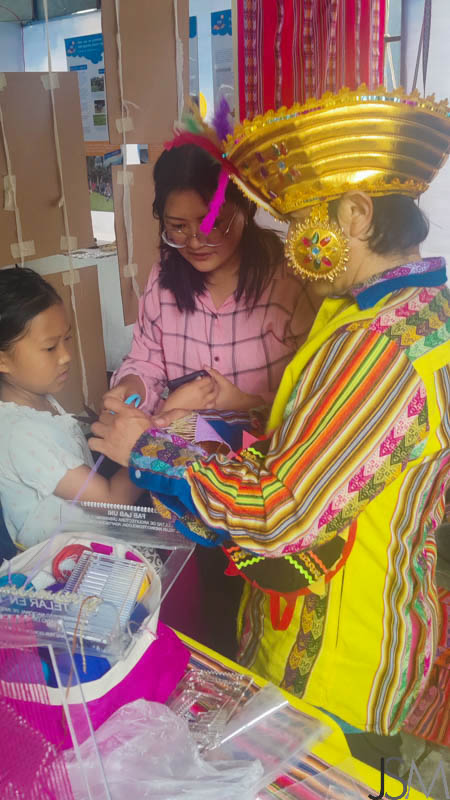
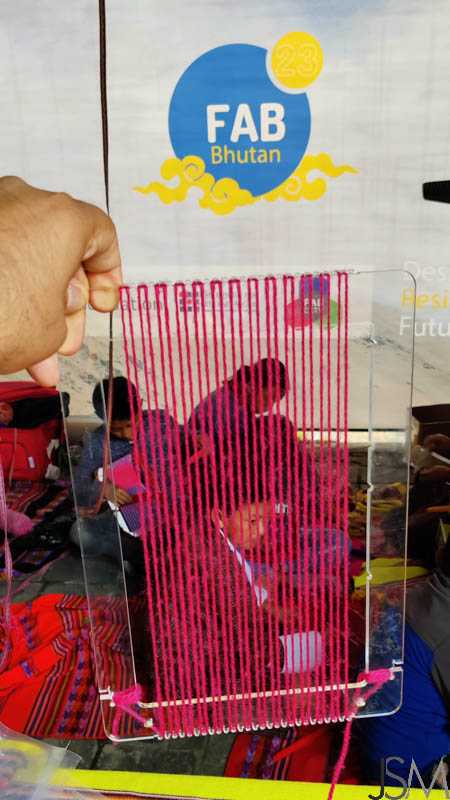
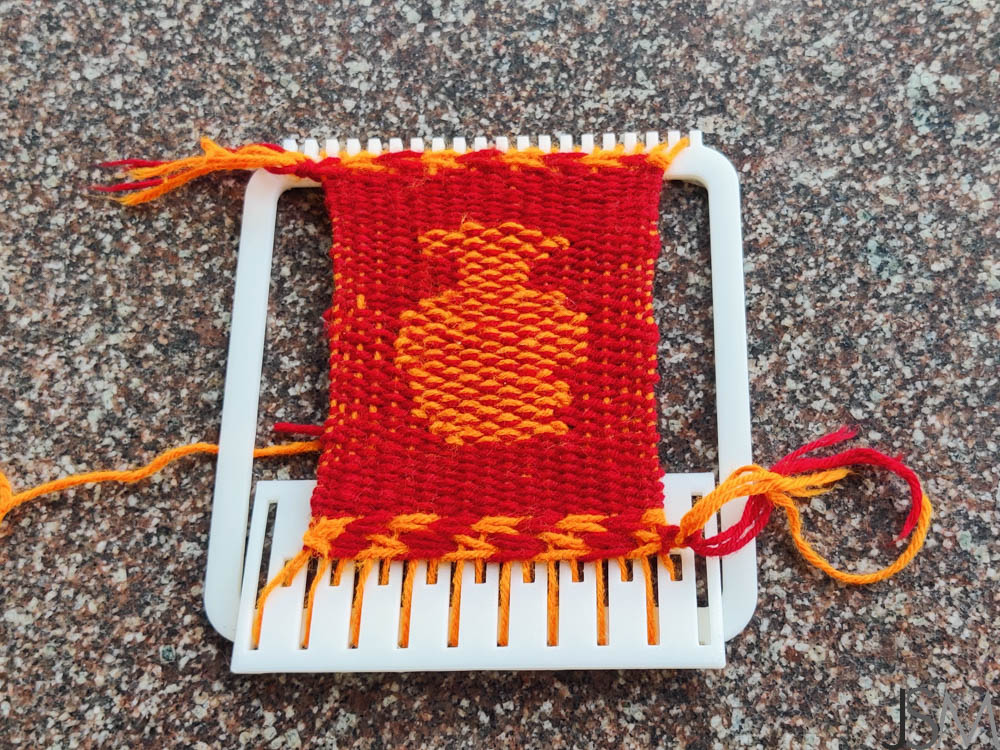
Find the longer version of that story on my Cabinet of Curiosities website.
From my visits with the weavers of Kutch as well, I am always enthralled by their work.

Another fantastic open source project I have long been a fan of is the Open Press Project.
Among other things, they have the files, documentation and instructions for open source, 3D printable mini presses.


Beyond these, I found other weaving and braiding machines interesting. Especially interesting in both the main session as well as the tutorial were the software/interface/fileType aspect, because I find too few people address/are inteested in that.


The ability to encode data in knits and weaves is astonishing, and it has been in use for ages. The one that sticks in my mind is that during the French revolution, the common people would record names of the guillotined and the not-yet within their knitting.
The circular knitting machine is also very interesting, and I've imagined adding a motor to the toy version to run it faster. The Tufting gun is also a popular activity that I'd like to try out.


Using a plotter to plot wax lines and do batik is simply brilliant.

I had some ideas along similar lines during Textile Scaffolding as well. The Fibre Gun looks very interesting to use. The Alginate rollers are a very simple but elegant way to coat and create bio-composites.


Ideation
I had a number of ideas, listed below
- Thread-winder 3D printing - A winding-drum spool that gets contours built on it by depositing thread
- Arduino mini-loom - a programmable pattern loom
- Braiding machines
Something like the Braiding machine would also be very interesting.


I attempted the first, failed, and attempted the second.
Thread Winder - String 3D Printing
Concept
I saw this thread spooling device during our visits to Kutch.


A machine that winds thread on a spindle core; the thread is moistened with glue by passing through a hopper/glue chamber; the thread source moves along one axis to control location of deposition on cylinder; the thread builds up on the core to create a 3d volumetric form, of cylindrical symmetry; ergo, thread 3D printing.
Initial - using basic tools and an electric screwdriver or powerdrill to spin the spindle and manually control the linear direction Final - cylindrical speed control + linear axis control + software to work out thread layers and move linear axis accordingly to deposot more or less thread in a region
Core can be slender - a pencil or bolt - to create forms; Core can be a larger cylinder that cna later be released - to create hollow boxes/containers with decorative outer shells
Use p5.js or other code to create a "spool path" from the input profile that controls the linear location of the source spool.
Trial


When I tried the manual version, I hit a snag. The contour could not be built, try as I might. I kept the sting source far away, and I brought it up close, but the string landing poing kept wobbling over the surface.
My guess is that there is some kind of "angle of repose" or "heaping angle" effect at play here, that things will roll off beyond a certain angle of steepness. This will effectively prevent it from building any contours.
 Reference : Angle of Repose, Wikipedia
Arduino Loom
Concept

A mini-loom, expandable as needed. Servos control the heddles moving up and down; Arduino or othe uP controls the servos; Arduino gets input from either code or sensor; Sensor is LDR with Lightsource above; LDR is triggered by punch cards !
Punch card patterns -> read by LDR to Arduino -> which controls individual servos up or down
Shuttle is manual.
Punch card sheet like photography film, engaged in gear teeth, will move forward by a step using a stepper motor.
Punch card sheet can be manually filled or lasercut, linear or looping.
Kae Nagano's OS loom is a good reference for me, but I am also automating the heddles by using servo motors, and in phase 2 I want to add sensor input for the "punch card" patterns.
Analyses :
For 1 thread of warp :
- 1 servo motor SG90
- 1 LDR
Therefore for a 13+5=18 pin Arduino Uno, 8 warp threads = 8 servo signals + 8 LDR readings = 16 pins 1 signal to control stepper = 1 pin 1 signal to take input to move stepper and servos after shuttle has been shuttled
Additional uPs can be daisy chained, 8-9 threads per Arduino Uno since other boards can simply work in parallel, take I2C signal from mainboard.
Maybe try a Mega later ?
Get an I2C servo driver module ?
Trial
Tools
- Arduino UNO
- Arduino IDE
- Fusion 360
- Inkscape
- CorelDRAW
- SIL CO2 lasercutter (110 W, 3x4 feet)
- RDWorks, the associated lasercutter operating software
- Prusa i3 MK3s+
- PrusaSlicer, the associated 3D printing operating software
3D Models
Materials
Process

BoM
Code
Pattern Generator in p5.js
let weaveImage = "myImage.jpg";
let cols = 16;
let rows = 16;
let threshold = 128;

let img;
let weavePattern;

function preload() {
  img = loadImage(weaveImage);
}

function setup() {
  createCanvas(img.width, img.height);
  noLoop();

  // Make a copy and shrink it to grid size
  let small = img.get();   // copy to preserve original
  small.resize(cols, rows);  // resize image to grid

  // Generate 1/0 pattern
  small.loadPixels();
  weavePattern = [];

  for (let y = 0; y < rows; y++) {
    let row = [];
    for (let x = 0; x < cols; x++) {
      let idx = 4 * (y * small.width + x);
      let r = small.pixels[idx + 0];
      let g = small.pixels[idx + 1];
      let b = small.pixels[idx + 2];
      let bright = (r + g + b) / 3;
      row.push(bright < threshold ? 1 : 0);
    }
    weavePattern.push(row);
  }

  console.log("Weave pattern:", weavePattern);
  drawPixelated(weavePattern);
}

// Preview — unchanged
function drawPixelated(grid) {
  background(255);
  let cellW = width / cols;
  let cellH = height / rows;
  noStroke();
  for (let y = 0; y < rows; y++) {
    for (let x = 0; x < cols; x++) {
      fill(grid[y][x] === 1 ? 0 : 255);
      rect(x * cellW, y * cellH, cellW, cellH);
    }
  }
}
Arduino Code for loom
#include <Servo.h>

// --------- CONFIGURATION ---------
const byte NUM_SERVOS = 8;
const byte NUM_ROWS   = 8;  // number of rows in the pattern

// Pins for the 8 servos
const byte servoPins[NUM_SERVOS] = {3, 5, 6, 9, 10, 11, 12, 13};

// Button pin
const byte buttonPin = 2;  // wired to GND when pressed, with INPUT_PULLUP

// Servo angles
const int NEUTRAL_ANGLE = 90;
const int UP_ANGLE      = 180;  // 90° forward from neutral
const int DOWN_ANGLE    = 0;    // 90° backward from neutral

// Debounce
const unsigned long DEBOUNCE_MS = 50;

// --------- PATTERN (BINARY GRID) ---------
// 1 = move servo to UP_ANGLE
// 0 = move servo to DOWN_ANGLE
const byte weavePattern[NUM_ROWS][NUM_SERVOS] = {
  {0, 0, 0, 1, 1, 0, 0, 0},
  {0, 0, 1, 1, 1, 1, 0, 0},
  {0, 1, 1, 0, 0, 1, 1, 0},
  {1, 1, 0, 0, 0, 0, 1, 1},
  {1, 1, 0, 0, 0, 0, 1, 1},
  {0, 1, 1, 0, 0, 1, 1, 0},
  {0, 0, 1, 1, 1, 1, 0, 0},
  {0, 0, 0, 1, 1, 0, 0, 0}
};

// --------- GLOBALS ---------
Servo servos[NUM_SERVOS];

int currentRow = -1;            // starts at -1 so first tap moves to row 0
bool lastButtonState = HIGH;    // because of INPUT_PULLUP
unsigned long lastDebounceTime = 0;

// --------- SETUP ---------
void setup() {
  // Attach servos and move them to neutral
  for (byte i = 0; i < NUM_SERVOS; i++) {
    servos[i].attach(servoPins[i]);
    servos[i].write(NEUTRAL_ANGLE);
  }

  // Button with internal pullup
  pinMode(buttonPin, INPUT_PULLUP);

  // Optional: for debugging over serial
  Serial.begin(9600);
  Serial.println("Servo weave pattern ready. Tap switch to step rows.");
}

// --------- LOOP ---------
void loop() {
  // Read the button
  bool reading = digitalRead(buttonPin);

  // Debounce logic
  if (reading != lastButtonState) {
    lastDebounceTime = millis();
  }

  if ((millis() - lastDebounceTime) > DEBOUNCE_MS) {
    static bool lastStableState = HIGH;
    if (reading != lastStableState) {
      lastStableState = reading;

      if (reading == LOW) {
        advanceRowAndMoveServos();
      }
    }
  }

  lastButtonState = reading;
}

// --------- FUNCTIONS ---------

// Advance to the next row of the binary grid and move all 8 servos
void advanceRowAndMoveServos() {
  // Move to next row (wrap around)
  currentRow = (currentRow + 1) % NUM_ROWS;

  Serial.print("Moving to row ");
  Serial.println(currentRow);

  // For each servo/column in this row:
  for (byte col = 0; col < NUM_SERVOS; col++) {
    byte bit = weavePattern[currentRow][col];

    int targetAngle;
    if (bit == 1) {
      targetAngle = UP_ANGLE;
    } else {
      targetAngle = DOWN_ANGLE;
    }

    servos[col].write(targetAngle);
  }

  delay(20);
}