2. Digital bodies
Research & Ideation

Throughout this week, I researched various methodologies related to digital body scanning, avatar creation, and virtual fashion workflows. My objective was to gain insights into how the human body can be digitally modeled for purposes such as design, garment simulation, and manufacturing processes.
Through these references, I explored the development of digital body models from:
-
Basic digital human representations Reference
-
Avatar creation and scanning processesReference
-
Pattern-making and garment simulation technologies Rerence
-
Sculpting techniques for refinement and anatomical accuracy Rerence
-
Digital couture and parametric fashion design Reference
-
Wearable technology integration and smart textile developmentReference
References & Inspiration
My inspiration for the digital body originates from the ways augmented reality is transforming our interactions with fashion. AR is redefining traditional clothing experiences through virtual try-ons, AI-generated avatars, and immersive digital fitting environments. This transition from physical garments to digital representations illustrates how the body can extend beyond physical reality—serving as a versatile interface where identity, fashion, and technology intersect. The evolving relationship between the physical self and its virtual counterpart motivates me to explore how the digital body can influence new avenues of self-expression, accessibility, and cultural significance.
- Combining AI and Augmented Reality in Fashion


Tools
- Makehumans
- Blender
- SLISER Fusion 360
- Laser cutter
- 3D PRINTER
- cutters and others
Materials
- mdf
- glue
DESIN OF Digital Body
Makehumas design
I created a digital human model using MakeHuman, customizing its form and features to align with the desired design. After exporting the model and further refining it in Blender, I saved it as an STL file prepared for fabrication.


Blender design
I imported the MakeHuman model into Blender to further customize its shape, pose, and surface details. After refining the geometry and preparing it for fabrication, I exported the revised model as an STL file.


I used a Boolean Difference operation in Blender by applying a cutting mesh to the human body model, which subtracted and removed the unwanted part cleanly.

SLISER FUSION DESIGN
I imported the STL file into Fusion 360 and utilized the slicing tools to segment the model into layered sections appropriate for laser cutting. After organizing and optimizing the slices, I exported the finalized 2D file suitable for laser fabrication.


### LASER SETING AND CUTTING - Model of our laser cutter
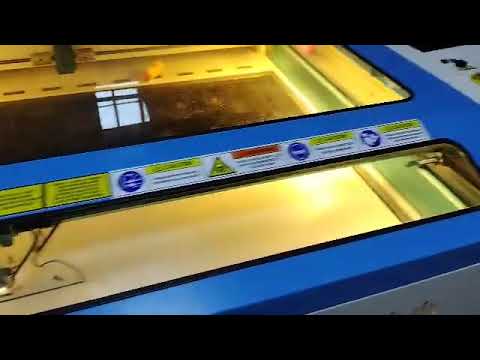
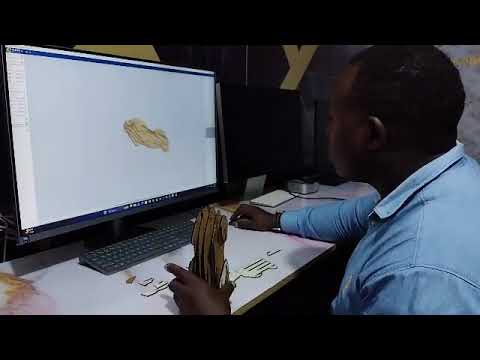
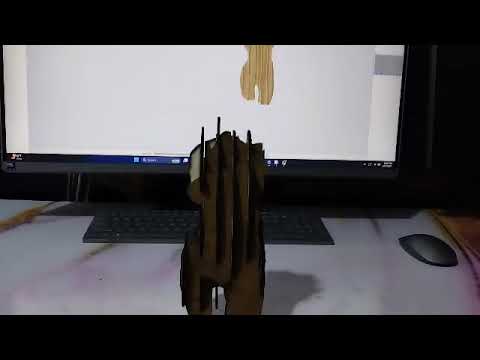
- I imported the mannequin's 3D model into Fusion 360, aligned it, and created evenly spaced slicing planes to generate 2D cross-sectional sketches, which I exported as DXF files. After refining the vectors, I imported them into LightBurn, configured the Thunder Laser with the appropriate material settings, and prepared the machine with proper focus, air assist, and exhaust. I then framed the job and used LightBurn to cut all the slices. Finally, I removed the parts and assembled them into the completed sliced mannequin.
 - setting in lightburn for both vector and raster(cutting & Engraving)

Laser cutting
Mannequin assembling
Mannequin

CLREATION OF DIGITAL BODY FROM PICTURES OR 3D SCANING
Insipiration two for 3d scaning
3D scanning has the potential to significantly improve lives by accurately capturing body measurements for custom prosthetics. When integrated with 3D printing technology, it enables the development of functional, cost-effective, and personalized medical solutions more efficiently and accessibly.


Generation of 3d model based on picture
I created a 3D model from a 2D image using MakerWorld's Image-to-3D tool. I uploaded a photograph, and the platform automatically converted it into an STL file. This process illustrates how images can be effectively transformed into digital models, facilitating rapid 3D model generation without manual sculpting.

- sample of pictures i used to generete the 3d model from


- The out put of the 3d model


Fabrication files
: File: 3d modelling of mannequin : File: Laser cut sheets