Digital bodies
What it's real and what it's not?
Reflecting on Digital Bodies led me to consider how far technology has advanced — particularly artificial intelligence — and how close it now stands to replacing the human being, not only in function but in interpersonal relations themselves.
It made me realise how easily AI can be used to impersonate someone: copying their appearance and mannerisms to convey information that seems more credible coming from them.
I wanted this project to stand as a manifesto against the control of freedom of expression and of one's own body, drawing on artistic movements that, though born in different circumstances, express the same principles.
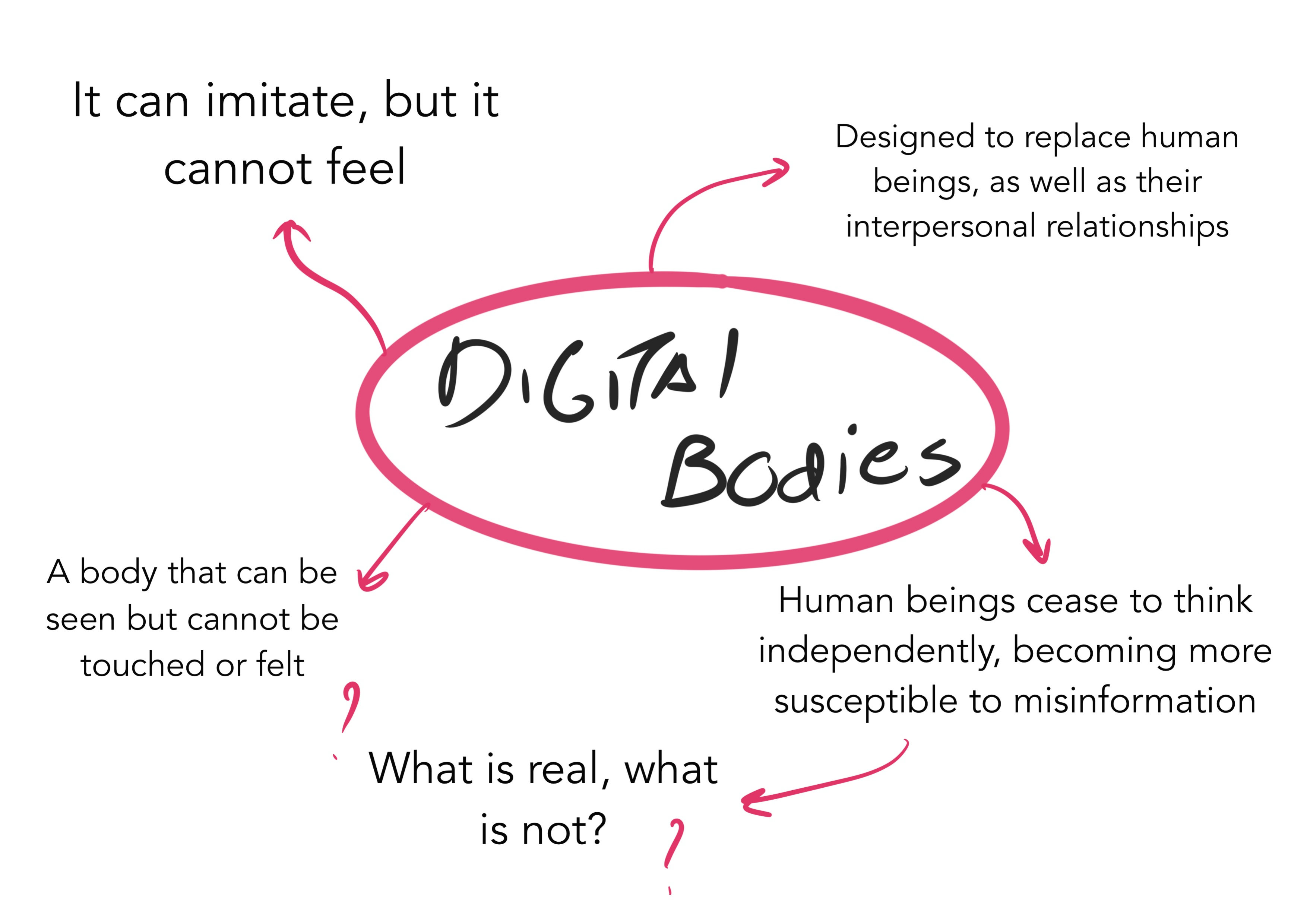 Braindump of concepts that comes up in my mind when i think of Digital bodies - made in procreate by Rita Manuelito/2026
Inspirations
Substitution of the Artist
AI replaces — and will continue to replace, exponentially — the functions of certain people, performing them far faster. In art, though, this makes me question whether replacing the artist is worth it, when the work produced was merely generated from countless examples, with nothing from an original perspective.
This unlimited, unmediated access to AI devalues the artisan's work, craftsmanship, manual labour — and the design thinking behind it: the reason things are made. A system now exists to replace the final outcome, regardless of the process, in minutes.
Control of a Narrative
Information is easily distorted, because people increasingly no longer need the initiative to seek it out, research it or go deeper — it simply appears the moment they open their phone, as soon as they wake up.
The easiness we have to acess this amount of daily information, makes people far more easily manipulated into believing something distorted.
Community
Also with the use of the unlimited amout of Artificial Intelligence, comes the substitution of interpersonal relations.
Artificial intelligence gives a false sensation of empathy: it cannot truly feel, but it knows what empathy means and is programmed to replicate it. This can make people feel they no longer need to make an effort to build relationships.
So we end up asking what is real and what is not, when the effect produced appears to be the same. My inspiration for this project came from a feeling of protest against the excessive and unethical use of artificial intelligence.
I knew I wanted to get inspired by types of art that challenges society's control of narrative and freedom of expression.
References:
1.Michelangelo's Slaves
My mind somehow associated this topic with Michelangelo's sculptures The Slaves.
Strangely, these sculptures have always been a point of reference for me — something that marked me from the first time I saw them.
For me, they evoke a person trying to carve their own way out of the stone: a metaphor for someone attempting to free themselves from themselves. From a version imposed by others, or from a society they don't recognise themselves in and never asked to belong to.
Michelangelo's Slaves (also known as Prisoners) are a series of four unfinished marble sculptures at Florence's Accademia Gallery. Carved between 1519 and 1534, these figures offer a rare look into the artist's non-finito technique — where forms seem to emerge from the raw stone. Once intended for Pope Julius II's grand tomb, they were abandoned mid-way, yet now stand as powerful symbols of humanity's struggle to free the soul from matter.
2.The Rape of the Sabine Women — Giambologna
The Rape of the Sabine Women is one of Giambologna's most famous works. Highly dynamic, it conveys movement, delicacy and sensuality.
The work also has no fixed point of view, given its rotating movement, which leads viewers to explore its different perspectives.
The three figures in action are: a Roman soldier lifting a woman and an older man, who probably represents her father. Each figure expresses intense emotions that directly reinforce the narrative of the abduction and the violent reaction it provoked.
The soldier abducting the Sabine displays strength and aggression, while the woman, in contrast, conveys fragility. Her expression of panic is captured at the moment she is lifted by force. The older man, in turn, represents despair and helplessness.
The main theme of this work is mythological. The myth dates to around 750 BC, a time when, according to Livy and Plutarch, Rome — a newly founded city — was suffering a shortage of women to secure its future through procreation.
To resolve this, Romulus, the city's founder, organised a festival in honour of the god Neptune, to which neighbouring peoples were invited, including the Sabines. During it, armed young Romans are said to have abducted the Sabine women to make them their wives.
Links of the sites I took information from:
https://mymodernmet.com/michelangelo-slaves/
https://accademiagallery-guide.com/what-to-see/the-prisoners-slaves/
Manequins Digitally Produced
Once I had established my sources of inspiration, I began researching digitally produced representations of mannequins. I discovered these two artists in the presentation slides from the Digital Bodies module and felt that their work, particularly their approaches to representing the human body, really captured the concept and felling I wanted to portrait.
Bart Hess
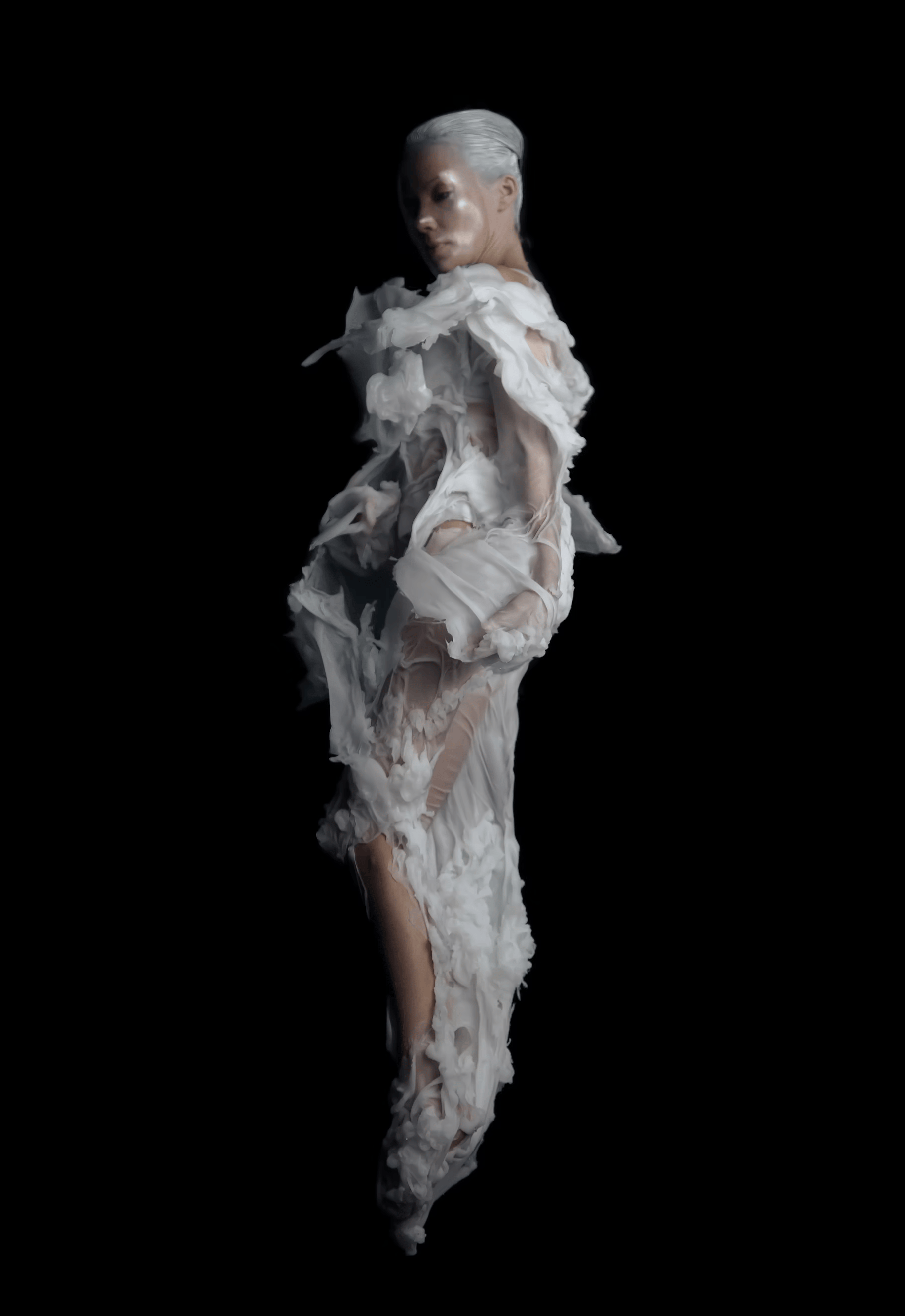 Bart Hess - Digital Artifacts - exibition during the 2013 Architecture Triennale in Lisbon
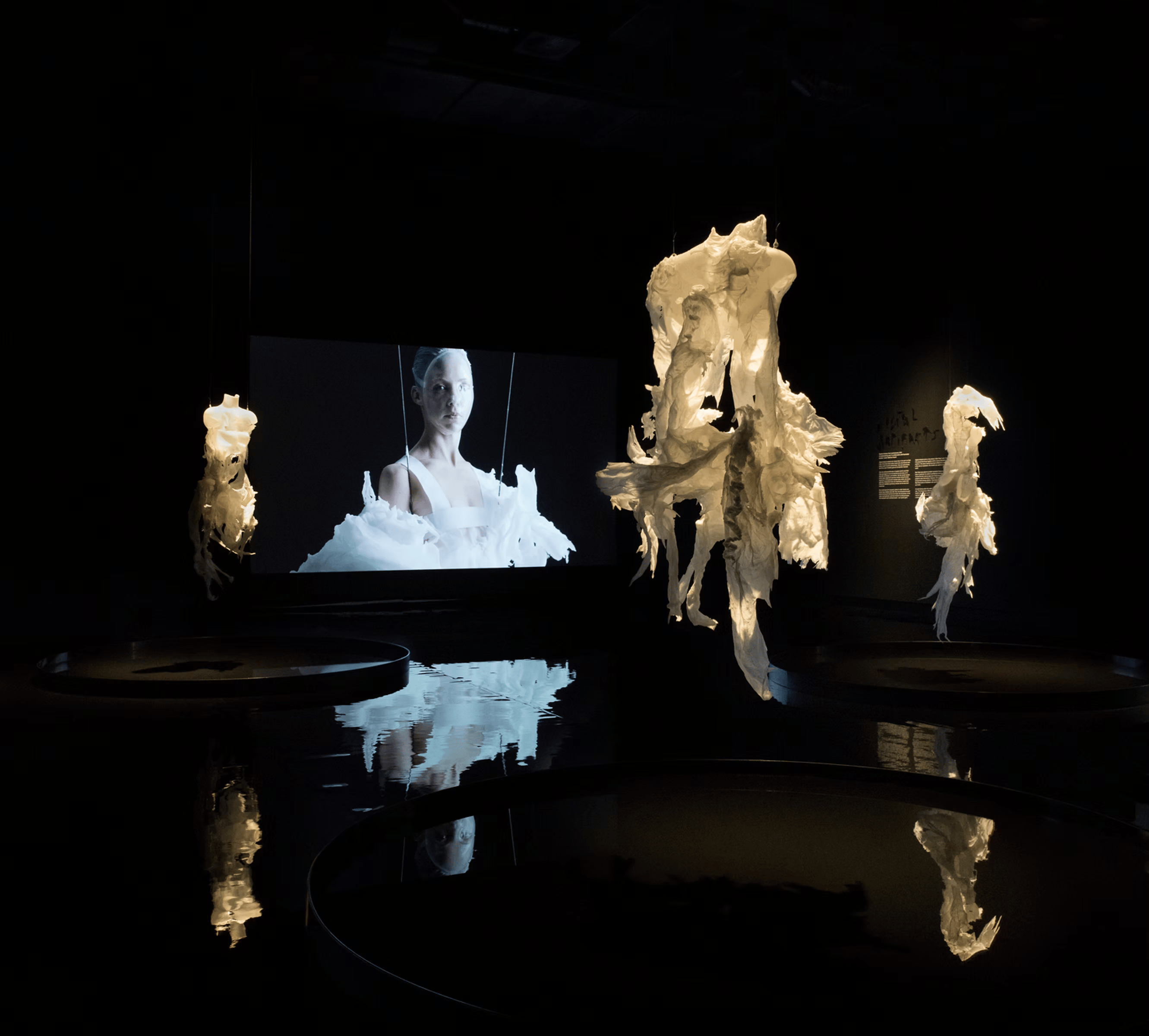 Bart Hess - Digital Artifacts - exibition during the 2013 Architecture Triennale in Lisbon
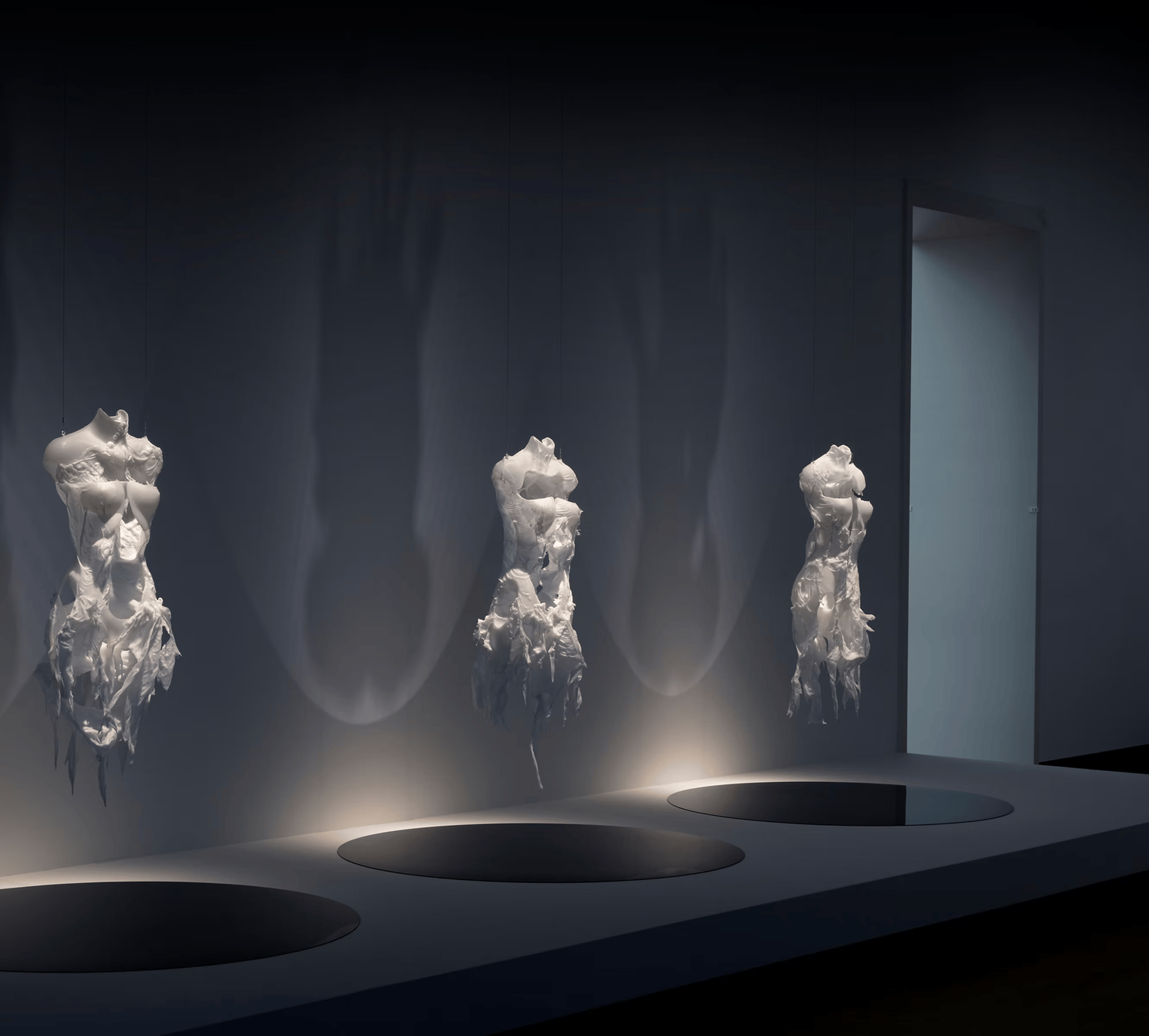 Bart Hess - Digital Artifacts - exibition during the 2013 Architecture Triennale in Lisbon
https://www.barthess.com/digital-artifacts
QUAYOLA
Series of unfinished sculptures inspired by Michelangelo’s unfinished masterpieces Captives and his technique of ‘non finito’. The sculptures, robotically carved, are left progressively unfinished to document the computational process and new algorithmic sets of computational gestures.
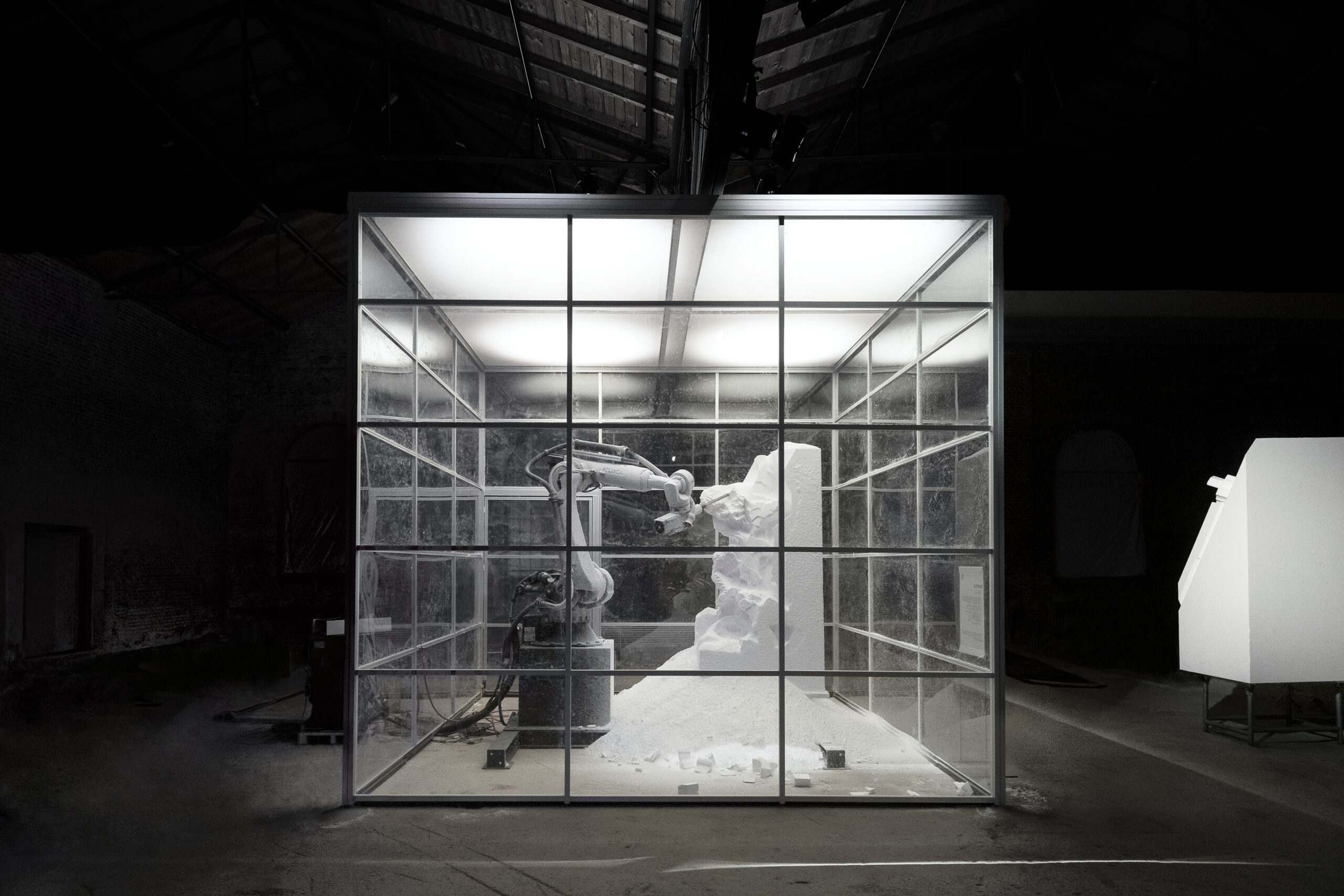 Artwork by Quayola - MU Gallery, Eindhoven
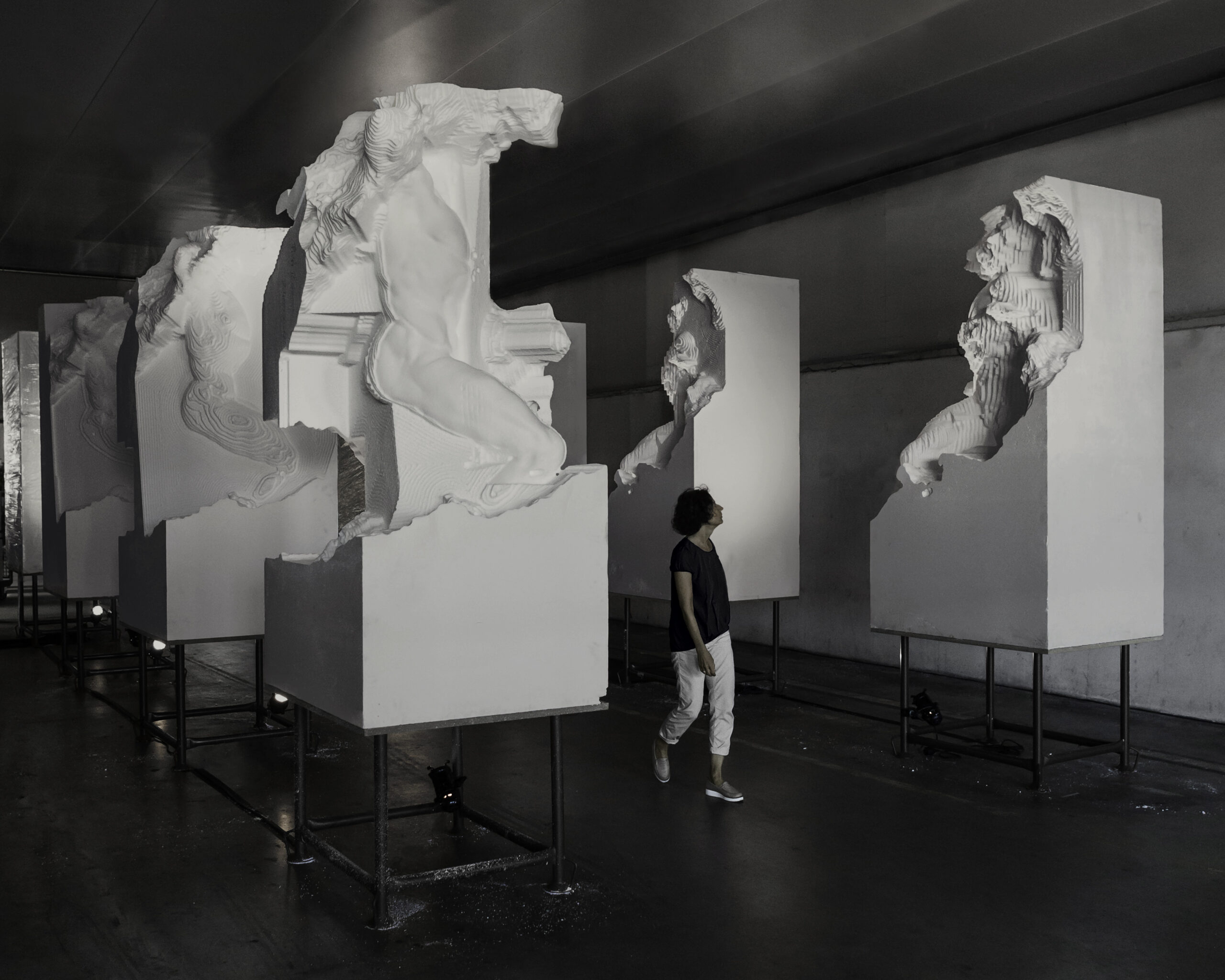 Artwork by Quayola - MU Gallery, Eindhoven
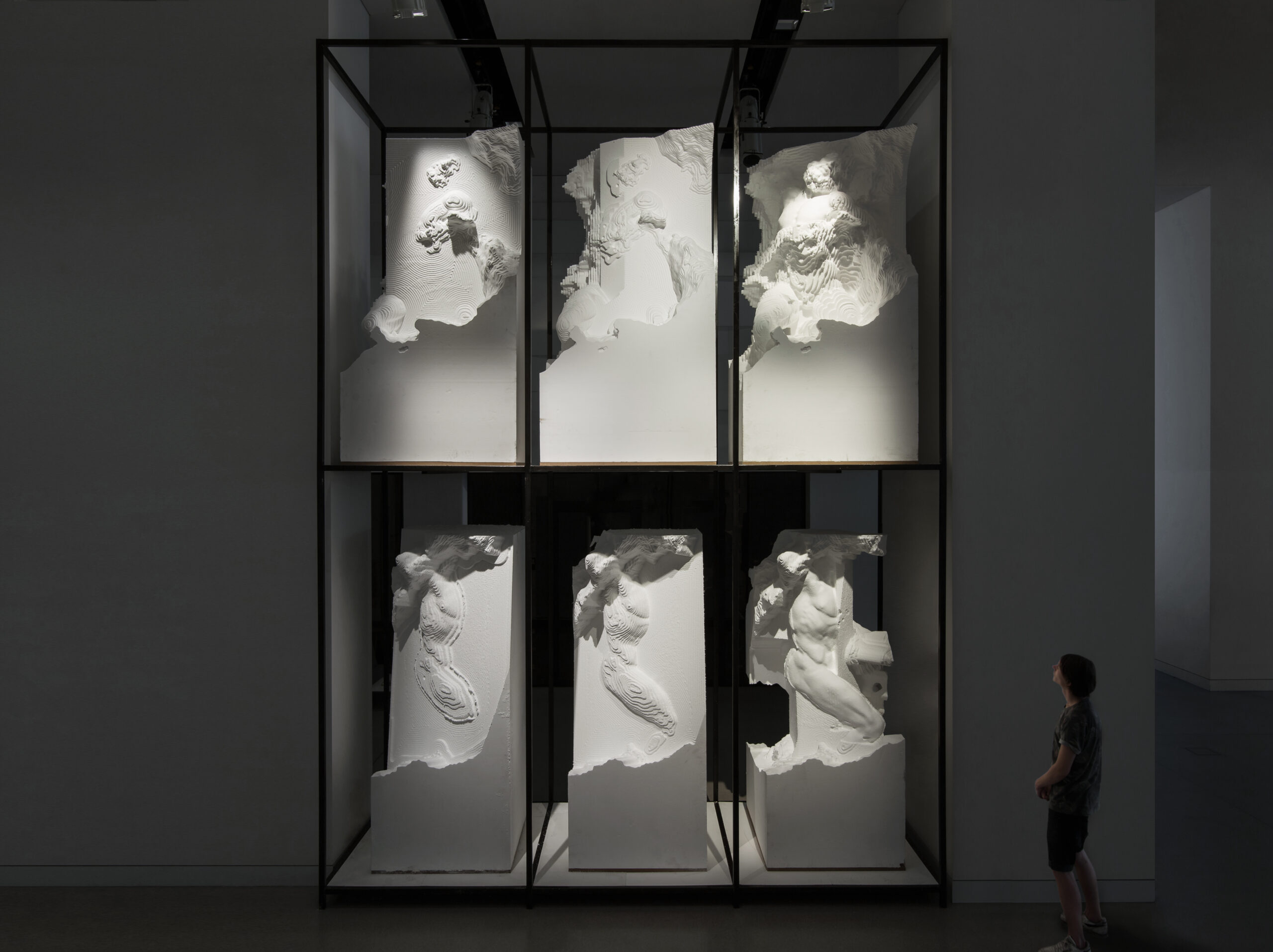 Artwork by Quayola - MU Gallery, Eindhoven
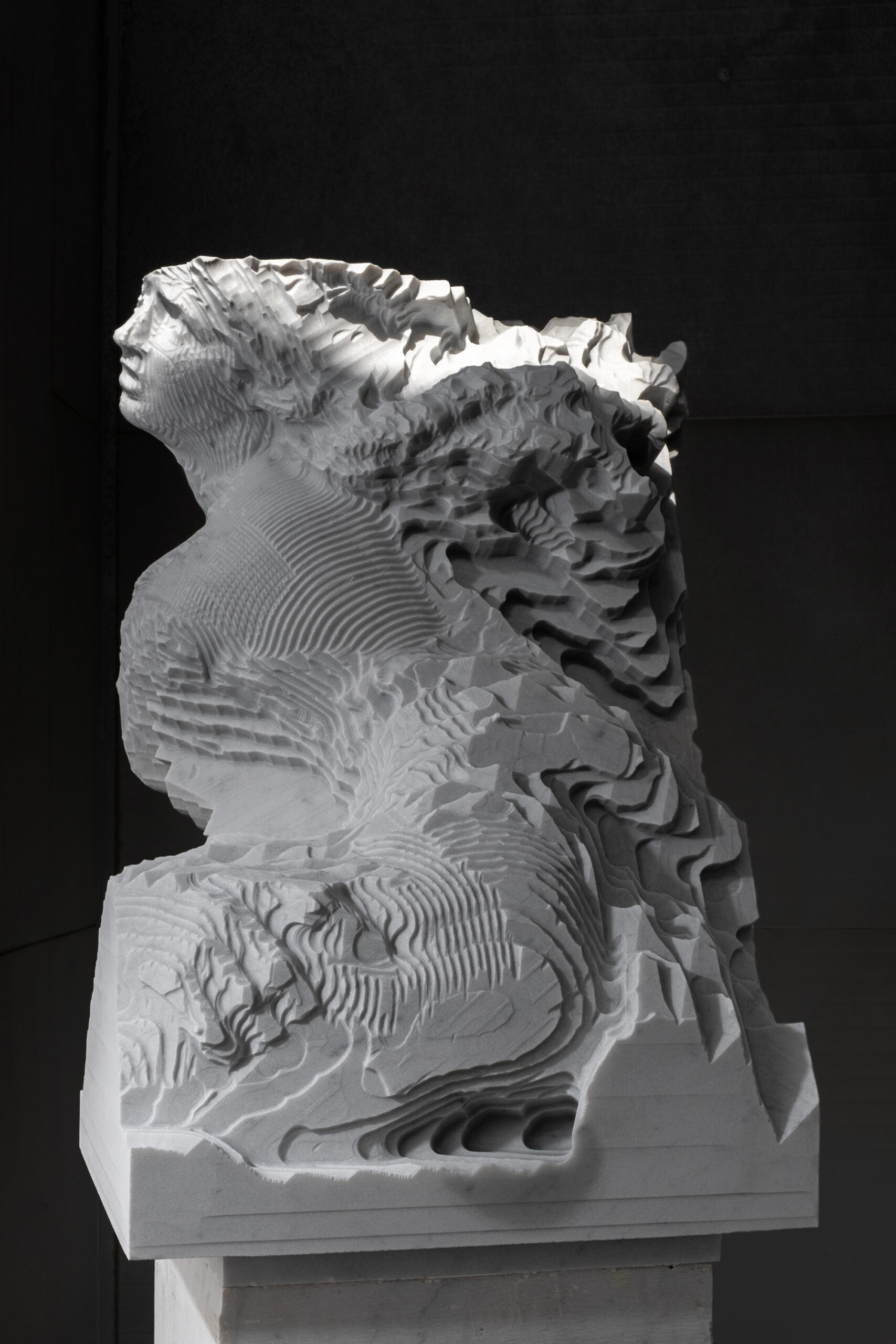 Artwork by Quayola - MU Gallery, Eindhoven
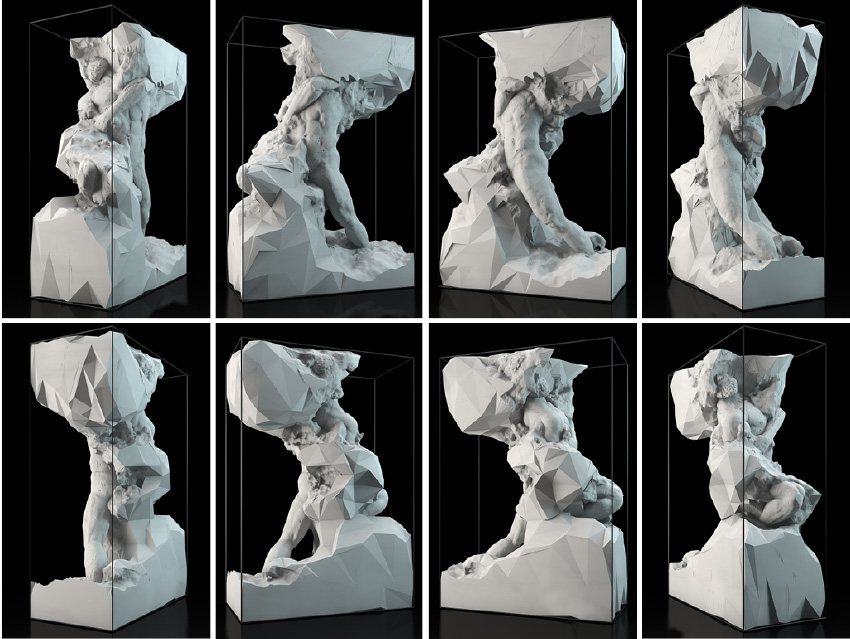 Artwork by Quayola - MU Gallery, Eindhoven
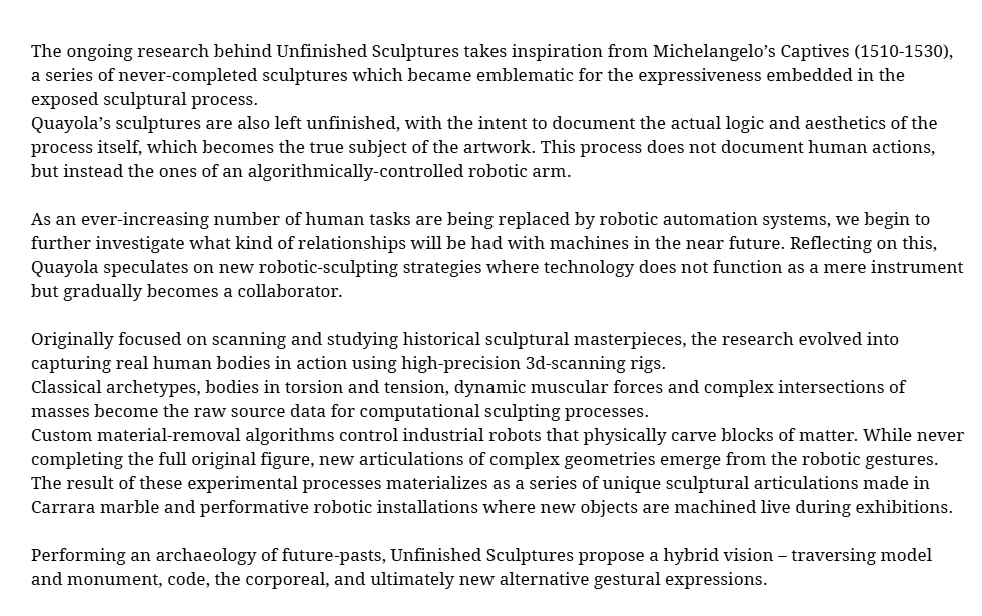 Artwork by Quayola - description of the Artwork "Unfinished Scultures" - taken out of Quayola's website
https://quayola.com/captives-b8-6-0/
Framing the Sculpture within the Artistic Movement
Mannerism is an artistic movement that emerged at the close of the Renaissance, around the beginning of the sixteenth century, and extended into the early seventeenth century. It arose in a period of uncertainty, anguish and restlessness across Europe, driven by political, social and cultural instability. The style is characterised by individualism and by the valuing of individual expression and virtuosity. In it, certain features of Classicism — the rationalism, harmony and balance of the Renaissance — were to some extent replaced by complexity, artificiality and ambiguity, as artists pursued originality and innovation.
Giambologna's Rape of the Sabine Women, carved between 1579 and 1583, belongs exactly to this phase. A key point for framing the work is the spiralling, twisting composition in which the figure turns upon its own axis, forcing the viewer to walk around the sculpture to grasp its full form. The work's lack of a fixed point of view — the rotating movement that invites the spectator to explore its different perspectives — is precisely the Mannerist device in physical form.
Links of the sites I took information from:
https://artincontext.org/mannerism-art/
https://www.theartstory.org/movement/mannerism/
TOOLS
All the tools that i experimented with in this Assignement:
Process:
I started out by following the tutorial of RICO Kanthatham on how to add Makehuman to Blender since it would be easier to create my avatar directly in this software.
Blender
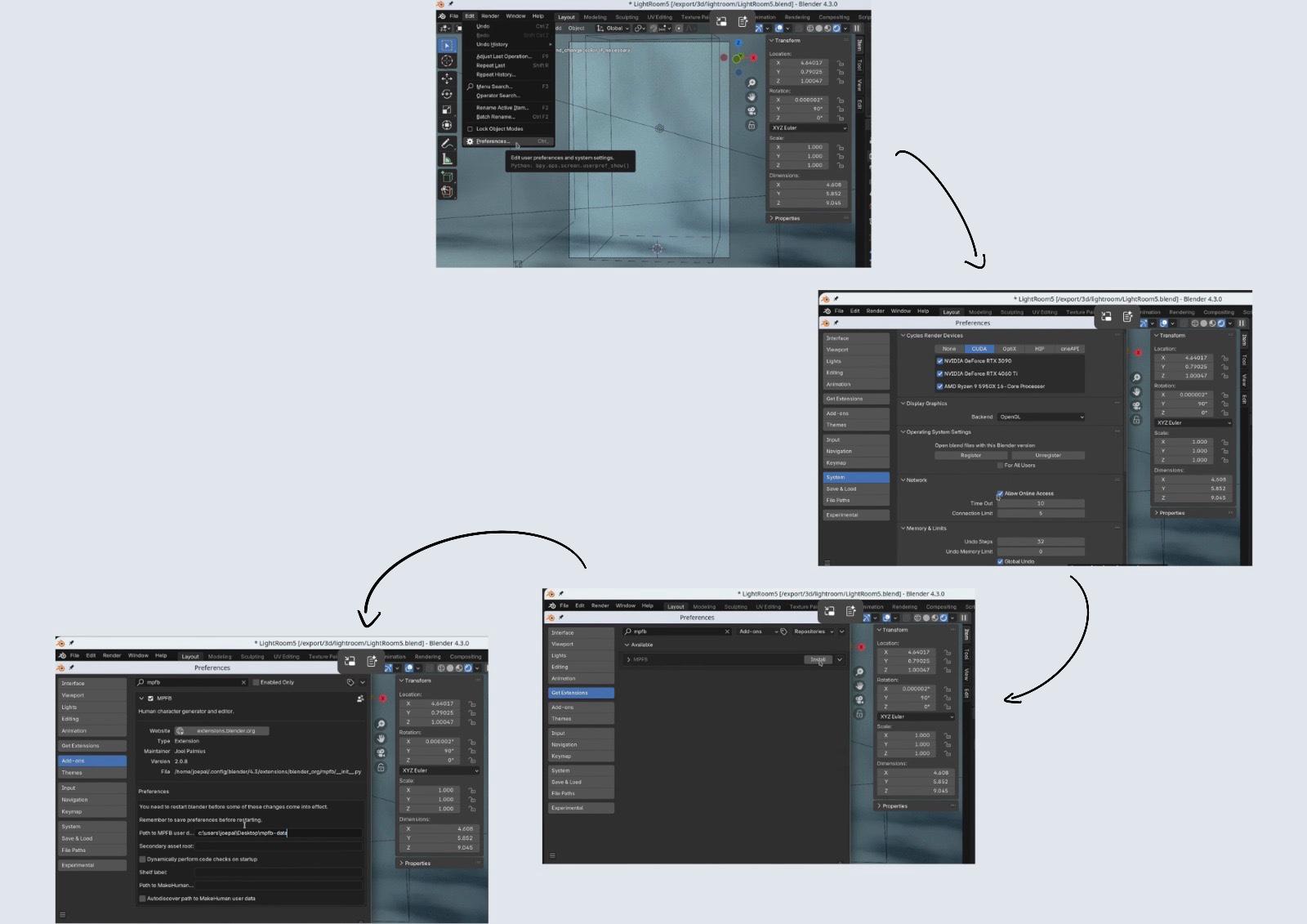 Steps i took in order to install MPFB in Blender -Moodboard made in canva by Rita Manuelito/2026
INSTALL BLENDER IN WINDOWS
Edit ▶ Preferences ▶ Systems ▶ Allow Online Acess ☑︎ Get Extensions ▶ Search MPFB ▶ click Install
ADD ONS ▶ search MPFB
Path to MPFB user: c:\users\ritam\Desktop\mpfm-data
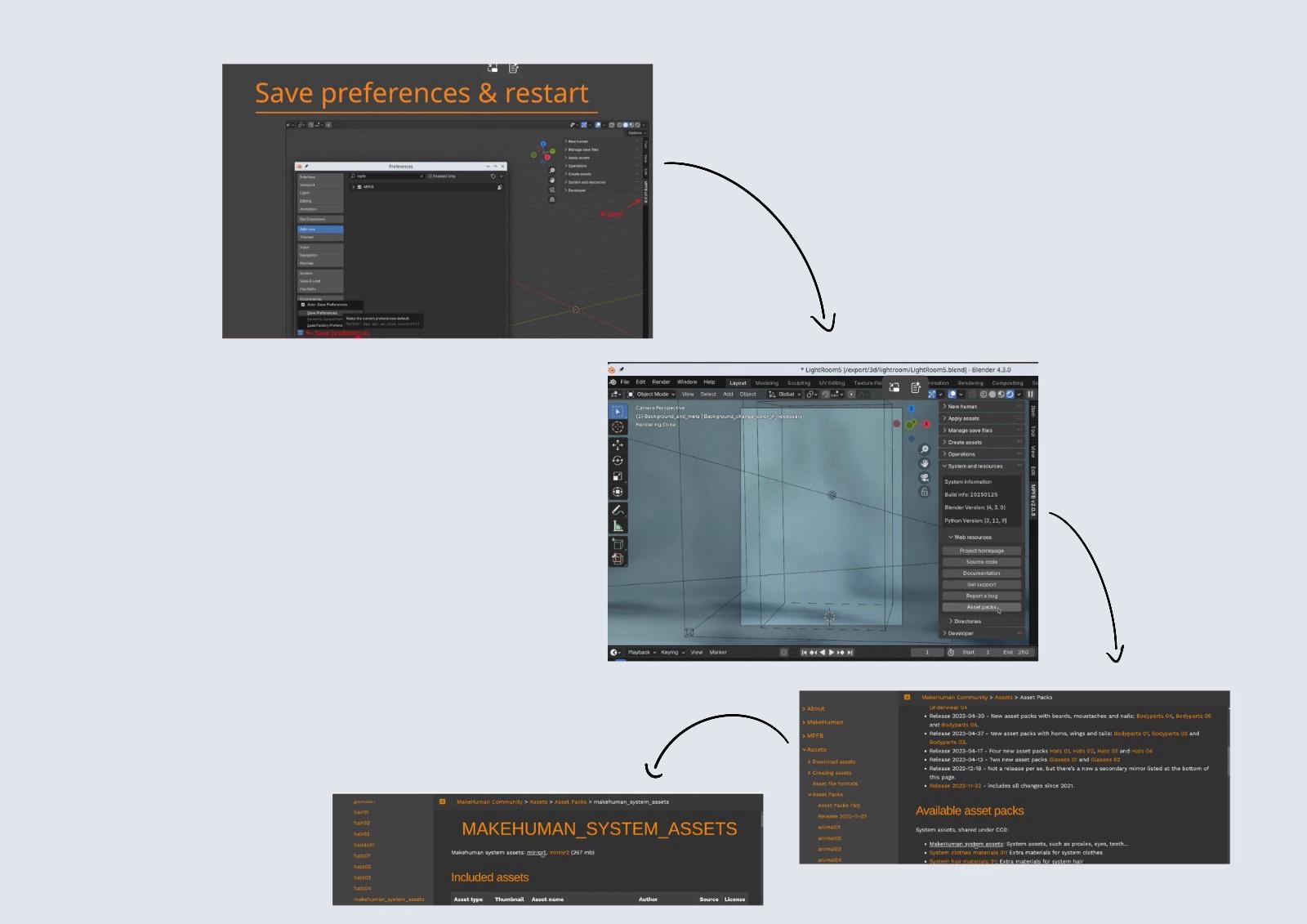 Steps i took in order to install MPFB in Blender -Moodboard made in canva by Rita Manuelito/2026
Save Preferences and Restart
Click "N" ▶ to appear tool bar where we can fid MPFB ▶ Systems and Resources ▶ Web Resources ▶ Asset Packs ( to personalise the model)
Available Asset ▶ Library Setting ▶ Load pack from zip file
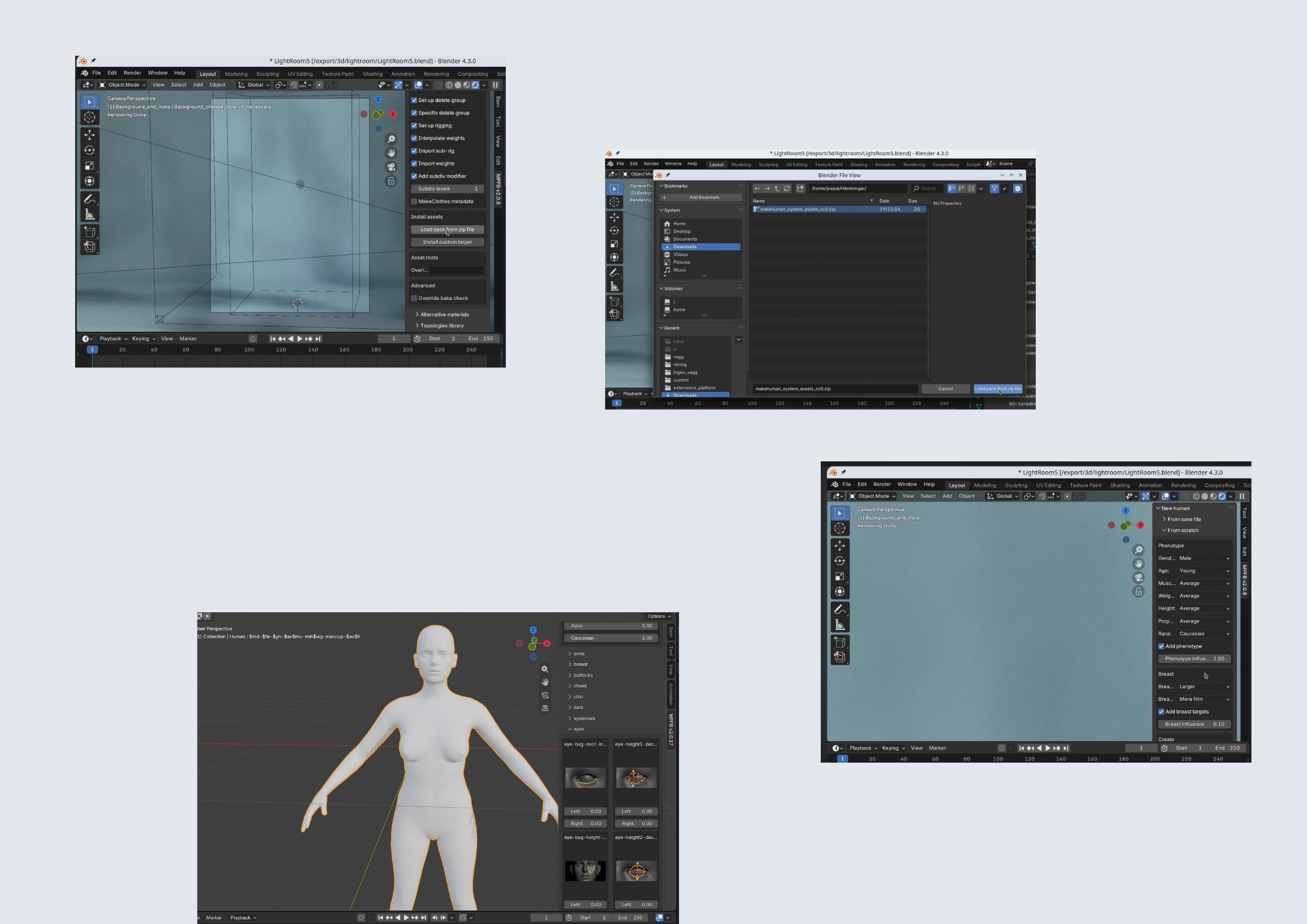 Steps i took in order to install MPFB in Blender -Moodboard made in canva by Rita Manuelito/2026
Download ▶ makehuman_system_assets_cc0.zip ▶ Load pack from zip file
New human ▶ From scratch ▶ Phenotype ▶ Create human( gere we can edit the larger details of the model, also the settings can be change later on!)
Model panel ▶ Phenotype ▶ Macrodetails Rigging ▶ Standart Rig ▶ Add Standard Rig
Apply Assets ▶ if you want to personalize the caracter here is the right place:) but because we are going to use cardboard to create this specific manequim, it doesn't really make sense
Gemini
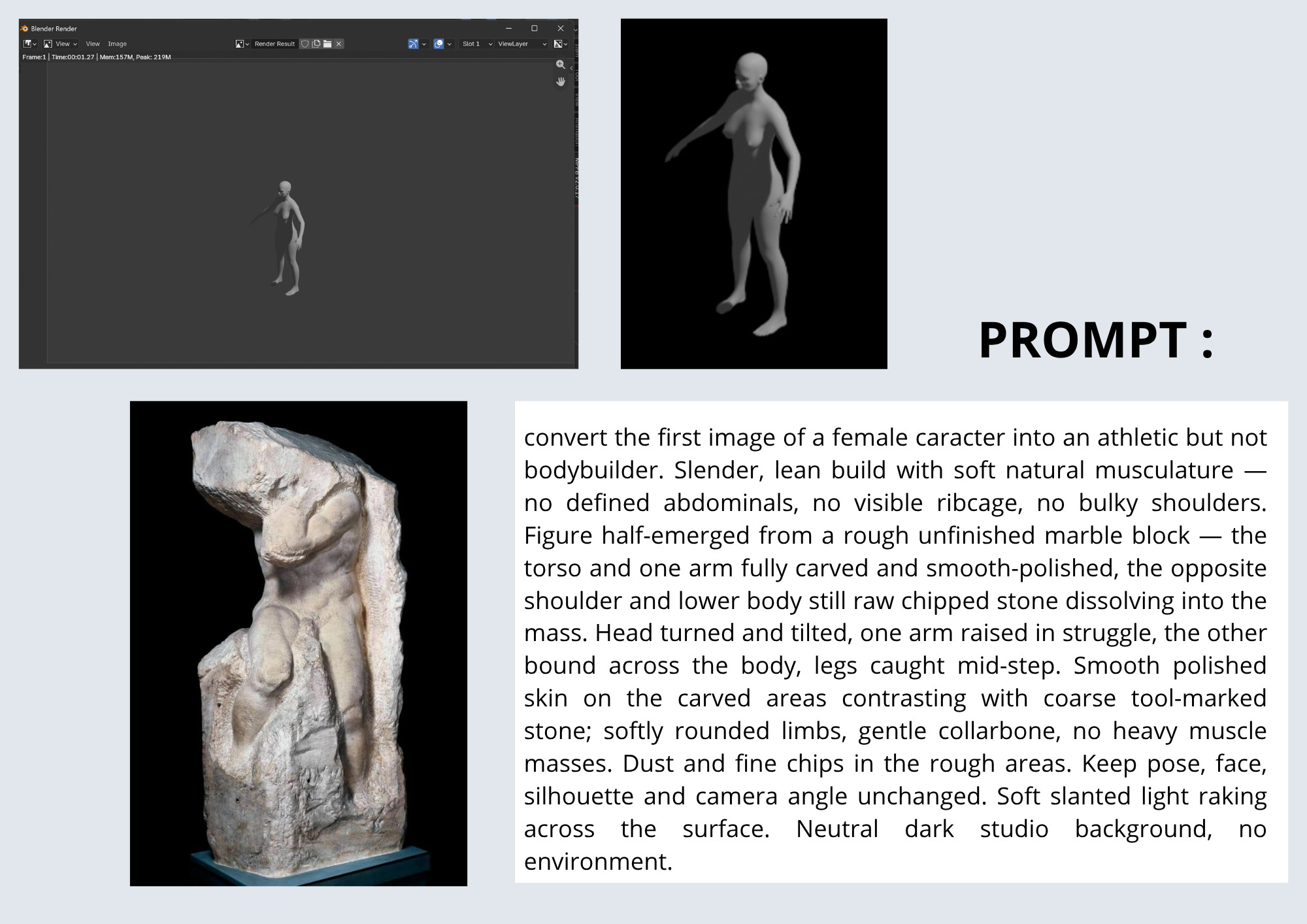 Steps i took using Gemini - Moodboard made in canva by Rita Manuelito/2026
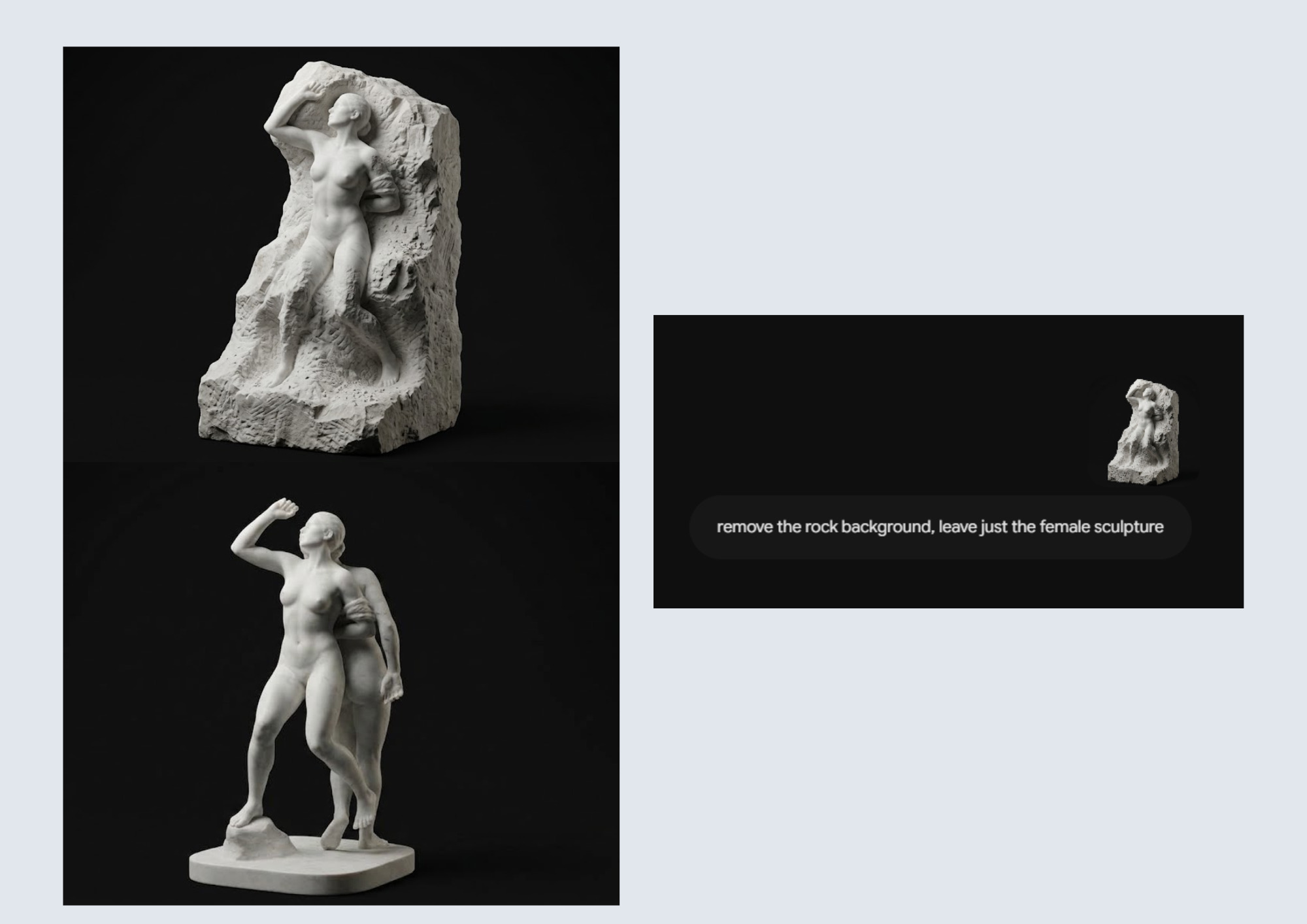 Steps i took using Gemini - Moodboard made in canva by Rita Manuelito/2026
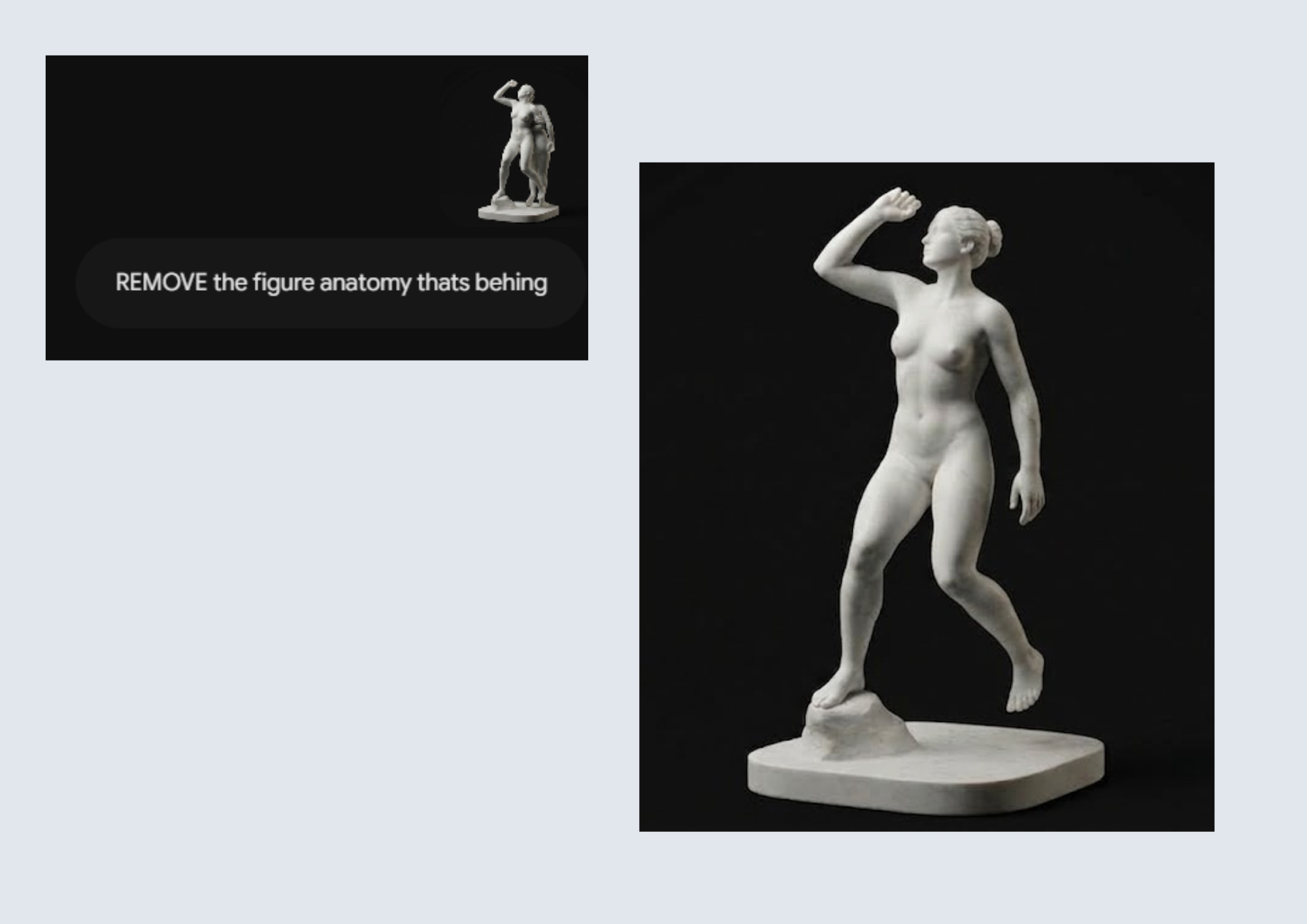 Steps i took using Gemini - Moodboard made in canva by Rita Manuelito/2026
I choose to generate my avatar with AI based on my inspo images. For that, i used Gemini, however, thanks to Aslı Aydın Aksan's workshop we learned tips and tricks on how to generate a detailed image using this AI tool and how to transform it into a 3D Model. I thought we could simply describe what our ideal image would looked like, but it's important to follow a certain prompt. As well as to make sure we refer to the model we want to trasform as a caracter, other wise AI can "think" it's a real person's body and it won't be able to work with it.
After a couple attempts, i finally was able to generate my ideal model.
Tripo Generator 3D
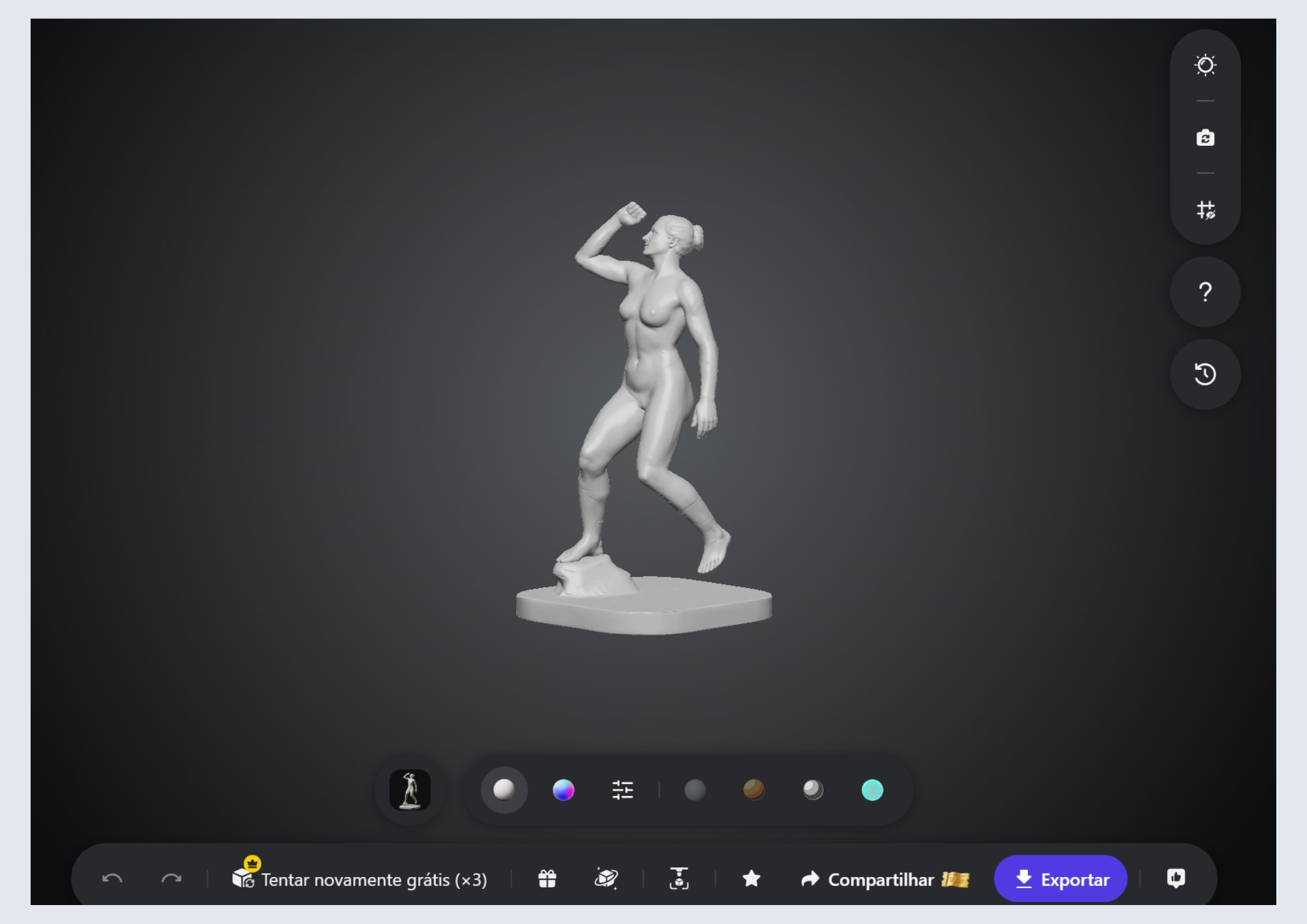 TRIPO GENERATOR 3D - Result - by Rita Manuelito/2026
I imported my image on Tripo 3D Generator so it could generate a 3D Model that i can later modify in Blender or Fusion 360. It's important to choose certain parameteres to be able to export, don't forget to select the option - H2.5 - Legacy.
Fusion 360
HOW TO CUT ON FUSION 360?
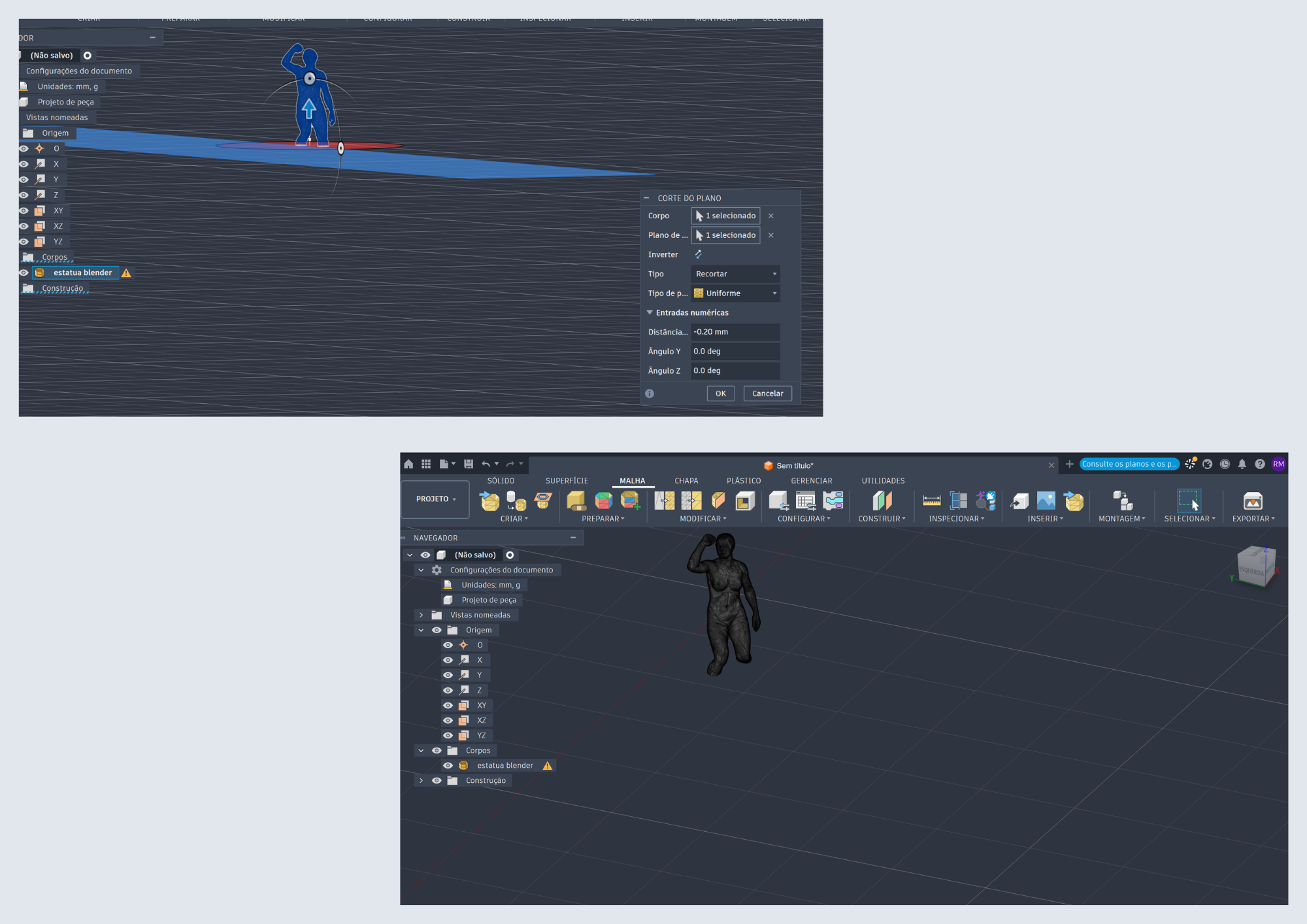 HOW TO CUT ON FUSION 360? - by Rita Manuelito/2026
I decided to cut my 3D Model in Fusion 360 since i would just cut a straight line. However, i learned that if u decide to cut a specific shape in your model it's better to use Blender.
Construct ▶ Offset Plane ▶ XY Plane in the Origin folder Drag it vertically into the height we plan to cut it
Mesh ▶ Modify ▶ Select Model 3D + plan that we'll use to cut the model
Type:Trim Fill: Uniform OK ☑︎
I first tried to import my Model (now cut) in FormSlice, because it was suggested in the workshop, so it could be prepared for slicing. However i stood upon some problems: there were holes in my Avatar. So i had to go back to blender and did the following steps:
Back to Blender
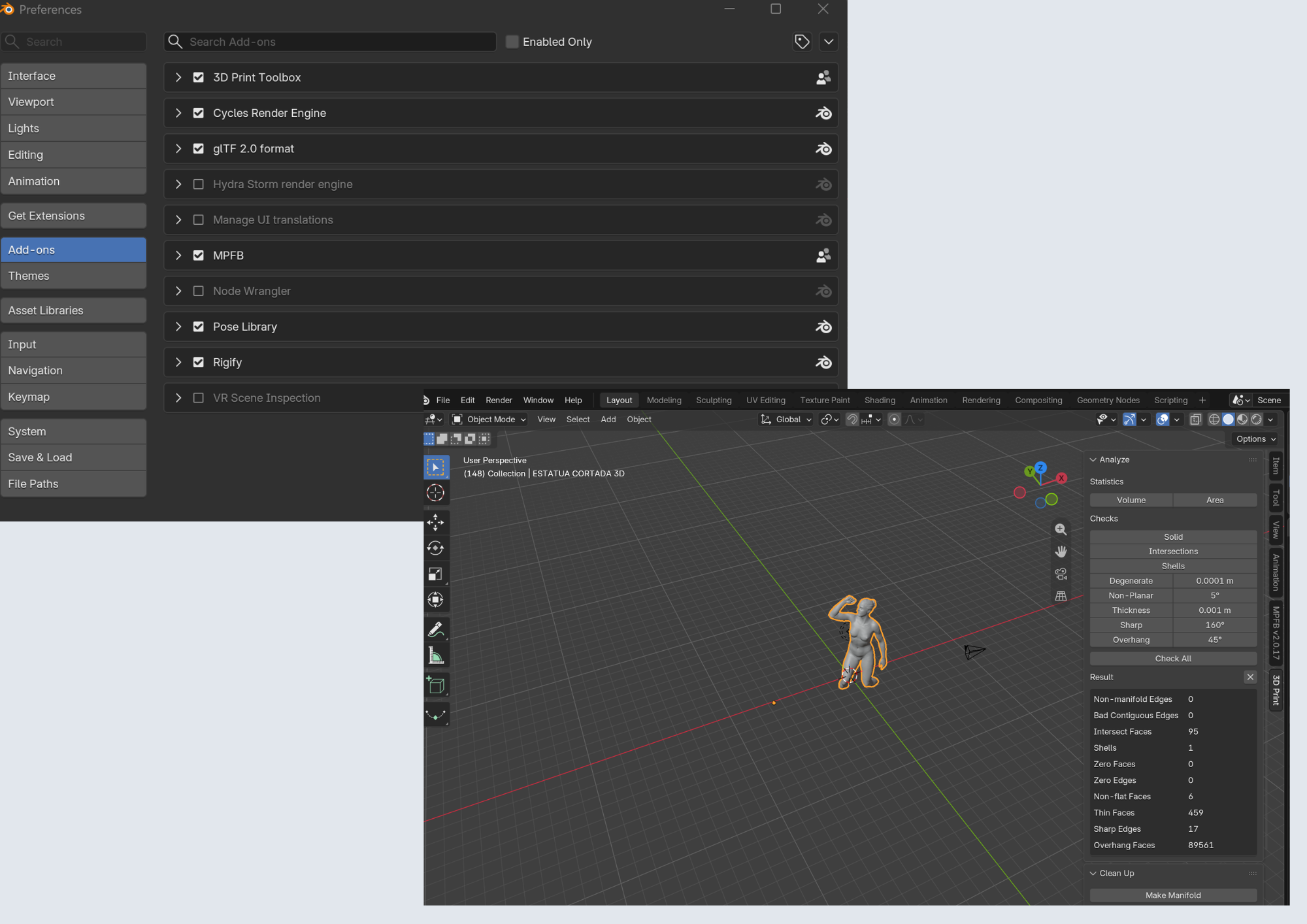
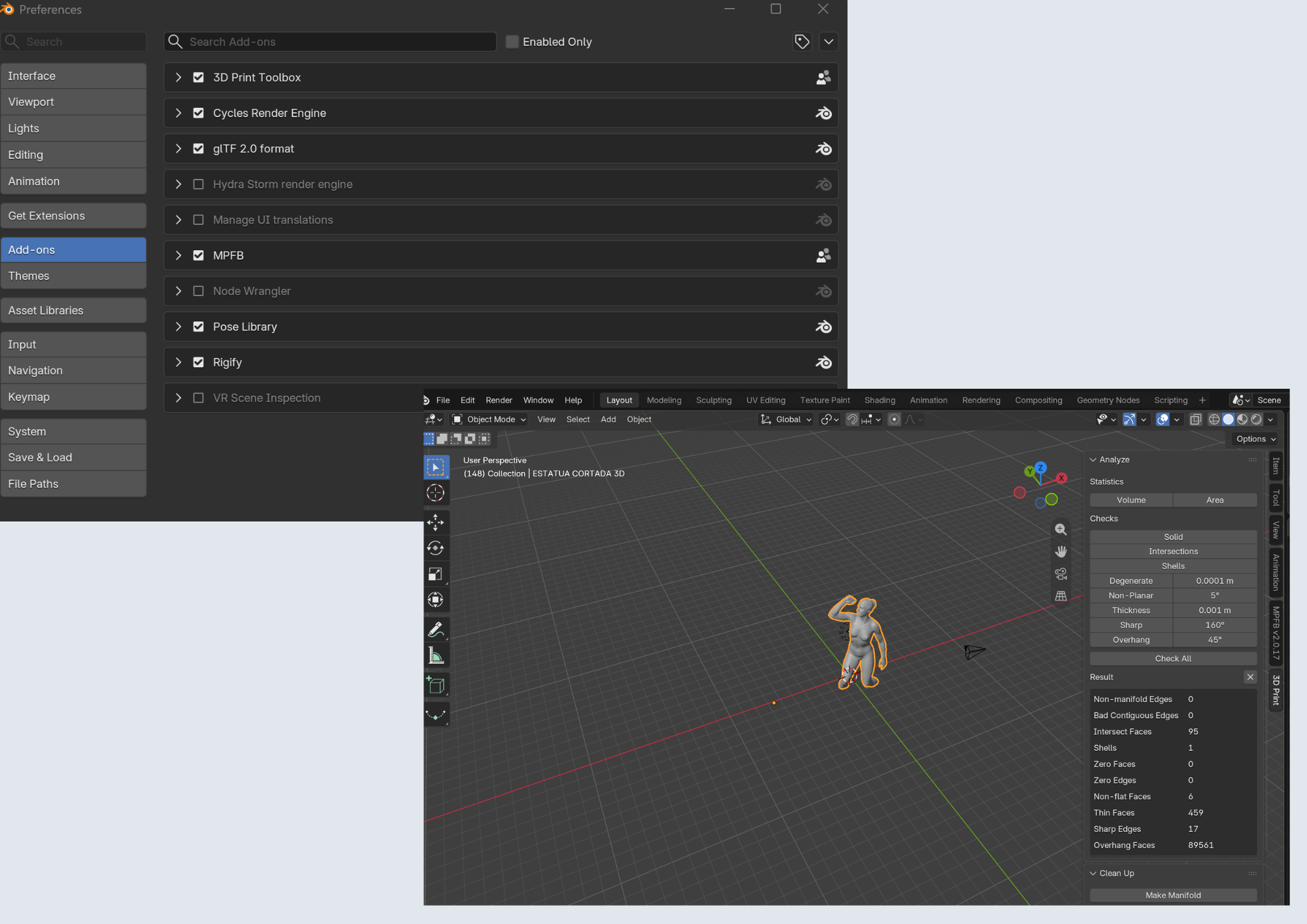 How to fill in holes of the 3D Model in Blender - by Rita Manuelito/2026
 How to fill in holes of the 3D Model in Blender - by Rita Manuelito/2026
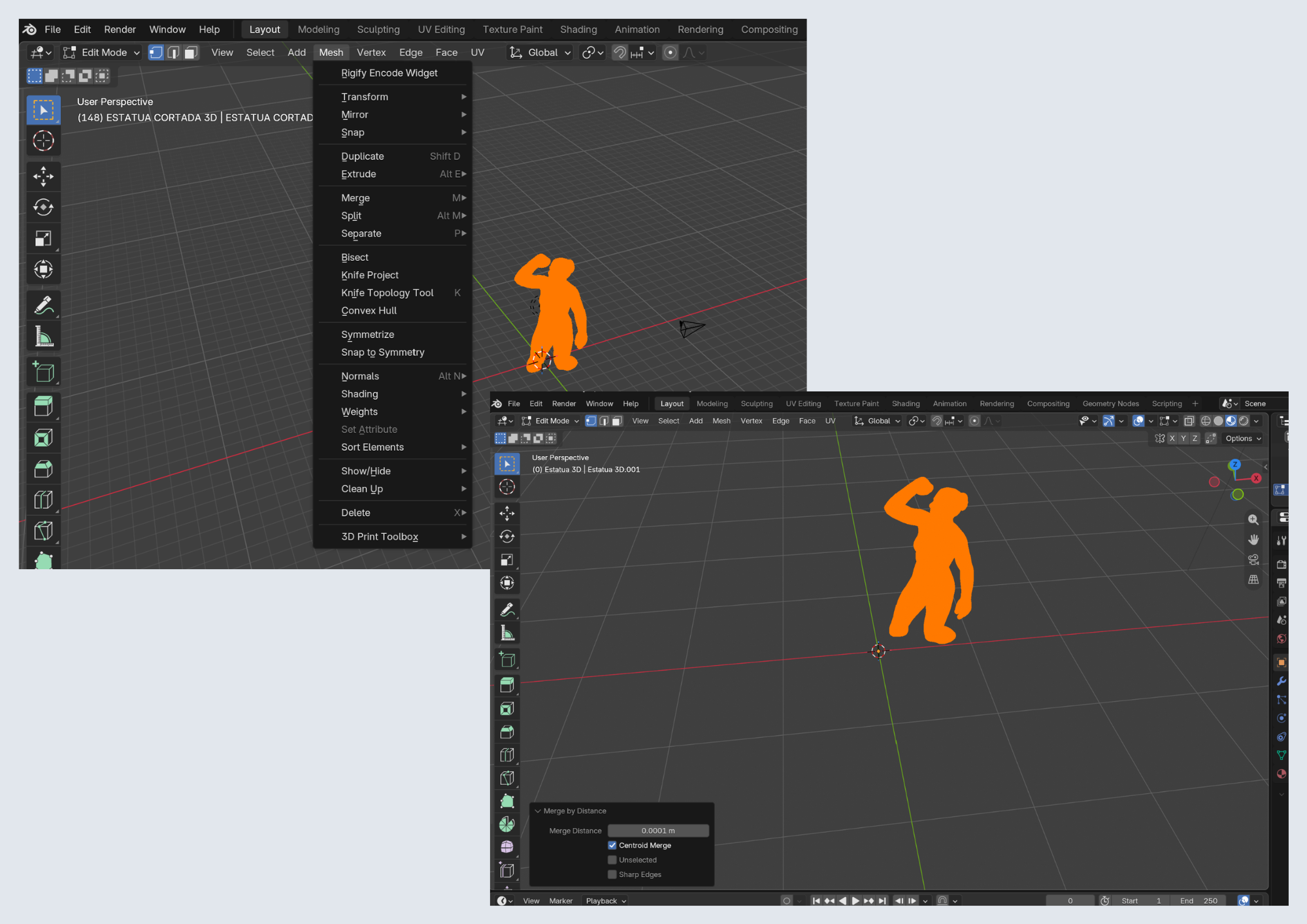 How to fill in holes of the 3D Model in Blender - by Rita Manuelito/2026
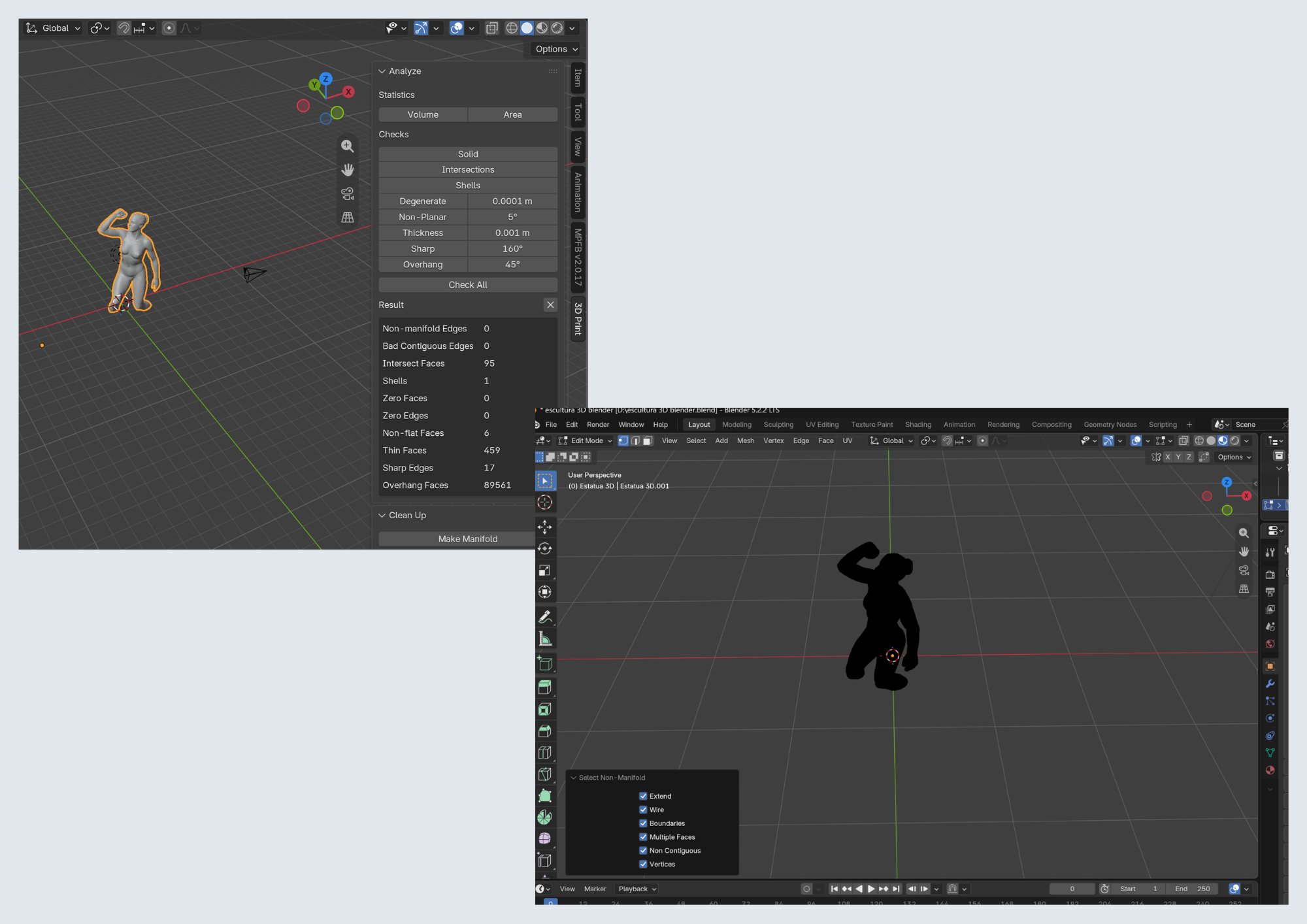 How to fill in holes of the 3D Model in Blender - by Rita Manuelito/2026
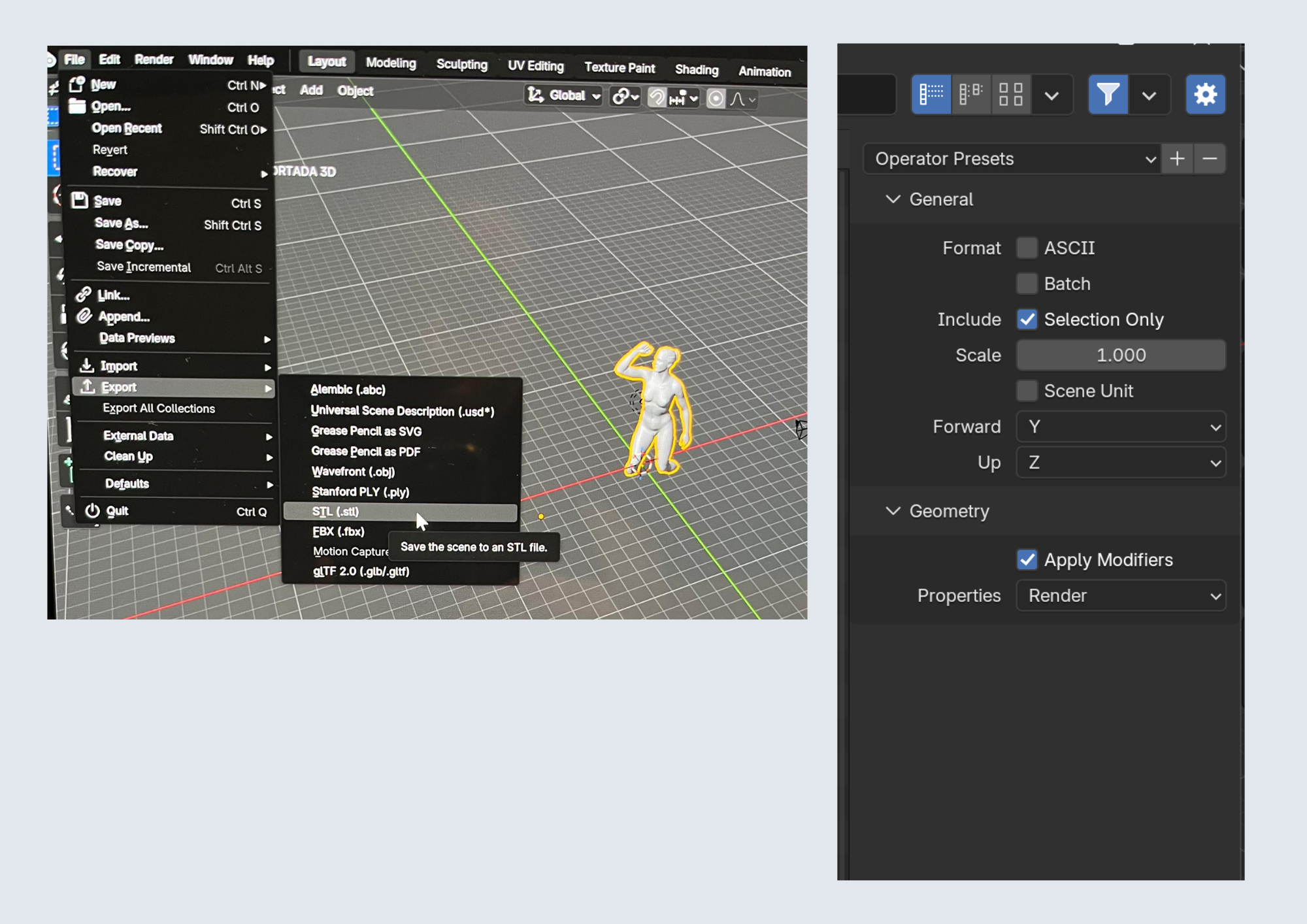 How to fill in holes of the 3D Model in Blender - by Rita Manuelito/2026
I installed 3D-Print Toolbox ( it's an ADD-ON already found in blender)
Edit ▶ Preferences ▶ Get Extensions ▶ Search " 3D Print Toolbox" - Install Add-ONs ▶ 3D Print Toolbox ☑︎
Click "N" ▶ right lateral panel ▶ 3D Print Check All - Blender is going to search for all possible problems
After that, I made sure Merge By Distance - 0,0001mm - to join duplicated vertices
Press TAB (on keyboard) ▶ Click "A" to select everything Mesh ▶ Clean up ▶ Merge by distance Click"N" ▶ 3D Print Panel ▶ Make Manifold ▶ Check All
Press TAB to leave Edit Mode Select 3D Model ▶ File ▶ Export ▶ STL ▶ Selection Only ☑︎
I then Import again in FormSlice and it worked this time! So that means the holes were filled.
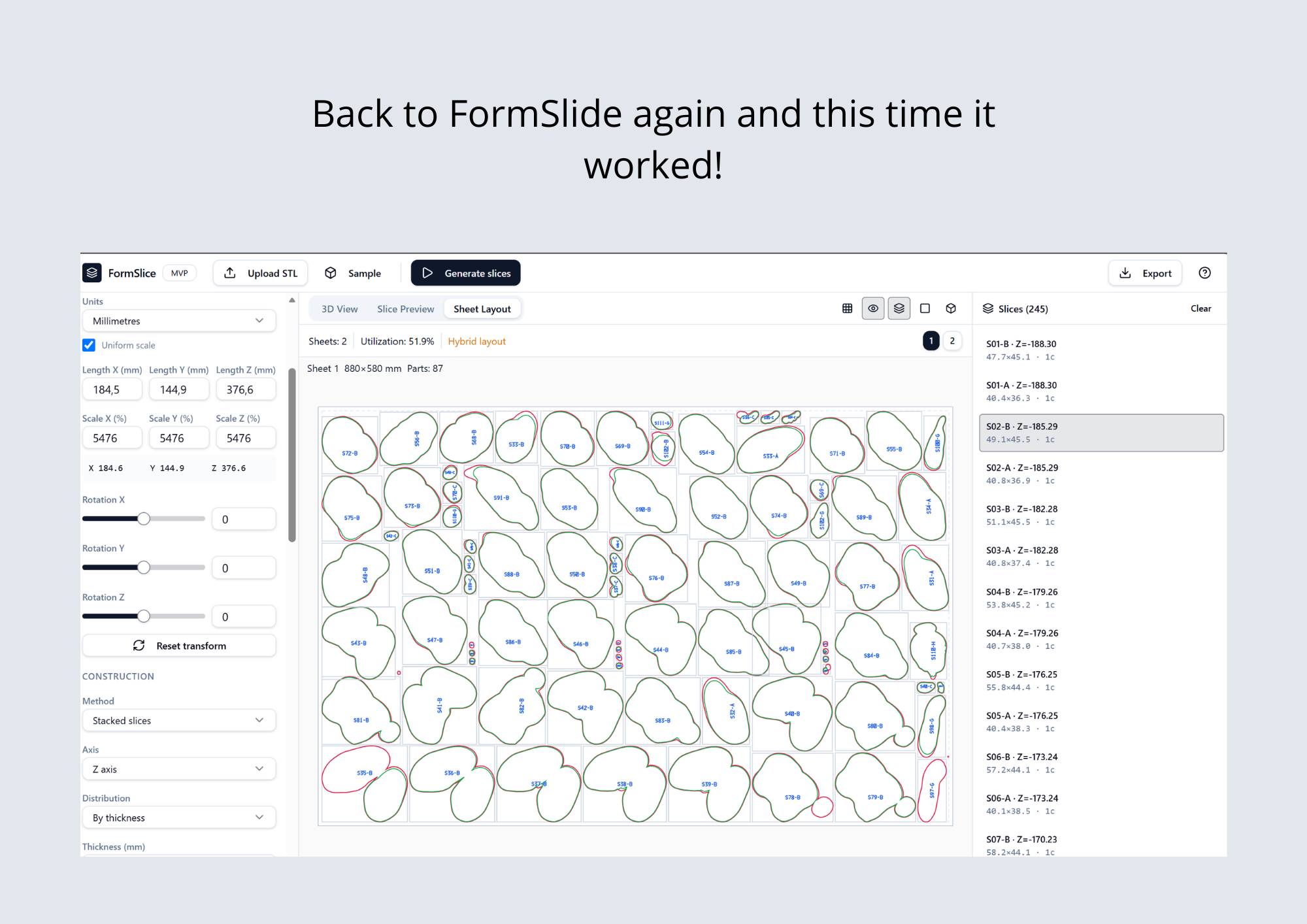
Slicer for Fusion 360
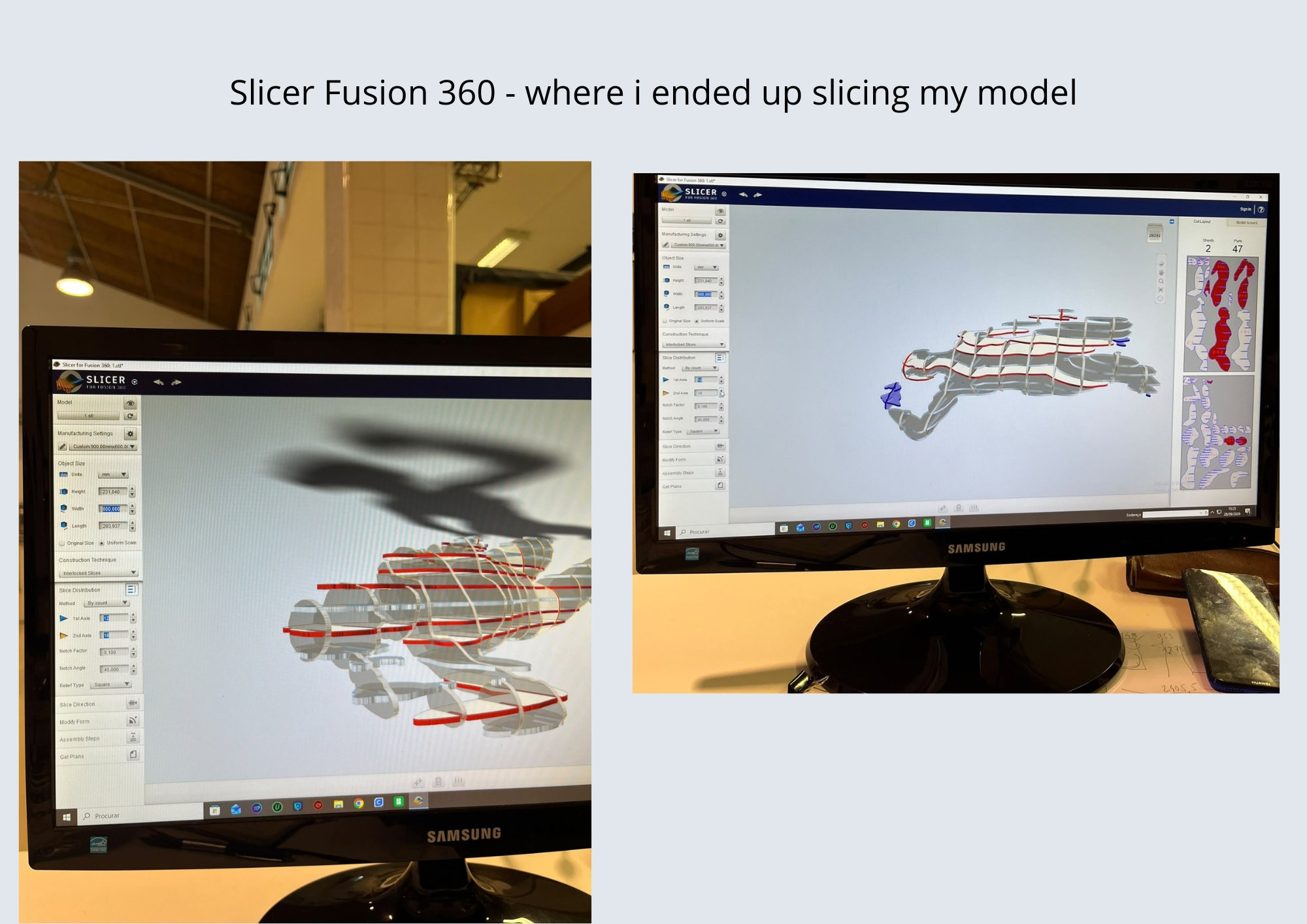 How to prepare the File for Slice Cutting using Slicer from Fusion 360 - by Rita Manuelito/2026
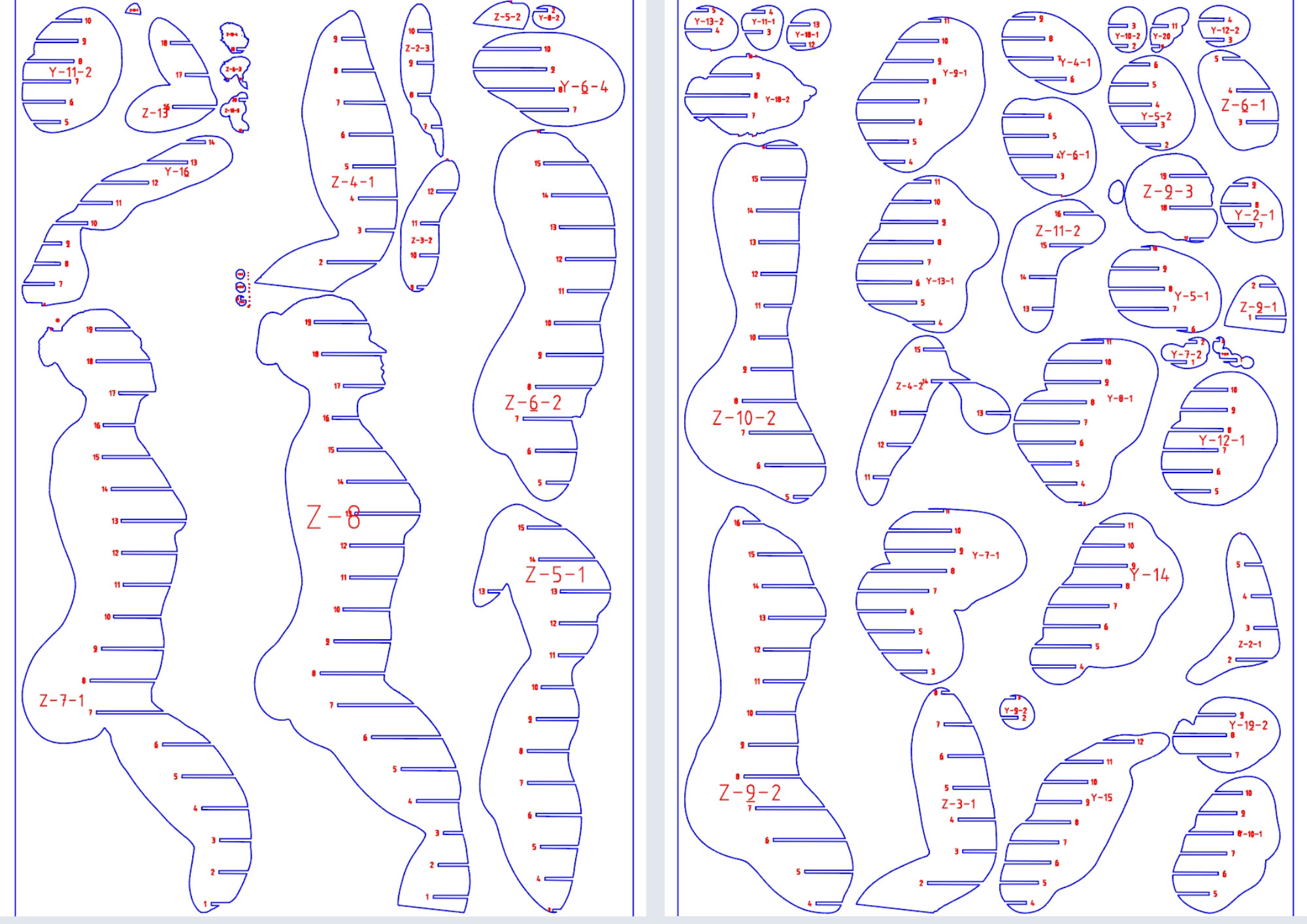 How to prepare the File for Slice Cutting using Slicer from Fusion 360 - by Rita Manuelito/2026
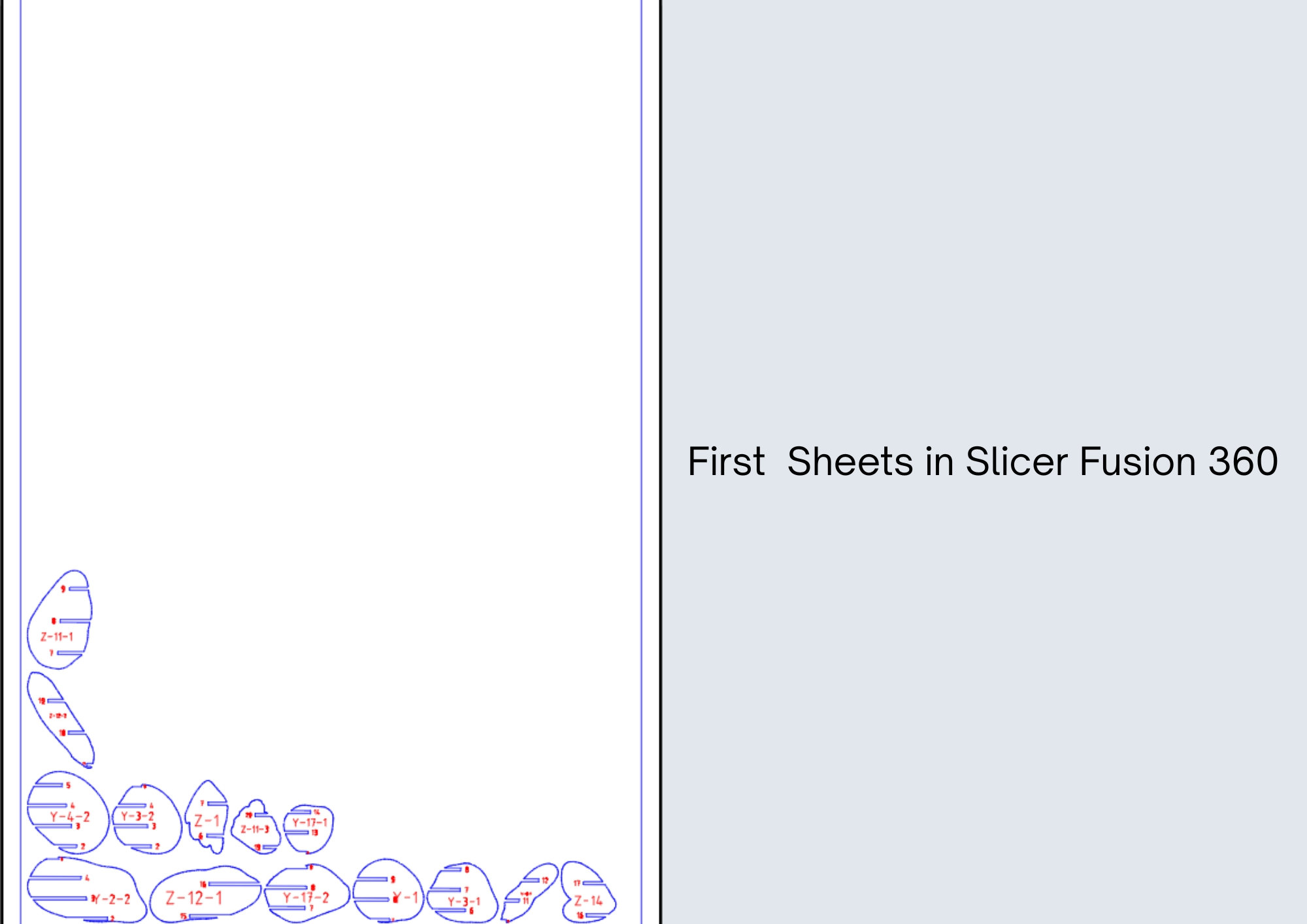 How to prepare the File for Slice Cutting using Slicer from Fusion 360 - by Rita Manuelito/2026
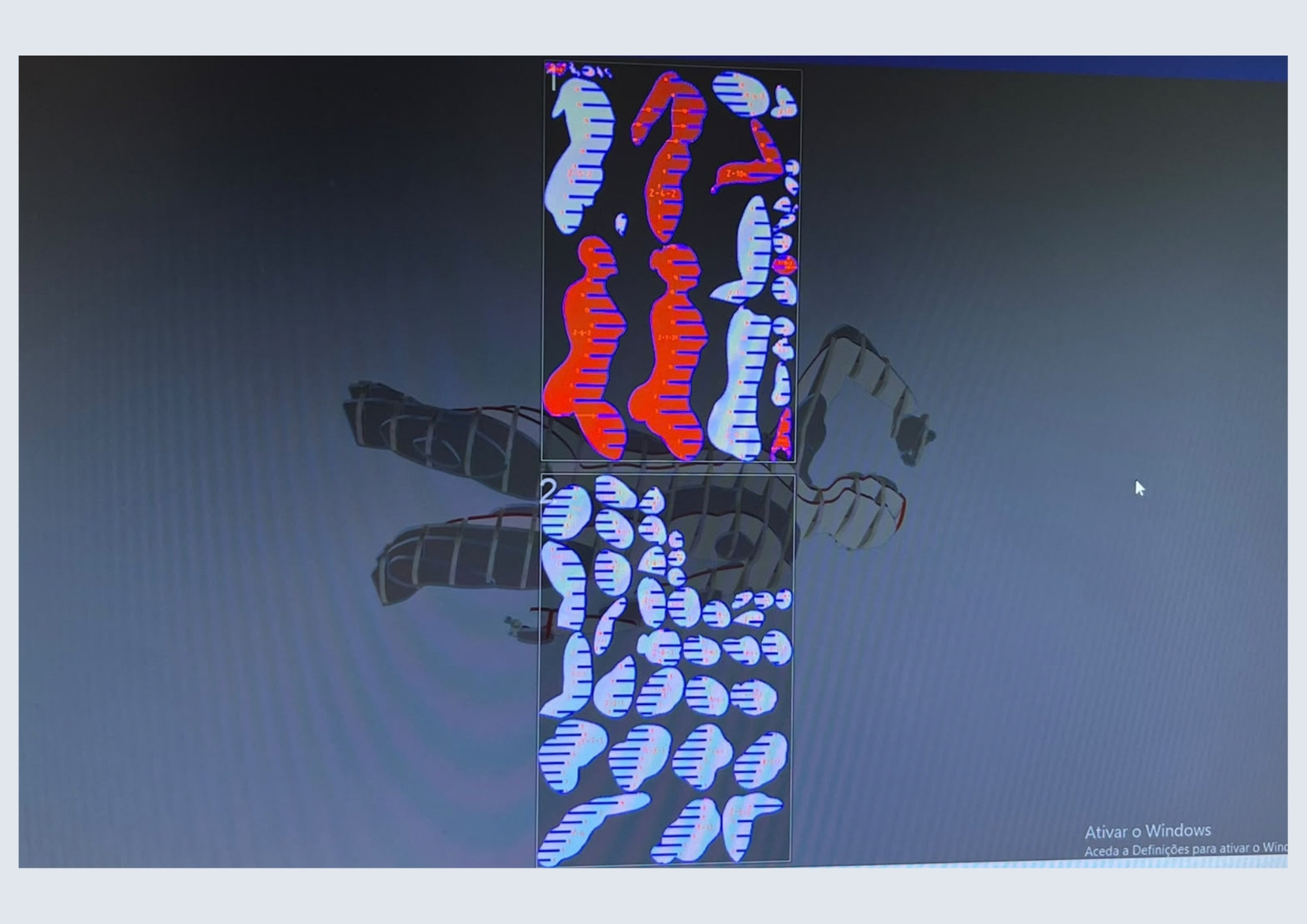 How to prepare the File for Slice Cutting using Slicer from Fusion 360 - by Rita Manuelito/2026
Sooo.. i ended up using the Slicer in Fusion 360 from one of our instructors PC because after i prepared the slices in the previous website, i was told that it would be better if the slices were interlocked, and for some reason i wasn't finding that option so i changed softwares. Either way, it was accually good that i tested FormSlice first because it allowed be to realised that my 3D Model had holes in it.
I exported the model in STL formate. I imported it into Slicer Fusion 360 and edited the parameters for my model. Manufacturing Settings ▶ + ▶ select the model we want to work with
Custom 900mmx600mm
1st Axis: defines the axis along which the plates are sliced.
2nd Axis: does the same along the perpendicular axis, creating an interlocking grid.
Notch Factor: 0.100 corresponds to a notch depth of 10% of the plate thickness.
Notch Angle: 45° is the angle of the notch walls — both affect the tightness of the fit.
Material used: Cardboard
Thickness of the material: 3mm
Construction Tecnique ▶ Interlocked Slices
Assembly Steps: A tool that generates the assembly instructions for the piece, specifying the order in which the plates are fitted together after cutting.
Time to cut our Model in the Laser Cutting machine
How does it acctually works?
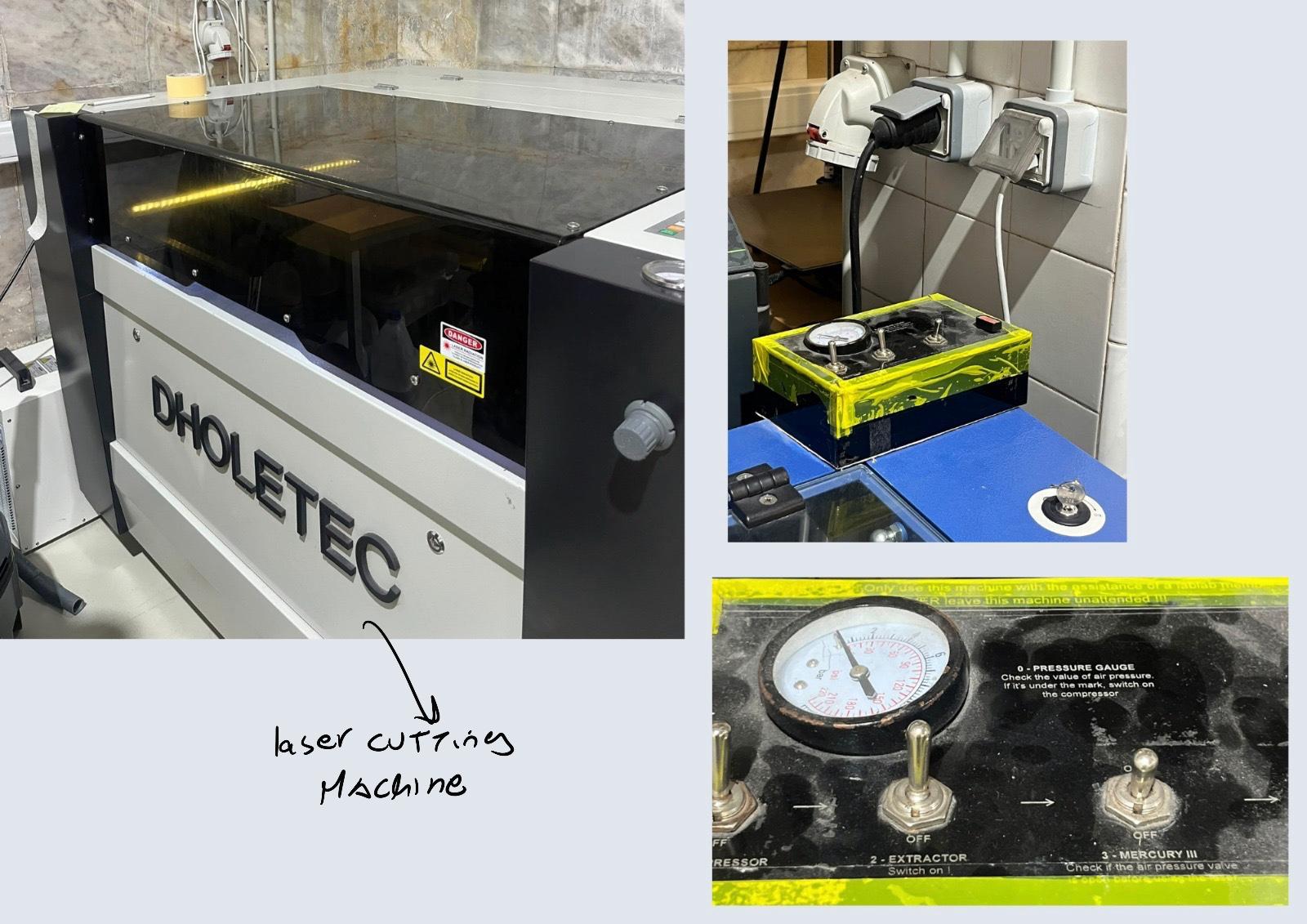 How to use the laser machine - by Rita Manuelito/2026
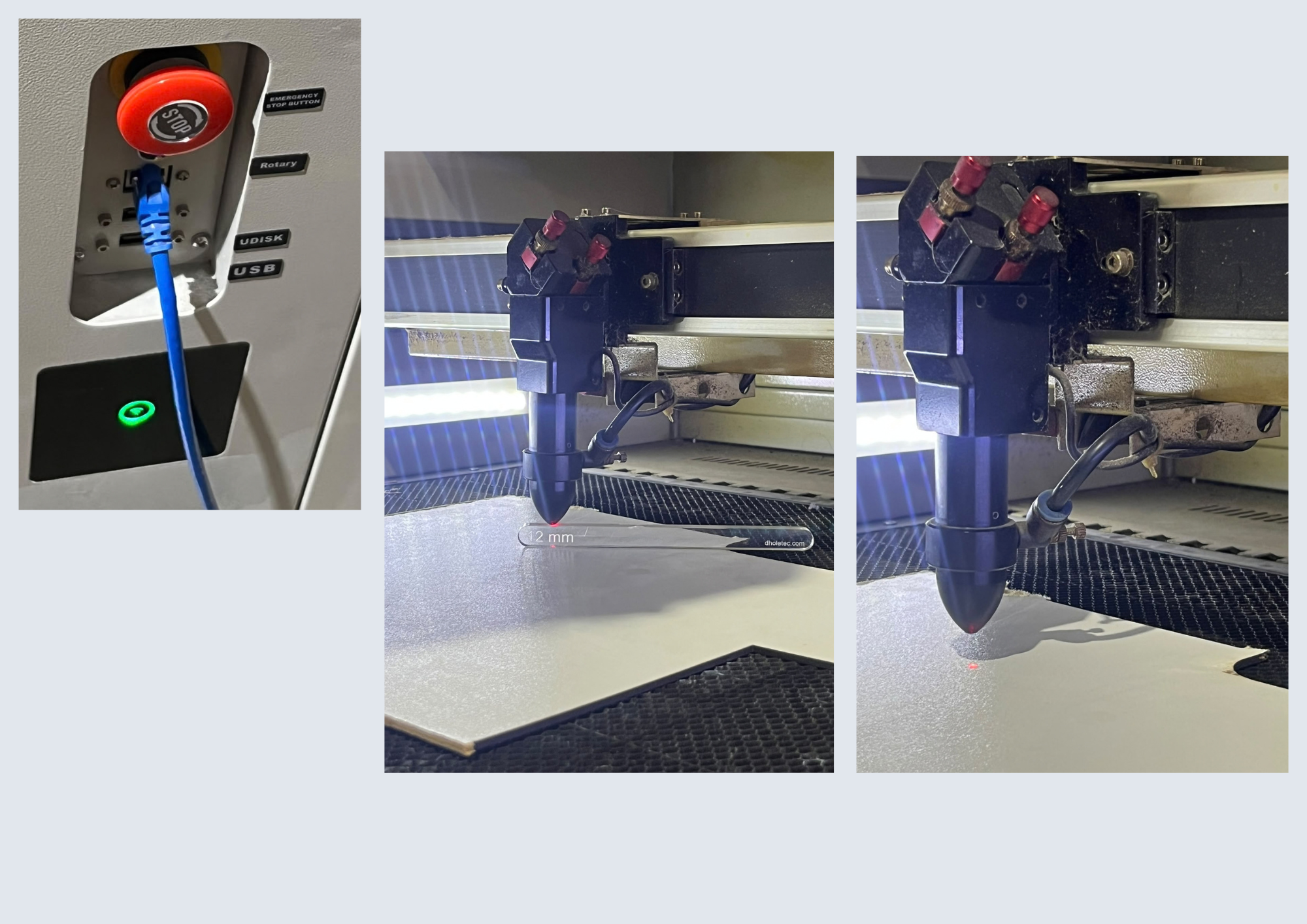 How to use the laser machine - by Rita Manuelito/2026
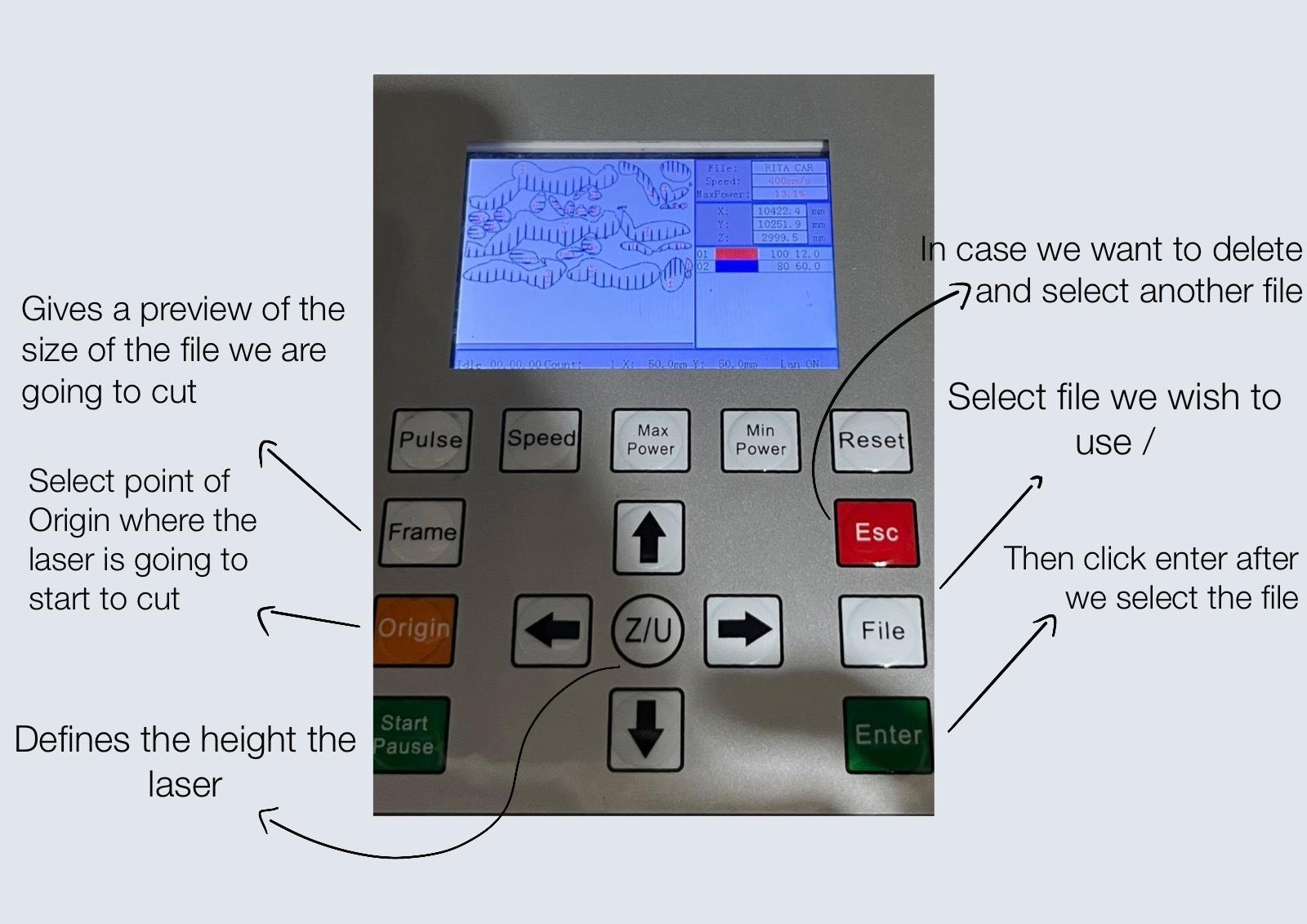 How to use the laser machine - by Rita Manuelito/2026
STOP Botton ▶ Turns the machine on and off
12mm acrylic ▶ is used to make sure the laser is placed at the corrected height
The laser passes through a focusing lens, causing it to overheat and burn the material.
Here's a video of the machine framing the material to make sure it fits
Safety Measures
-
Don't cut materials made with Vinyl or metal
-
ALWAYS close the lead before starting to cut
-
test the height of the laser with the previous mentioned acrylic before pressing Start
Lightburn Software
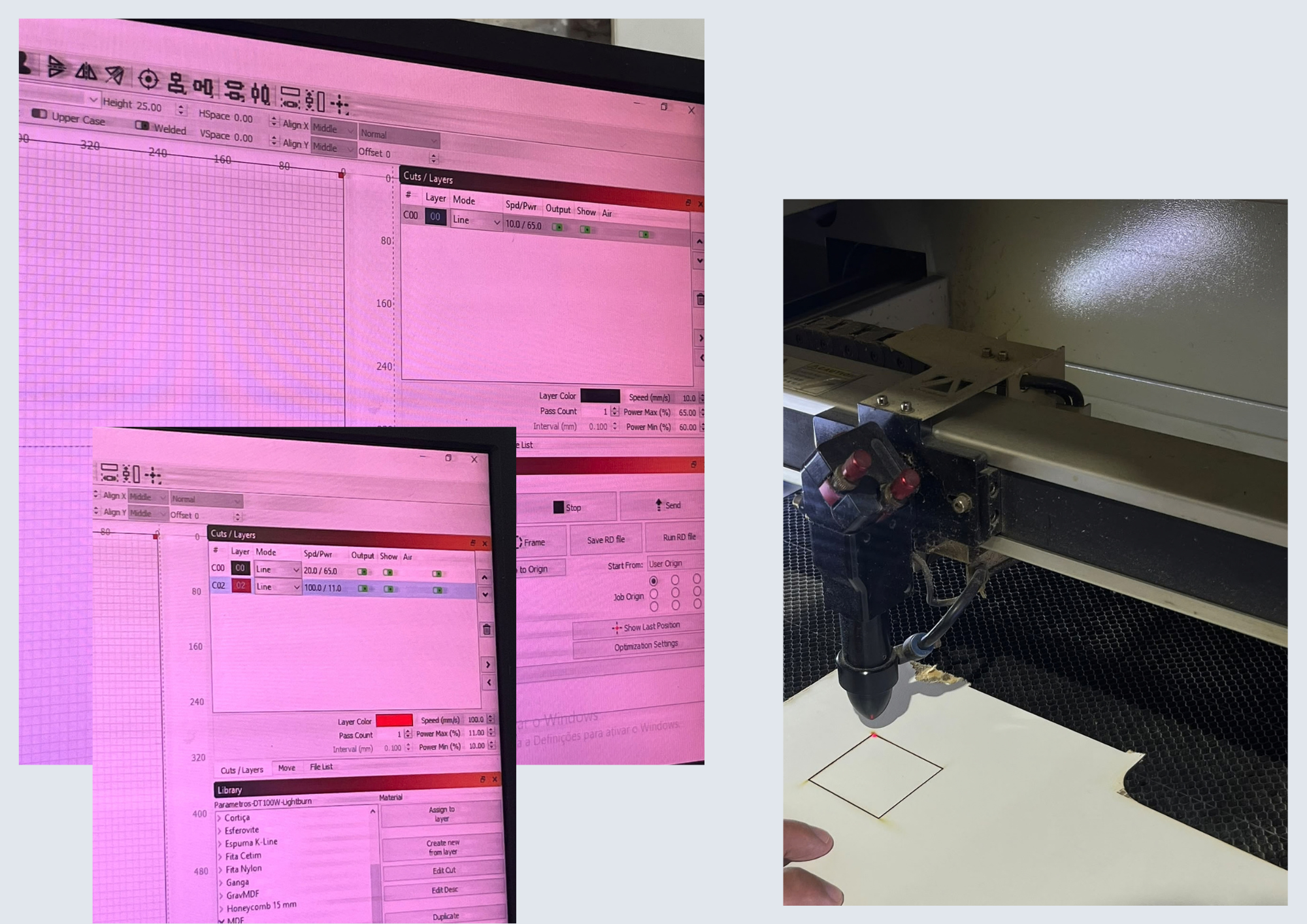 Lightburn Software
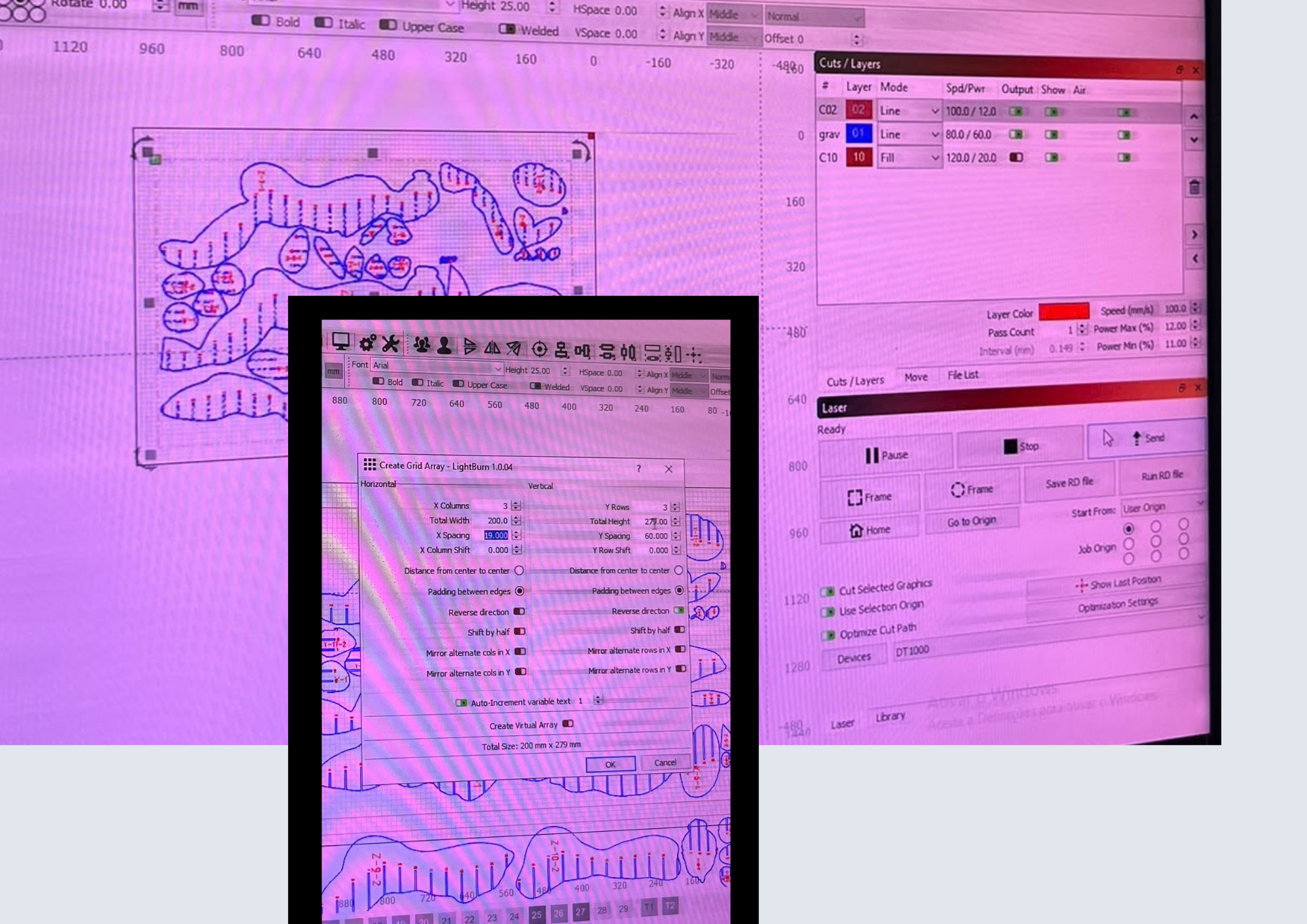 Lightburn Software
Layer number/order — defines the sequence in which the layers are executed
BLUE Layer ▶ contour/vector
RED Layer ▶ fill/engraving
Spd/Pwr ▶ Speed (mm/s) / Power (%)
Output ▶ Whether the layer is sent to the machine (green = active)
Pass Count ▶ Number of passes over the same path
Interval ▶ Spacing between scan lines, when the mode is Fill
In the blue layer(contours) ▶ Library ▶ Corrugated board(was the material we used) ▶ 3mm ▶ cut-100w ▶ Assign to layer
In the red layer (contours) ▶ Library ▶ Corrugated board(was the material we used) ▶ no thickness ▶ Laser marking-100w ▶ Assign to layer
First the machine does the outlines of every slice and then it does the engraving
2nd Attempt
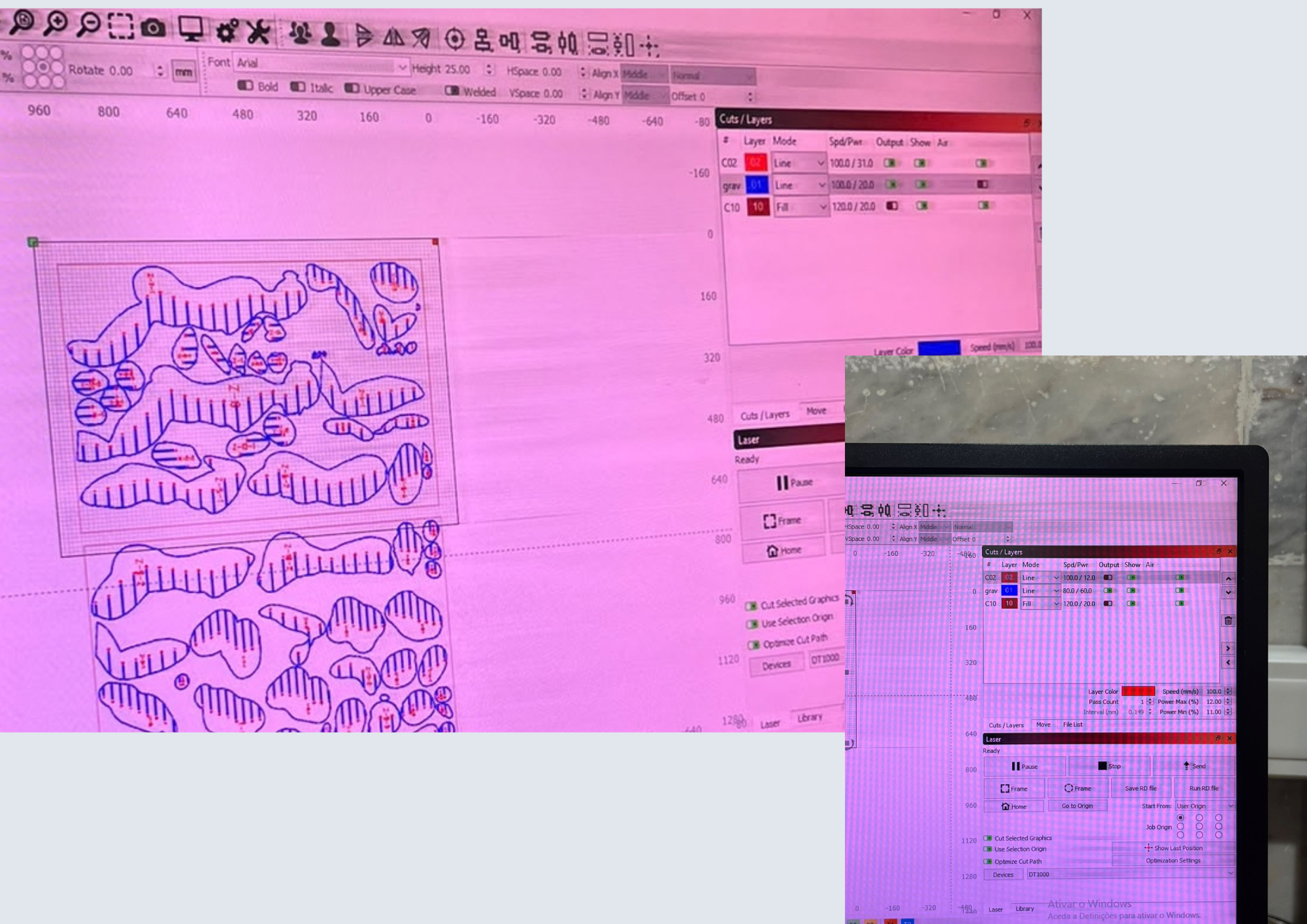 Lightburn Software
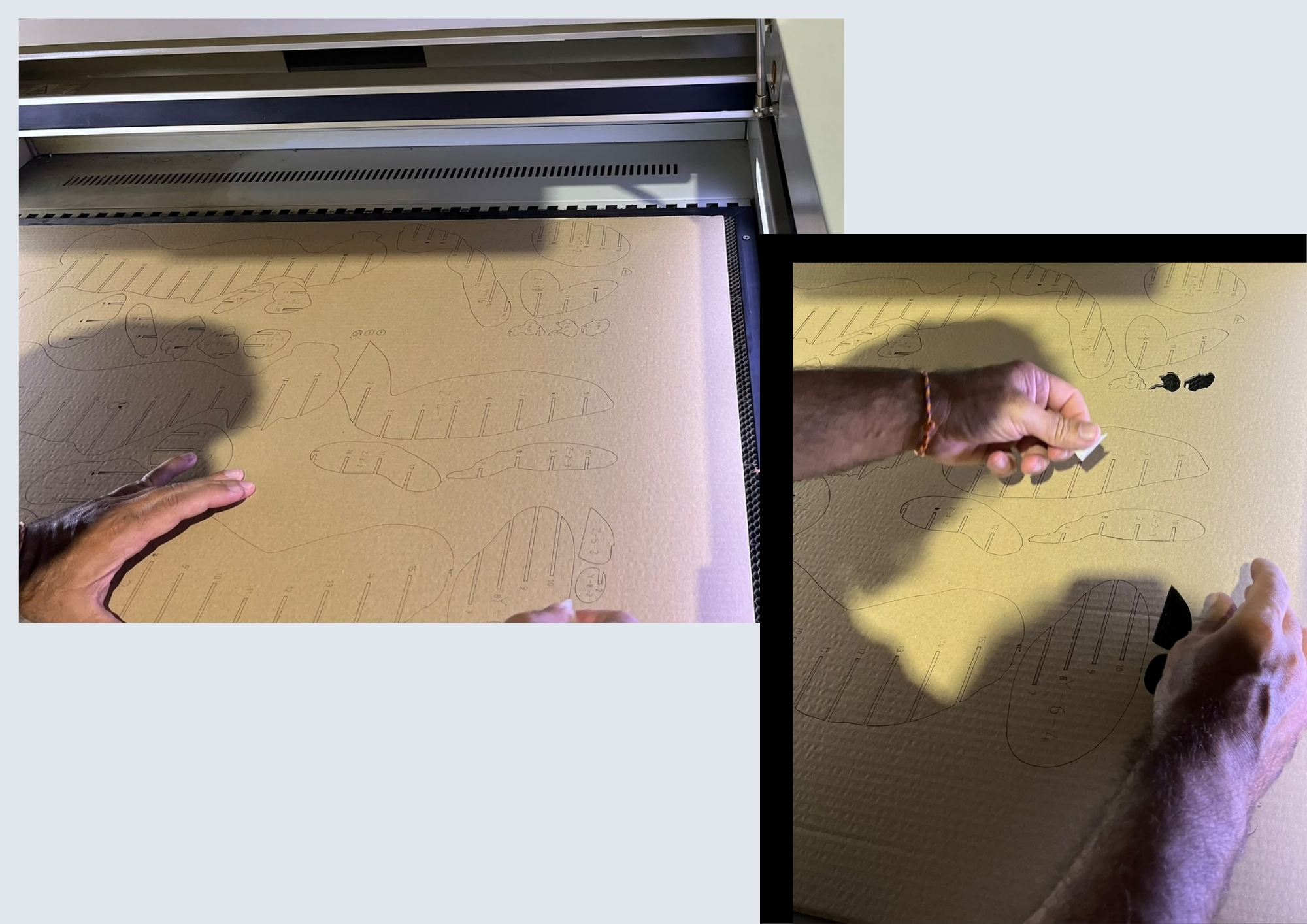
To reinforce the cut, we clicked “Send” again, this time disabling the output for the blue layer (engraving), as we only intended to repeat the cutting process.
For the second layer, we selected two passes and clicked “Send.”
I ended up assemblying the 3D model together with one of out instructors, Carlos, from BioLabLisbon so it wasn't necessary for me to follow the assembling video from Slicer for Fusion 360 because he explained to me the process for assembling the interlocked pieces.
It also was necessary to use liquid glue because even tho it said the cardboards had a thickness of 3mm, they ended up being a little thinner, and because i wrote the supposed thickness of the material in the software, they ended up sliding off a little.
Assembly Process
 Assembly process - by Rita Manuelito/2026
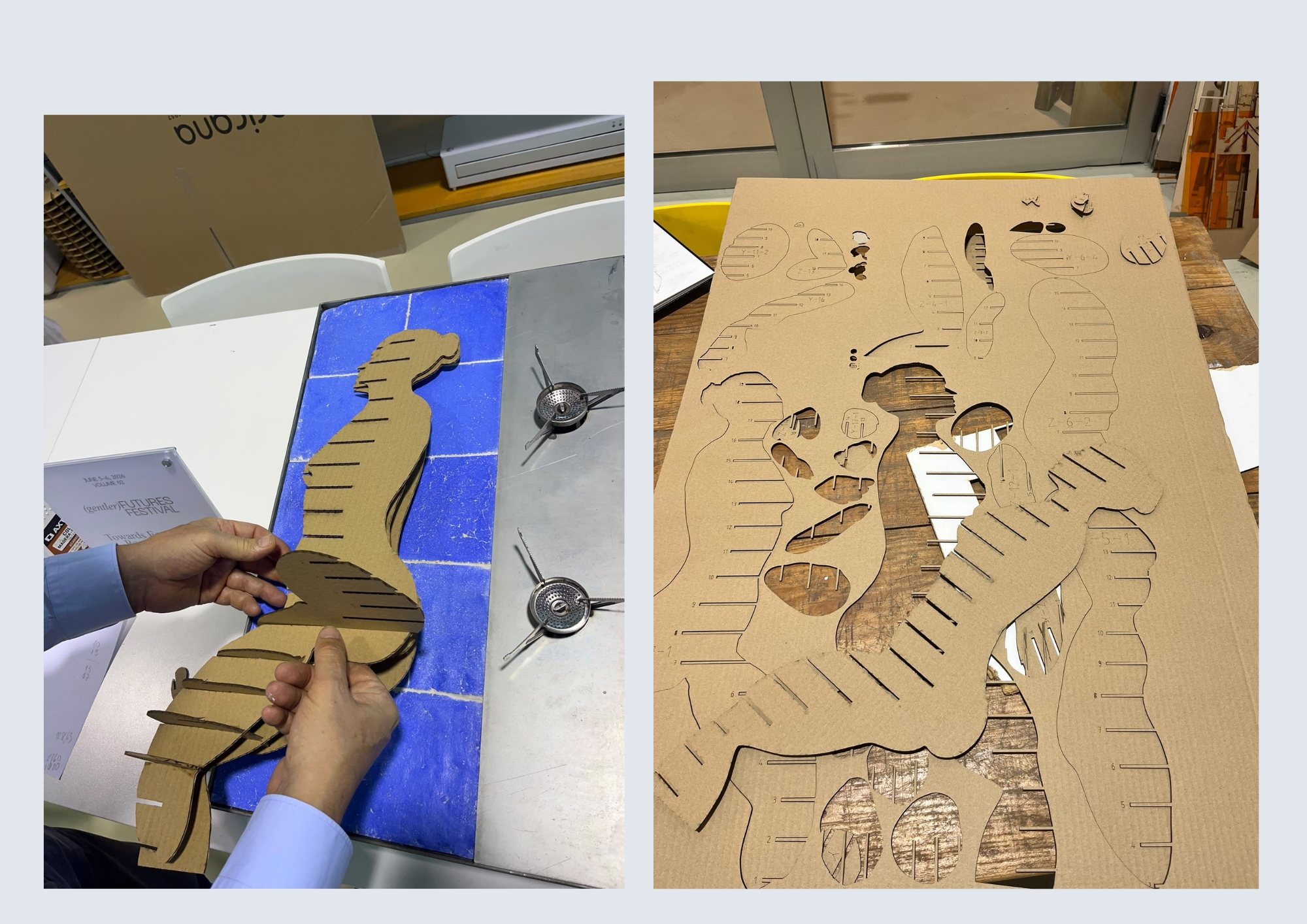 Assembly process - by Rita Manuelito/2026
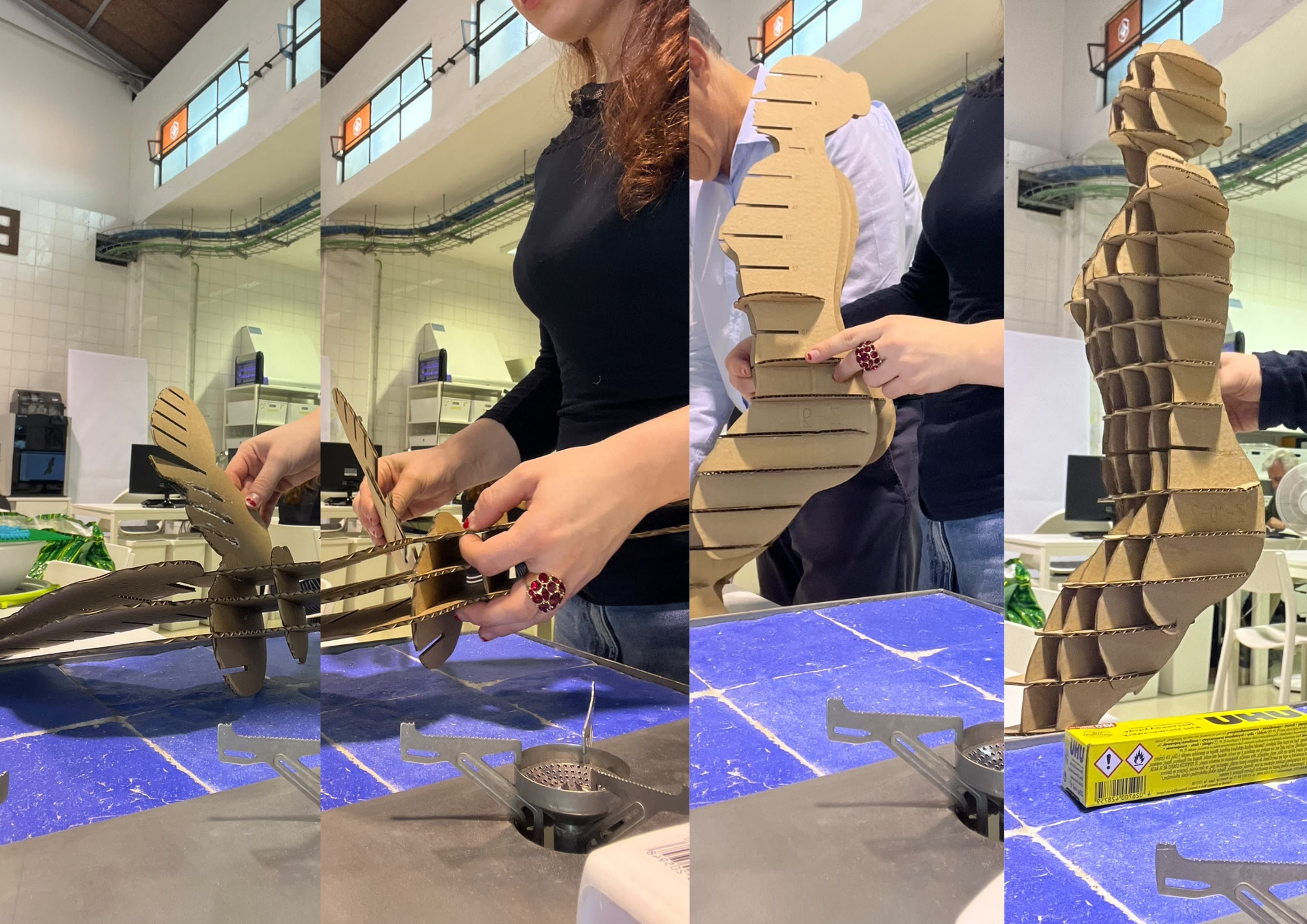 Assembly process - by Rita Manuelito/2026
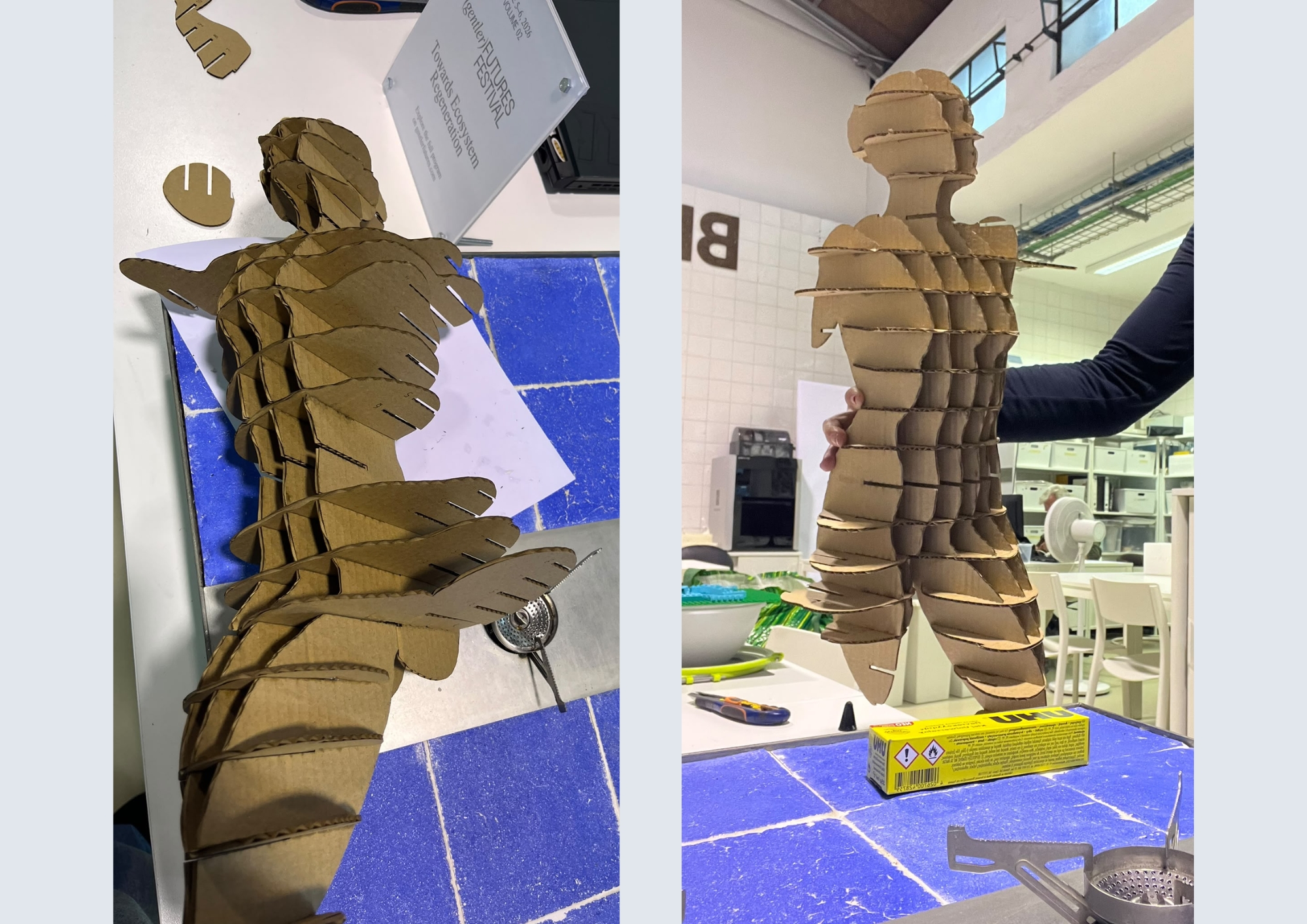 Assembly process - by Rita Manuelito/2026
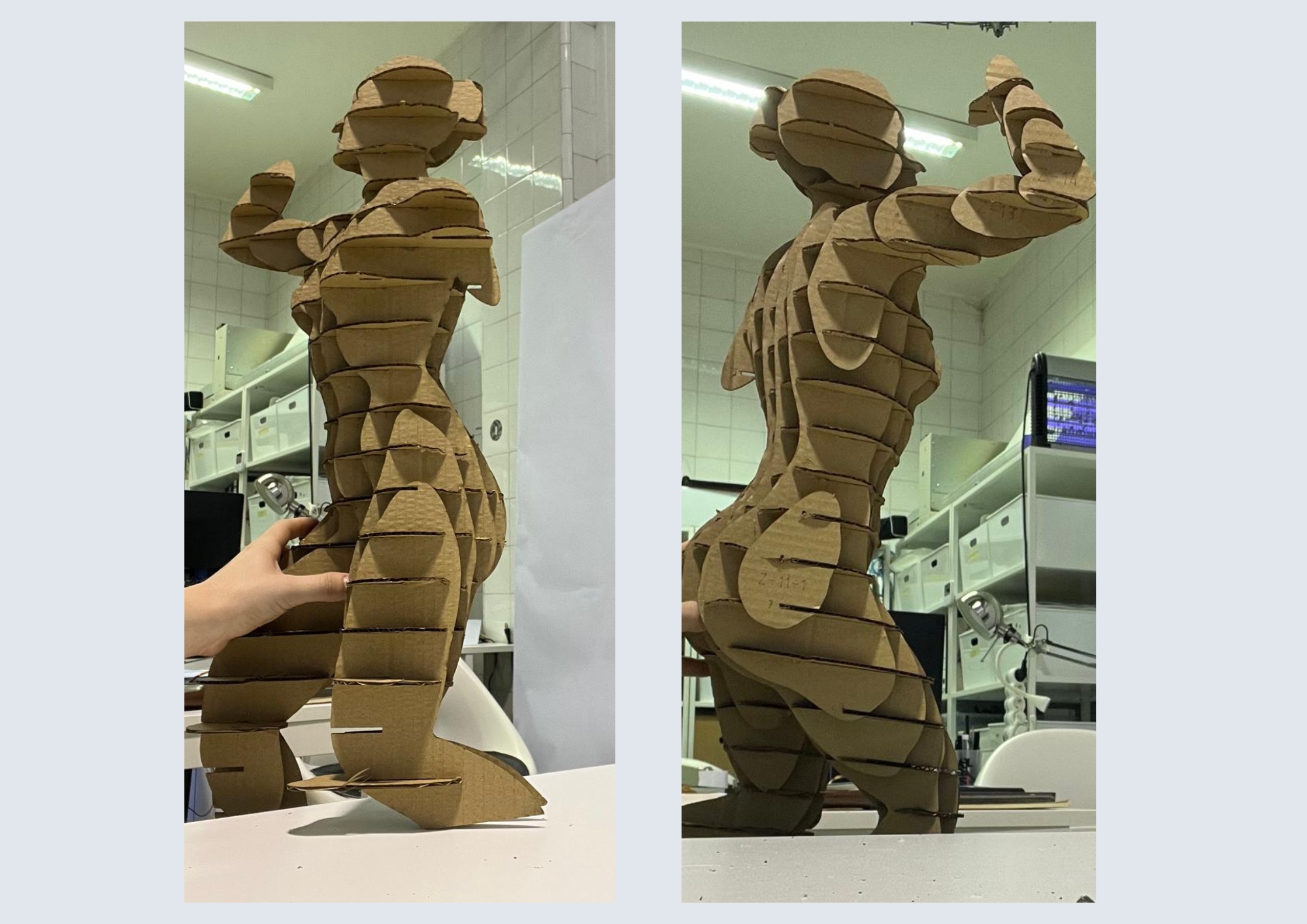 Assembly process - by Rita Manuelito/2026
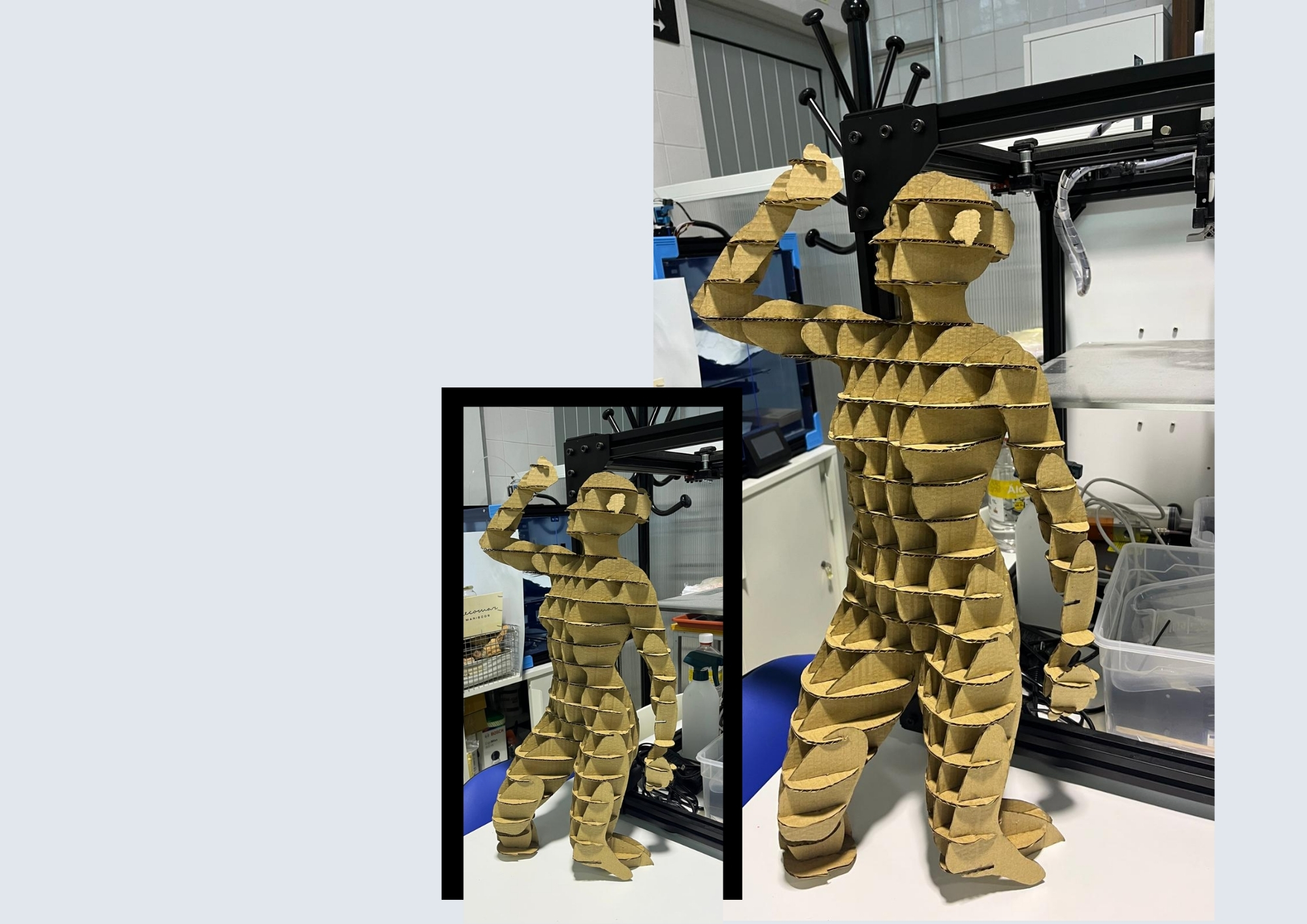 Assembly process - by Rita Manuelito/2026
HEIGHT: 60mm
MATERIAl: Cardboard
THICKNESS OF THE MATERIAL: 3 mm
CARDBOARD SHEETS USED: 2
Files
3D Statue 3D model Statue created by Rita Manuelito for Digital Bodies Assignement - Downloadable Blender File
Slice File 3D Model Statue created by Rita Manuelito prepared in SliceFusion 360 - Downloadable Fusion File
Slice File 3D Model Statue created by Rita Manuelito prepared in SliceFusion 360 - Downloadable Fusion File
Weekly reflection
Final Thoughts
During this week's module, I gained valuable experience working with several software programs, including Blender, Fusion 360, and Slicer for Fusion 360. I found this process particularly challenging, as I had never used this type of software before. At times, it felta bit overwhelming because I had to continuously identify solutions to emerging problems while still developing my familiarity with the programs. Nevertheless, I was proud of my persistence and my ability to address the challenges I encountered. Ironically, this problem-solving process gradually made me feel more confident to use the softwares, as each challenge allowed me to develop a deeper understanding of its tools and settings.
I was particularly interested in the workshop led by Aslı Aydın Aksan on the use of artificial intelligence to generate a 2D model. Before the workshop, I was unaware of the level of precision required when formulating prompts to generate the intended outcome. This experience provided me with a strong foundation for using artificial intelligence to develop potential figures and visual forms for future projects.
What would I do differently?
After completing my 3D model, I identified several aspects that I would reconsider in future projects. Firstly, I would increase its scale, as the smaller dimensions resulted in the loss of several details. Nevertheless, since the primary objective was to understand the production process, I did not consider the reduced scale to be a significant limitation.
Secondly, I would select a different material or use a stacked-slice construction method rather than interlocking slices. Either of these alternatives might have preserved the model's details more effectively and would have made them more visually prominent.
Nevertheless, I was pleased to have learned how to work with these different software programs. I intend to continue developing these skills to streamline future production processes and reduce potential material waste.