⚉𓍯𓂃E-textiles ⚉𓍯𓂃
What are E - Textiles?
In this Module, we’re going to explore how to make soft circuits embedded into textiles, using conductive fabrics and yarns, hard-soft connections, and crafted analog and digital sensors.
By doing this experiments we're going to explore concepts like:
᭪༊ Eletronic Textiles
᭪༊ Interaction design
᭪༊ Eletronic components
᭪༊Micro controllers
᭪༊Arduino Programming
᭪༊Digital embroidery
᭪༊Hand stitching
Materials that can be used in this experiment
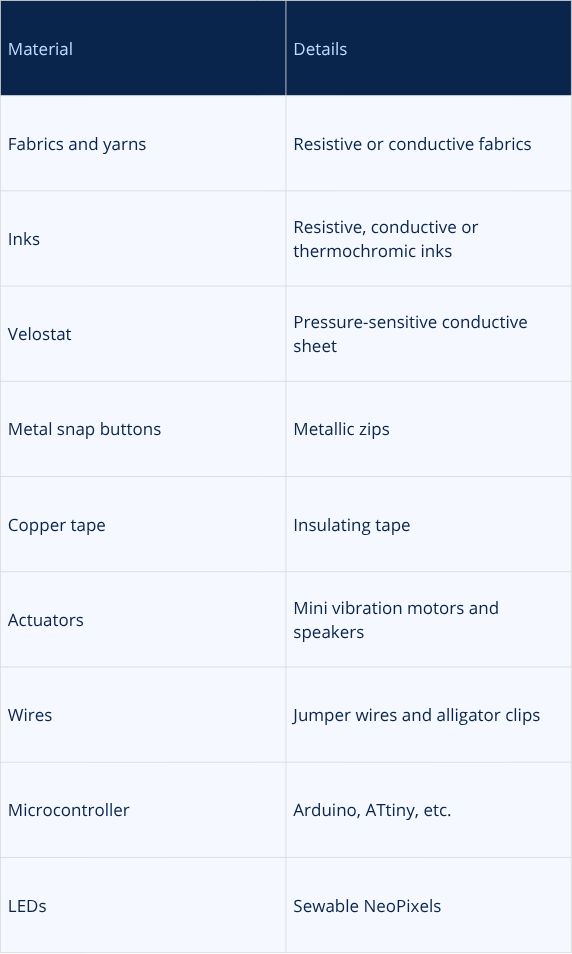
Materials Sheet - information taken out of Fabricademy website / Sheet made by Rita Manuelito - 2026
https://fabricademy.fabcloud.io/handbook/classes/05_etextiles/
Inspiration
For this module, I knew that I wanted to experiment with creating a piece inspired by the concept of biomimicry. My intention was to emulate elements of the natural world around me and reproduce movements that could interact with the surrounding environment, consequently responding to the various invisible stimuli present in the surrounding environment.
Biomimicry
Biomimicry involves emulating biological models, systems, and processes to address human challenges. Drawing on billions of years of evolutionary adaptation, it seeks to develop efficient and sustainable solutions inspired by the natural world by translating biological strategies into design principles.
information took out of : https://scienceinsights.org/what-is-biomimicry-definition-examples-and-uses/
The ethos of this concept is grounded in a commitment to sustainability and resource efficiency. However, it can only be meaningfully applied if we first observe and understand the natural systems that surround us. This involves drawing inspiration from nature while also giving back to it, recognising that any impact on the environment has a direct effect on our lives.
Iris Van Harpen
I naturally thought of the work of fashion designer Iris van Herpen.
Her practice promotes sustainability and explores materiality through multidisciplinary approaches to art and fashion. Van Herpen uses fashion design as a medium through which to investigate the dynamic relationship between the body and the mind. Drawing inspiration from the visual dialogue between fashion and architecture, she explores the extensive possibilities offered by innovative materials and techniques.
Her work is driven by the beauty, mystery, and complexity of nature. In particular, she engages with biomimicry and less visible natural phenomena, including sound waves, symbiosis, synapses, magnetism, and kinetic movement. By translating these intangible forces into physical forms, she creates original works that materialise the invisible processes shaping the natural world.
Iris Van Harpen Website: https://www.irisvanherpen.com/collections/sympoiesis
HYPNOSIS COLLECTION
The designer drew on Howe's kinetic sculptures, above all the spherical Omniverse: its endless expansion and contraction becomes a metaphor for the universal life cycle. Its meditative rotation is the portal that opens the collection and frames the models, pulling them into a state of hypnosis.
The collection visualises nature's tapestry: the symbiotic cycles of the biosphere weaving air, land and oceans together, and the fragility inside those interwoven worlds.
Link of the HYPNOSIS Collection: https://irisvanherpen.com/collections/hypnosis/the-inspiration-1
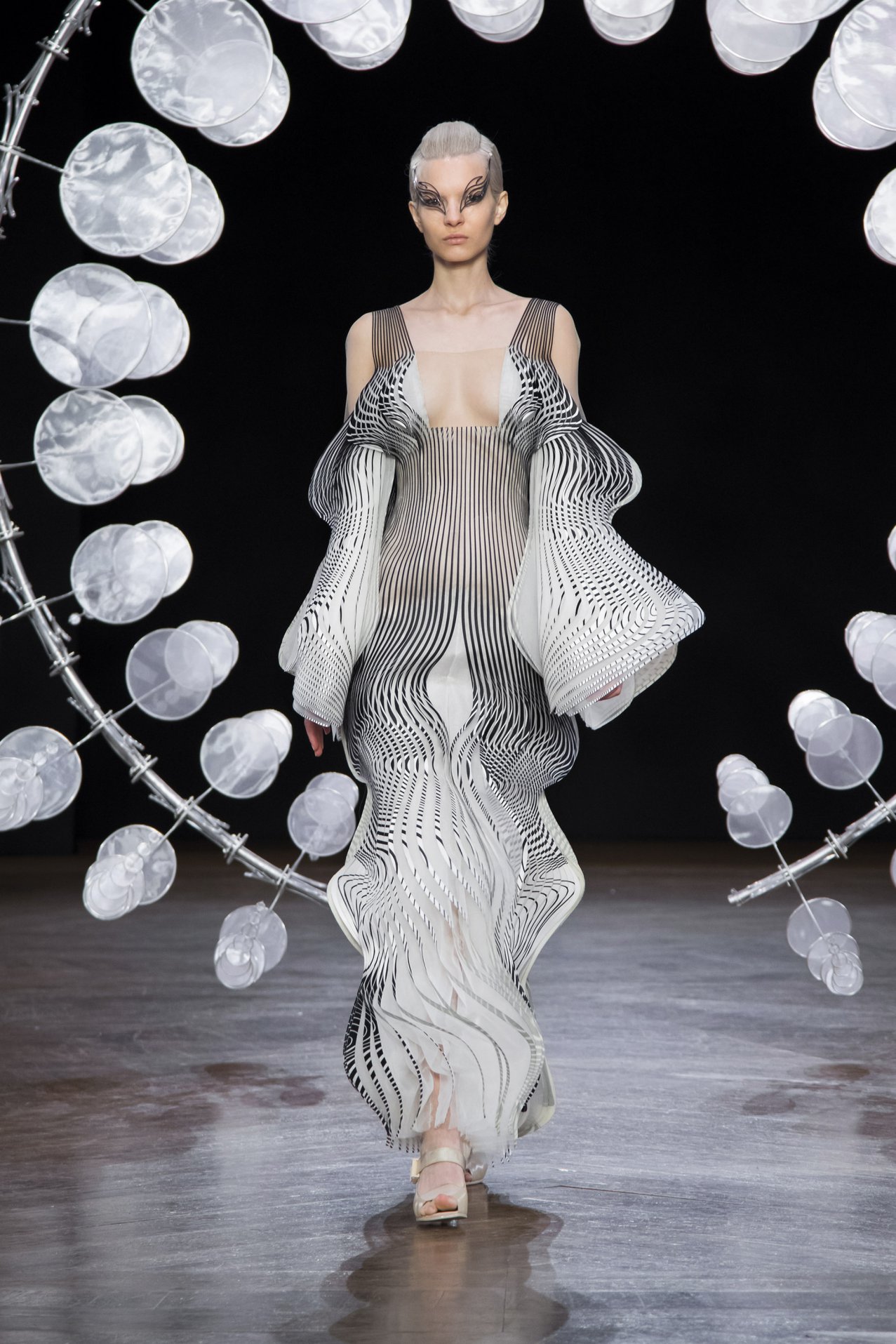 Iris Van Harpen - HYPNOSIS Collection - Look 4
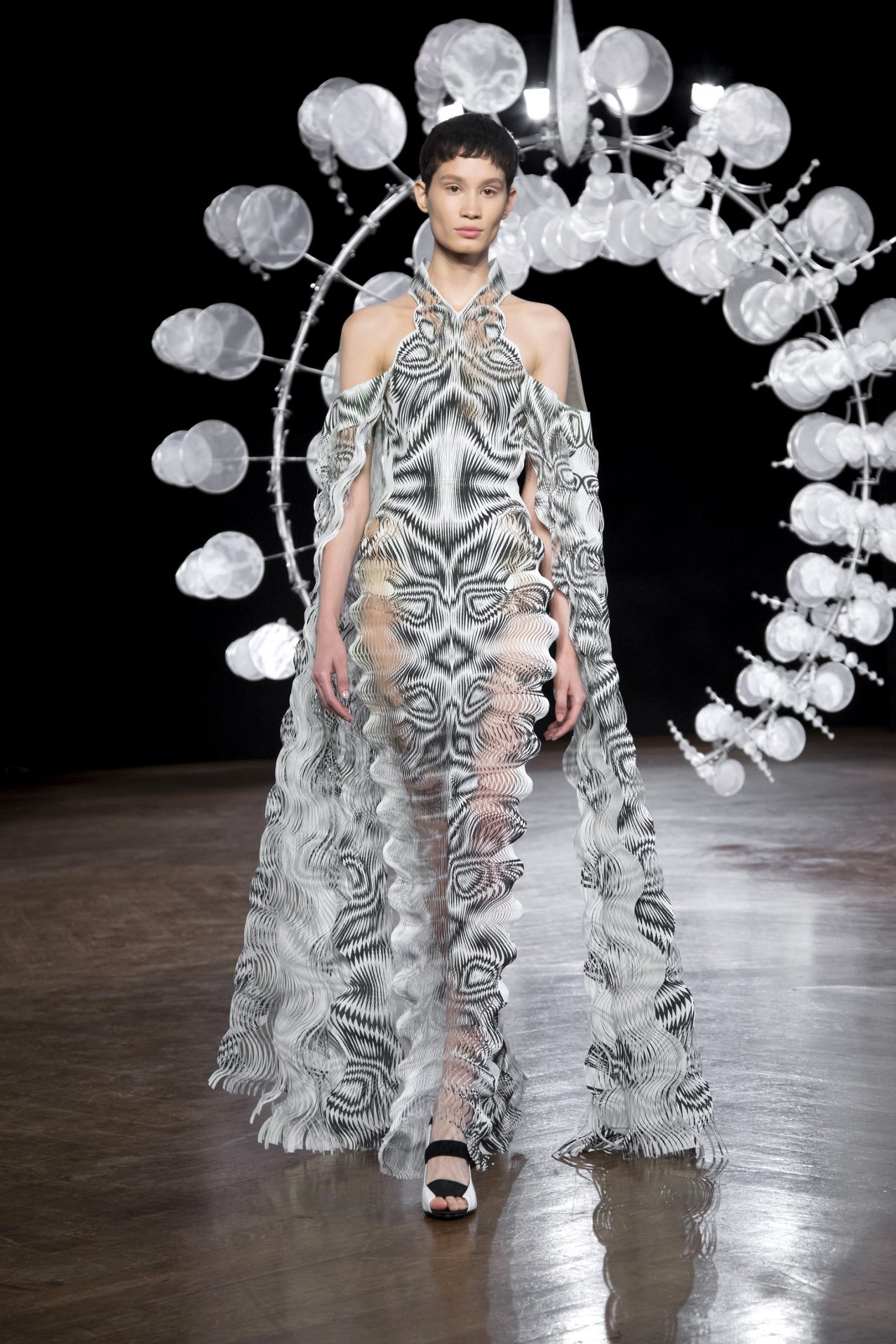 Iris Van Harpen - HYPNOSIS Collection - Look 9
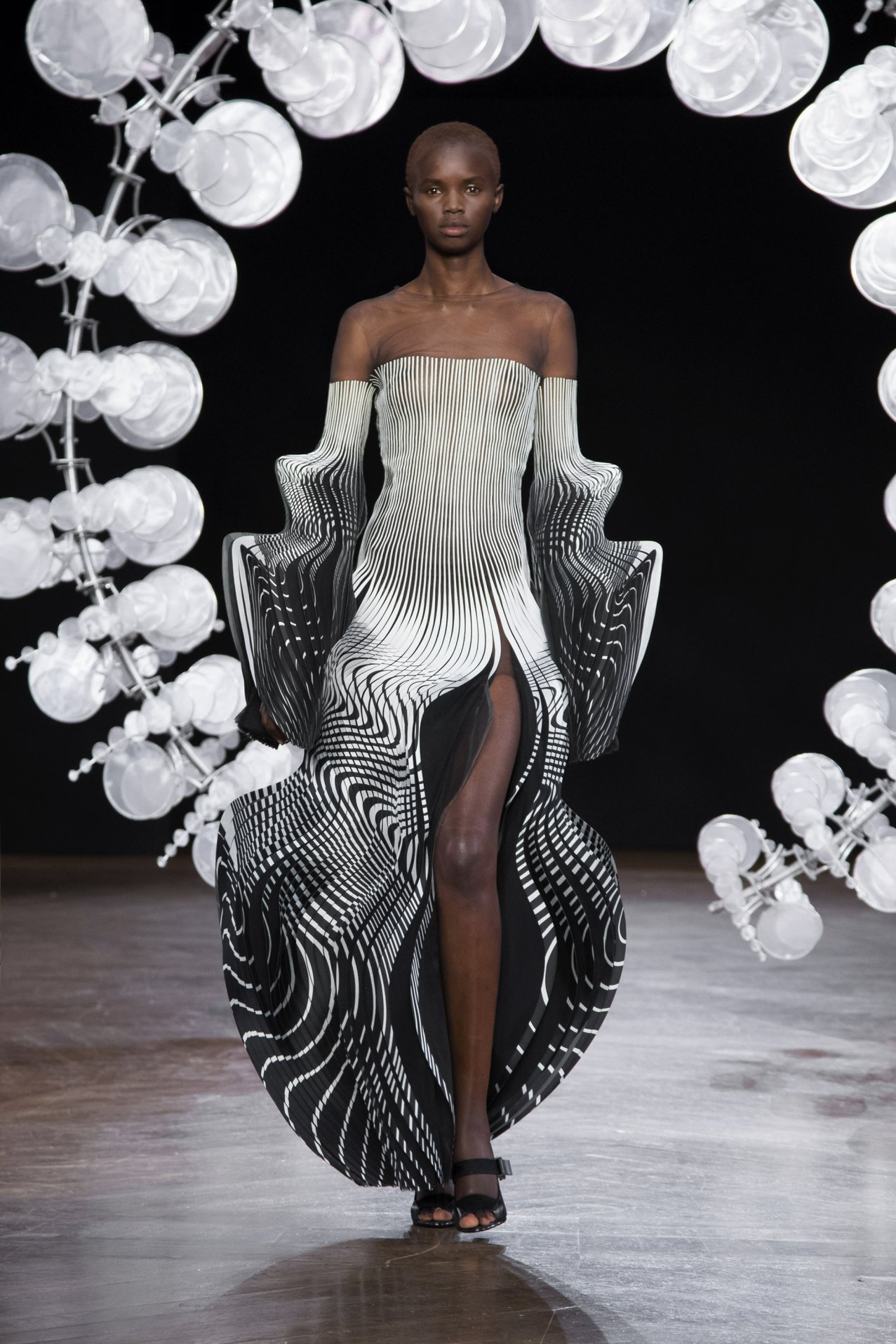 Iris Van Harpen - HYPNOSIS Collection - Look 10
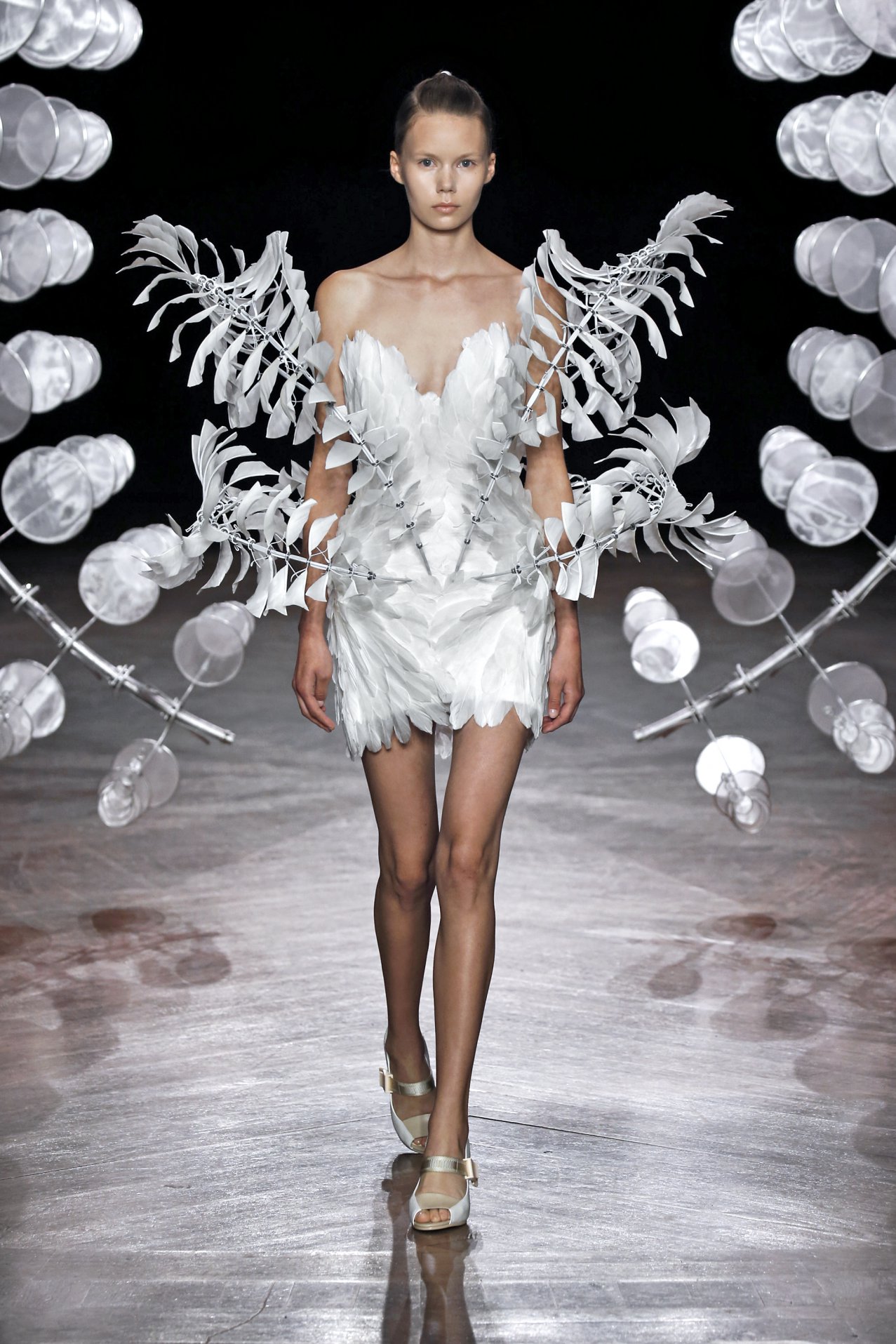 Iris Van Harpen - HYPNOSIS Collection - Look 19
The showpiece dress - the Infinity dress - is engineered, not just sewn: a skeleton of aluminium, stainless steel and bearings, embroidered with layered feathers in cyclical flight, each element revolving around its own centre. It comes alive on the breath of a finely balanced mechanism.
Inspired by the harmony of Howe's three dimensional wind sculptures, which intertwine nature with ideas of infinite contraction and expansion as weel as her visit to CERN, a research centre where physicists look at the origins of matter and explore the big questions of our universe.
‘Hypnosis’ technique, developed in collaboration with Professor Phillip Beesley involves ten of thousands of plottercut mini ripples that continuously dissect the dress through each movement of the body, revealing skin in between the whimsical spheroid patterns. The printed duchesse-satin is plottercut into thousands of 0.8 mm exquisite waves that each are interlinked, designed to move faster than the eye can follow.
Link of the article exploring the Infinity Dress and Omniverse Sculpture inside the HYPNOSIS Collection with the video explaining the process: https://www.vam.ac.uk/articles/the-infinity-dress-by-iris-van-herpen
Projects i found interessing that explores conductive circuits using materials that either are based in Natural elements or attempt to mimic it's invisible forces.
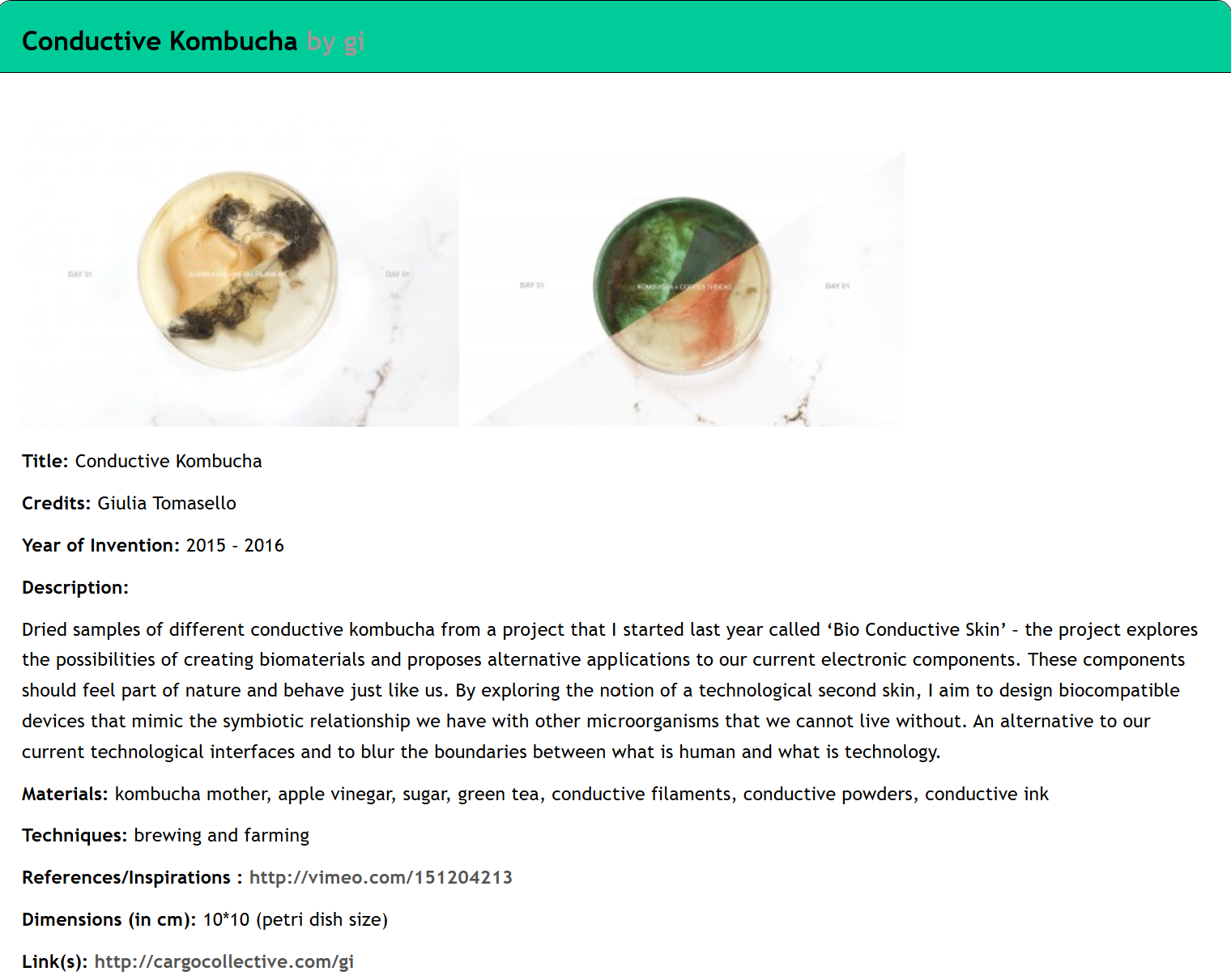 Conductive kombutcha - made by Giulia Tomasello
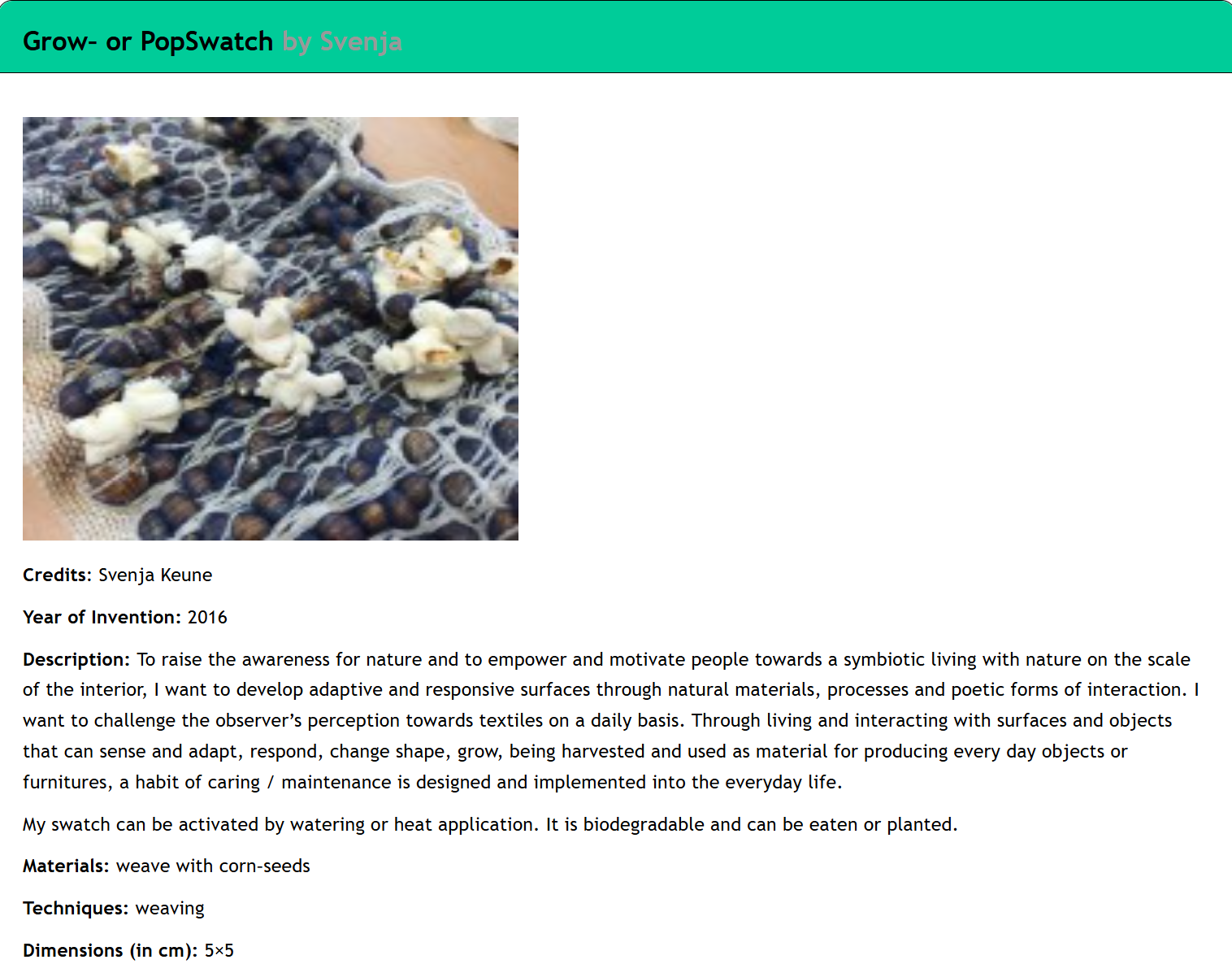 Grow or Pop Swatch - made by Svenja Keune
- Video references: Youtube (only when not yours)
3. Tools & Software
✦ Multimeter
✦ Soldering iron (Soldering station)
✦ Pliers, wire stripper, flush snips, tweezers
✦ Embroidery / Sewing machine
✦ Needles
✦ Arduino IDE
First experiment:
Workshop - e-textile continuity tester
We started this Module by doing a simple experiment in Jessica Stanley’s Workshop, where we learn how to do an E- Textile Continuity Tester.
Objetive: simple circuit for testing whether two parts of a circuit are connected
✧Sketch your circuit design before you start sewing
✦ Choose your fabric and cut a piece large enough to hold the LED and battery
✦ If using a through-hole (standard) LED, use a pliers to twist the legs into coils to make it sewable
✧Sewing the first conductive tracks
✦ Use conductive thread to stitch two conductive tracks
✦ One from the LED to the edge of the fabric
✦ Another from the edge of the fabric to under where the battery will go
NOTES
✦ Make sure to sew these tracks separately, don't join them!
✦ When stitching the LED onto the fabric, stitch several times, tightly.
✧Make a battery holder from a strip of fabric
✦ Cut a fabric strip slightly longer than the battery, and stitch one end of it to the fabric
✦ Then stitch a conductive thread track from the LED to the fabric strip. Make sure not to cross over these stitches with the stitches sewn in the previous step
✦ Place the battery under the fabric strip and stitch the other side of the fabric strip down. Make this as tight as possible!
✦ Use more conductive thread to make soft wires that are stitched to the conductive tracks on the fabric, and the safety pins
✦ Make sure all stitches are tight
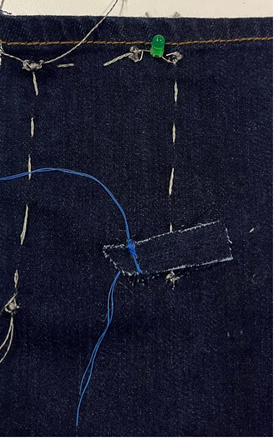
Continuity tester experiment - made by Rita Manuelito/2026
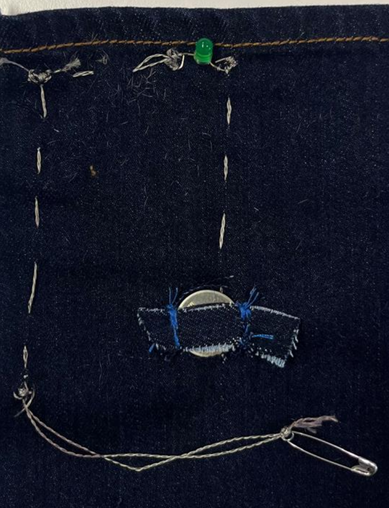
Continuity tester experiment - made by Rita Manuelito/2026
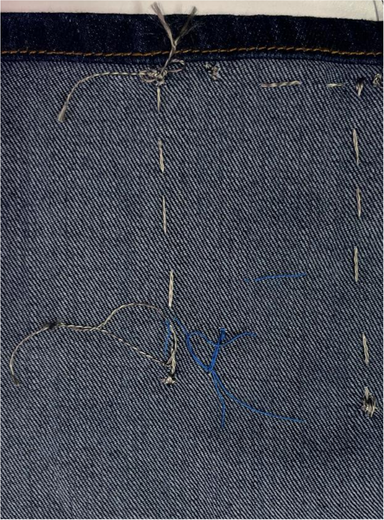
Continuity tester experiment - made by Rita Manuelito/2026
### ✧Test the circuit✧
✦ Touch / pin the safety pins to a conductive fabric and the LED should light up
✦ Pin the safety pins to either side of a soft switch: the LED should light when the switch is closed
Possible reasons why the circuit may not be working :
✦ Check That your battery hasn't run out of charge
✦ Check For any loose connections, or short circuits where things that shouldn't be joined are touching
Learning how to use Arduino Software
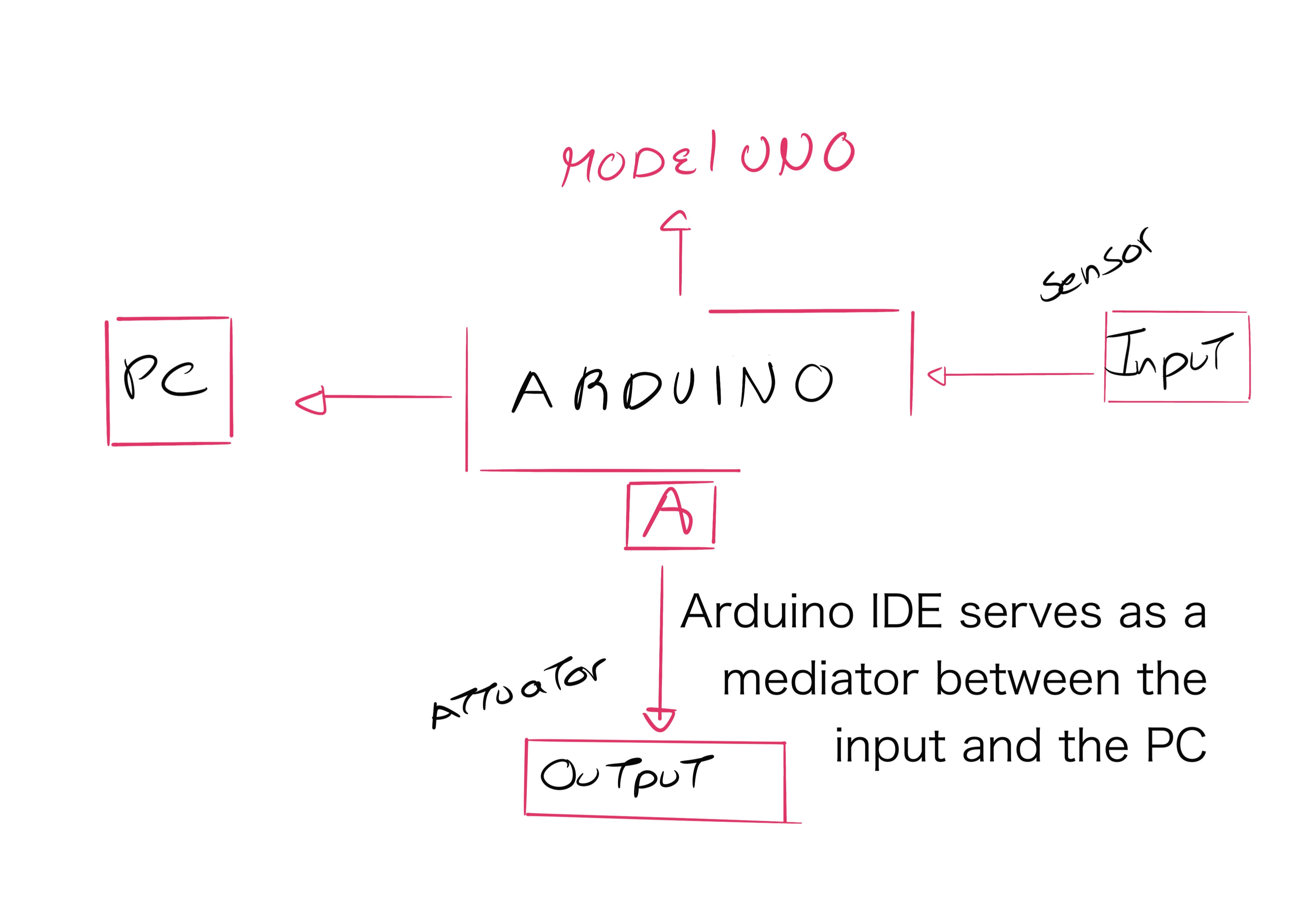 Sketch made in procreate - Rita Manuelito / 2026
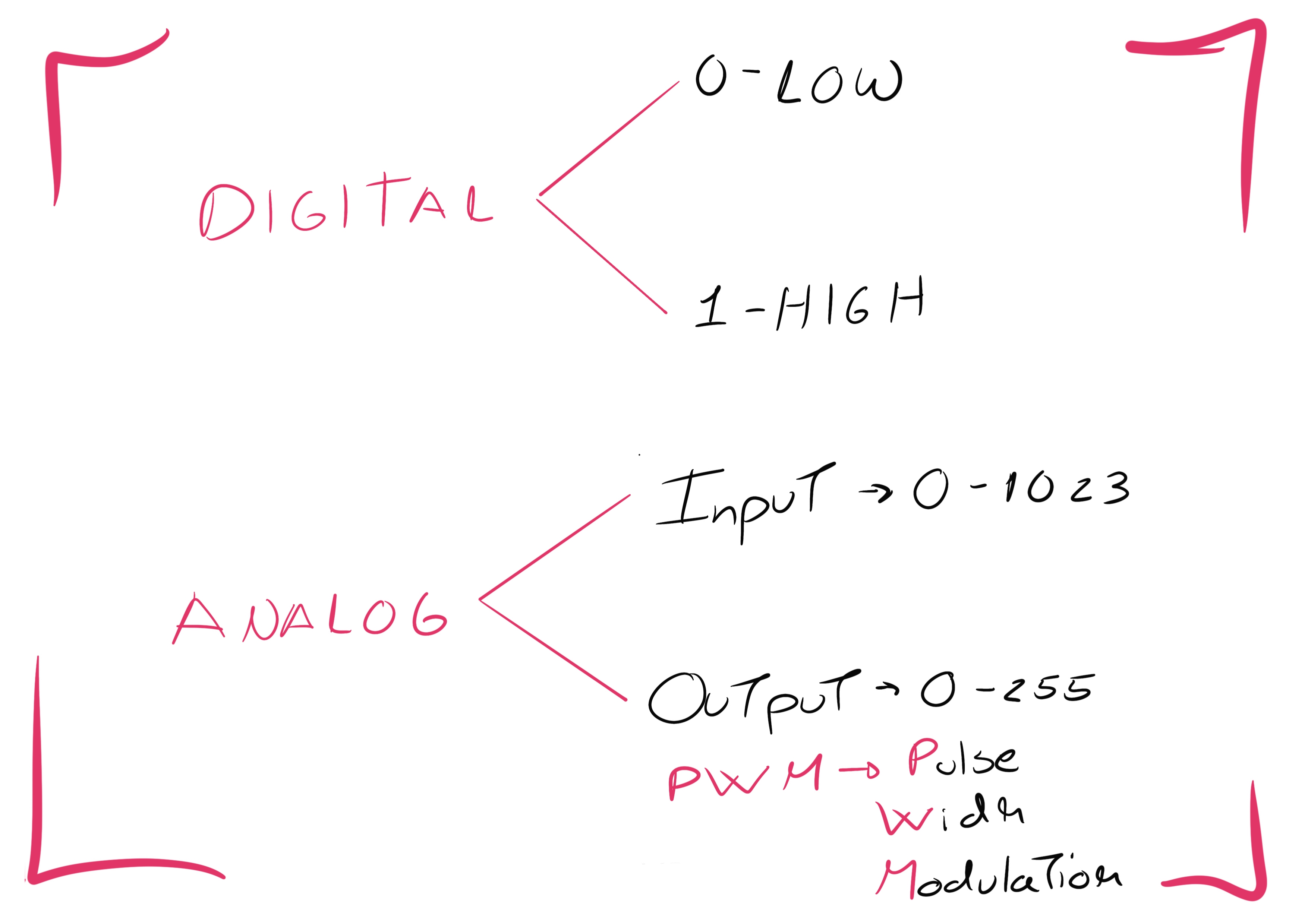 Sketch made in procreate - Rita Manuelito / 2026
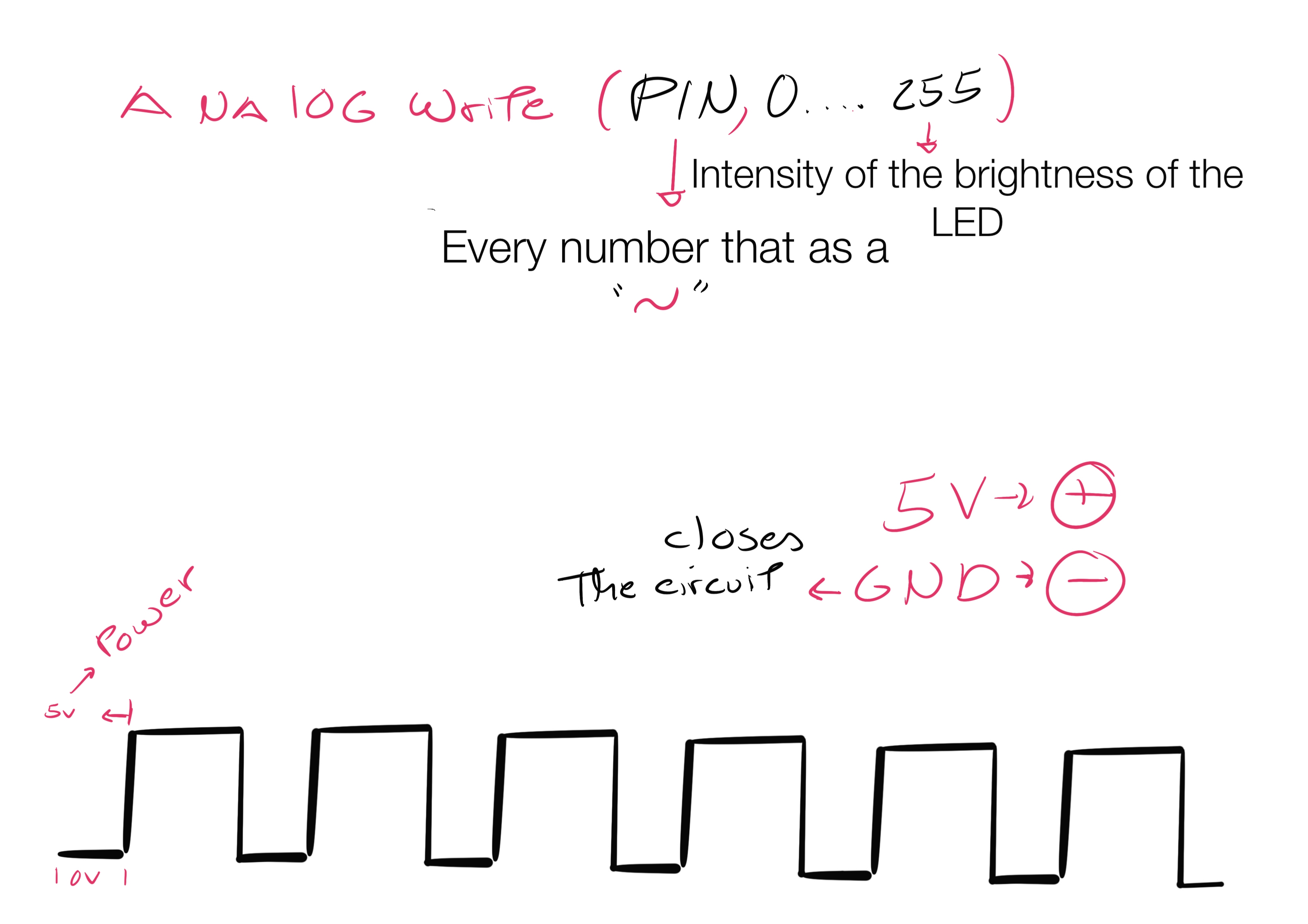 Sketch made in procreate - Rita Manuelito / 2026
Arduino Uno
✧Information taken out of: https://www.beejok.com/tutorial_arduino/intro
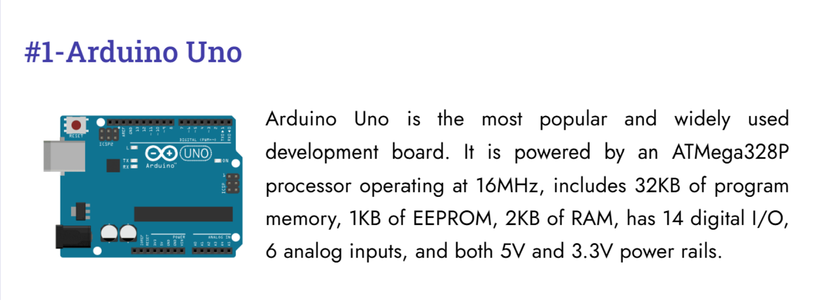 Arduino Uno
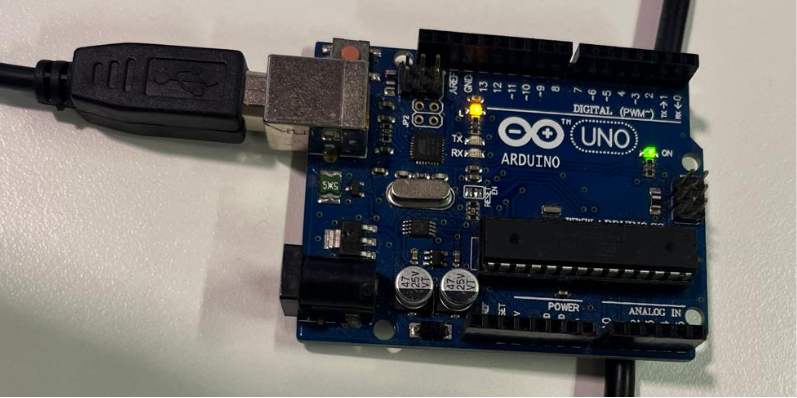 Photo of the Arduino Uno given to us at BioLab Lisbon - 2026
Arduino IDE
 What is Arduino IDE?
Understanding the Software
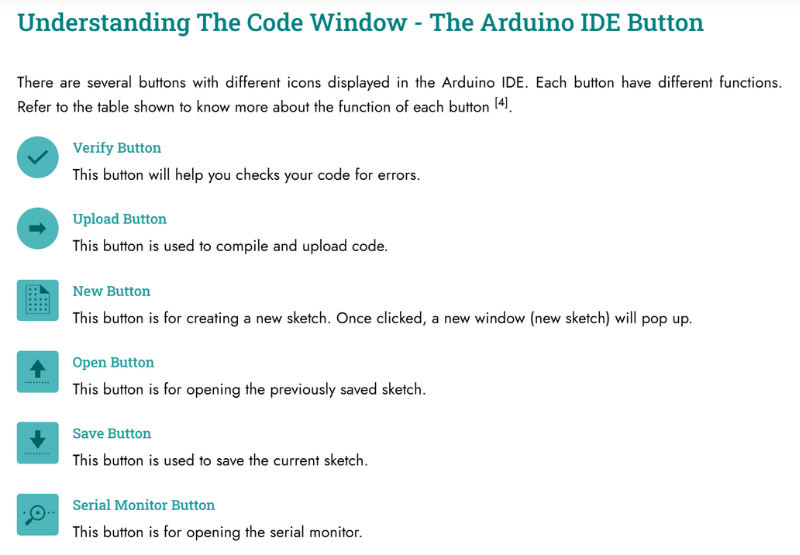 Understanding the Code Window - The Arduino IDE button
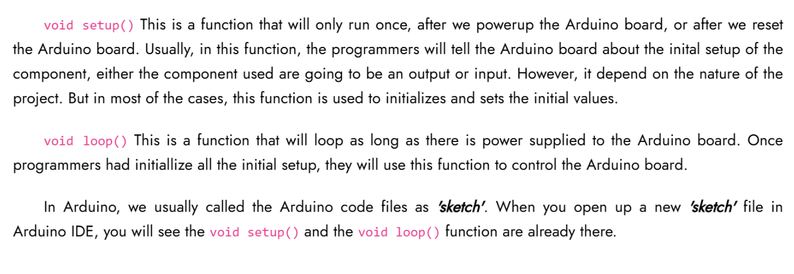 Voice Setup / Voice Loop
About Led
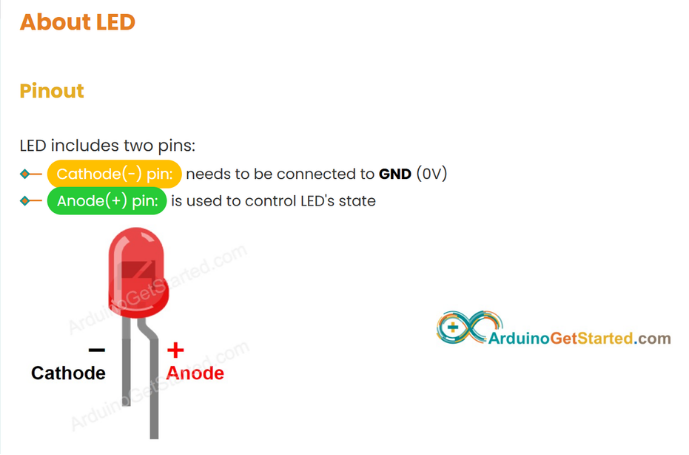
Bigger Pin - Positive(+)
Smaller Pin - Negative(-)
About Led
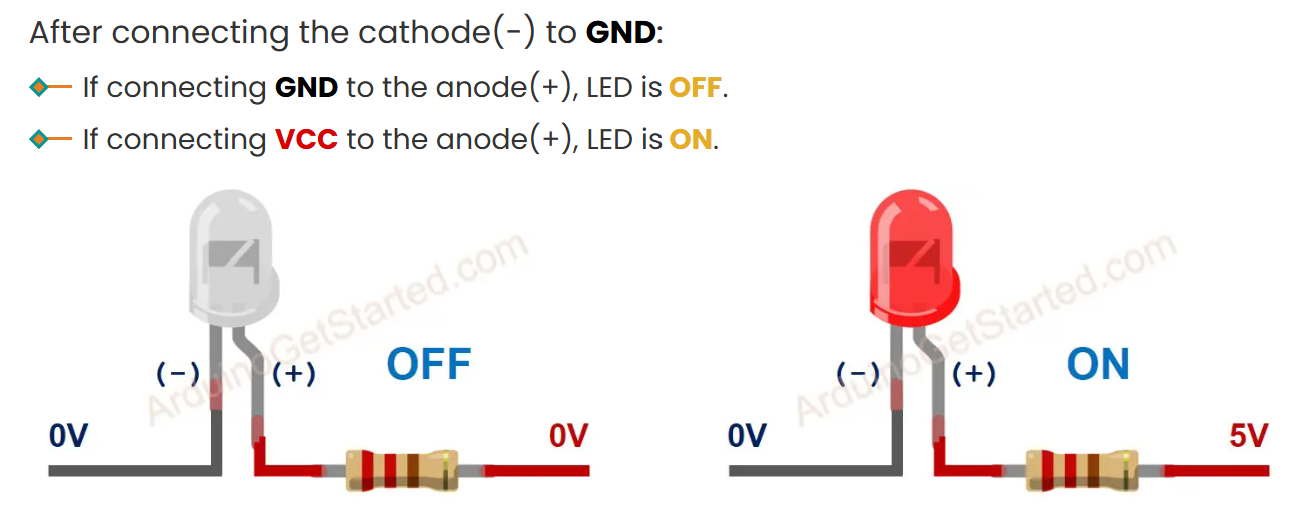
Programing in Arduino - Experiments
First experiment
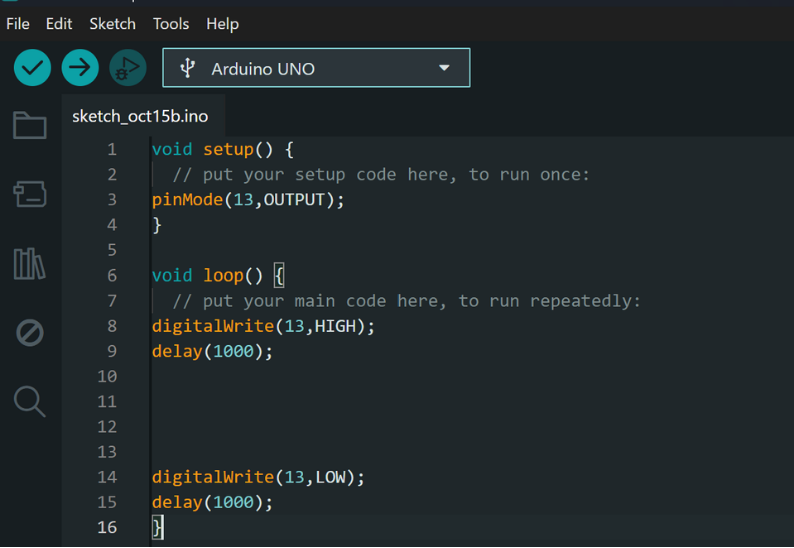 Code from my first experience in Arduino
Click ✔︎ -Upload Button on Arduino IDE to uploard code to Arduino
Arduino - LED - Blink
How to program for Arduino to turn LED on/off and how to make Led blink:
Can find the tutorial here: https://arduinogetstarted.com/tutorials/arduino-led-blink
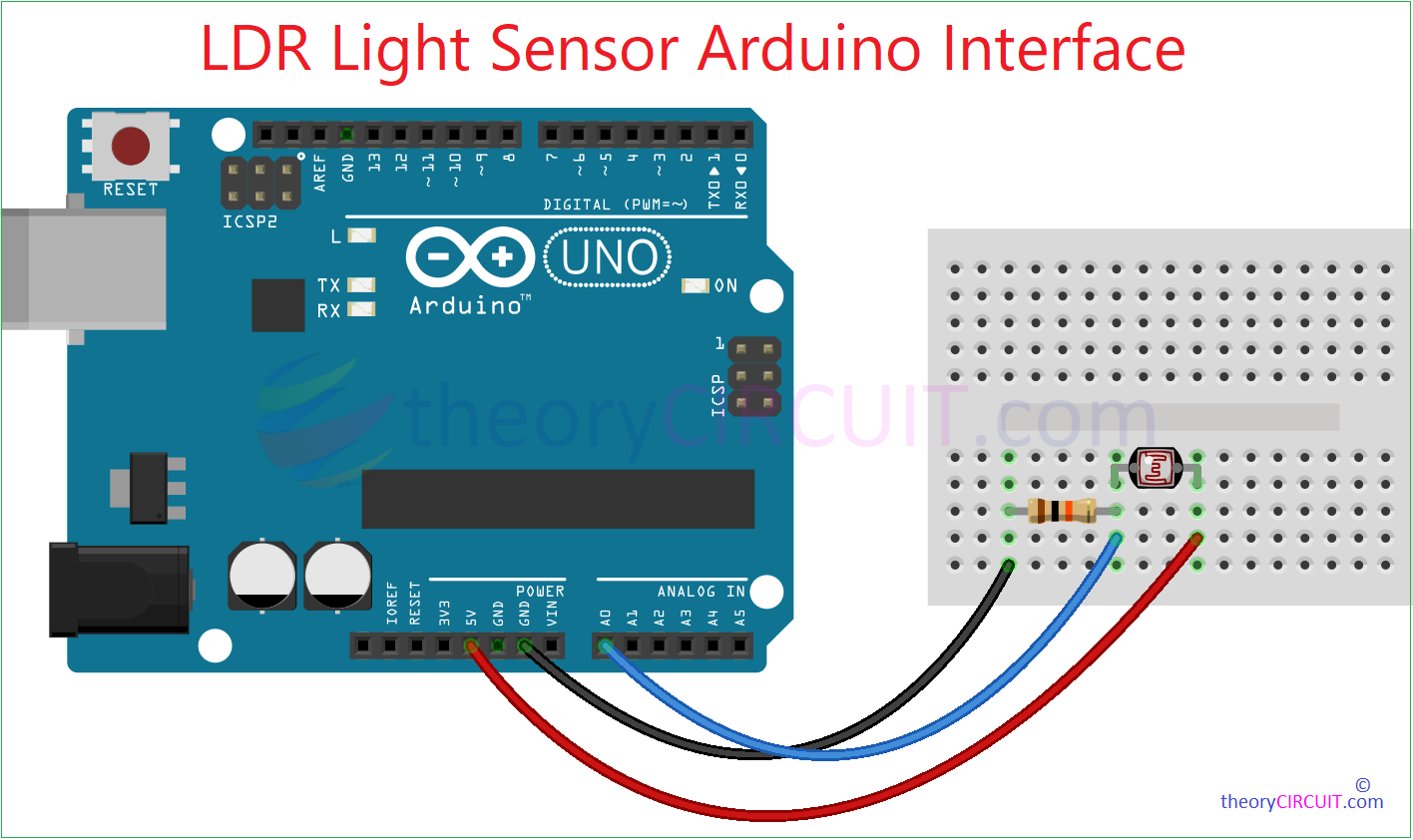 Light Sensor Arduino Interface
 How to program Blinking Led effect
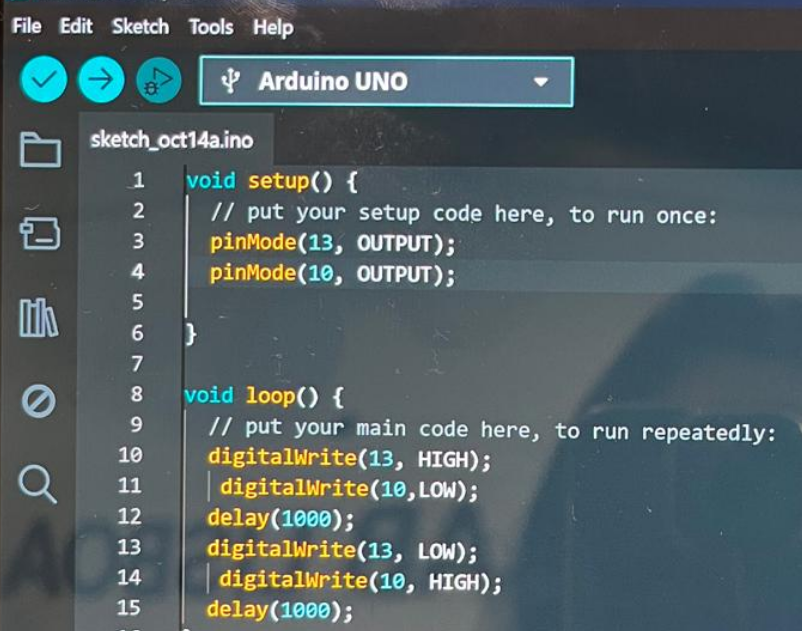 Code exemple i did to experiment blinking effect
Both Analog and Digital circuits read and execute the code one line at a time.
However, because this process occurs within milliseconds, the instructions appear to be executed simultaneously.
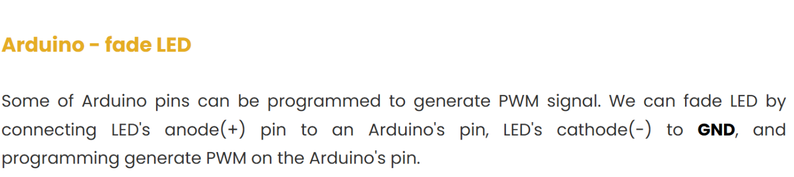
Arduino - LED - Fade
Can find the tutorial here: https://arduinogetstarted.com/tutorials/arduino-led-fade
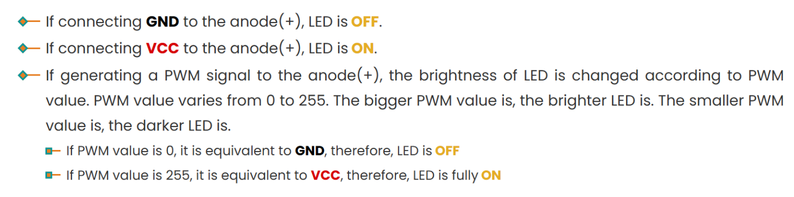
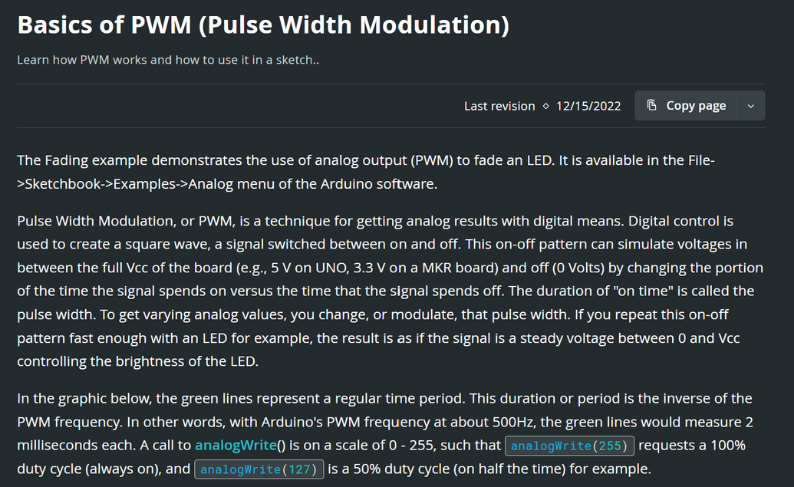 Basics of PWM (Pulse Width Modulation) | Arduino Documentation
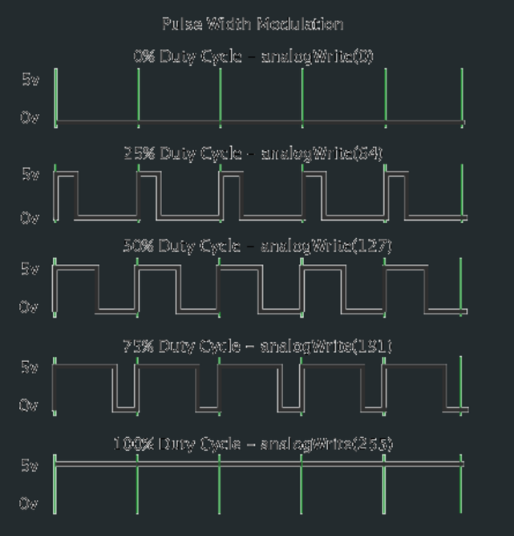
Basics of PWM (Pulse Width Modulation) | Arduino Documentation
After connecting the negative pin (cathode -) to GND:
How to program:
✦ Configure an Arduino's pin to the digital output mode by using pinMode() function
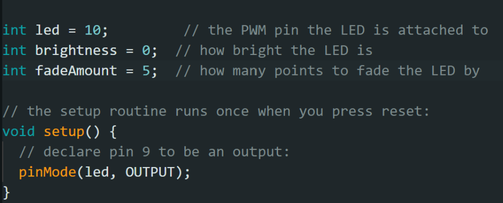 Fade effect exemple using my Arduino
✦ Set brightness of LED by generating the corresponding PWM signal by using analogwrite() function:

Fade effect exemple using my Arduino
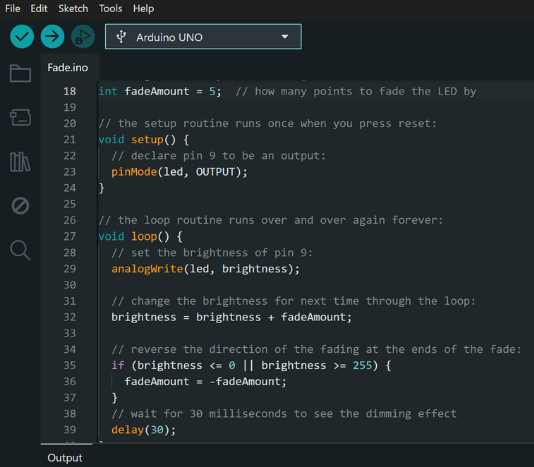
Complete screenshot of my Arduino exemple
Ideia for E-textiles Project
For the E-textiles assignement we had to integrate two soft sensors into one textile swatch using hard soft connections. Using at least 1 Analog sensor and 1 Digital sensor.
✧ What is a Digital Sensor?
Digital sensors typically consist of sensing elements that respond to a phisical stimuli ➱ convert them into electrical signals ➱ signals are then condiciond ➱ amplified ➱ then converted into digital form using analog-to-digital converters (ADC's)
Digital output can be in various formats such as:
✦ Pulse - Widgh - Modulation (PWM) ➱ the one we are using
✦ 1-Wire
✦ Inter- Integrated Circuit
To use Digital Sensors in a project you have to integrate them with a microcontroller or a single-board computer.
Link of the info: https://www.watelectrical.com/what-are-digital-sensors-types-and-their-uses/
Process for integrating a digital Sensor:
✦ Choose a microcontroller or a single-board computer
Ex: Arduino ➱ The one we're using
✦ Select a digital sensor compatible with the microcontroller and aplication
✦ Connect the sensor to the microcontroller using the appropriate communication protocol
✦ Install necessary libraries or drivers to the sensor
✦ Write code to initialize the sensor, read the digital data, and process it according to the application requirements
✦ Test and calibrate the sensor as neeeded
✧ What is an Analog Sensor?
Analog sensors are the devices that produce analog output in proportion to the quantity being calculated. These sensors also observe the change in external factors such as light intensity, speed of the wind, and solar radiation, and others.
output ranges between 0V ➱ 5V.
Here, Logic 1 corresponds to the voltage level of 3.5V ➱ 5V and Logic 0 corresponds to the voltage level of 0V ➱ 3.5V.
Link of the info: https://www.watelectrical.com/what-are-analog-sensors-types-and-their-characteristics/
Ideia for E-textiles Project
For the E-textiles assignement we had to integrate two soft sensors into one textile swatch using hard soft connections. Using at least 1 Analog sensor and 1 Digital sensor.
Inspired by the concept of Biomimicry, i thought it made sense to use the design I had made for the Circular Fashion Module, that was shaped like a flower, and use the test i did on the laser cutting machine, that ended up being to big for that project.
My ideia for the project was to make a "flower" that would react to the environment around it. I decided to use Hook-and-eye metal fasteners ➱ as my Digital sensor. The ideia would be that when my " flower opened" meaning when the hooks opened and the metals stopped touching, my Sound sensor ➱ Analog sensor, integrated in the design, would start sensing the sound in the environment around it. When the hooks touch ➱ the flower closes ➱ and the sensor stops sensing the sound. Connecting the 2 sensors (Digital and Analog) to eachother.
Result
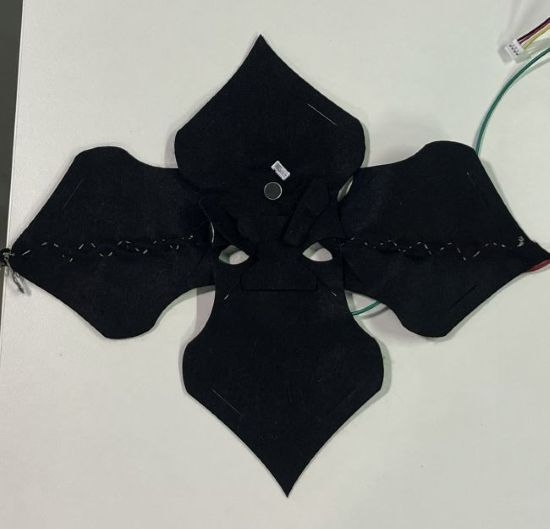
My final Result - integration of Digital and Analog Sensor in textile - Rita Manuelito / 2026
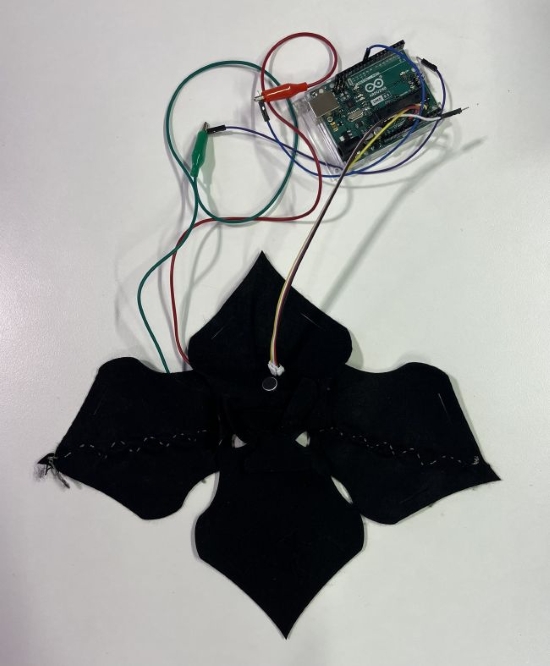
My final Result - integration of Digital and Analog Sensor in textile - Rita Manuelito / 2026
Ideia for a later Module :
My end goal is to be able to make the textile move by connecting the Sound sensor to a motor. In that sense whenever the hooks aren't touching ➱ flower is open ➱ the sound sensor starts working and the "petals" move in correspondence to the volume of the sound the sensor is picking up.
Apllying the sensors to my design - Process
For this Weeks Module i focused only on understanding how to make a circuit, and how to incorporate this two different sensors in textile
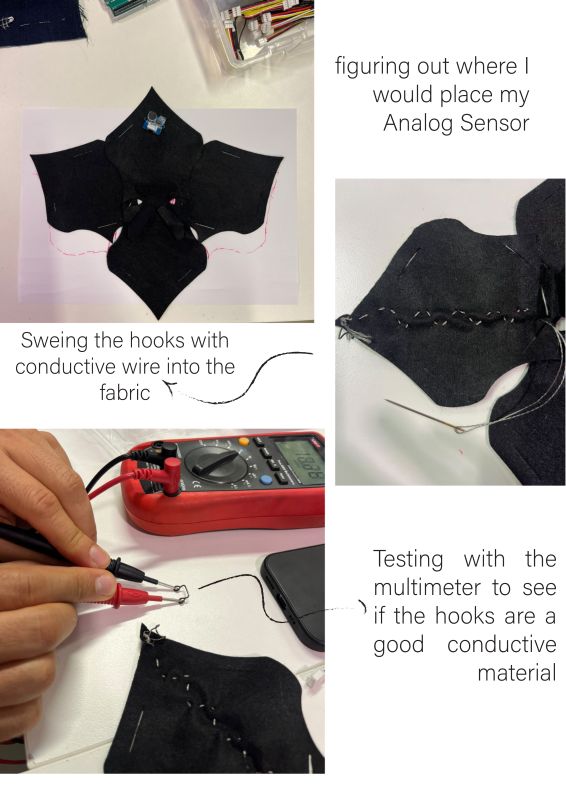
Process - integration of Digital and Analog Sensor in textile - Rita Manuelito / 2026
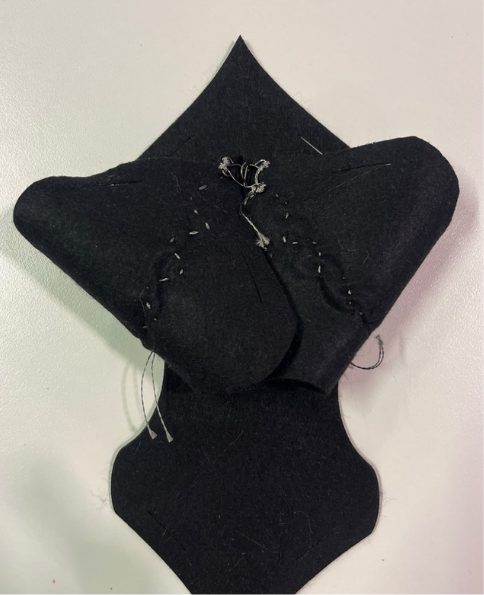
Process - "flower" closed - Rita Manuelito / 2026
Textile Material: Felt
Textile Size:
Results & documentation
- Don’t forget to document the outcome including:
-
Upload the photos & files on oscircularfashion
-
Include measurements or a reference object to give a sense of scale
5.1 Code
Use the three backticks to separate code.
// the setup function runs once when you press reset or power the board
void setup() {
  // initialize digital pin LED_BUILTIN as an output.
  pinMode(LED_BUILTIN, OUTPUT);
}

// the loop function runs over and over again forever
void loop() {
  digitalWrite(LED_BUILTIN, HIGH);   // turn the LED on (HIGH is the voltage level)
  delay(1000);                       // wait for a second
  digitalWrite(LED_BUILTIN, LOW);    // turn the LED off by making the voltage LOW
  delay(1000);                       // wait for a second
}

// the setup function runs once when you press reset or power the board
void setup() {
  // initialize digital pin LED_BUILTIN as an output.
  pinMode(LED_BUILTIN, OUTPUT);
}

// the loop function runs over and over again forever
void loop() {
  digitalWrite(LED_BUILTIN, HIGH);   // turn the LED on (HIGH is the voltage level)
  delay(1000);                       // wait for a second
  digitalWrite(LED_BUILTIN, LOW);    // turn the LED off by making the voltage LOW
  delay(1000);                       // wait for a second
}
6. Weekly reflection & critical thinking
- What did I learn? What did I personally find interesting or surprised me?
- What would I do differently? If something "failed" do I know how else to tackle it now?"
- How does this connect to my final project or my learning trajectory?
- What are implications and possible applications, think also from the ethical or environmental aspect, how it could connect to your practice and project?
NuEval — final step
Go to NuEval and fill in the checklist, when not complete notify your instructor.
7. Fabrication files & References
-
File: Laser cut matrix ↩
-
Reference: Author; Title; Source; year ↩