Circular Open Source Fashion
1. Objective
To develop an open-source circular fashion project through reference research and conceptual design; the application of design skills via sketches, prototypes, and 2D vectors; the mastery of digital fabrication processes such as laser cutting, waste management, and assembly; ensuring a reproducible workflow and a fully assembled or tested final outcome with a high level of originality.
2. References, research & inspiration
2.1 Pinterest inspiration
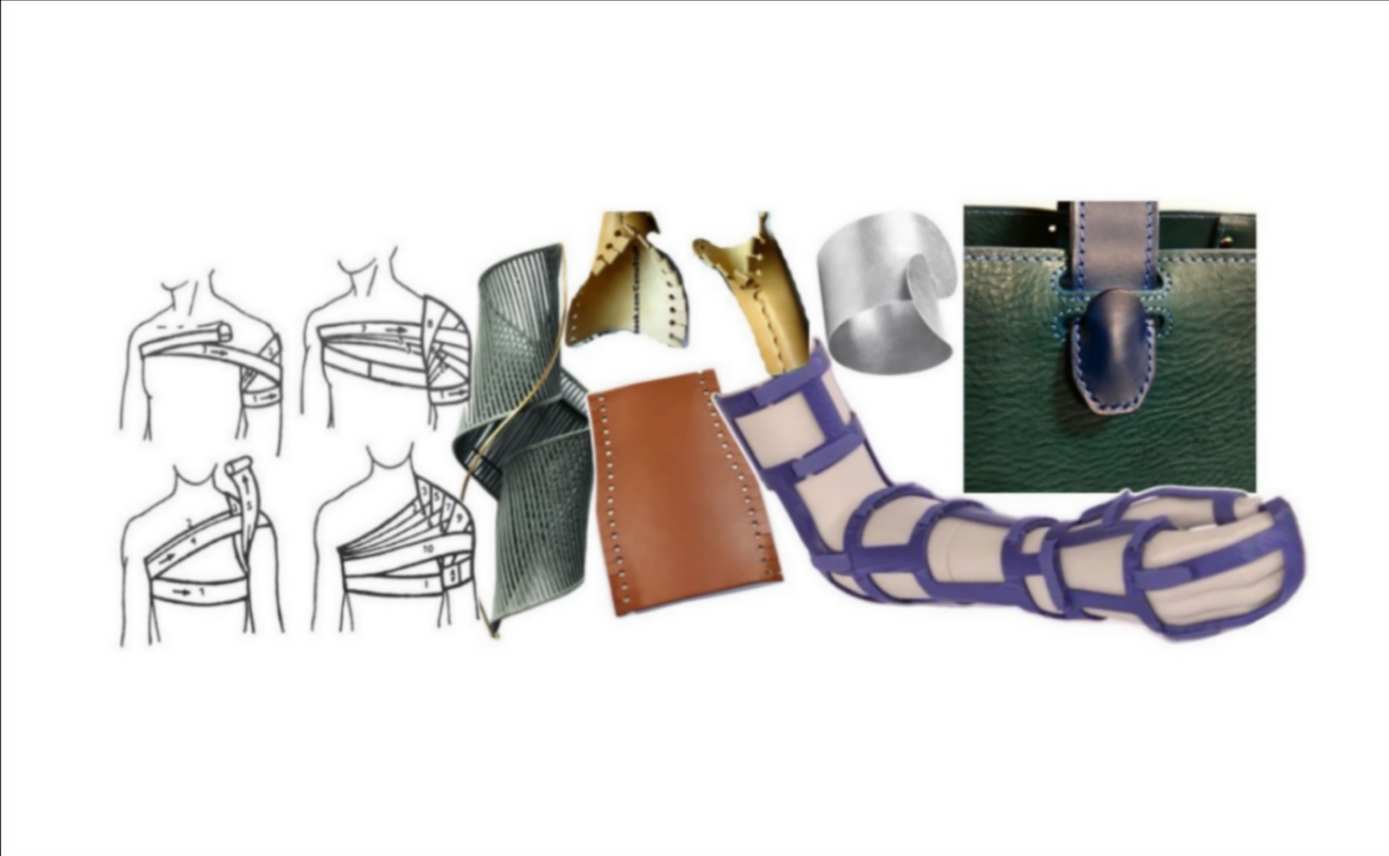
The first approach was to choose an objective for this week, which was to develop an orthopedic proposal to which the principles of modularity would be assigned. A concept that emerged as inspiration from an excerpt of the 2011 book 'Greek Lessons' by author Han Kang, which says: "I became aware that the human body is sad, that it is full of concave, soft, and vulnerable areas, such as arms, armpits, chest, and groin; that it is a body born to embrace and desire someone's embrace." Hence the reason to generate a proposal that adapts softly to the body of each user, making use of this technology.
3. Tools
4. Process and workflow
Next, I will explain how I began exploring the shape of the modules and the development of the template for subsequent experimentation and fabrication.
4.1 Step 1
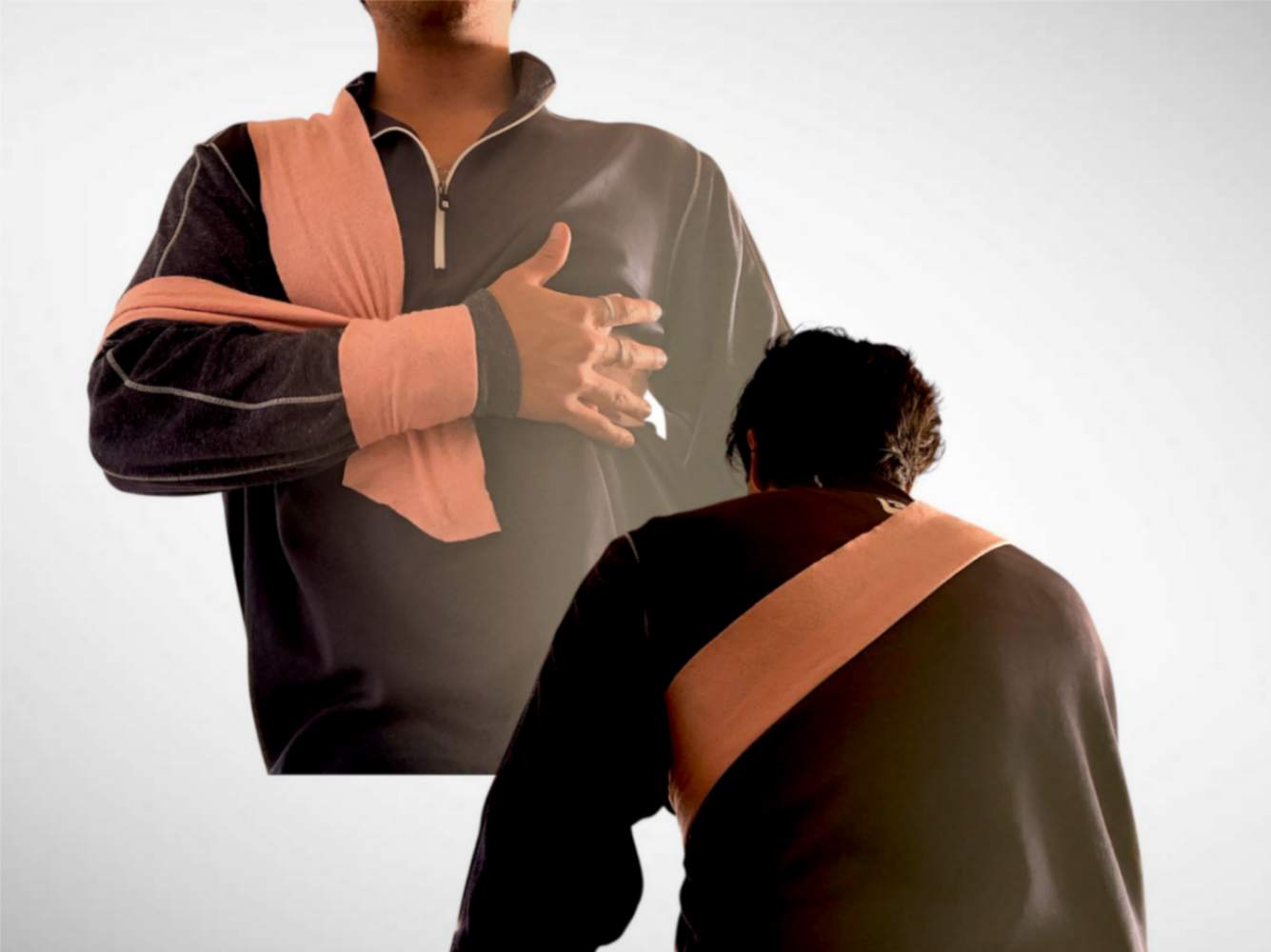
First, I started by researching bandages to make homemade slings, trying to mimic their function as simply as possible. I wrapped my arm and forearm with a piece of fabric until I got a way that felt both comfortable and firm.
4.2 Step 2
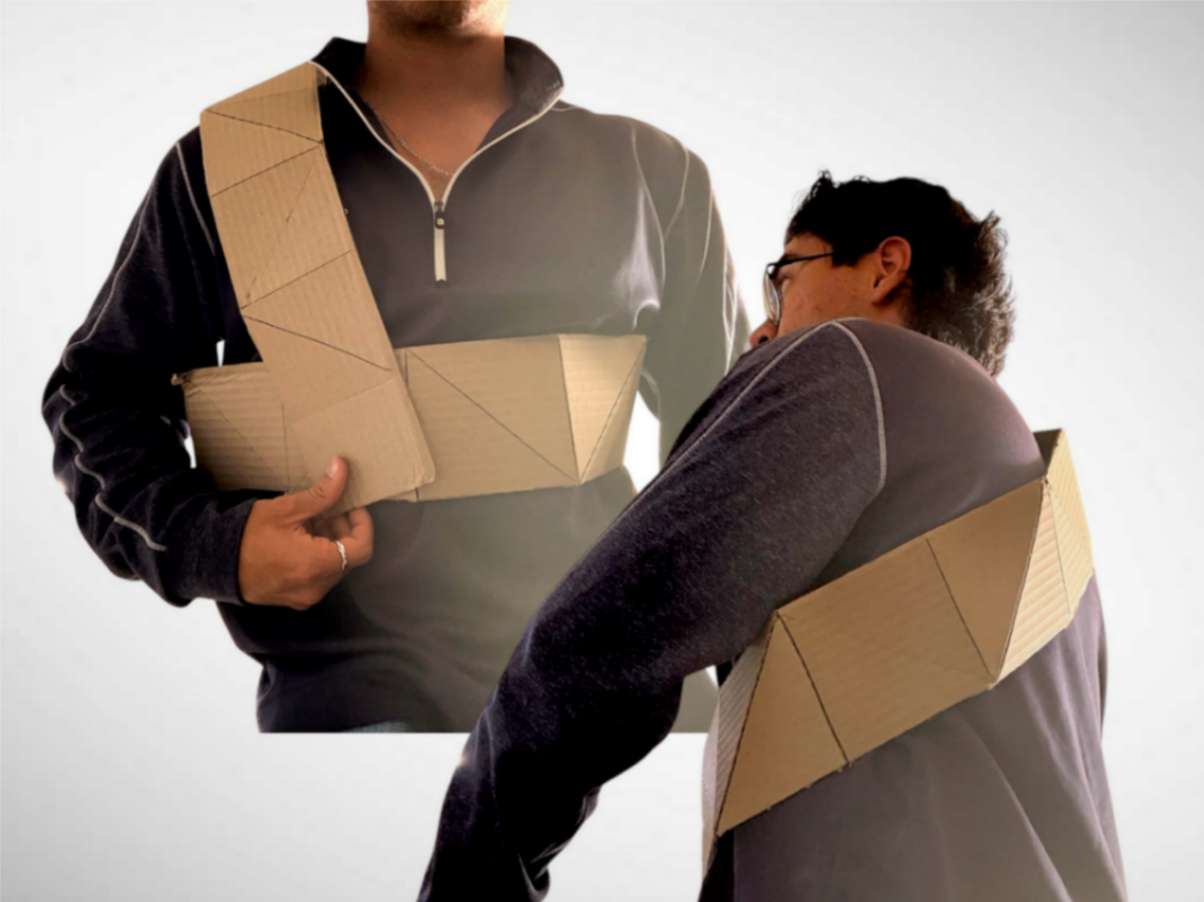
Second, I divided a corrugated cardboard rectangle into squares and, in turn, these into triangles with alternating directions to simulate assembled modules, without cutting them completely. I tried wrapping my arm and neck; however, I realized that making a complete development would take too much time for the experimentation itself, so I decided to develop the proposal focusing solely on the arm and forearm area.
4.3 Step 3
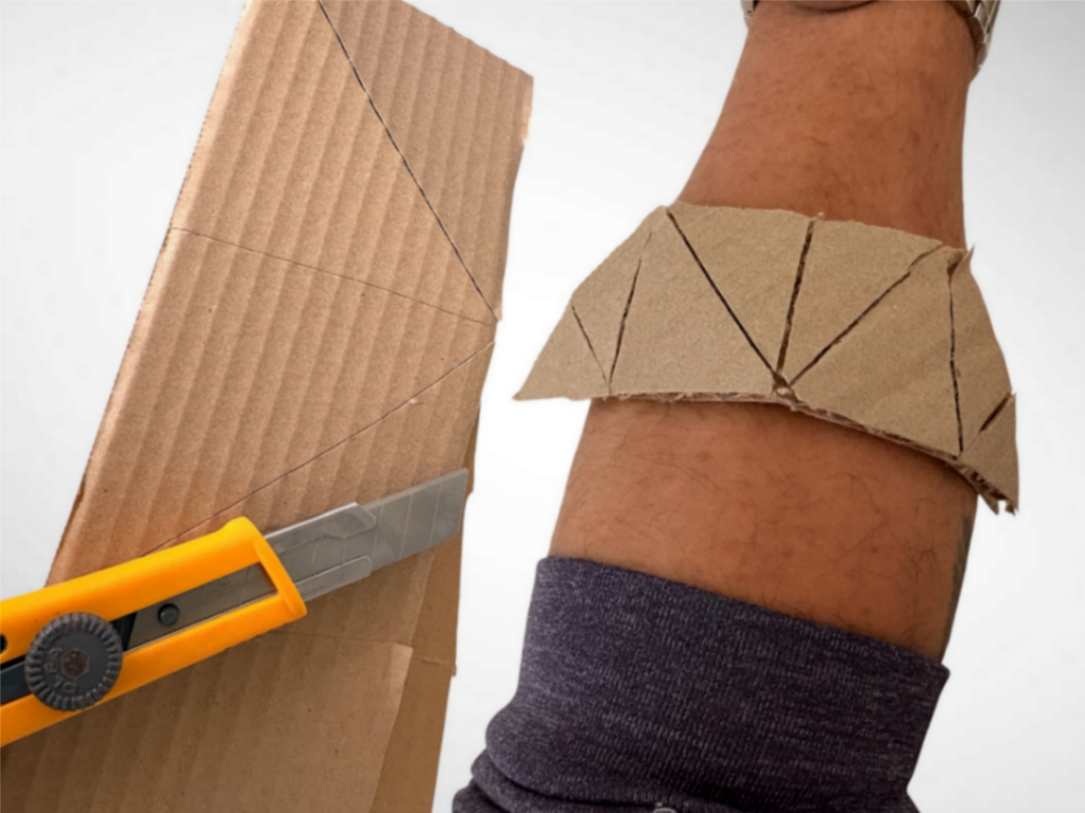
Third, with the area delimited, remaining was to explore the different modules that could serve to surround the arm, adjusting it firmly. By varying the shapes, I arrived at the trapezoid, a shape I took as a reference from a half-hexagon, which can be tessellated. This will be important later on.
4.4 Step 4
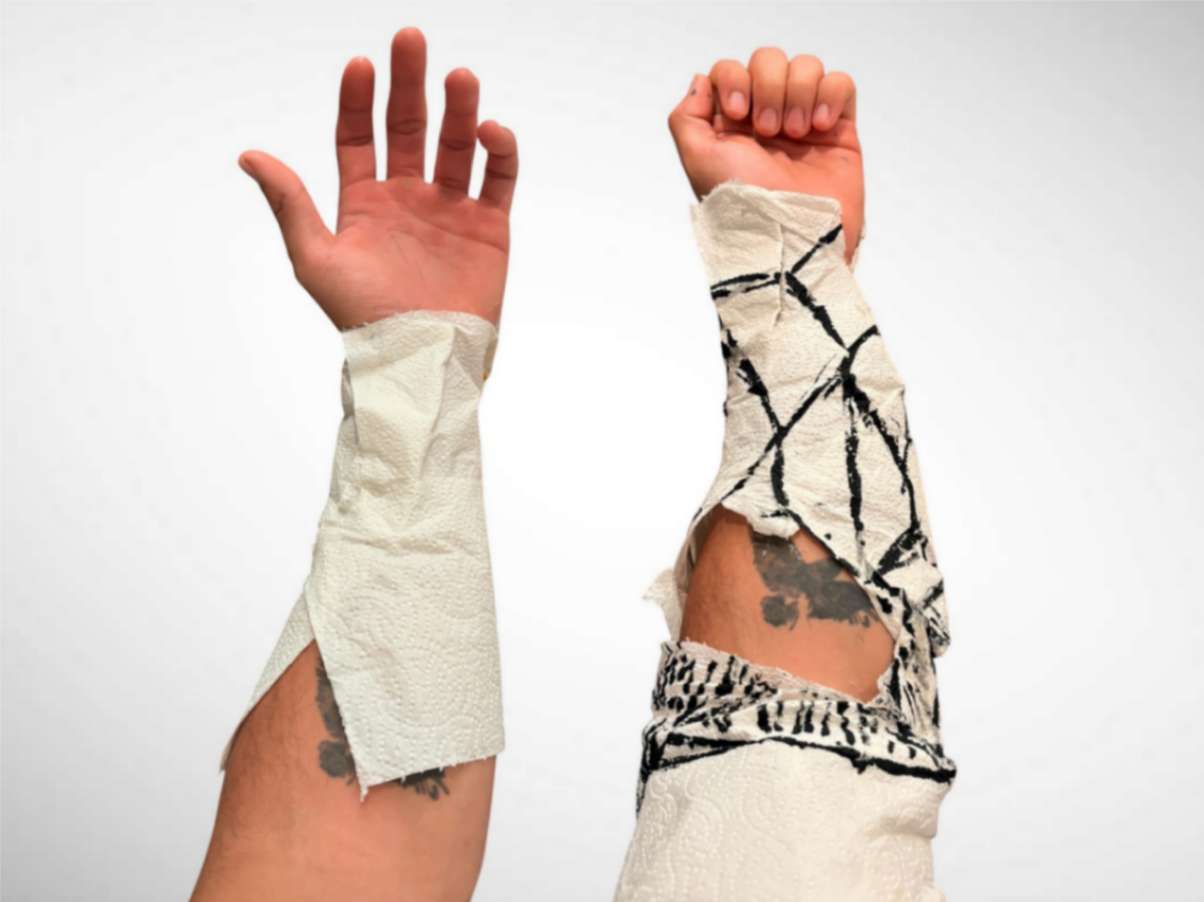
Fourth, once I decided on the shape of the module, this would help me figure out how to distribute it on my template. I started doing this using paper napkins and cold silicone, wrapping my arm until it was completely covered. I folded and marked those areas where cuts had to be made to relieve tension, especially in the areas most prone to strain from body movement.
4.5 Step 5
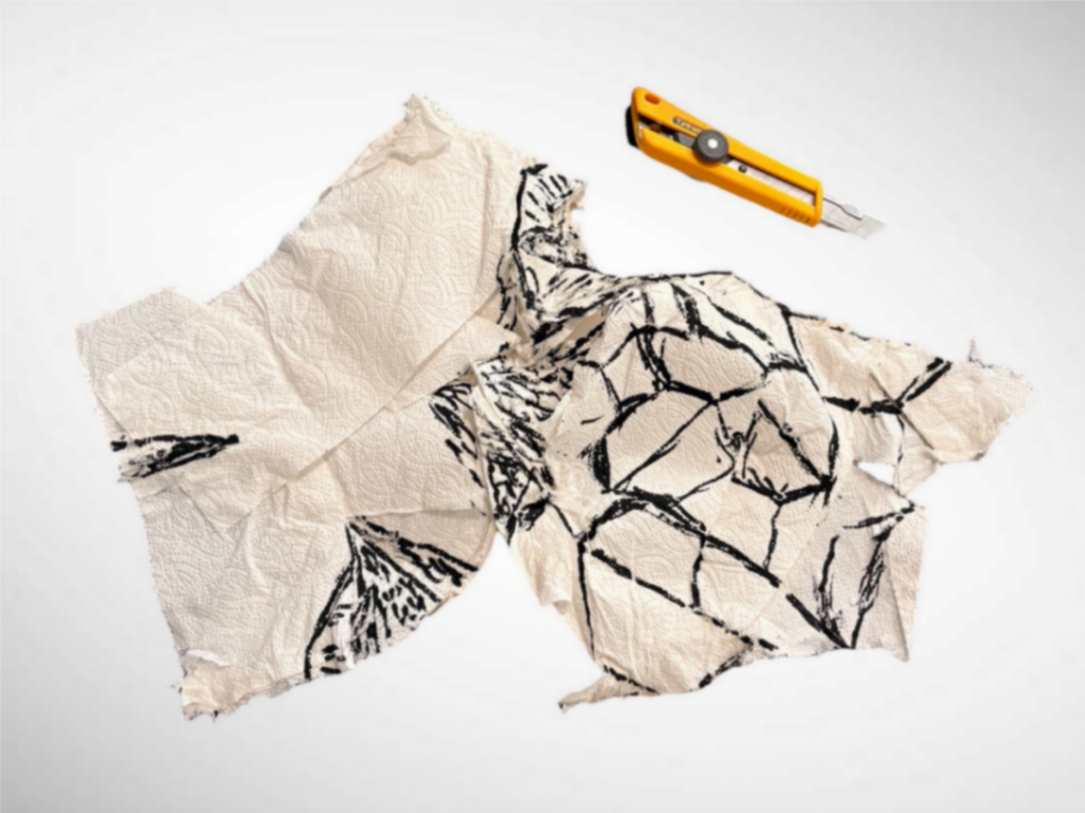
Fifth, as can be seen in the image, I traced the trapezoids in a way that they could tessellate without needing to be symmetrical. So, I used the lines crossing the inner part of the forearm as a guide to know where the modules of the outer edges would assemble. In addition, I shaded those areas of high stress due to movement.
4.6 Step 6
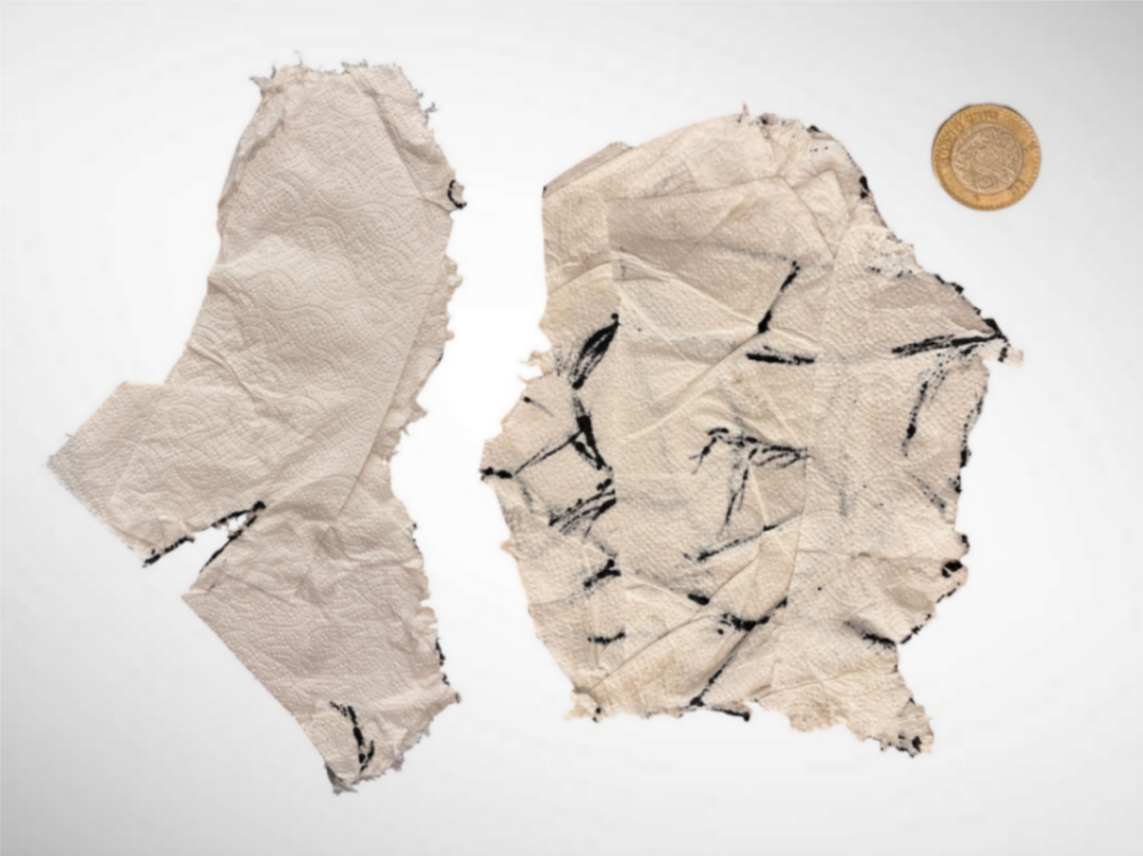
Sixth, the result was two separate templates to facilitate their union and strengthen the mechanical resistance in the assemblies. I photographed them next to a coin that I will use as a size reference when transferring it to the 2D modeling software Inkscape.
4.7 Step 7
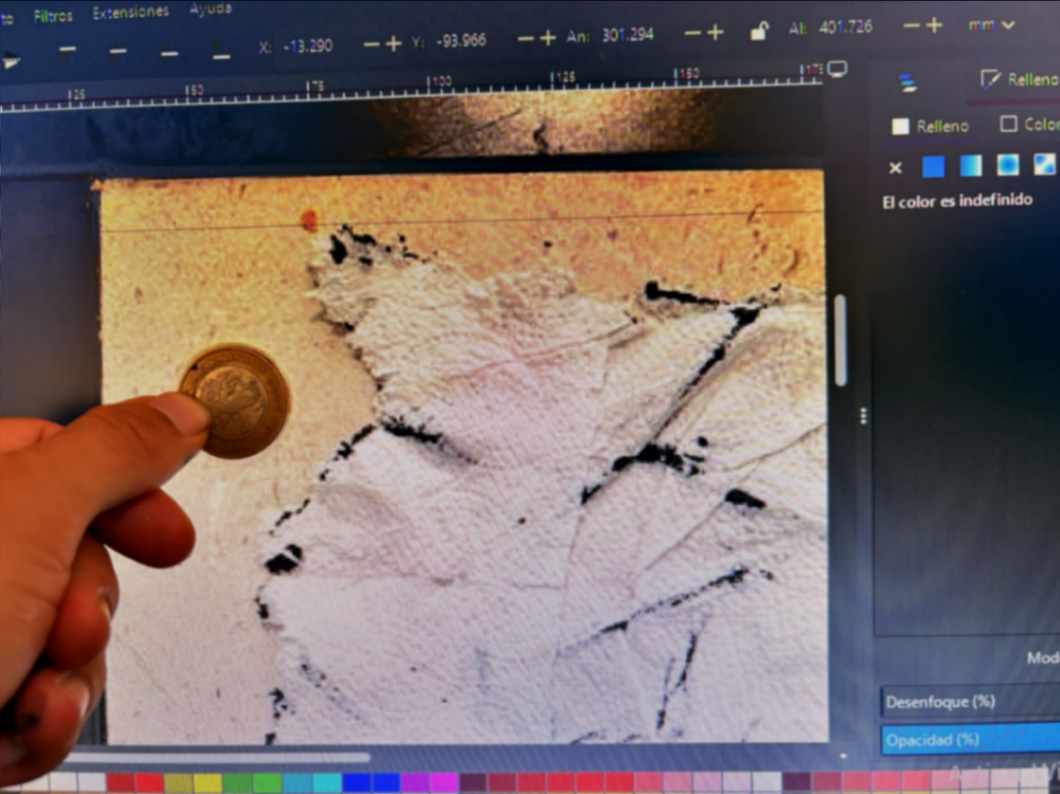
Seventh, from the software, I set the interface zoom to 100% to scale the images, resizing them until the size of the coin in the photograph matched its actual size. And I began the layer creation process by locking the photograph and reducing its opacity to 60%.
4.8 Step 8
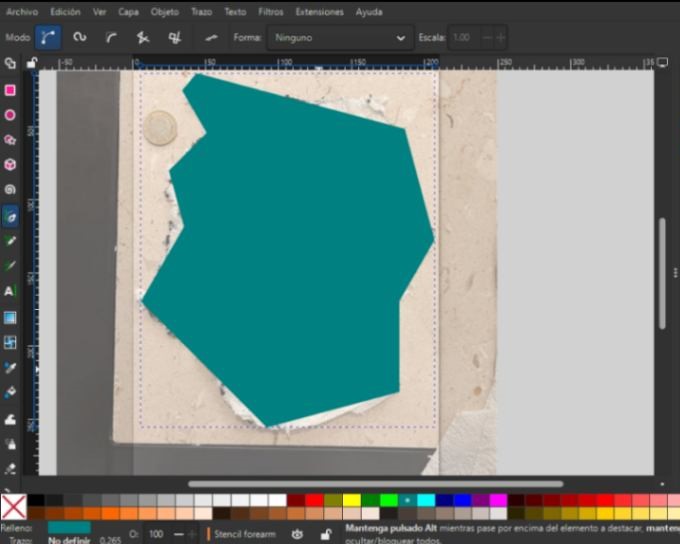
Eighth, using the Bézier tool in Inkscape, I began tracing the outline of the template while pressing the 'Ctrl' key to lock the straight lines at 15° angles.
4.9 Step 9
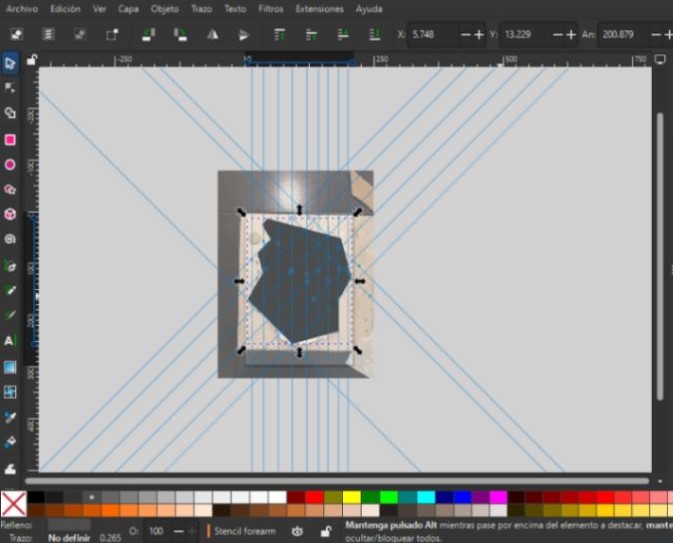
Ninth, I aligned the lines that were at 90, 0, and 45-degree angles using the guides to make a reference grid where I will draw the trapezoids.
4.10 Step 10
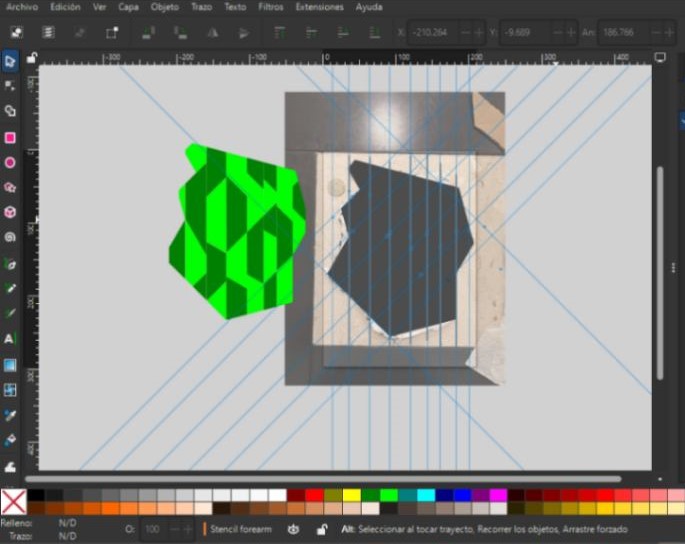
Tenth, once the trapezoids were drawn between the guides, I placed lines 2 mm thick vertically, horizontally, and diagonally right in the middle between the edges of each trapezoid.
4.11 Step 11
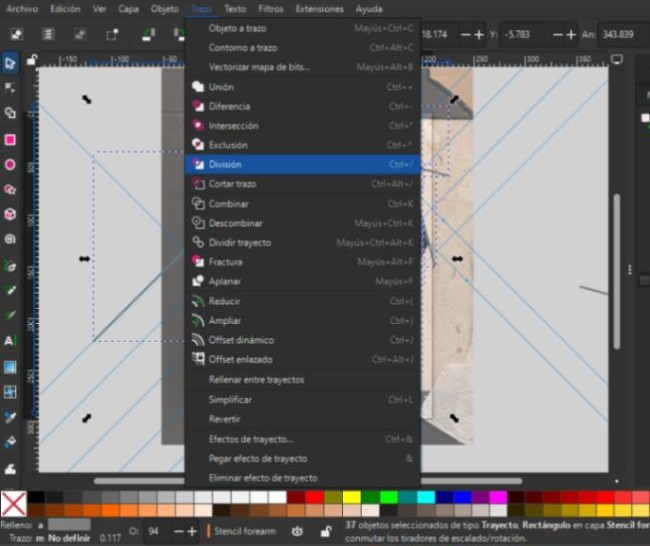
Eleventh, I selected each trapezoid and in the stroke tab I clicked on the union option, to unify their values and allow the lines to cut the trapezoids where they pass through. Afterwards, I selected the division option to cut.
4.12 Step 12
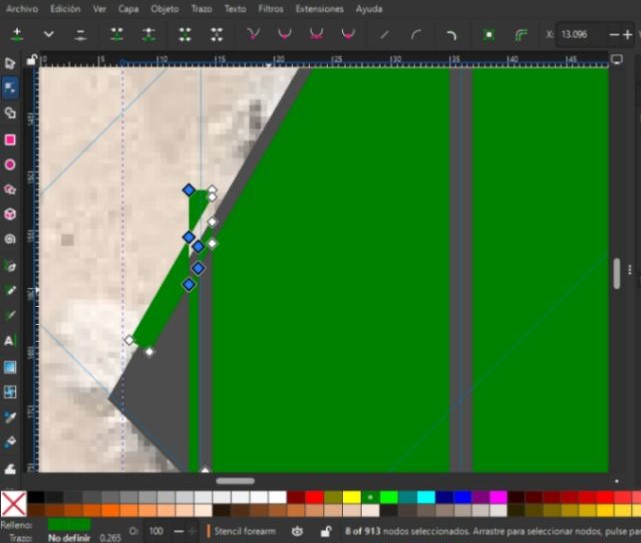
Twelfth, with the division option, surpluses of the lines were also created that needed to be cleaned up with the node selection tool, as well as some repeated lines and nodes that I would later delete from layers.
4.13 Step 13
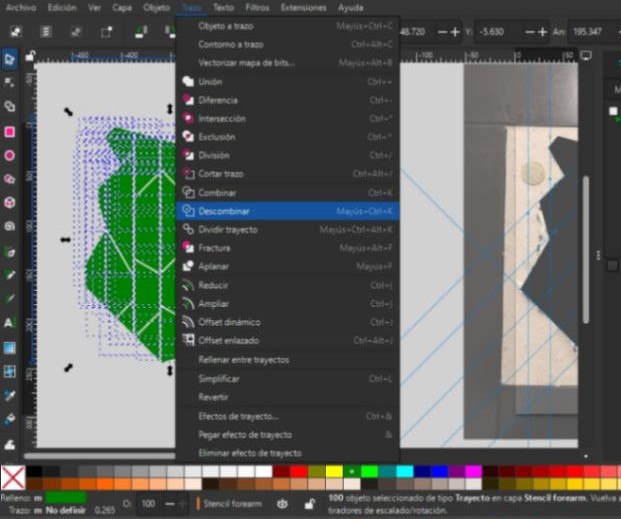
Thirteenth, with the break apart tool I separated each trapezoid so that they became individual entities, which would facilitate their subsequent editing in the next software.
4.14 Step 14
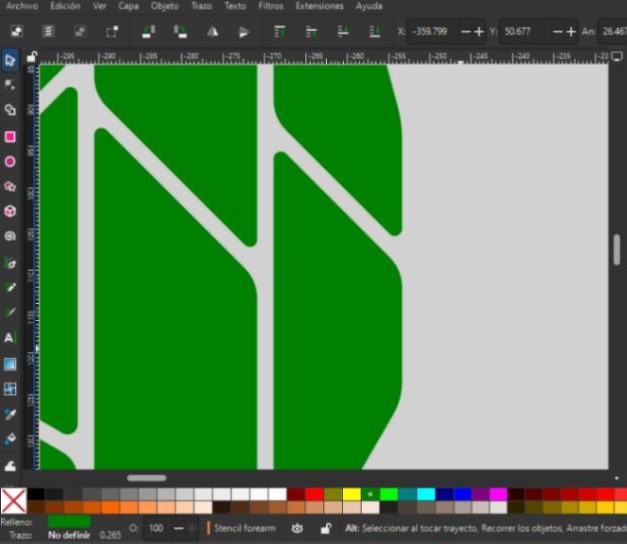
Fourteenth, lastly in Inkscape, I rounded the corners of the trapezoids on just one of the templates to observe how this would affect the behavior of the material as well as its comfort when in contact with the arm.
4.15 Step 15
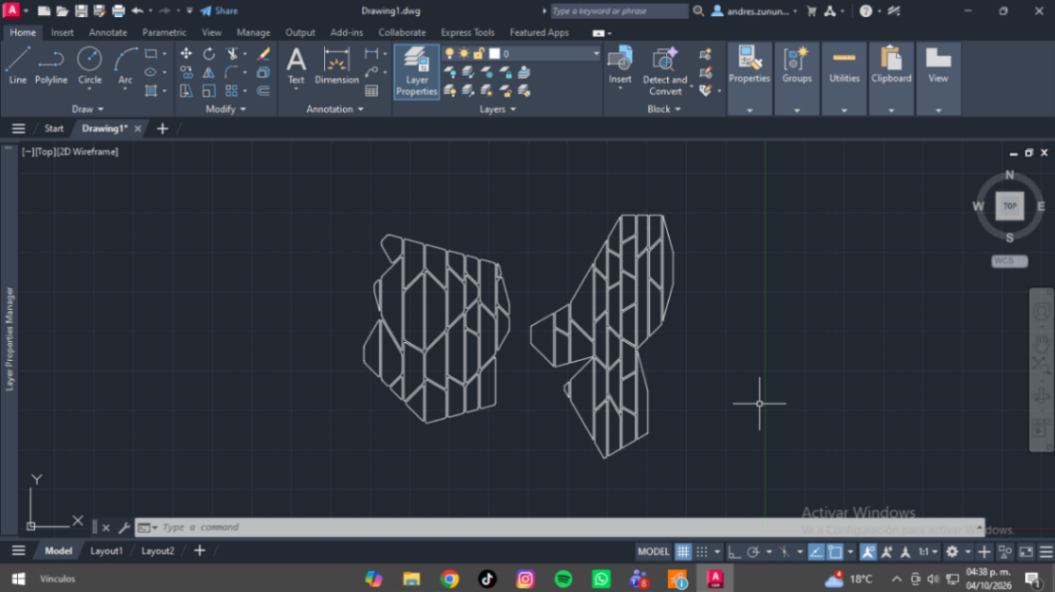
Fifteenth, I opened the template generated in Inkscape in AutoCAD to modify it so I could generate the cutting pattern for the living hinges in the MDF.
4.16 Step 16
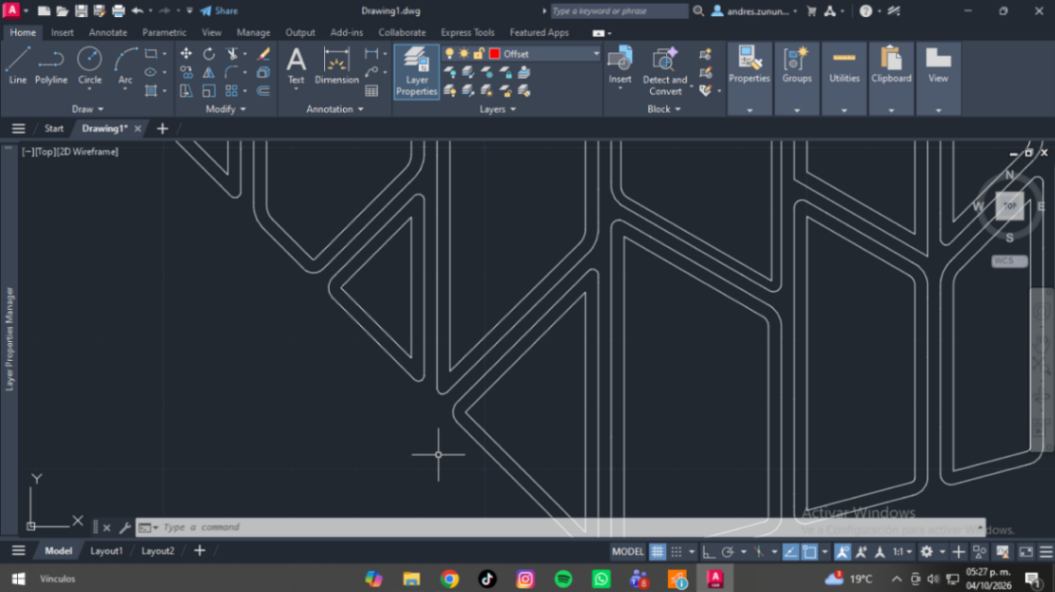
Sixteenth, with the linked offset tool, I managed to create an internal margin in each module, which would have a 2 mm distance from the outline inward, helping to make the cutting pattern as flexible as possible.
4.17 Step 17
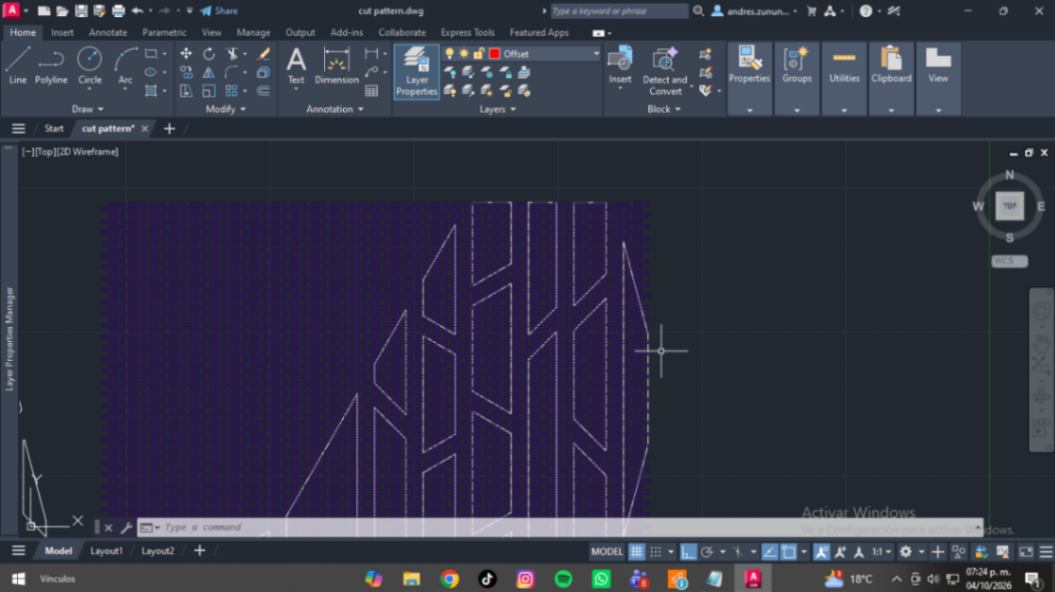
Seventeenth, with the array tool, I created a composition of multiple columns and rows until it completely covered each of the centers of the modules. It is worth mentioning that the direction of the cutting pattern was made longitudinally so that it could curve according to the contour of the arm.
4.18 Step 18
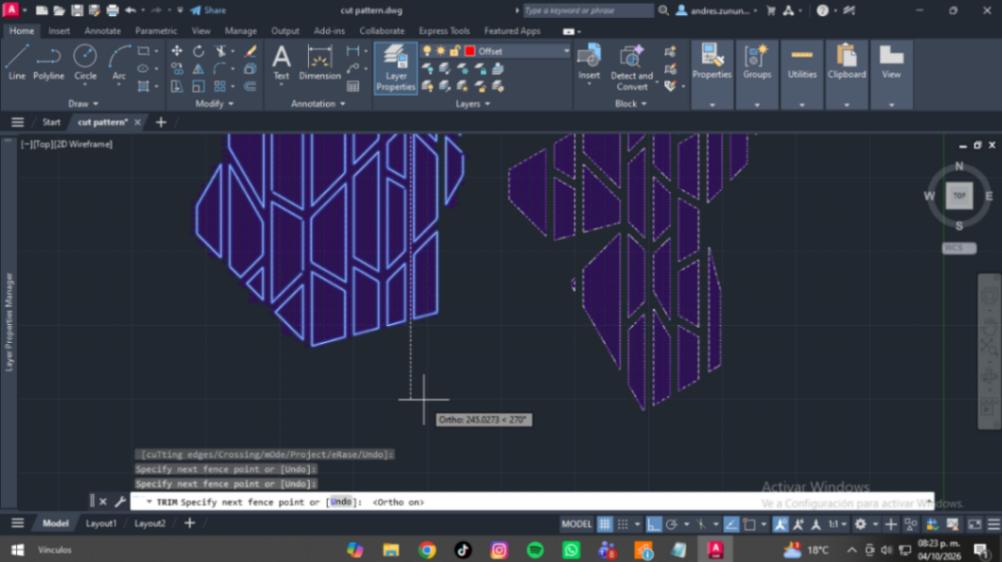
Eighteenth, with the trim tool, I selected the cutting edges option to choose the centers made with the offsets and ensure that everything outside of them was cut along their contour. After doing this process manually, I finally used the Pedit command to close all the rectangles that had been cut.
4.19 Step 19
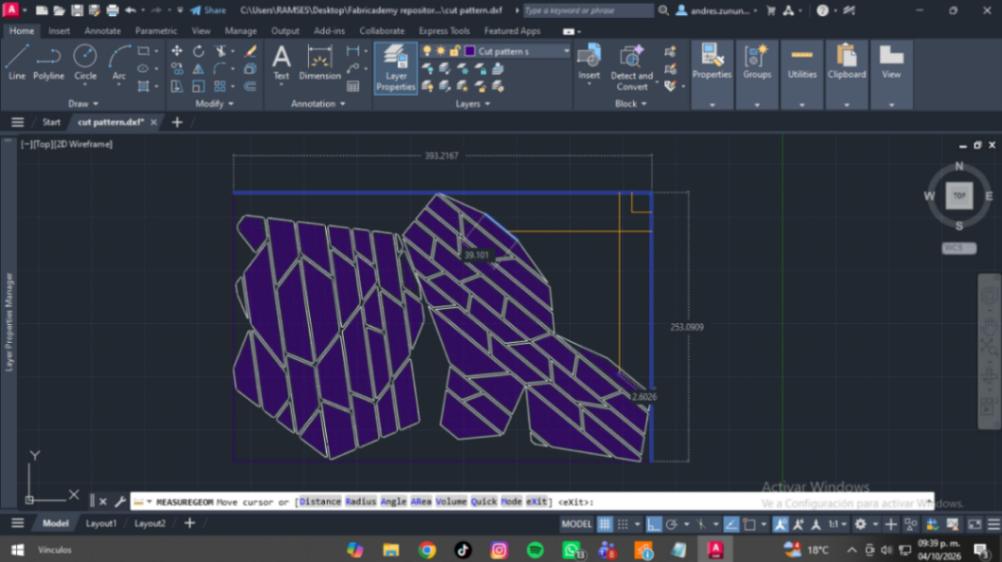
Nineteenth, this was the result, which I aligned to determine the best layout to make the most efficient use of the material.
4.20 Step 20
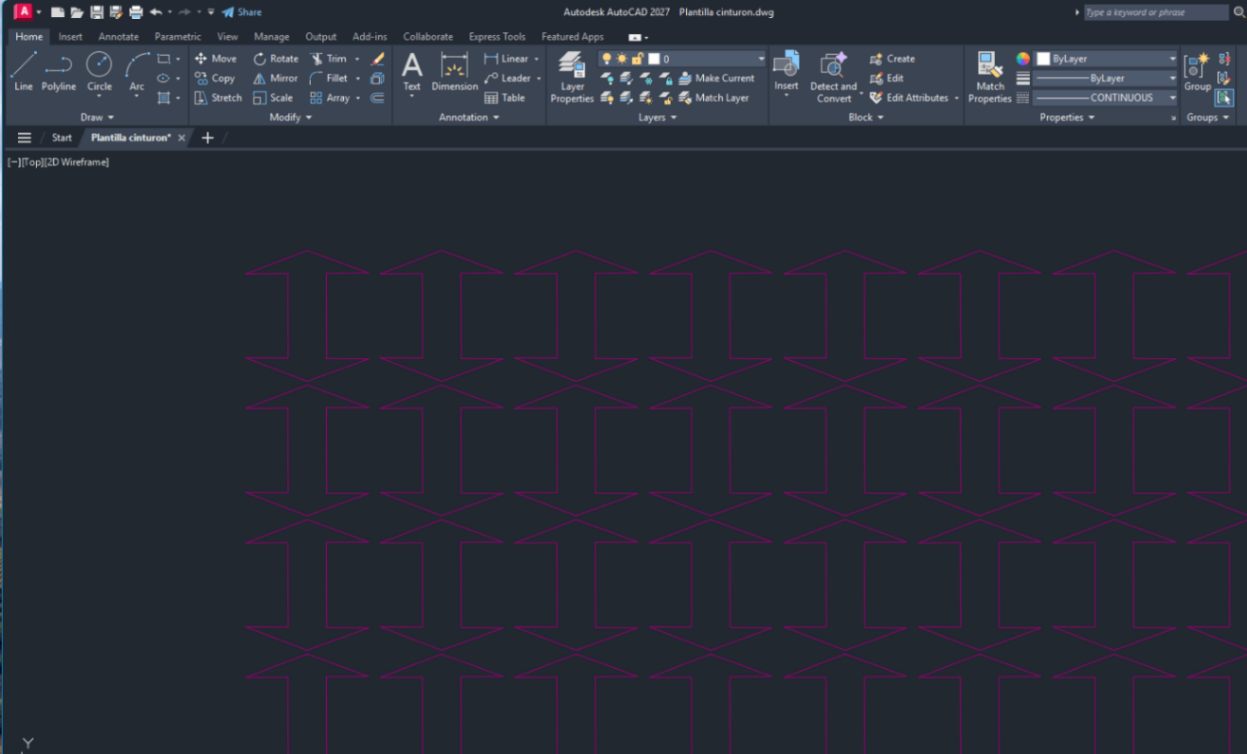
Twentieth, I created an arrow as the element that would join the wooden modules, serving as a basic shape to help assemble them easily.
4.21 Step 21
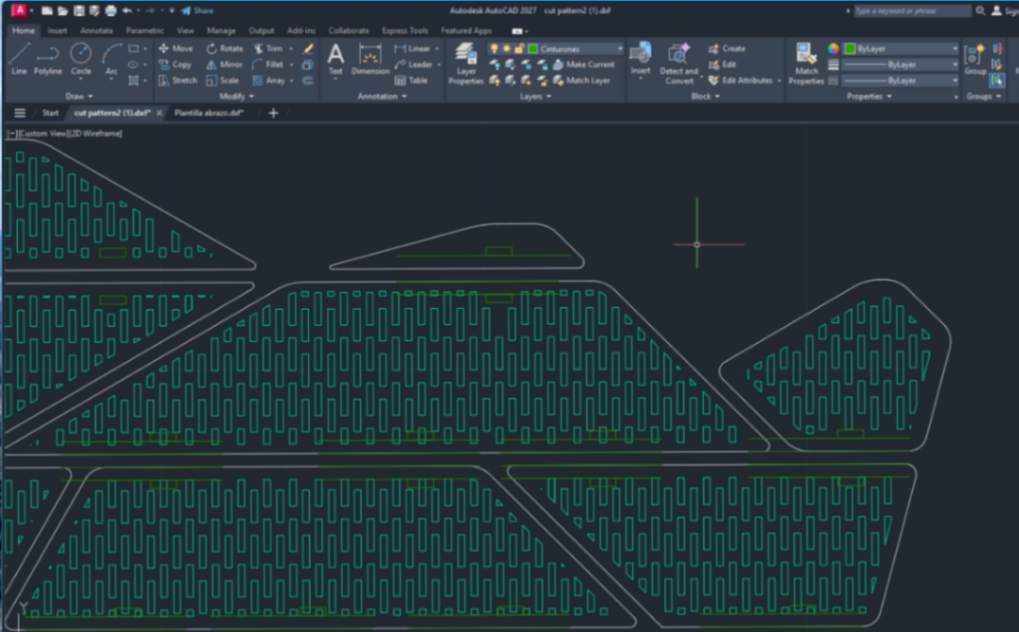
Twenty-first, I traced some guide lines to make the slots where the belts will enter, which, using the offset and mirror tools, I managed to align. I added them manually. And its width was 4 mm and 2 mm at first, then it will change to 10 mm and 2 mm
4.22 Step 22
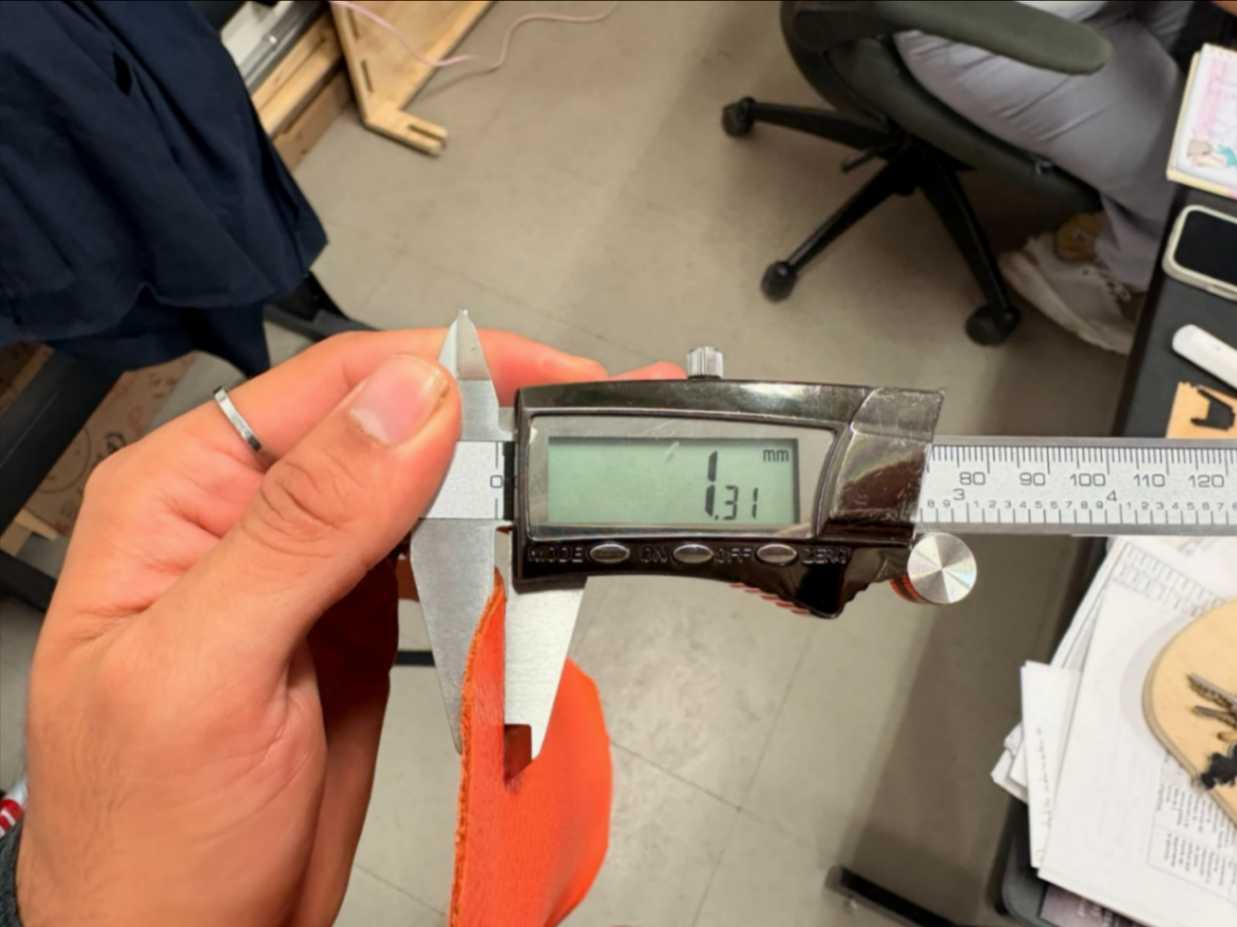
Twenty-second, with the help of a digital caliper, I measured the thickness of my leather to know the dimensions I would need to consider for the slots where I will insert the belts. Its thickness was 1.30 mm on average.
4.23 Step 23
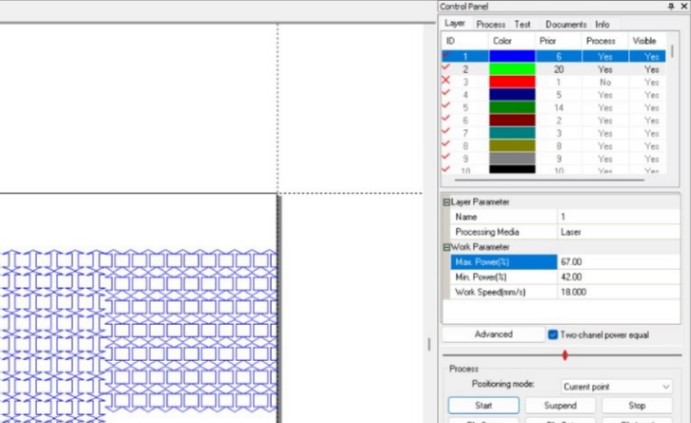
Twenty-third, I selected the parameters for the laser cutter, with maximum power and speed values calibrated through trial and error, as these gave the best results.
4.24 Step 24
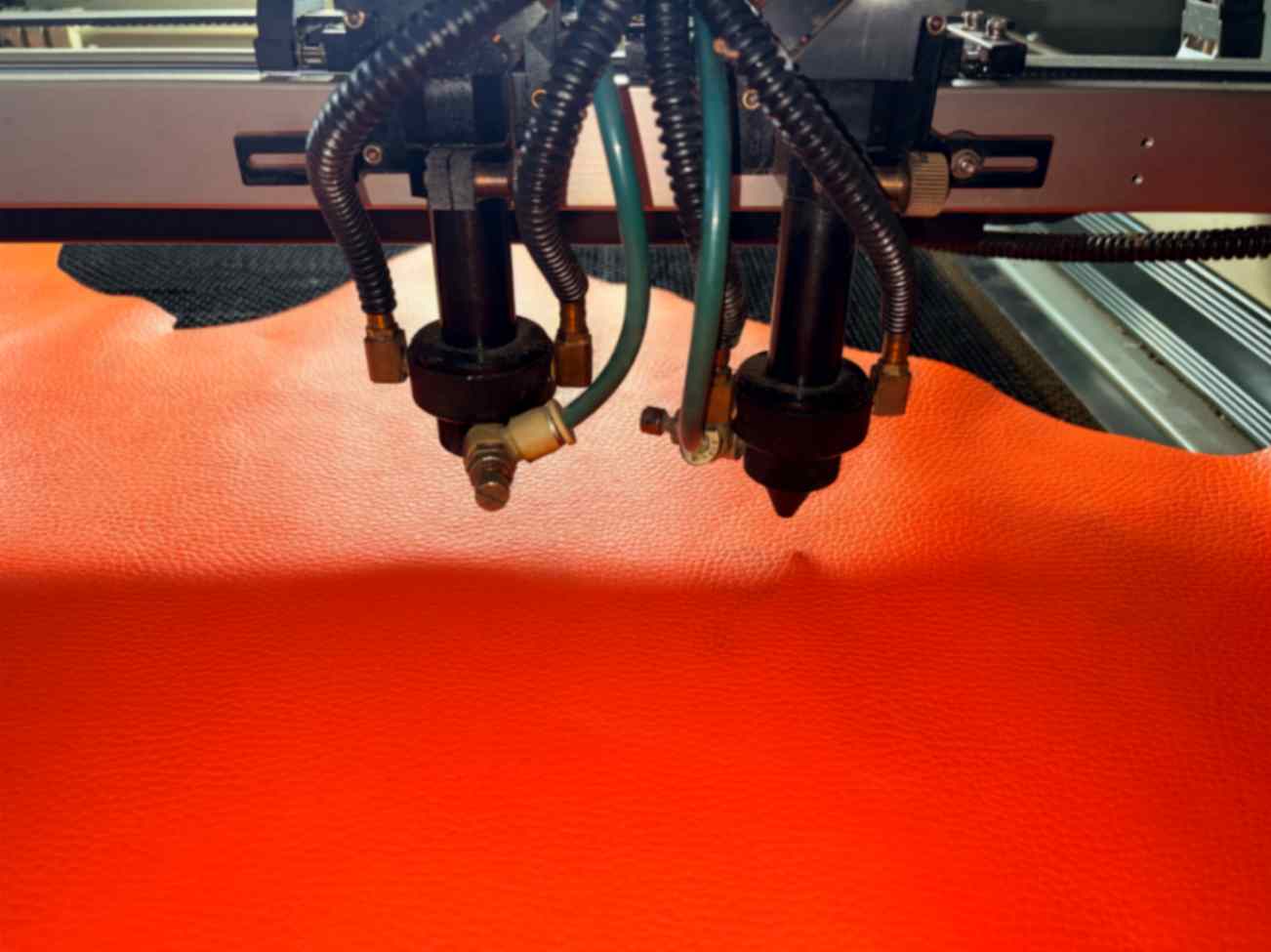
Twenty-fourth, with the machine ready and previous tests of the laser path's dimensions, I cut the first test of the belts.
4.25 Step 25
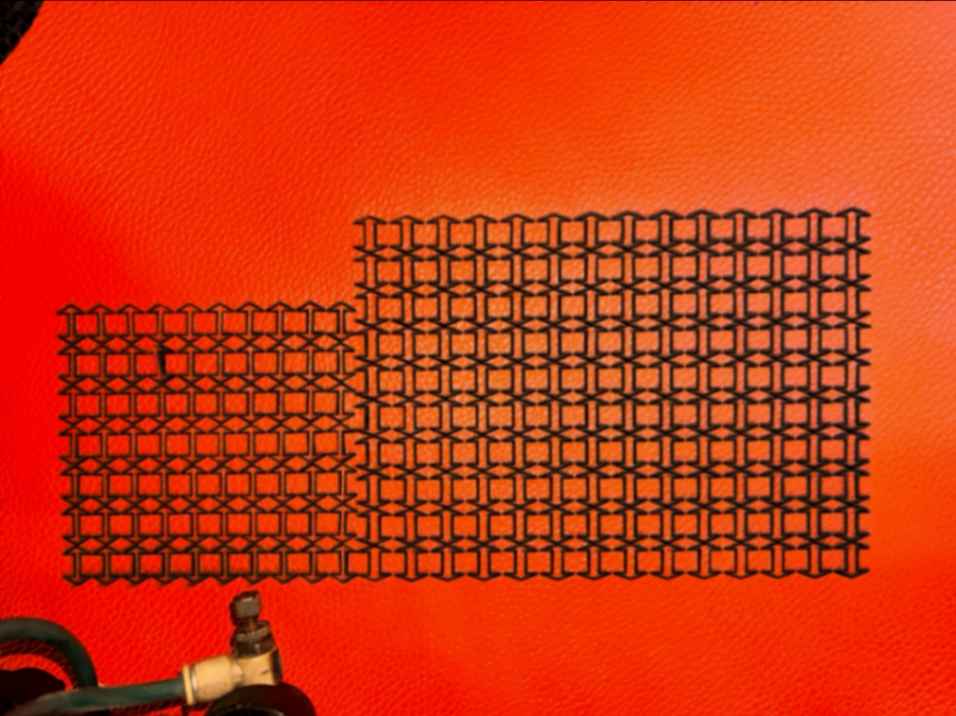
Twenty-fifth, it seems the cut was smaller than expected, and the arrows ended up smaller because the kerf ate away a lot of material. This was the first failure, and a second cut was proceeded with.
4.26 Step 26

Twenty-sixth, .
4.27 Step 27
Twenty-seventh,
4.28 Step 28
Twenty-eighth, ...

5. Results
6. Weekly reflection & critical thinking
- What I learned is that the principles of modularity help create complex solutions by thinking systematically about how each element will behave, both separately and as a whole. It came as a huge surprise that materials I never thought could work together—like MDF and leather—turned out to be so flexible when combined, giving it a very high-quality look.
- What I would do differently is to do more tests with inexpensive materials that help me size the set of parts without having to waste good material.
- Being able to carry out the conceptualization as well as improve on technical aspects when thinking about projects that involve multiple variables helps me understand how to prevent future problems and streamline my workflow. For the final project, this is crucial, because the less room for error I have, the sooner the expected result will arrive.
- As potential applications, we can reduce the environmental impact generated by the industry when creating orthopedic and medical elements that, in a large majority of cases, are used only once and then discarded. Furthermore, just as it is possible to implement rigid elements like MDF board, different biomaterials can also be explored to replace current ones, potentially yielding even better results. The objective was met, and modularity was successfully applied to create low-cost, more accessible solutions.