BioChromes
1. Objective
To research, extract, and apply natural colorants by mastering key technical skills including mordanting, dyeing, and pigment fabrication. The goal is to develop an original, well documented, and reproducible workflow showcasing color applications.
2. References, research & inspiration
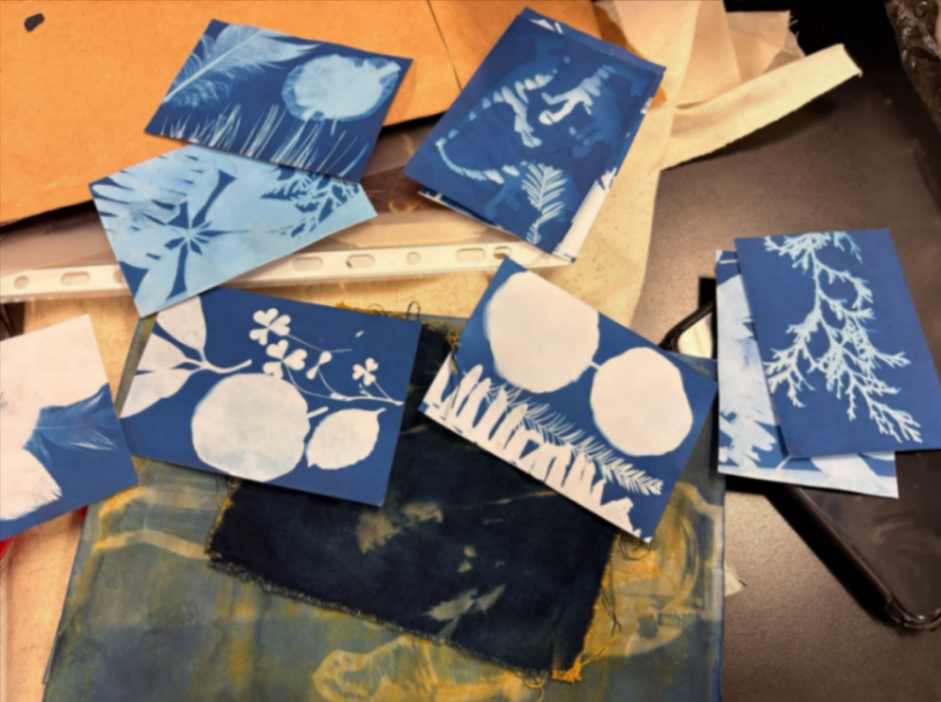
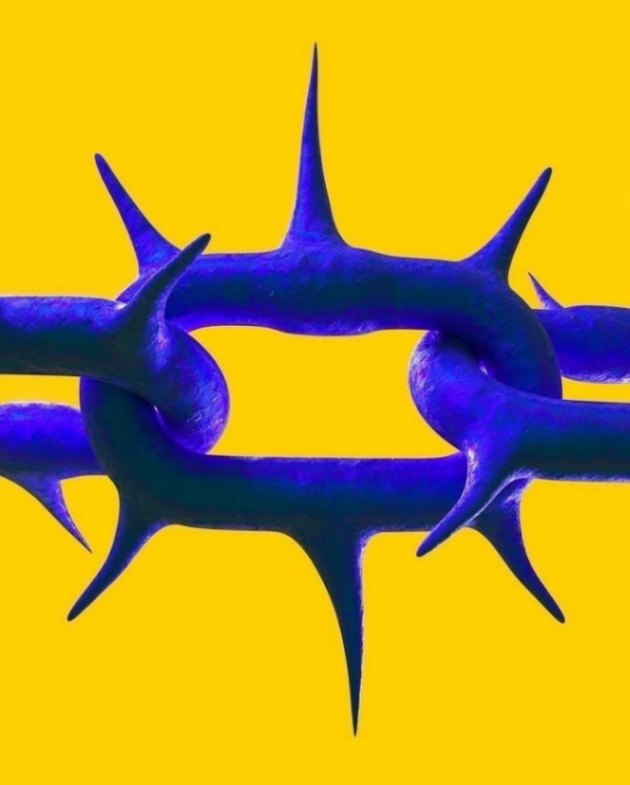
My initial source of inspiration was derived from the following cyanotypes made by one of my instructors, María José Rivas. I was facinated with the idea of printing with UV light, and i discovered there was an alternative with turmeric, they are called antotypes. But it requires to spent hours on the sun, and these days were rainy. Then I decided to watercolor with two different colors, so I searched for the design on Pinterest.
3. Tools
- 1 L Beaker
- Mercury thermometer
- Magnetic stirrer
- Magnetic stir bar
- Digital analytical balance
- Lab spoon
- Watch glass
- 250 mL Reagent bottle with cap
- Filter paper
- pH test strips
- Roland GS2-24
- Paintbrush
- Foam wide brush
- Cutter
- Fabriano watercolor 50 percent cotton paper
3.1 Ingredients
- Organic natural pigment
- Distilled water
- Potassium aluminum sulfate powder
- Liquid sodium hydroxide
- Calcium carbonate powder
- Hydrochloric acid
3.2 Software
- Inkscape (https://inkscape.app/es/descargar/)
- Illustrator (https://www.adobe.com/mx/creativecloud/business/teams/illustrator.html)
- Roland CutStudio (https://www.rolanddga.com/es-la/productos/software/roland-cutstudio-software)
4. Process and workflow
The following is the sequence of steps I personally followed to obtain the yellow and red pigment powder and to dye linen and cotton with turmeric. Each pigment has different requirements.
4.1 Step 1
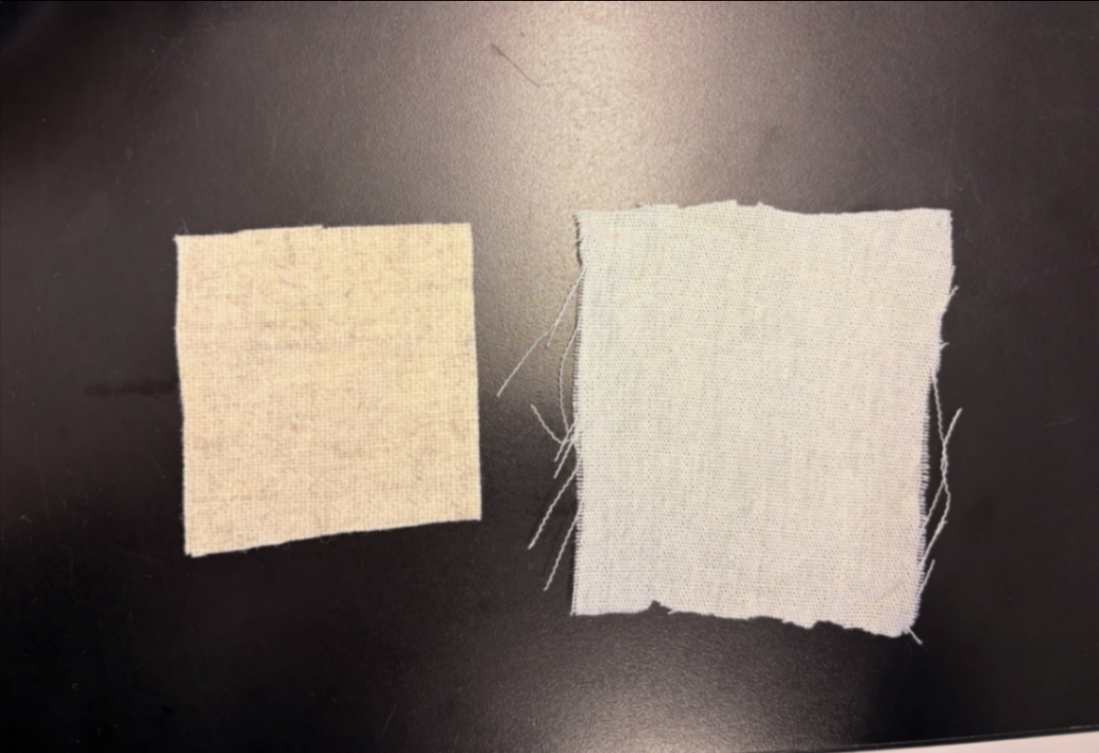
I cutted two fabric squares. The left one is linen and the right one is cotton fabric. It was important to know that the only way to print with organic dye is on natural fibers.
4.2 Step 2
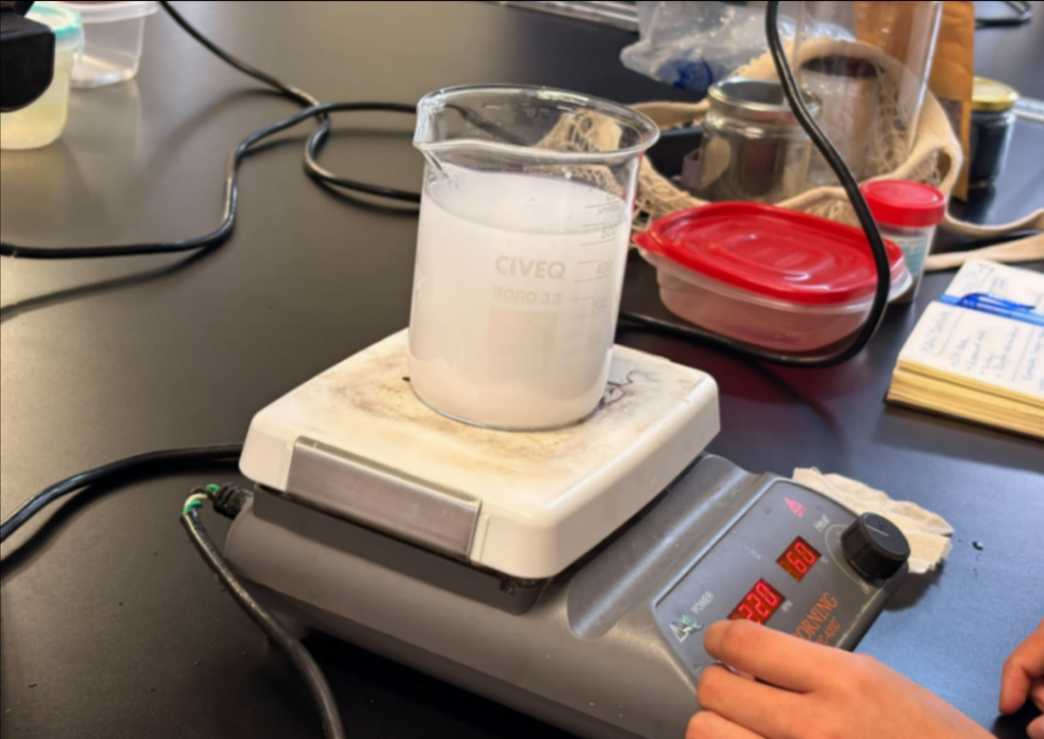
The mordanting bath was prepared with a 10% potassium alum solution relative to the water volume (50 g of potassium alum in 500 mL of water). The mordant was dissolved in hot water at 60 °C, and the fabric was left to soak in the solution for 1 hour.
4.3 Step 3
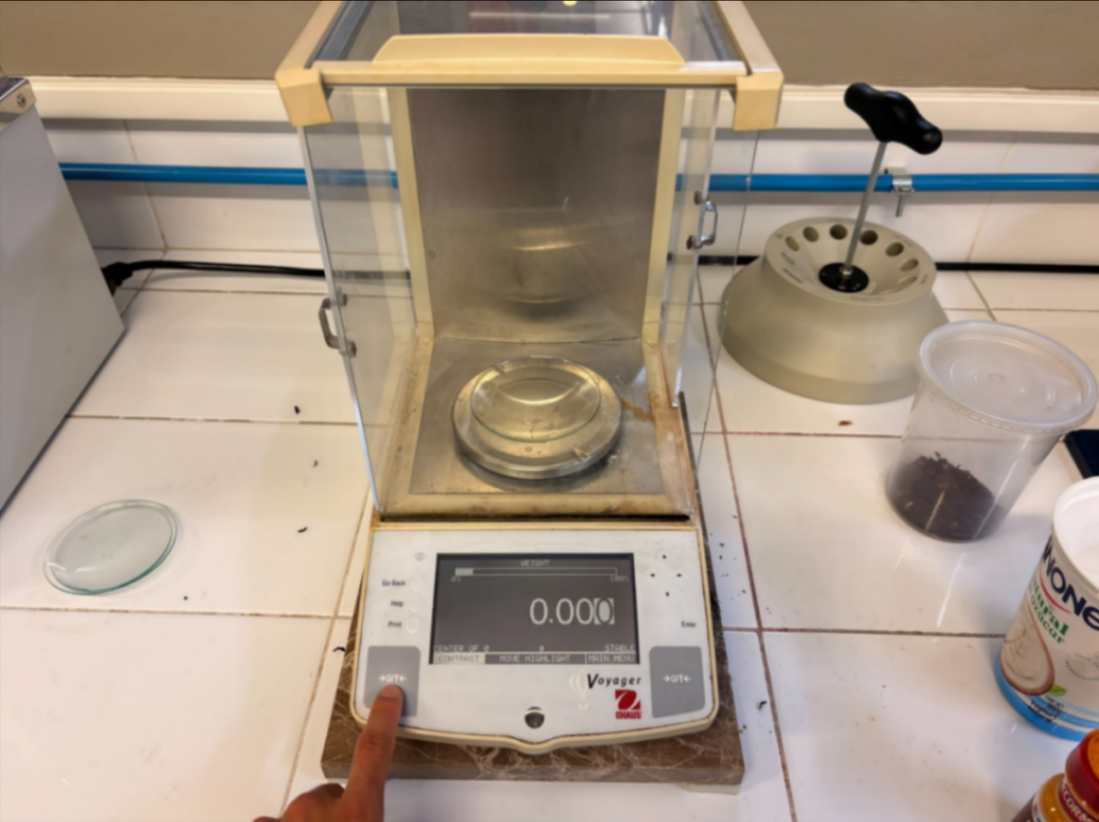
Using a watch glass, we began weighing the different powders required.
4.4 Step 4
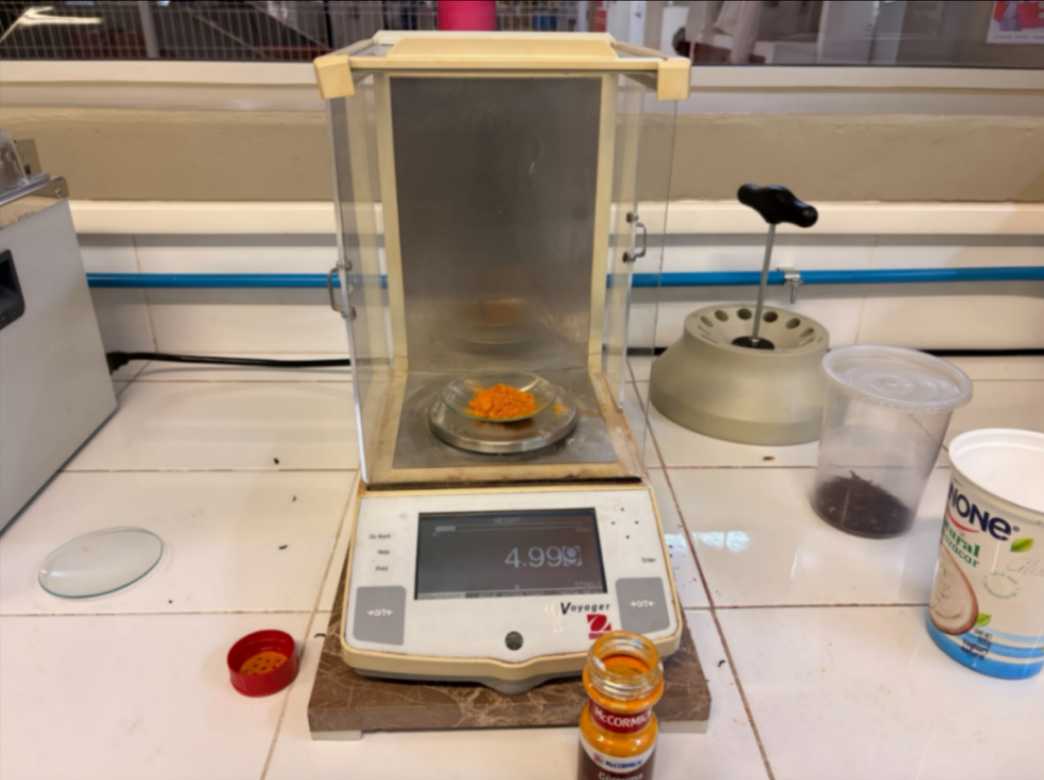
For turmeric, the concentration used is 10% based on the total weight of the water required for dissolution.
4.5 Step 5
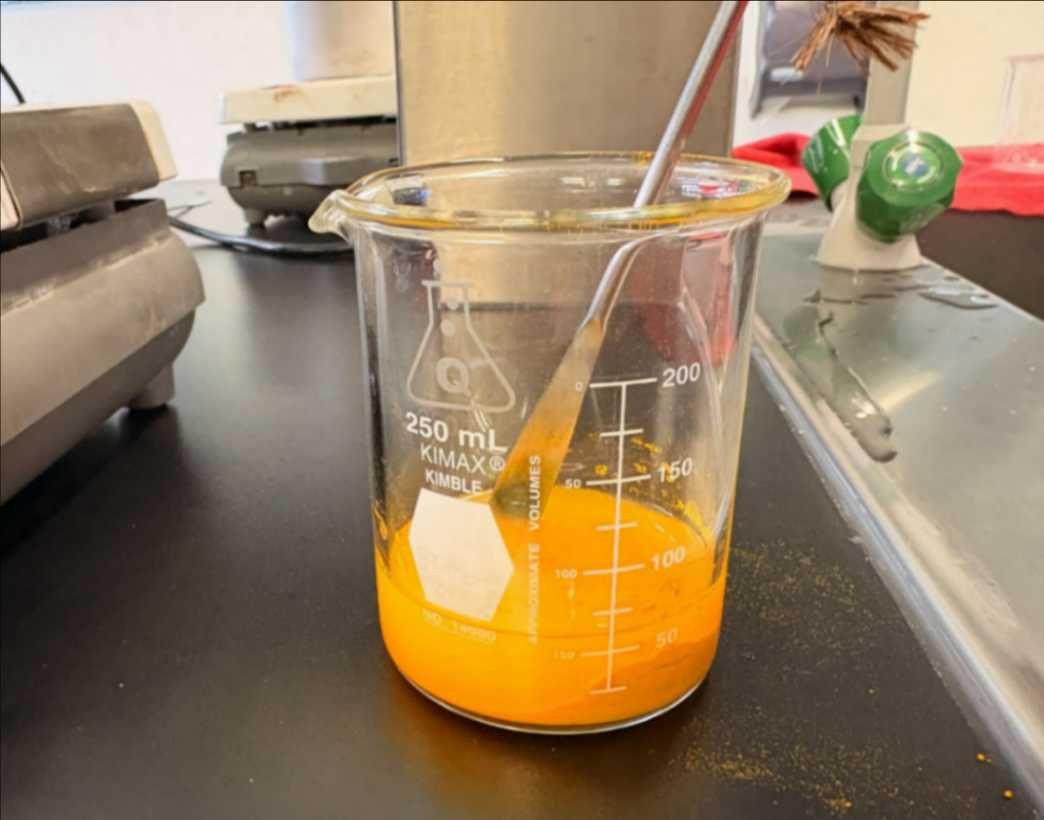
The turmeric powder is mixed thoroughly into the water to extract as much of its color and essence as possible.
4.6 Step 6
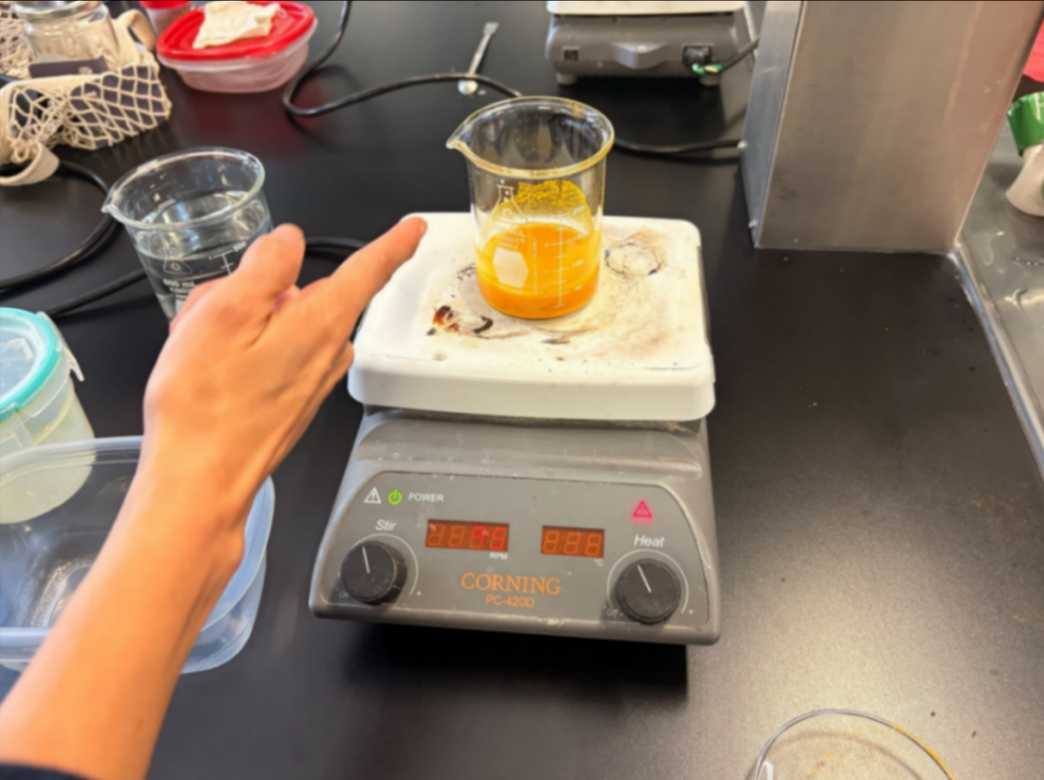
The beaker is placed on the magnetic stirrer, and the heat is set to 60 °C while continuously stirring the contents.
4.7 Step 7
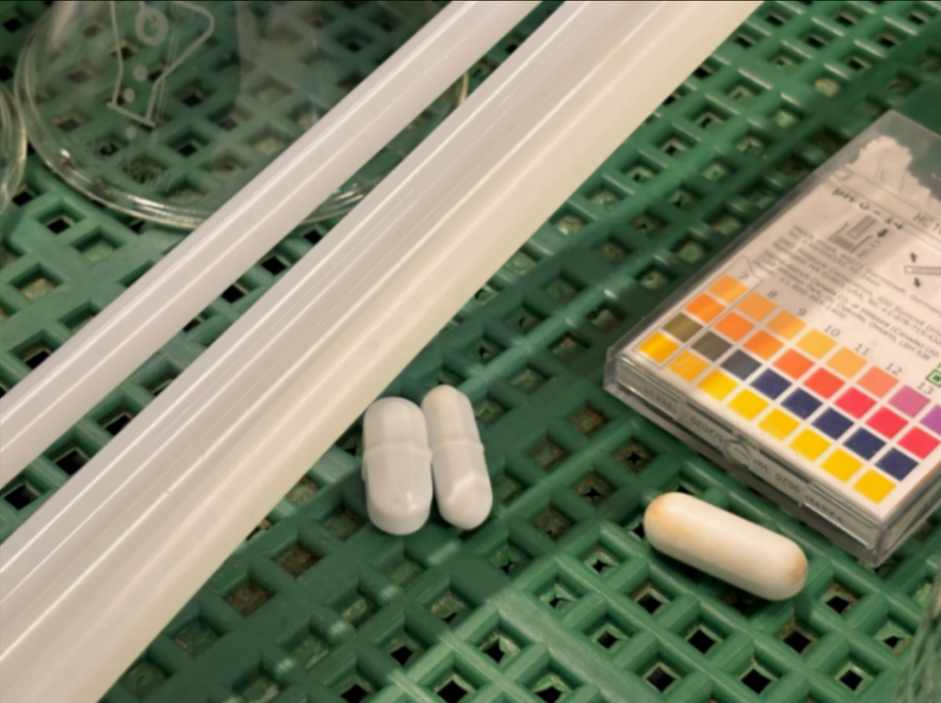
Using one of these magnetic stir bars, the mixture is set to spin at 45 RPM.
4.8 Step 8
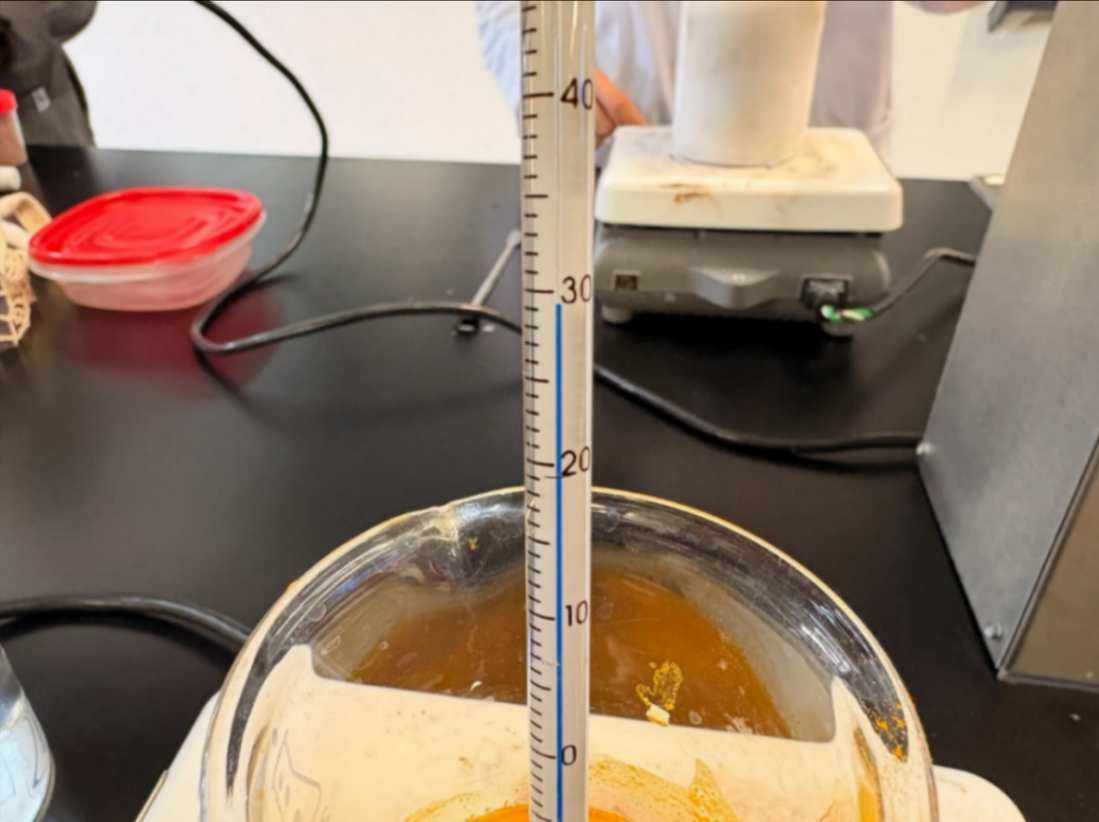
We leave the mixture stirring until it reaches 60 °C. Once it reaches this temperature, the heat is turned off, and the mixture is divided into two jars.
4.9 Step 9
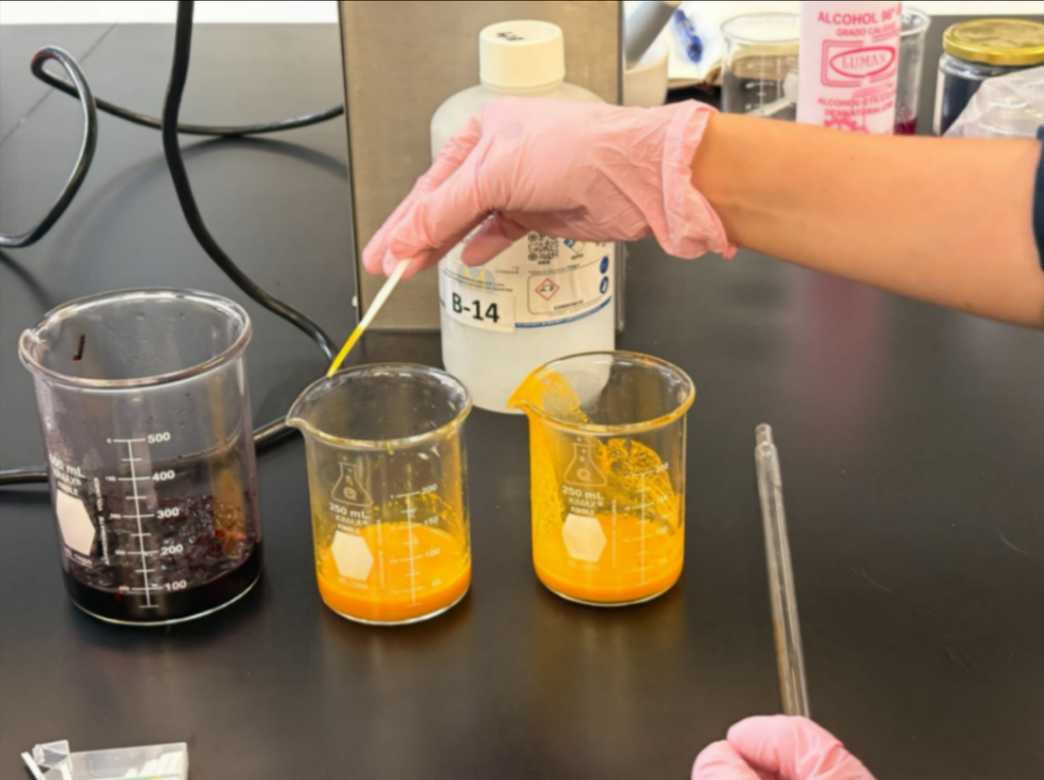
Using the pH test strips, the first reading of the turmeric solution is taken without adding any extra additives.
4.10 Step 10
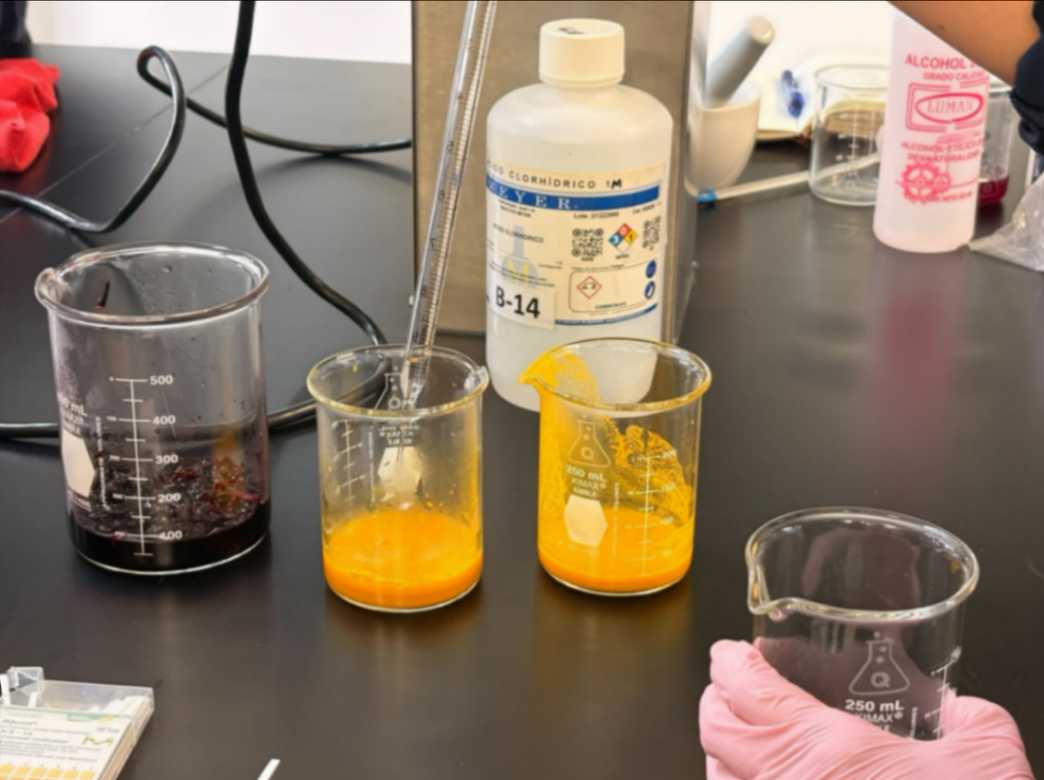
For the first sample, we used a small amount of hydrochloric acid to see if it would react and change the pH of the turmeric so that its hue would also shift. However, even though the pH changed, no visible color change was detected.
4.11 Step 11
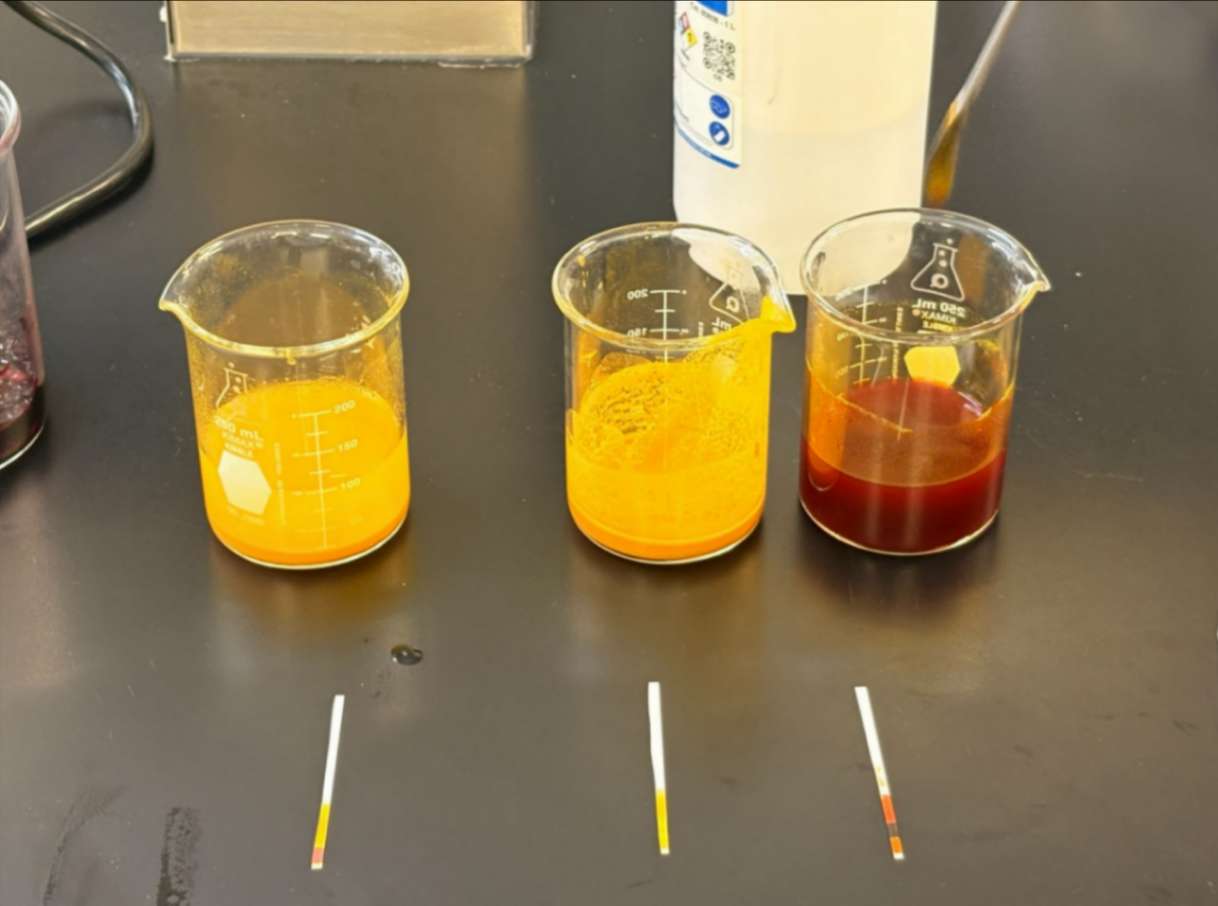
Finally, three distinct variations were obtained. The sample on the right contained liquid sodium hydroxide, which increased the pH to a basic state and shifted the color to red.
4.12 Step 12
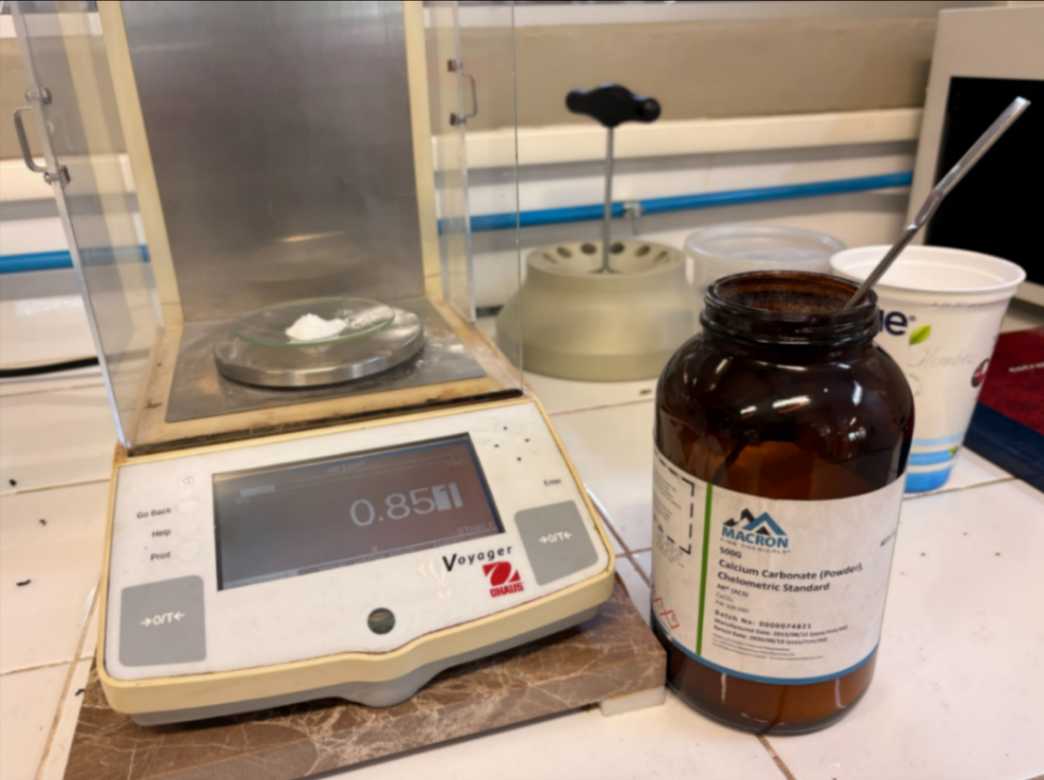
Afterwards, for every 600 mL of infusion, 20 g of calcium carbonate is added, which corresponds to a 3.5% ratio and it is filtered using filter paper.
4.13 Step 13
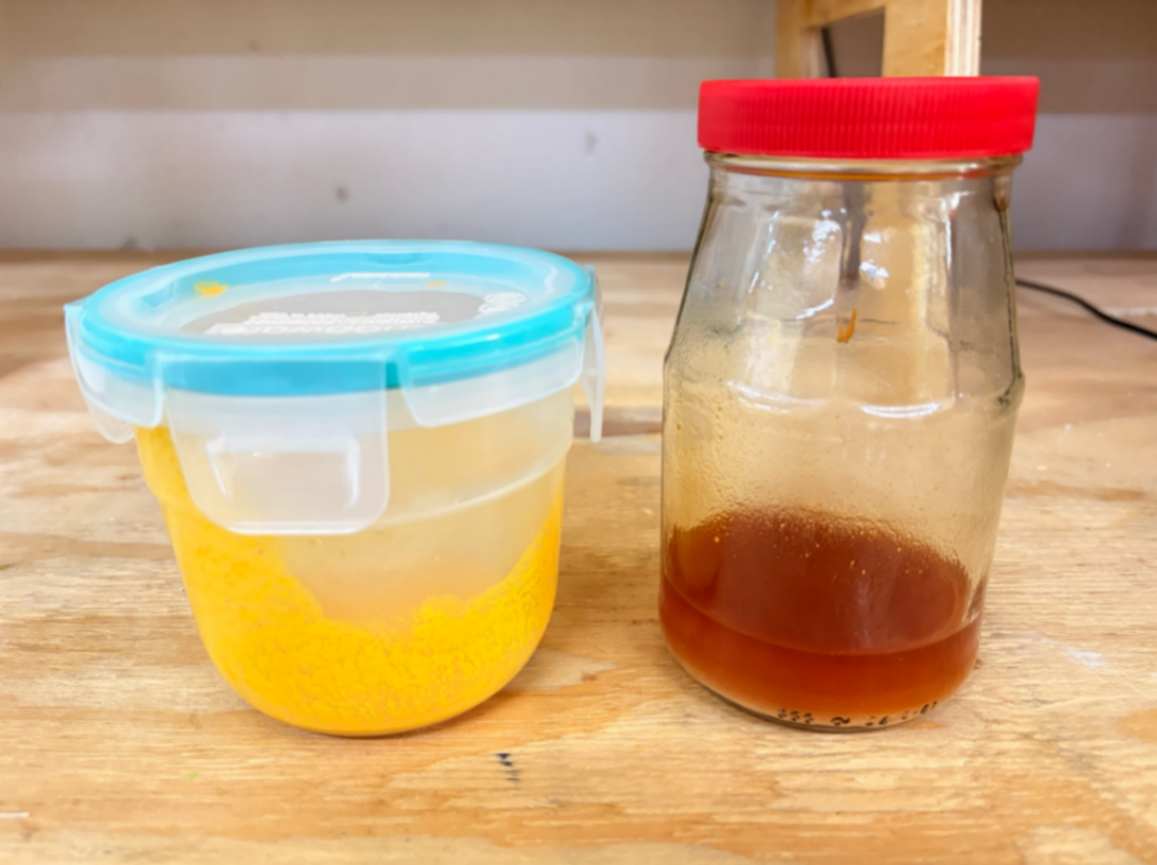
Once I selected the shades I would use for my design, I stored them in a jar with the lid half-open for 48 hours until most of the liquid had evaporated.
4.14 Step 14
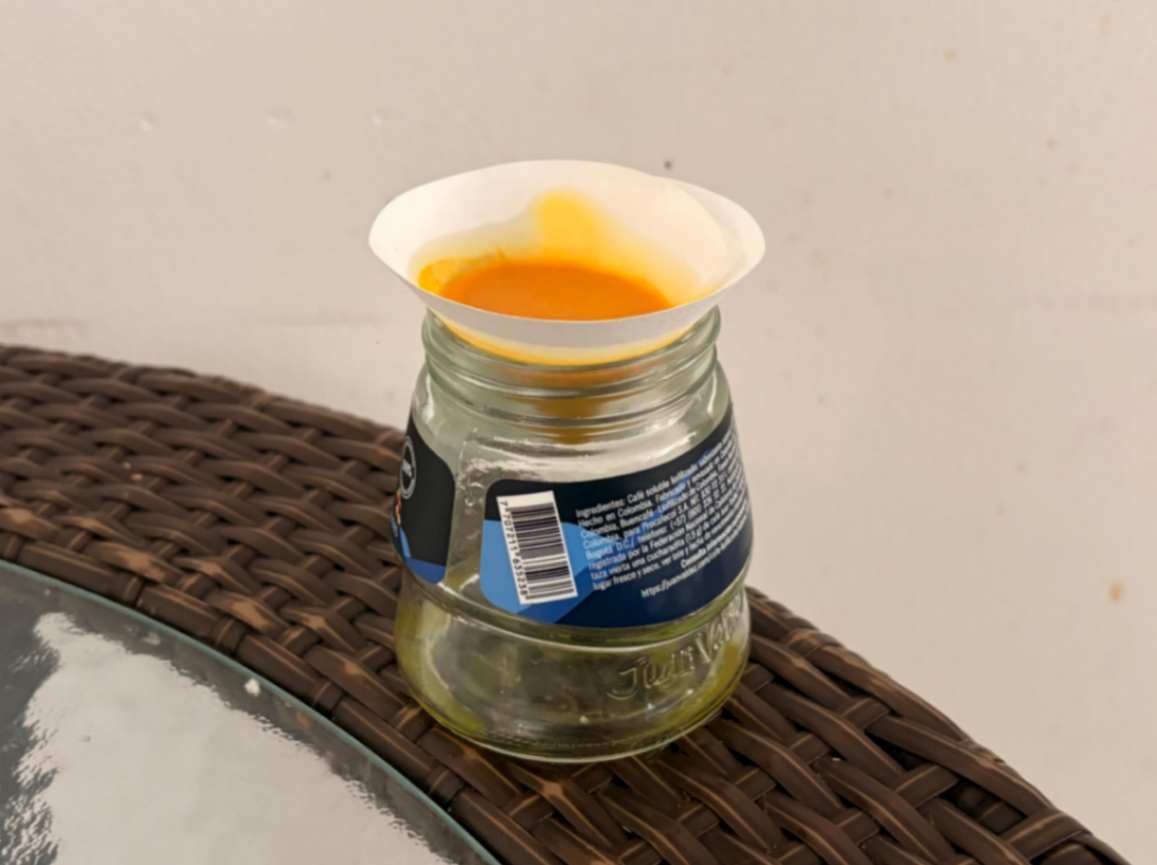
First, I used filter paper to separate the solids, calcium carbonate and turmeric powder, from the liquid, resulting in a strongly concentrated liquid and a pigment powder, which I will show later on.
4.15 Step 15
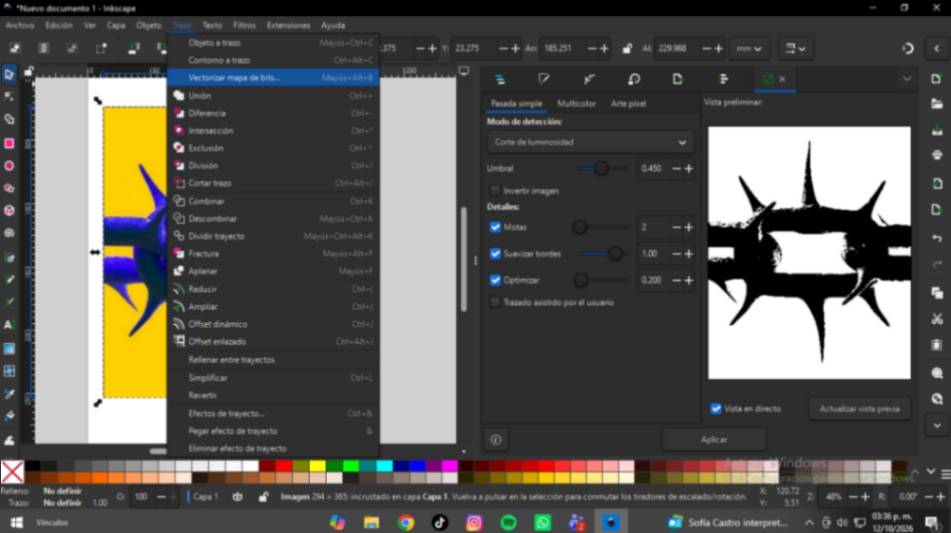
Then, I imported the image into Inkscape and used the 'Trace Bitmap' tool to create two layers based on the colors detected from the Pinterest inspiration image.
4.16 Step 16
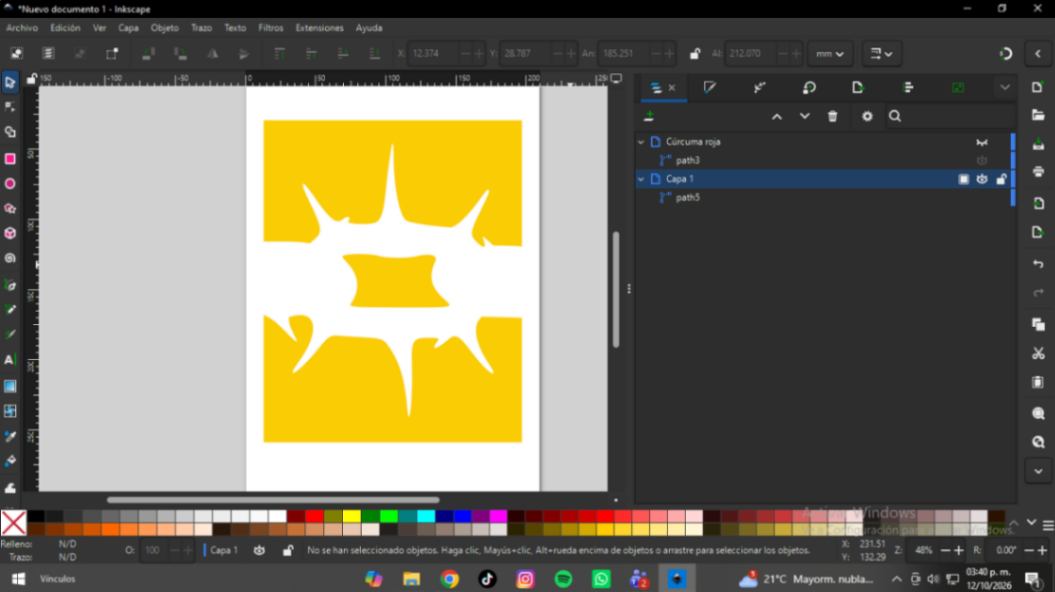
Once created, I separated the colors into two layers. This vector trace will serve as the cutting contour for the vinyl plotter software.
4.17 Step 17
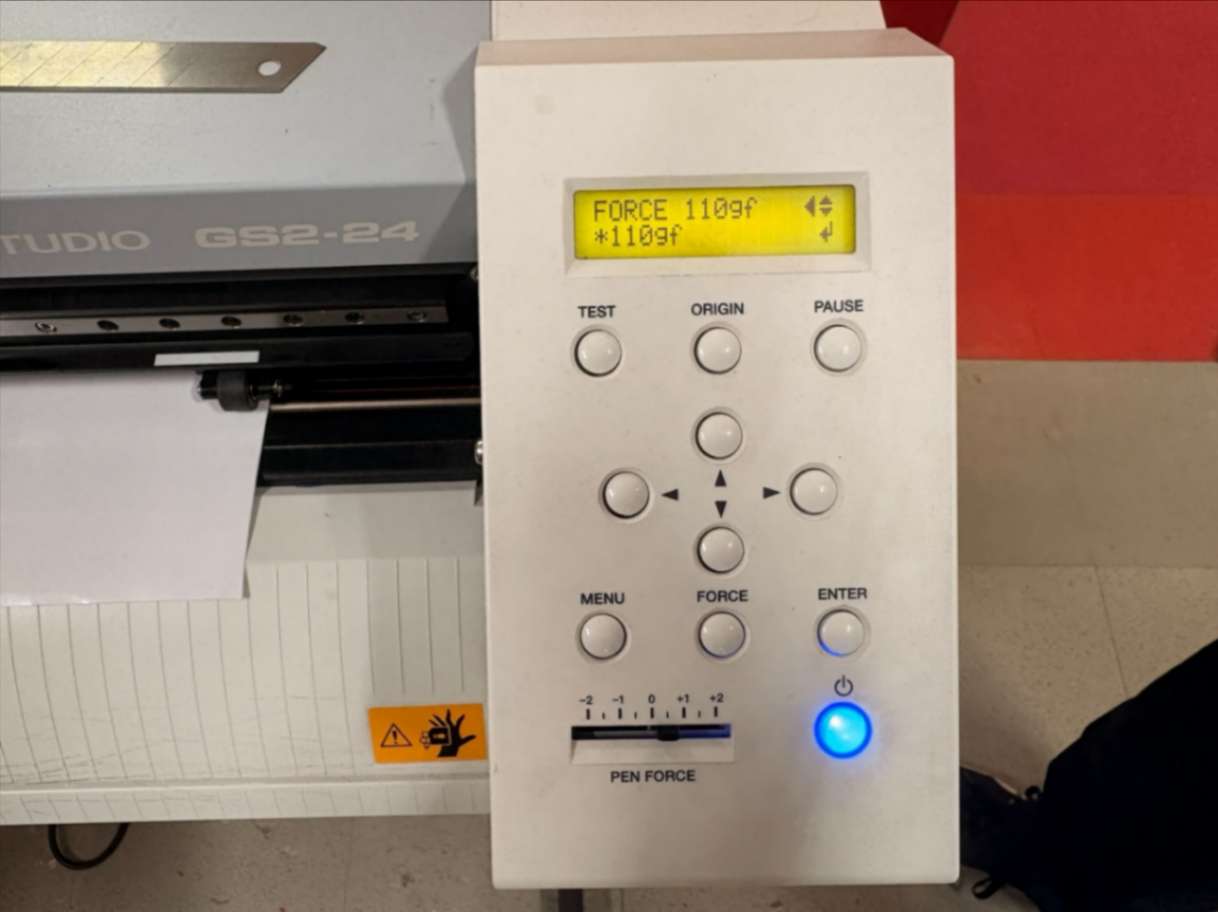
From the machine, I set the following parameters, force at 110gf and the cutting depth or pen force, as can be seen, is set to +0.5.
4.18 Step 18
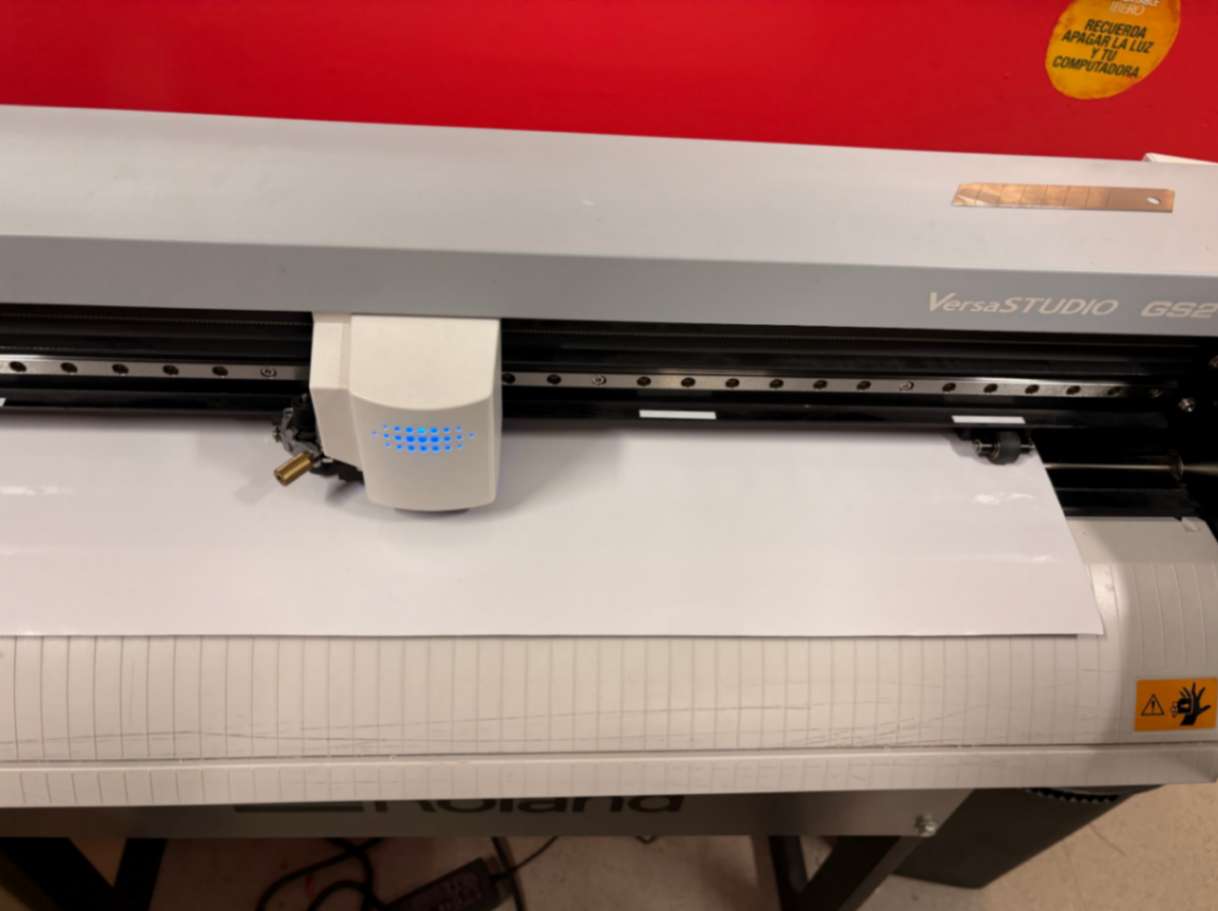
There, I correctly loaded the vinyl, clamping it down between the rollers that mark the margins where the vector will be cut.
4.19 Step 19
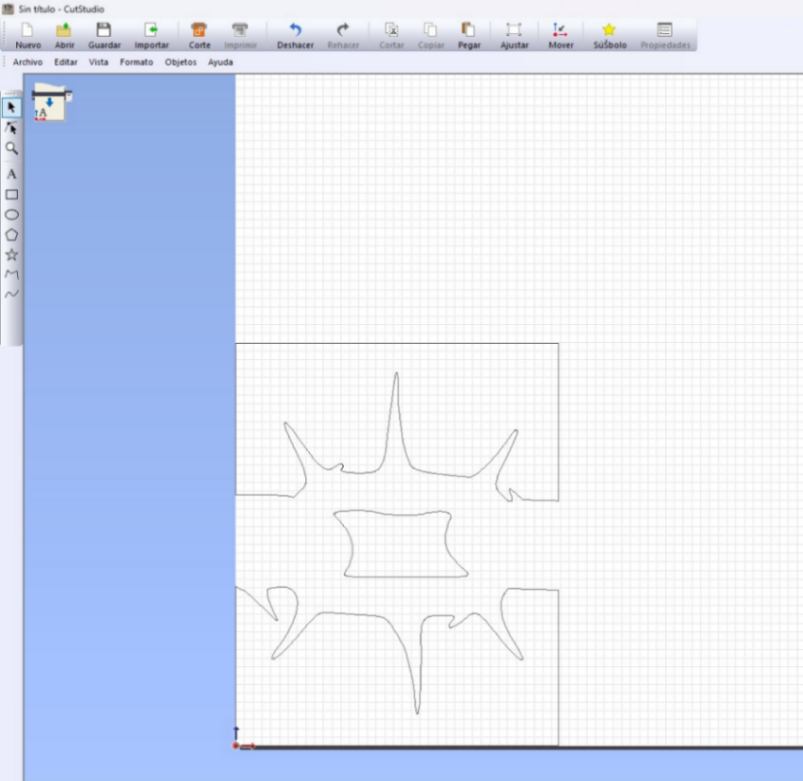
First, I imported the EPS file that I had previously saved from Inkscape. However, depending on the machine's configuration, it was only compatible with Illustrator 8 EPS files.
4.20 Step 20
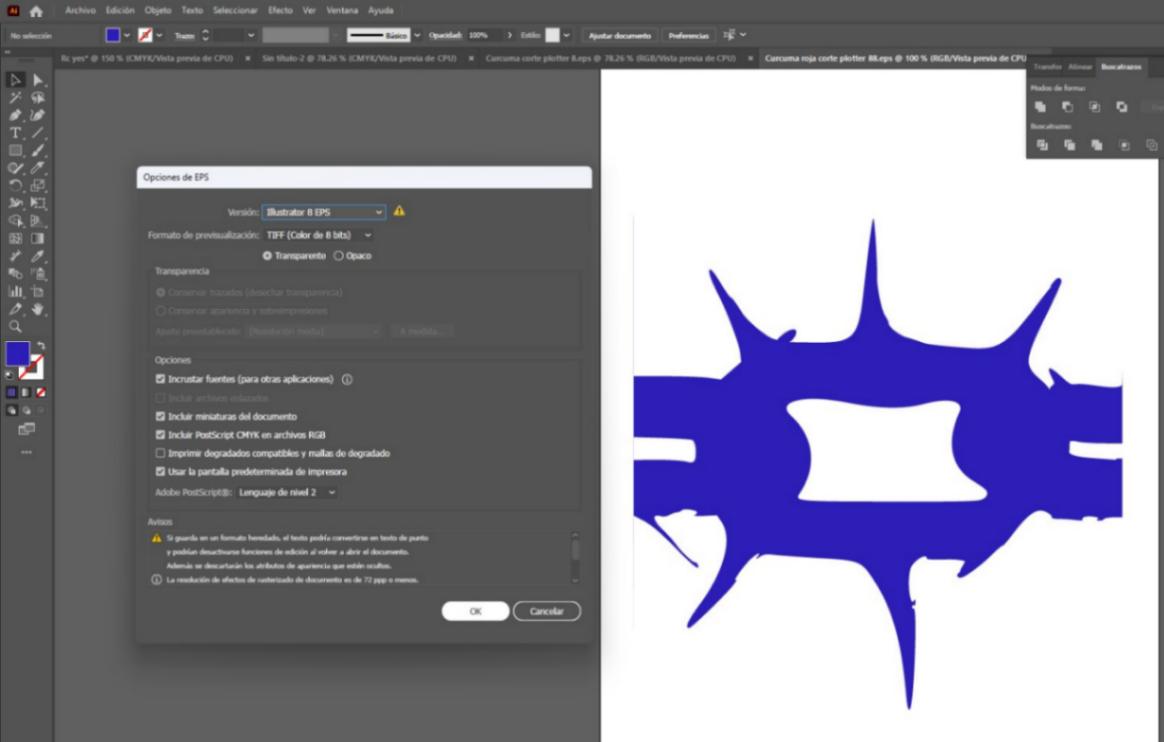
Second, I saved it in the correct file.
4.21 Step 21
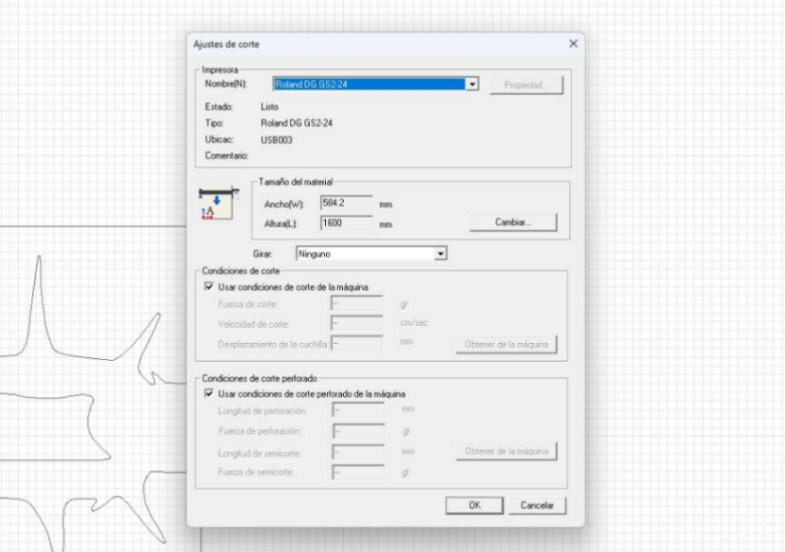
From the cutting settings in the Roland CutStudio software, I changed the material size to match the dimensions of the paper I was going to dye, which is A4 format.
4.22 Step 22
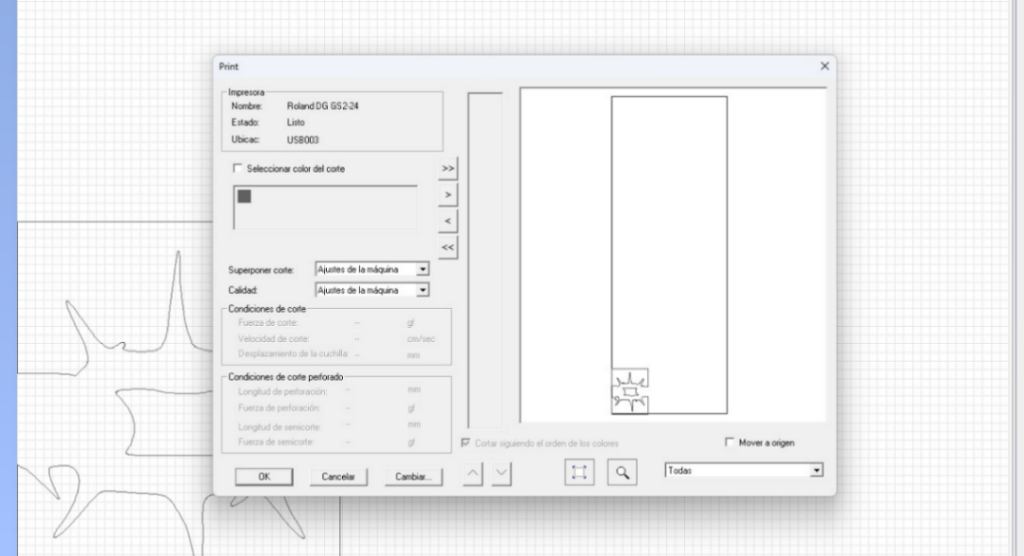
Finally, I decided to cut only one of the layers, as it would be enough to keep them separated during the dyeing process and execute it in sequence.
4.23 Step 23
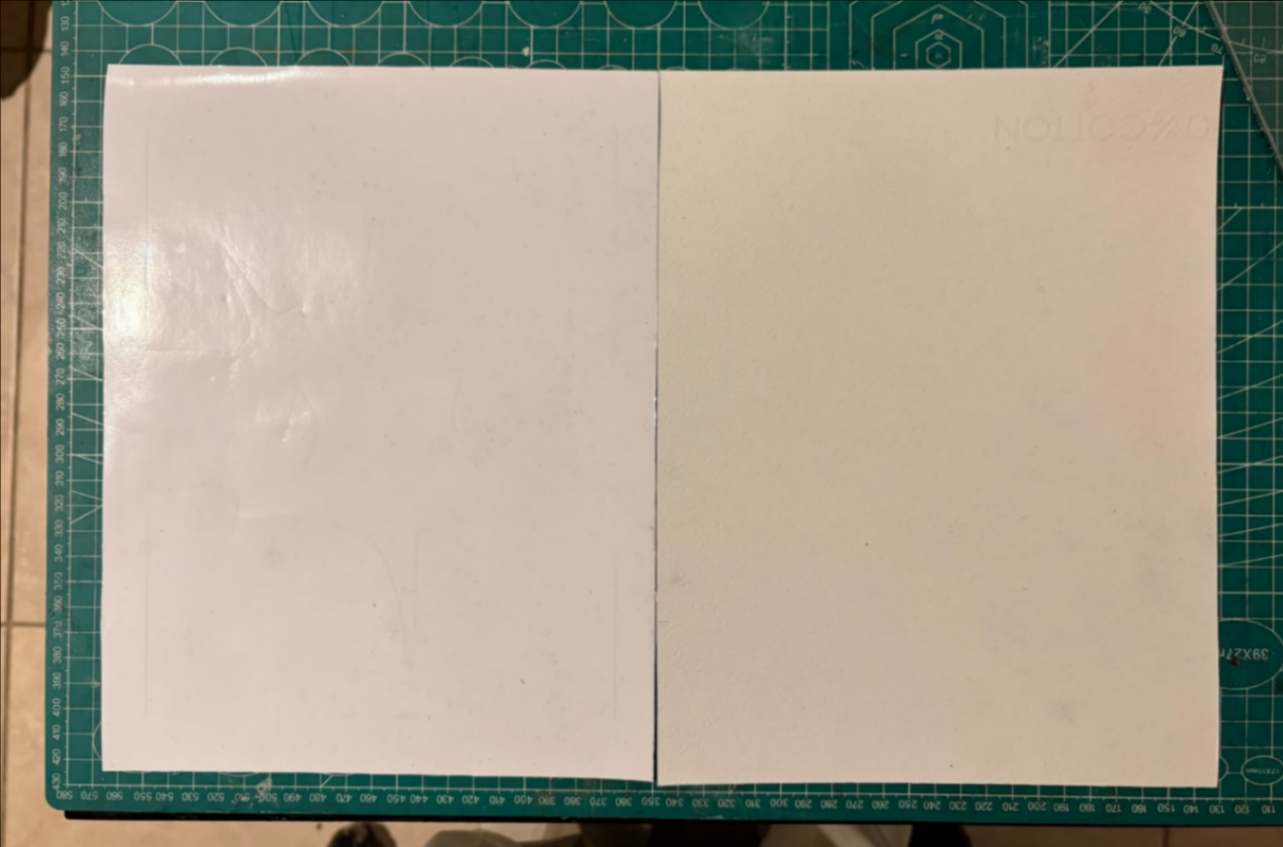
At this point, I had the cut centered and properly aligned relative to the sheet on which I was going to work.
4.24 Step 24
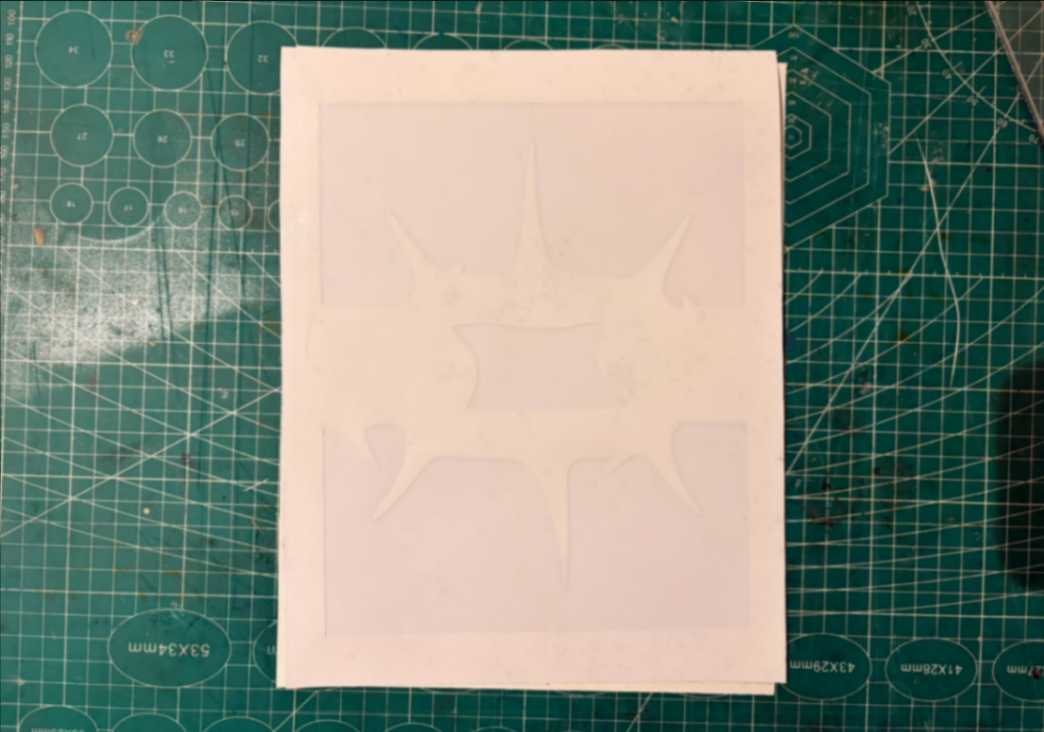
I carefully applied the vinyl and positioned the central graphic so that it lay completely flat and stretched, while weeding out the vinyl sections behind which I needed to dye with yellow.
4.25 Step 25
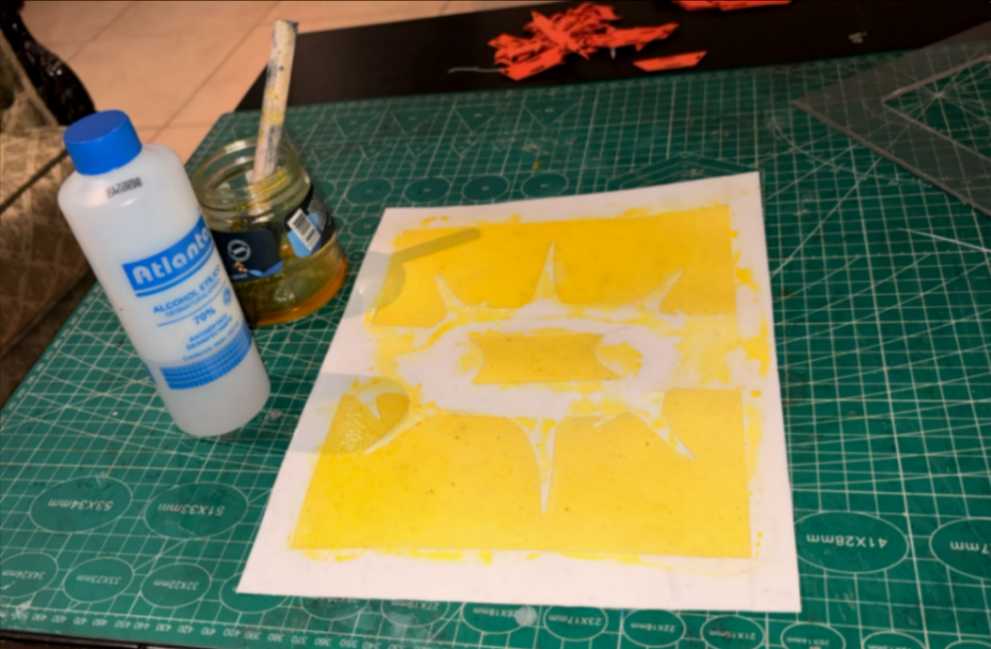
I made a mixture using a small amount of the yellow pigment, the concentrated liquid, and a bit of alcohol to accelerate the drying process and painted it with a foam brush.
4.26 Step 26
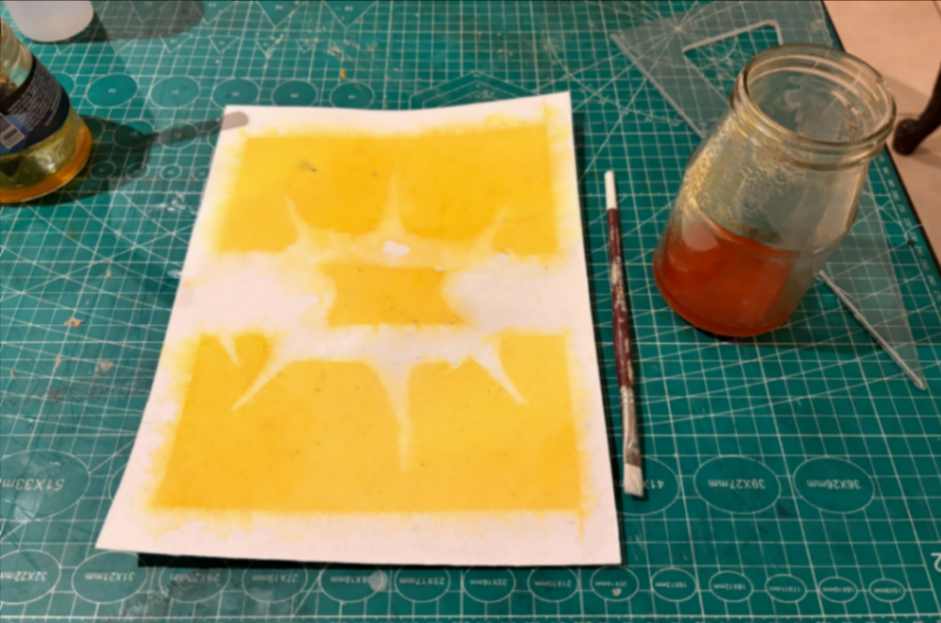
Then I did the same with the red one, but for small details I used a paint brush.
4.27 Step 27
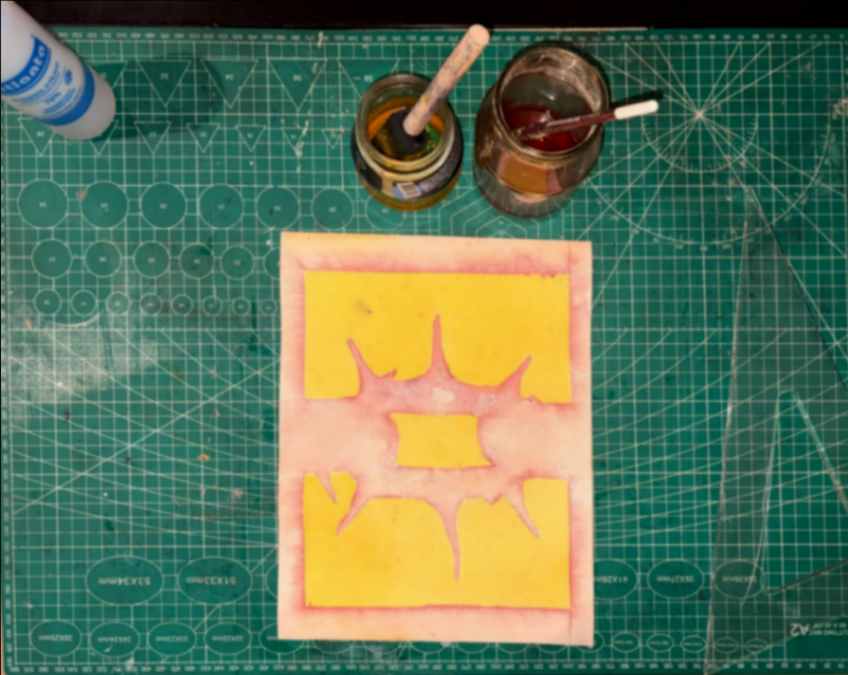
Finally I let it drying.
...
5. Results
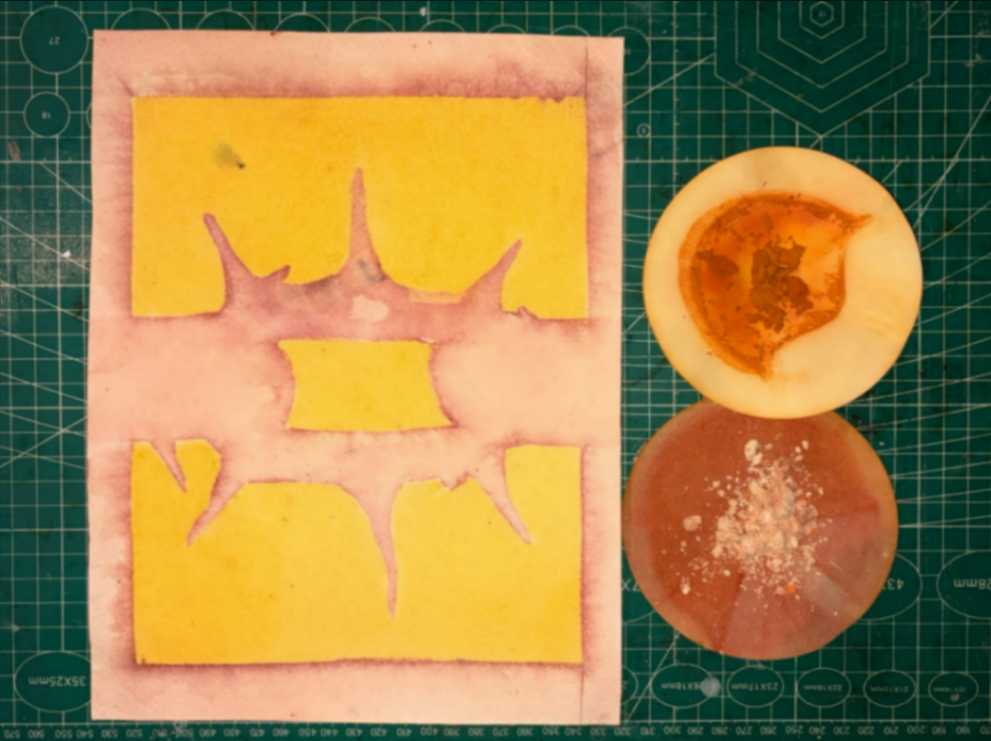
The final outcome was the dry powder pigment once fully evaporated, as well as hands-on knowledge of various dyeing techniques for textiles and other substrates.
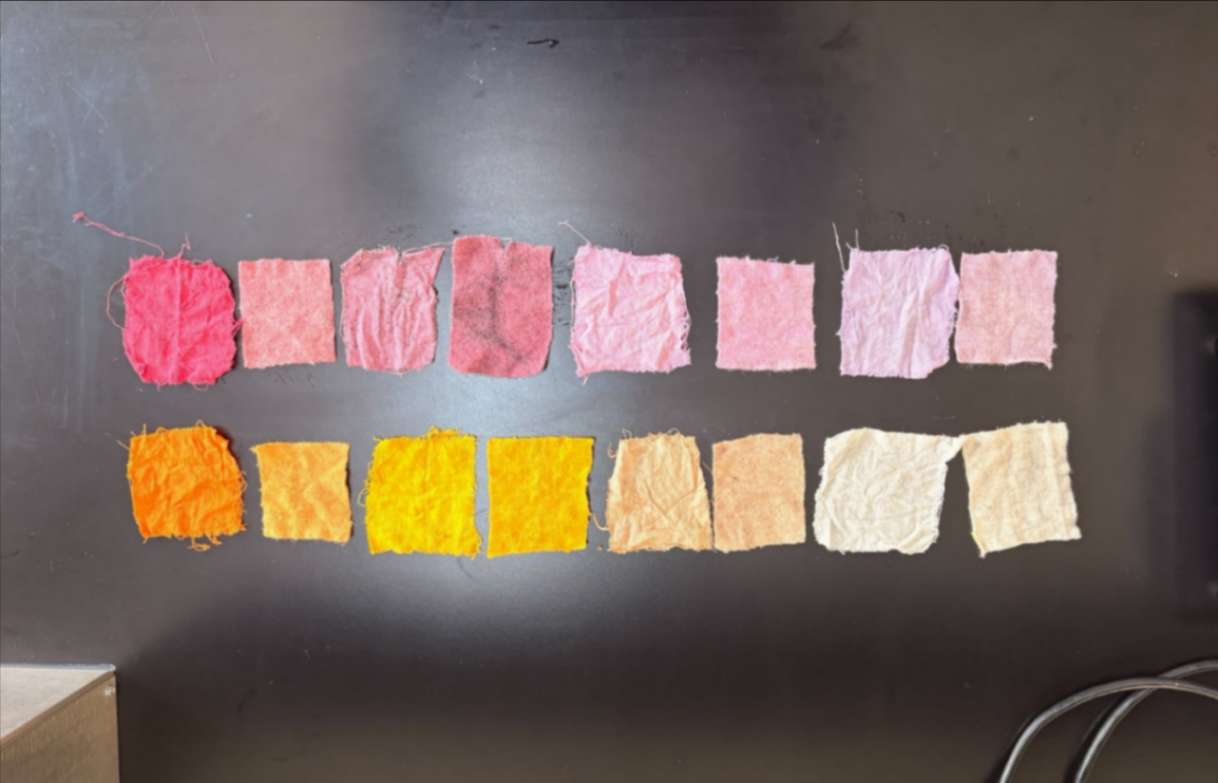
These were also the remaining samples dyed with various pigments, creating a broad and beautiful chromatic range.
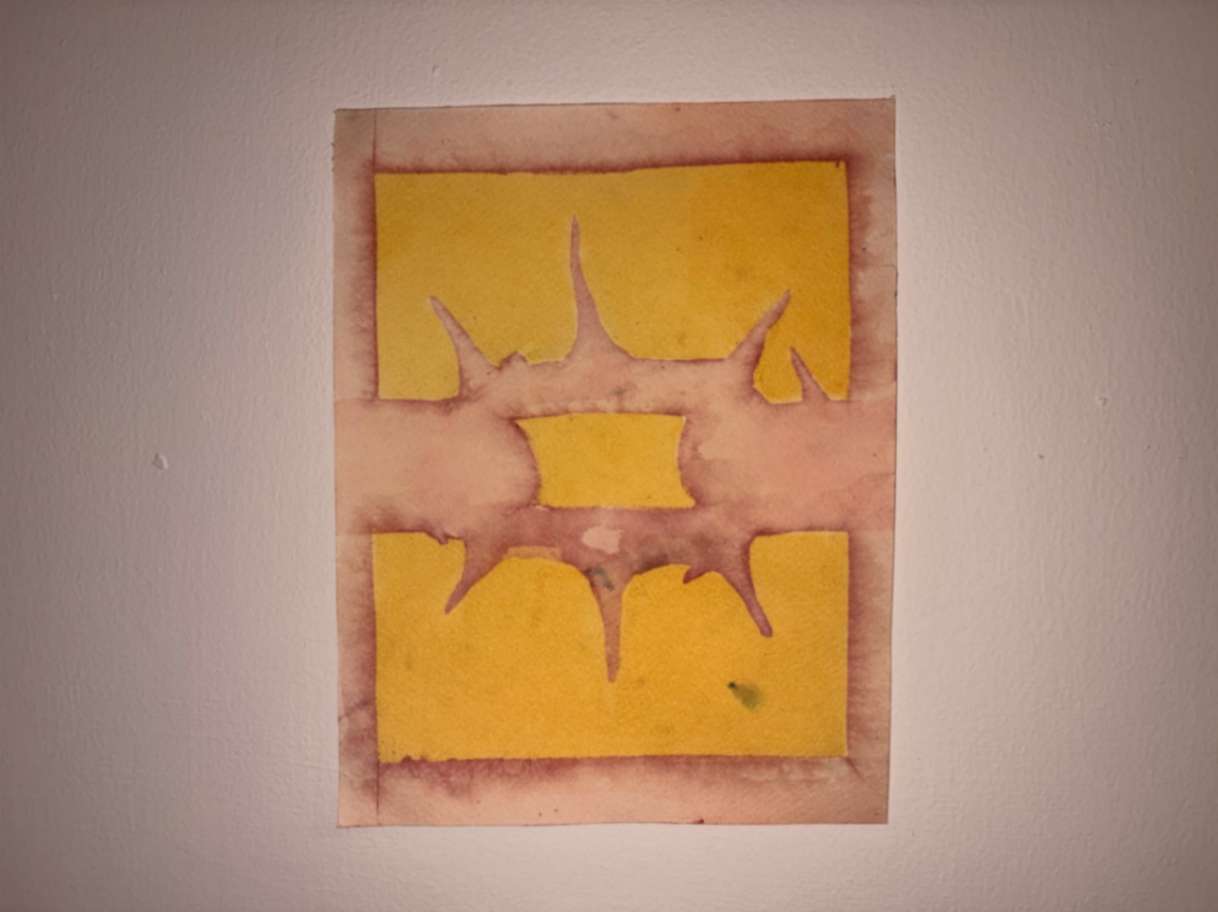
Final product view.
6. Weekly reflection & critical thinking
Through this exploration, I gained practical knowledge of extraction, pH manipulation, and natural dye application techniques using turmeric and calcium carbonate. Also, bridging analog dye processes with digital fabrication tools (like Inkscape and vinyl masking) opened up precise control over layered patterns. If I were to repeat the process, I would refine the vector preparation step to streamline compatibility across software. This assignment strengthens my understanding of bio-based materials and local resource utilization. It directly feeds into my broader design trajectory of integrating local eco-friendly materials. From an environmental perspective, transitioning to bio-chromes and organic pigments drastically reduces chemical runoff and reliance on synthetic dyes.