Digital Bodies
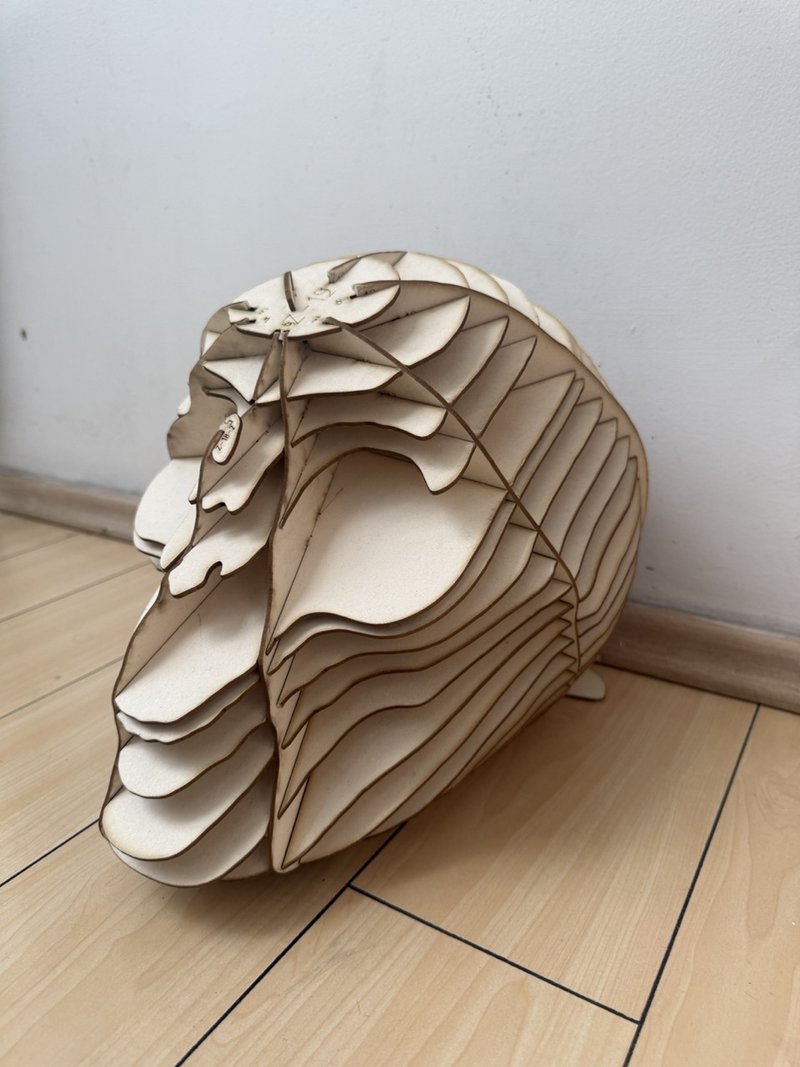
From a scanned foam skull to an assembled structure in 2.5 mm board. This week, I explored scanning, mesh editing, slicing and laser cutting including the adjustments that connected the digital model to a physical result.
1. Objective
For this assignment, I explored the journey from a physical object to a digital model and back to a physical object. I scanned both a foam skull and my own upper body, worked with the meshes in Blender, and chose the skull for slicing, laser cutting and assembly.
The Digital Bodies assignment asks us to document this process, including the material, fabrication settings, assembly and downloadable files.
2. References, research and inspiration
The body as a medium
I selected artists who use the body as a medium for expression and transformation. These references helped me think about the body through art and fashion; they were not formal models for the shape of my skull.
Bárbara Sánchez-Kane
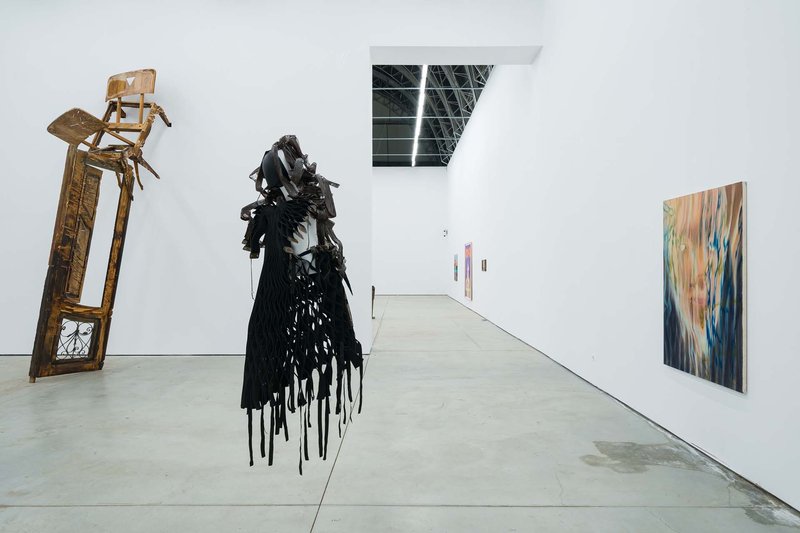
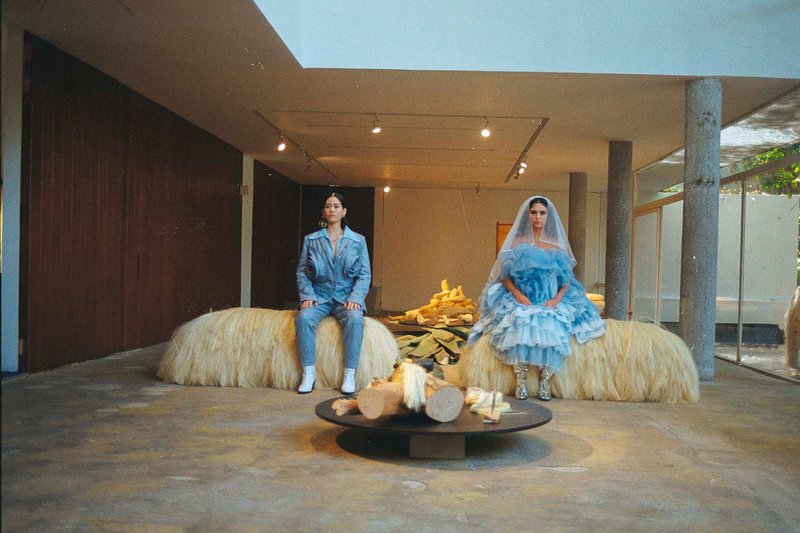
I am interested in how Bárbara Sánchez-Kane works with the body and the boundaries of gender through art and fashion. I am also interested in how the body can become a form of social and political criticism. I selected Disembodied and Las Puertas al Sentimentalismo from her website.
David Altmejd
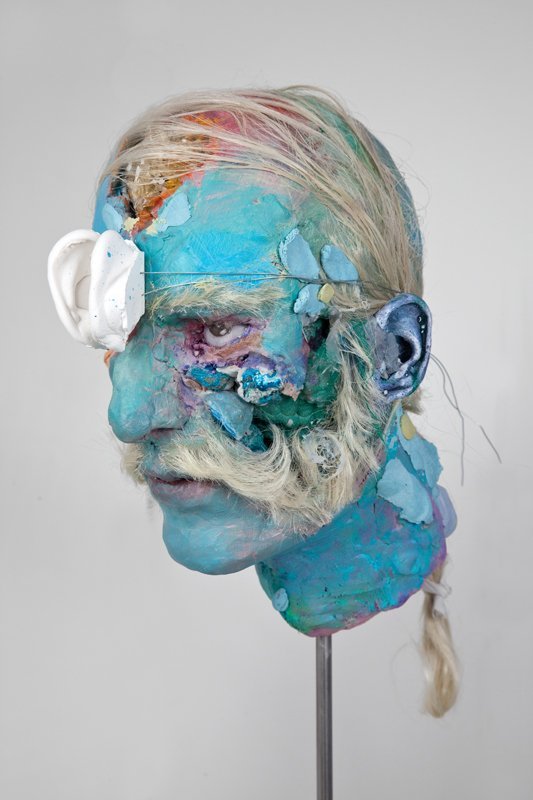
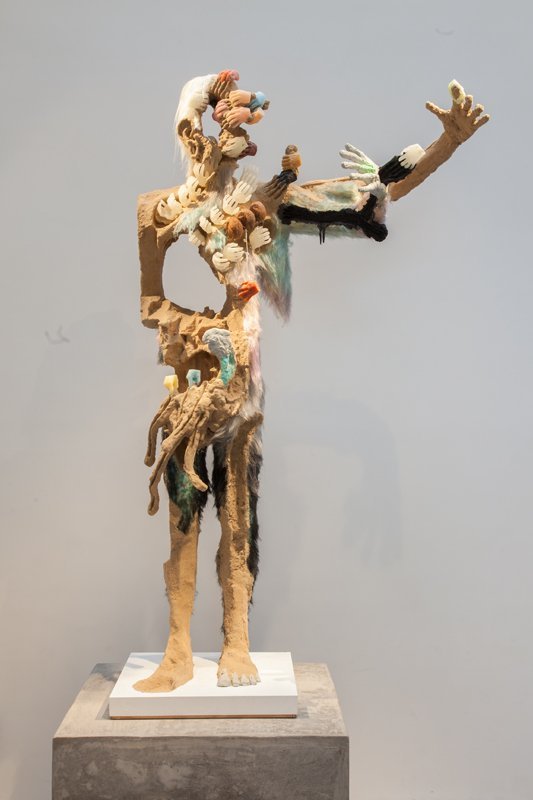
I am interested in how David Altmejd creates sculptures with human forms that seem to become characters from another reality. His work helped me think about transformation and the possibilities of representing the body through unexpected forms. I was very lucky to see one of his pieces exhibited in Belgium.
I selected Untitled (2011), The Pit (2011), and his 2019 works gallery as references.
3. Tools and materials
| Stage | Tools or materials |
|---|---|
| Scanning | SHINING 3D EinScan H, EXScan H, laptop and rotating platform |
| Mesh editing | EXScan H for scan processing and mesh editing; Blender for further editing attempts |
| Slicing | Slicer for Fusion 360 |
| Laser file preparation | AutoCAD and the lab’s laser software, with technician support |
| Fabrication | Small and large laser cutters at the lab |
| Scanning subject | Foam skull and my own upper body |
| Final material | 2.5 mm “batería rígida” board |
4. Process and workflow
4.1 Scanning the skull
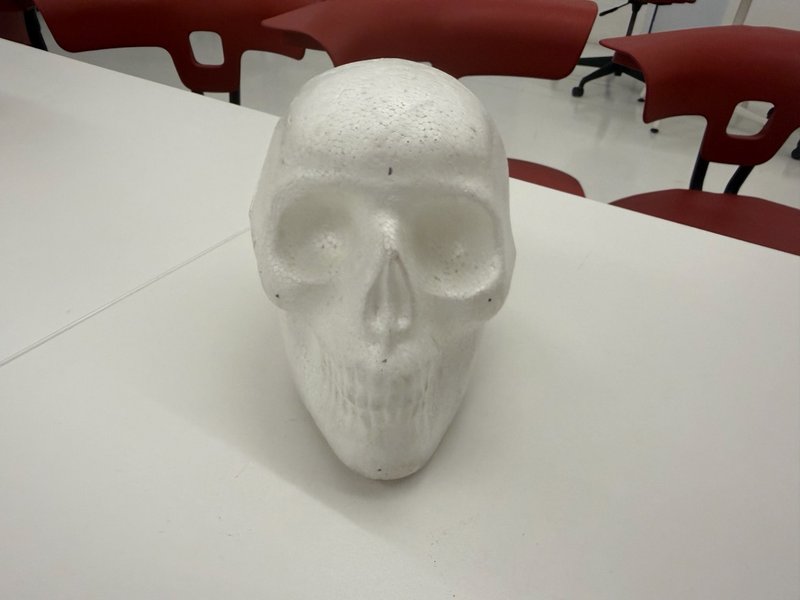
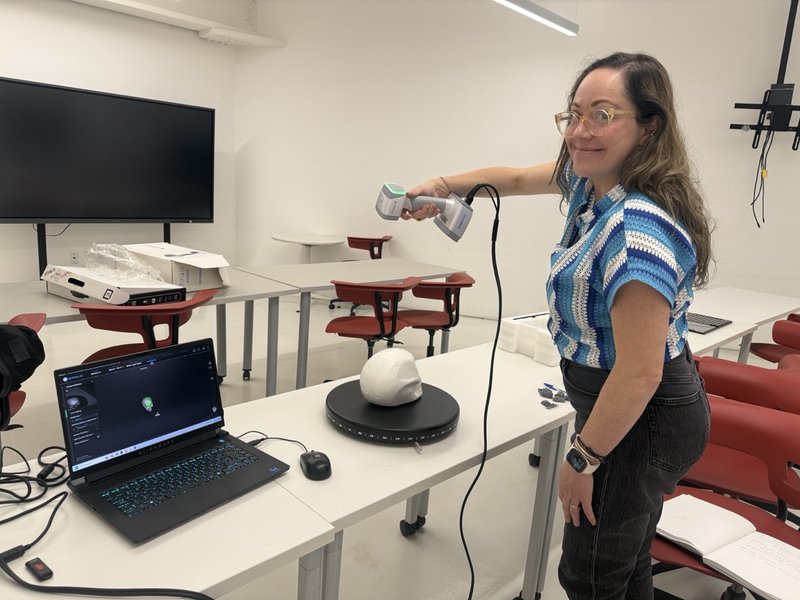
On 23 September 2026, I used an EinScan H with EXScan H to scan a foam skull and my own upper body. The skull was placed on a rotating platform.
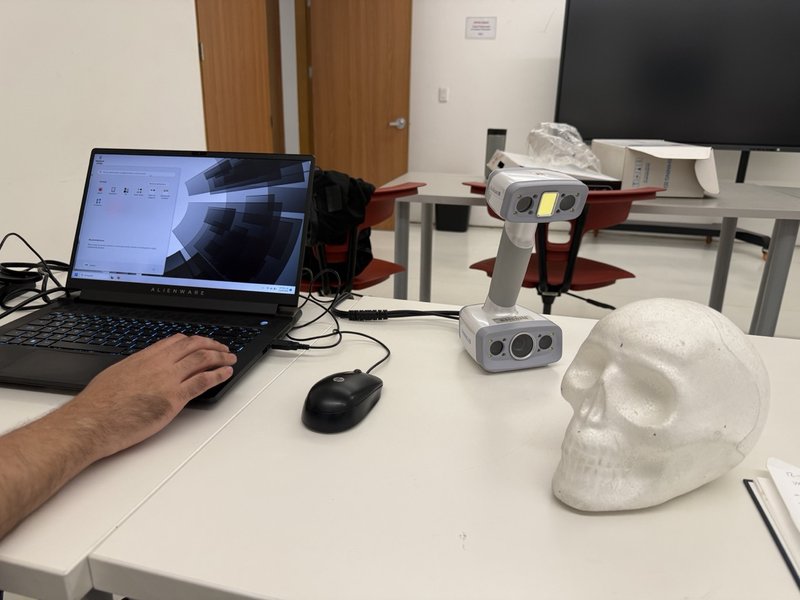
Scanning in the workshop
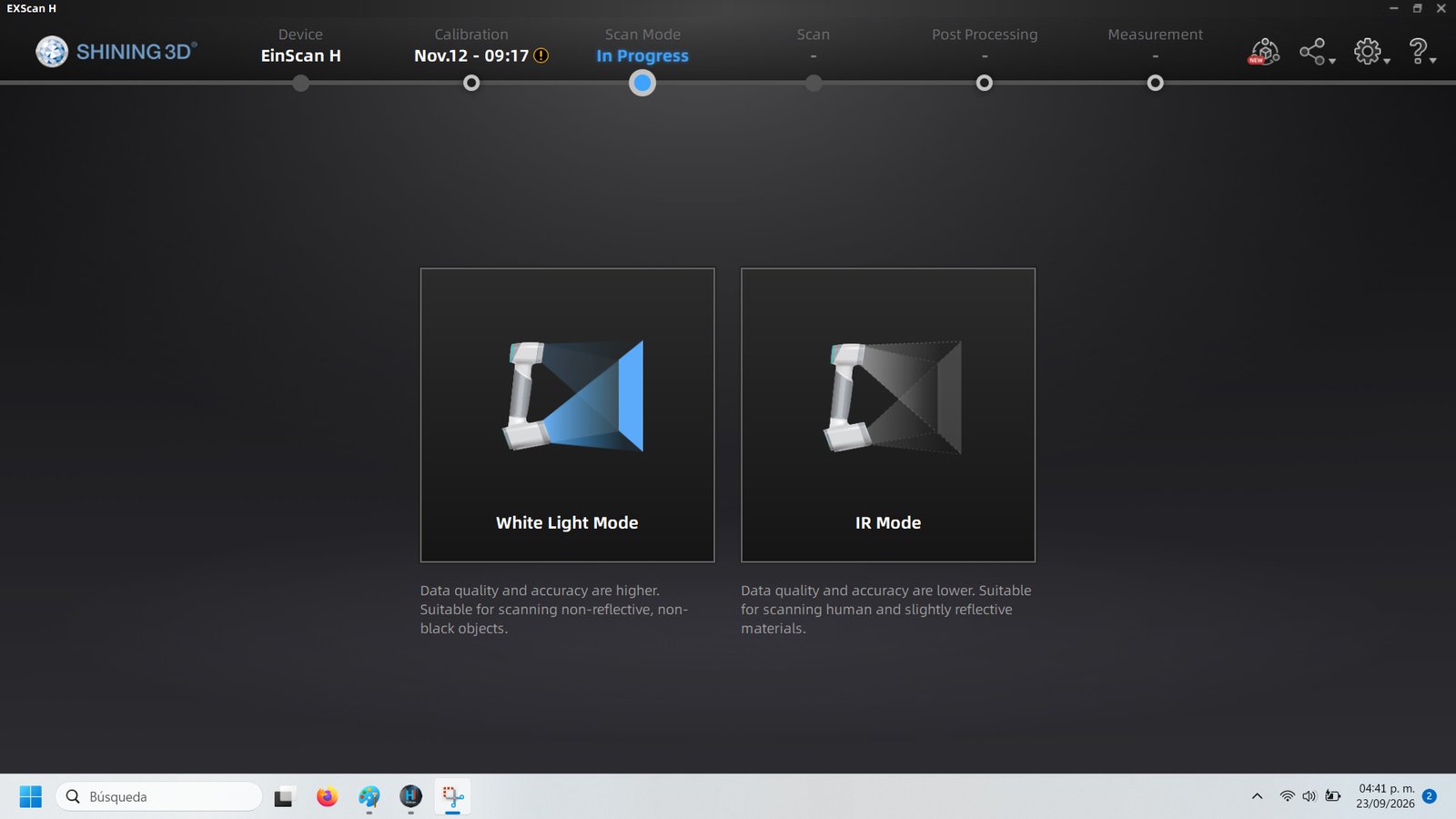
Choosing the scanning mode
Adjusting alignment and checking the preview
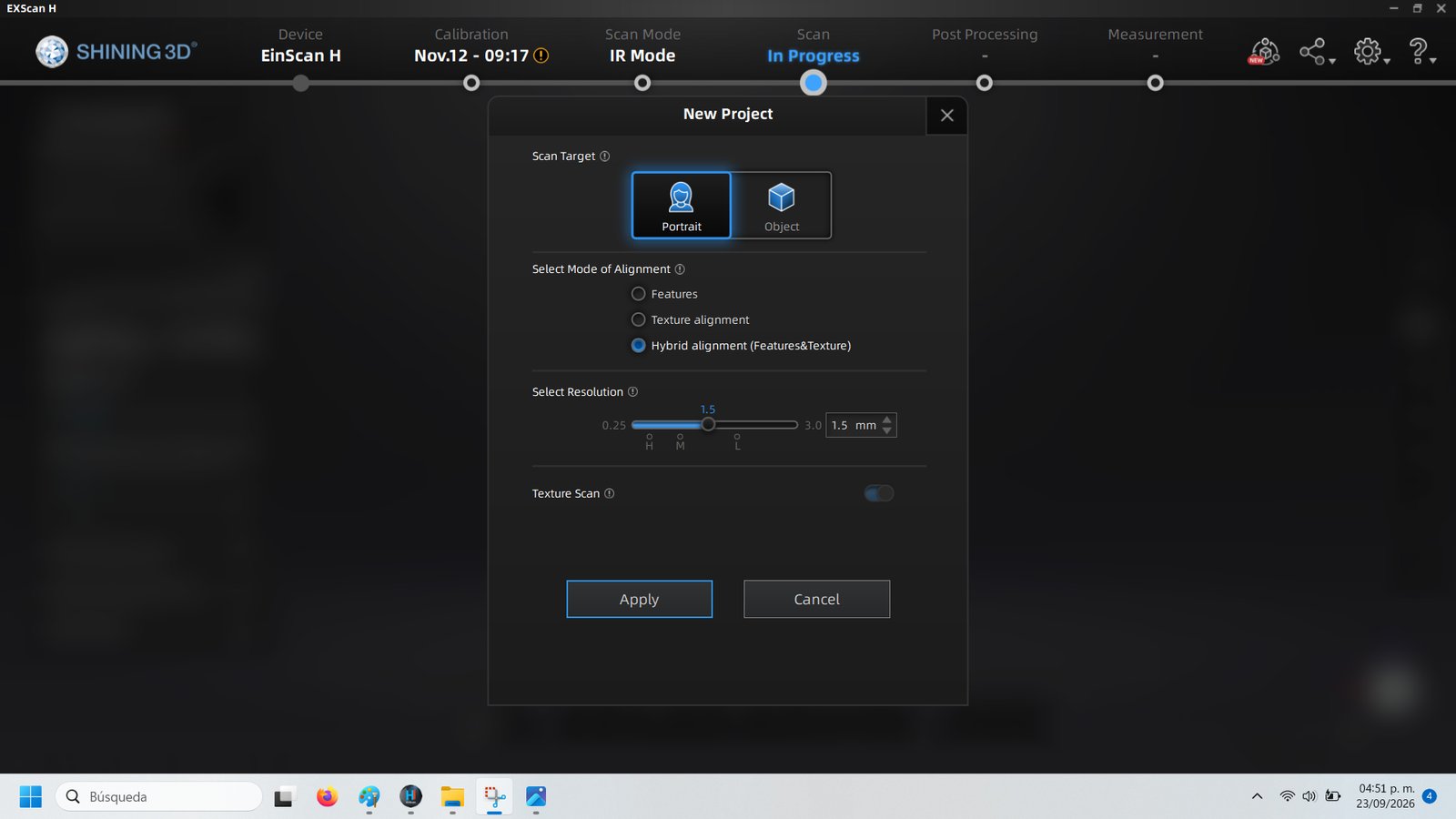
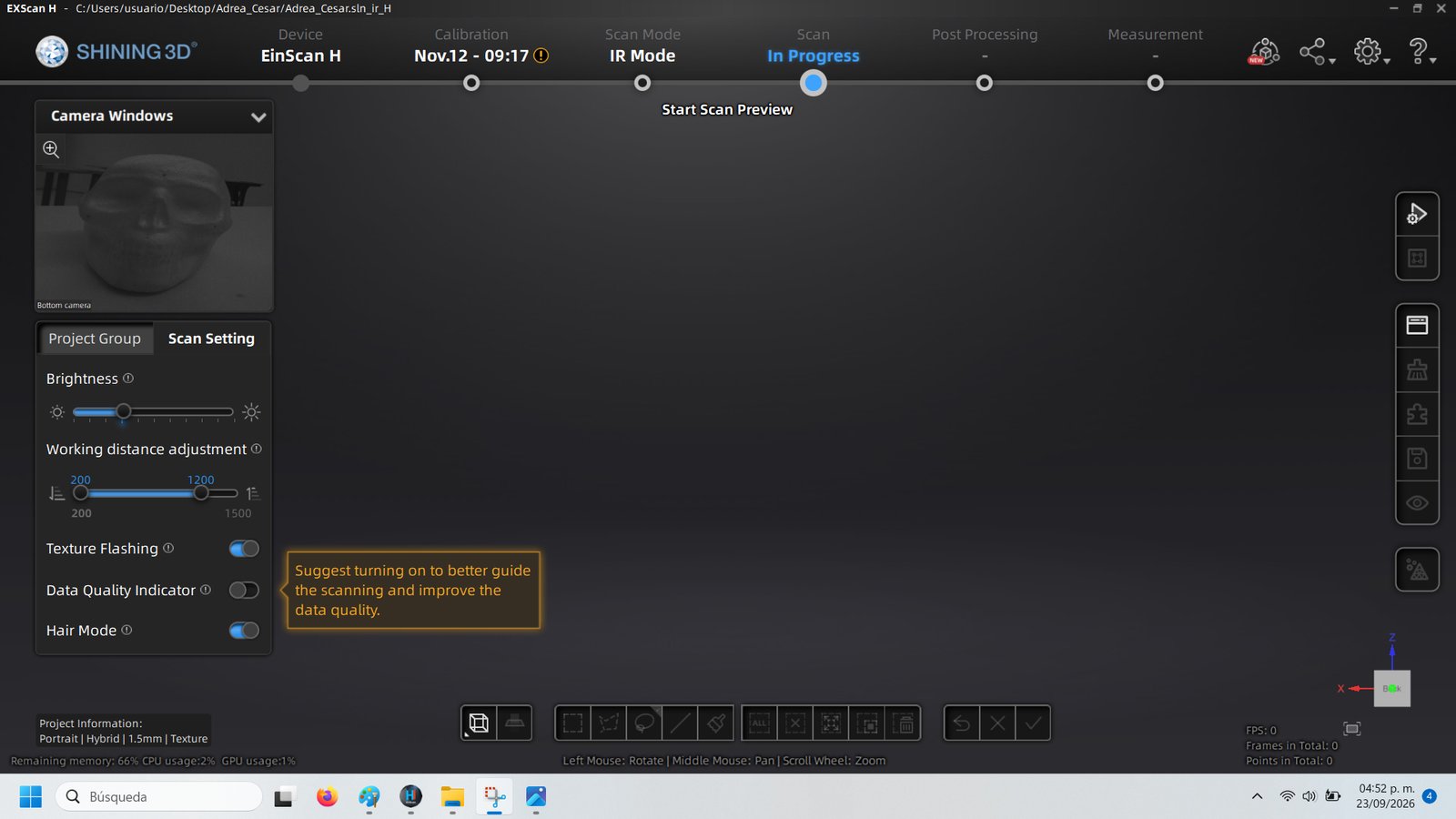
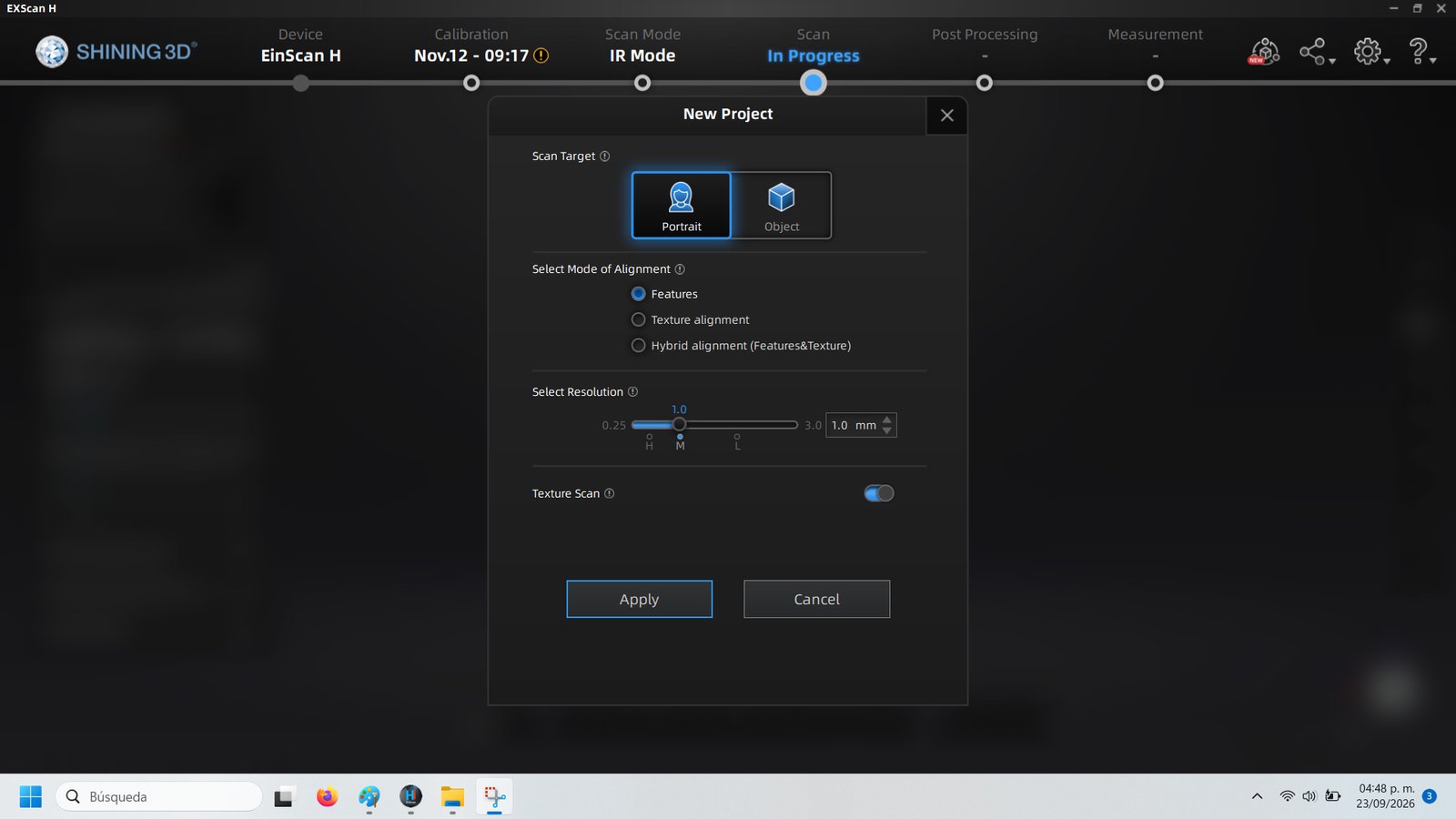
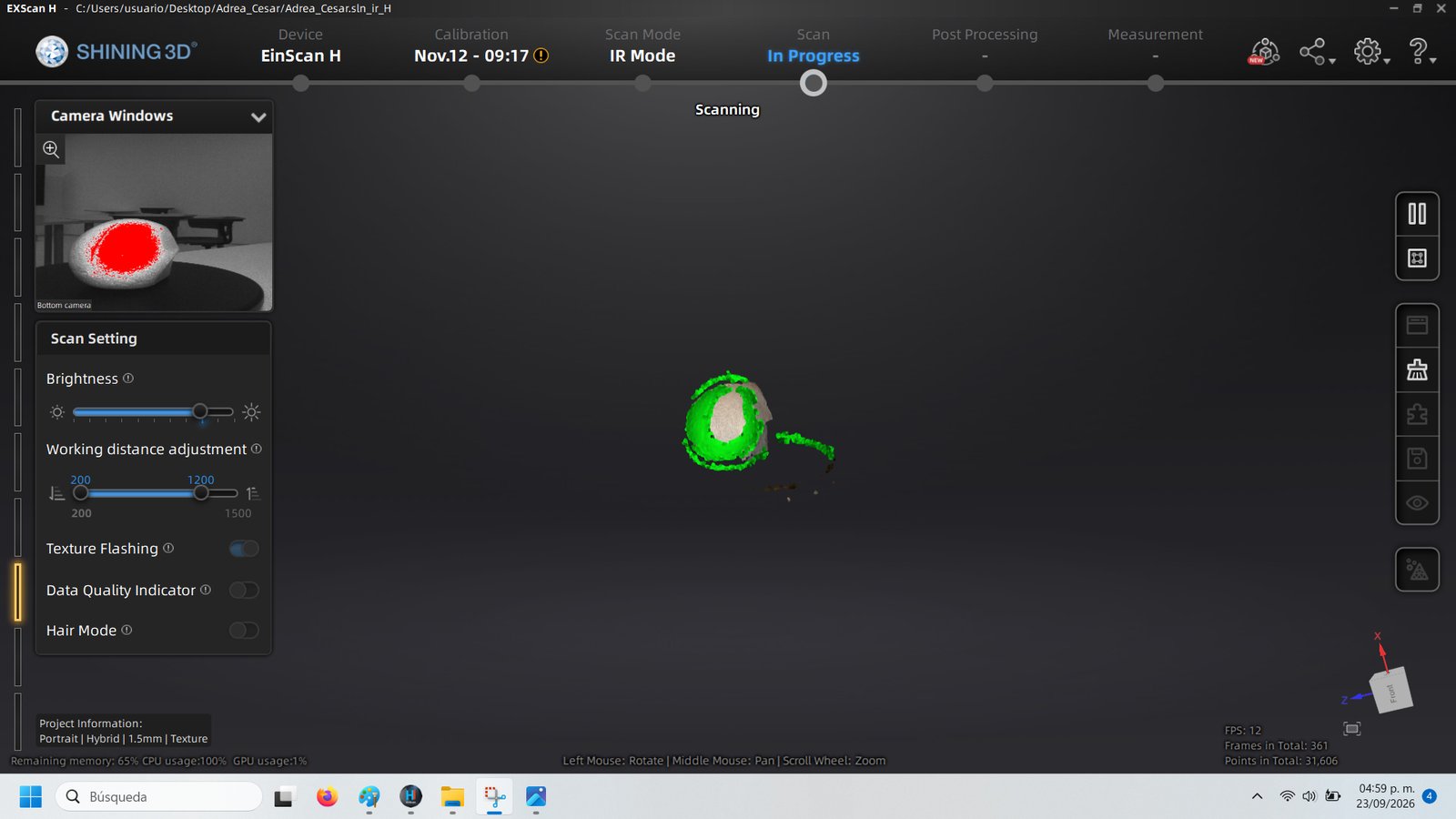
I initially tried IR mode. The first configuration used Portrait, Features alignment and 1.0 mm resolution. I then changed to hybrid alignment, combining Features and Texture, at 1.5 mm. This attempt captured only an incomplete portion of the skull.
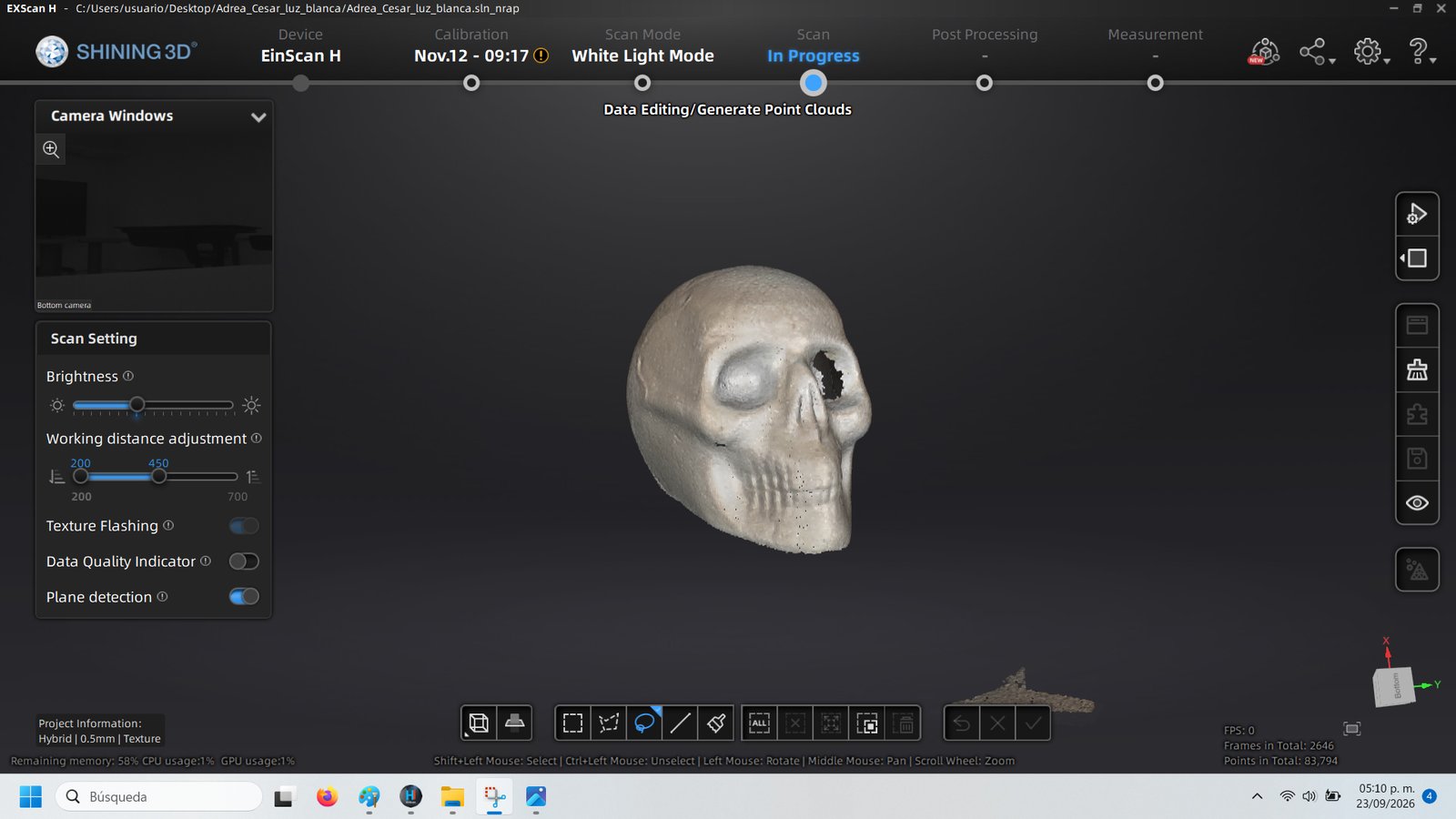
I switched to White Light Mode, with hybrid alignment at 0.5 mm and texture. This produced a fuller scan, although the point cloud still showed missing data around an eye socket and an unwanted fragment below the model.
| Capture | Mode | Alignment | Resolution setting |
|---|---|---|---|
| Initial skull configuration | IR / Portrait | Features | 1.0 mm |
| Revised skull attempt | IR / Portrait | Hybrid | 1.5 mm |
| Successful skull capture | White Light | Hybrid | 0.5 mm |
| Upper-body capture | IR / Portrait | Hybrid | 1.5 mm |
These are the software settings shown in my screenshots, rather than measurements of achieved accuracy.
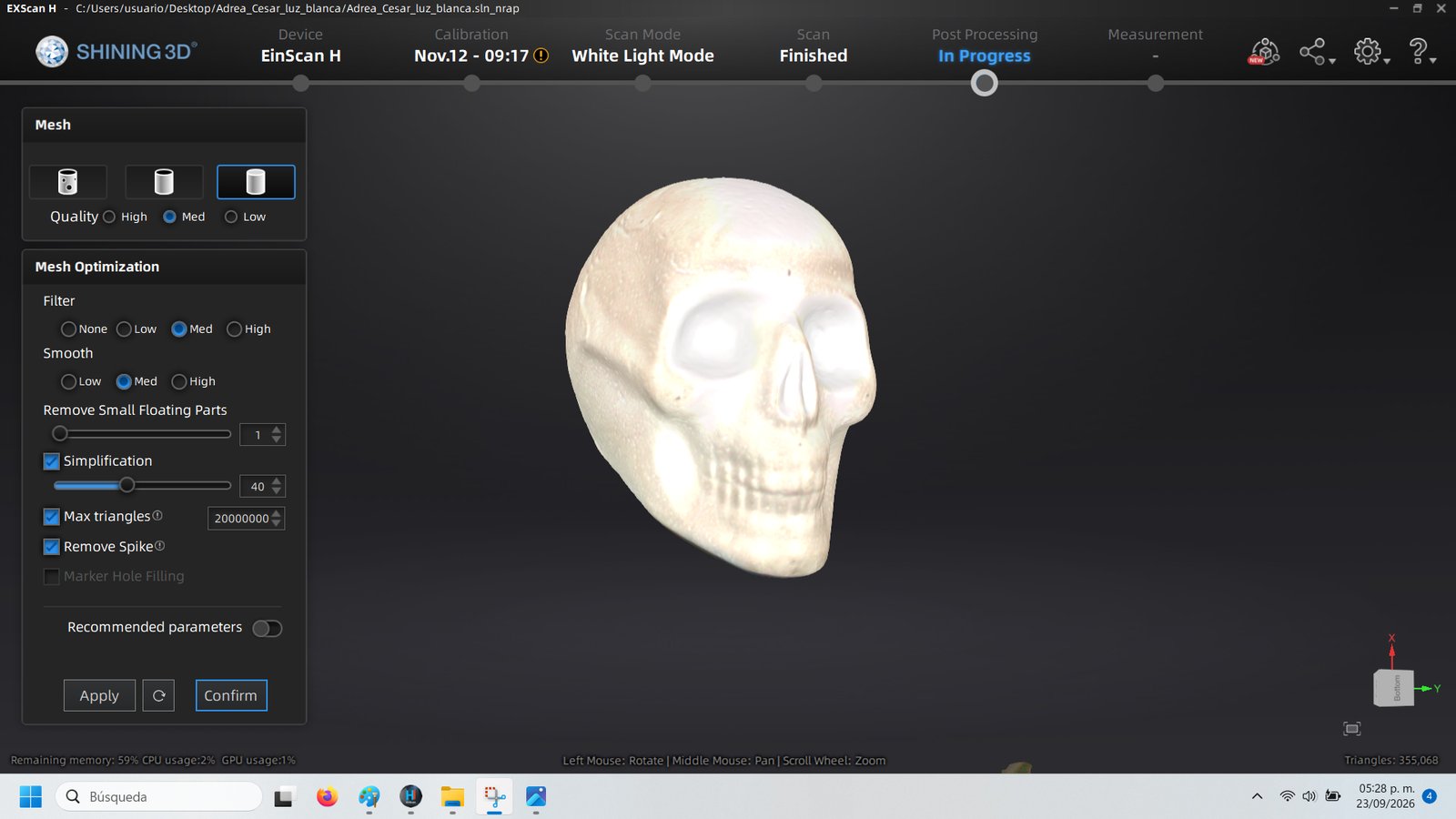
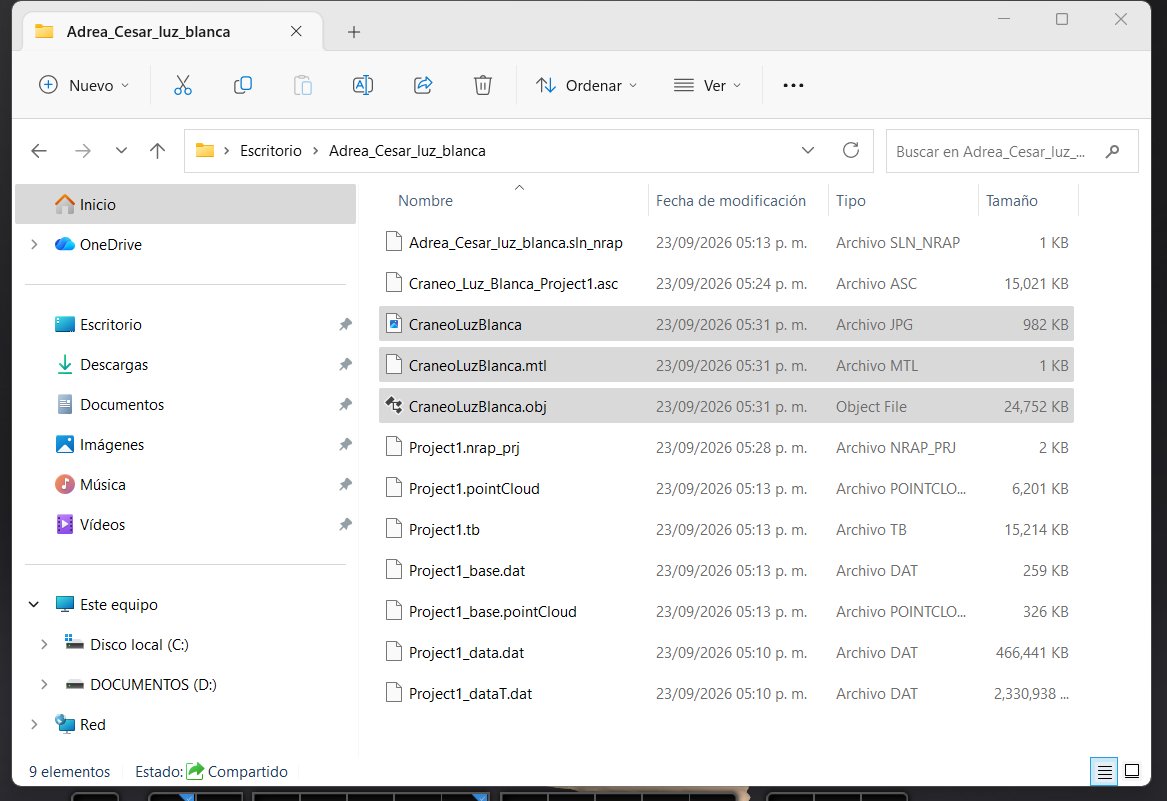
For the skull mesh, the screenshot shows Medium quality, filtering and smoothing. Simplification was enabled with a displayed value of 40, and Remove Spike was enabled. The mesh shown contains 355,068 triangles. I exported the OBJ together with its MTL and JPG texture files for Blender.
4.2 Scanning my own body
I also scanned my upper body in IR mode. Keeping my arms extended made tracking difficult, and movement affected the capture. Keeping still while the scanner moved around me produced a better result.
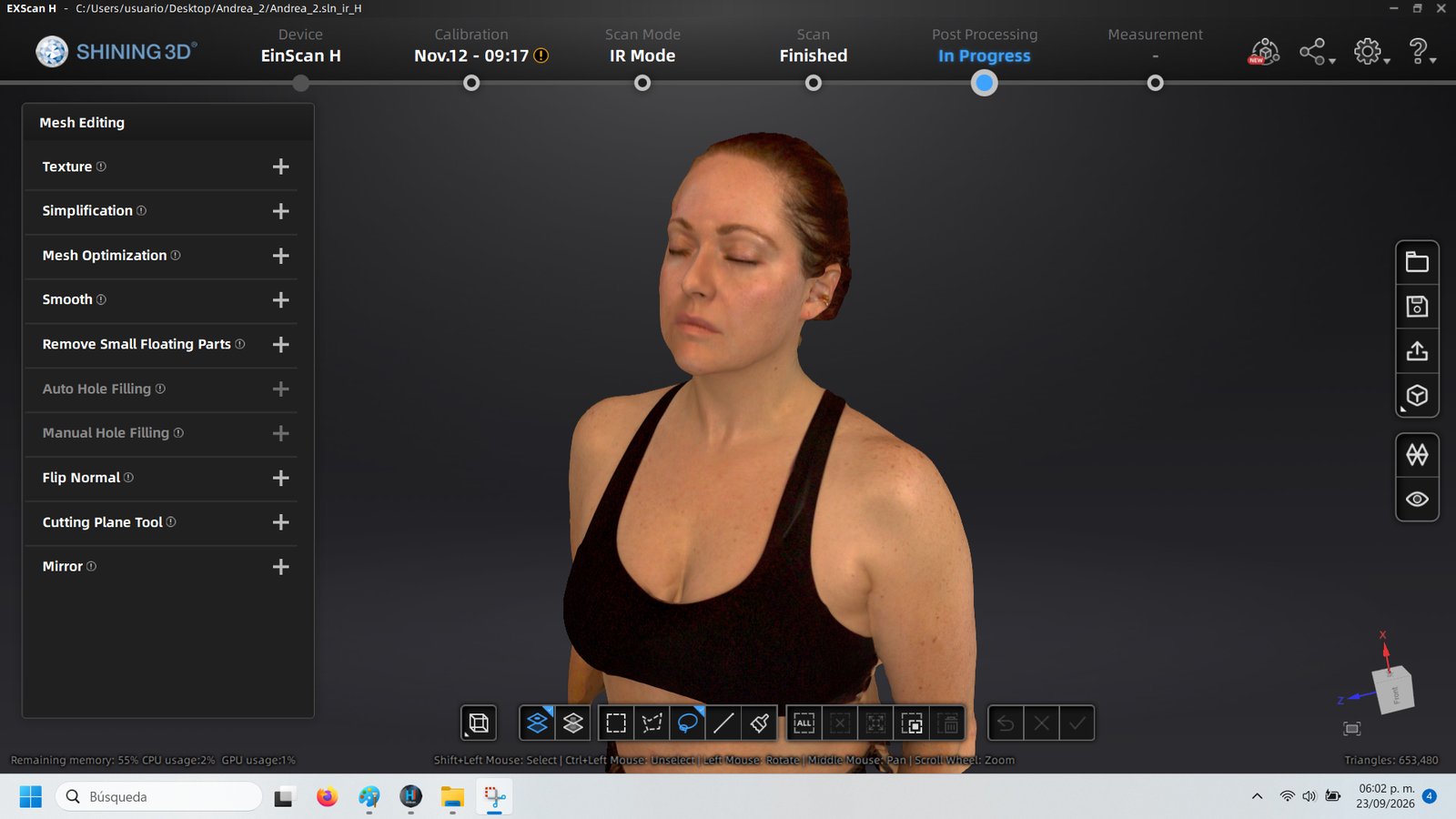
The intermediate point clouds contain gaps and scattered data, particularly around the head and hair. The final textured mesh shown in EXScan H contains 653,480 triangles.
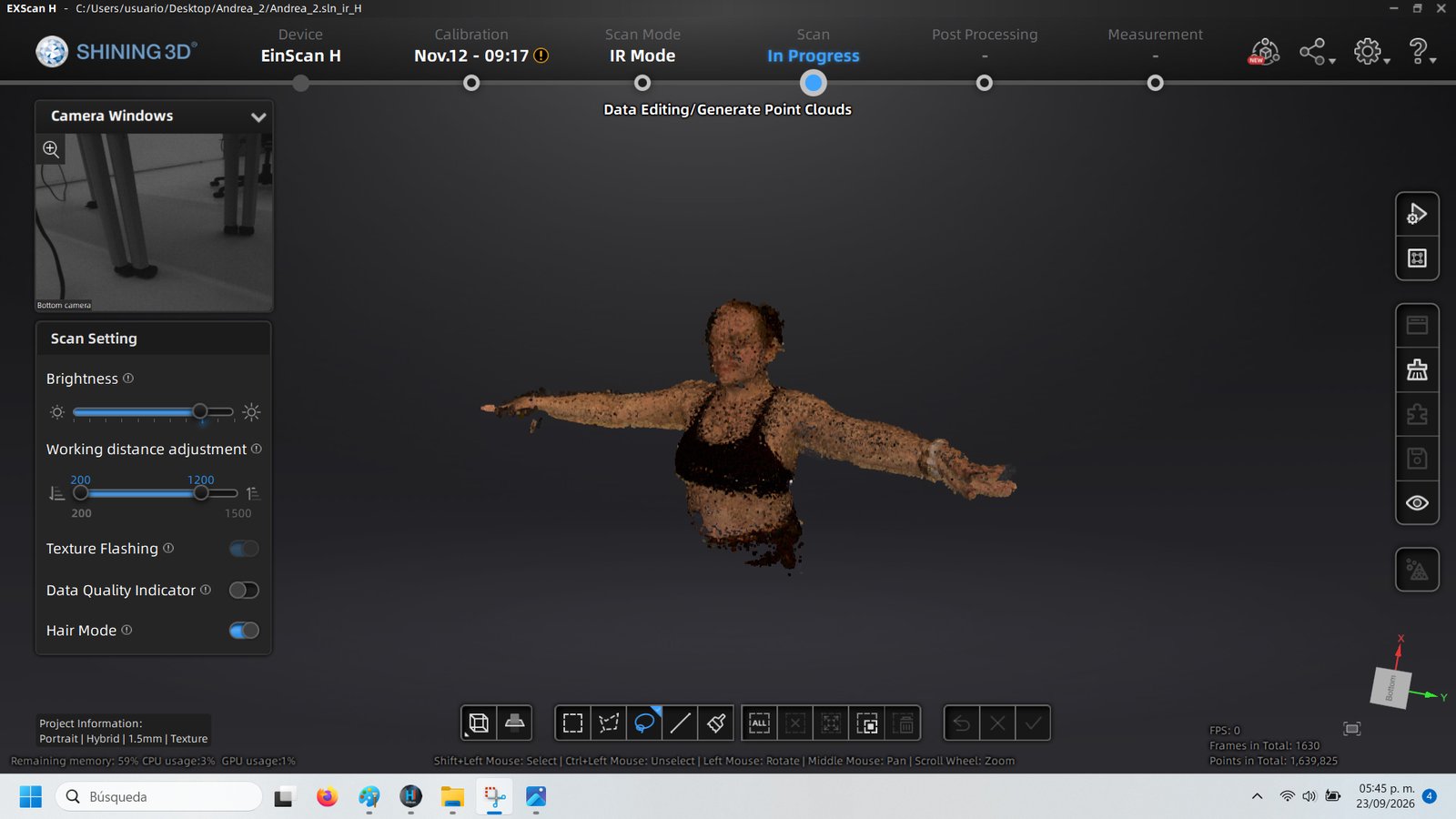
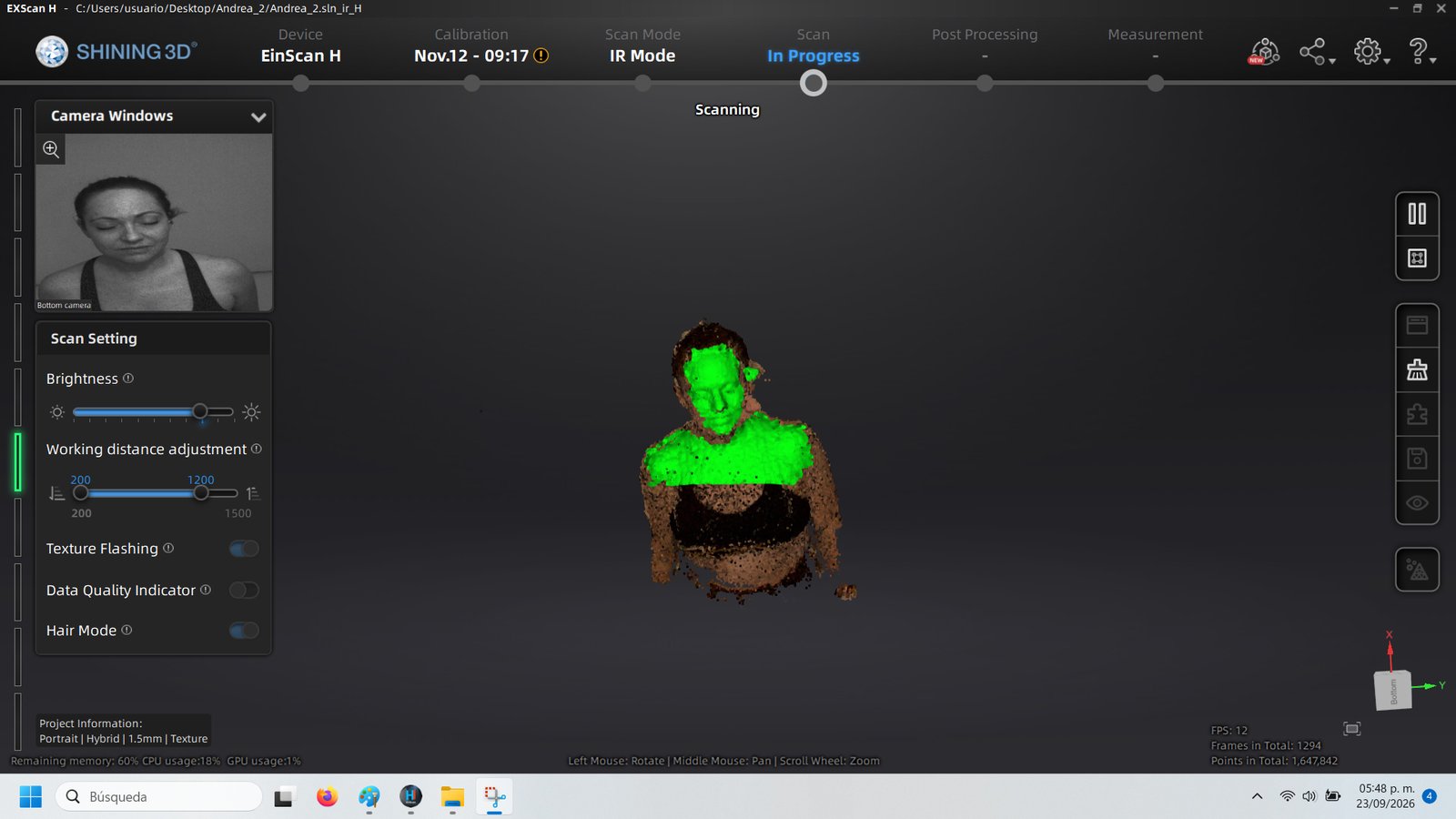
From the captured points to the body mesh
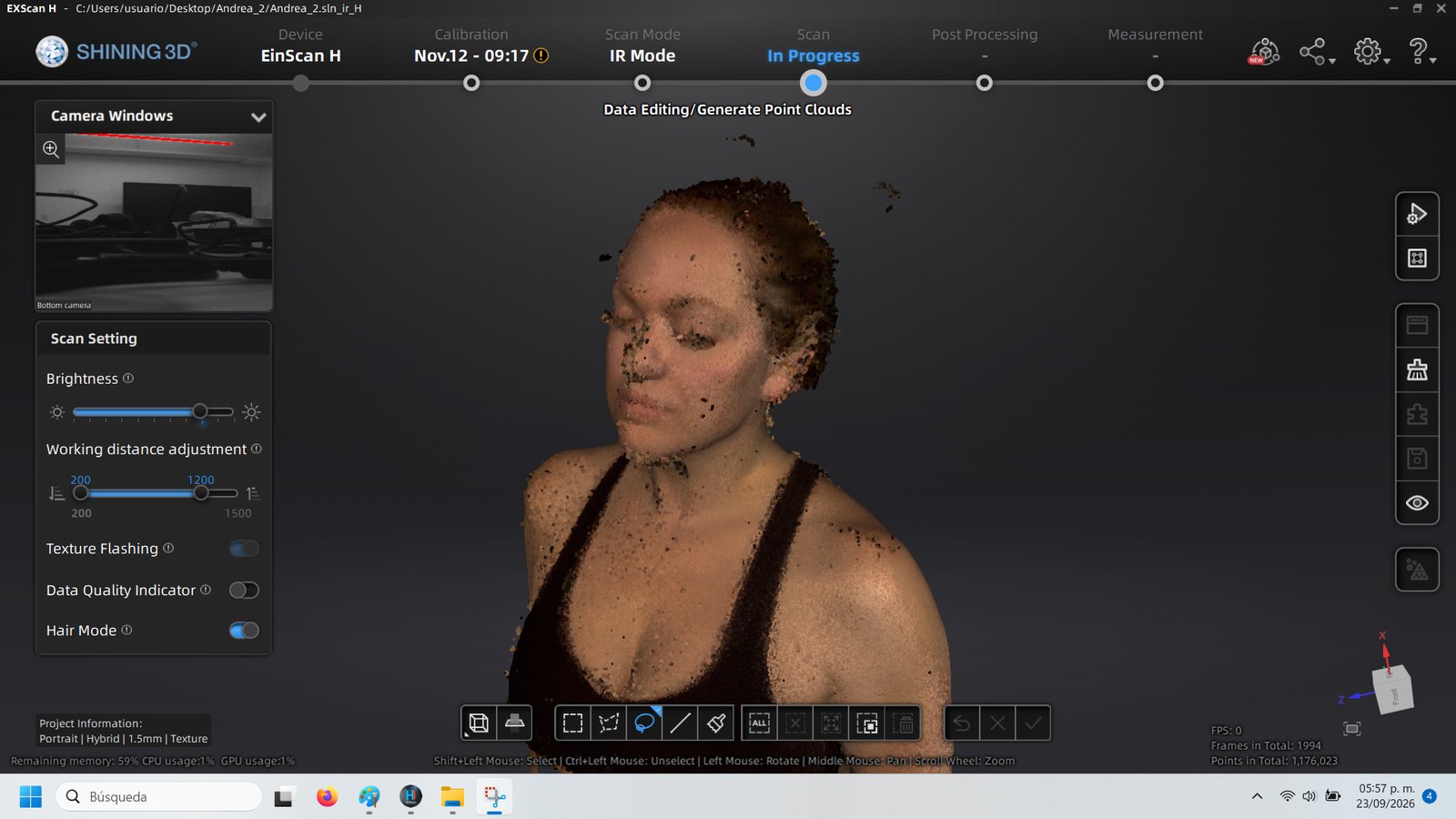
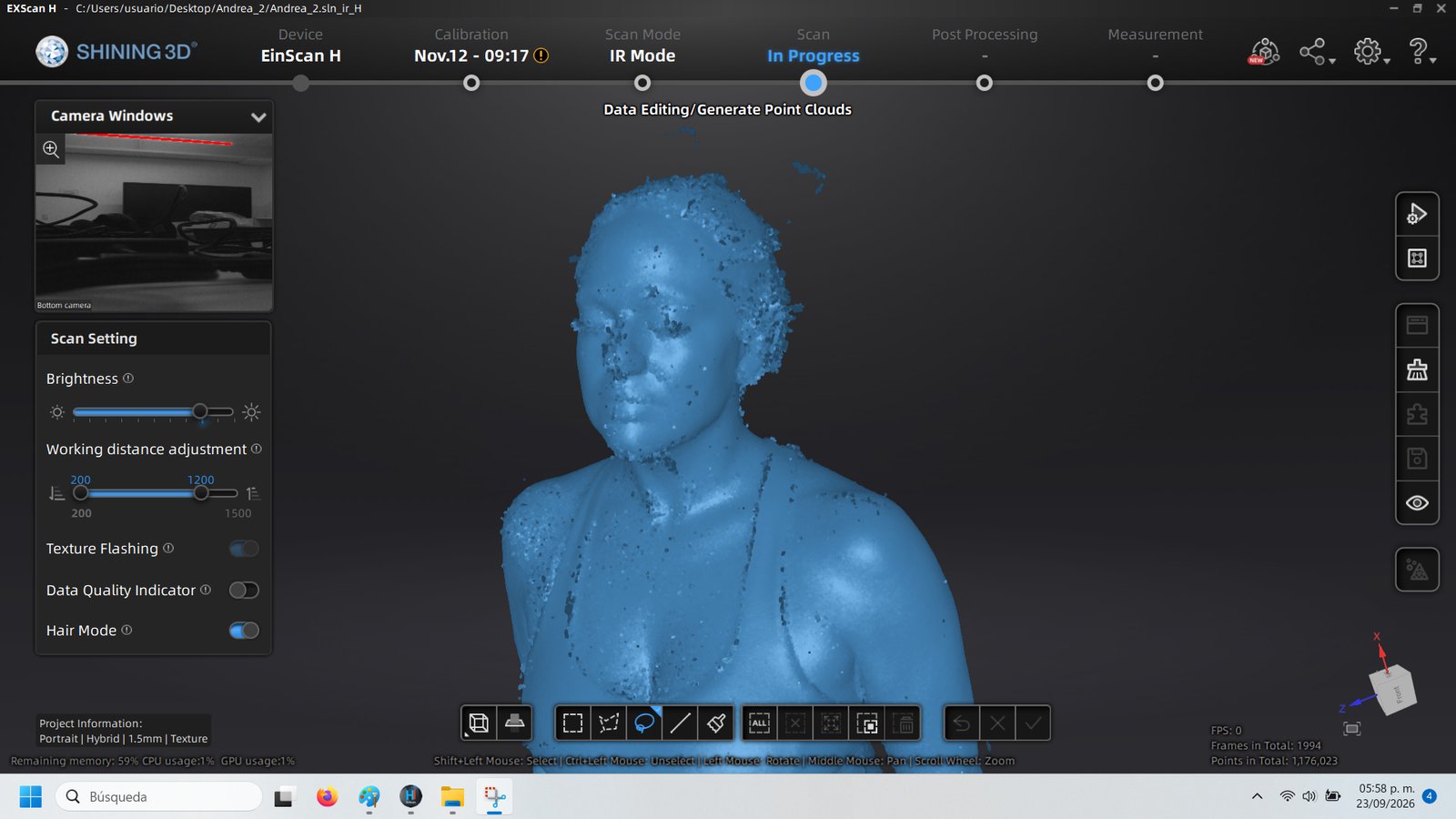
The textured result before working in Blender
4.3 Working in Blender: choosing the skull
My initial idea was to isolate the torso from my body scan, removing the arms. However, working with my own scan in Blender was much more difficult than I expected. I struggled with the geometry around the hair and shoulders and with the large openings in the torso. I could not achieve the result I wanted in Blender.
At my current level of experience, preparing this mesh for fabrication became challenging. I decided to return to the skull, which was a more manageable model for this practice and my skills.
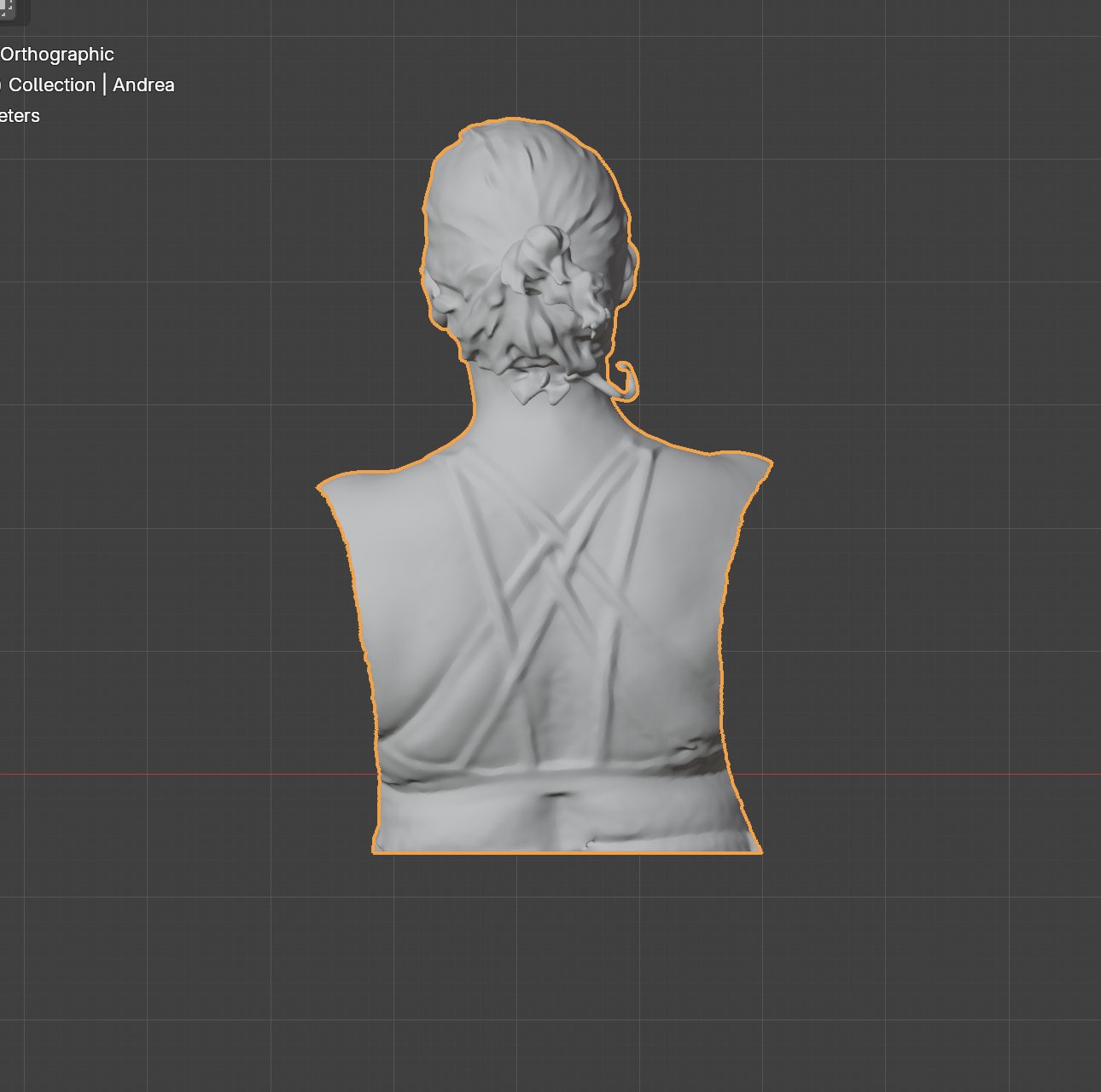
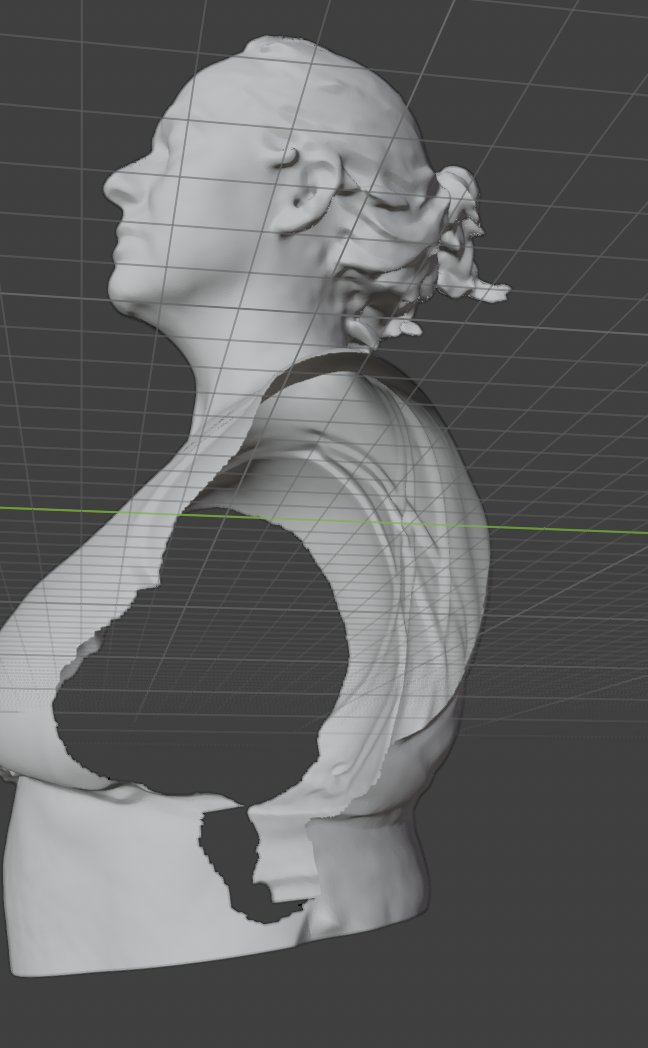
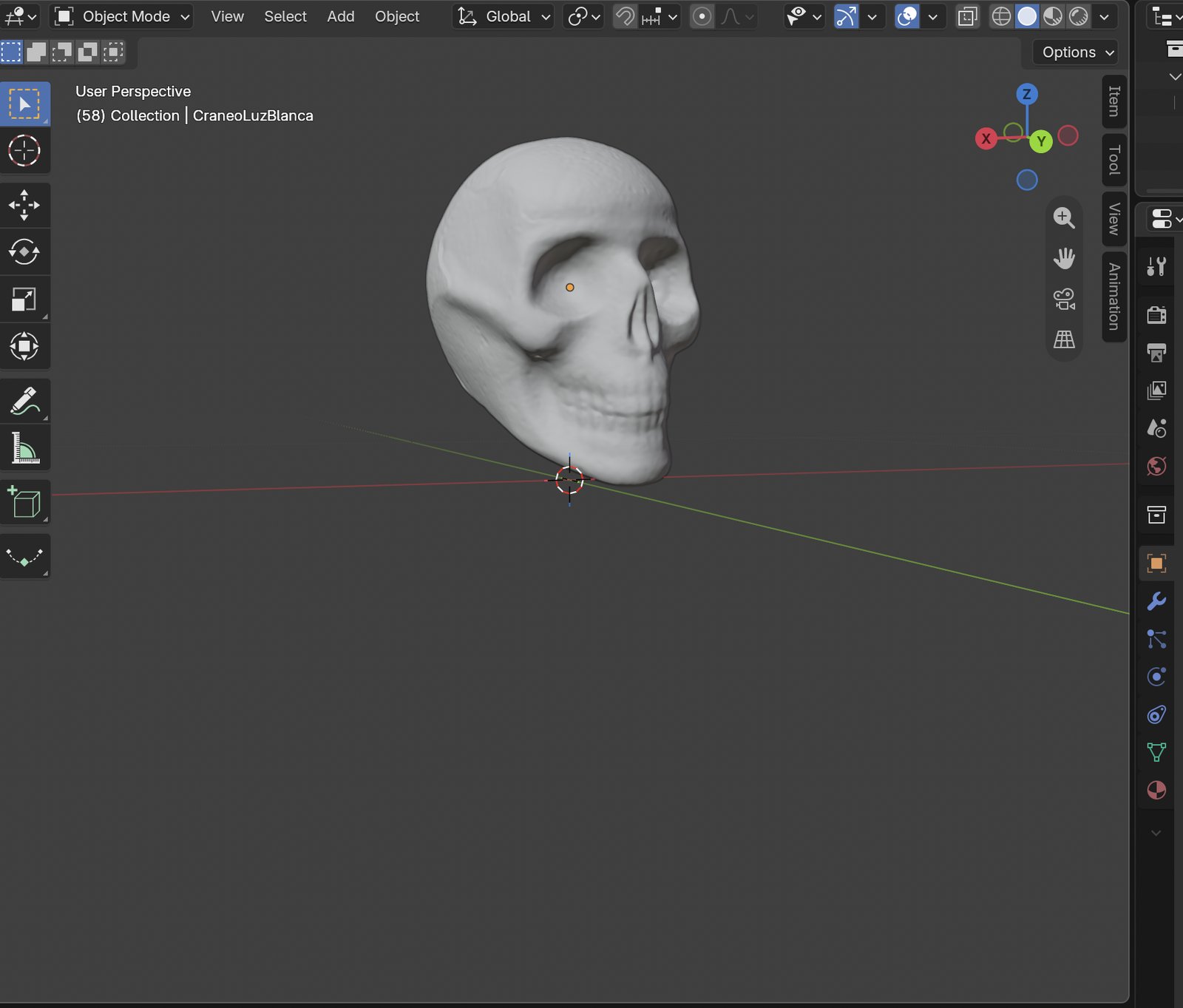
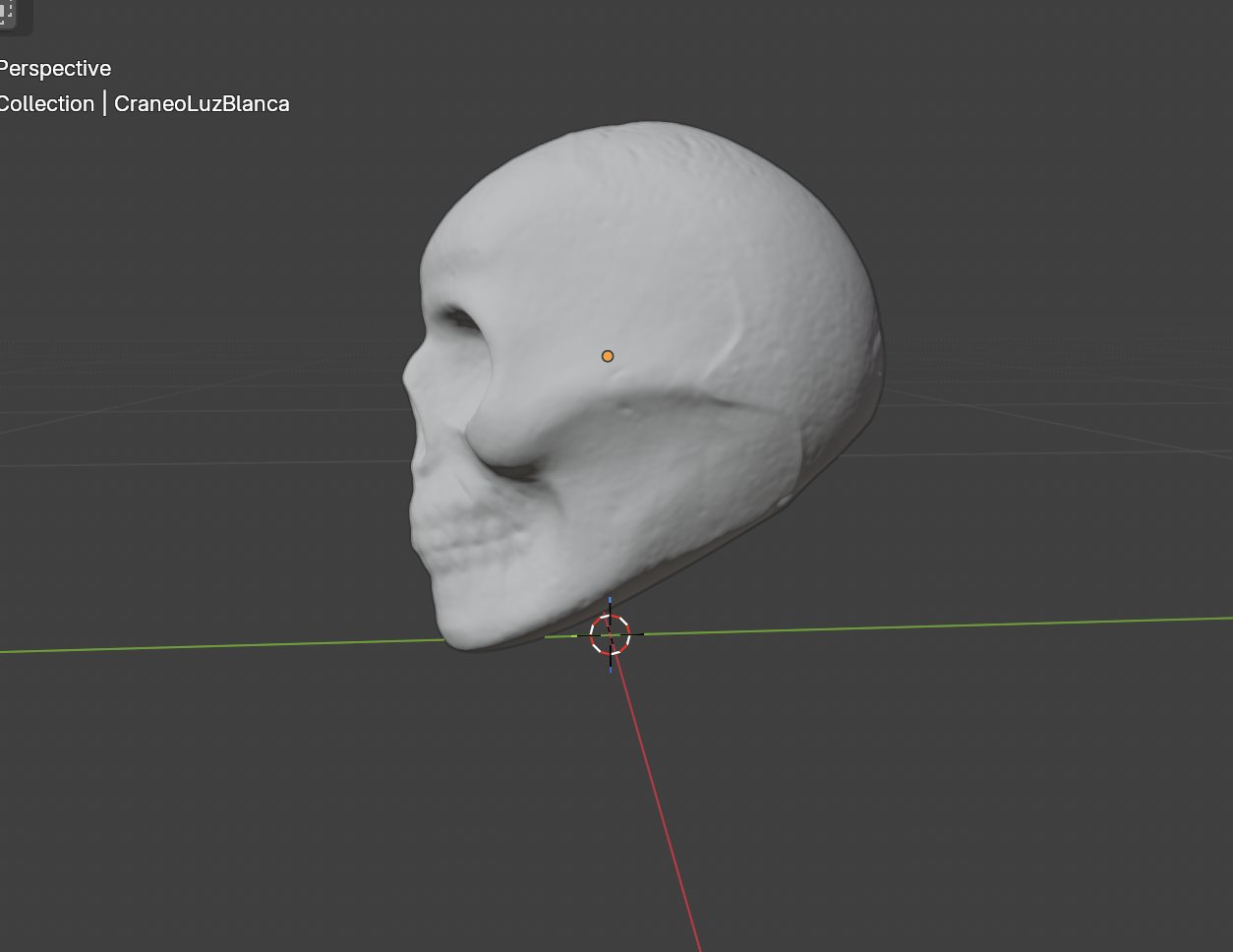
The skull had already been processed in EXScan H. I then worked on its orientation and scale in Blender before exporting an STL for Slicer. The scale required attention because the imported model and export units did not initially match the intended physical size.
The body scan remained part of my exploration, while the skull became the model I continued developing for fabrication.
4.4 Slicing the skull
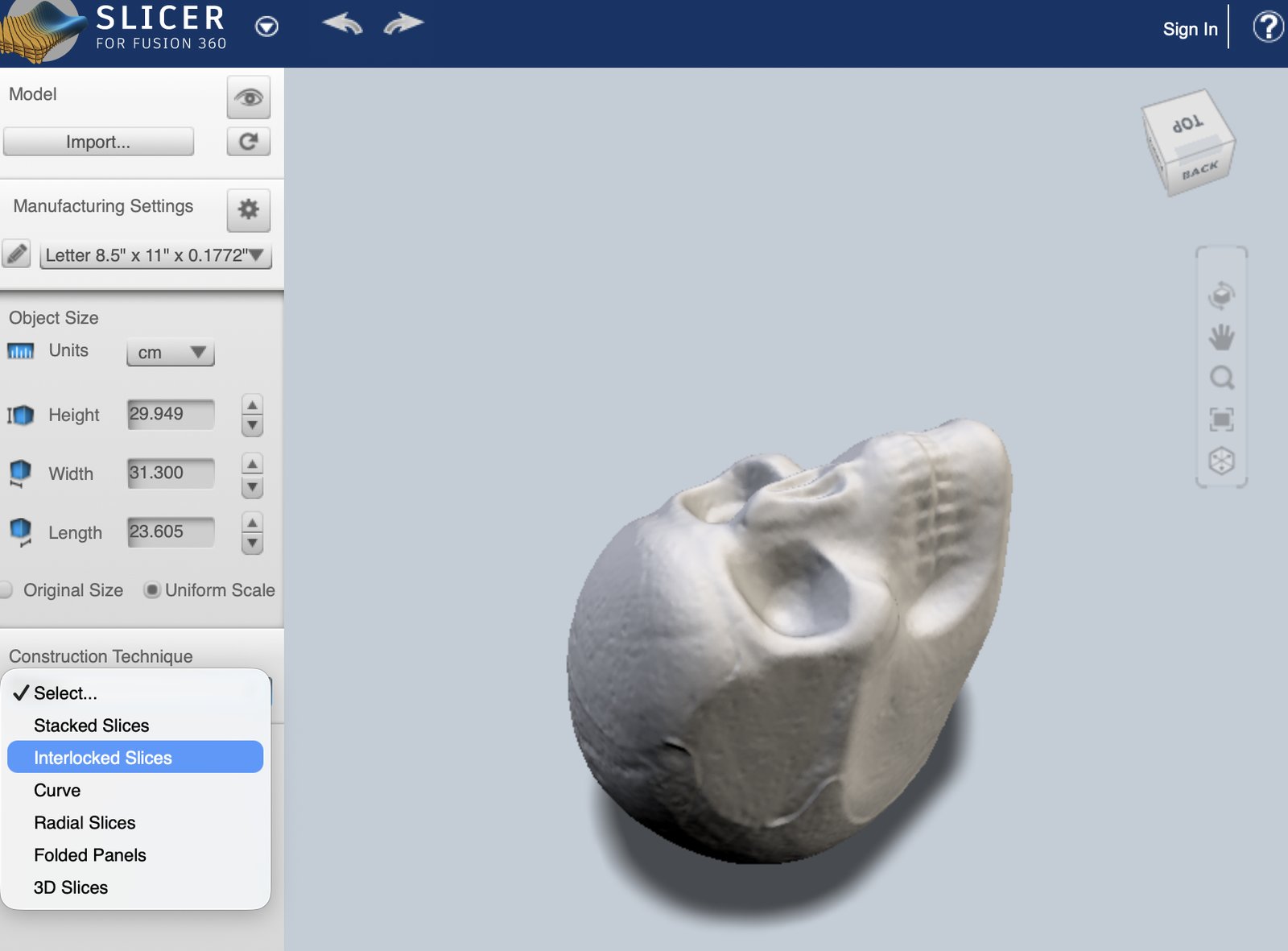
I imported the skull into Slicer for Fusion 360 and explored different construction techniques. I chose Radial Slices, combining parallel sections with radial supports connected through slots.
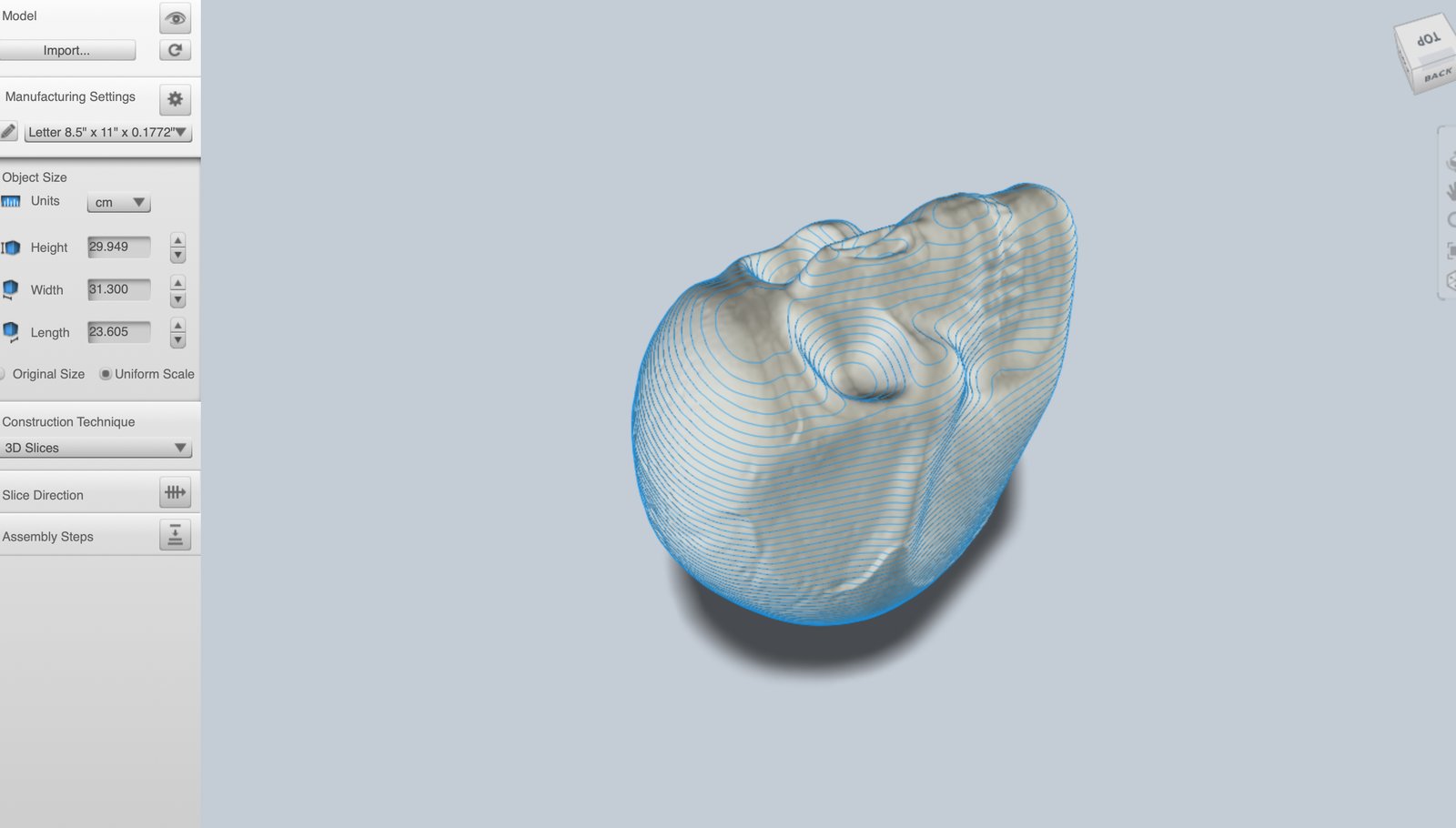
The first layouts required several adjustments. Slicer highlighted problematic pieces in red and displayed warnings such as “Notch intersects hole” and “Multiple notches.” I adjusted the slice direction and moved individual sections, checking how each change affected the connections and the skull’s shape.
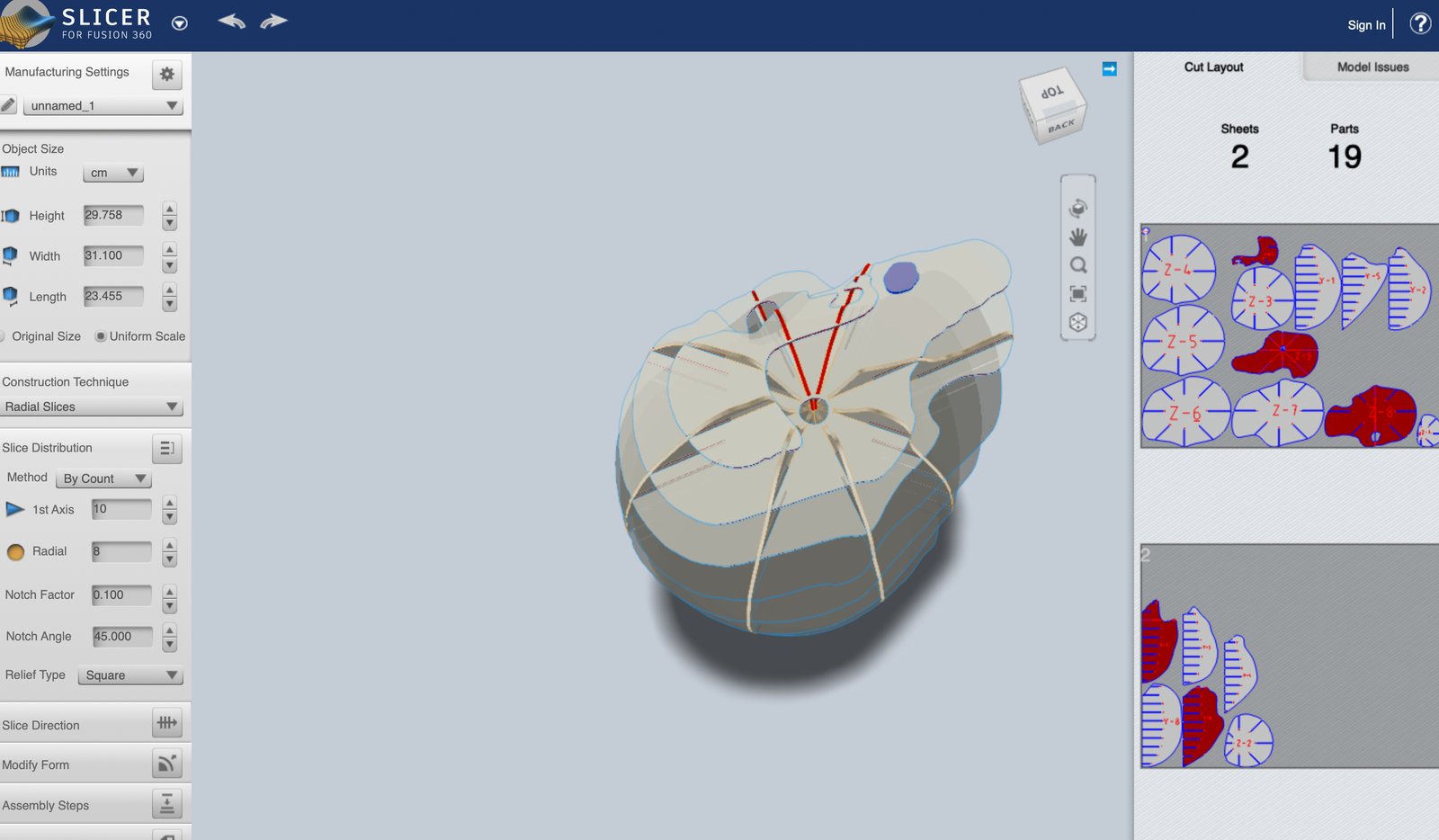
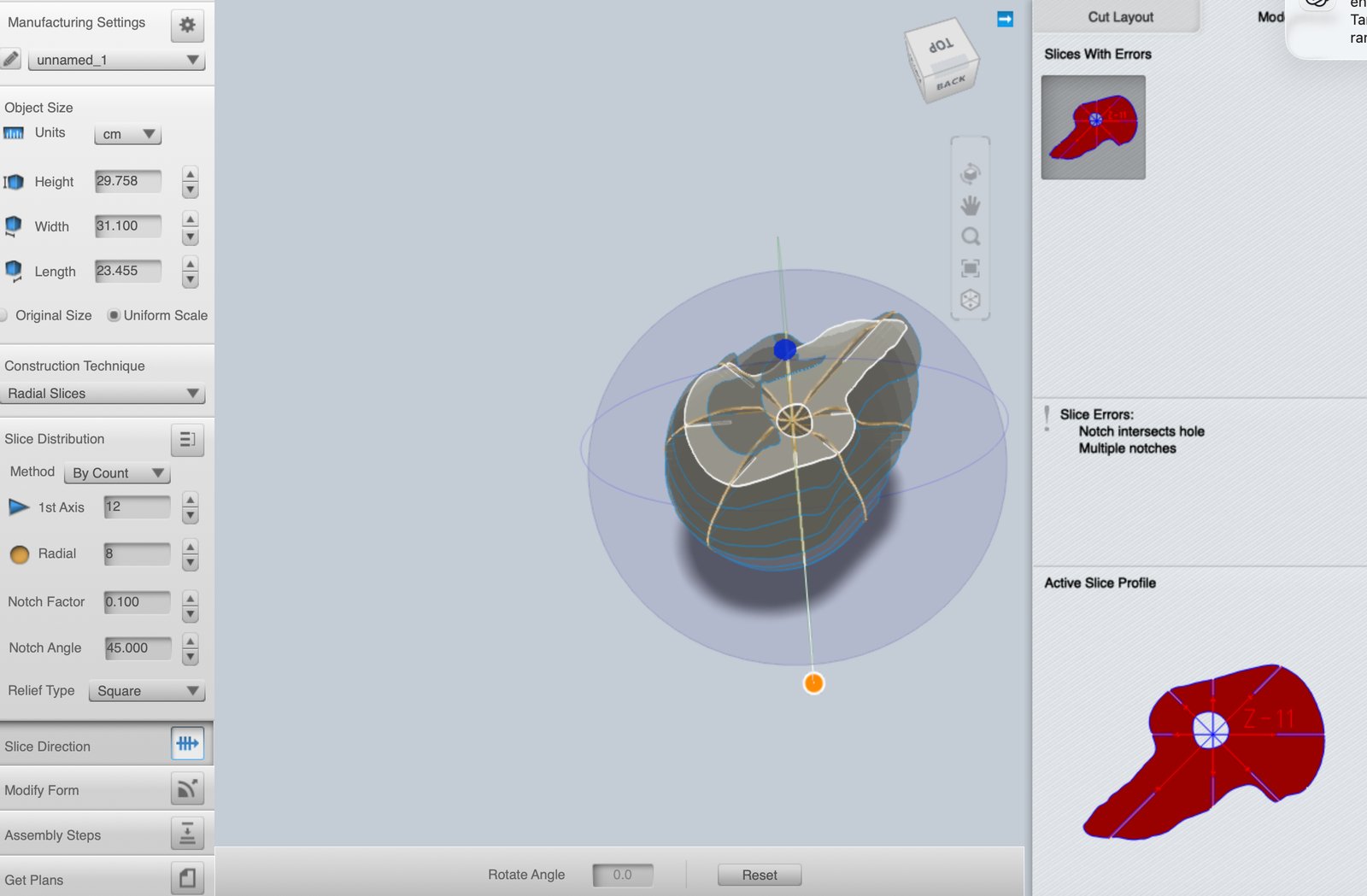
Checking the next layout
This intermediate arrangement still showed highlighted problem areas, so I continued adjusting the sections.
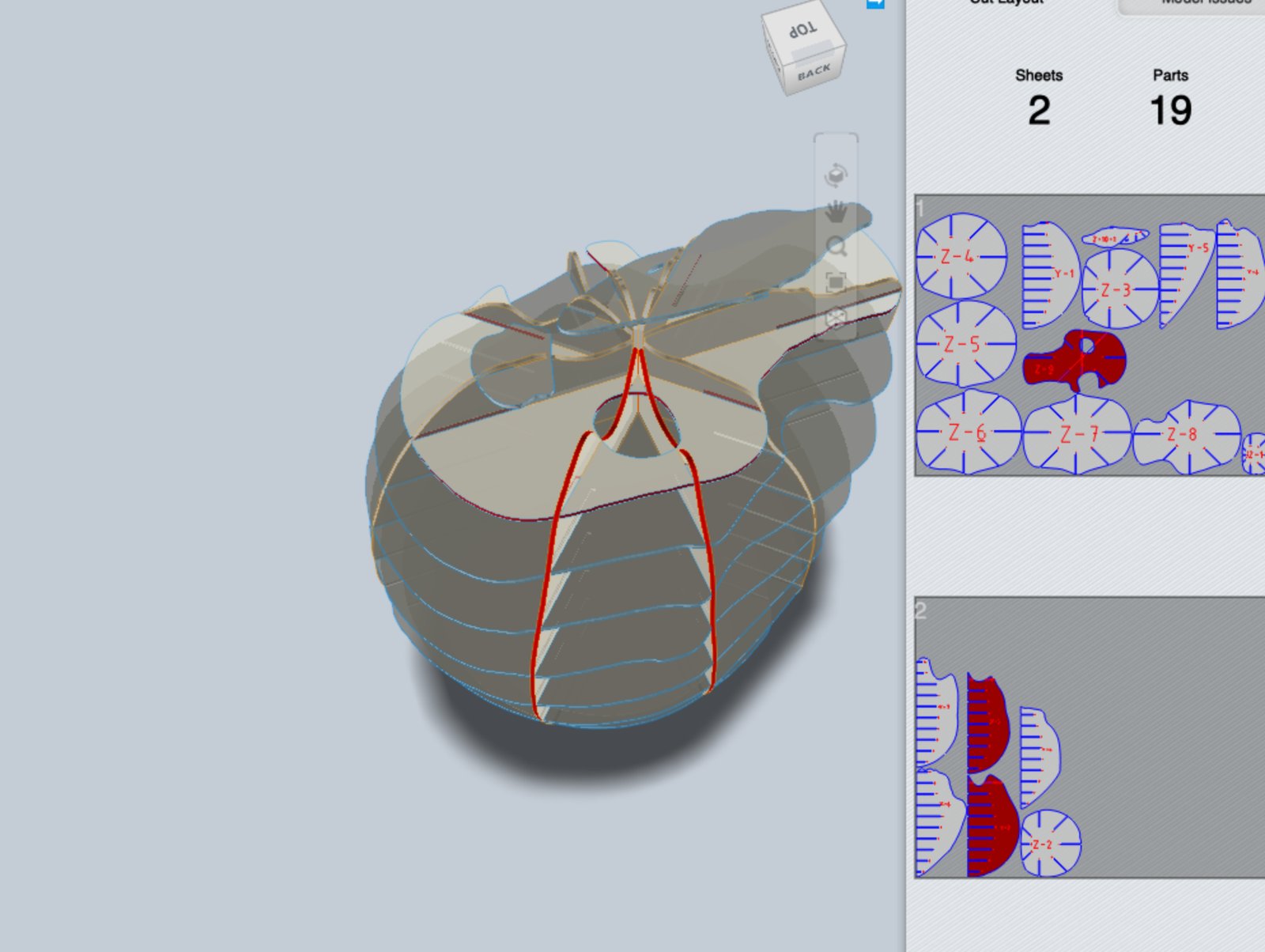
The program also closed unexpectedly, including when I tried to save. This was frustrating because I lost adjustments and had to reopen the model and repeat the work.
After several iterations, I reached a custom arrangement and the Model Issues panel displayed “No Errors.” I exported the corrected plans as DXF files for laser preparation.
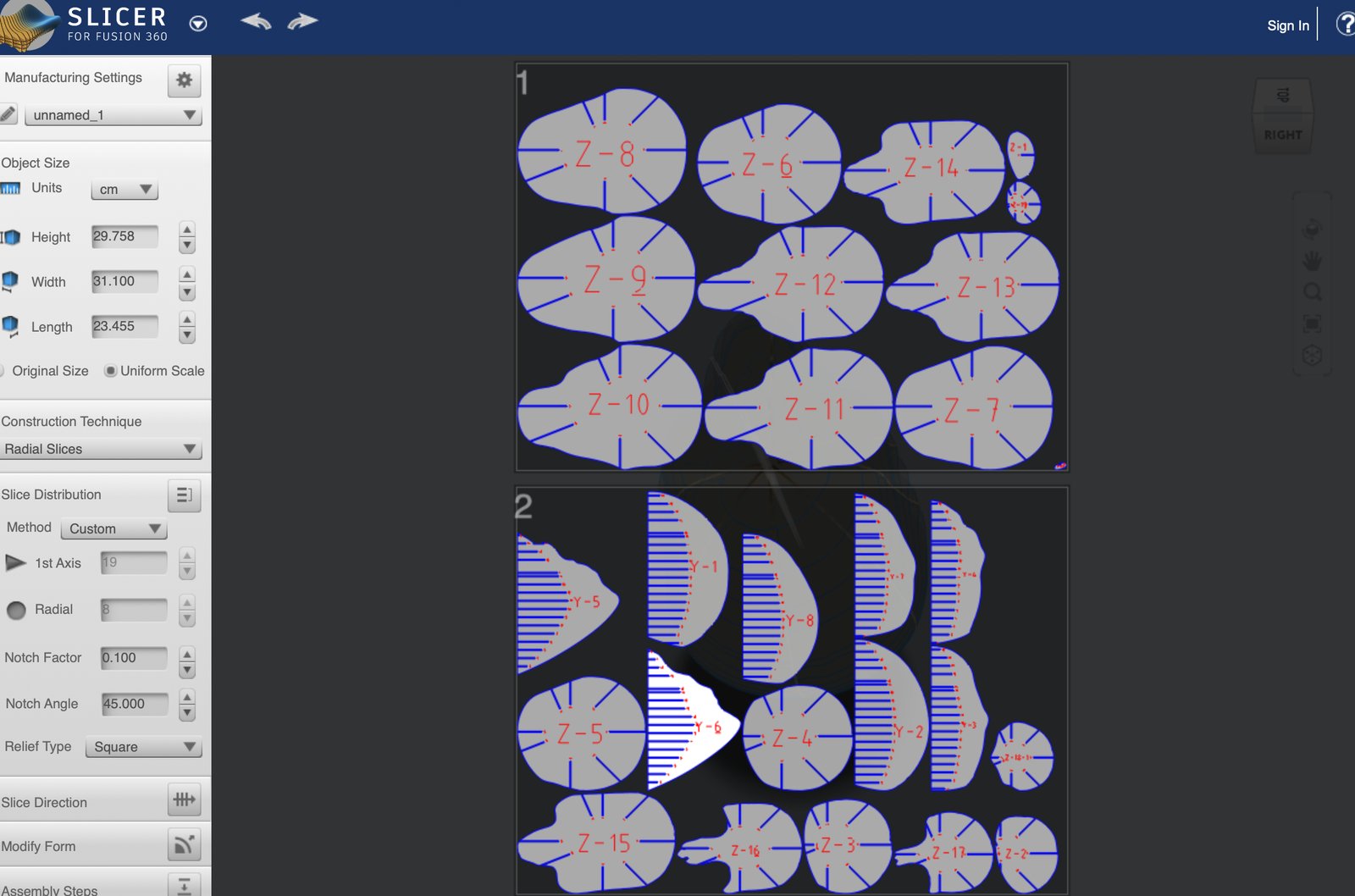
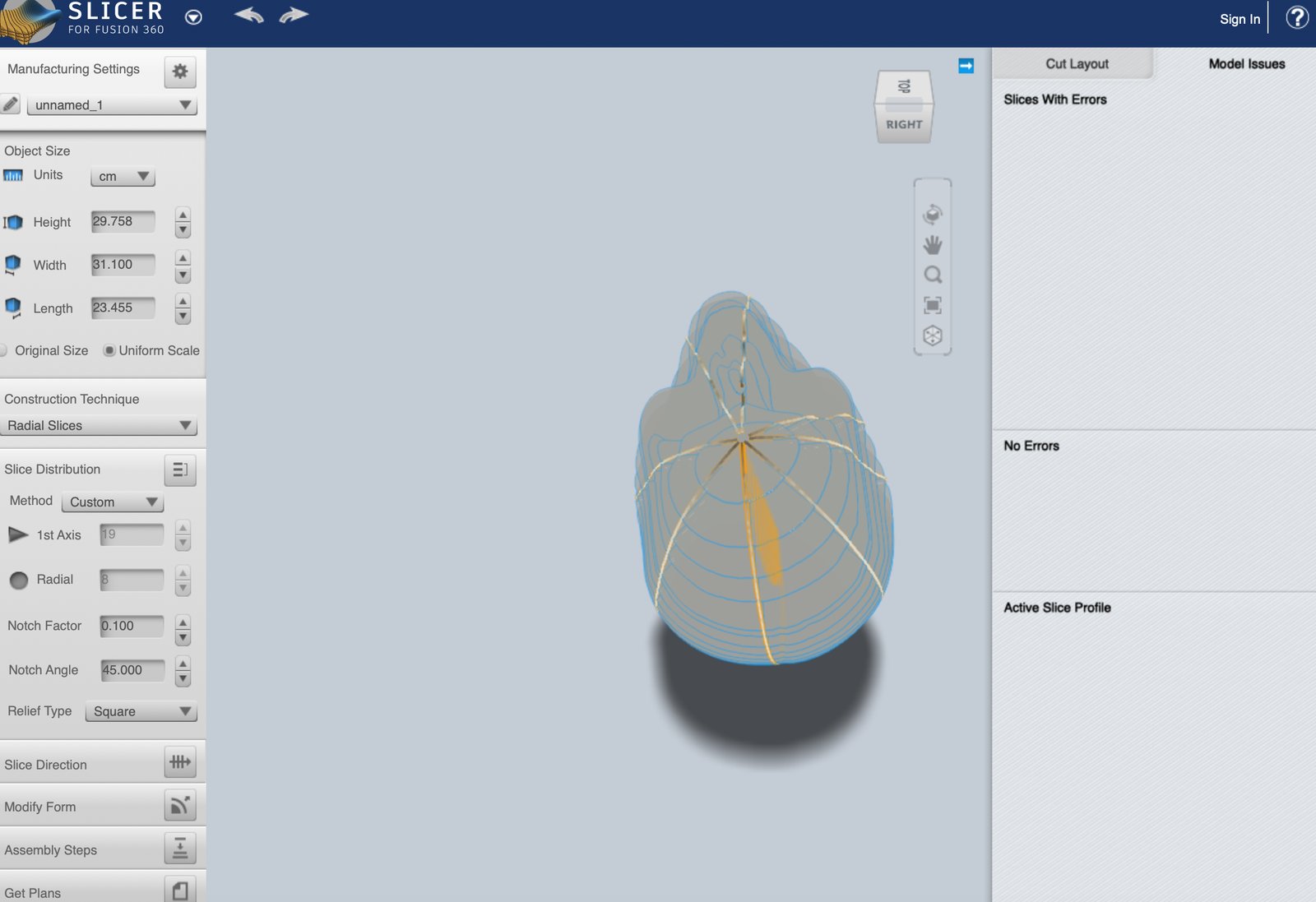
| Setting | Corrected version shown |
|---|---|
| Construction technique | Radial Slices |
| Distribution | Custom |
| 1st Axis / Radial — displayed values | 19 / 8 |
| Height × Width × Length in Slicer | 29.758 × 31.100 × 23.455 cm |
| Notch factor / angle | 0.100 / 45° |
| Relief type | Square |
| Slicer layout | Two sheets |
The earlier layout labelled “19 Parts” was an intermediate attempt. The custom distribution values above are not a verified final part count. The arrangement was adjusted again in the laser software.
4.5 Preparing the laser cutter
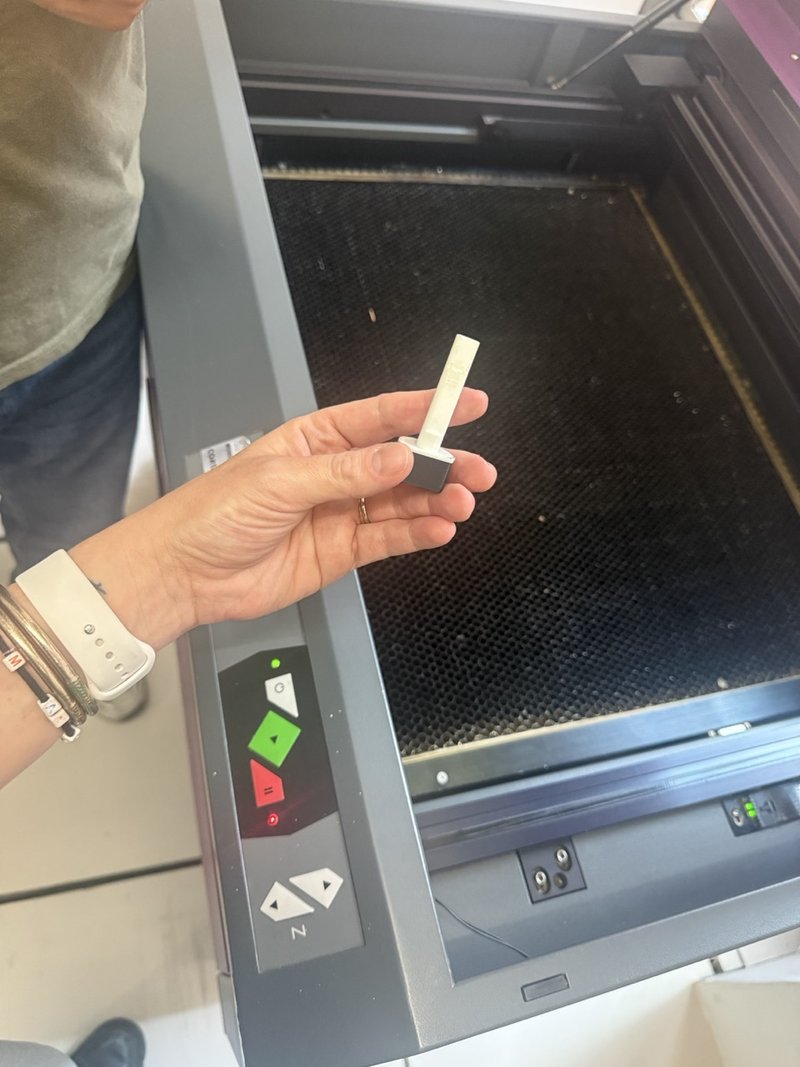
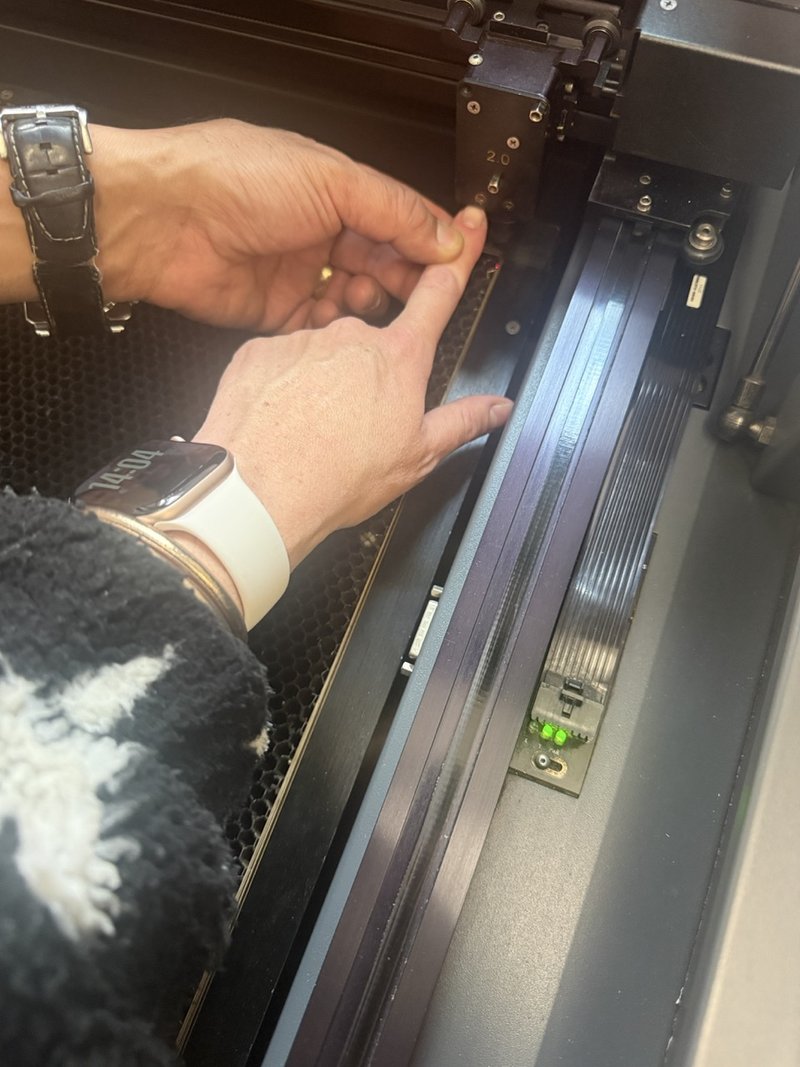
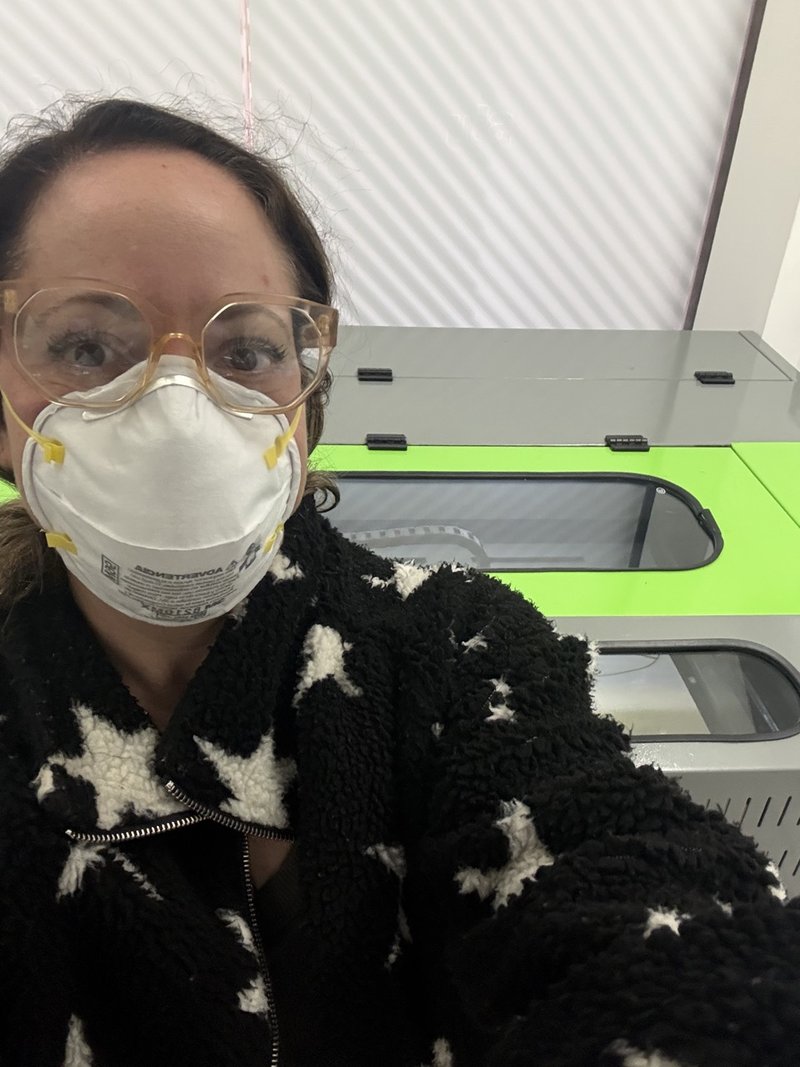
With help from the lab technicians, I prepared the exported files in AutoCAD before sending them to the laser cutters. They guided me through file preparation, machine setup and focusing. I learned how to prepare and calibrate the machine and how the laser follows the paths in the file.
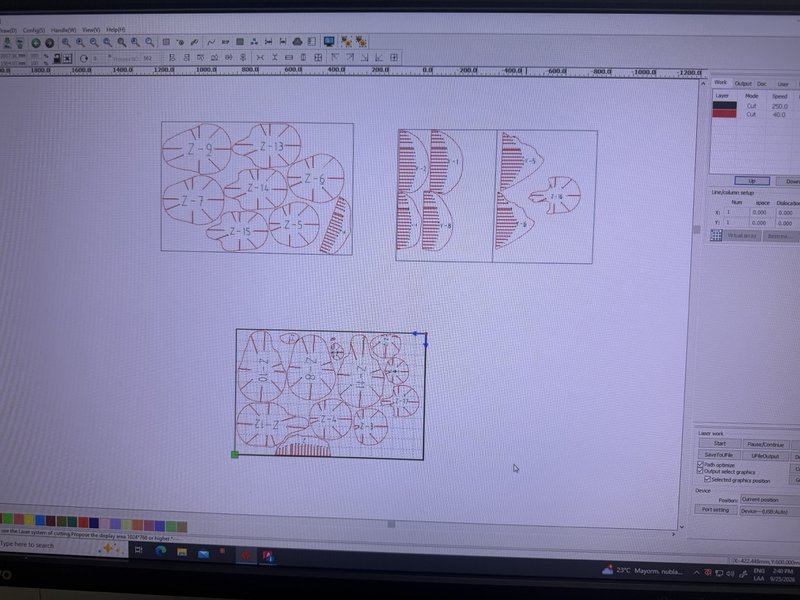
I recorded a 10 mm calibration reference, separate from the 2.5 mm material thickness. I did not record its exact reference points, so this is a note from our setup rather than a general setting for other machines.
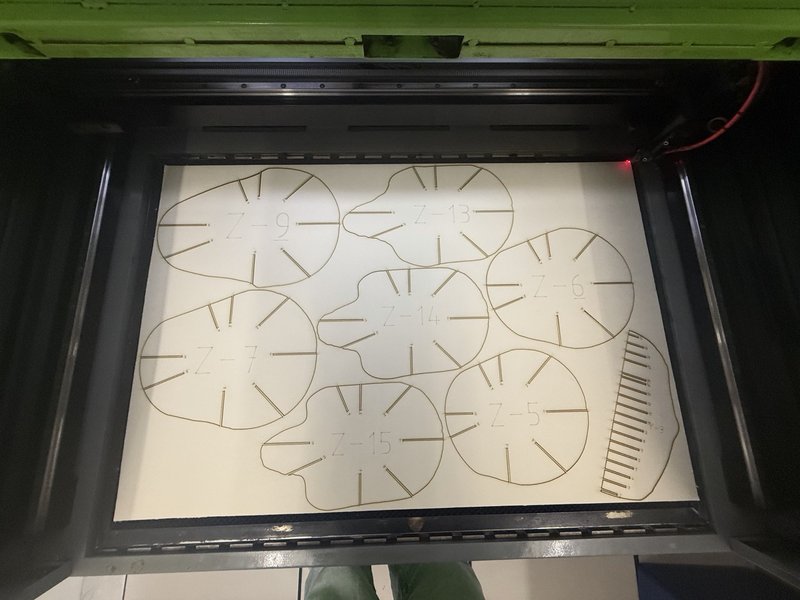
In the lab’s workflow, red was assigned to cutting, black to marking and blue to deeper marking. These colours describe the operations assigned for this job.
Working with two machines
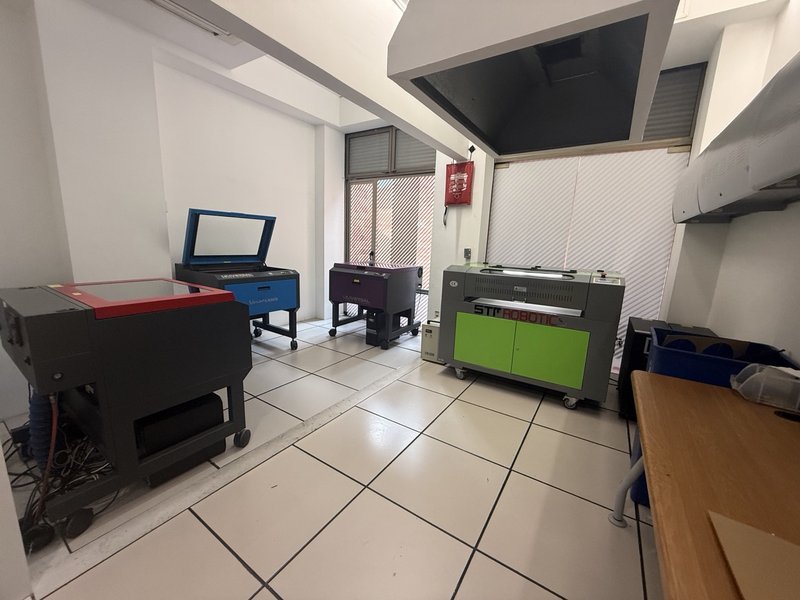
I used smaller Universal Laser Systems machines with cutting areas of 60 × 45 cm and a larger STR Robotics machine with a cutting area of 90 × 60 cm.
In my experience, the smaller machine produced a more precise result. On the larger machine, the first attempt did not cut through the material, so we adjusted the intensity before continuing. I did not record the numerical power or speed settings.
4.6 Material thickness and the slot fit
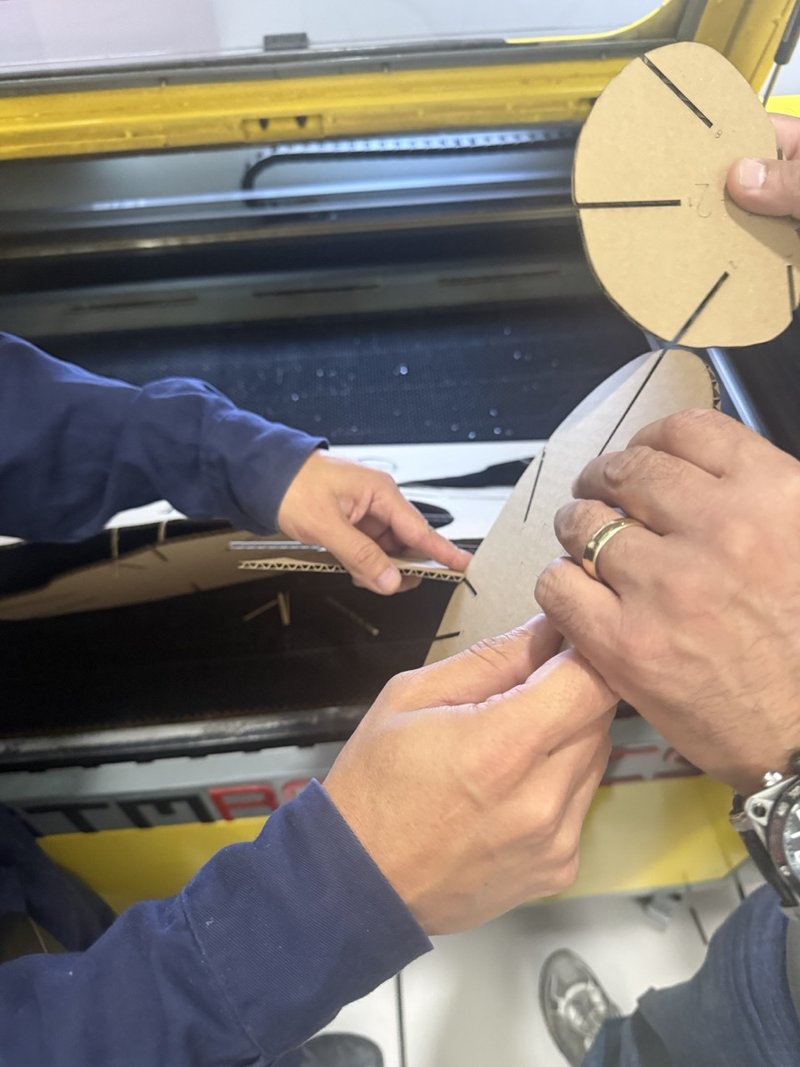
During the first fitting attempt, I discovered that the cardboard I had been given was too thick for the slots. I had measured it incorrectly and had not understood how closely the slot width needed to correspond to the material.
The pieces could be cut, but they did not fit together properly. I bought a thinner board sold locally as “batería rígida,” 2.5 mm thick, which worked with the existing slots.
| Fabrication information | Recorded result |
|---|---|
| Successful material | Batería rígida board, 2.5 mm |
| Successful cut | Through the material in one pass |
| Large-machine trial | Initial incomplete cut; intensity adjusted |
| Power and speed | Numerical settings not recorded |
| Exact machine models | Not recorded |
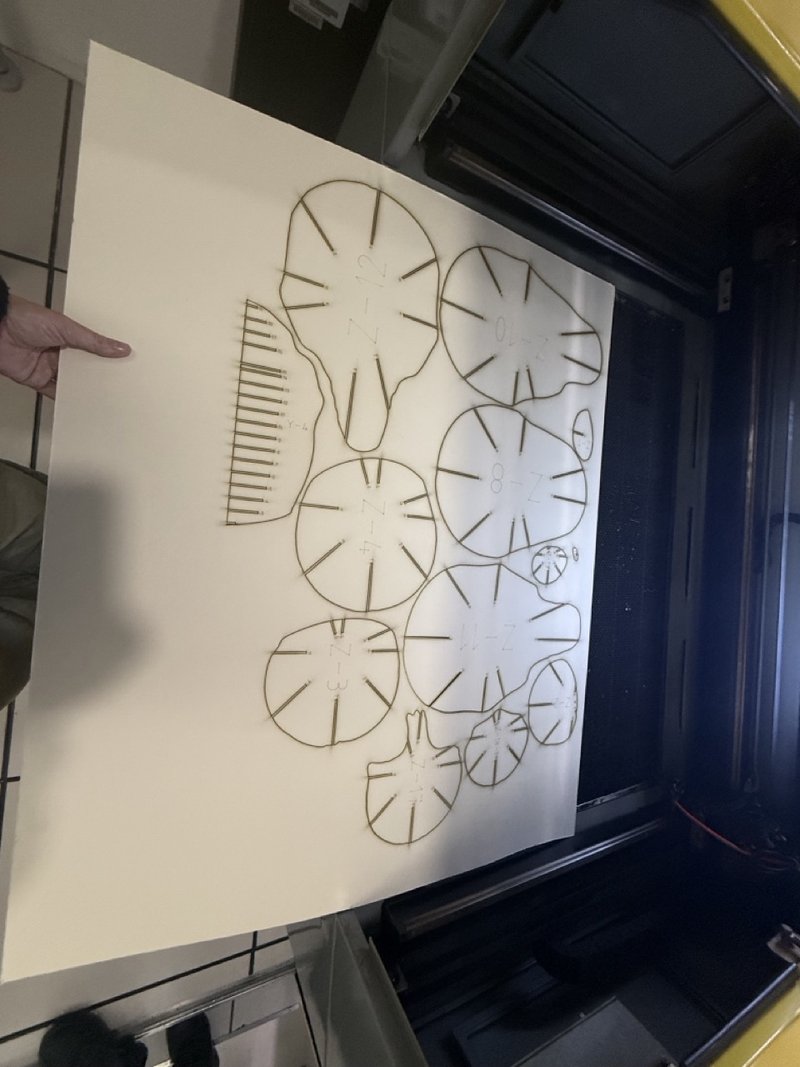
The successful one-pass cut came after finding suitable settings; the first attempt on the larger machine did not go through. Getting “No Errors” in Slicer did not guarantee that the slots would fit the material I had.
More photographs from the cutting session
5. Final assembly and result
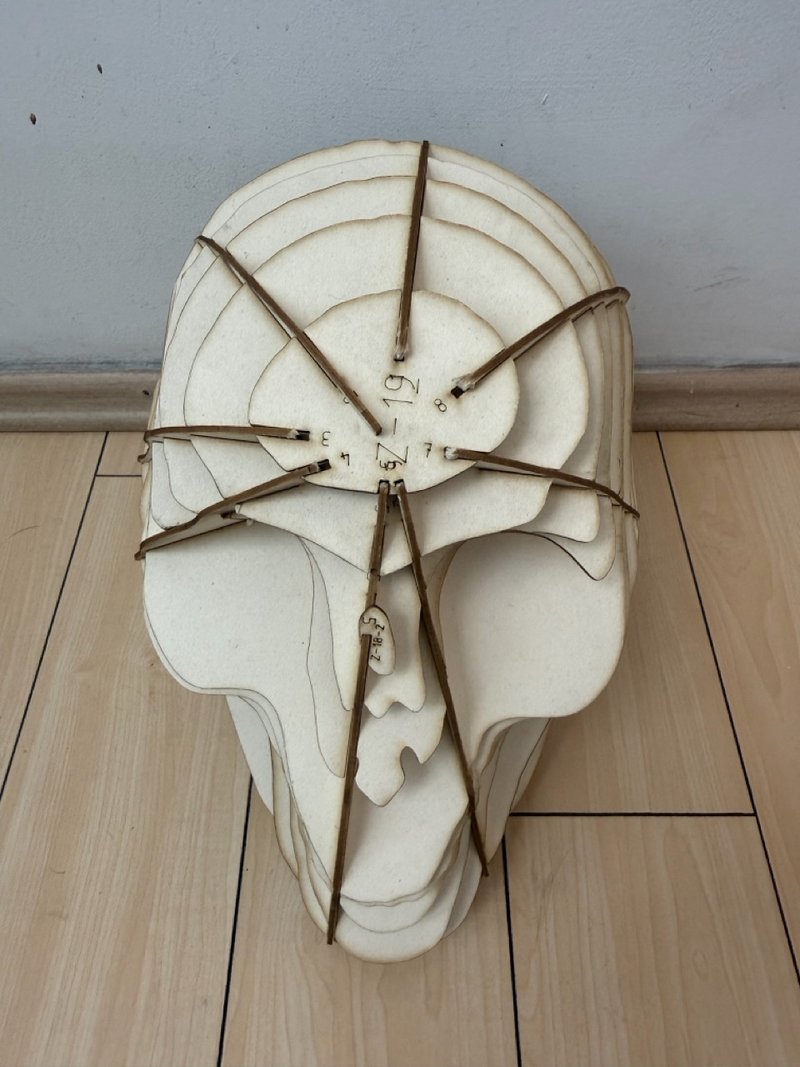
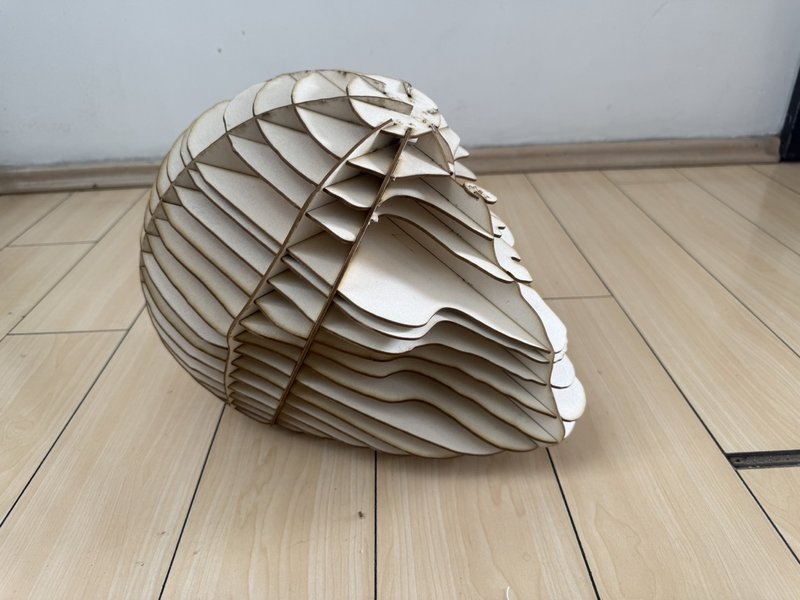
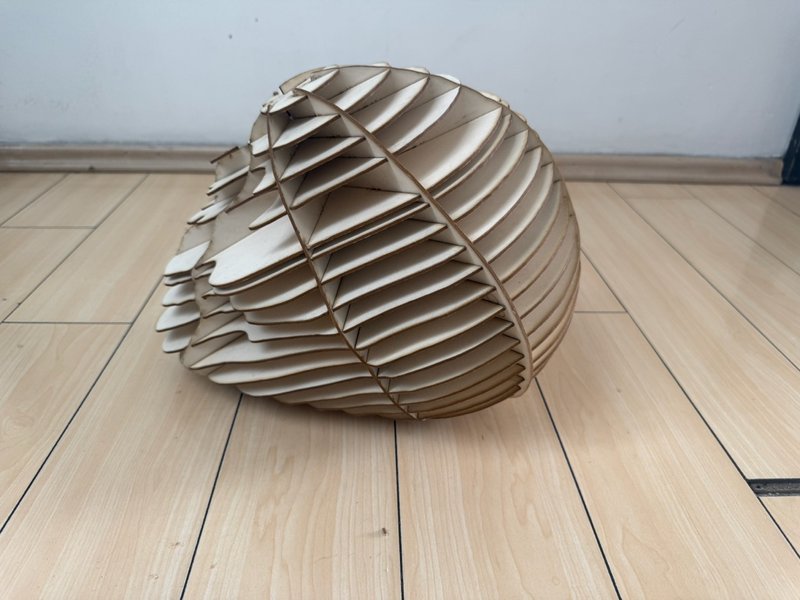
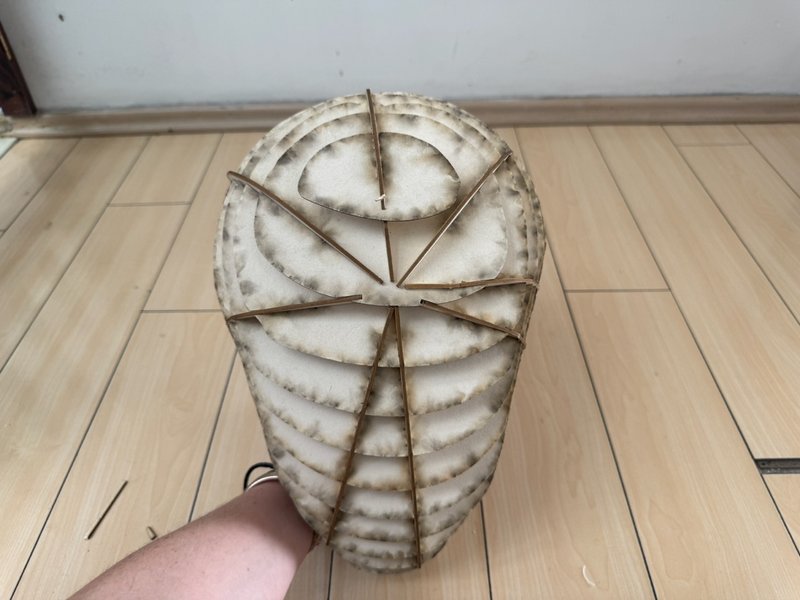
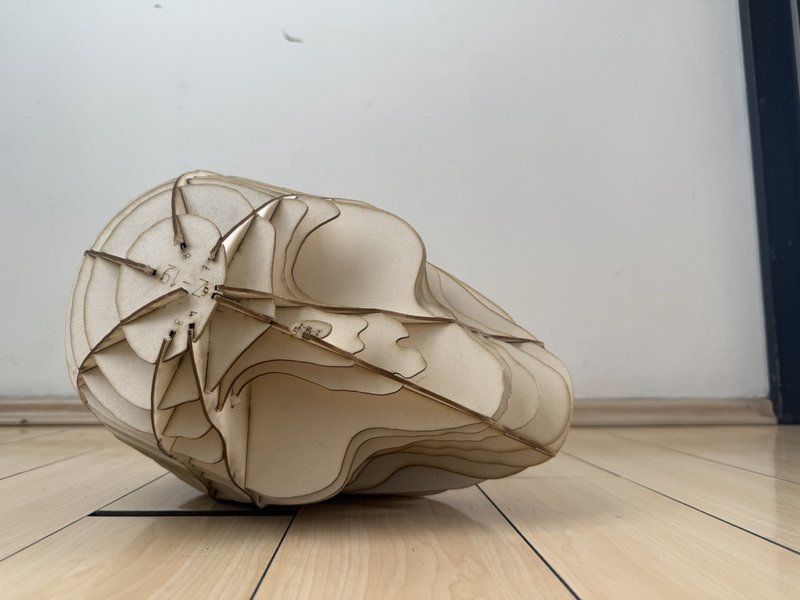
I assembled the laser-cut pieces, connecting the parallel sections and radial supports through their slots. Together, these flat pieces reconstructed the volume of the scanned skull.
The photographs show the connections and layered contours from different angles. This completed the journey from the physical foam skull to a digital scan, an edited mesh, cutting files and a new physical object.
Another view of the assembled structure
Download the assembly video (MP4)
6. What I learned
This assignment helped me understand the connections between scanning, digital editing and fabrication.
Working with my body scan showed me how challenging mesh editing can be. I wanted to isolate the torso without the arms, but I could not achieve the result I wanted in Blender. Returning to the skull allowed me to continue with a model that better matched my current skills.
I learned the hard way that the slots need to match the thickness of the material—something I had not realised before. The original cardboard was too thick for my slots, while the 2.5 mm batería rígida fit. This experience made me understand why checking the material thickness is essential before preparing the cutting file.
Slicer also required patience. Its unexpected closures were frustrating because I had to repeat adjustments I had already made. With the technicians’ help, I learned about laser cutter preparation, focusing and cutting.
This was a very interesting but challenging assignment because it required knowledge I did not previously have. I realised that I need to keep learning how to use 3D tools and laser cutting. Despite the difficulties, I am very happy with my skull.
7. Fabrication files
The STL corresponds to the Blender export before the final scale adjustments in Slicer. The DXF files contain the corrected cutting plans exported from Slicer.
Sources
- Fabricademy Digital Bodies criteria
- Bárbara Sánchez-Kane — Disembodied
- Bárbara Sánchez-Kane — Las Puertas al Sentimentalismo
- David Altmejd — Untitled, 2011
- David Altmejd — The Pit, 2011
- David Altmejd — 2019 works
Practice photographs and screenshots are from my documentation. Artwork images are credited separately above.
8. AI assistance and acknowledgements
I used ChatGPT/Codex for software guidance and troubleshooting, and to translate and organize my text and observations into English. It also helped prepare the images and page code, and assemble my process photographs into a stop-motion video. I selected the artistic references and supplied the photographs, screenshots and account of the process.
Lab technicians helped with AutoCAD preparation, machine setup and cutting adjustments.