Circular Open Source Fashion
1. Research & inspiration
This week we covered the topic of circular fashion, and upon seeing the examples presented in class, I instantly thought of showcasing a bit of our culture to the rest of the world.
Peru’s history is defined by a powerful Inca era, in which our ancestors created majestic works of art ranging from ceramics, architecture, metallurgy, and goldsmithing, to textiles. Regarding the latter, this textile tradition dates back thousands of years, as evidenced by the Paracas mantles crafted from native animal fibers, the Wari tapestries featuring figures of deities and felines, the garments worn by both commoners and royalty, and their offerings to the gods or rulers of other nations.
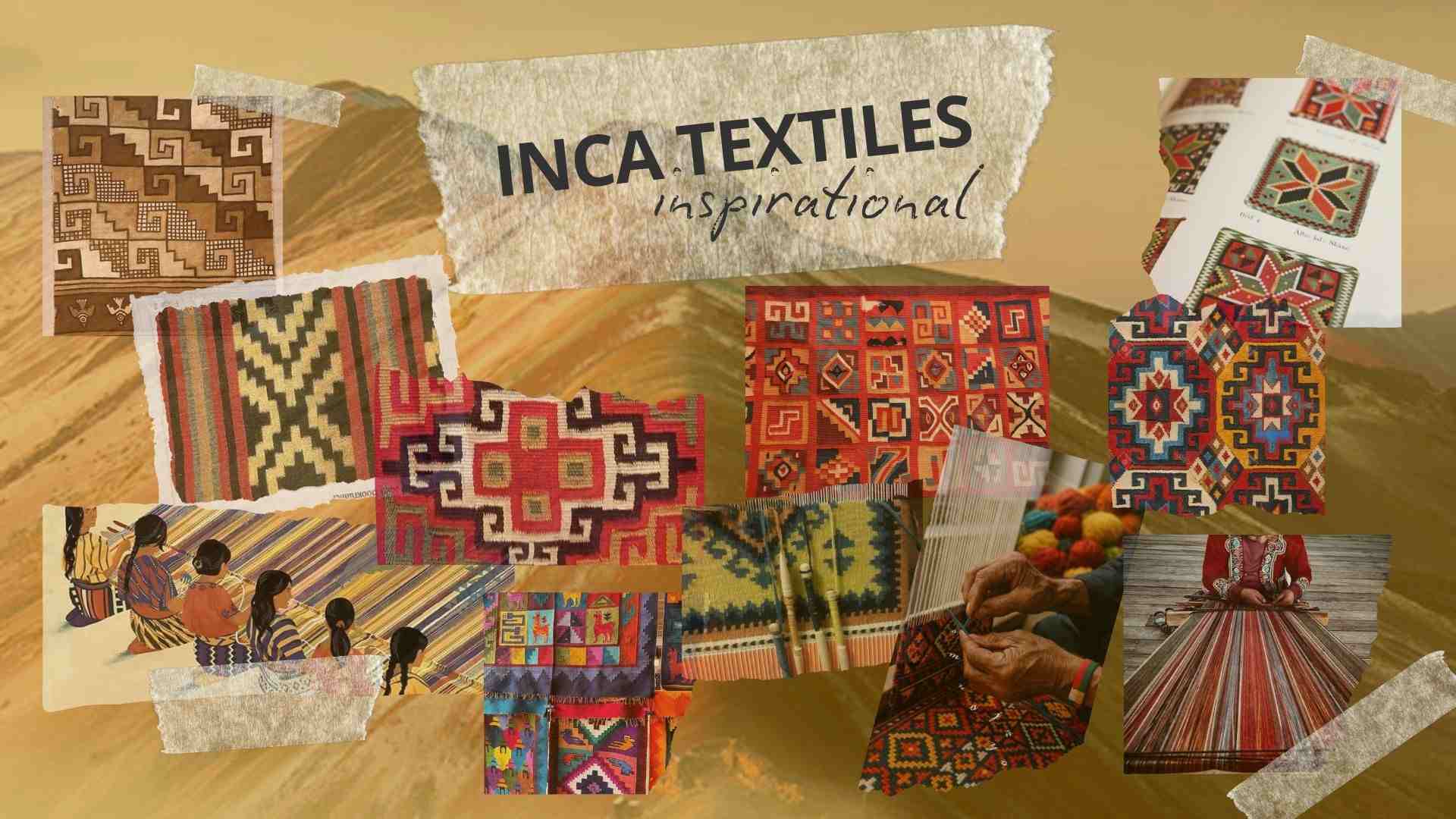
The Incas favored abstract geometric designs, frequently repeating simple, interconnected square and triangle patterns. Similarly, their depictions often included animal and plant motifs, yet omitted their rituals or common Andean imagery—such as hybrid human-animal creatures—which were prevalent in their ceramic art.
With this in mind, I searched for images of these textiles to understand the geometry they used and to conceptualize a decorative piece for the home. Thus, based on the following collage, I decided to craft a decorative table runner.
2. Tools
3. Process and workflow
3.1 Step 1: Paper design and prototyping
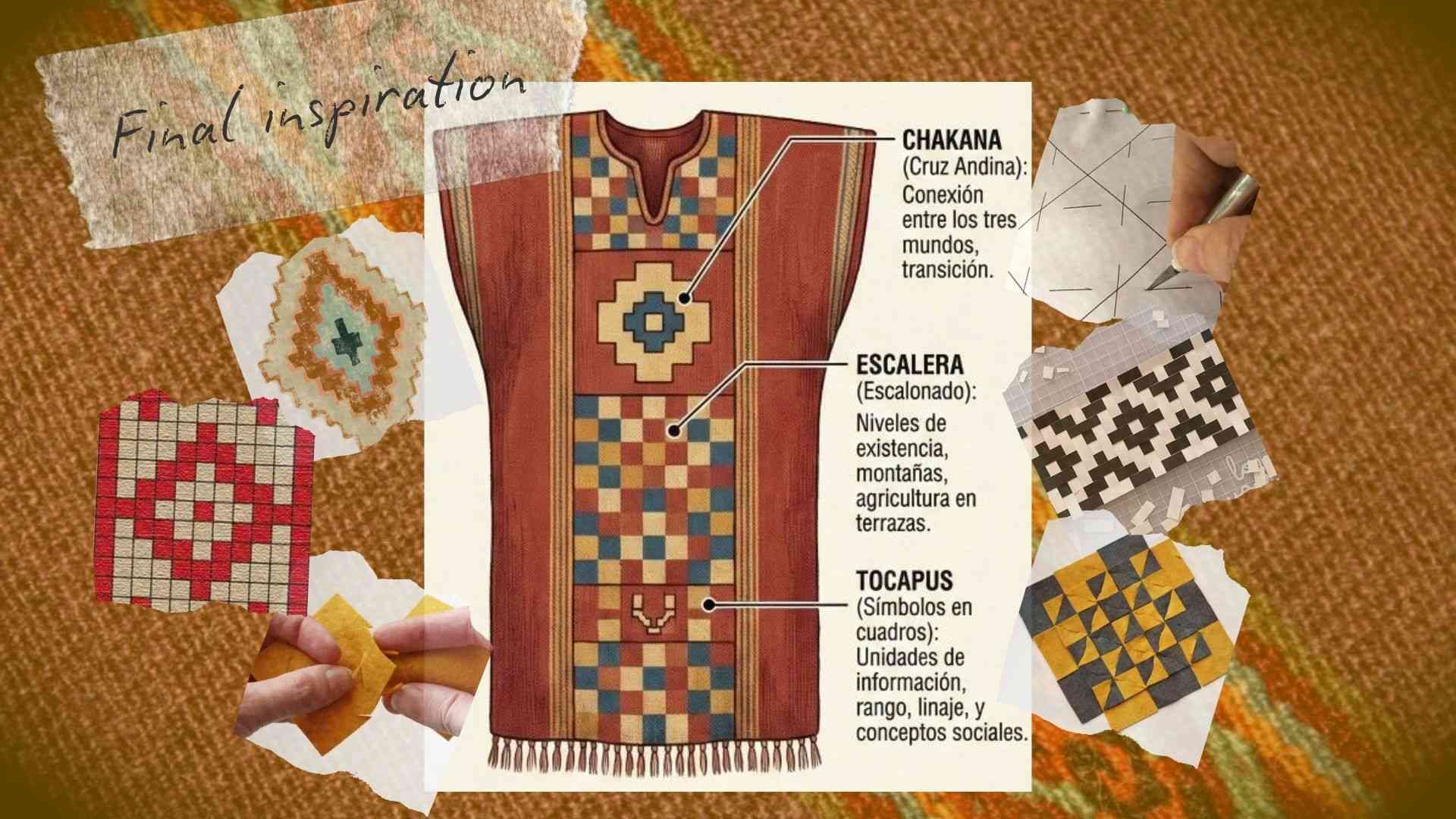
To design the table runner, I first had to consider which geometric shapes to use. In this regard, the following image shows my final inspiration, where I decided to focus on squares and rectangles for my paper sketches, as well as a guide on how to make it.
Once the overall image was set, I started figuring out how to join the squares together, and honestly, this was the hardest part of the whole process. I couldn't figure out what kind of notch or cutout to make in the squares, what shape and size the connectors needed to be, or if it would even work. After all that mental block, I decided to just go ahead with the first connection idea that popped into my head.
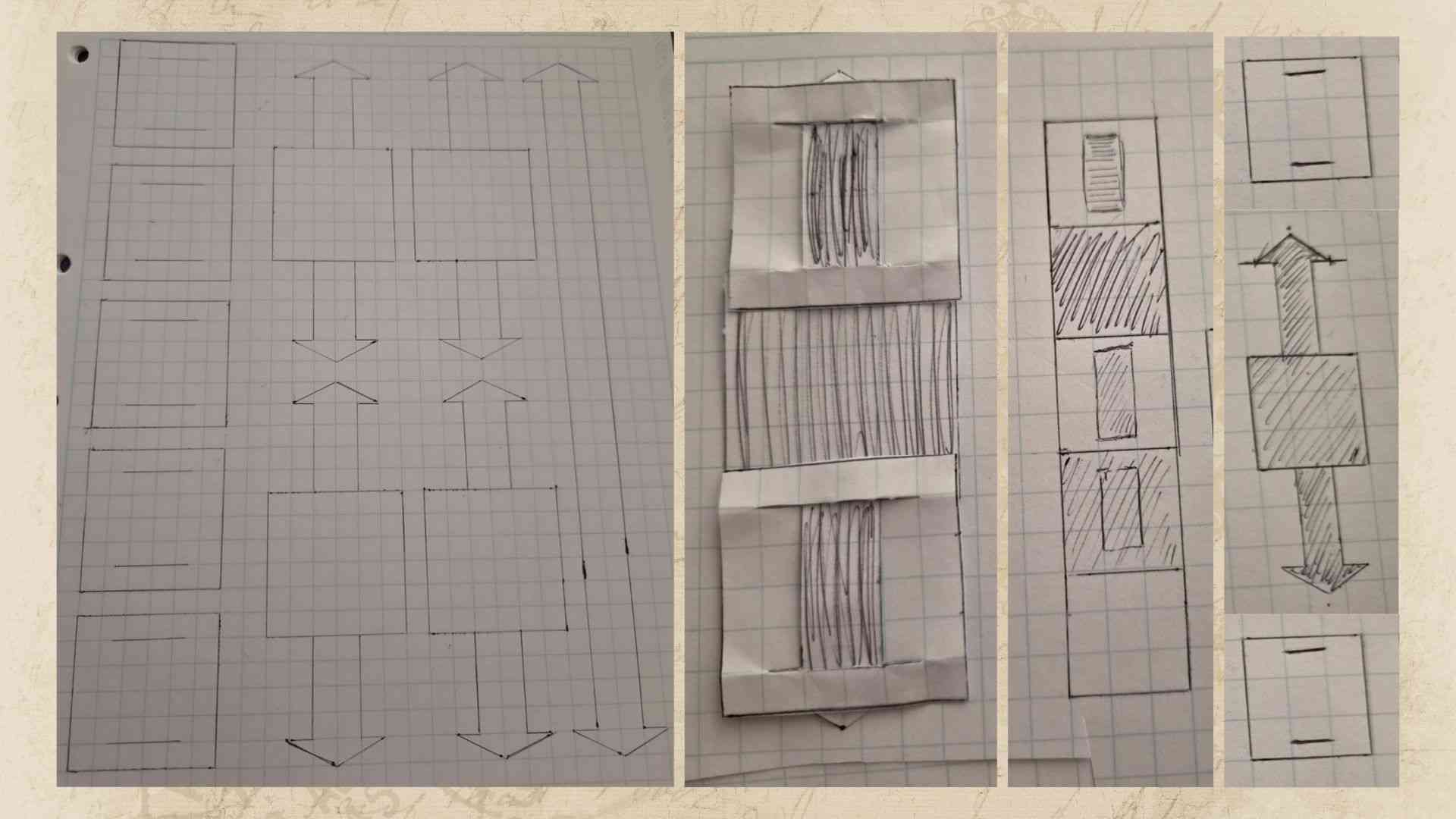
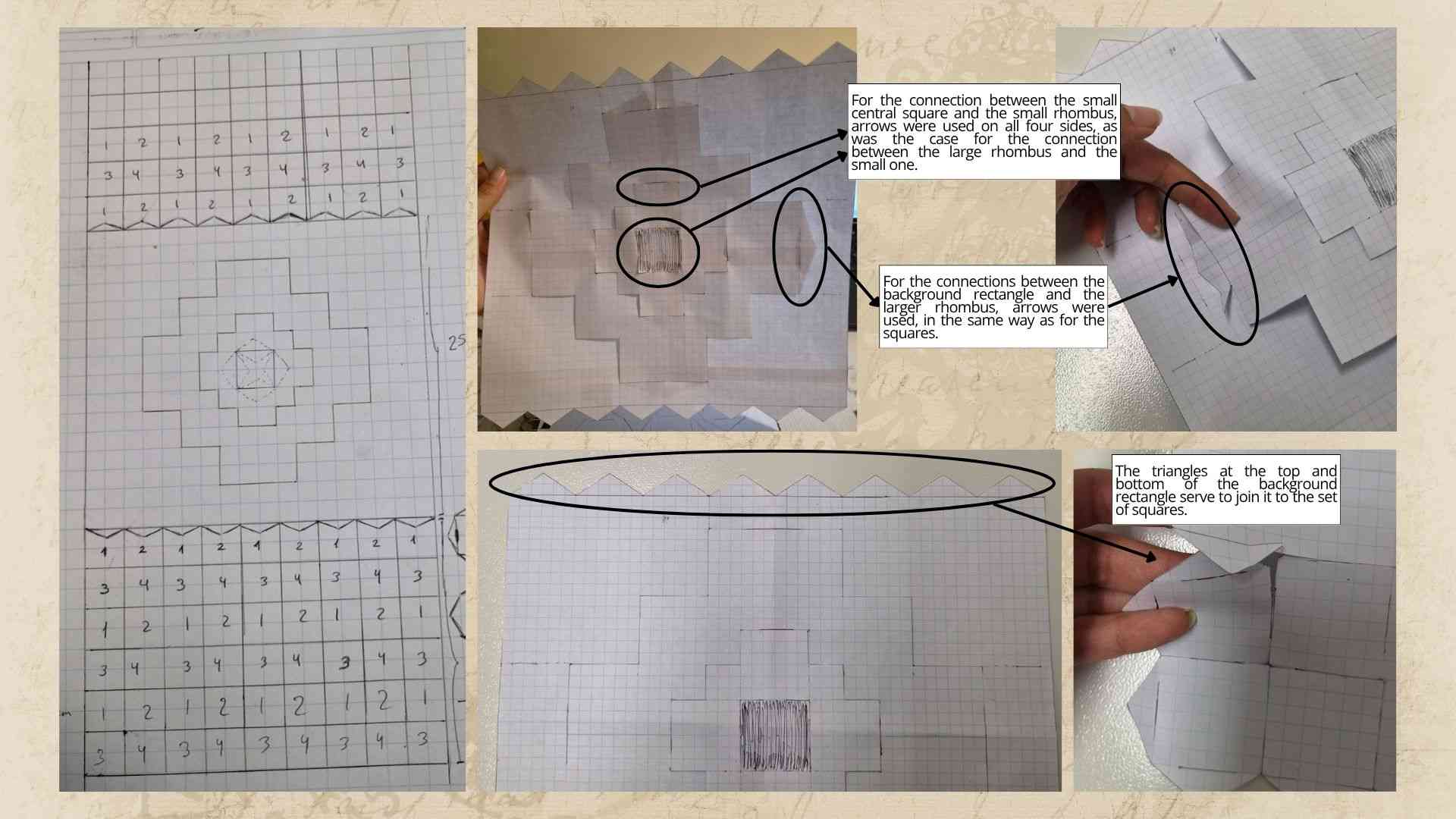
I looked at the result when the pieces were joined together, and to be honest, I didn't really like it. They were not the squares or the connectors I had in mind. So, I researched how students from previous years had done it, and I realized that my previous model was actually correct regarding the concept of using arrows as connectors between the squares. However, I needed to consider placing those arrows attached to each side of the square, with slight notches at the ends and in the center to create the connections.
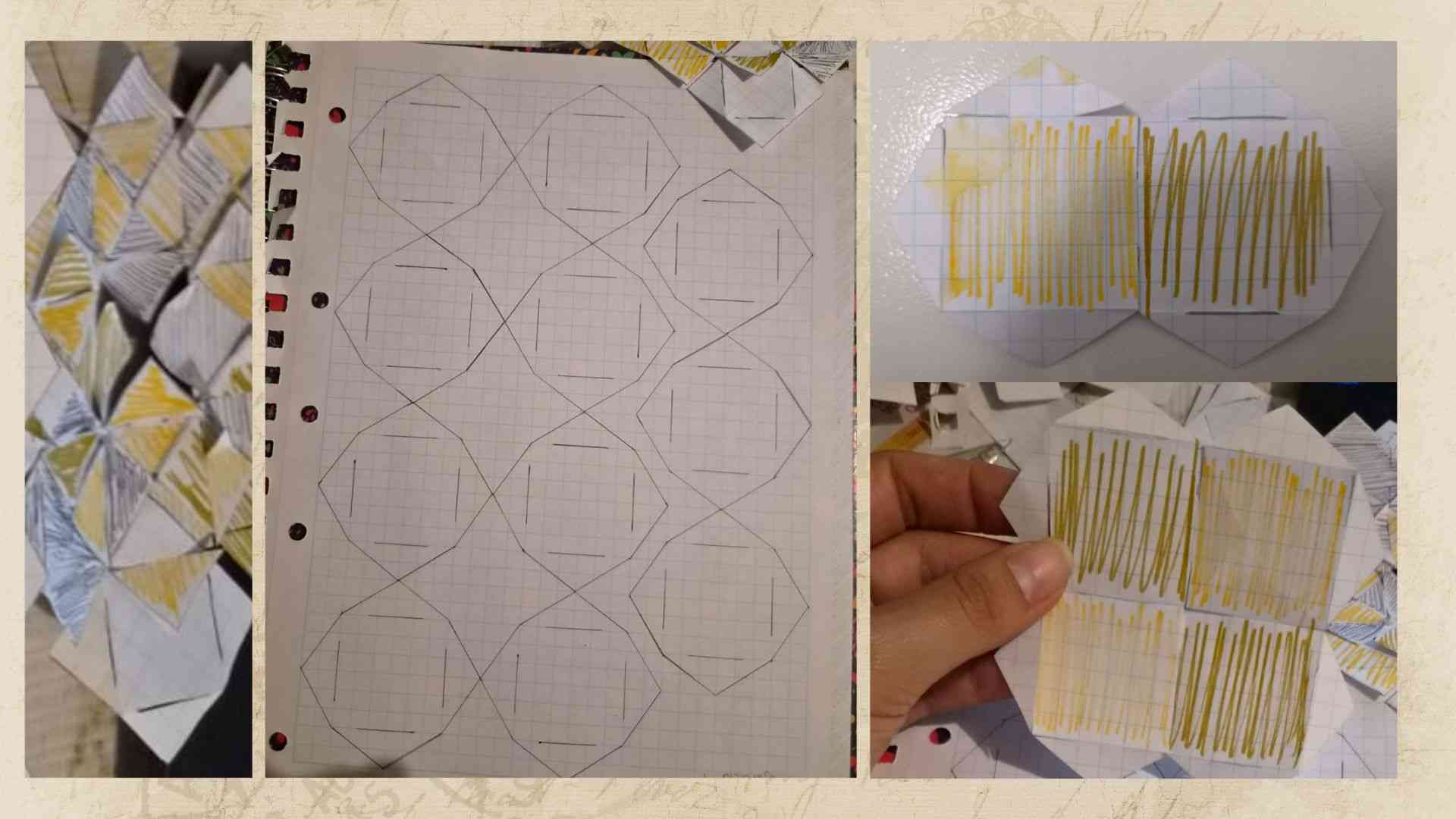
Having mapped out the connection between the squares, I decided to sketch on paper how the textile would look, but I still needed to design the central diamonds. For this, I drew them and applied the same connection concept as with the squares, where I drew the outer rectangle with several triangles—at both the top and bottom—simulating a set of arrows to join the rectangle to the squares. It is worth noting that the size of the squares was 6 x 6 grid units, the arrows were 2 x 6 grid units, and for the diamonds together with the large rectangle, I extrapolated the dimensions based on these previous measurements.Having mapped out the connection between the squares, I decided to sketch on paper how the textile would look, but I still needed to design the central diamonds. For this, I drew them and applied the same connection concept as with the squares, where I drew the outer rectangle with several triangles—at both the top and bottom—simulating a set of arrows to join the rectangle to the squares. It is worth noting that the size of the squares was 6 x 6 grid units, the arrows were 2 x 6 grid units, and for the diamonds together with the large rectangle, I extrapolated the dimensions based on these previous measurements.
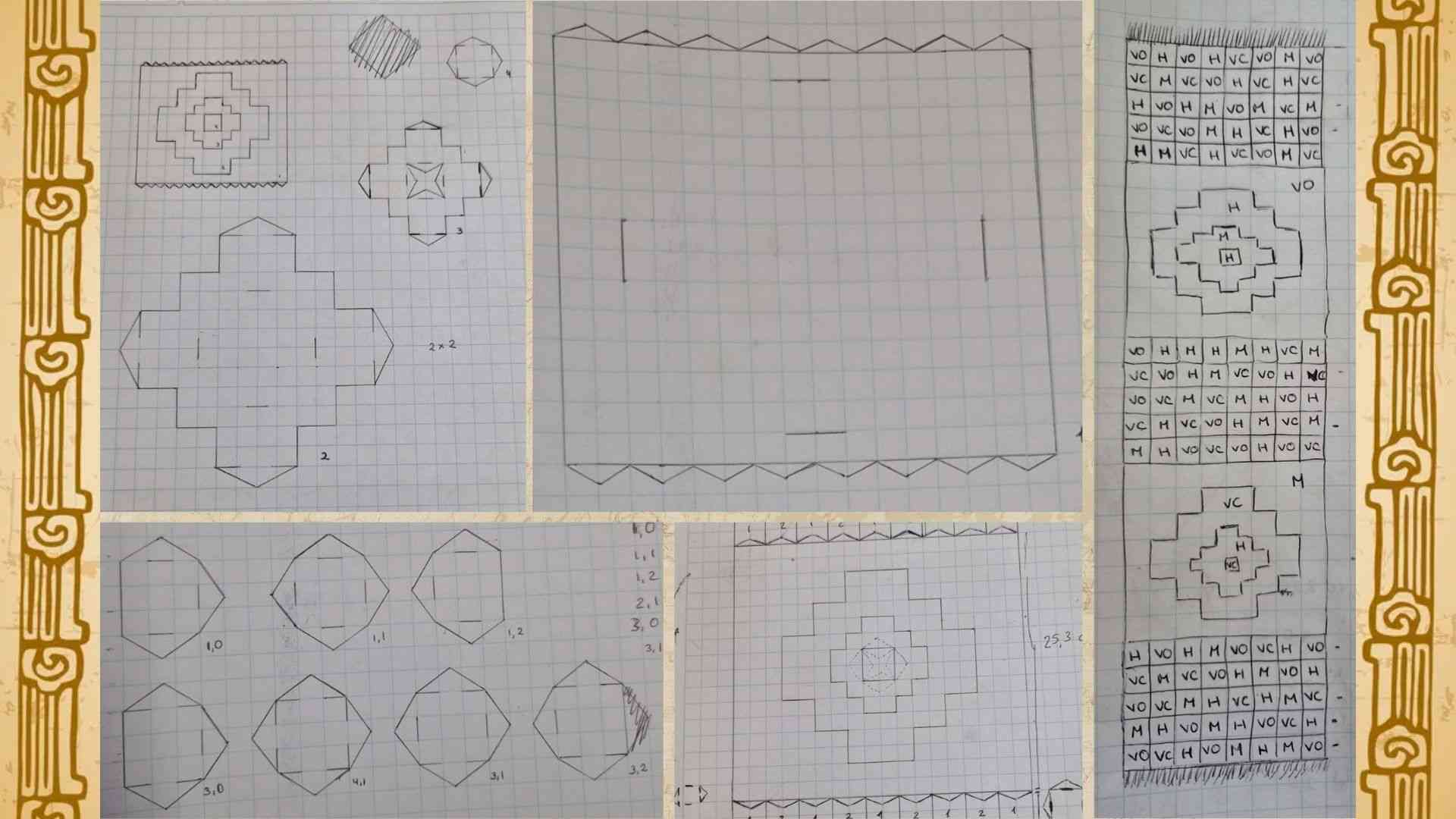
Finally, the image below shows the final sketches ready for 2D software design, and the photo on the right illustrates what the table runner will look like alongside the color code assigned to each shape.
3.2 Step 2: Design and 2D digital prototype
For the 2D design, I used Autodesk Fusion. I downloaded the software, and at first, it was a bit challenging to understand how it worked and how to draw a geometric shape from scratch. After reviewing that week’s class and watching a few extra tutorials, I managed to start designing a square using the 'Line' and 'Select' tools. I discovered that utilizing these tools would assist me throughout the entire design process for each shape in my textile.
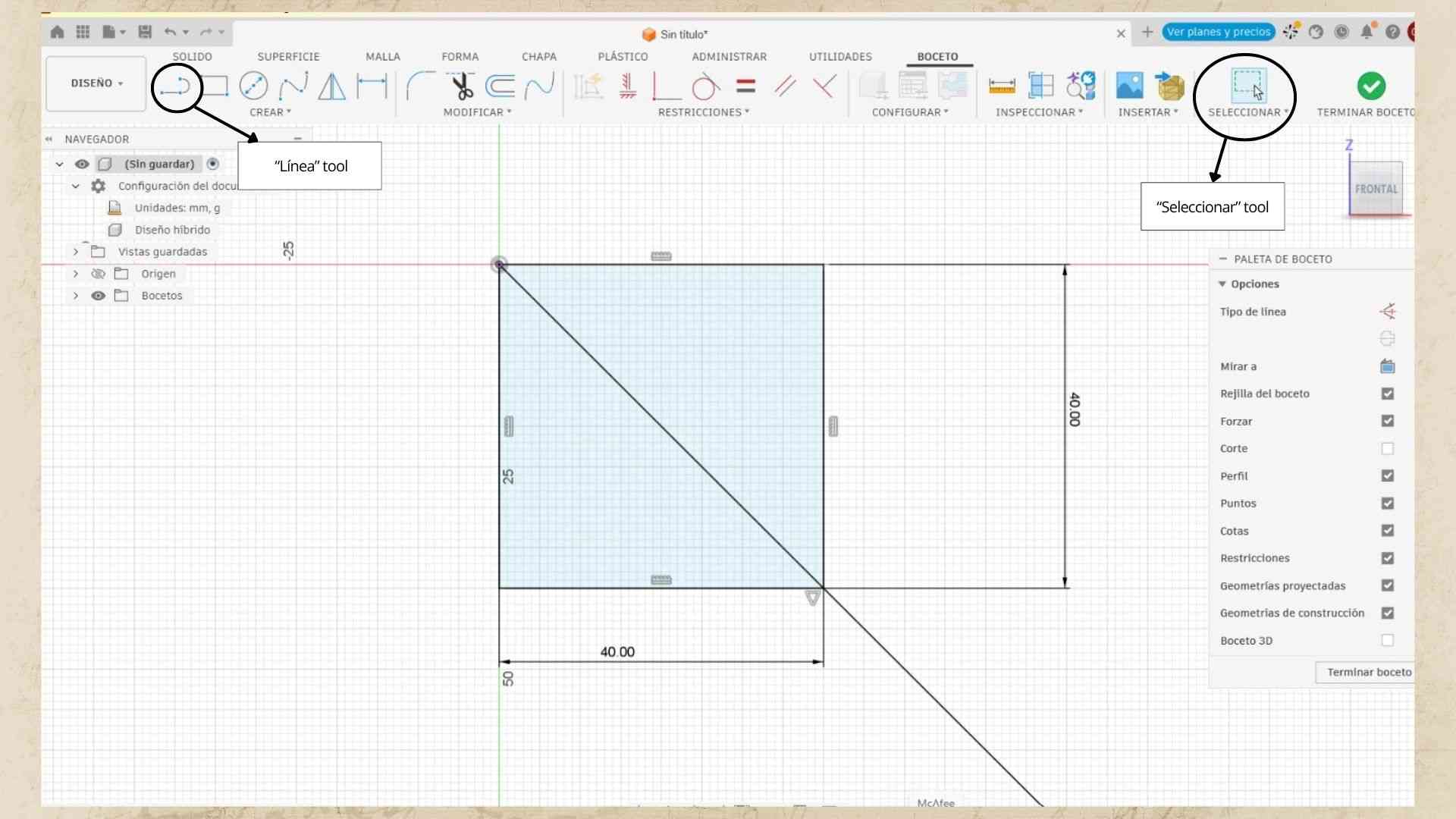
Additionally, I had taken into account that the dimensions for my 2D shapes would change, as the paper measurements differed from those in the software. In this regard, after measuring the squares I drew on paper (approximately 4.65 x 4.65 cm), I realized that working with whole numbers or values without many decimal places would make designing each shape much easier.
Thus, to define the dimensions of each side, I used the 'Sketch Dimension' tool, which also allowed me to constrain each side of my shape.
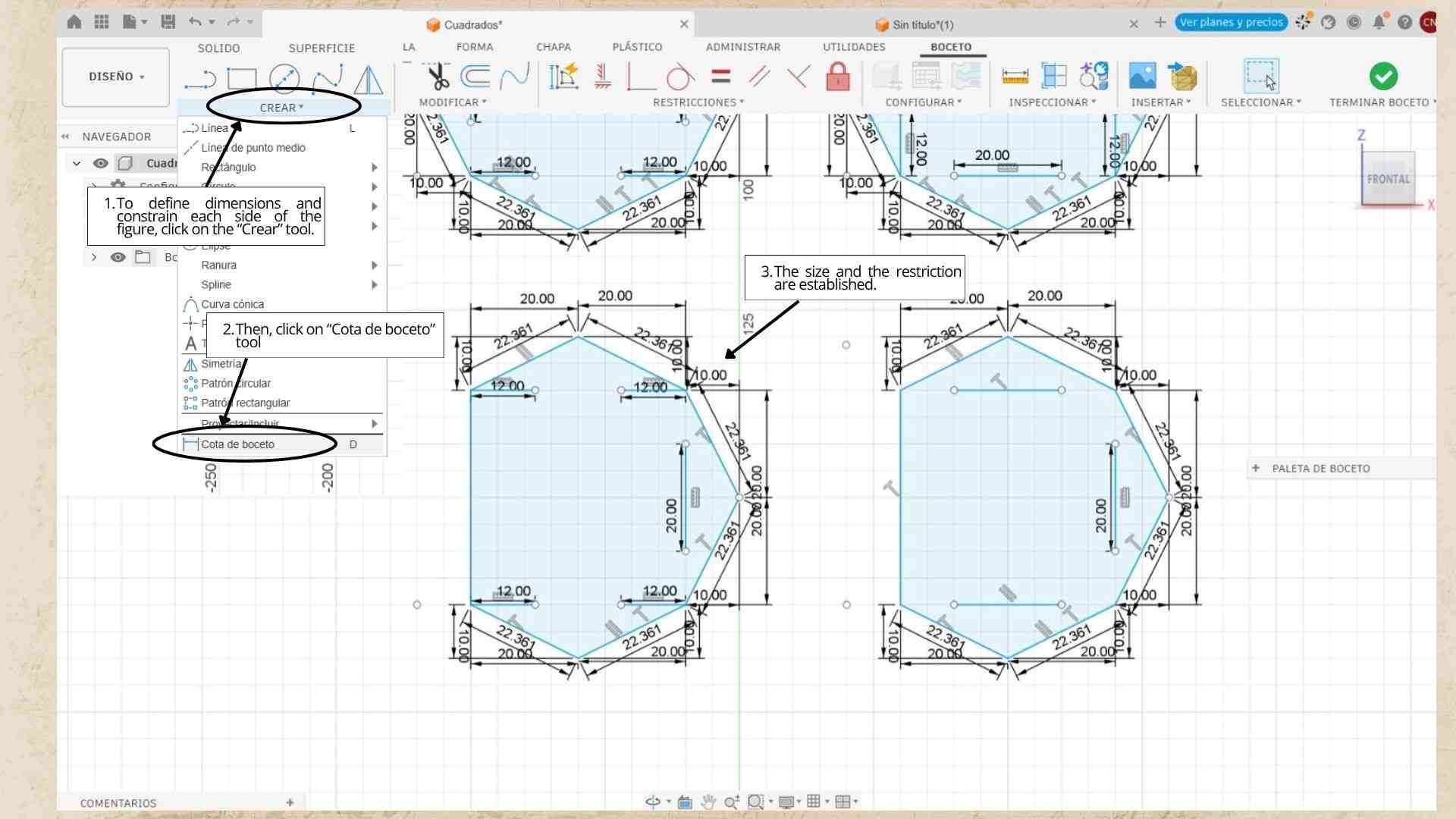
With all of this, I designed each shape for every part of my textile, keeping dimensions similar to those on paper, in order to arrange my pieces on a template which I then exported as a DXF file for the next step. It should be noted that the measurements used on paper were in centimeters (cm), whereas in the program, we work in millimeters (mm).
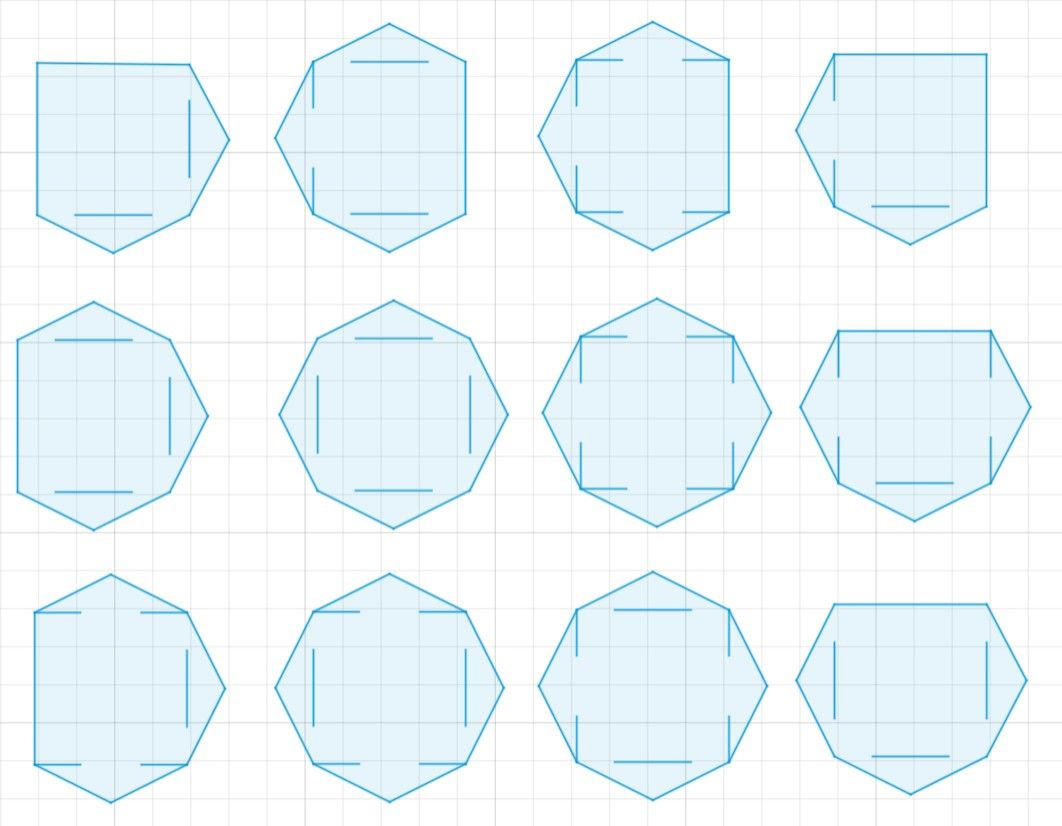
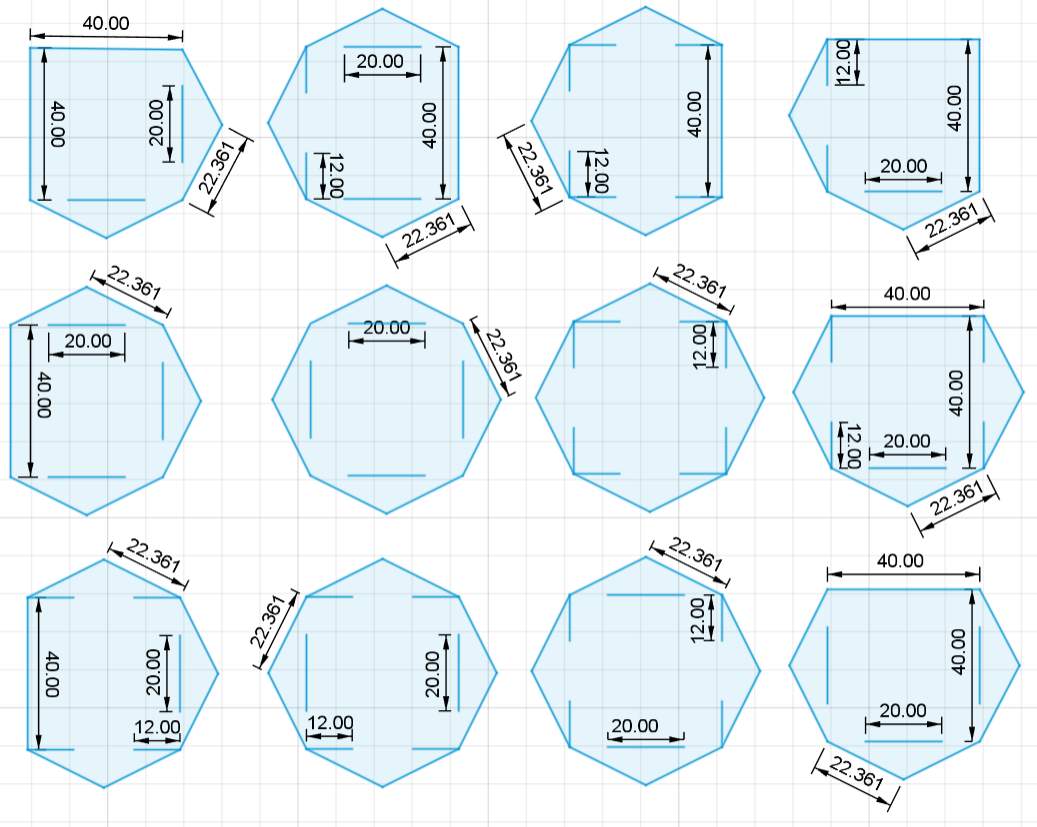
.jpg)
.1.jpg)
.1.jpg)
3.3 Step 3: Laser cutting process
I transferred the resulting template to the Trotec Laser software, where I arranged the pieces according to the quantity required for each color.
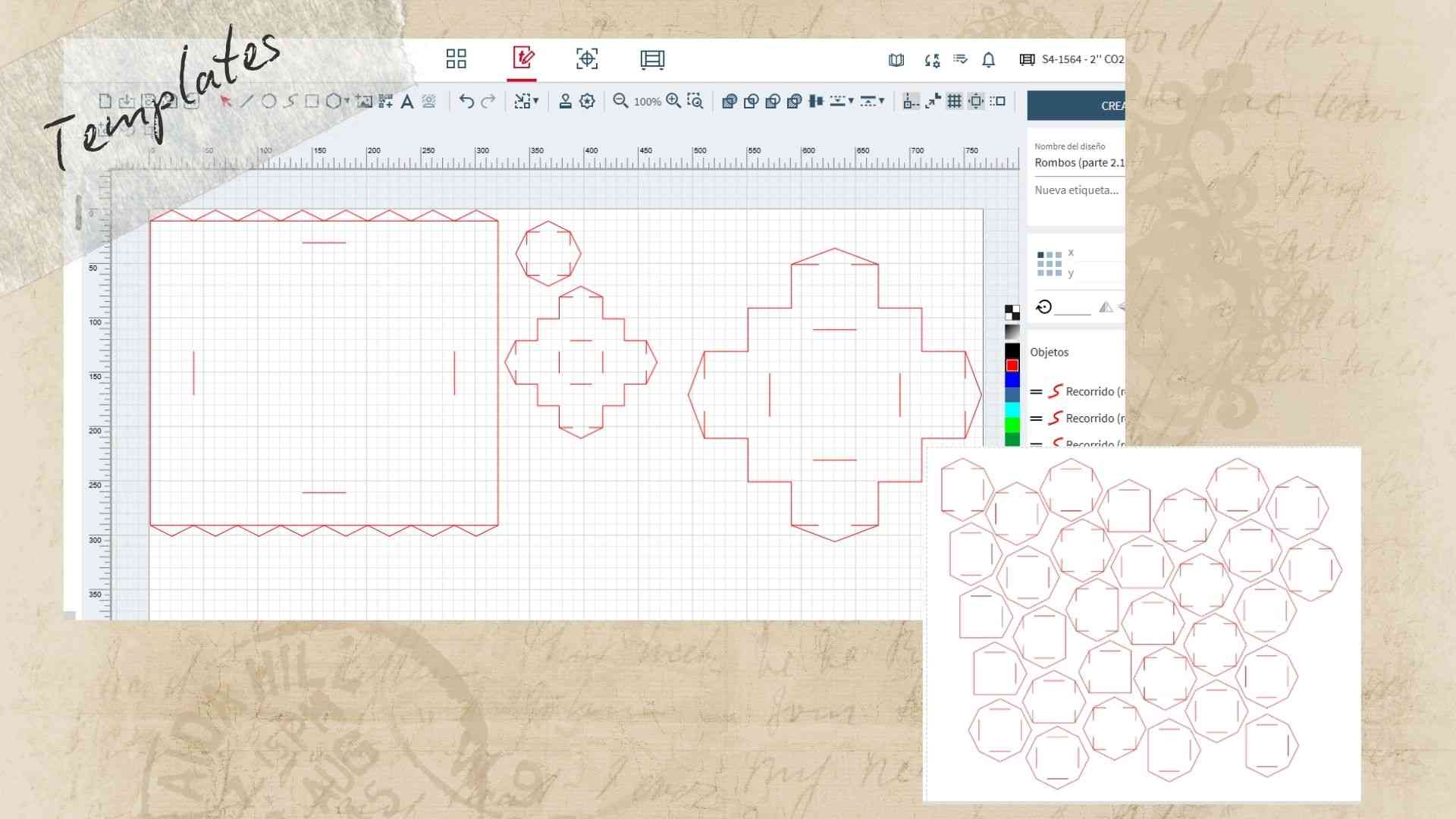
I verified that the dimensions of each shape were accurate and configured the software settings taking into account that the fabric I was going to use was felt with a thickness of 1.65 mm.
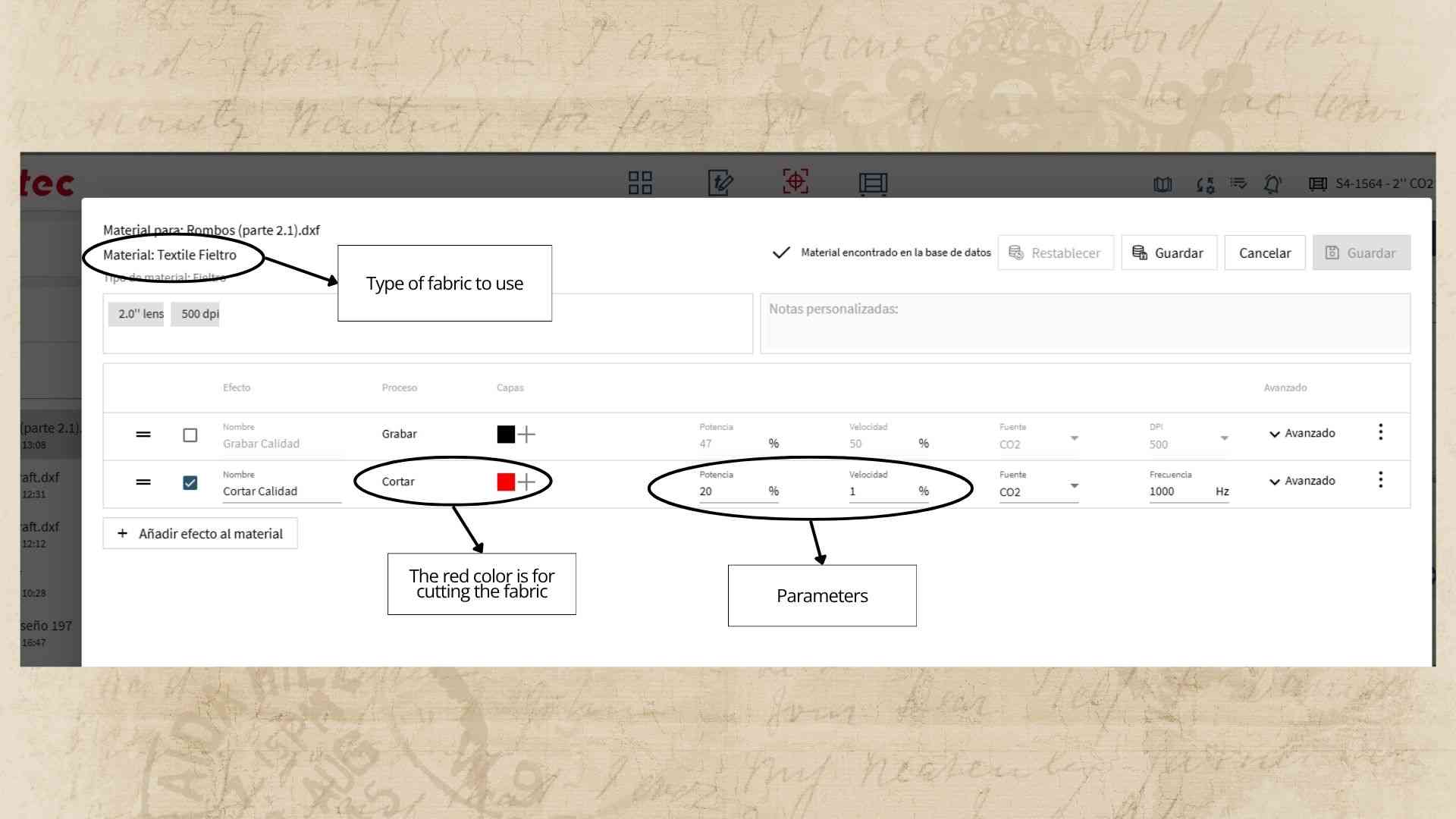
Finally, I sent each of my templates to be cut to obtain the specific number of pieces needed to assemble my textile.
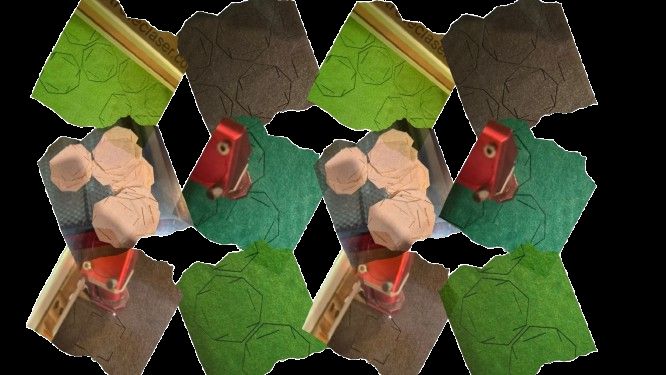
3.4 Step 4: Assembly of parts
With everything ready, I began assembling the pieces according to the sketch I had created, following its respective legends for both colors and shapes.
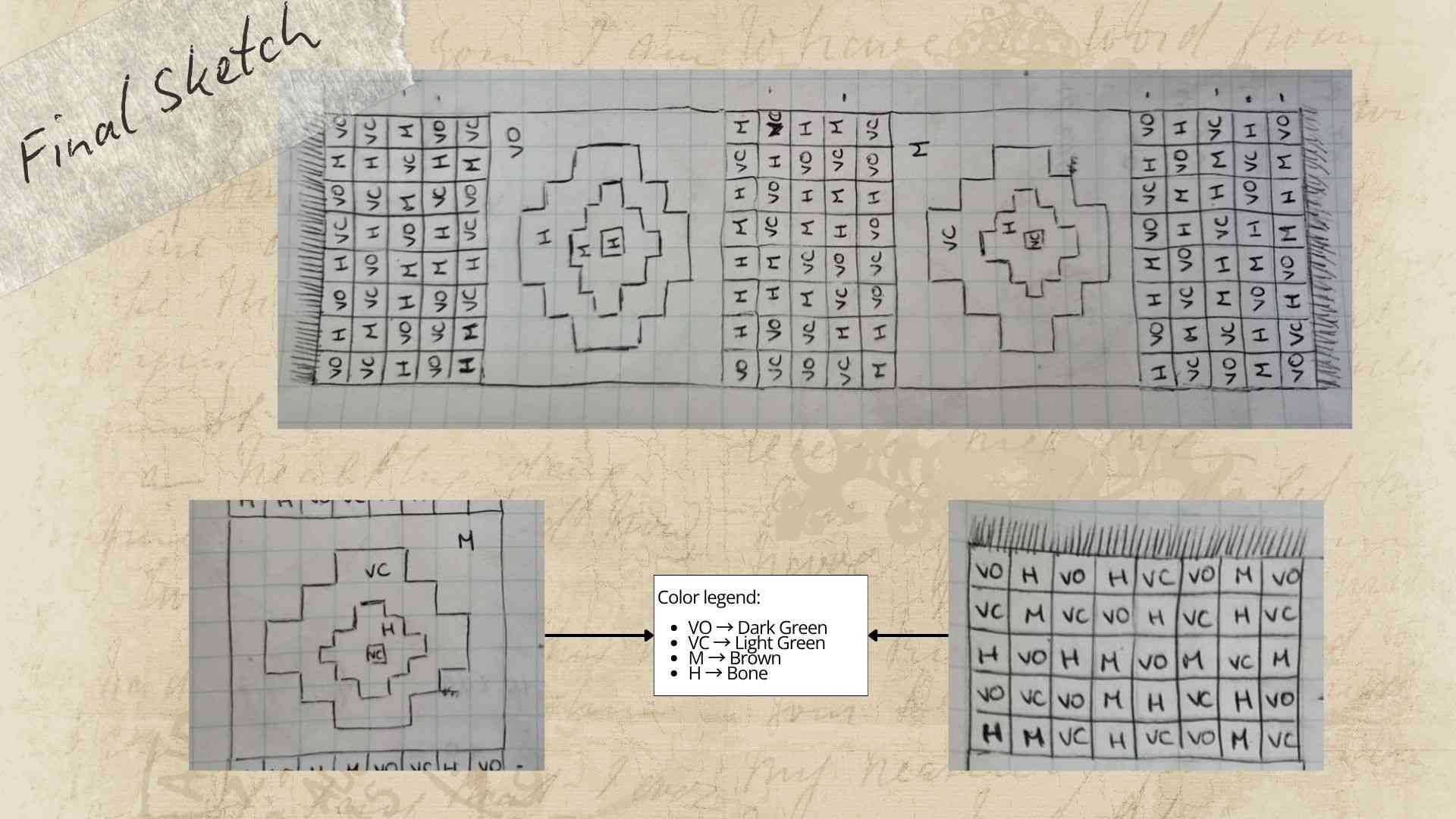
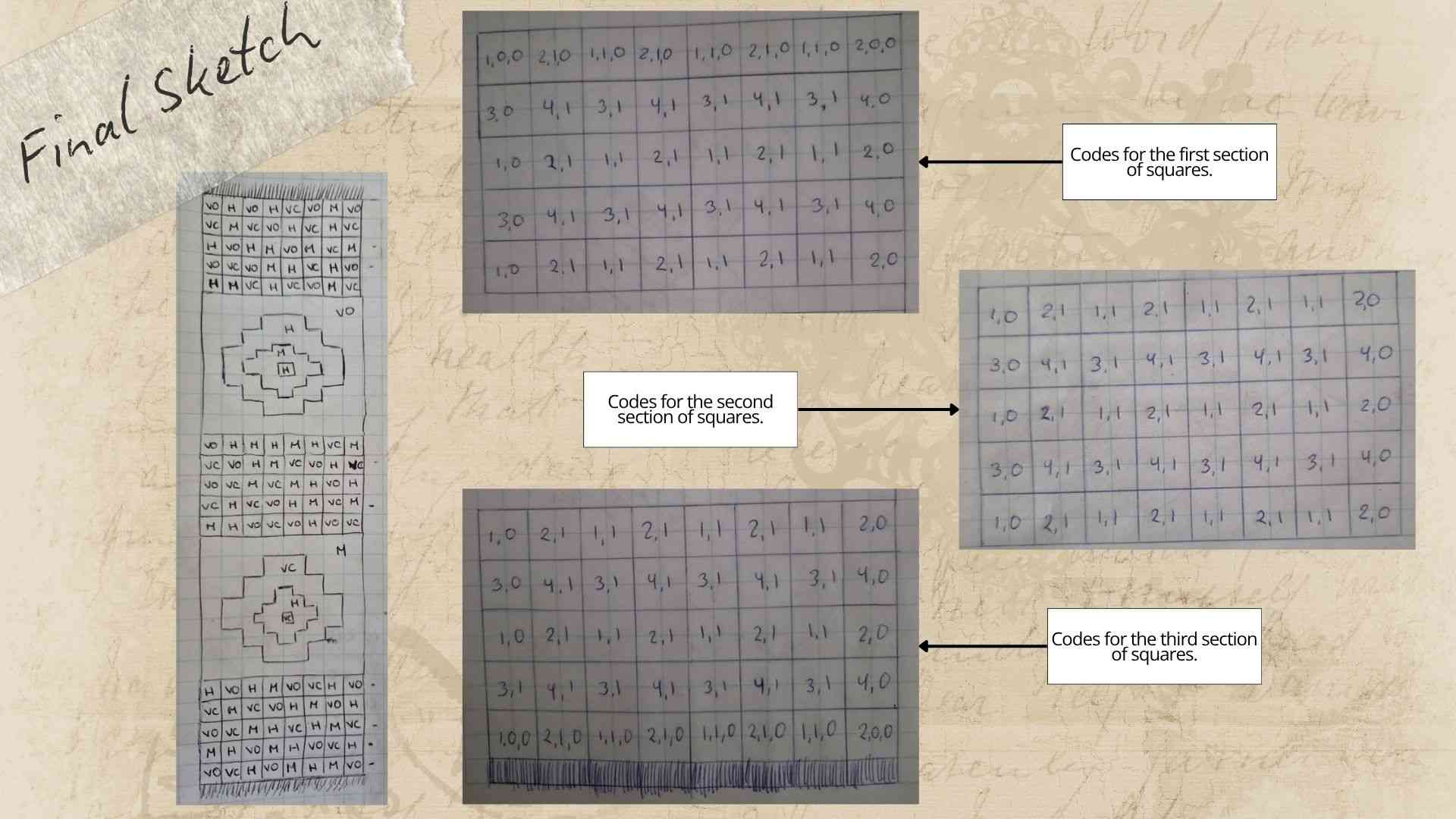
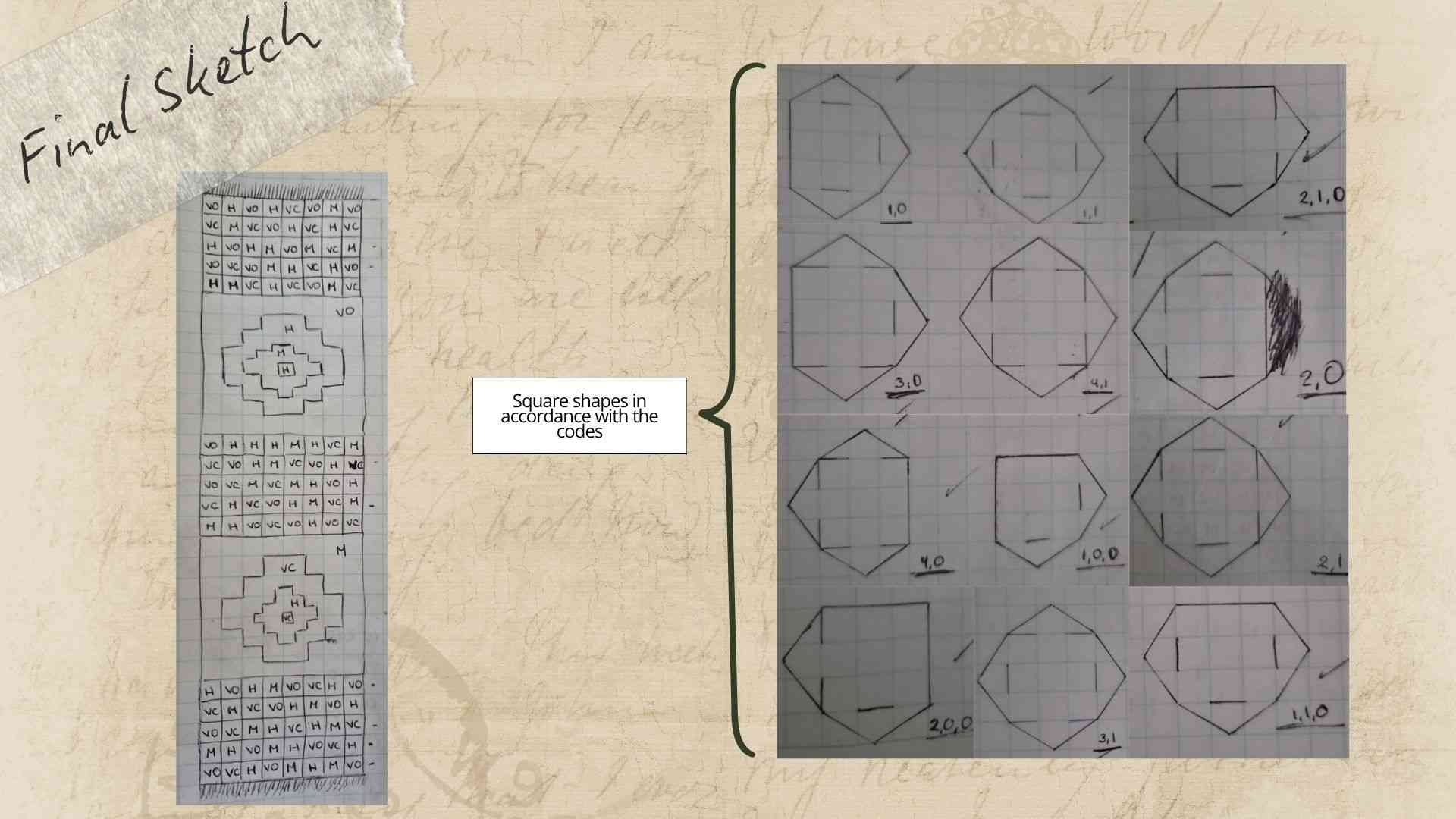
Finally, the following video demonstrates the step-by-step assembly of the textile using the laser-cut pieces.
4. Results
The result of this work was a beautiful Inca-inspired textile designed to decorate any table.
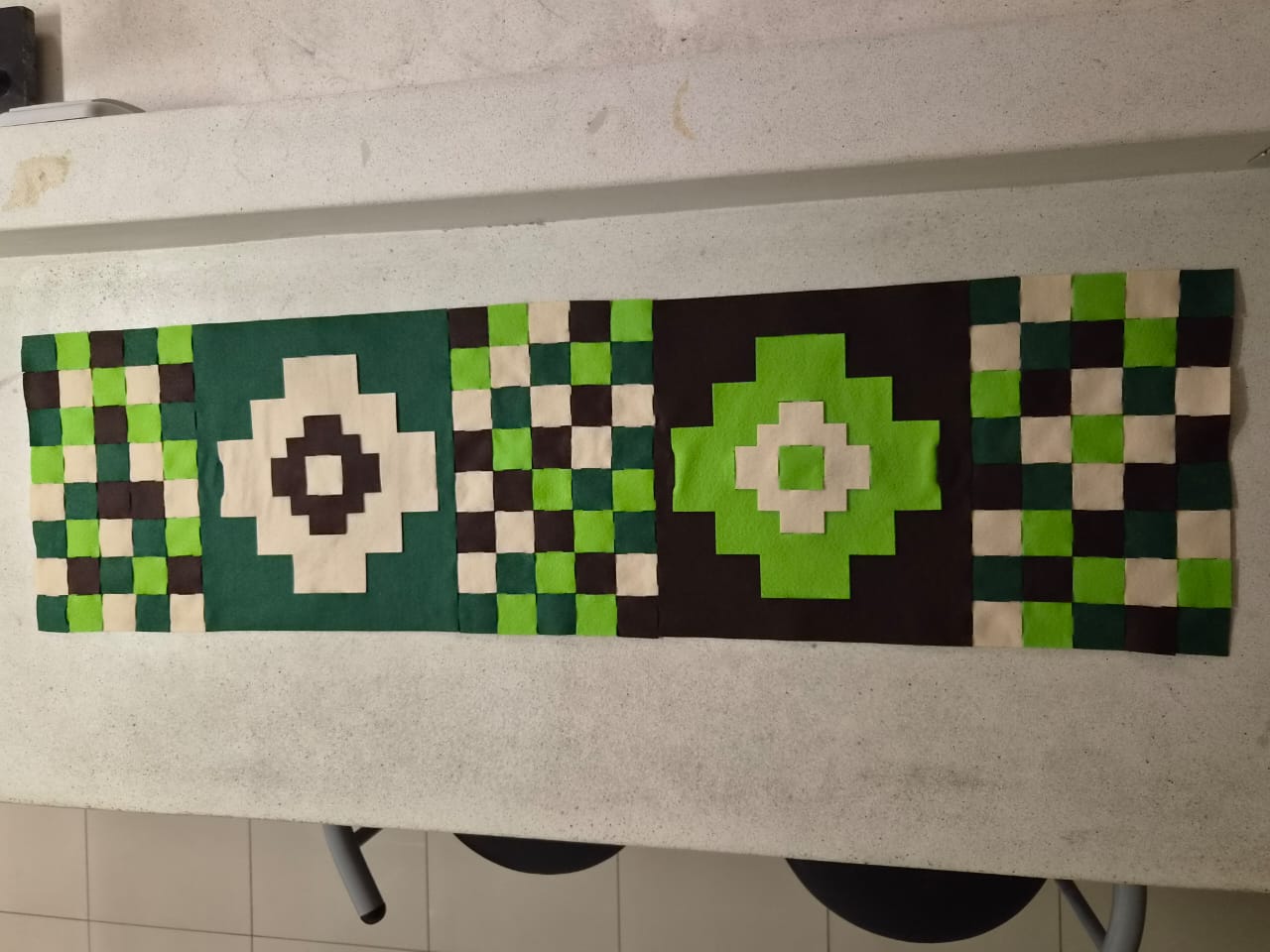
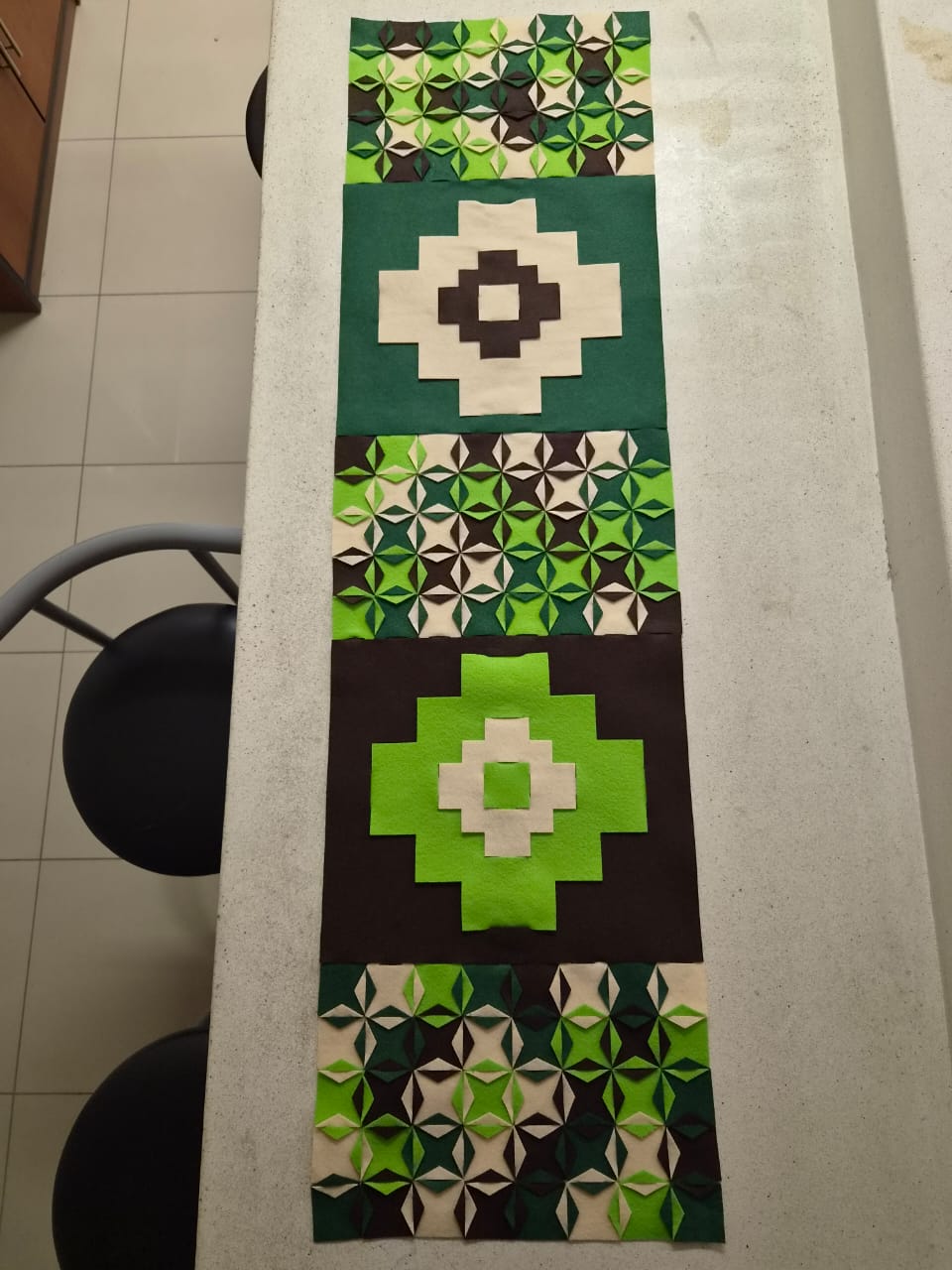
While speaking with some friends and sharing my work, they suggested trying the reverse arrangement, as it created a more abstract and original aesthetic while preserving the Incan essence. Following their feedback, I experimented with swapping the larger pieces and arrived at the final result shown below.
Once completed, I decided to wrap the runner in a gift bag and surprise my mother for her birthday. The look of joy on her face meant the world to me, and knowing she loved it made all the hard work completely worth it.
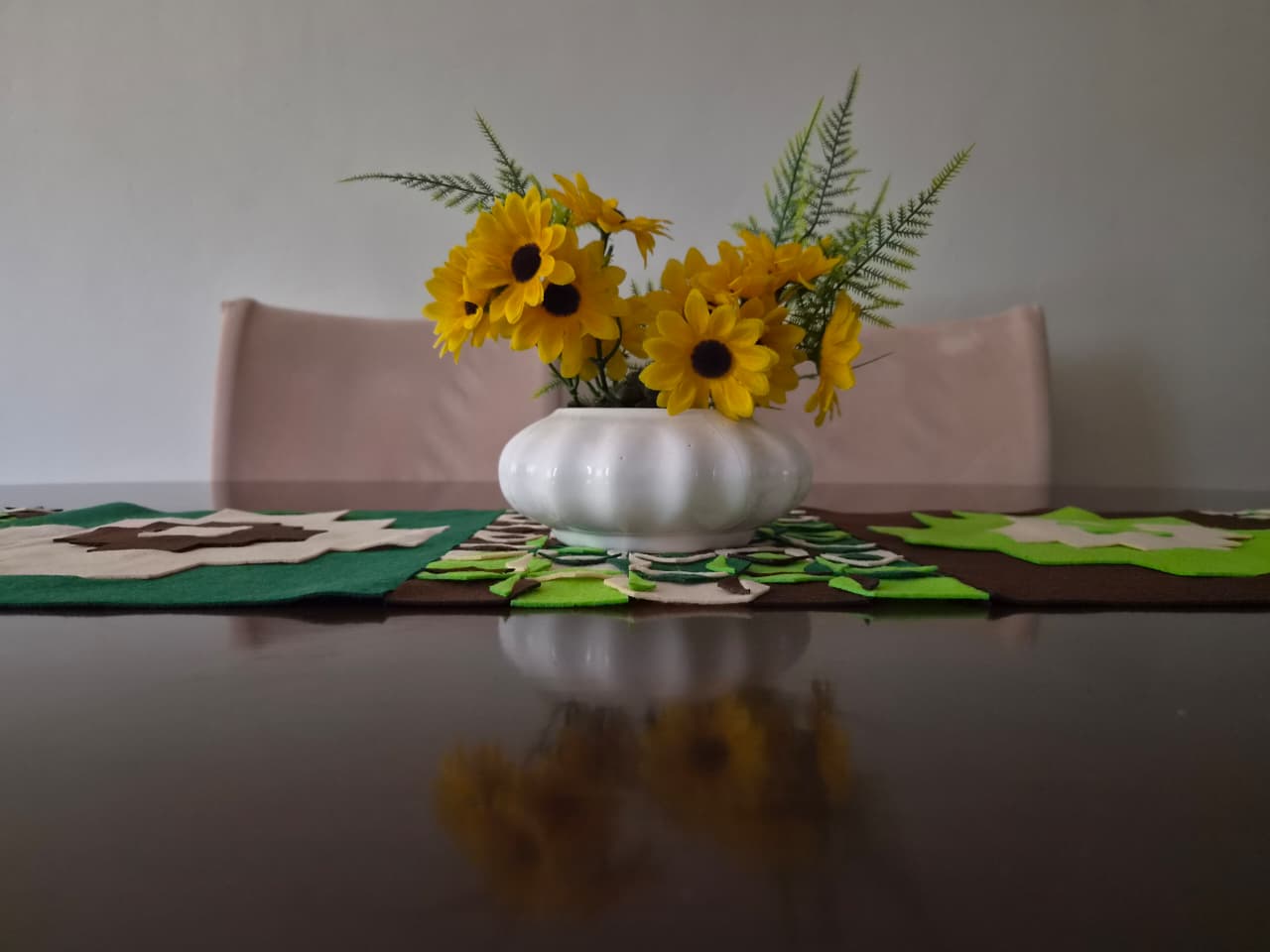
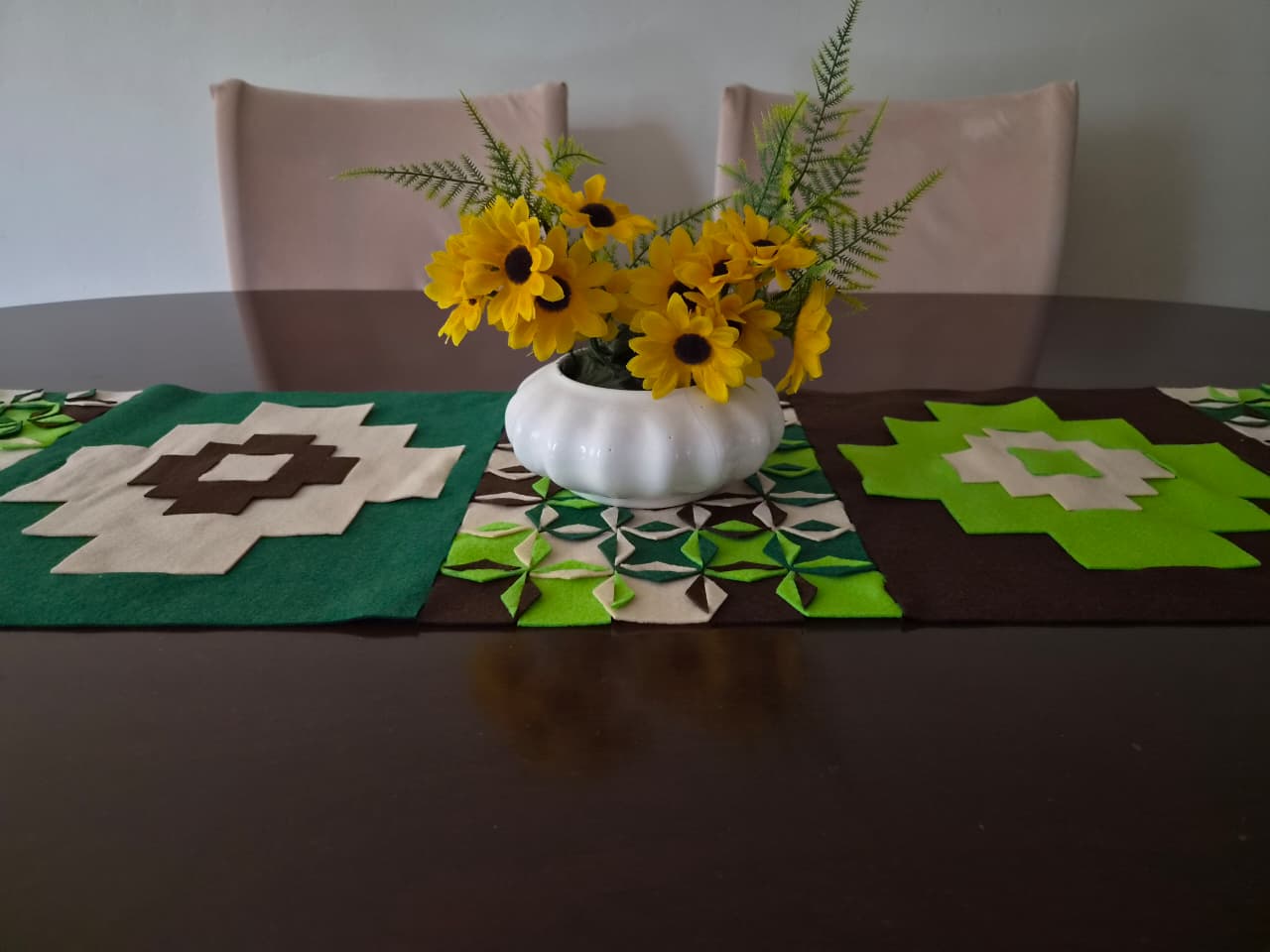
A few minutes later, my mother placed the runner on her table alongside her yellow flowers to decorate the dining room.
5. Weekly reflection
- I came to understand that you don't need to overthink before beginning to create and design forms and shapes, as ideas organically fall into place along the way.
- This project sparked my curiosity to experiment with other types of fabrics, particularly within the field of biomaterials (bio-leather, bioplastics, etc.).
- I realized that there are no limits to creation and that impressive pieces can be crafted without ever needing a needle and thread.
6. Fabrication files & References
-
Boleto Machu Picchu. (2026, 30 de abril). Arte textil inca: tradición y simbolismo en el Qhapaq Ñan https://www.boletomachupicchu.com/textileria-incaica-arte-cosmovision/ ↩
-
Cartwright, M. (2022, 24 de junio). Tejidos incas (C. A. Sequera B., Trad.). World History Encyclopedia. https://www.worldhistory.org/trans/es/2-791/tejidos-incas/ ↩
-
File: Squares pieces ↩
-
File: Rhombus pieces ↩