Process
System Architecture
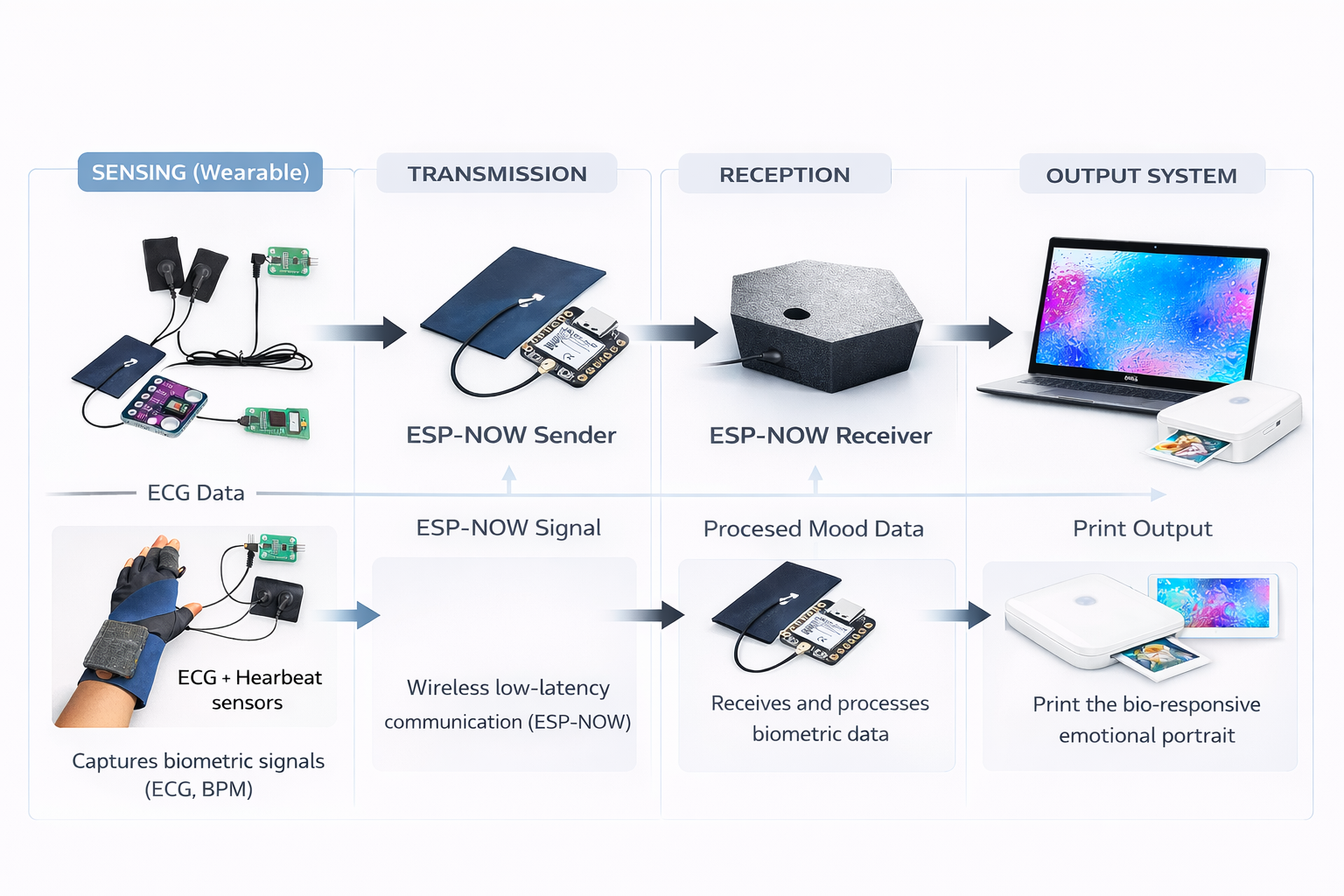
Emotional State Model
The system operates using a small set of non-clinical affective categories:
-
Calm
-
Focused
-
Stable
-
Elevated
-
Intense
These categories represent degrees of physiological activation rather than discrete emotions.
Visual Translation
Each emotional state has a distinct visual language.
| Emotion | Visual Respresentation | BPM Range |
|---|---|---|
| Calm | Soft gradients, slow motion, low contrast | BPM < 60 |
| Focused | Pulsation, rhythmic motion, mild contrast | 60 < BPM < 80 |
| Stable | Bright colors, bursts | 80 < BPM < 95 |
| Elevated | Saturation, noise, expansion, luminous | 95 < BPM < 110 |
| Intense | Concentrated power, structured turbulence | BPM > 110 |
Average Adult Resting BMP
• 55–65 → trained / athletic
• 60–75 → common adult
• 70–85 → slightly elevated baseline
  80–95 → anxious baseline or caffeine
- BPM (Beats Per Minute)
Ideation & sketches
Bracelet
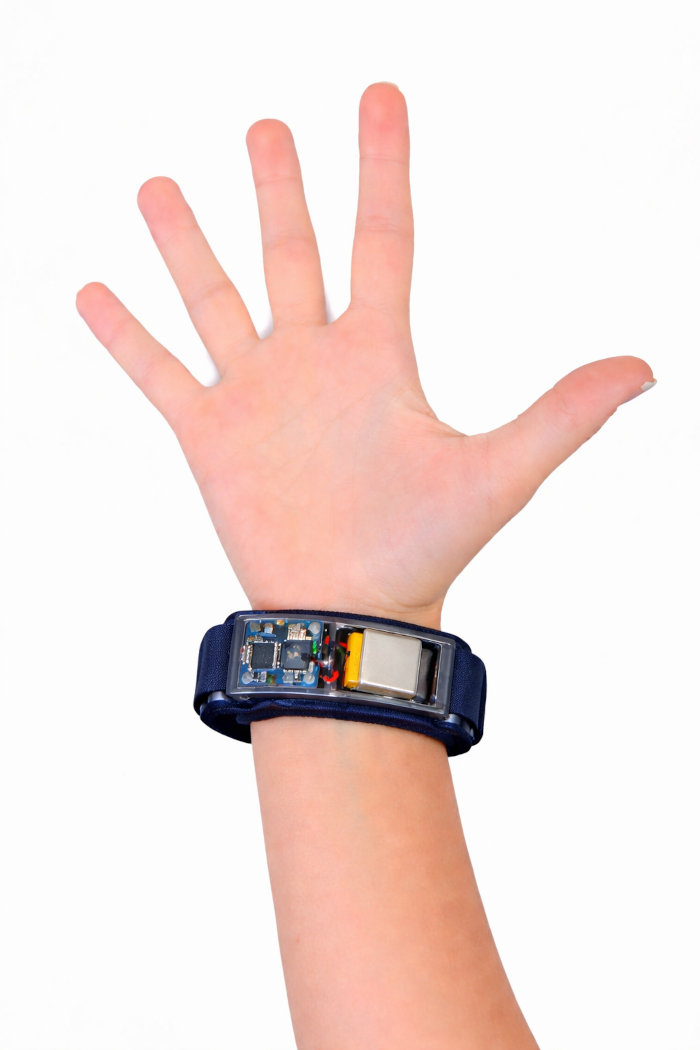
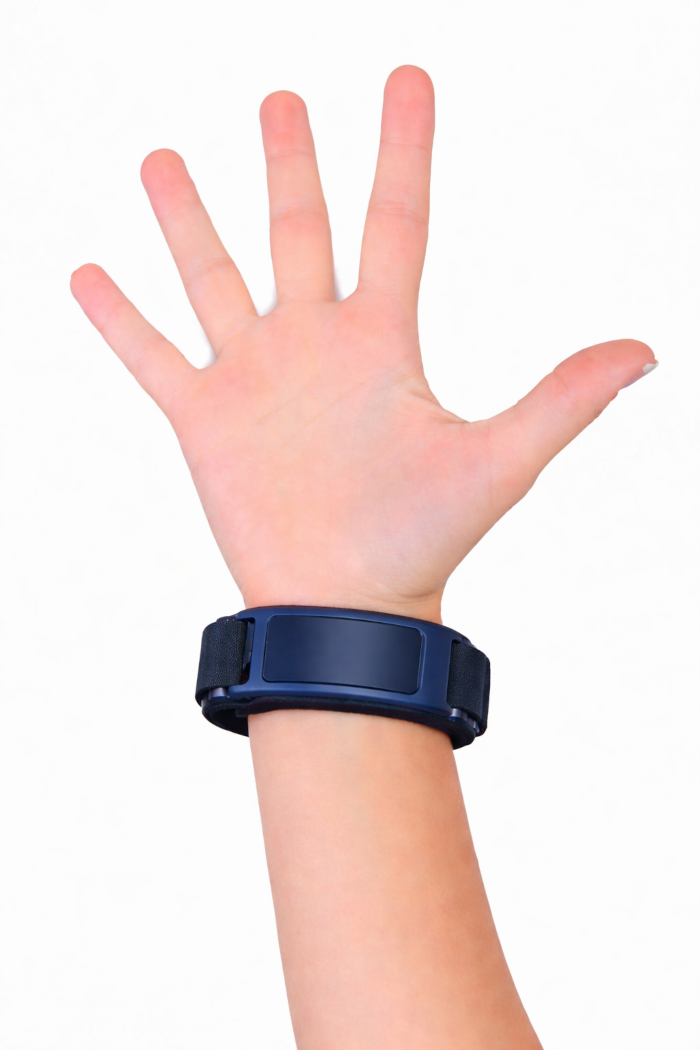
Glove
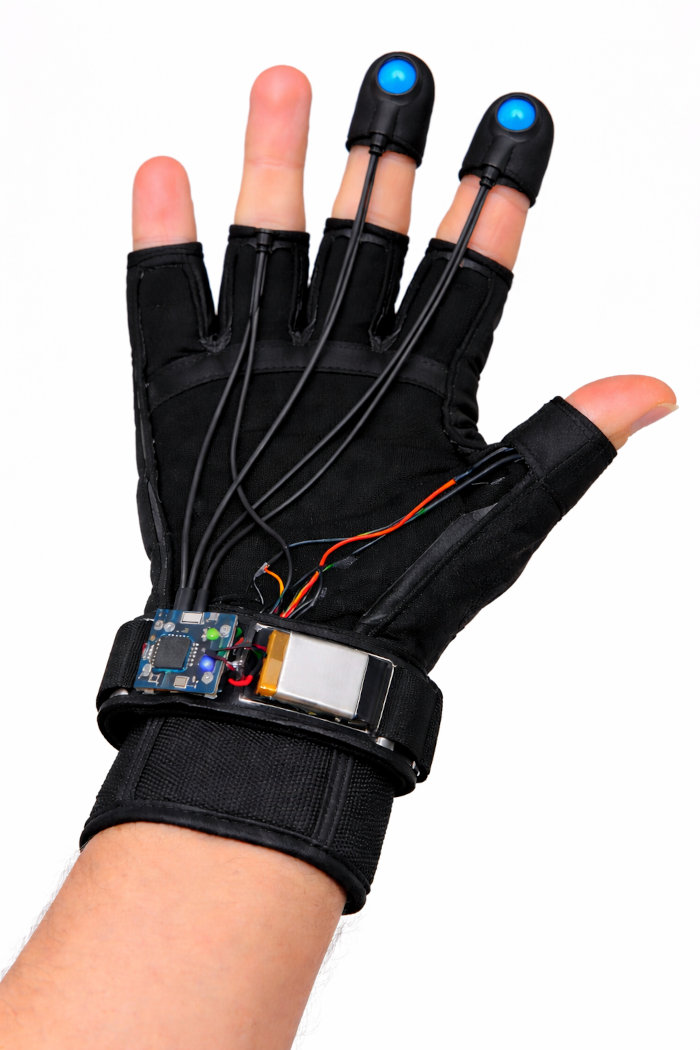
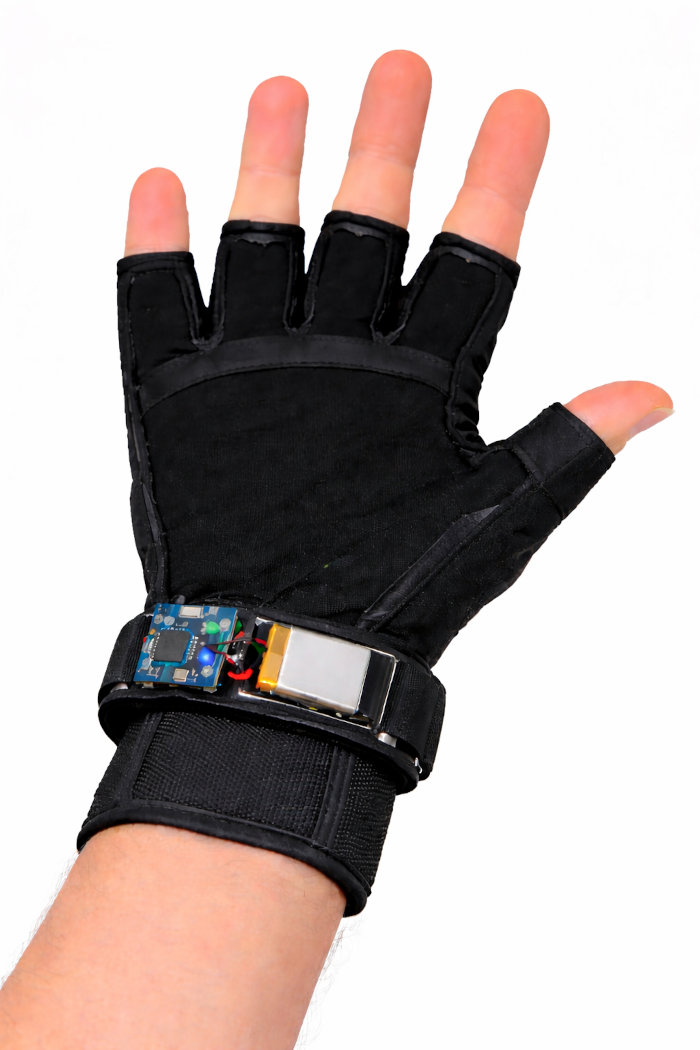
Electronics
Heartbit sensor
To connect the MAX30102 sensor involves an I2C interface, which allows the board to read oxygen saturation and heart rate data. The sensor is primarily designed to be used on parts of the body with thin skin and high blood flow, allowing the red and infrared light to effectively penetrate the tissue and reflect back to the photodetector, such as fingertip, wrist or earlob. It is required to use the SparkFun_MAX3010x_Sensor_Library in the Arduino IDE.
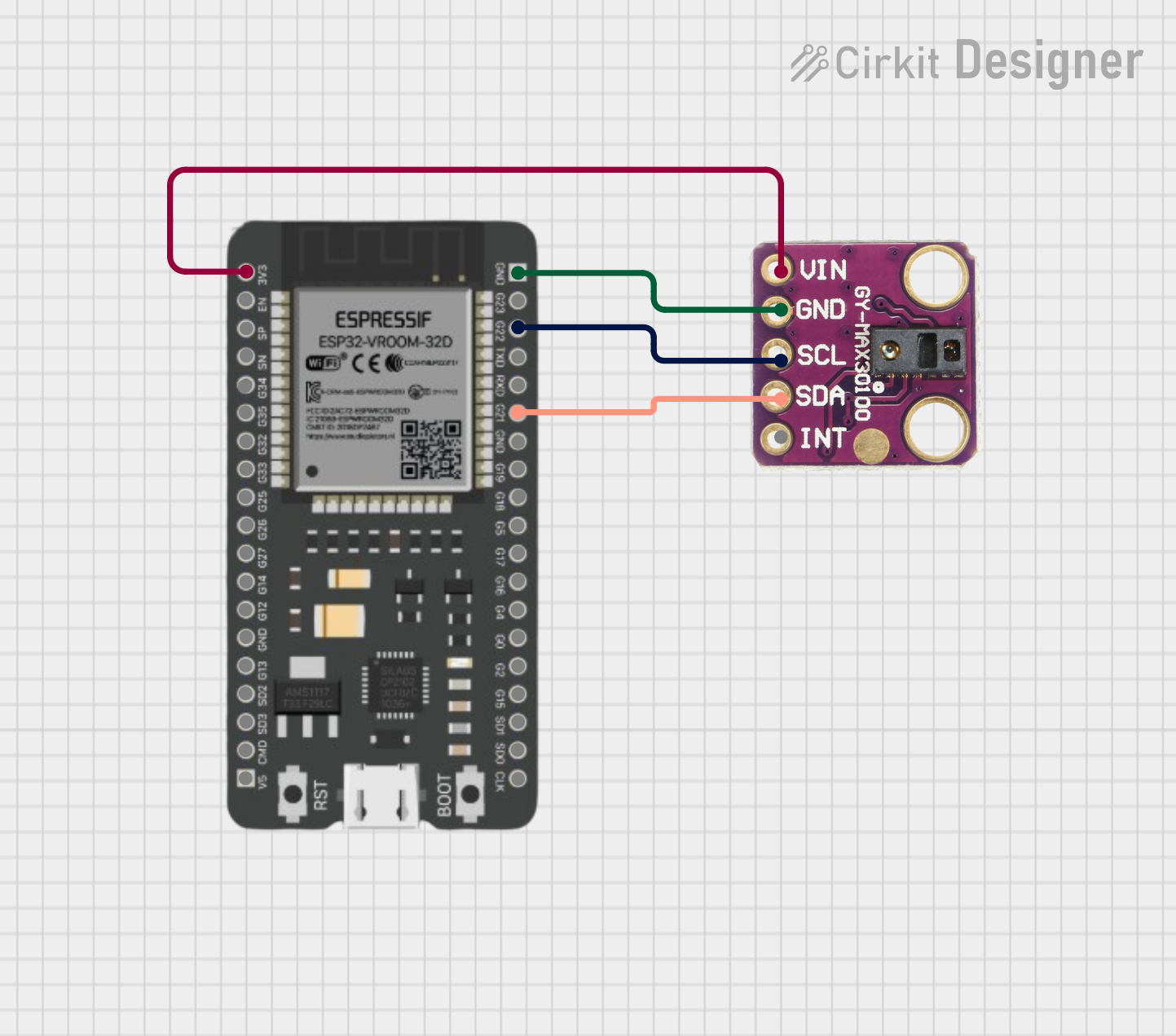
The circuit will be attached to a wristband to sense the heartbit of the user.
Pinout connection
| MAX30102 | Description | Xiao ESP32C3 pinv |
|---|---|---|
| GND | Ground | GND |
| VIN | Power | 3.3v |
| SCL | I2C Clock | D5 |
| SDA | I2C Data | D4 |
Code to read the heartbit signals
#include <Wire.h>
#include "MAX30105.h"
#include "heartRate.h"

MAX30105 particleSensor;

const byte RATE_SIZE = 4; // Increase for more averaging
byte rates[RATE_SIZE]; // Heart rates
byte rateSpot = 0;
long lastBeat = 0; // Time at which last beat occurred
float beatsPerMinute;
int beatAvg;

void setup() {
  Serial.begin(115200);
  if (!particleSensor.begin(Wire, I2C_SPEED_FAST)) {
    Serial.println("MAX30102 was not found.");
    while (1);
  }
  // Setup sensor to use red light for heart rate
  particleSensor.setup();
  particleSensor.setPulseAmplitudeRed(0x0A); // Turn red LED to low
}

void loop() {
  long irValue = particleSensor.getIR(); // Read IR value
  if (checkForBeat(irValue) == true) {
    // A beat is detected
    long delta = millis() - lastBeat;
    lastBeat = millis();
    beatsPerMinute = 60 / (delta / 1000.0);

    if (beatsPerMinute < 255 && beatsPerMinute > 20) {
      rates[rateSpot++] = (byte)beatsPerMinute;
      rateSpot %= RATE_SIZE;

      // Calculate average
      beatAvg = 0;
      for (byte x = 0 ; x < RATE_SIZE ; x++)
        beatAvg += rates[x];
      beatAvg /= RATE_SIZE;
    }
  }
  Serial.print("IR=");
  Serial.print(irValue);
  Serial.print(", BPM=");
  Serial.print(beatsPerMinute);
  Serial.print(", Avg BPM=");
  Serial.println(beatAvg);
}
The circuit will be attached to a wristband to sense the heartbit of the user.
Galvanic skin response sensor
Connecting a Galvanic Skin Response (GSR) sensor to the Seeed Studio XIAO ESP32S3 Sense involves connecting the sensor's analog output to an available ADC pin on the XIAO board and providing power. Since the XIAO ESP32S3 Sense operates at 3.3V, it is important to power the sensor with 3.3V and read from the appropriate analog pin.
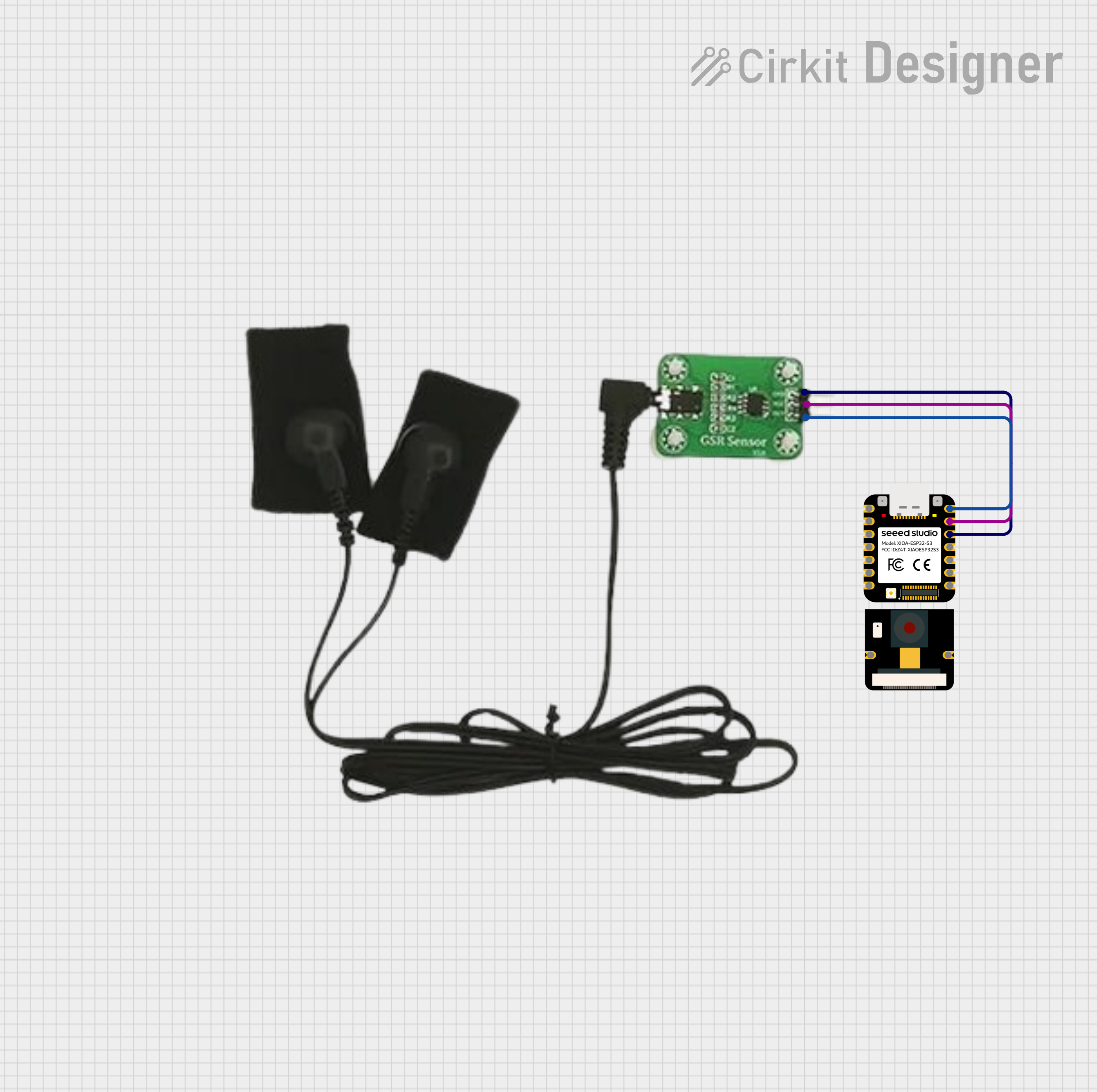
The electrodes will be connected to the index and middle fingers.
Pinout connection
| GSR sensor | Description | Xiao ESP32C3 pin |
|---|---|---|
| VCC | Power | 3.3v |
| GND | Ground | GND |
| SIG Analog | Analog Signal | A0 or any A0-A10 |
Code to read the changes in skin resistance
#define GSR_PIN A0 // Pin connected to SIG on the GSR sensor

const int GSR_PIN = A0; // Connect Grove-GSR to A0
int sensorValue = 0;

void setup() {
  Serial.begin(115200); // Start serial communication
}

void loop() {
  sensorValue = analogRead(GSR_PIN); // Read analog value (0-4095)
  Serial.print("GSR Value: ");
  Serial.println(sensorValue);
  delay(500); // Read every 0.5 seconds
}
Galvanic skin response and Heartbeat sensors
I connected both the GSR and heartbeat sensors together to have more signals and data to work with in a more accurate way.
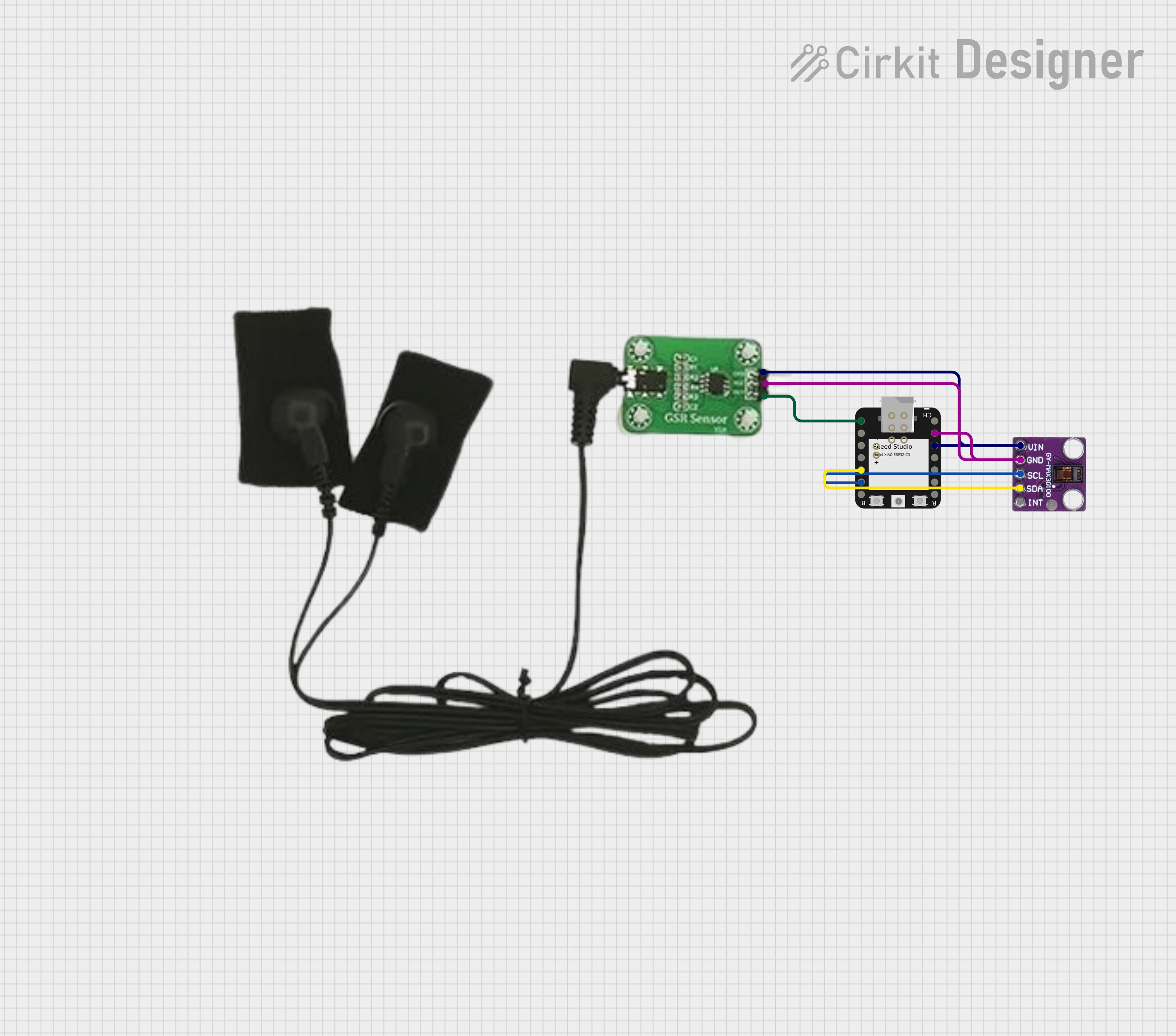
The electrodes will be connected to the index and middle fingers and the heartbeat sensor on the back of wrist.
Code to read the changes in both the skin resistance and heartbeat
#include <Wire.h>
#include "MAX30105.h"
#include "heartRate.h"

MAX30105 particleSensor;

// ================= HEART RATE =================
const byte RATE_SIZE = 8;
byte rates[RATE_SIZE];
byte rateSpot = 0;
long lastBeat = 0;

float beatsPerMinute;
int beatAvg = 0;

// ================= GSR =================
const int GSR_PIN = A0;
const int CALIBRATION_TIME = 15000;   // 15 seconds

int gsrMin = 4095;
int gsrMax = 0;
long gsrSum = 0;
long gsrSamples = 0;

int gsrBaseline = 0;
int gsrRange = 1;

bool calibrating = true;
unsigned long calibrationStart;

// ================= EMOTION =================
String currentEmotion = "";
String lastEmotion = "";

void setup()
{
  Serial.begin(115200);
  delay(1000);

  Serial.println("Initializing sensors...");

  if (!particleSensor.begin(Wire, I2C_SPEED_STANDARD))
  {
    Serial.println("MAX30102 not found. Check wiring.");
    while (1);
  }

  particleSensor.setup();
  particleSensor.setPulseAmplitudeRed(0x0A);
  particleSensor.setPulseAmplitudeIR(0x0A);

  pinMode(GSR_PIN, INPUT);

  calibrationStart = millis();
  Serial.println("Place fingers... Calibrating GSR for 15 seconds...");
}

void loop()
{
  int gsrValue = analogRead(GSR_PIN);

  // ================= CALIBRATION PHASE =================
  if (calibrating)
  {
    gsrSum += gsrValue;
    gsrSamples++;

    if (gsrValue < gsrMin) gsrMin = gsrValue;
    if (gsrValue > gsrMax) gsrMax = gsrValue;

    if (millis() - calibrationStart > CALIBRATION_TIME)
    {
      gsrBaseline = gsrSum / gsrSamples;
      gsrRange = gsrMax - gsrMin;

      if (gsrRange < 50) gsrRange = 50; // avoid too small range

      calibrating = false;

      Serial.println("Calibration complete.");
      Serial.print("Baseline: ");
      Serial.println(gsrBaseline);
      Serial.print("Range: ");
      Serial.println(gsrRange);
    }

    delay(20);
    return;
  }

  // ================= NORMALIZED GSR =================
  float gsrNormalized = (float)(gsrValue - gsrBaseline) / gsrRange;
  gsrNormalized = constrain(gsrNormalized, 0.0, 1.0);

  // ================= HEART RATE =================
  long irValue = particleSensor.getIR();

  if (checkForBeat(irValue))
  {
    long delta = millis() - lastBeat;
    lastBeat = millis();

    beatsPerMinute = 60 / (delta / 1000.0);

    if (beatsPerMinute > 40 && beatsPerMinute < 180)
    {
      rates[rateSpot++] = (byte)beatsPerMinute;
      rateSpot %= RATE_SIZE;

      beatAvg = 0;
      for (byte x = 0 ; x < RATE_SIZE ; x++)
        beatAvg += rates[x];

      beatAvg /= RATE_SIZE;

      currentEmotion = classifyEmotion(beatAvg, gsrNormalized);

      if (currentEmotion != lastEmotion)
      {
        Serial.print("EMOTION:");
        Serial.println(currentEmotion);
        lastEmotion = currentEmotion;
      }

      // Send structured data to Processing
      Serial.print("BPM:");
      Serial.print(beatAvg);
      Serial.print(",GSR_RAW:");
      Serial.print(gsrValue);
      Serial.print(",GSR_NORM:");
      Serial.print(gsrNormalized, 3);
      Serial.print(",STATE:");
      Serial.println(currentEmotion);
    }
  }

  delay(20);
}

// ================= EMOTION CLASSIFICATION =================
String classifyEmotion(int bpm, float gsrNorm)
{
  // LOW AROUSAL
  if (bpm < 65 && gsrNorm < 0.3)
    return "CALM";

  // RELAXED
  if (bpm < 80 && gsrNorm < 0.5)
    return "STABLE";

  // FOCUSED
  if (bpm < 95 && gsrNorm < 0.7)
    return "FOCUSED";

  // HIGH AROUSAL
  if (gsrNorm > 0.7 || bpm > 105)
    return "INTENSE";

  return "ELEVATED";
}
Sender code to read GSR and Heartrate using ESP-NOW protocol
I used ESP-Now protocol for communication because it provides low-latency and more reliability, which is essential in an installation real-time environment.Both devices, the glove and the wristband are designed to use either via USB or wireless. First I used WiFi and after I implemented the project using ESP-NOW.
// =====================================================
// ESP32 SENDER (BIO-RESPONSIVE SYSTEM)
// MAX30102 + GSR → ESP-NOW → RECEIVER ESP32
// =====================================================

#include <WiFi.h>
#include <esp_now.h>
#include <Wire.h>
#include "MAX30105.h"
#include "heartRate.h"

MAX30105 particleSensor;

// ================= GSR =================
const int GSR_PIN = 2;              // safer than A0 on ESP32
const int CALIBRATION_TIME = 8000;

int gsrMin = 4095;
int gsrMax = 0;

bool calibrating = false;
unsigned long calibrationStart;

// ================= HEART RATE =================
float beatsPerMinute;
int beatAvg = 0;

byte rates[4];
byte rateSpot = 0;
long lastBeat = 0;

// ================= TOUCH =================
bool wasFingerDetected = false;

// ================= EMOTION =================
String currentEmotion = "";
String lastEmotion = "";

// ================= ESP-NOW STRUCT =================
typedef struct {
  int bpm;
  int gsrRaw;
  float gsrNorm;
  char emotion[16];
  int touch;
} SensorData;

SensorData data;

// ================= RECEIVER MAC =================
uint8_t receiverMAC[] = {0x80, 0xF1, 0xB2, 0x64, 0x33, 0xD0};

// =====================================================
// SETUP
// =====================================================

void setup() {
  Serial.begin(115200);
  delay(1000);

  Serial.println("Starting Sender...");

  // WIFI MODE
  WiFi.mode(WIFI_STA);
  WiFi.disconnect();

  Serial.print("Sender MAC: ");
  Serial.println(WiFi.macAddress());

  // ESP-NOW INIT
  if (esp_now_init() != ESP_OK) {
    Serial.println("ESP-NOW init failed");
    while (true);
  }

  // REGISTER RECEIVER
  esp_now_peer_info_t peerInfo = {};
  memcpy(peerInfo.peer_addr, receiverMAC, 6);
  peerInfo.channel = 0;
  peerInfo.encrypt = false;

  if (esp_now_add_peer(&peerInfo) != ESP_OK) {
    Serial.println("Failed to add peer");
    while (true);
  }

  Serial.println("ESP-NOW ready.");

  // SENSOR INIT
  if (!particleSensor.begin(Wire, I2C_SPEED_STANDARD)) {
    Serial.println("MAX30102 not found.");
    while (1);
  }

  particleSensor.setup(60, 4, 2, 100, 411, 4096);
  particleSensor.setPulseAmplitudeRed(0x3F);
  particleSensor.setPulseAmplitudeIR(0x3F);

  pinMode(GSR_PIN, INPUT);
  analogSetAttenuation(ADC_11db);

  Serial.println("System Ready. Place finger.");
}

// =====================================================
// LOOP
// =====================================================

void loop() {

  int gsrValue = analogRead(GSR_PIN);
  long irValue = particleSensor.getIR();

  bool fingerDetected = irValue > 20000;

  // ================= TOUCH =================
  if (fingerDetected && !wasFingerDetected) {
    Serial.println("Finger detected → Calibrating");

    calibrating = true;
    calibrationStart = millis();
    gsrMin = 4095;
    gsrMax = 0;
  }

  if (!fingerDetected && wasFingerDetected) {
    Serial.println("Finger removed");

    currentEmotion = "NO_TOUCH";
    lastEmotion = "";
  }

  wasFingerDetected = fingerDetected;

  data.touch = fingerDetected ? 1 : 0;

  if (!fingerDetected) {
    sendData();
    delay(100);
    return;
  }

  // ================= CALIBRATION =================
  if (calibrating) {

    if (gsrValue < gsrMin) gsrMin = gsrValue;
    if (gsrValue > gsrMax) gsrMax = gsrValue;

    if (millis() - calibrationStart > CALIBRATION_TIME) {

      if (gsrMax - gsrMin < 50)
        gsrMax = gsrMin + 50;

      calibrating = false;
      Serial.println("Calibration complete");
    }

    delay(20);
    return;
  }

  // ================= GSR NORMALIZATION =================
  float range = gsrMax - gsrMin;
  if (range < 50) range = 50;

  float gsrNormalized = (float)(gsrValue - gsrMin) / range;
  gsrNormalized = constrain(gsrNormalized, 0, 1);

  // ================= HEART RATE =================
  if (checkForBeat(irValue)) {

    long delta = millis() - lastBeat;
    lastBeat = millis();

    beatsPerMinute = 60 / (delta / 1000.0);

    if (beatsPerMinute > 40 && beatsPerMinute < 180) {

      rates[rateSpot++] = (byte)beatsPerMinute;
      rateSpot %= 4;

      beatAvg = 0;
      for (byte i = 0; i < 4; i++)
        beatAvg += rates[i];

      beatAvg /= 4;
    }
  }

  // Optional stability improvement
  if (irValue < 50000) {
    beatAvg = 0;
  }

  // ================= EMOTION =================
  currentEmotion = classifyEmotion(beatAvg, gsrNormalized);

  if (currentEmotion != lastEmotion) {
    Serial.print("Emotion: ");
    Serial.println(currentEmotion);
    lastEmotion = currentEmotion;
  }

  // ================= FILL STRUCT =================
  data.bpm = beatAvg;
  data.gsrRaw = gsrValue;
  data.gsrNorm = gsrNormalized;
  data.touch = fingerDetected ? 1 : 0;

  strncpy(data.emotion, currentEmotion.c_str(), sizeof(data.emotion));

  // ================= SEND =================
  sendData();

  delay(30);
}

// =====================================================
// SEND FUNCTION
// =====================================================

void sendData() {

  esp_err_t result = esp_now_send(receiverMAC, (uint8_t *)&data, sizeof(data));

  if (result == ESP_OK) {
    Serial.println("Sent");
  } else {
    Serial.println("Send Error");
  }
}

// =====================================================
// EMOTION CLASSIFICATION
// =====================================================

String classifyEmotion(int bpm, float gsrNorm) {

  if (bpm < 65 && gsrNorm < 0.25)
    return "CALM";

  if (bpm < 80 && gsrNorm < 0.45)
    return "STABLE";

  if (bpm < 95 && gsrNorm < 0.65)
    return "FOCUSED";

  if (bpm > 110 || gsrNorm > 0.85)
    return "INTENSE";

  return "ELEVATED";
}
Receiver code to read GSR and Heartrate using ESP-NOW protocol
// =====================================================
// ESP32 RECEIVER (ESP-NOW → SERIAL FOR PROCESSING)
// ESP32-C3 COMPATIBLE VERSION
// =====================================================

#include <WiFi.h>
#include <esp_now.h>

// ================= DATA STRUCT =================
typedef struct {
  int bpm;
  int gsrRaw;
  float gsrNorm;
  char emotion[16];
  int touch;
} SensorData;

SensorData data;

// =====================================================
// NEW ESP32-C3 CALLBACK SIGNATURE
// =====================================================
void OnDataRecv(const esp_now_recv_info *info, const uint8_t *incomingData, int len) {

  memcpy(&data, incomingData, sizeof(data));

  // ================= SEND CLEAN DATA TO PROCESSING =================
  Serial.print("BPM:");
  Serial.print(data.bpm);

  Serial.print(",GSR_RAW:");
  Serial.print(data.gsrRaw);

  Serial.print(",GSR_NORM:");
  Serial.print(data.gsrNorm, 3);

  Serial.print(",STATE:");
  Serial.println(data.emotion);

  // TOUCH separately (important for Processing logic)
  Serial.print("TOUCH:");
  Serial.println(data.touch);
}

// =====================================================
// SETUP
// =====================================================
void setup() {

  Serial.begin(115200);
  delay(1000);

  Serial.println("Starting ESP-NOW Receiver...");

  // ================= WIFI MODE =================
  WiFi.mode(WIFI_STA);
  WiFi.disconnect();

  Serial.print("Receiver MAC: ");
  Serial.println(WiFi.macAddress());

  // ================= INIT ESP-NOW =================
  if (esp_now_init() != ESP_OK) {
    Serial.println("ESP-NOW init failed");
    while (true);
  }

  // ================= REGISTER CALLBACK =================
  esp_now_register_recv_cb(OnDataRecv);

  Serial.println("ESP-NOW Receiver Ready.");
}

// =====================================================
// LOOP
// =====================================================
void loop() {
  // Nothing needed here
}
References
Challenges
Errors encountered
Before using the ESP32C3, I tested with the ESP32. When installing the ESP32 library I received the error:
4 DEADLINE_EXCEEDED error when installing the esp32:esp32:3.3.5
I solved the issue adding the next line to the file
C:\Users\
network: connection_timeout: 1200s
After that the library was installed succesfully, however I found another error when I tried to upload the program to the board.
Failed uploading: no upload port provided
The port option was disable which is why I could not select any.
In the device manager I found CP2102 USB to UART bridge controller unavailable.
I downloaded and installed the driver from the following link
https://www.silabs.com/software-and-tools/usb-to-uart-bridge-vcp-drivers?tab=downloads
The issue was solved and I could select the port
Then, the following error appeared:
A fatal error occurred: Failed to connect to ESP32: Wrong boot mode detected (0x13)! The chip needs to be in download mode. For troubleshooting steps visit: https://docs.espressif.com/projects/esptool/en/latest/troubleshooting.html
Failed uploading: uploading error: exit status 2
References
Introducción a la Serie Seeed Studio XIAO ESP32S3
Getting started with XIAO-ESP32-S3-Sense
Getting Started With ESP32-C3 XIAO
How to Build a DIY WiFi Smart Oximeter Using MAX30102 and Arduino ESP32
Technical Specification datasheets
Seeed Studio XIAO ESP32C3 datasheet
Tests
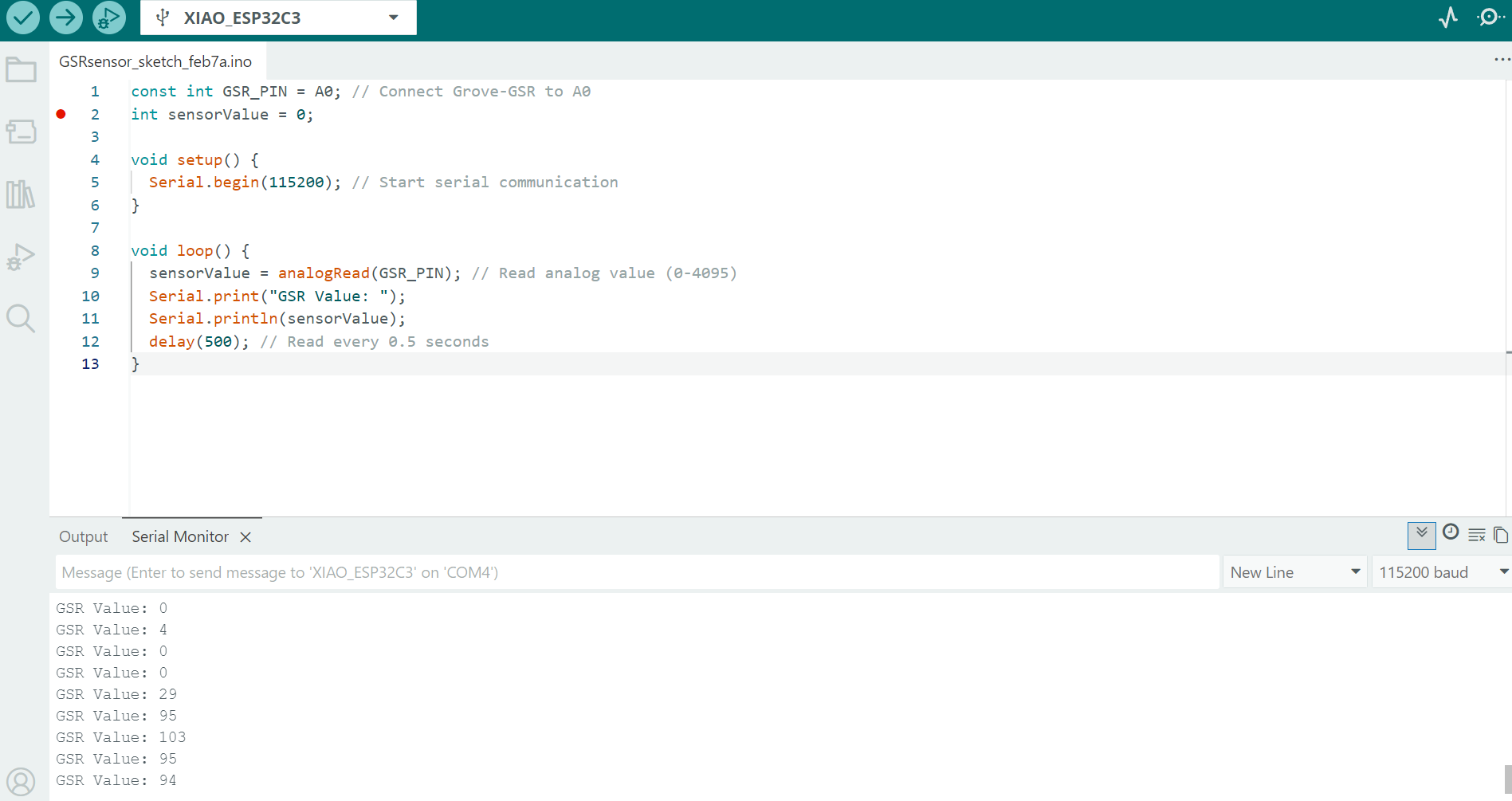
First, I tested the GSR and the heart rate sensors one by one and then both together.
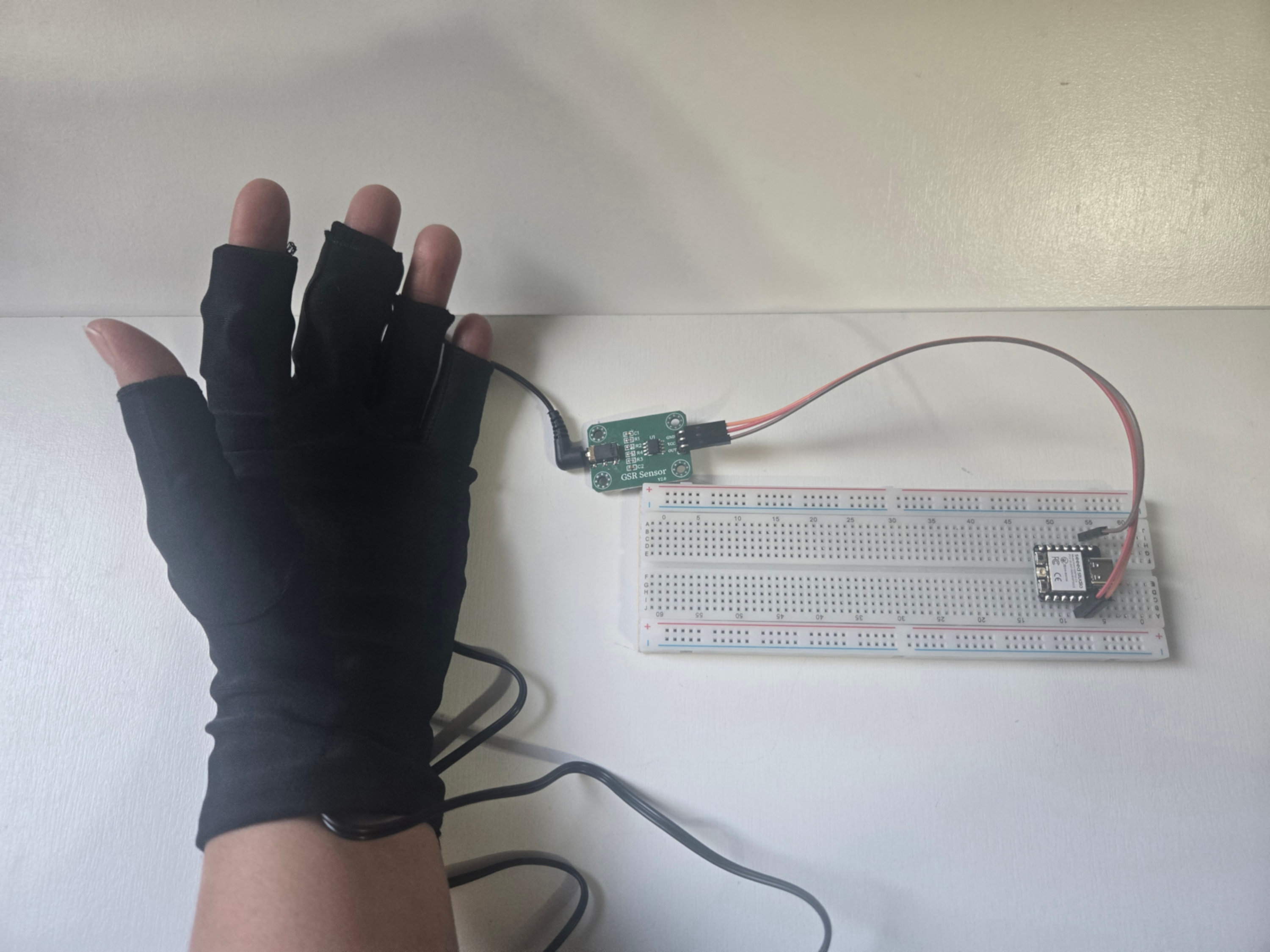
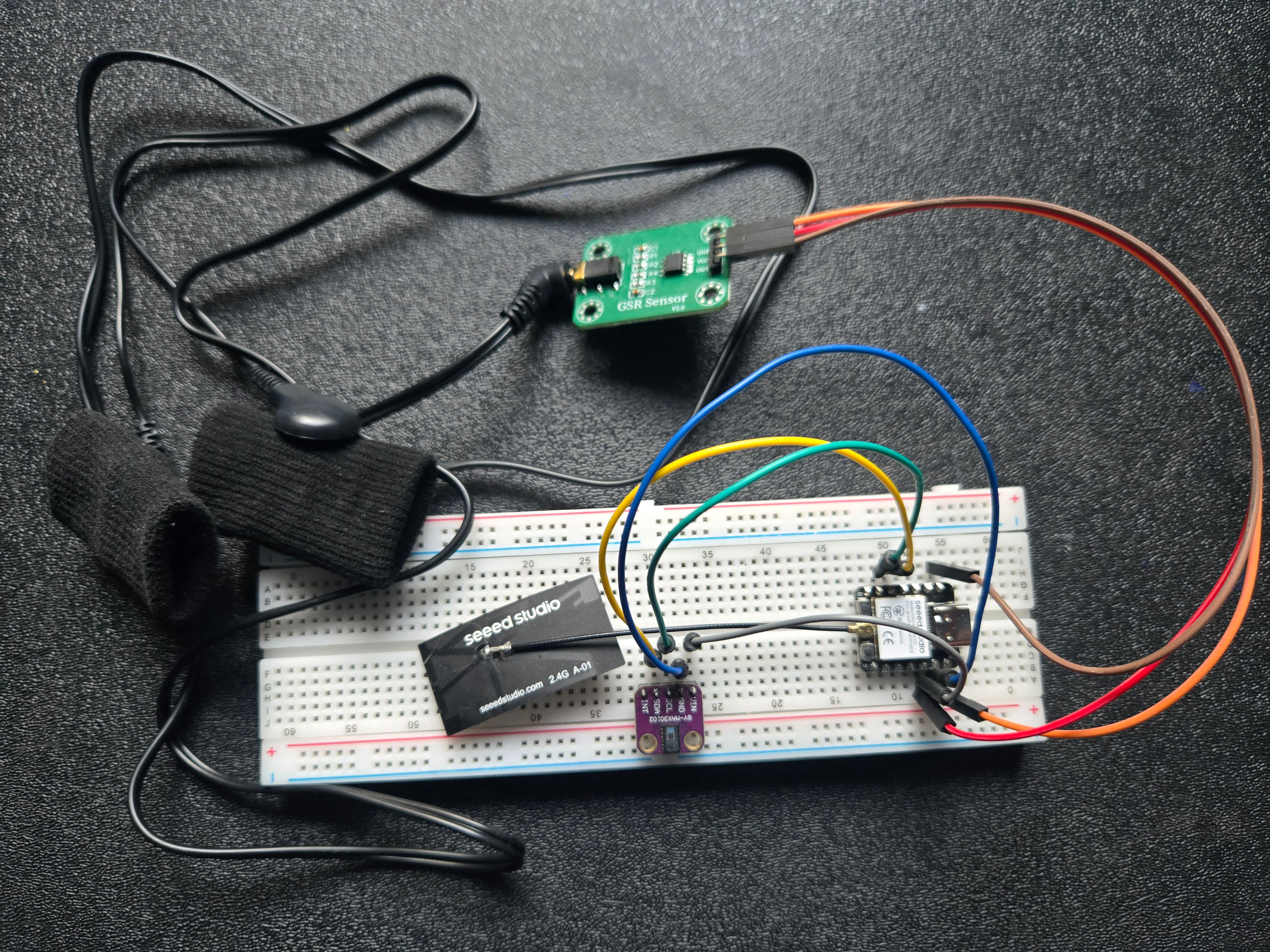
GSR sensor output
Prototypes
Glove
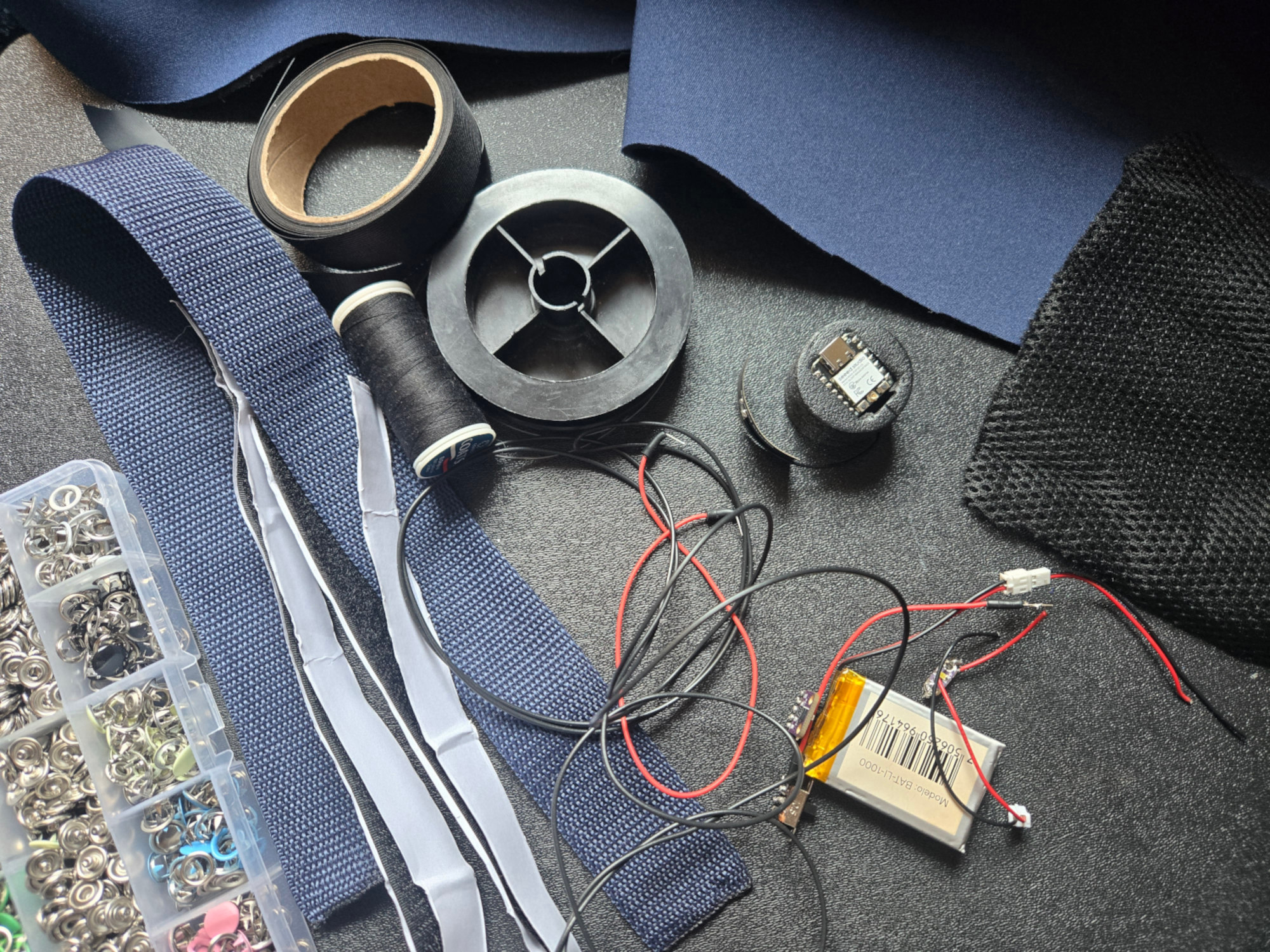
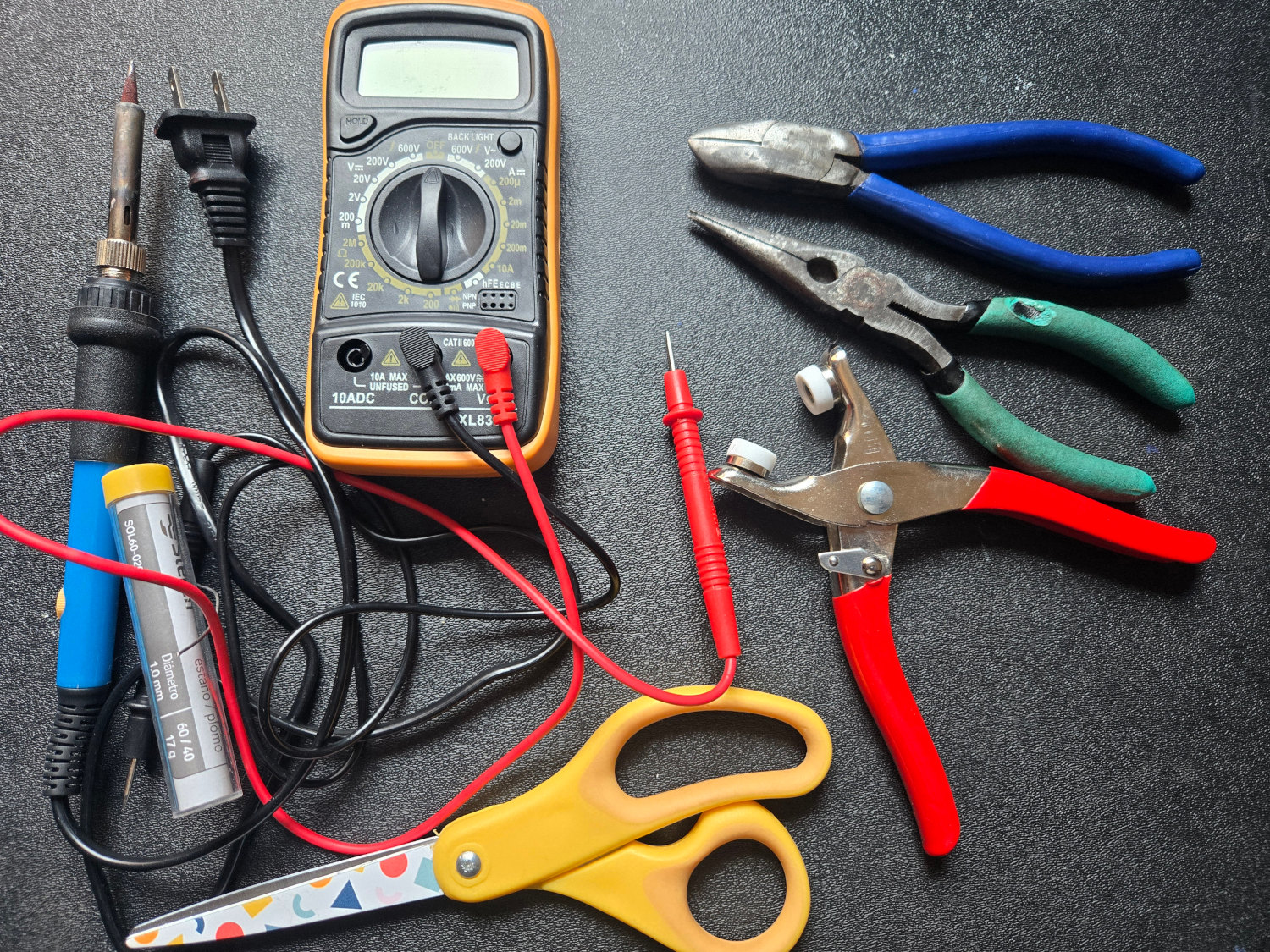
Materials and Tools
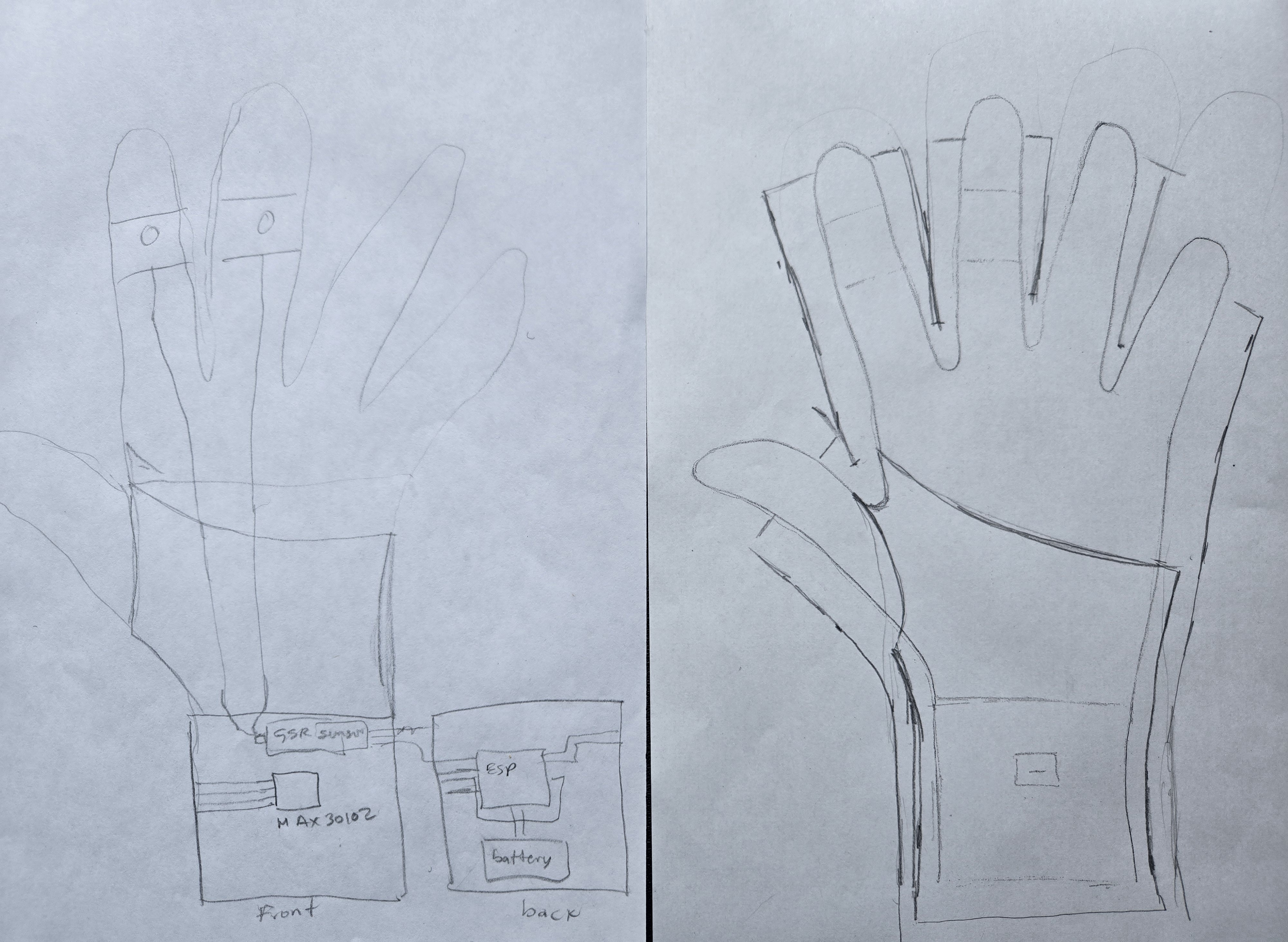
Step 1 Design the pattern
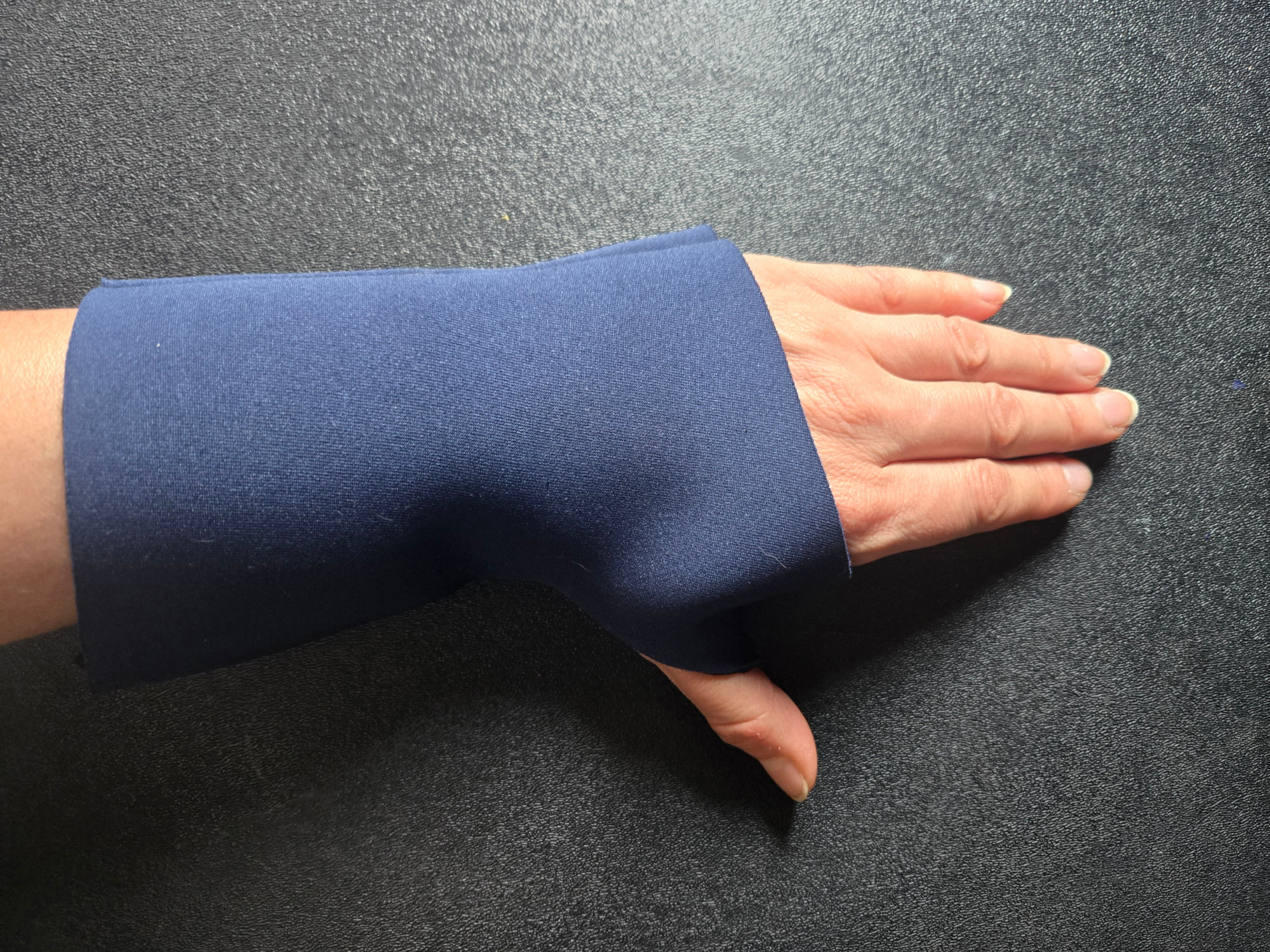
I began by drawing my own hand on paper, then used it as a base to sketch the glove design I envisioned
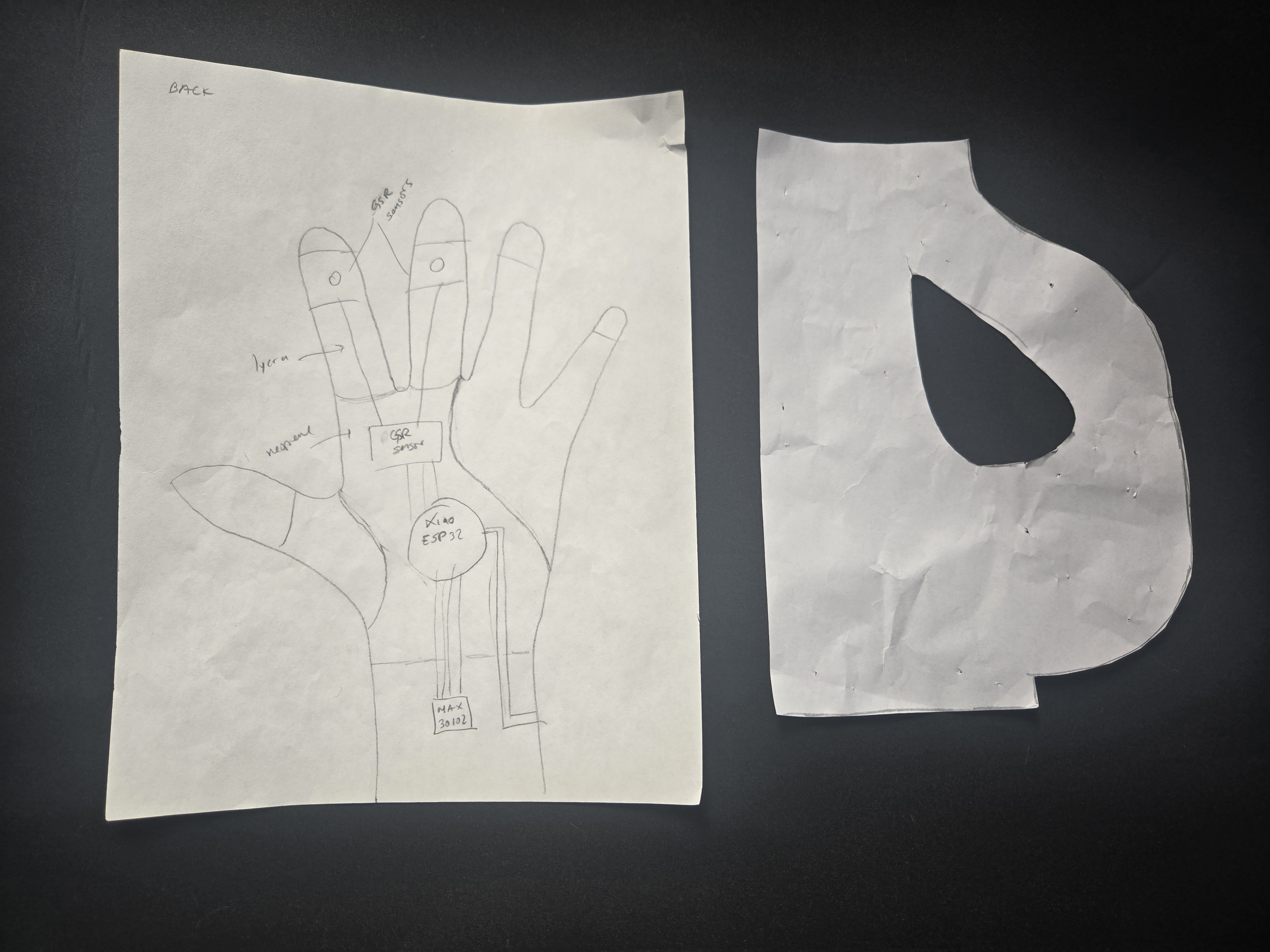
Step 2 Cutting the pattern
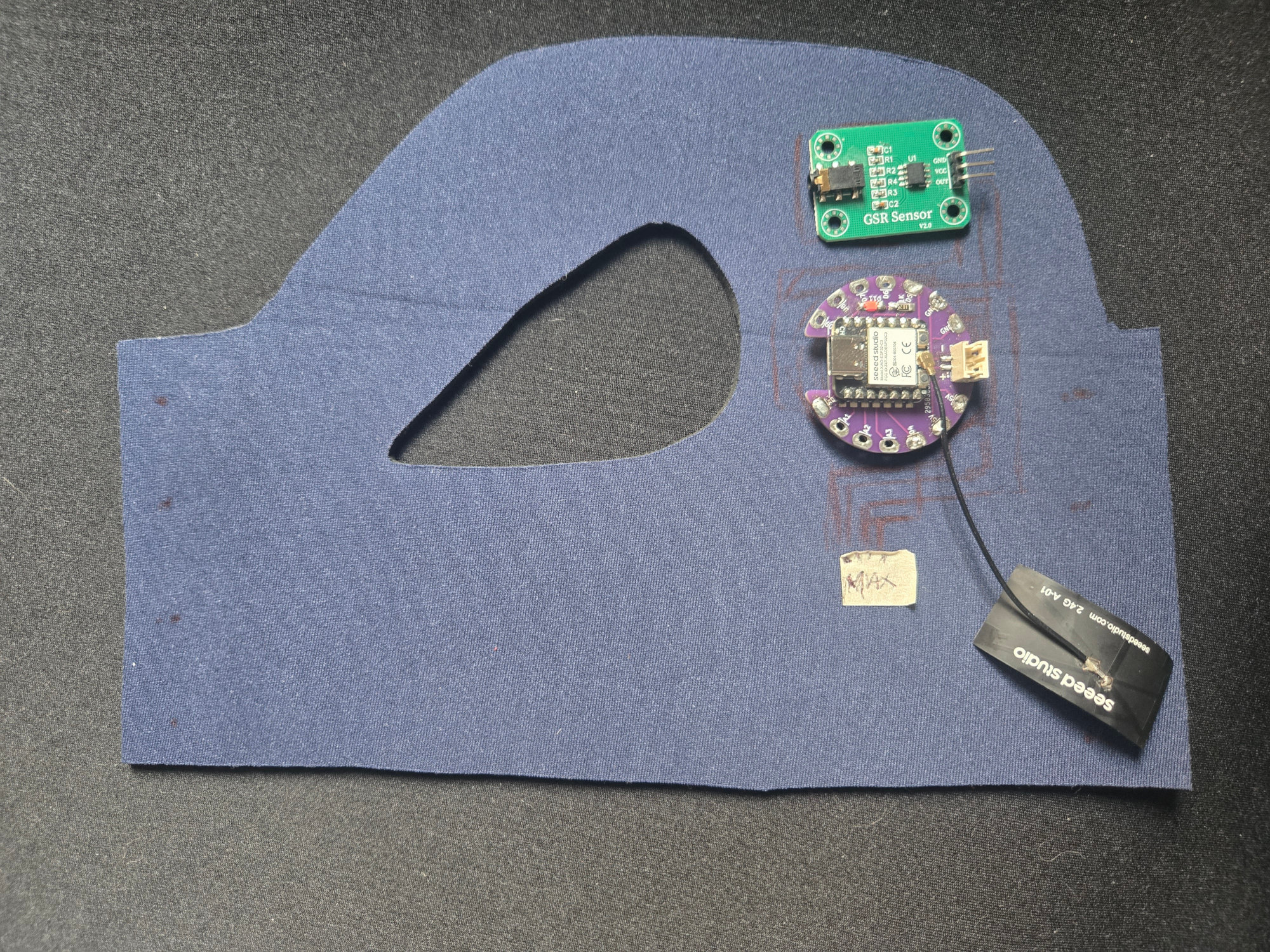
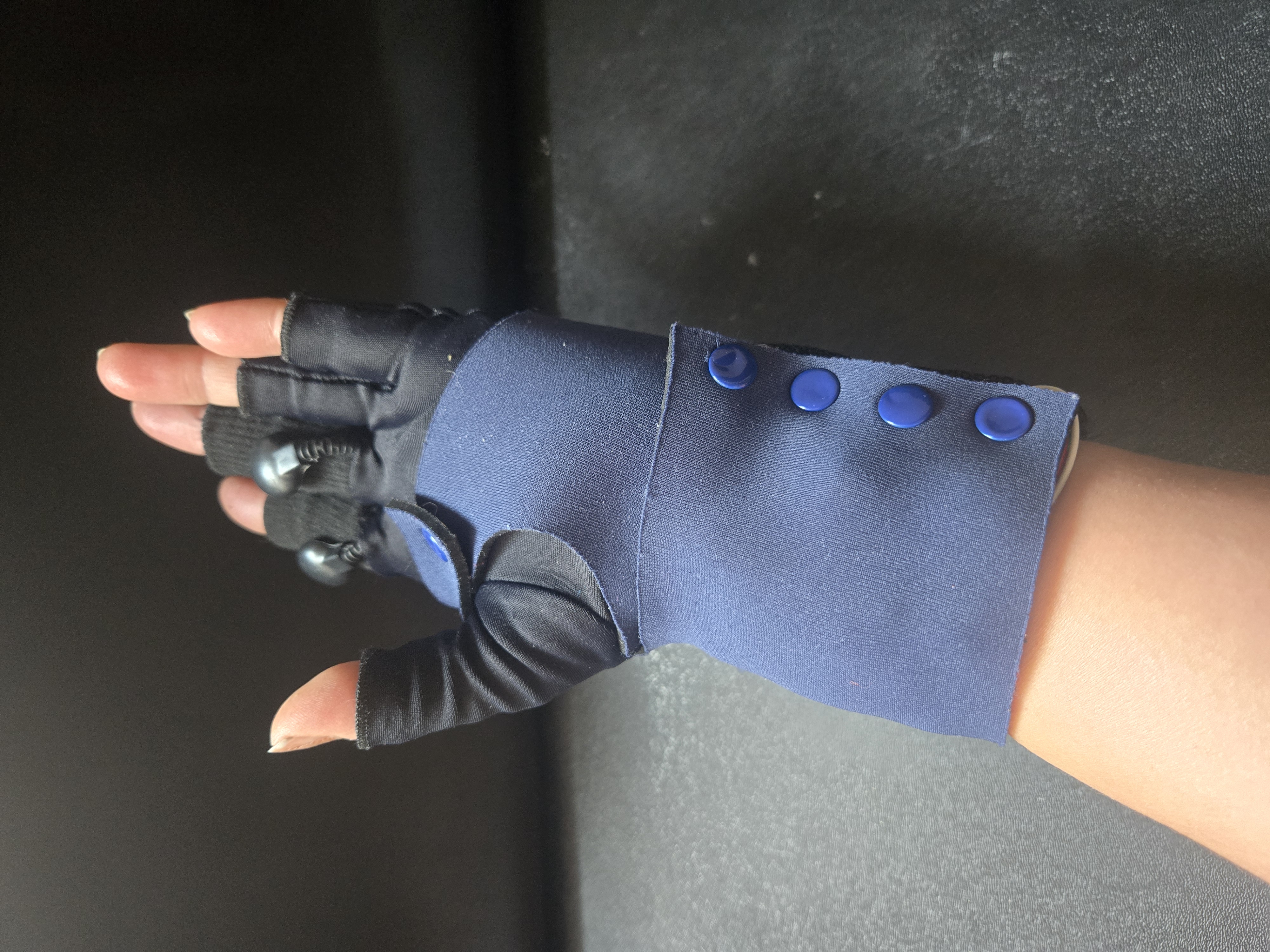
Using a marker, I drew the pattern on the neoprene and cut it out. Then I also marked the areas where the Xiao ESP and the sensors would be placed. Aditionally, I added the snaps to close the glove
First version pattern
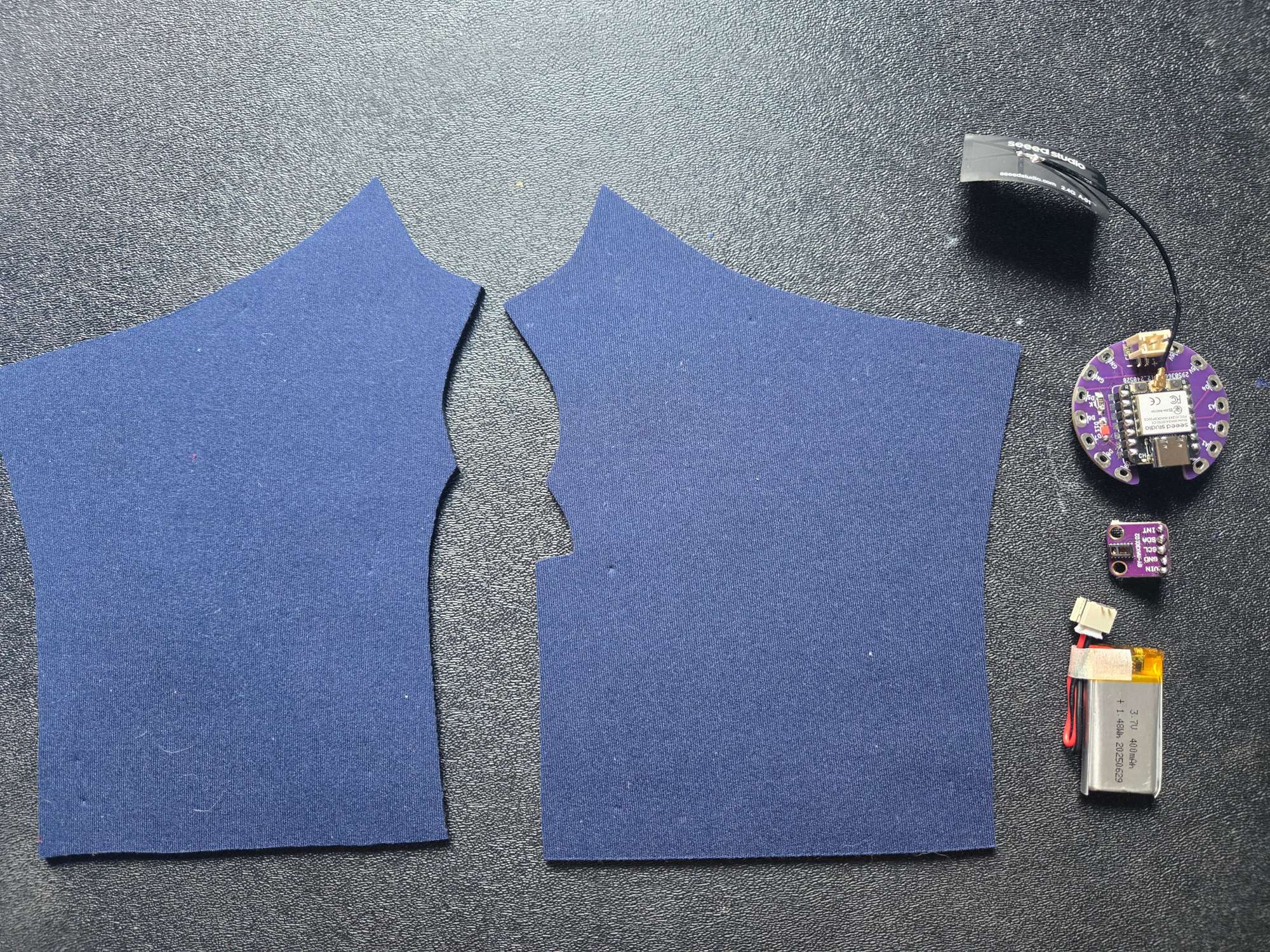
Second version pattern

Step 3 Sewing and soldering the sensors
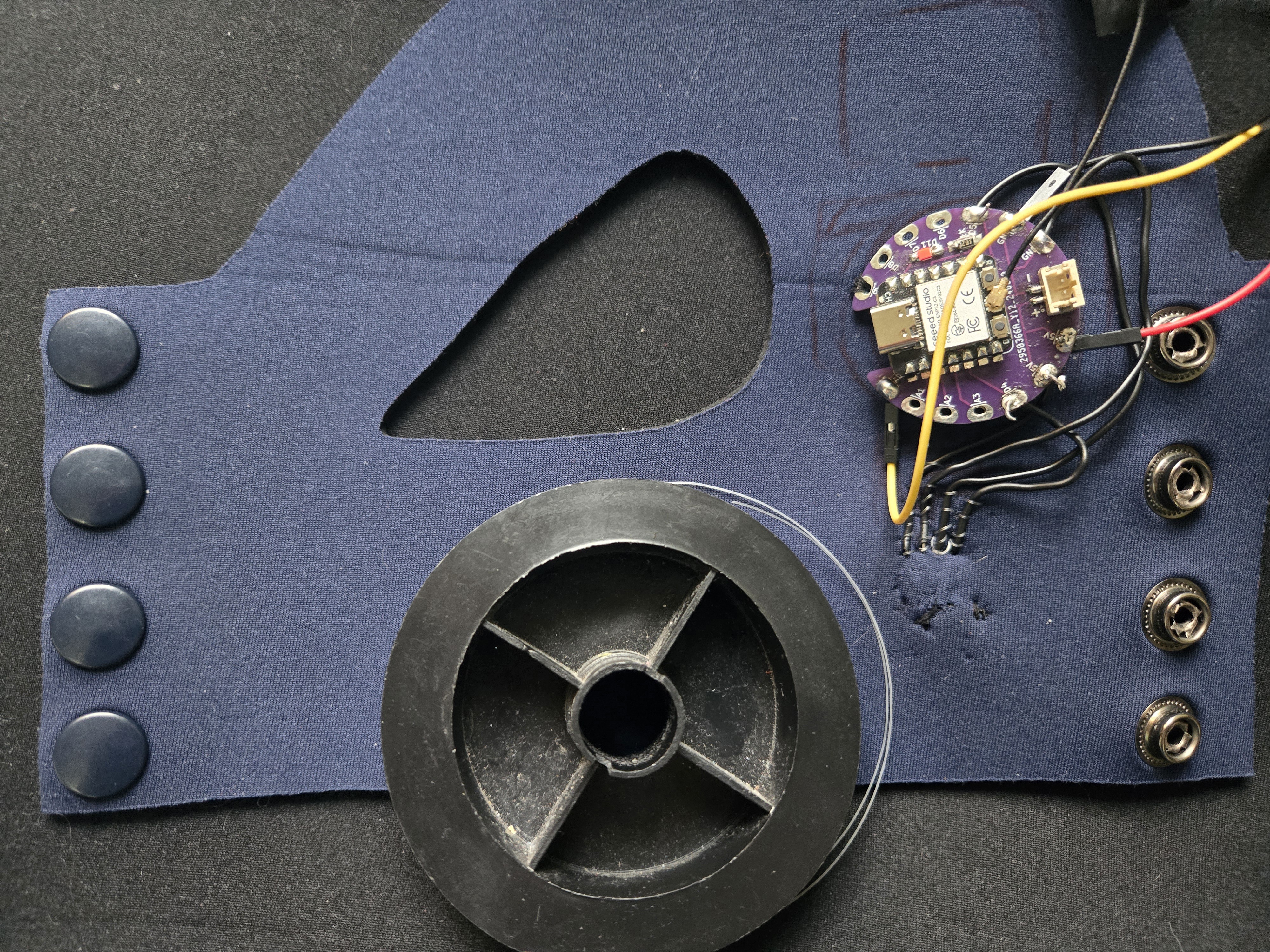
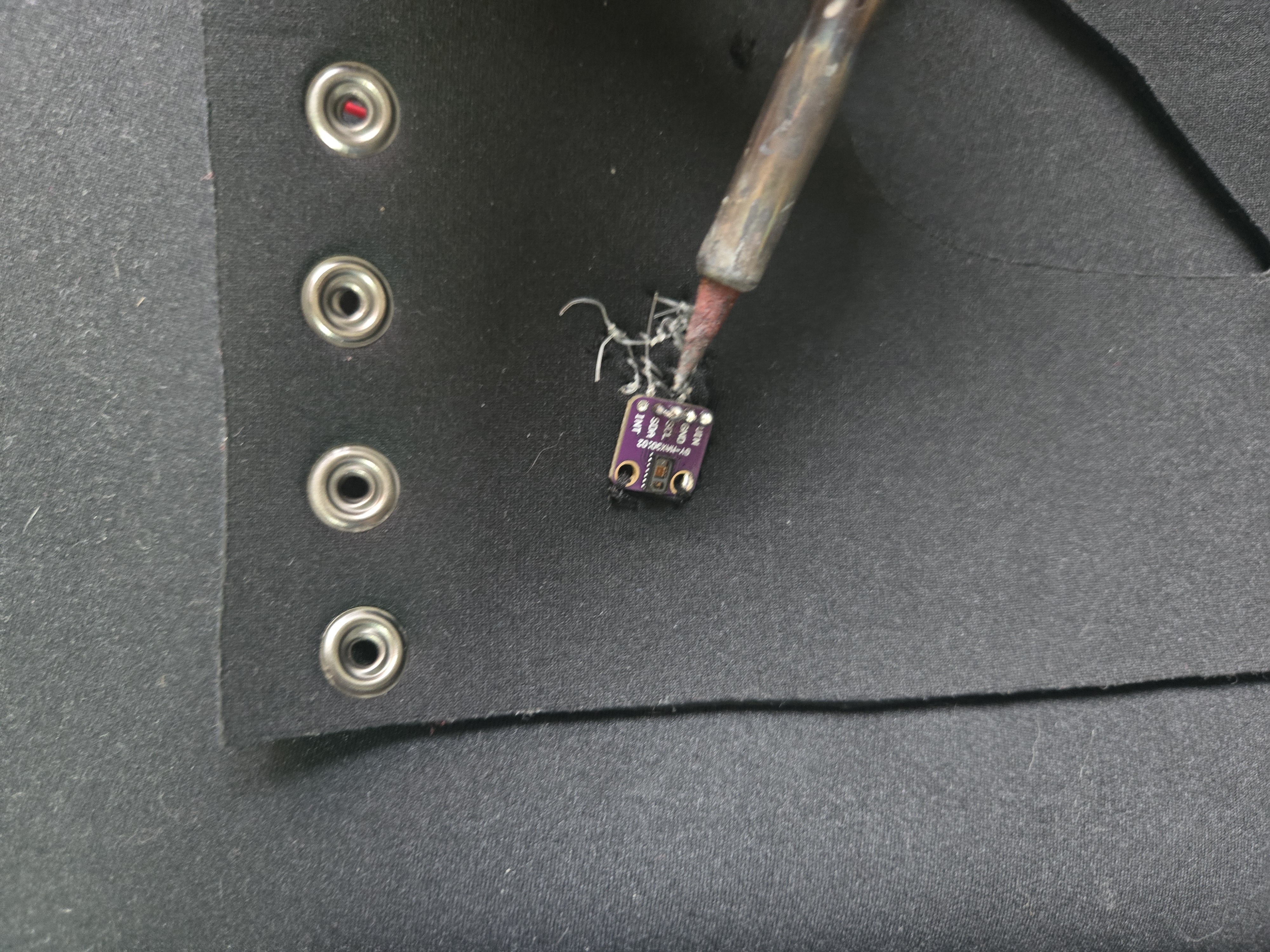
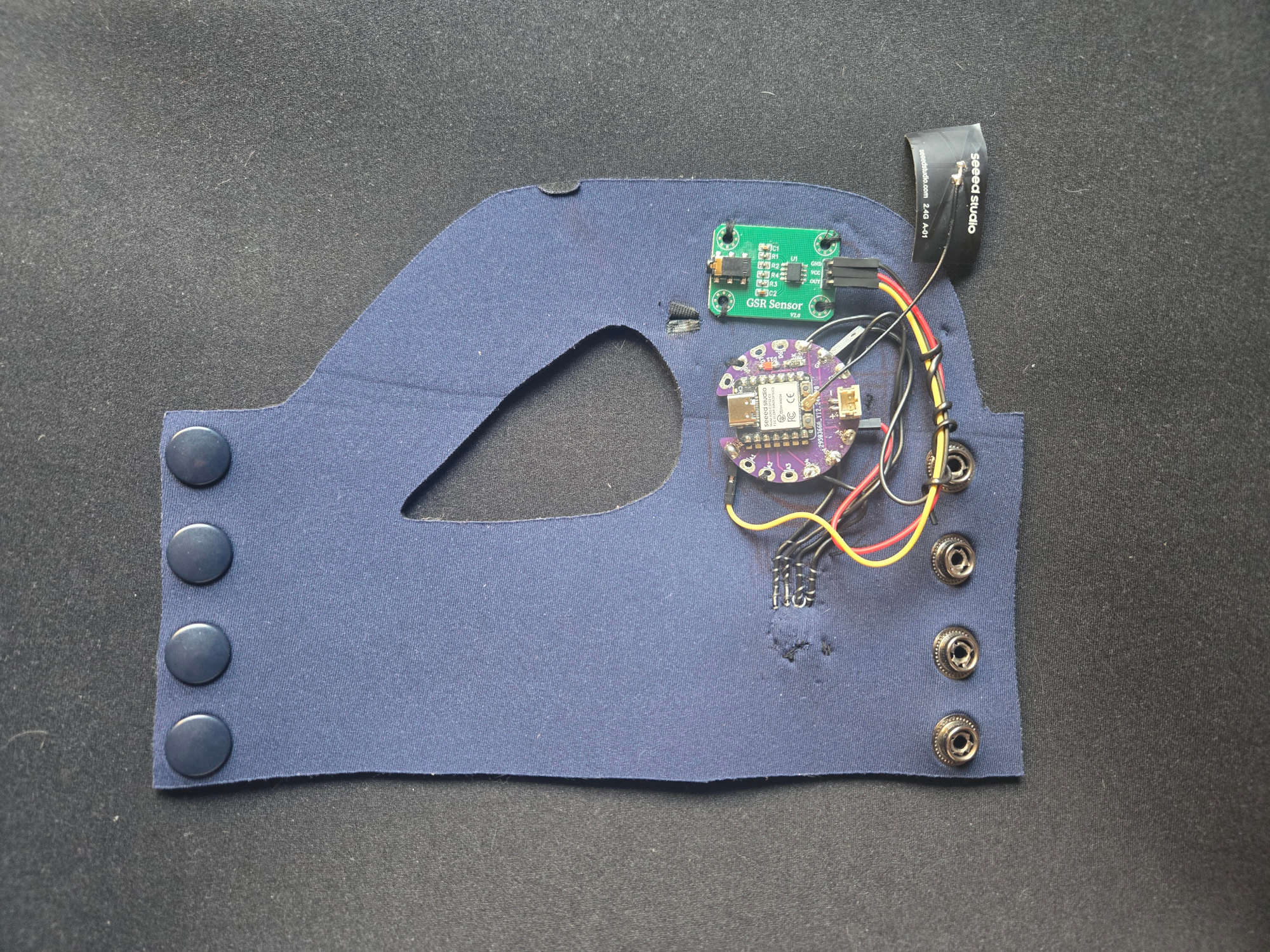
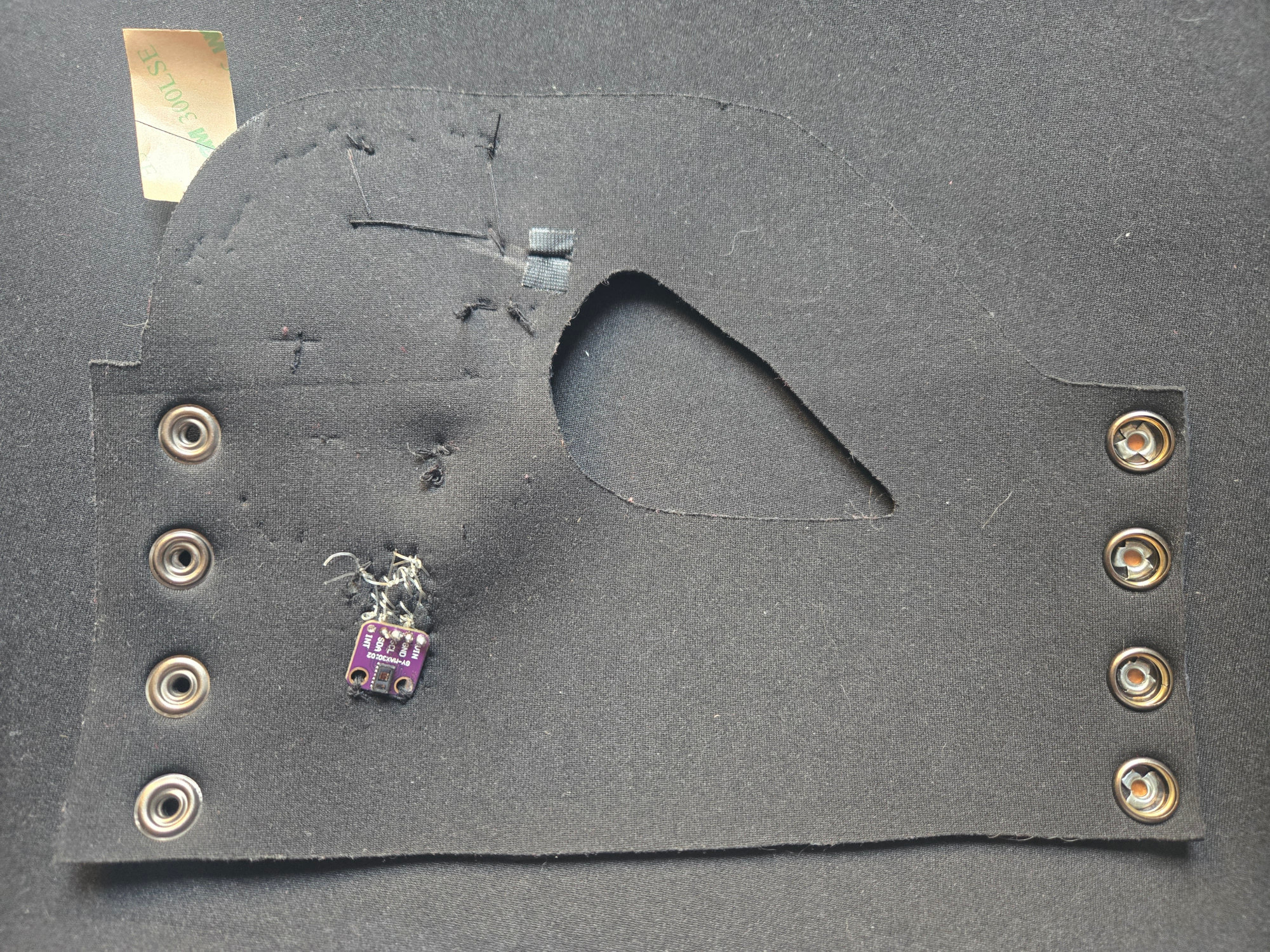
After attempting to sew the sensors to the Xiao ESP using conductive thread—which didn’t work due to the small size of the MAX30102 holes—I decided to use 22-gauge wire, which is flexible and thin enough for the sensors. I sewed it onto the neoprene and soldered the ends after passing them through the holes.
Step 3 Battery Case
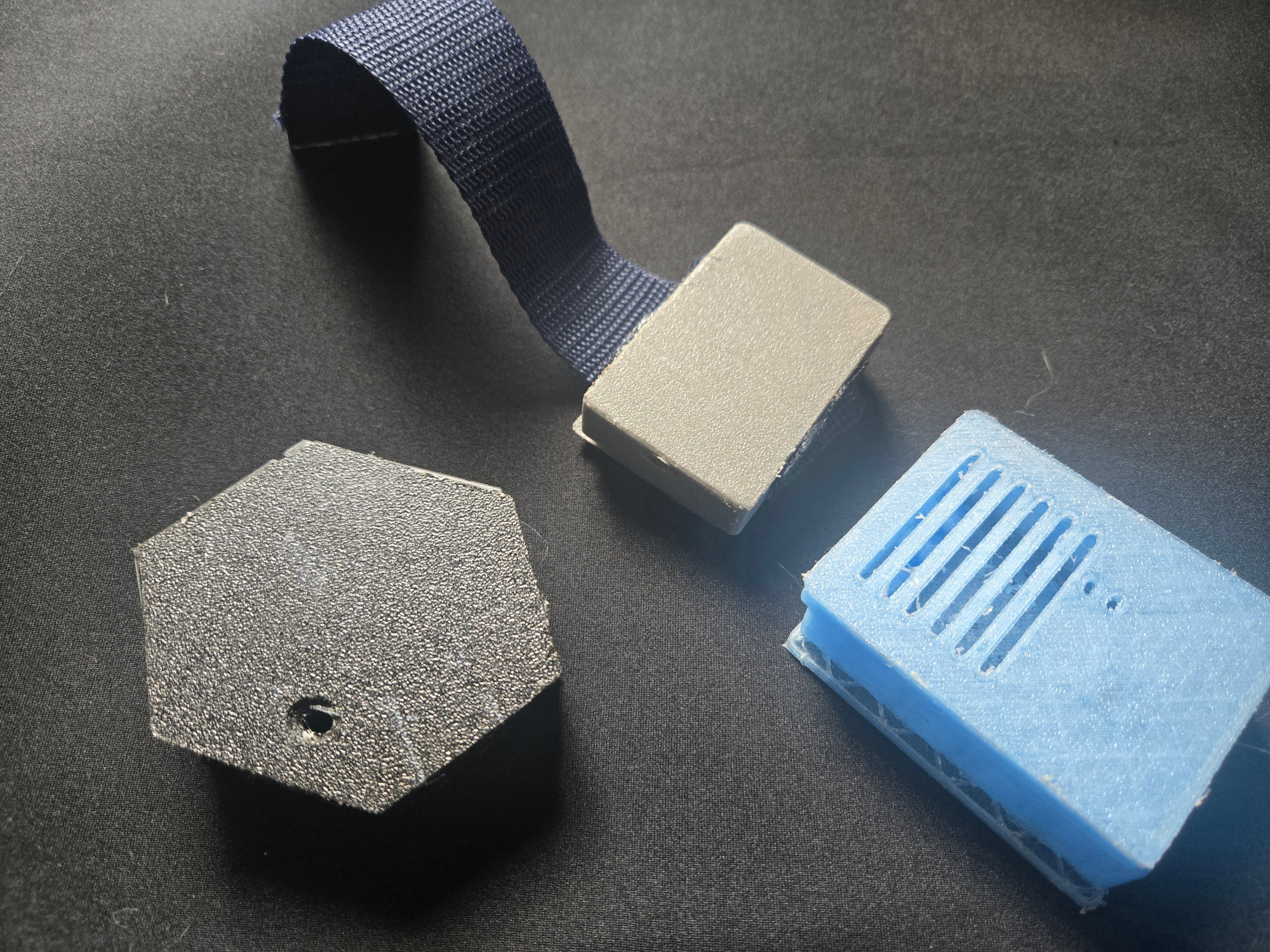
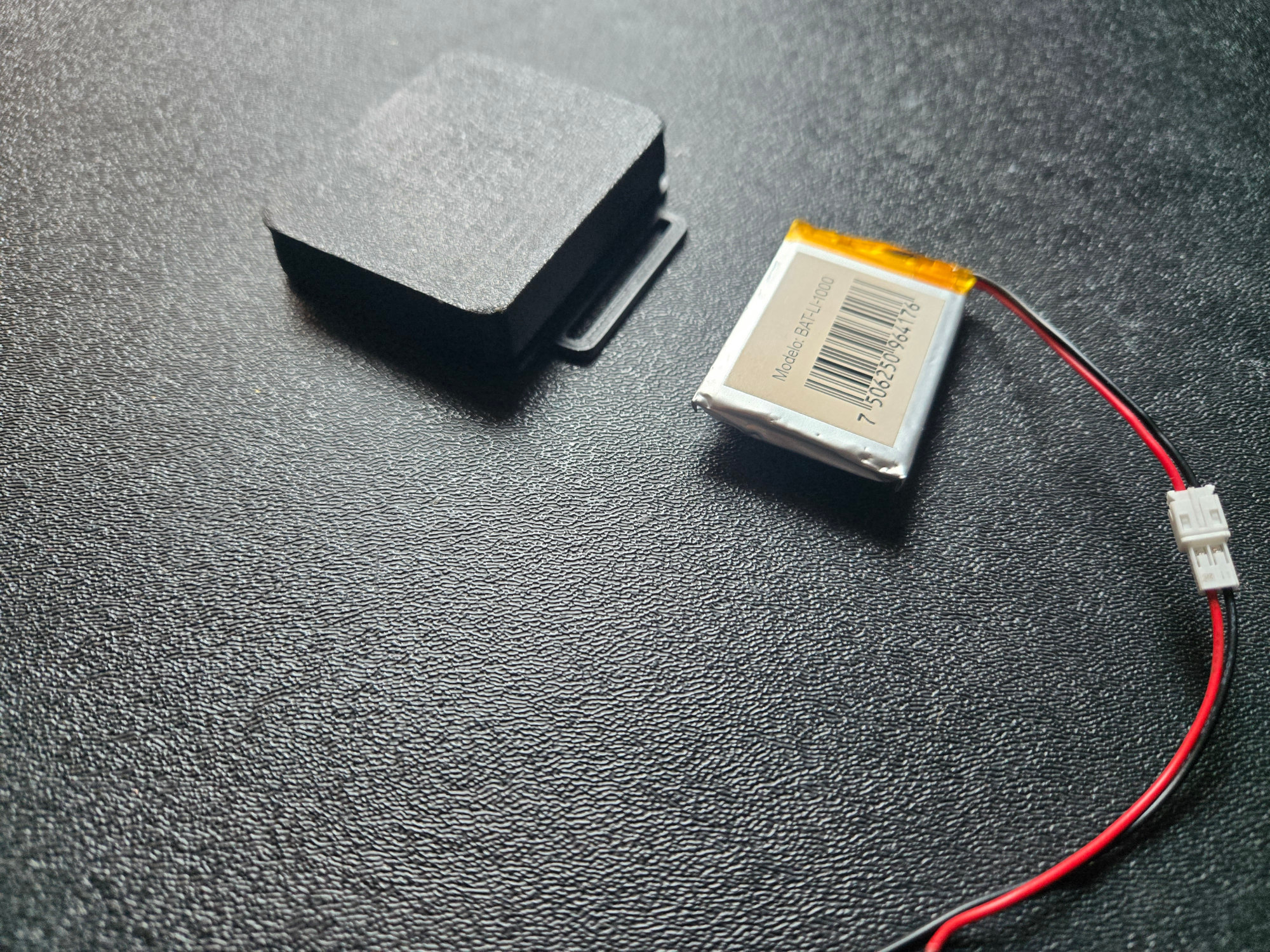
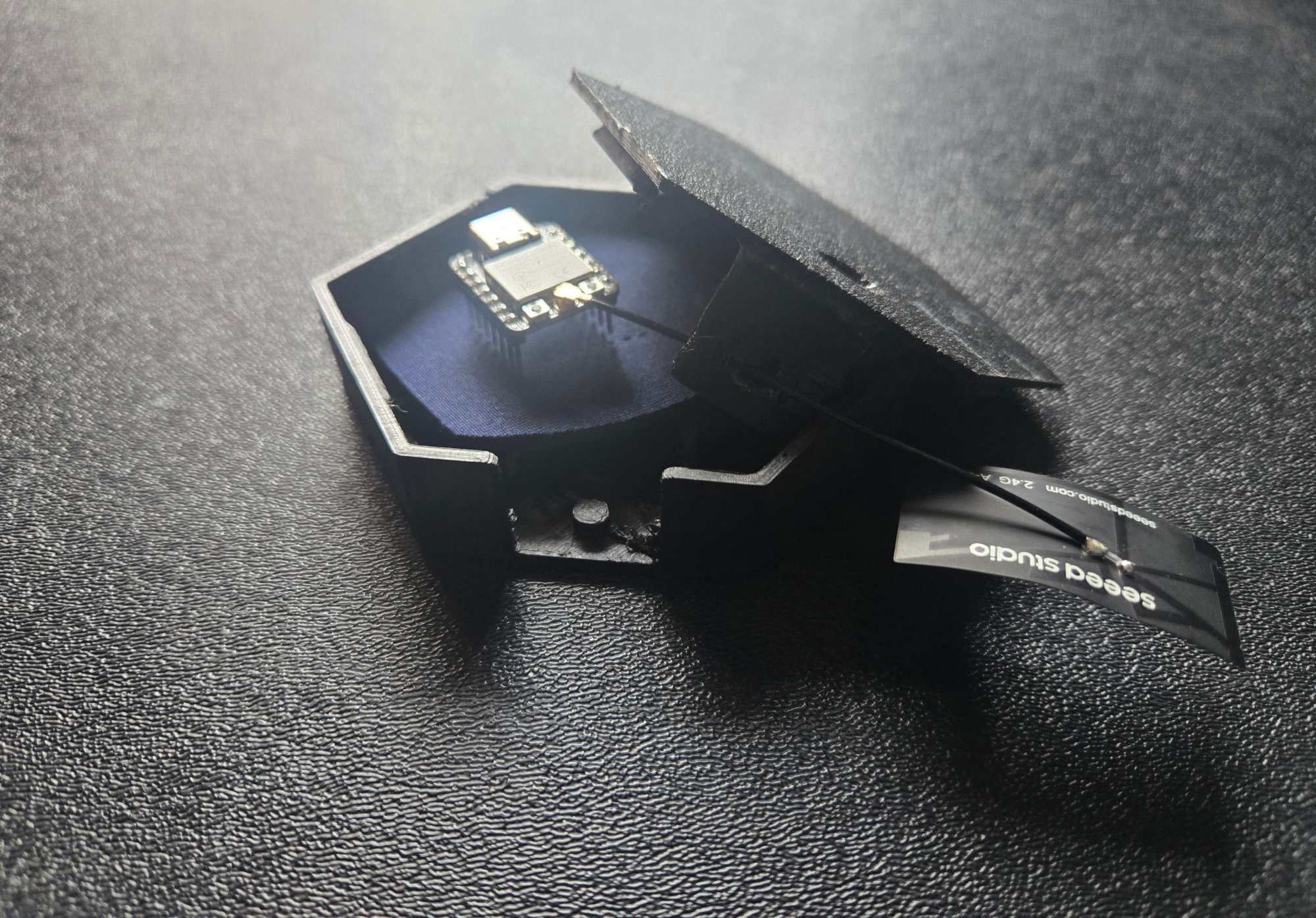
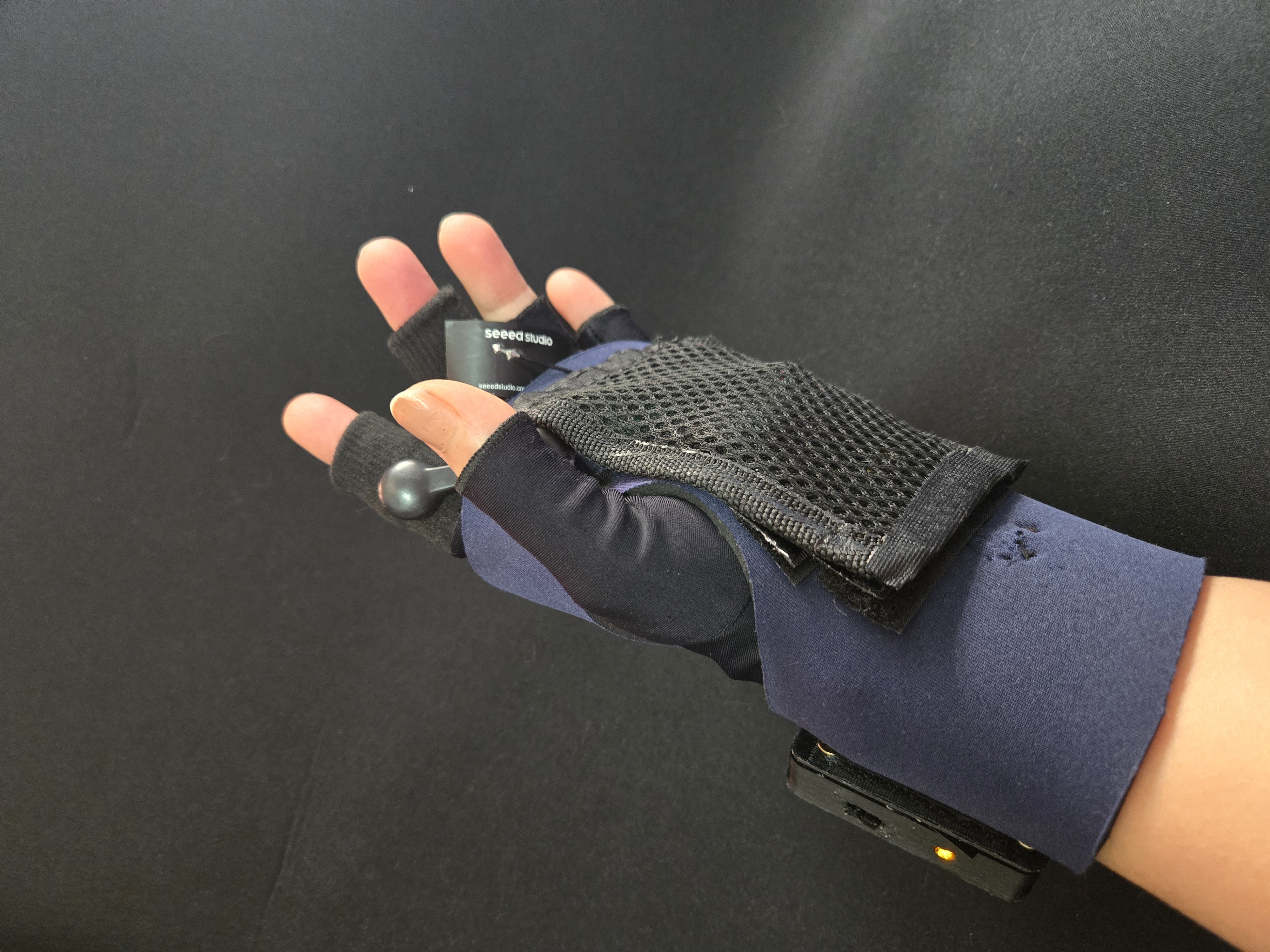
Initially, I experimented with different cases for the Xiao ESP and the GSR sensor, but they turned out to be quite bulky. So, I decided to 3D print a case only for the LiPo battery, the switch, and an LED.
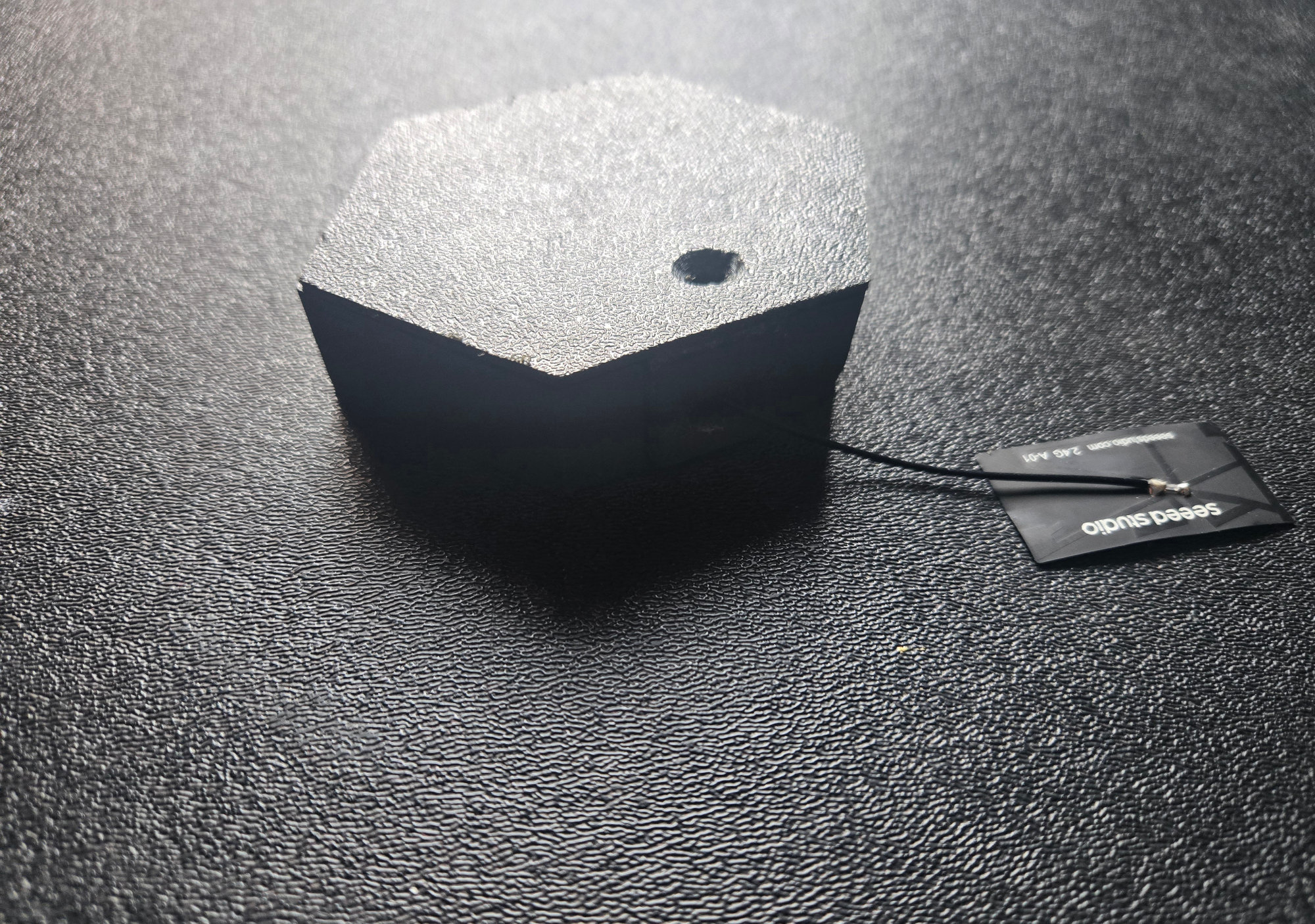
Step 4 ESP-NOW Receiver Case
I 3D printed a case to house the Xiao ESP, which functions as a receiver when using the ESP-NOW protocol.
Step 5 Sewing all the pieces.
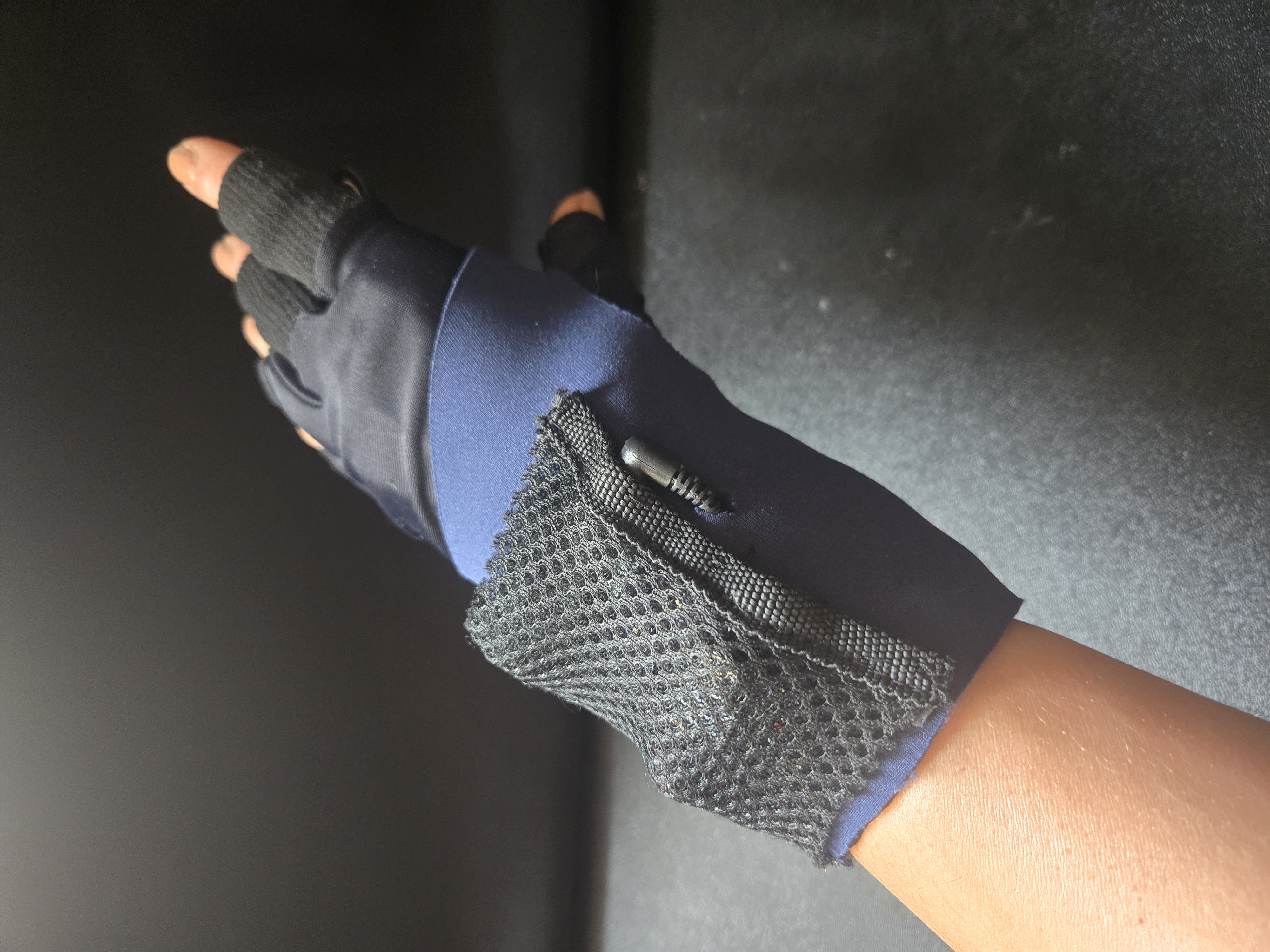
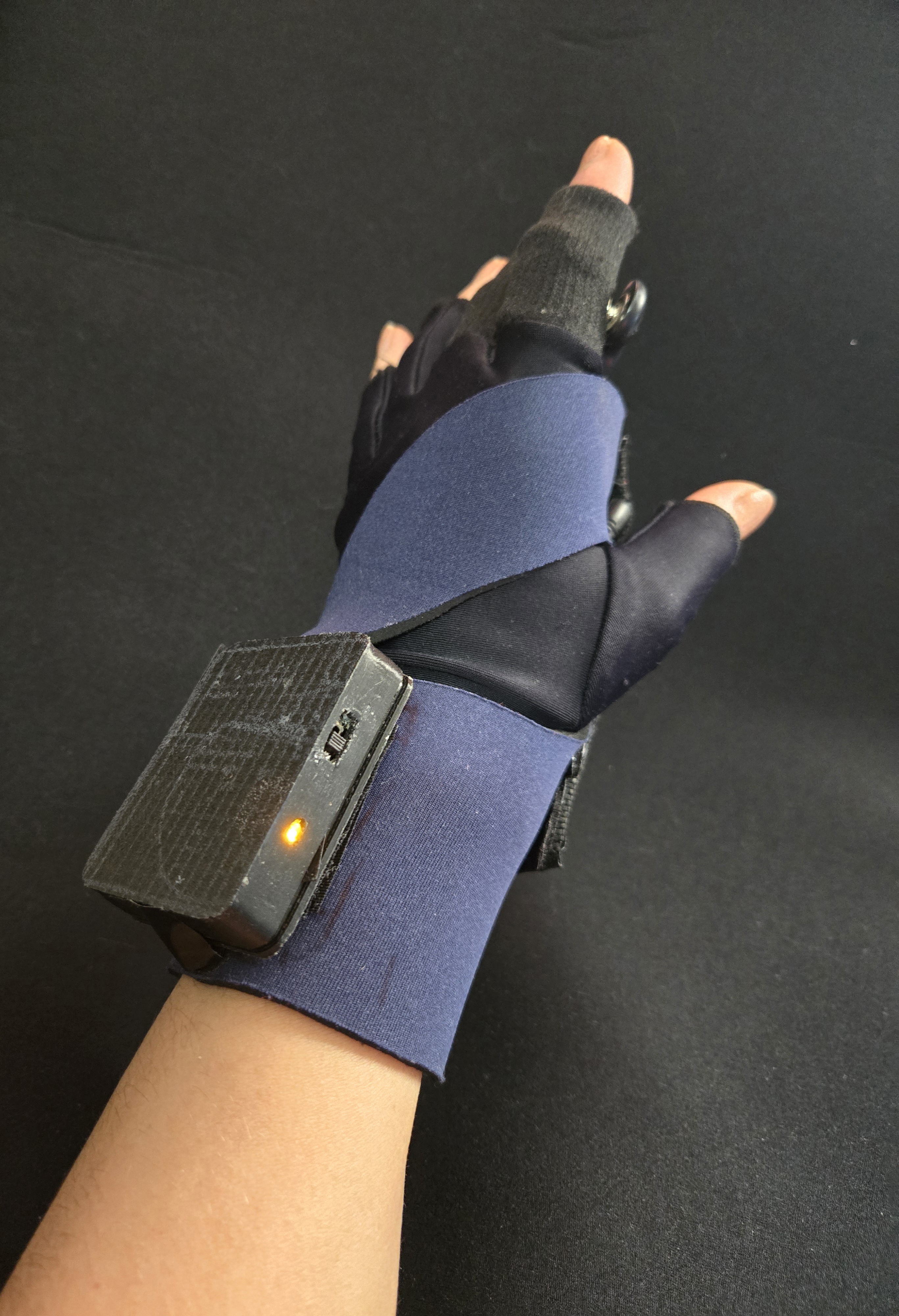
The final step was to sew the mesh fabric over the Xiao ESP and the GSR sensor, while the heart rate sensor was placed on the inner part of the glove. I also attached the battery case with Velcro after gluing the switch and the LED inside. Then, I sewed the Lycra and neoprene parts of the glove together so they became a single piece. It is important to note that the Xiao antenna must remain outside.


Wristband
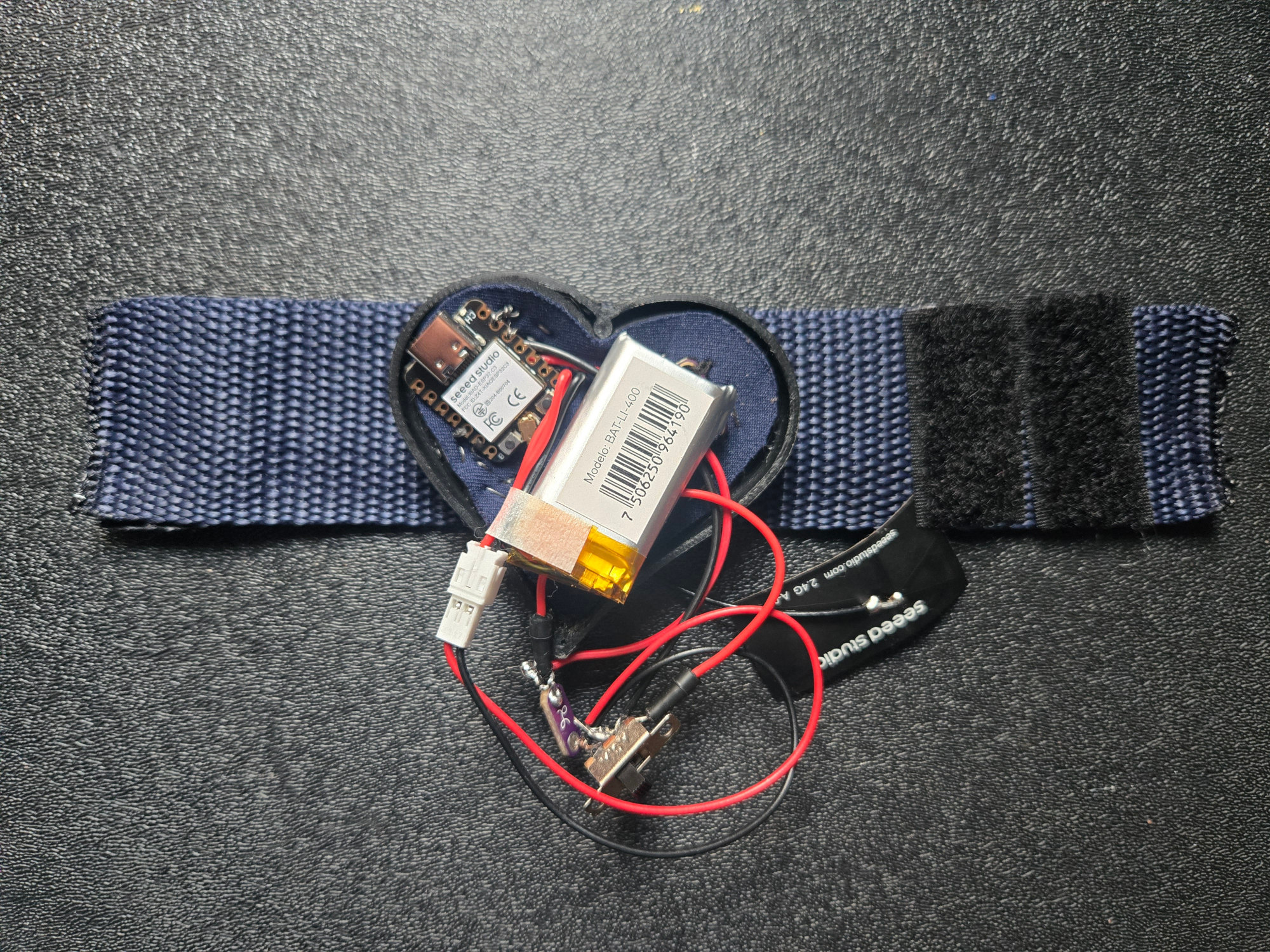
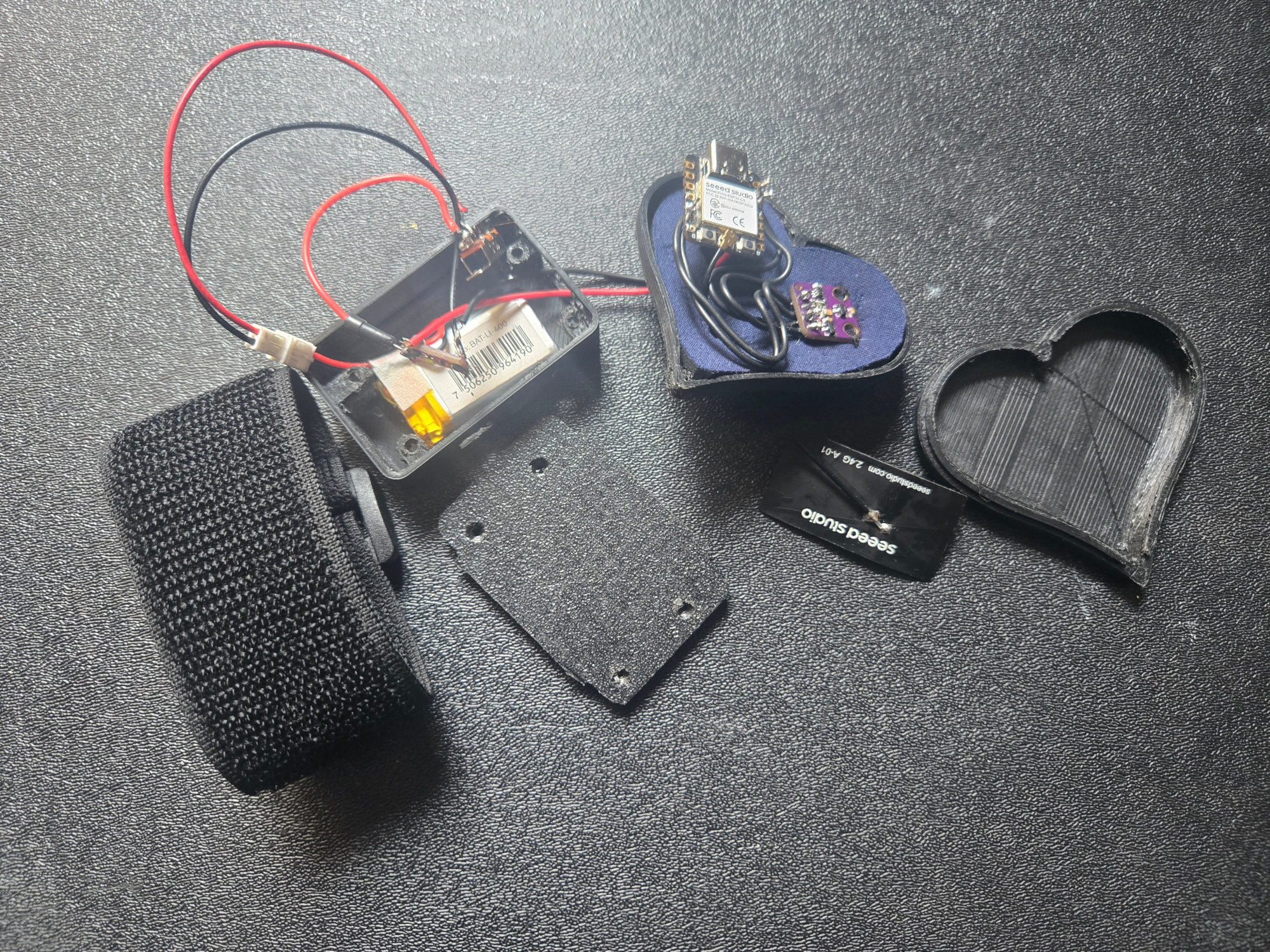
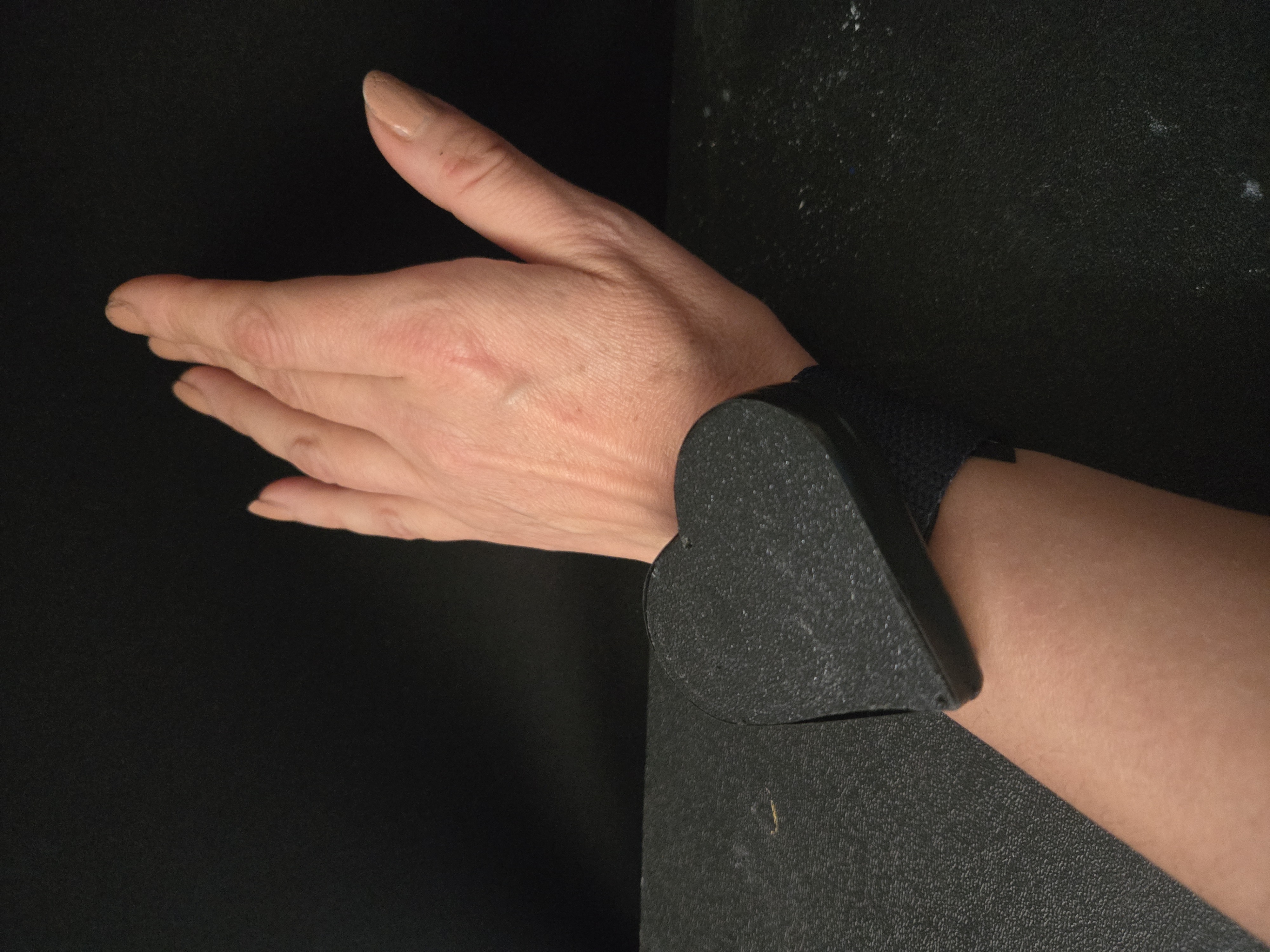
I began by 3D printing a heart-shaped case for the ESP and the battery, while sewing the sensor onto the wristband. However, I soon realized there wasn’t enough space to accommodate a switch and an LED inside the case, so I decided to redesign it.
In the second version, I 3D printed a separate case for the battery, LED, and switch, and sewed the ESP and the heart rate sensor onto the neoprene inside the heart-shaped case.
Results
Glove first version
Glove Final Version
Visuals Generation
Dynamic Images
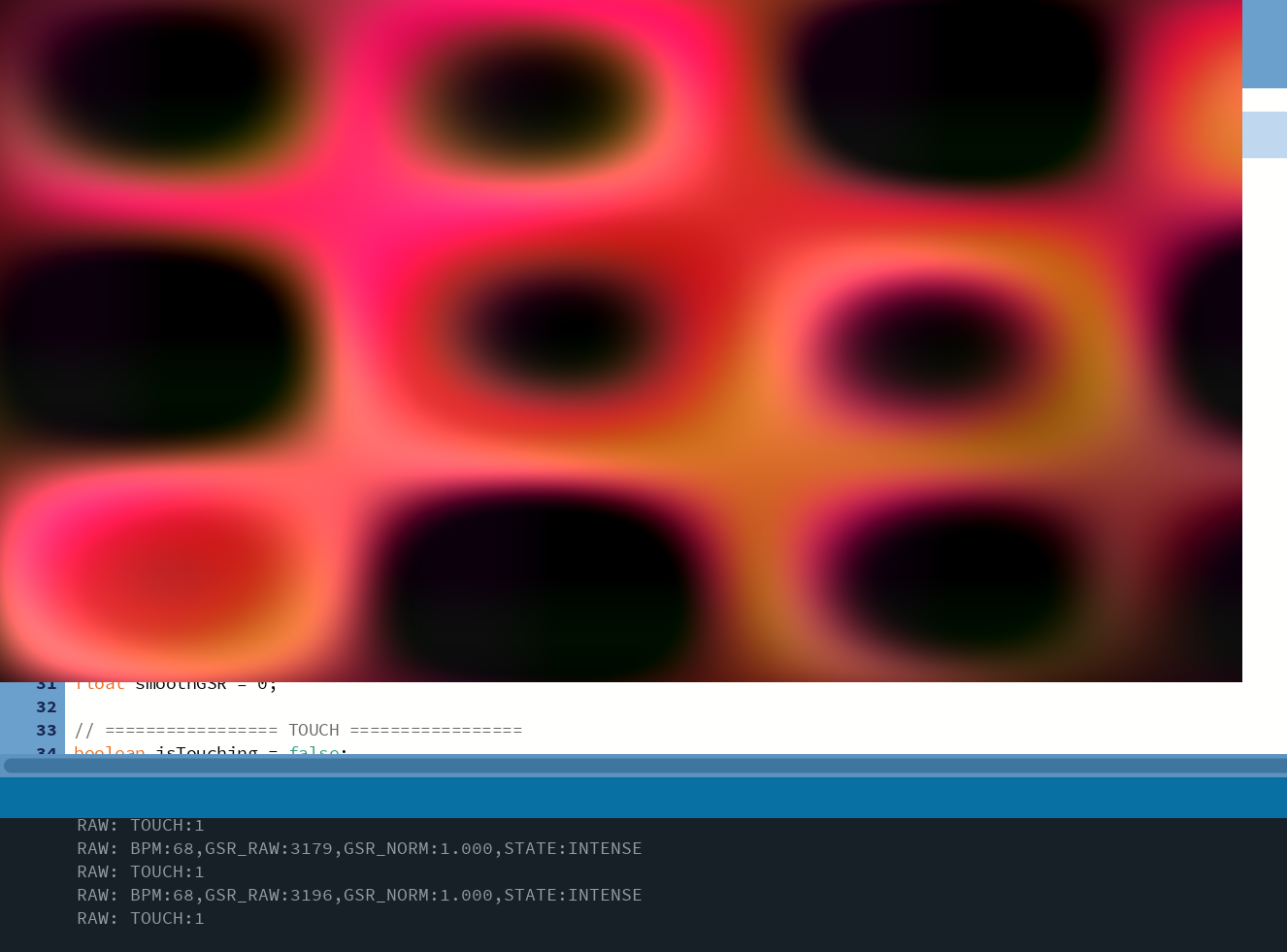
The dynamic images are generated using shaders. It computes the color of every single pixel on the screen, in real time, for every frame. So instead of drawing shapes, they are defined by mathematical universe. It used sine and cosine. Because they:
-
oscillate smoothly
-
create natural wave motion
-
resemble organic systems (water, wind, breathing)
From signal to movement
Instead of showing numbers or graphs, the system transforms the signals into motion.
-
A slower heartbeat creates gentle, flowing movement
-
A faster heartbeat introduces energy and rhythm
The shader transforms biometric signals into a continuously evolving field of color and motion, where emotion is expressed as distortion, rhythm, and chromatic behavior rather than representation.
Role of GSR:
-
Low GSR → small distortion → stable image
-
High GSR → strong distortion → chaotic flow
AI Image Generation
Process
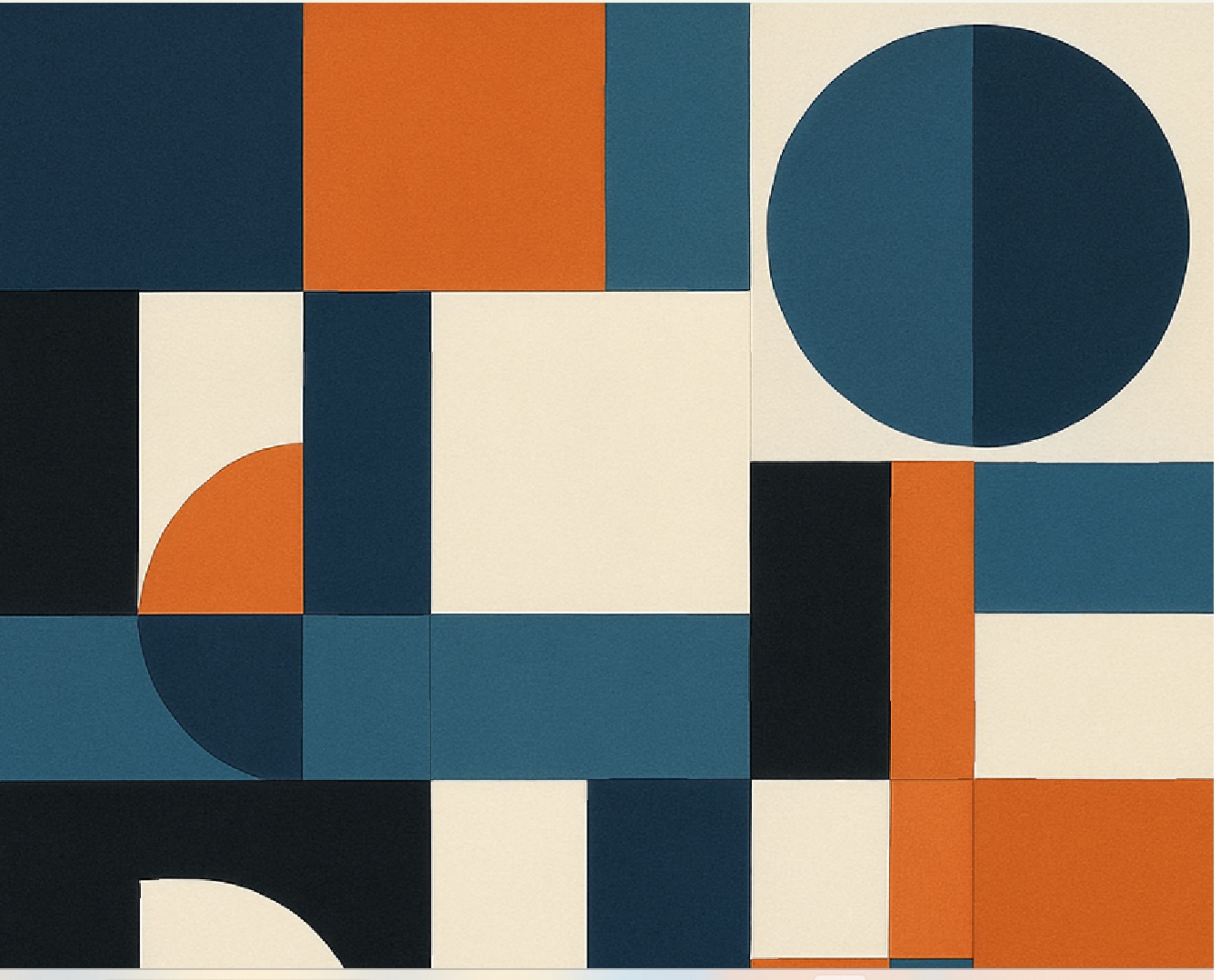
- Build prompt from emotion
- Call OpenAI Image API
- Receive base64 image
- Decode and save locally
- Load into Processing
Prompt Mapping
if (emotion.equals("CALM")) return "Contemporary abstract painting. Soft translucent layers, muted teal and sand palette.";
if (emotion.equals("STABLE")) return "Balanced abstract artwork. Layered geometry, terracotta and deep teal.";
if (emotion.equals("FOCUSED")) return "Controlled abstract composition, crisp edges, minimal palette with strong lines.";
if (emotion.equals("ELEVATED")) return "Expressive abstract painting, coral and golden tones, dynamic shapes.";
if (emotion.equals("INTENSE")) return "Bold dramatic abstract artwork, deep crimson and black contrast, energetic strokes.";
return "Minimal contemporary abstract painting.";

Poetic Reflection
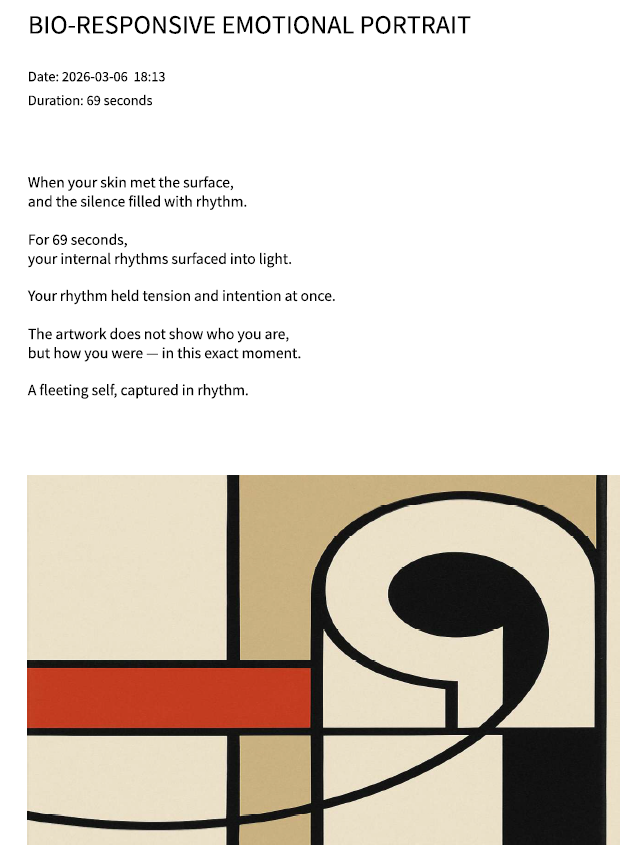
At the end of the experience, the system generates a short text. It is not pre-written. It is composed in that moment, using the biometric data.
During the interaction, the system quietly collects two key elements:
-
How long the user stayed (duration)
-
How the heart behaved (average rhythm)
From data to language the system translates the data into poetic language. For example:
-
A slow, steady rhythm becomes calm, distance, or stillness
-
A more active rhythm becomes tension, movement, or energy
-
A high-intensity state becomes urgency, brightness, or force
A modular poem
The text is built in layers, almost like assembling a sentence from fragments. Each reflection includes:
An opening
Describes the moment of contact → “When your skin met the surface…”
A transition
Suggests something invisible becoming visible → “…an unseen language began to unfold.”
A duration reference
Anchors the experience in time → “For 42 seconds…”
A bodily metaphor This is the most important part. It reflects the physiological state Calm → “like a distant tide” Balanced → “a quiet current beneath the surface” Intense → “a signal flare in the dark”
A conceptual closing Shifts from description to meaning → “This is not an image of your face…”
A final line Leaves a lasting impression → “A fragment of you, translated into light.”
Even though the system uses predefined phrases, the combination is always different.
It does not diagnose or interpret in a clinical sense It transforms physiological signals into a poetic narrative. It gives language to something that normally has none. Instead of saying: “Your heart rate was 78 BPM” The system says: “Your rhythm held tension and intention at once.”
Voice Generation
Process
- Sends reflection text to TTS (Text-to-Speech) API
- Receives WAV audio
- Saves locally
- Plays audio
It doesn’t play a prerecorded audio. It generates a voice in that moment.
The poetic text is finalized The system sends that text to a voice engine AI generated voice reads it The audio is created instantly The system plays it.
PDF Report Generation
Contents
-
Title
-
Timestamp
-
Duration
-
Poetic reflection
-
Generated artwork
Output A4 PDF (595×842)
Process The session ends All elements are already available:
-
Image
-
Text
-
Timing
-
The system arranges them into a page layout
-
A PDF file is created instantly
This step transforms a temporary experience into something to keep.
Printing System
Process
Opens system print dialog It builds a system command (a Windows instruction) It sends that command to the OS (Windows) The OS opens the PDF using the default app (e.g., a PDF viewer) That app shows the print dialog
Programming
Code
// =====================================================
// BIO-RESPONSIVE PAINTING INSTALLATION (FINAL CLEAN)
// ESP32C3 → Serial → OpenAI → Fade Display → Poetic PDF
// =====================================================

import processing.serial.*;
import processing.data.*;
import java.io.*;
import java.net.*;
import java.util.Base64;
import processing.sound.*;
import processing.video.*;
import processing.pdf.*;

// -------------------------------------
// SESSION TRACKING
// -------------------------------------

ArrayList<String> emotionTimeline = new ArrayList<String>();
int sessionStartTime = 0;
int sessionEndTime = 0;

int bpmSum = 0;
int bpmCount = 0;

// --------------------------------------------------
// SYSTEM STATE
// --------------------------------------------------

processing.serial.Serial myPort;

String OPENAI_API_KEY = "MyKEY";

// --------------------------------------------------
// INTRO VIDEO + SOUND
// --------------------------------------------------

Movie introVideo;
SoundFile heartbeat;

float introAlpha = 255;
boolean introFinished = false;

// --------------------------------------------------
// PARTICIPANT DETECTION
// --------------------------------------------------

boolean isTouching = false;
boolean wasTouching = false;

// --------------------------------------------------
// IMAGE SYSTEM
// --------------------------------------------------

PImage generatedImage;
boolean loading = false;

// =====================================================
// SETUP
// =====================================================

void setup() {

  fullScreen(P2D);
  pixelDensity(1);

  introVideo = new Movie(this, "BrushStrokes.mp4");
  introVideo.loop();
  introVideo.volume(0);

  heartbeat = new SoundFile(this, "cinematic-heartbeat.wav");
  heartbeat.loop();
  heartbeat.amp(0.5);

  myPort = new processing.serial.Serial(this, "COM4", 115200);
  myPort.bufferUntil('\n');

  println("System ready.");
}

// =====================================================
// VIDEO EVENT
// =====================================================

void movieEvent(Movie m) {
  m.read();
}

// =====================================================
// DRAW LOOP
// =====================================================

void draw() {

  background(0);
  imageMode(CENTER);

  if (generatedImage == null) {
    image(introVideo, width/2, height/2, width, height);
    return;
  }

  if (!introFinished) {

    if (introAlpha > 0) {

      introVideo.pause();

      tint(255, introAlpha);
      image(introVideo, width/2, height/2, width, height);

      tint(255, 255 - introAlpha);
      image(generatedImage, width/2, height/2, width, height);

      introAlpha -= 4;

    } else {

      introAlpha = 0;
      introFinished = true;

      introVideo.stop();
      heartbeat.stop();
    }

  } else {

    tint(255, 255);
    image(generatedImage, width/2, height/2, width, height);
  }
}

// =====================================================
// SERIAL EVENT
// =====================================================

void serialEvent(processing.serial.Serial p) {

  String incoming = trim(p.readStringUntil('\n'));
  if (incoming == null) return;

  println("RAW: " + incoming);

  // ---------------- TOUCH ----------------

  if (incoming.startsWith("TOUCH:")) {

    int touchValue = int(split(incoming, ":")[1]);
    isTouching = (touchValue == 1);

    if (wasTouching && !isTouching) {

      println("Finger removed → Resetting.");

      sessionEndTime = millis();
      generateSessionReport();
      printSessionReport();

      delay(2000);
      resetInstallation();
    }

    if (!wasTouching && isTouching) {

      println("New participant detected.");

      emotionTimeline.clear();
      bpmSum = 0;
      bpmCount = 0;

      sessionStartTime = millis();
    }

    wasTouching = isTouching;
    return;
  }

  // ---------------- BIO DATA ----------------

  if (incoming.startsWith("BPM:")) {

    try {

      String[] parts = split(incoming, ",");

      currentBPM = int(split(parts[0], ":")[1]);

      float newGSR = float(split(parts[2], ":")[1]);
      smoothGSR = lerp(smoothGSR, newGSR, 0.1);
      currentGSR = smoothGSR;

      String emotion = split(parts[3], ":")[1];

      bpmSum += currentBPM;
      bpmCount++;

      println("Parsed → BPM: " + currentBPM +
              " | GSR: " + currentGSR +
              " | STATE: " + emotion);

      if (!emotion.equals(lastEmotion) && !loading && isTouching) {

        lastEmotion = emotion;
        currentEmotion = emotion;

        introAlpha = 255;

        thread("generateImage");
      }

    } catch (Exception e) {

      println("Parse error.");
      e.printStackTrace();
    }
  }
}

// =====================================================
// IMAGE GENERATION
// =====================================================

void generateImage() {

  loading = true;

  try {

    println("Generating image for: " + currentEmotion);

    String prompt = buildPrompt(currentEmotion);

    JSONObject body = new JSONObject();
    body.setString("model", "gpt-image-1");
    body.setString("prompt", prompt);
    body.setString("size", "1024x1024");

    URL url = new URL("https://api.openai.com/v1/images/generations");
    HttpURLConnection conn = (HttpURLConnection) url.openConnection();

    conn.setRequestMethod("POST");
    conn.setRequestProperty("Content-Type", "application/json");
    conn.setRequestProperty("Authorization", "Bearer " + OPENAI_API_KEY);
    conn.setDoOutput(true);

    OutputStream os = conn.getOutputStream();
    os.write(body.toString().getBytes("UTF-8"));
    os.close();

    BufferedReader reader = new BufferedReader(
      new InputStreamReader(conn.getInputStream())
    );

    String response = "";
    String line;

    while ((line = reader.readLine()) != null) {
      response += line;
    }

    reader.close();

    JSONObject json = parseJSONObject(response);
    JSONArray data = json.getJSONArray("data");

    String base64Image = data.getJSONObject(0).getString("b64_json");
    byte[] imageBytes = Base64.getDecoder().decode(base64Image);

    String imagePath = sketchPath("generated.png");
    FileOutputStream fos = new FileOutputStream(imagePath);
    fos.write(imageBytes);
    fos.close();

    generatedImage = loadImage("generated.png");
    generatedImage.resize(width, height);

    println("Image ready.");

  } catch (Exception e) {
    e.printStackTrace();
  }

  loading = false;
}

// =====================================================
// EMOTION → PROMPT
// =====================================================

String buildPrompt(String emotion) {

  if (emotion.equals("CALM"))
    return "Contemporary abstract painting. Soft translucent layers, muted teal and sand palette.";

  if (emotion.equals("STABLE"))
    return "Balanced abstract artwork. Layered geometry, terracotta and deep teal.";

  if (emotion.equals("FOCUSED"))
    return "Controlled abstract composition, crisp edges, minimal palette with strong lines.";

  if (emotion.equals("ELEVATED"))
    return "Expressive abstract painting, coral and golden tones, dynamic shapes.";

  if (emotion.equals("INTENSE"))
    return "Bold dramatic abstract artwork, deep crimson and black contrast, energetic strokes.";

  return "Minimal contemporary abstract painting.";
}

// =====================================================
// POETIC REFLECTION
// =====================================================

String buildPoeticReflection(int avgBPM, int duration) {

  // ----------------------------------
  // VARIATION POOLS
  // ----------------------------------

  String[] openings = {
    "You placed your hand upon the sensor,",
    "When your skin met the surface,",
    "At the moment of contact,",
    "Your touch awakened the system,"
  };

  String[] translations = {
    "and your body began to translate itself.",
    "and an unseen language started to unfold.",
    "and your internal signals rose into visibility.",
    "and the silence filled with rhythm."
  };

  String[] durationLines = {
    "For " + duration + " seconds,",
    "Across " + duration + " measured seconds,",
    "During " + duration + " suspended seconds,"
  };

  String[] calmMetaphors = {
    "Your pulse moved like a distant tide — steady and inward.",
    "Your rhythm settled like evening light over still water.",
    "Your heartbeat drifted, unhurried and reflective."
  };

  String[] midMetaphors = {
    "Your heart carried a quiet urgency — present and aware.",
    "A subtle current ran beneath the surface of your skin.",
    "Your rhythm held tension and intention at once."
  };

  String[] intenseMetaphors = {
    "Your pulse surged with intensity — electric and immediate.",
    "Energy rose sharply, bright beneath your skin.",
    "Your heartbeat struck like a signal flare in the dark."
  };

  String[] closings = {
    "This is not an image of your face,\nbut a portrait of your physiological moment.",
    "What emerged was not your likeness,\nbut the trace of your internal weather.",
    "The artwork does not show who you are,\nbut how you were — in this exact moment."
  };

  String[] finalLines = {
    "A record written in signal and breath.",
    "A fleeting self, captured in rhythm.",
    "A fragment of you, translated into light."
  };

  // ----------------------------------
  // RANDOM SELECTION
  // ----------------------------------

  String text = "";

  text += openings[int(random(openings.length))] + "\n";
  text += translations[int(random(translations.length))] + "\n\n";

  text += durationLines[int(random(durationLines.length))] + "\n";
  text += "your internal rhythms surfaced into light.\n\n";

  // BPM-BASED SECTION
  if (avgBPM < 65) {
    text += calmMetaphors[int(random(calmMetaphors.length))] + "\n\n";
  }
  else if (avgBPM < 85) {
    text += midMetaphors[int(random(midMetaphors.length))] + "\n\n";
  }
  else {
    text += intenseMetaphors[int(random(intenseMetaphors.length))] + "\n\n";
  }

  text += closings[int(random(closings.length))] + "\n\n";
  text += finalLines[int(random(finalLines.length))];

  return text;
}

// =====================================================
// GENERATE PDF
// =====================================================

void generateSessionReport() {

  int durationSeconds = (sessionEndTime - sessionStartTime) / 1000;
  int avgBPM = bpmCount > 0 ? bpmSum / bpmCount : 0;

  String timestamp =
    year() + "-" + nf(month(),2) + "-" + nf(day(),2) +
    "  " + nf(hour(),2) + ":" + nf(minute(),2);

  String reflection = buildPoeticReflection(avgBPM, durationSeconds);

  String filename = sketchPath("SessionReport.pdf");

  PGraphics pdf = createGraphics(595, 842, PDF, filename);
  pdf.beginDraw();

  pdf.background(255);
  pdf.fill(0);
  pdf.textAlign(LEFT);

  pdf.textSize(22);
  pdf.text("BIO-RESPONSIVE EMOTIONAL PORTRAIT", 50, 80);

  pdf.textSize(12);
  pdf.text("Date: " + timestamp, 50, 120);
  pdf.text("Duration: " + durationSeconds + " seconds", 50, 140);

  pdf.textSize(13);
  pdf.text(reflection, 50, 200, 495, 300);

  if (generatedImage != null) {

    float imgWidth = 495;
    float aspect = (float)generatedImage.height / generatedImage.width;
    float imgHeight = imgWidth * aspect;

    pdf.image(generatedImage, 50, 450, imgWidth, imgHeight);
  }

  pdf.endDraw();
  pdf.dispose();

  println("Poetic PDF generated.");
}

// =====================================================
// PRINT PDF
// =====================================================

void printSessionReport() {

  try {

    String pdfPath = sketchPath("SessionReport.pdf");
    String command = "rundll32 url.dll,FileProtocolHandler \"" + pdfPath + "\"";
    Runtime.getRuntime().exec(command);

    println("Print dialog opened.");

  } catch (Exception e) {
    e.printStackTrace();
  }
}

// =====================================================
// RESET
// =====================================================

void resetInstallation() {

  generatedImage = null;

  introAlpha = 255;
  introFinished = false;

  lastEmotion = "";
  currentEmotion = "CALM";

  introVideo.loop();

  if (!heartbeat.isPlaying()) {
    heartbeat.loop();
    heartbeat.amp(0.5);
  }

  println("System reset.");
}
Videos
## Mentoring notes ## Midterm Presentation Feedback
Anastasia the system could combine the heartbeat and galvanic with the persons hand movement, for example different colors are the heartbit, the galvanic value is the type of brush and the movement of the hand is the tracing on the lines (drawing) iti is important to explore the drawing part. your hardware can be simple and functional and the drawing can be developed further to be more attractive.
Claudia I recommend you checking out touchdesigner where you can learn how to connect the inputs of electronics through wifi in real time to custom visuals that collectively appear and interact. You can establish your own rules and guidelines within the software. See also related projects by artists that make use of those technologies in their practices. * https://www.youtube.com/shorts/Txzaid2XVow * https://www.youtube.com/watch?v=cI6uLbyJeUY * https://www.youtube.com/watch?v=FAtgupffVbA
Nuria Dear Emma, your project is evolving beautifully, and the concept is very strong, you’re translating internal states into visual expression in a way that feels poetic and accessible. As you move forward, I think it would really help to improve the photos and videos of your prototypes so the signals, reactions, and materials can be clearly appreciated. This will make your process and results much more understandable for others. I’m happy to help you work on capturing better visuals, so you can communicate the project with the clarity it deserves.You’re doing excellent work, keep going!
Louise Emma, thank you for your presentation! I was wondering how are you going to relate the heartbeat and skin conductance with personal emotions? Maybe you have a chart? Will you map your paintings’ aesthetics depending on emotional states? It would be nice to see painting references for each emotional states.
Carolina Hi Emma, it's interesting that you created a relation with painting/screen. The glove could be adjustable so you can fit more people, but I agree that the bracelet is better for an exhibition. I´m curiouse with the final gadjet-art they can take home. Good work!
Maddie Olsen Some people have a hard time identifying and describing feelings they have, or their mind-body connection is not strong. While you admit it’s not informed by any medical/clinical data, it may be therapeutic and educational for those who struggle to interpret the way their body feels to the moods they have.
## Half-fabrication files [^1]: Test file: 3d modelling test