E-textiles
1. Lecture
What are electronic textiles?
They are fabrics that have electronic components, circuits, and conductive materials built directly into them.
What is a circuit?
An electrical circuit is like a closed path through which electricity travels to transport and transform energy.
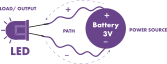
It consists of a power source, which provides the energy; a path, the route through which the electricity flows; and a load or output, which is the physical result of the circuit connection.
3 basics
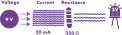
Voltage: The force with which electricity flows (measured in volts (V)).
Current: The amount of electricity passing through a point in the circuit (measured in amps (A)).
Resistance: Determines how much electricity flows through the circuit.
What is a switch?
A switch is a control device that opens or closes an electrical circuit to either allow or stop the flow of electricity (providing a simple ON or OFF response).
Types of switches in textiles
Momentary
Toggle
Tilt
Stroke
What is a sensor?
a sensor is a flexible fabric component that detects physical changes, like stretching, pressure, body heat, or moisture and converts them into electrical signals.
Types of sensors
Pressure
Simple Fabric Pressure Sensors
Neoprene Pressure Sensor Matrix
Bend
Potentiometer
Stretch
2. References, research & inspiration
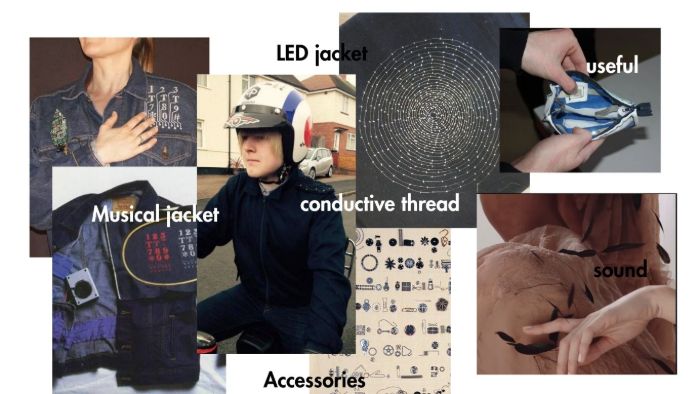
Levi´s Mark Donnison Maleza tornasol Audrey Briot
2.1 Quick how-tos
Please check out Liza Stark Presentation:
get inspired!
Check out and research alumni pages to better understand how to document and get inspired
- E-textiles - Kitronik
computational io cicuits lLiza stark
Frecuent questions: https://kitronik.co.uk/blogs/resources/e-textiles-the-frequently-asked-questions
3. Tools
4. Process and workflow
4.1 How to make a digital sensor
4.2 Installing ARDUINO IDE
-
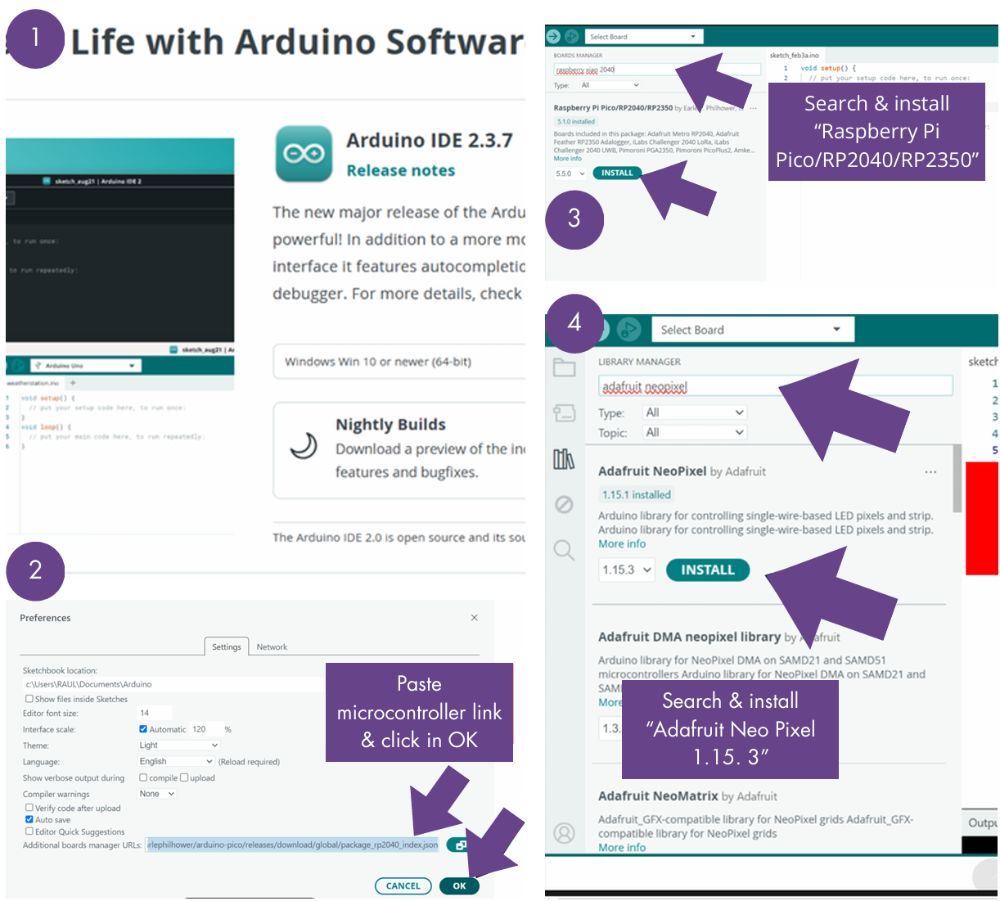
Download Arduino IDE 2.3.7
-
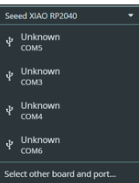
Add a new XIAO RP 2040 microcontroller: FILE > Preferences > Paste link
-
In the Board Manager, search for Raspberry Pi Pico/ RP 2040/ RP 2350
-
In the Library Manager, search for Adafruit Neo Pixel 1.15.3
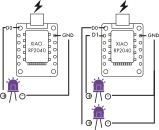
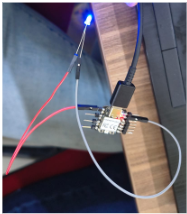
Many ways to turn out a light
Code 1. BLINK TEST
to the Arduino board
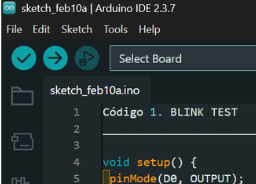
void setup() {
 pinMode(D0, OUTPUT);
}

void loop() {
 digitalWrite(D0, HIGH);
 delay(1000);
 digitalWrite(D0, LOW);
 delay(1000);
}
With this connection, it can be programmed to turn on and off at different time intervals, in time with a song, among other options.


4.2 How to make an analog sensor
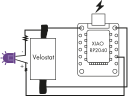
Code. FORCE SENSOR¶¶
int sensor_fuerza= D0;
int led=D9;
int lectura;
int brillo;
void setup()
{

  pinMode(led, OUTPUT);
  Serial.begin(9600);
}

void loop()
{
lectura = analogRead(sensor_fuerza); // Resistance equals sensor reading (Analog 0)
Serial.print("Lectura Analogica = ");
Serial.println(lectura);
// Change the analog reading range (500-1023)
// We use in analogWrite 8 bits (0-255) configured in the map
brillo = map(lectura, 15, 80, 0, 80);
analogWrite(led, brillo);
delay(100); //One hundred “ms” wait on each reading
}
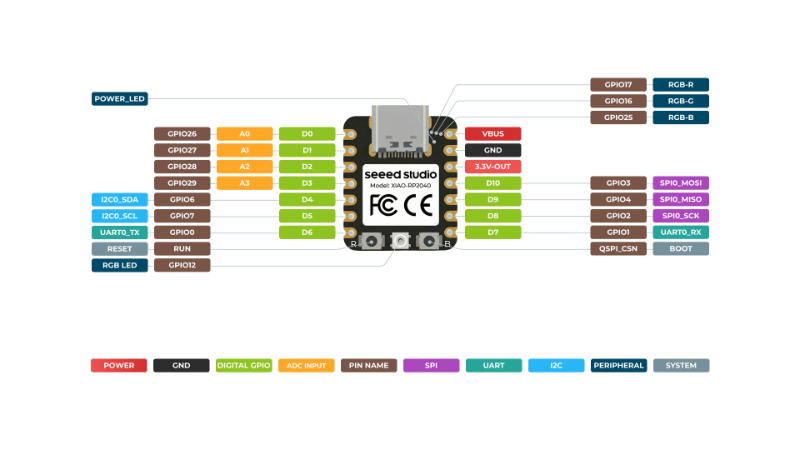
XIAO RP2040
Here is the informatión of my microcontroller [XIAO RP2040][(https://wiki.seeedstudio.com/XIAO-RP2040/)
5. Results
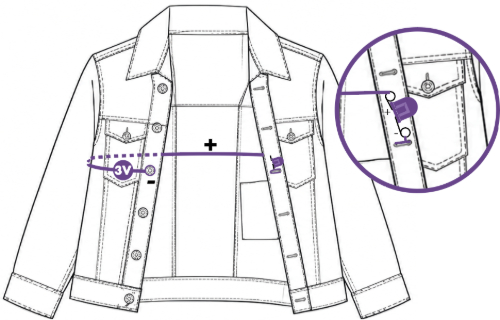
wanted to try to light up my jacket using a circuit made with conductive thead and a 3V battery with its battery holder, so I could easily connect the positive and negative terminals, using the jacket's patches and buttons as contacts.
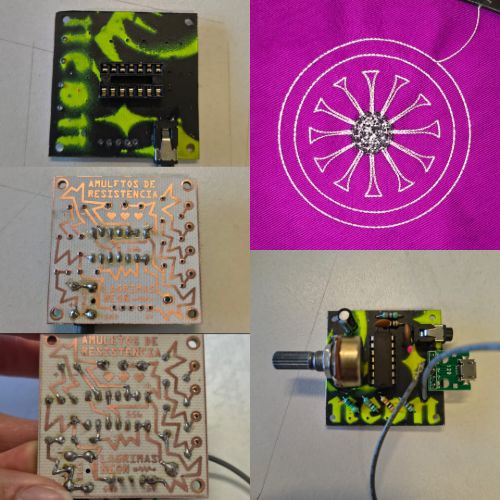
AMULETOS DE RESISTENCIA
[Lágrimas Neón] (https://www.instagram.com/lagrimas_neon__/)
AWith a circuit board made by Lágrimas Neón, handcrafted from recycled materials. The phenolic boards (copper sheets) are printed with the circuit design, and then, using the heat from an iron, this design is transferred to the surface. Afterward, when the board is immersed in acid, only the design printed on the copper remains. Using a soldering iron and tin solder, we connect various key components on the board, such as resistors—which generate lower or higher-pitched sounds—capacitors, and the wires needed to.
complete the circuit.
6. Weekly reflection & critical thinking
I wanted to do something bigger on a piece of clothing, but I ran out of time and hit a creative block. I was torn between doing small tests and incorporating those tests into a jacket, but either way, I’m happy with the result. And I’m eager to keep experimenting with different metallic materials that generate electricity.
NuEval — final step
Go to NuEval and fill in the checklist, when not complete notify your instructor.
7. Fabrication files & References
-
File: Laser cut matrix ↩
-
Reference: Author; Title; Source; year ↩