Thai Patrimony pattern
Looking at everyday life
I began this week thinking about everyday life. I read about Mark Cousins's lecture Where Is Everyday Life? at the Architectural Association in London. It made me curious about ordinary objects and the human stories around them. My master's advisor, Associate Professor M. L. Chittawadi Chitrabongs, also encouraged me to สังเกตสิ่งรอบตัวในชีวิตประจำวัน — observe what is around me in daily life.
I am interested in Thai patrimony, especially Thai dance costumes and crowns. This week I looked at a contemporary mask and dress through that history. I see these designs as part of a hybrid culture, where traditional Thai and Western ideas meet.
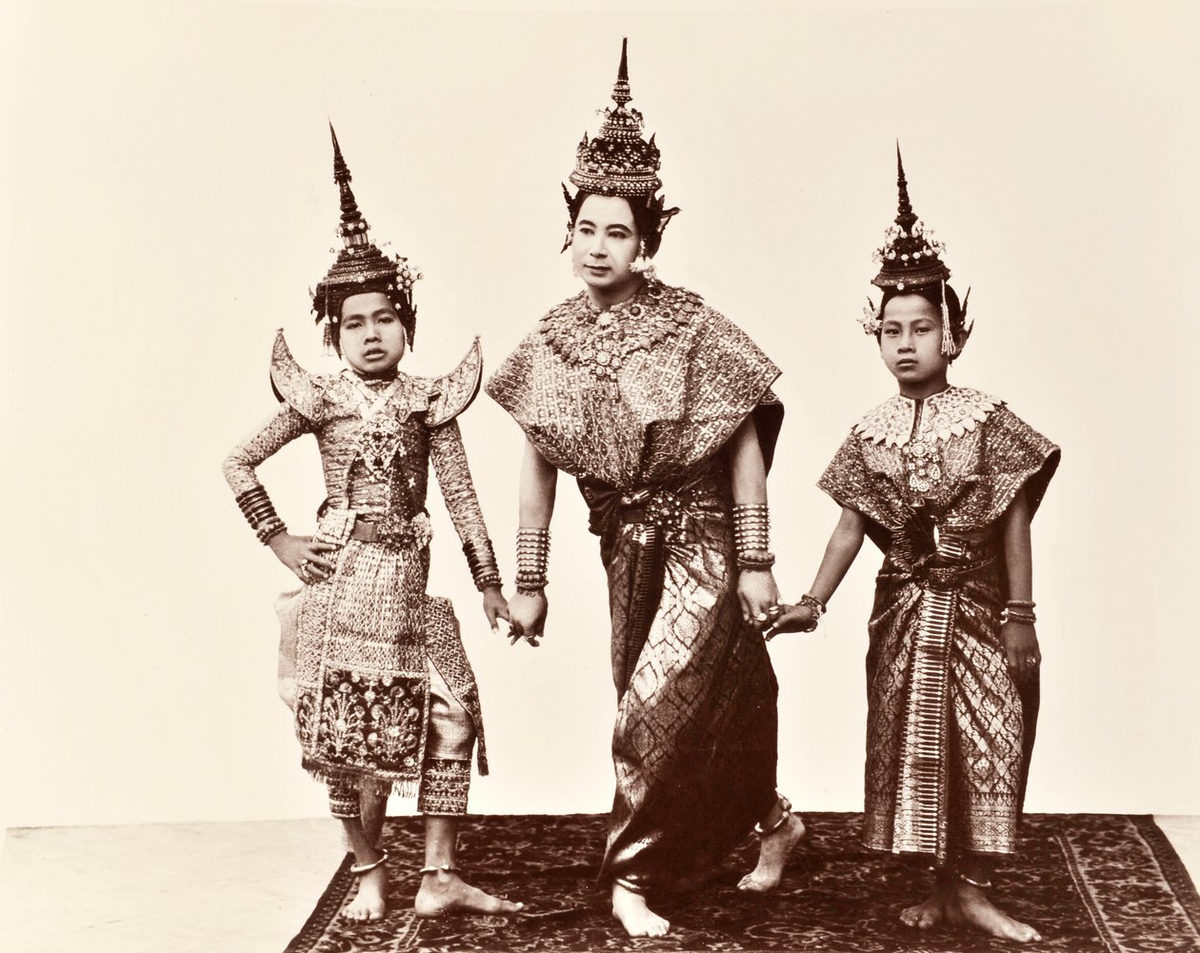 Thai dance costume reference. Image source.
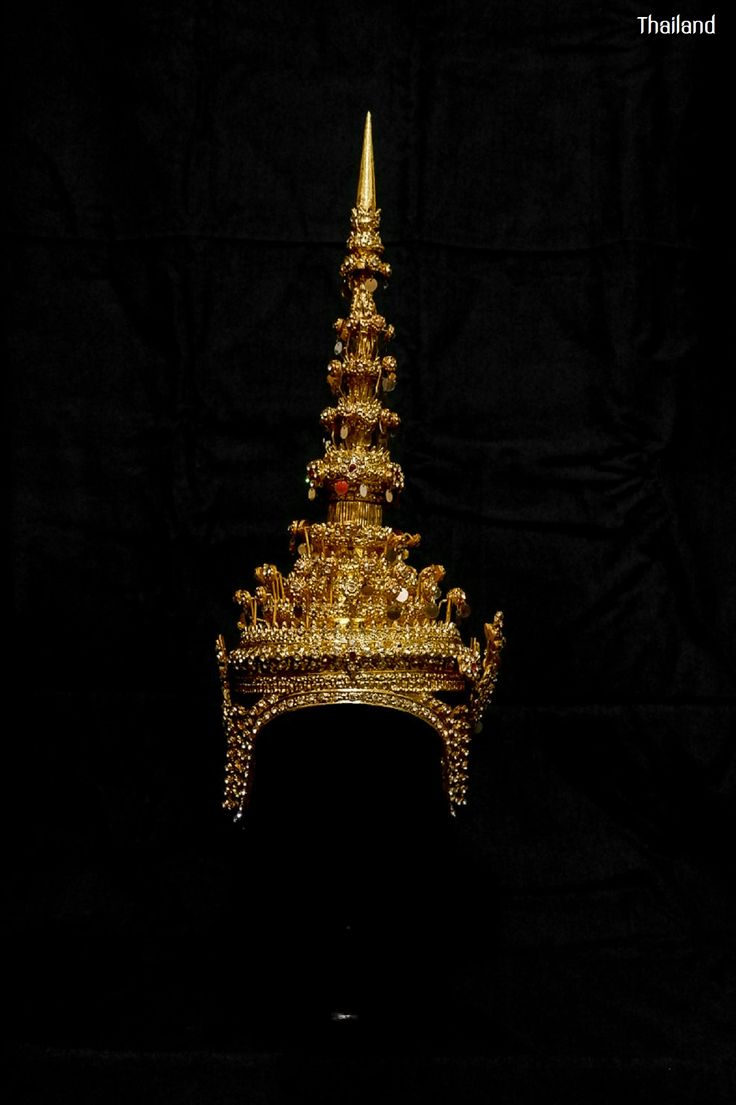 Thai crown reference. Image source.
The crown and the movement of Thai dance inspired my shapes. I developed this work with Anastasia Pistofidou. We asked a simple question: what pattern should we make?
From Thai patrimony to a contemporary shape
Before I drew the joints, I looked at traditional Thai patterns. I was also inspired by Serena Liliantio's Thai Motifs – Reimagined Part II, which gives traditional Thai textile motifs a contemporary form.
I made this image to define the direction of my pattern. I brought together Thai dance, the crown, and traditional motifs. Then I looked for shapes I could simplify, repeat, and join. This was my step from Thai patrimony to a contemporary modular pattern.
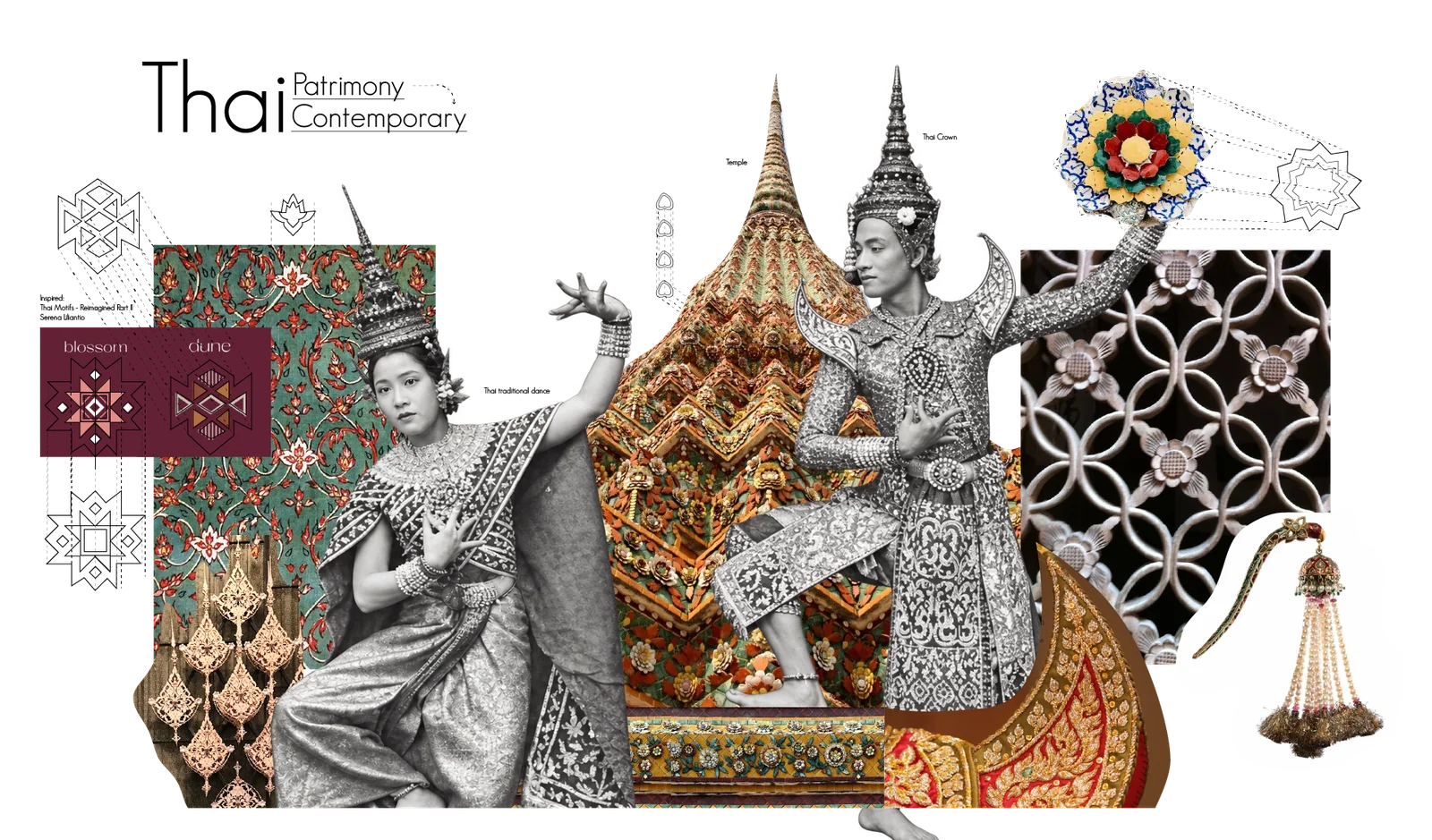 Inspired and defined pattern. Image by author.
Developing the joints
I began by drawing joints that could connect many pieces.
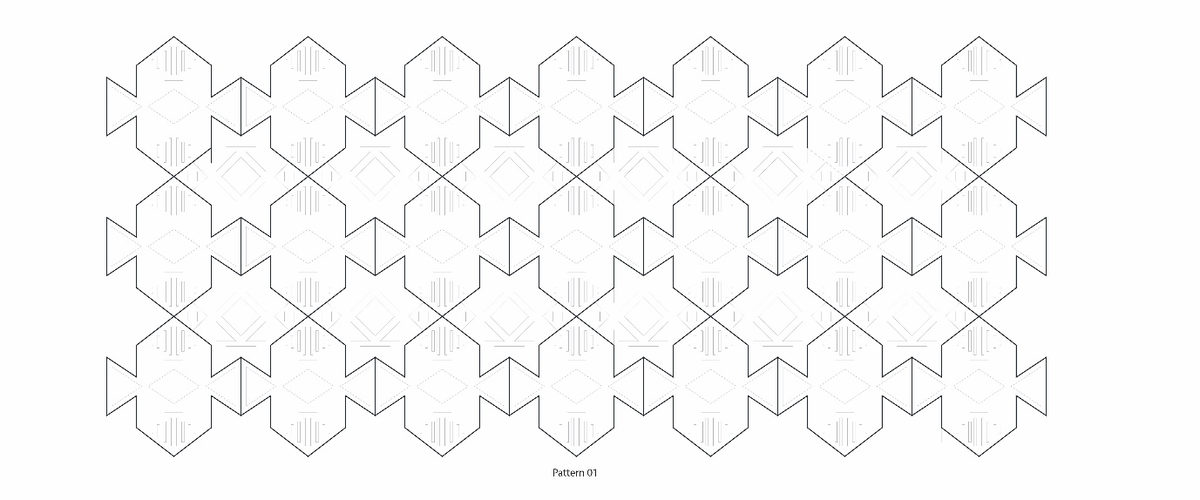 The first joint layout that Anastasia and I developed together.
Rejoining
Then I marked new places where the parts could connect.
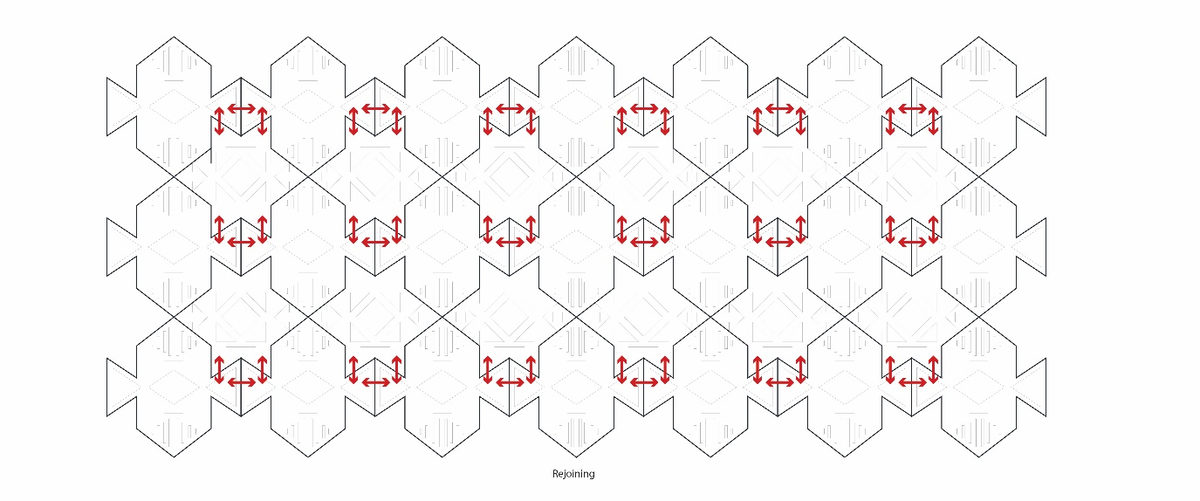 The revised joints.
I tried joining the parts again in a different way.
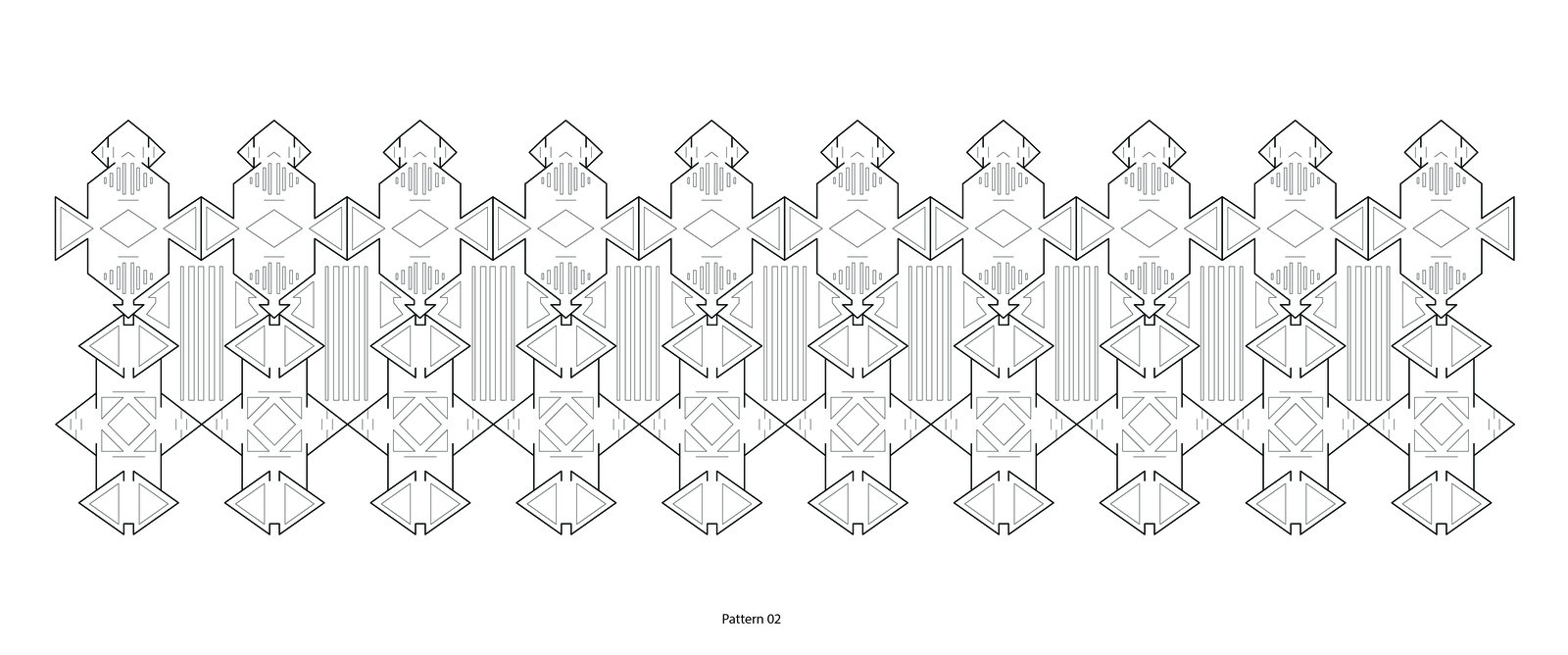 Rejoining the modules.
A new pattern with three modules
I moved from the first joint layout to a new pattern with three modules.
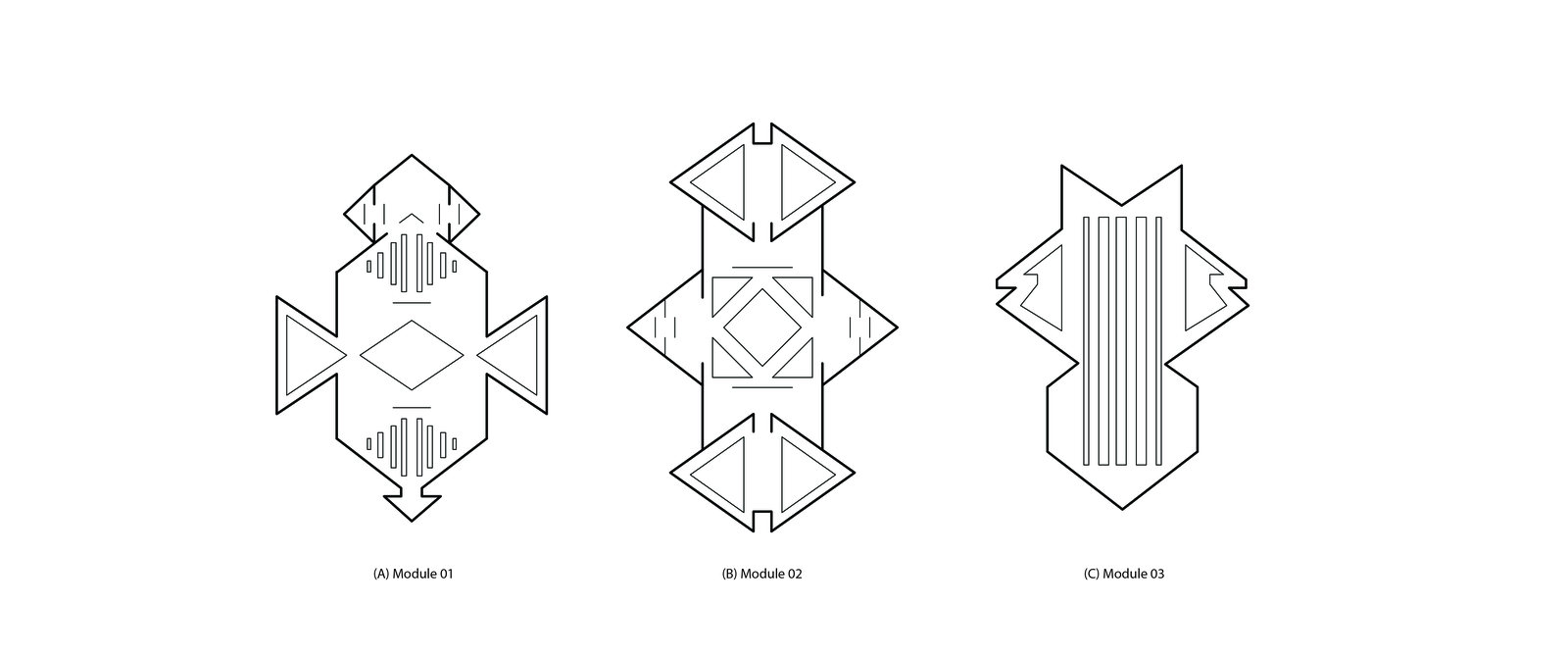 The three modules in the new pattern.
I wanted people to be able to change the pattern themselves. I drew the different ways the three modules could connect.
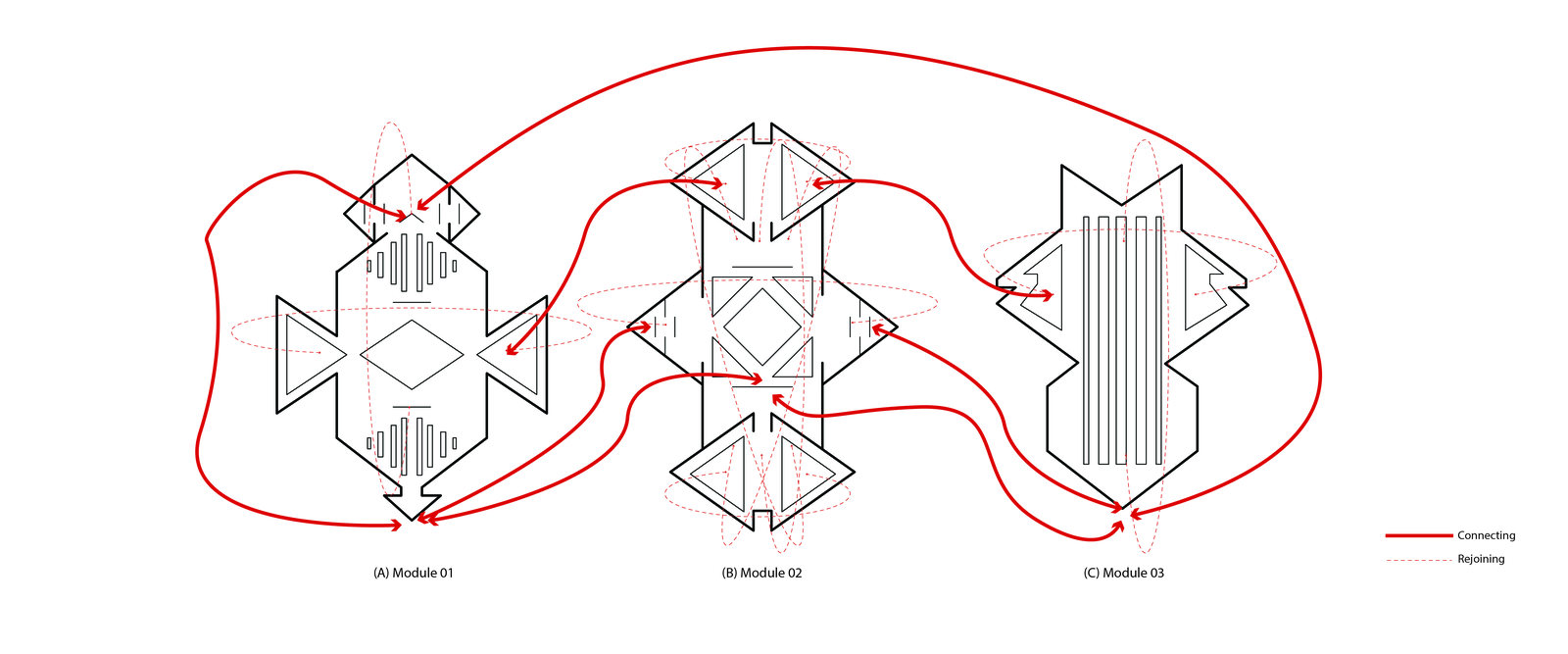 The connection options for a pattern you can customize.
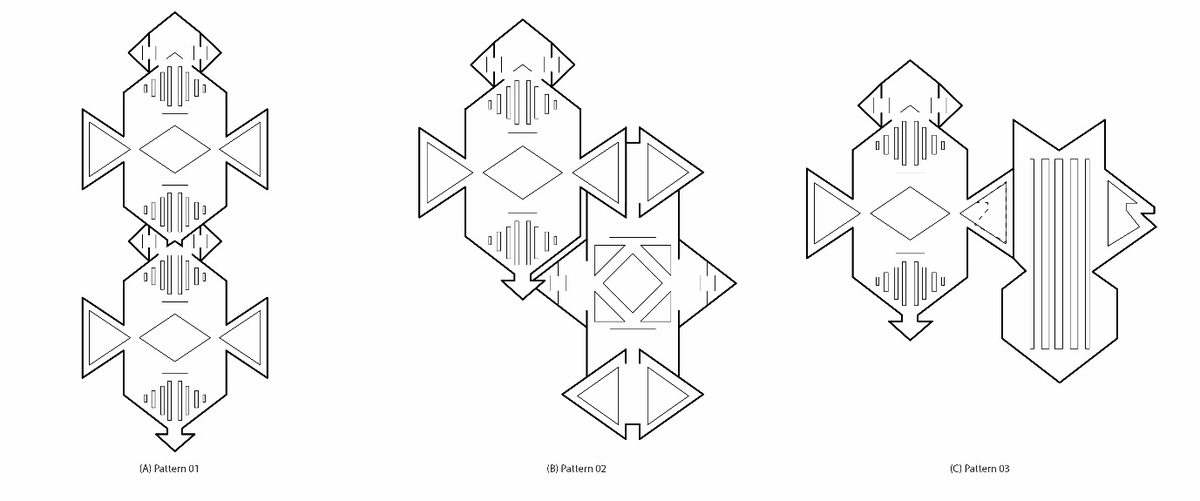 More ways to arrange the new modules.
Next, I tested how the shapes could interlock as real pieces.
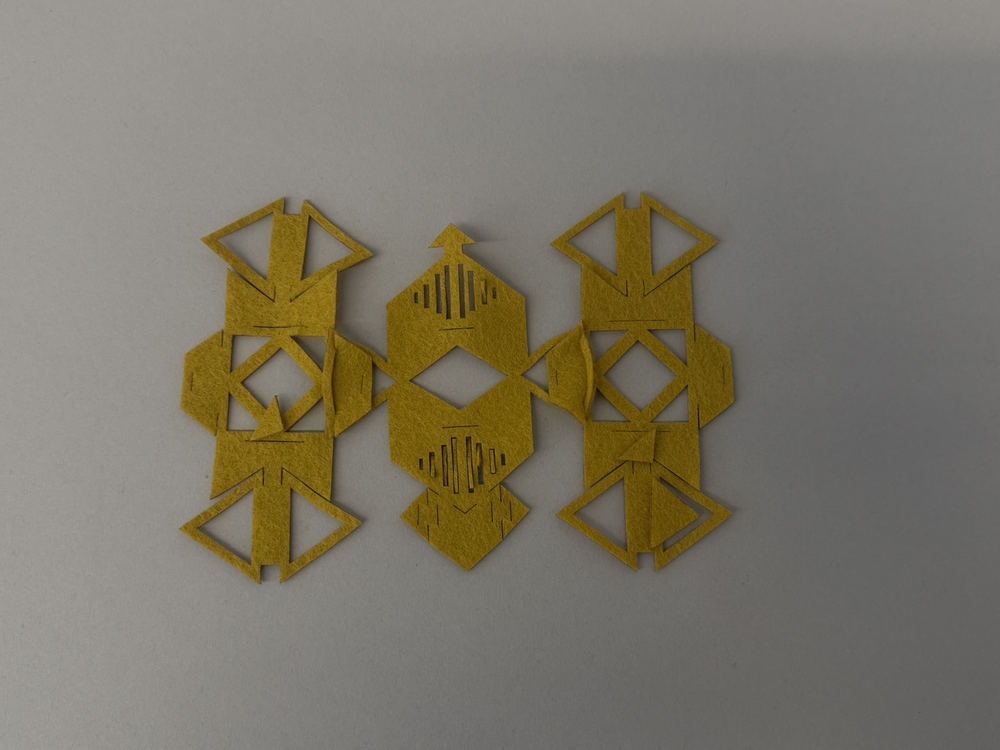 The three interlocked modules.
Cutting the pattern
I prepared the pattern for the xTool laser cutter. First I checked the cutting area on screen.
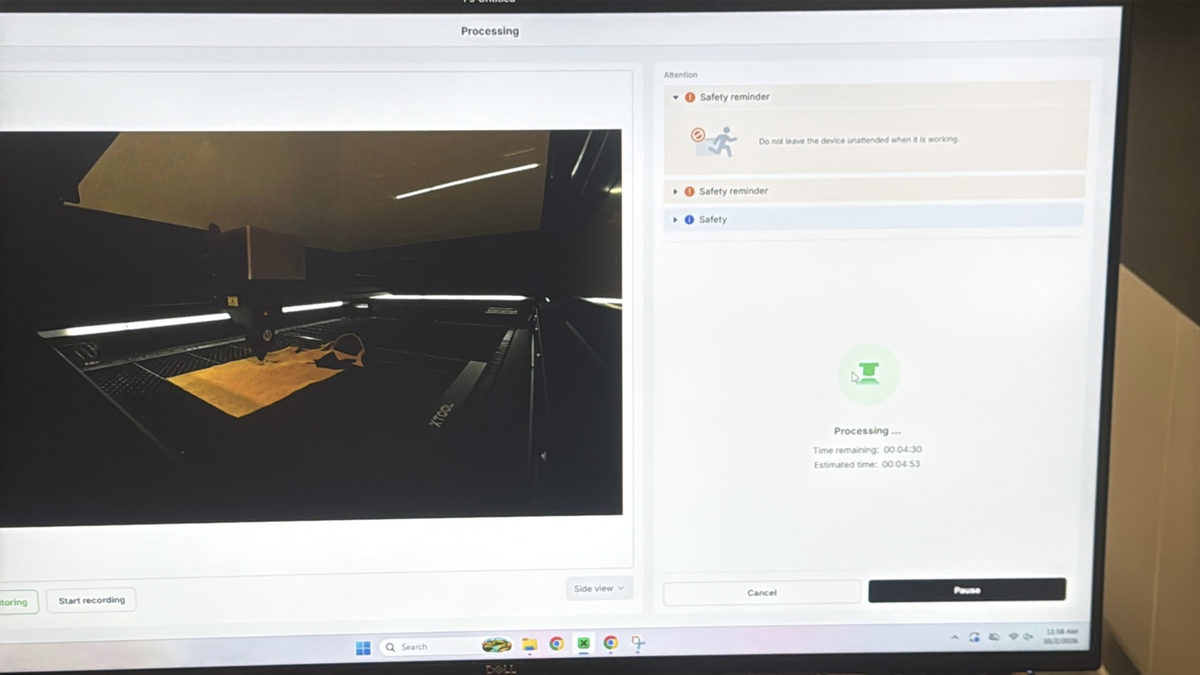 My first check of the laser cutting setup.
Watch the first video on Vimeo.
I looked closely at the machine settings and the layout before cutting. Kim Ducharme and Myles Lack-Zell helped me learn the machine technique.
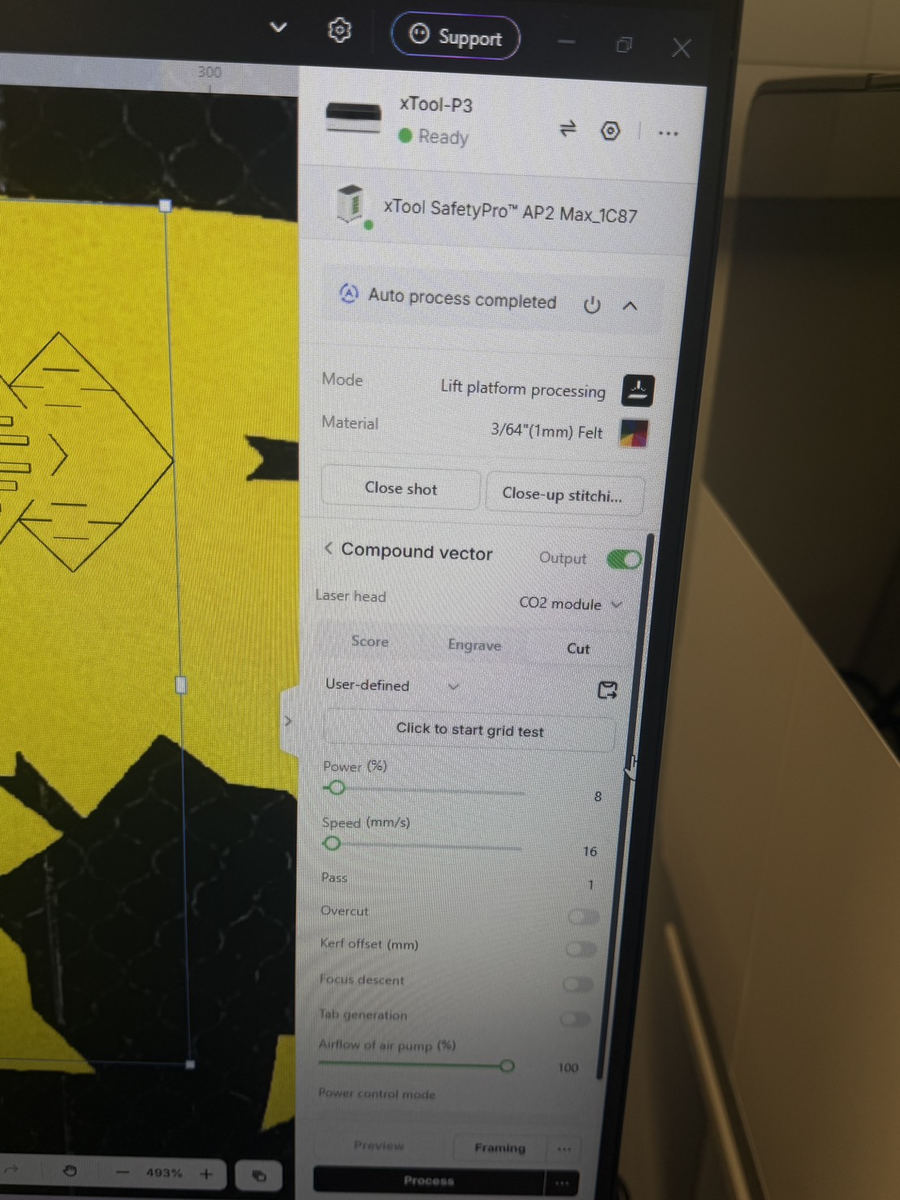 Checking the xTool settings.
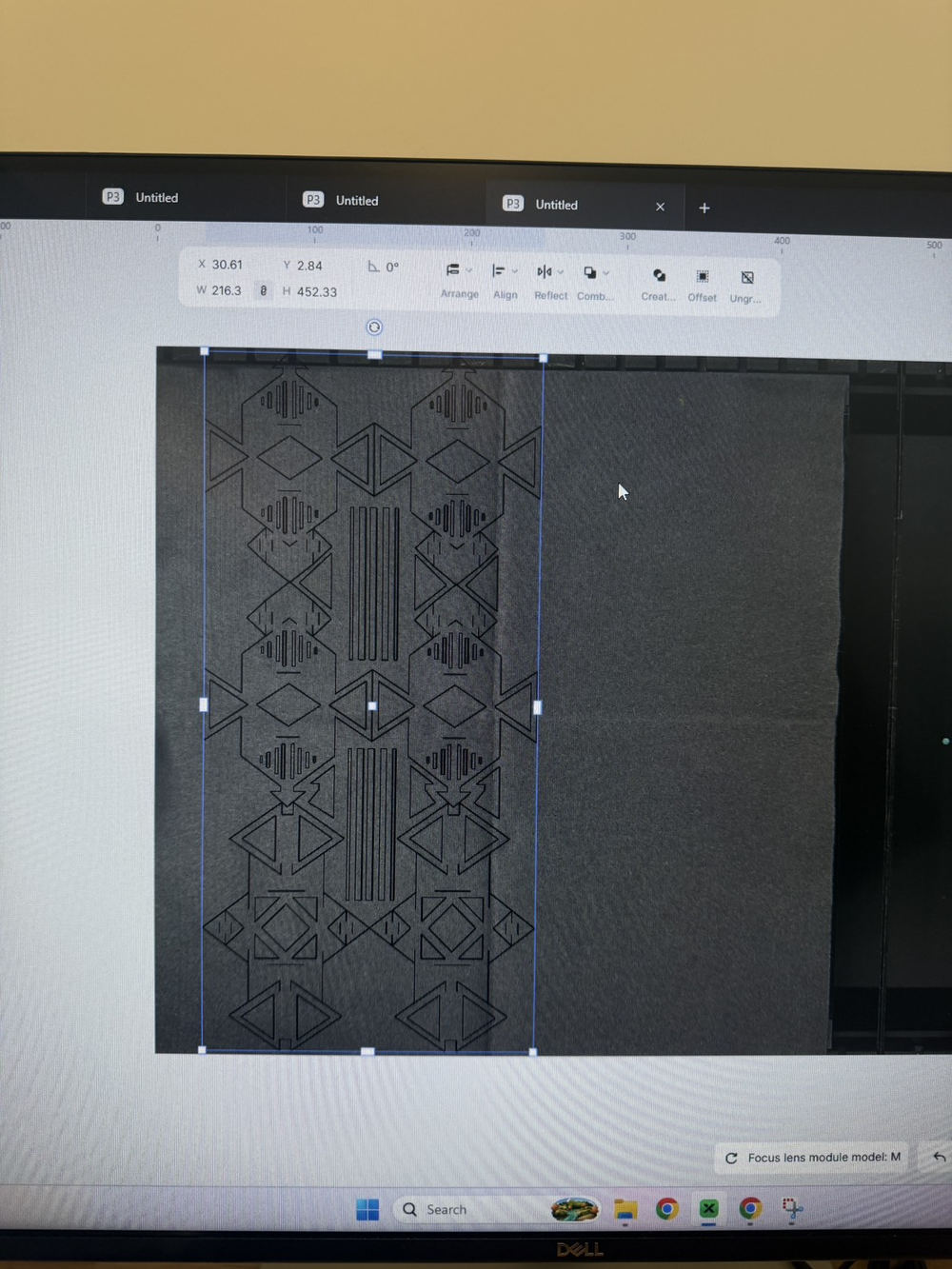 Checking where the modules sit on the sheet.
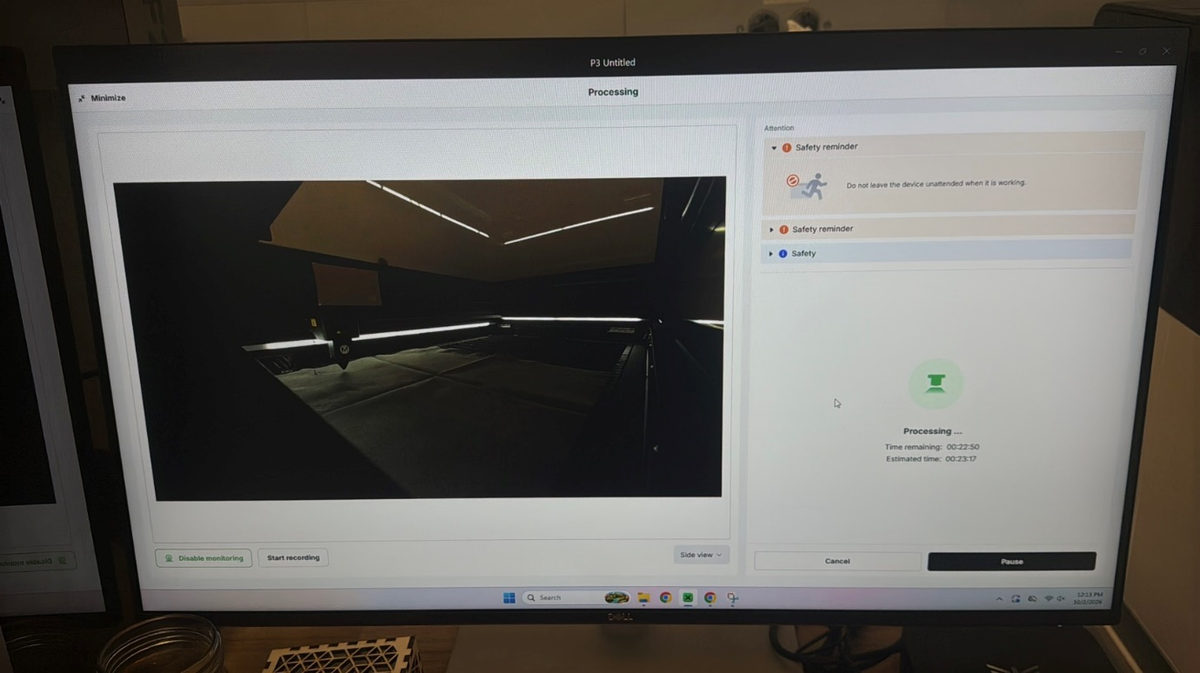 Previewing the cut.
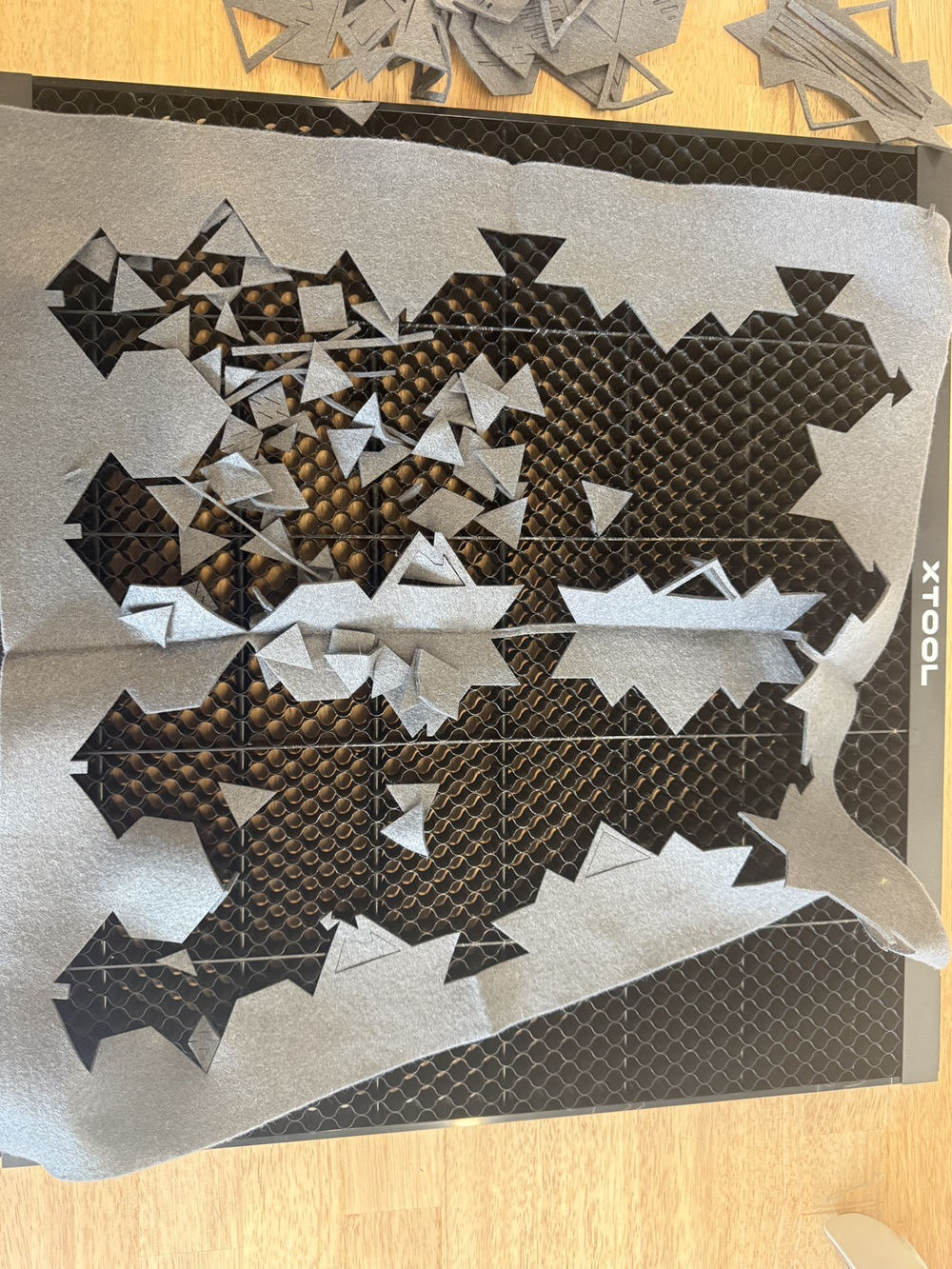 The pieces after cutting.
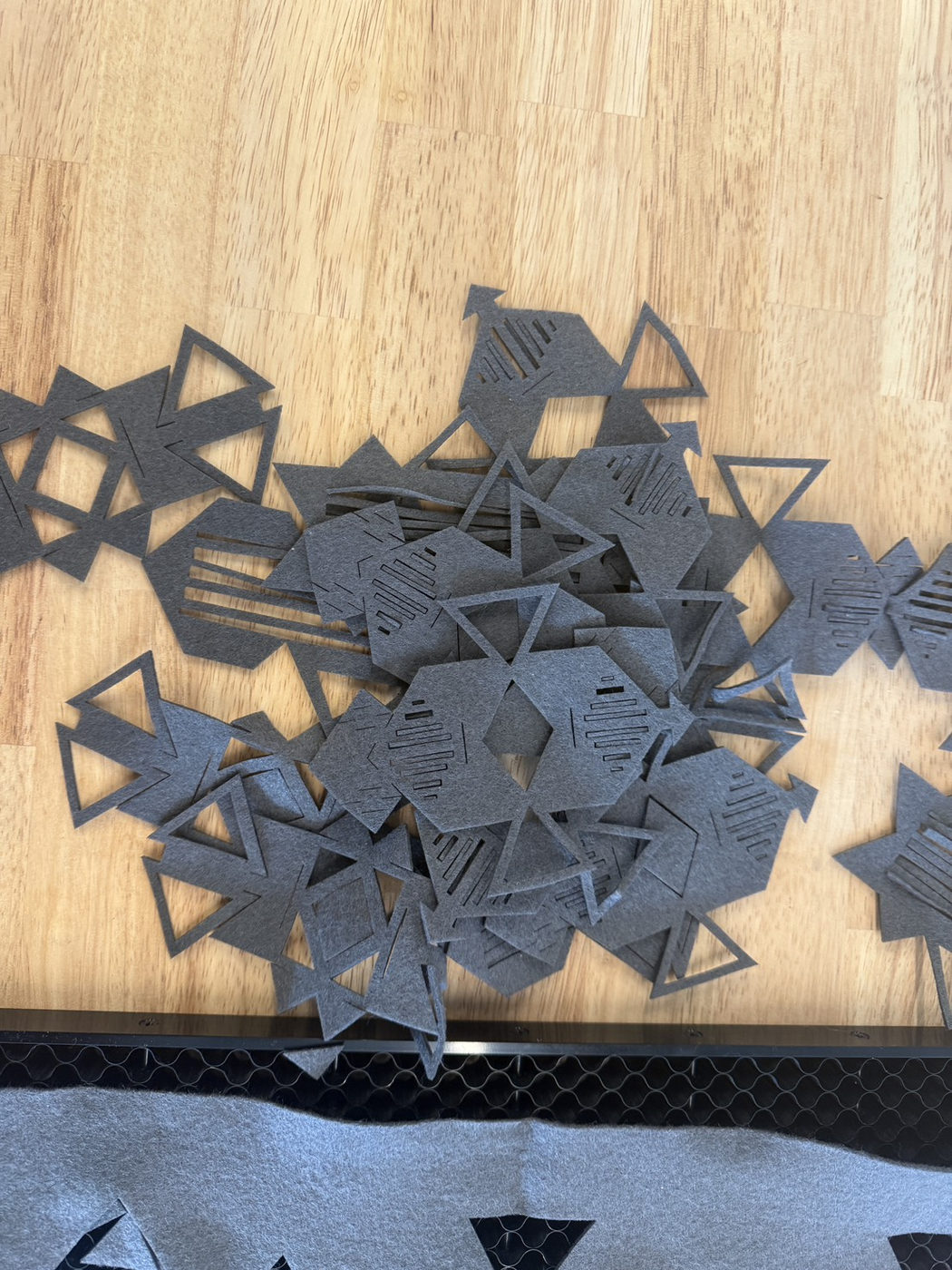 The loose modules before I joined them.
Bin packing and assembly
I used bin packing to fit the pattern on the sheet. After cutting, I tried different ways to place and join the parts. These five photos show how the form changed as I worked.
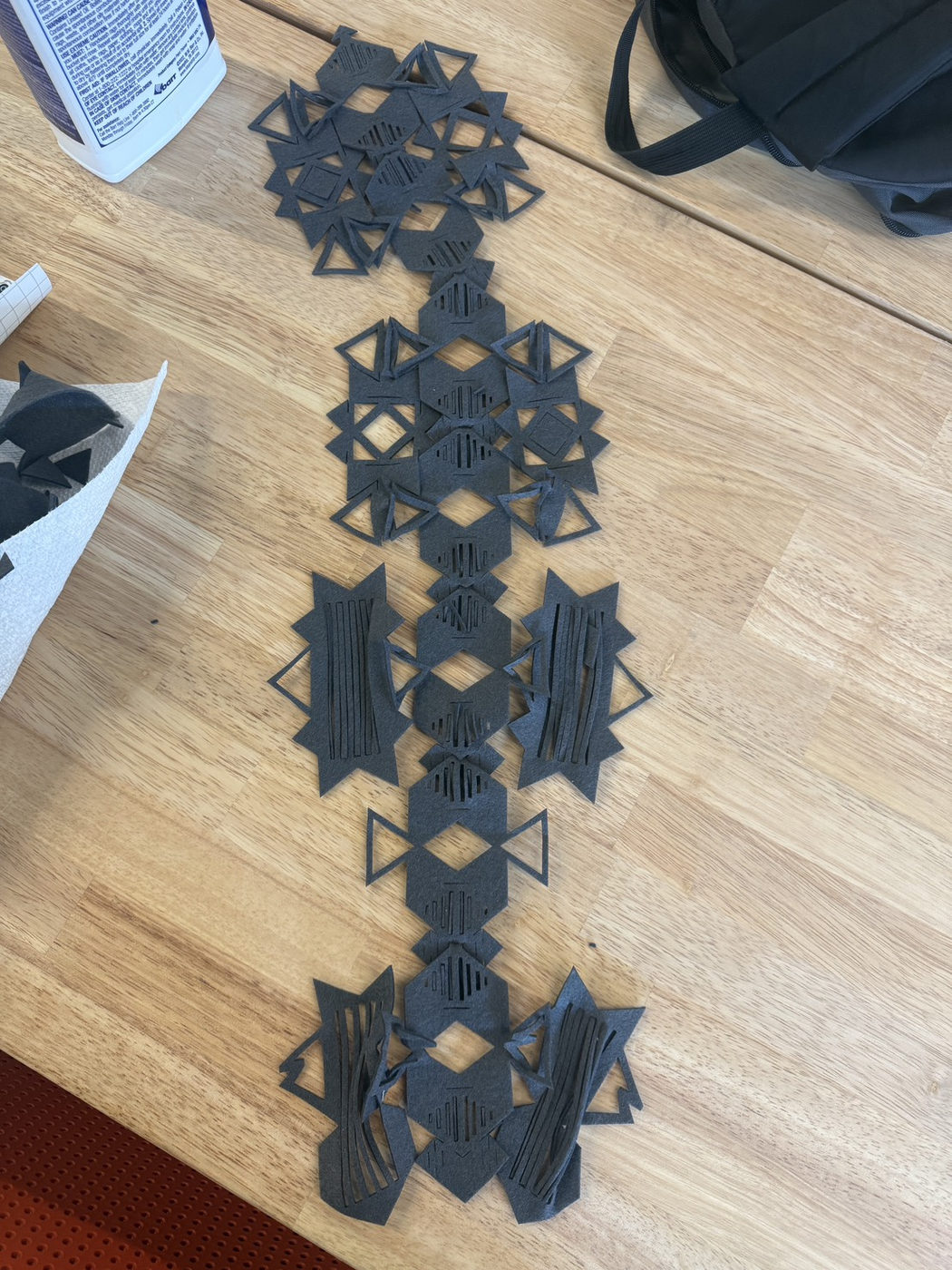 My first arrangement.
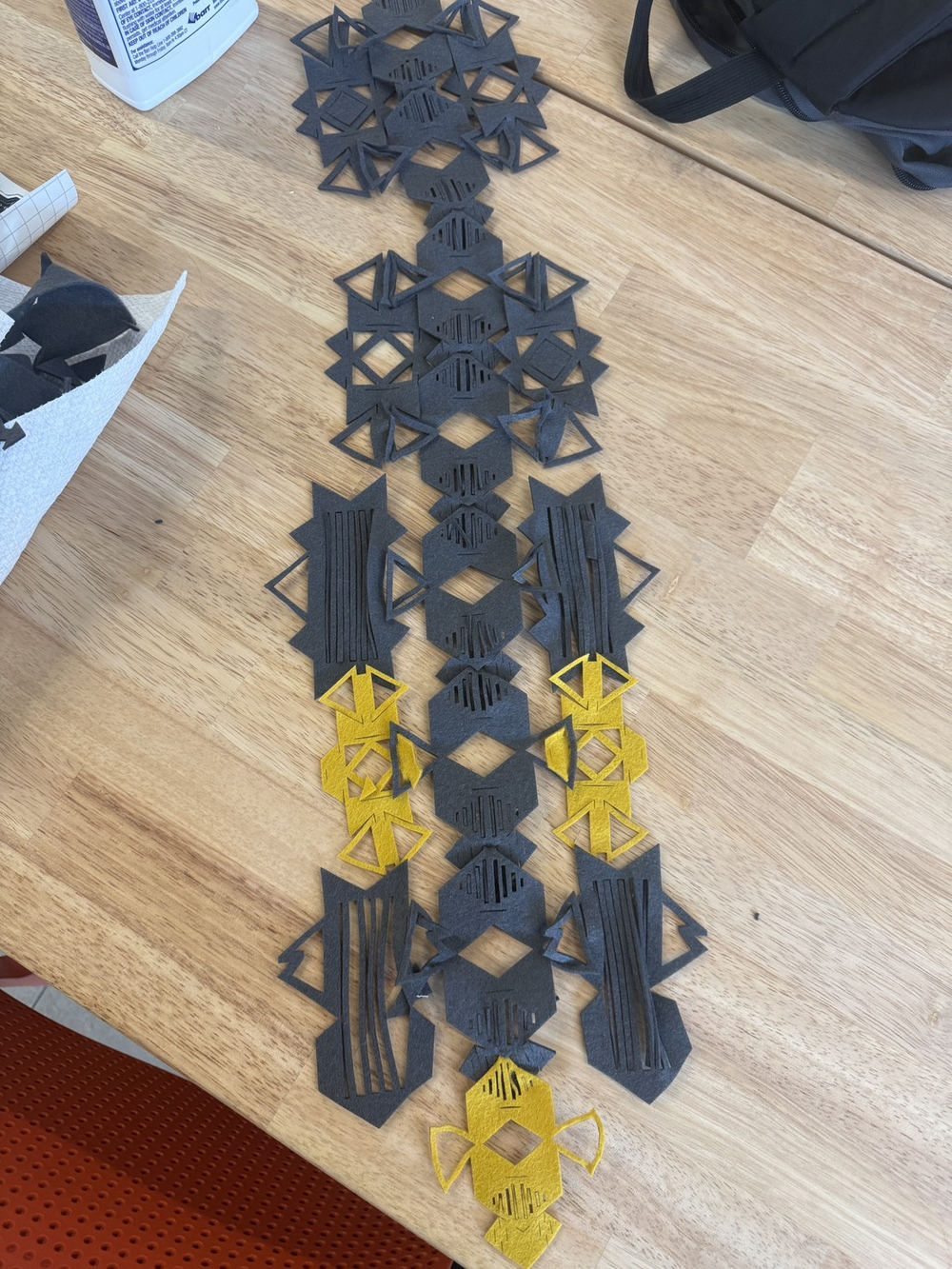 I added more connected pieces.
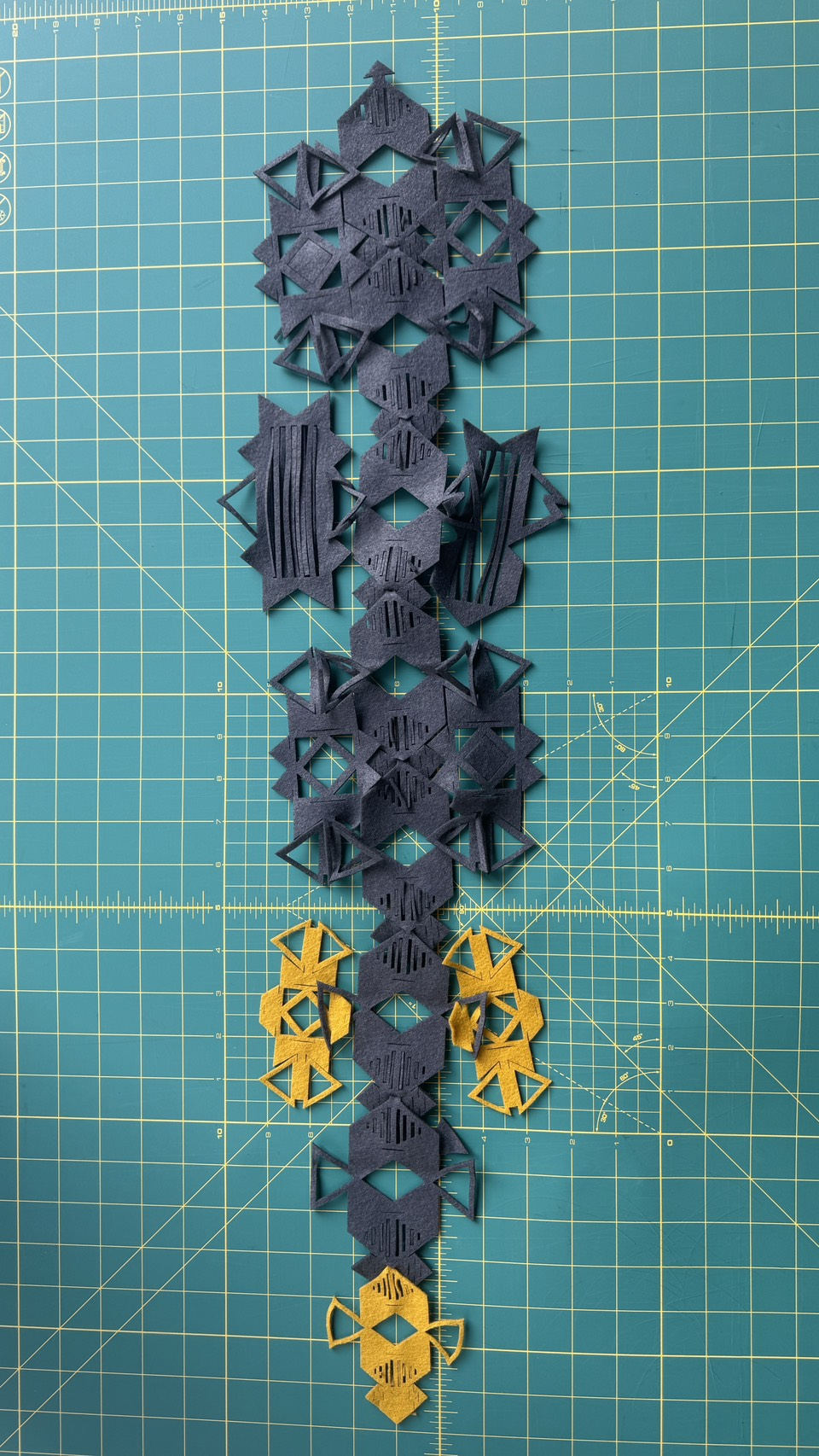 I checked the longer assembly on a mat.
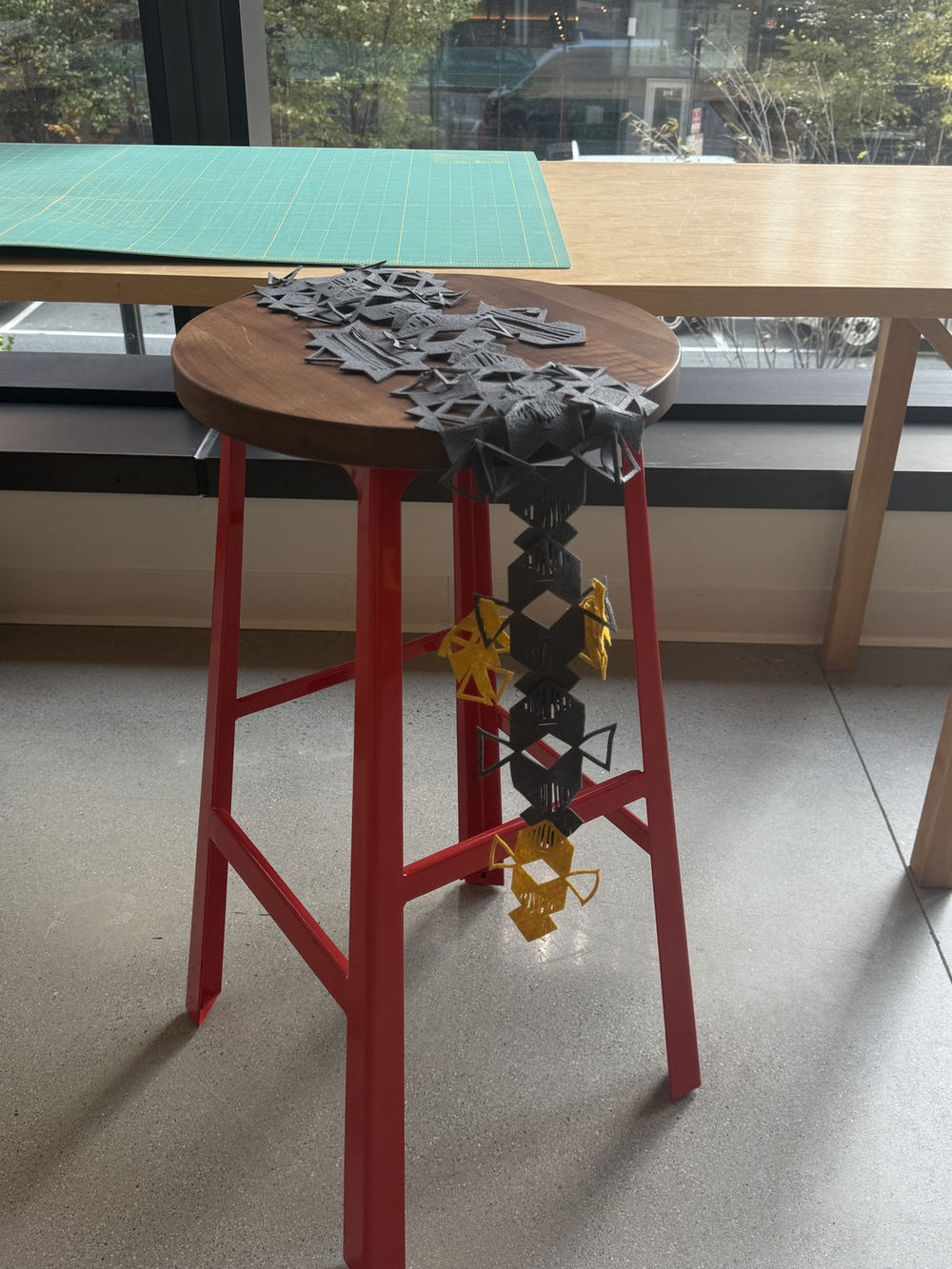 I draped it over a stool to see how it hangs.
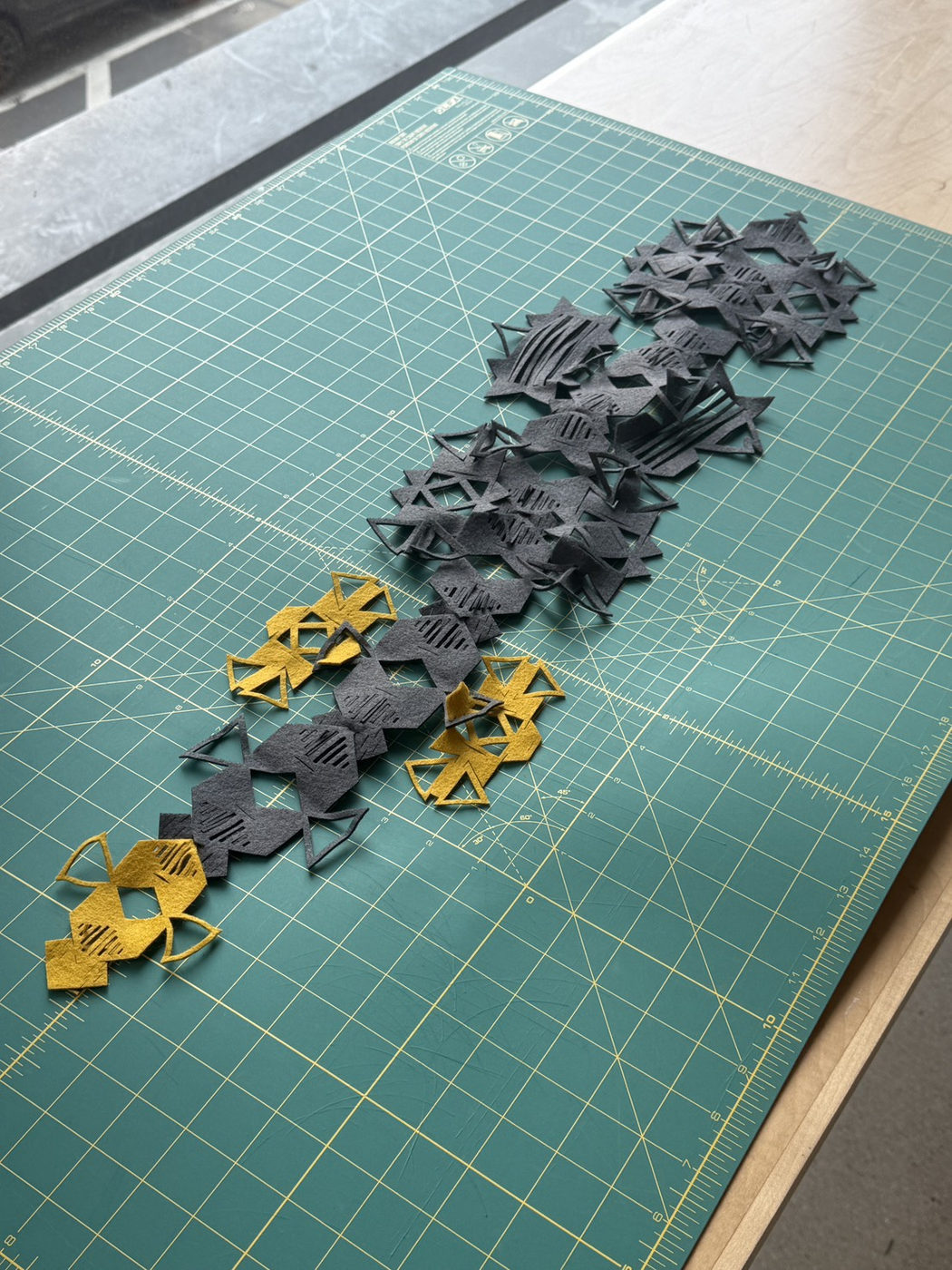 Another arrangement with the yellow pieces at the ends.
Watch the second video on Vimeo.
I also tried the assembled pieces in different settings. I hung them over a chair, looked at the details up close, and imagined how they could sit on a body.
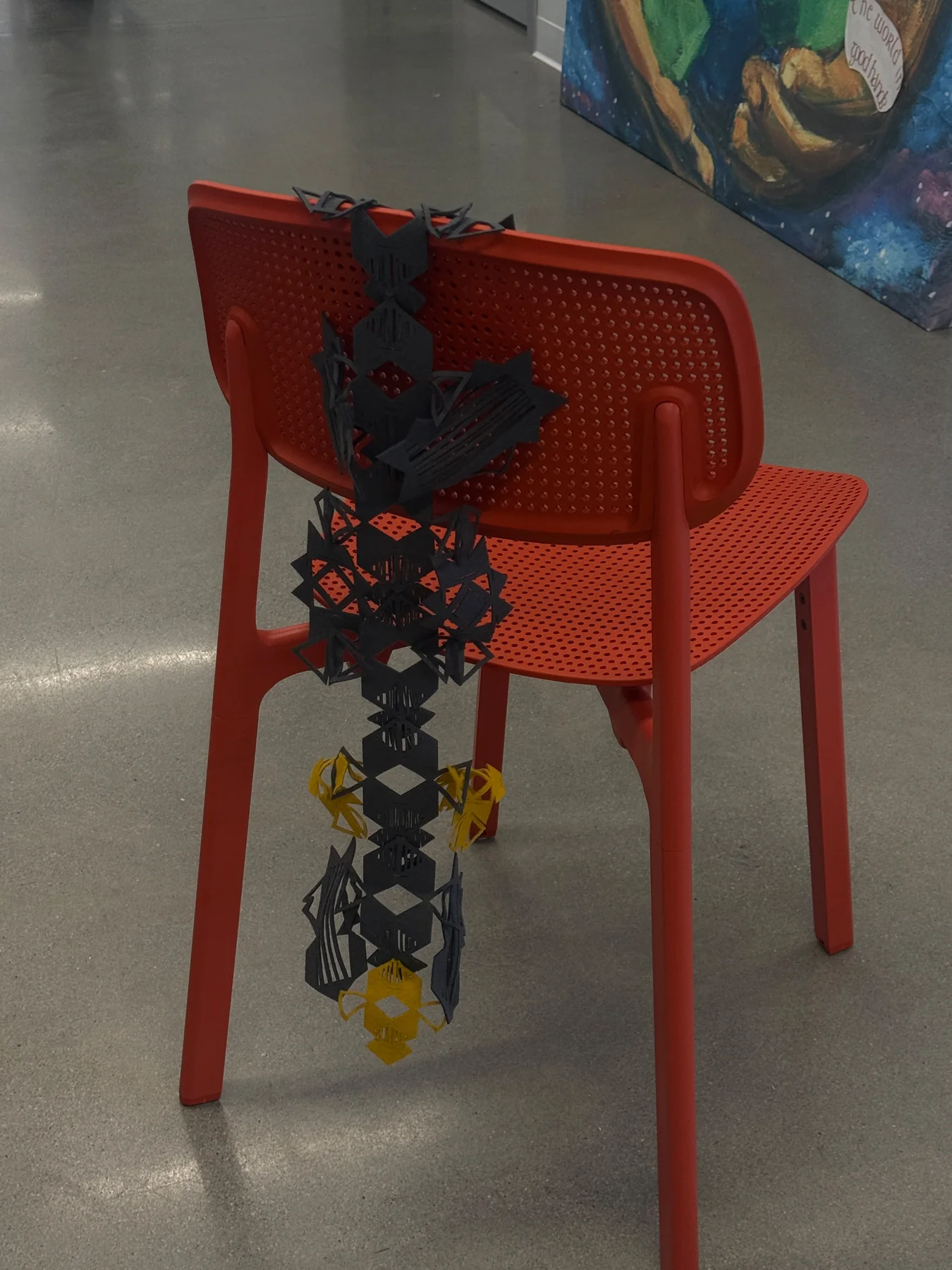 The modules hanging over a chair.
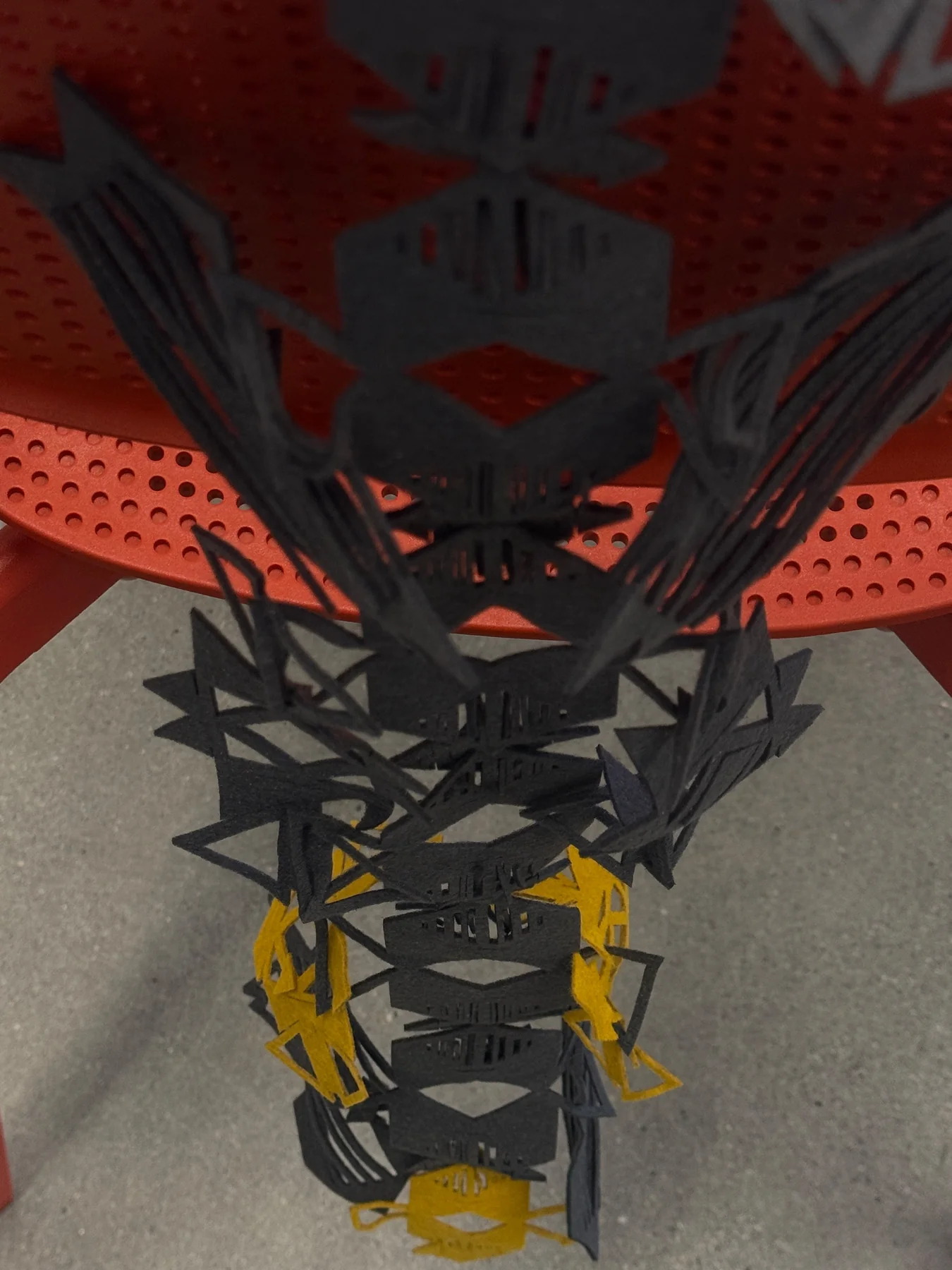 A closer view of the connections.
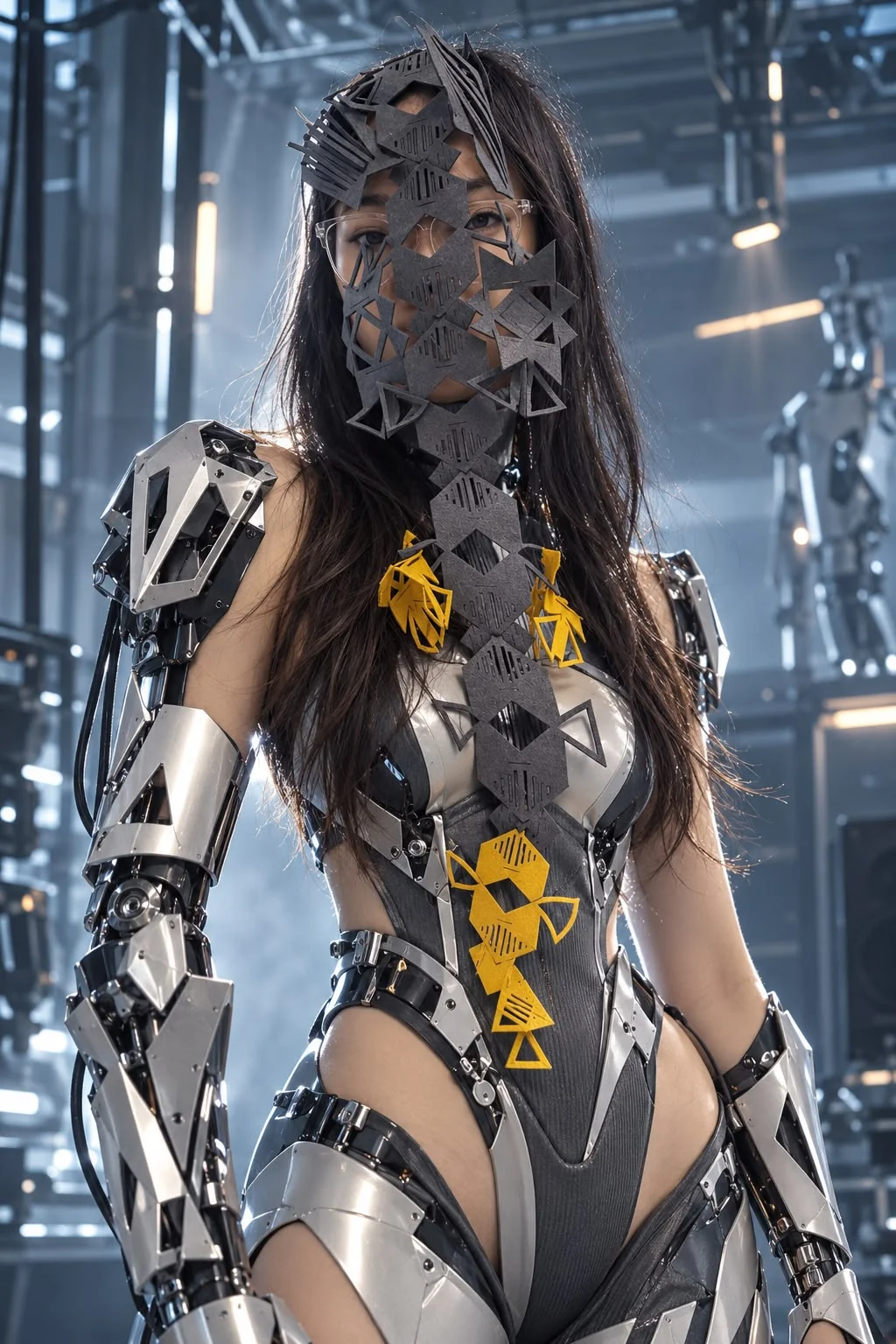 A visualisation of the modules worn on a body.
Assembly in 2D
I also laid the parts out flat. This helped me see different shapes I could build from the same pieces.
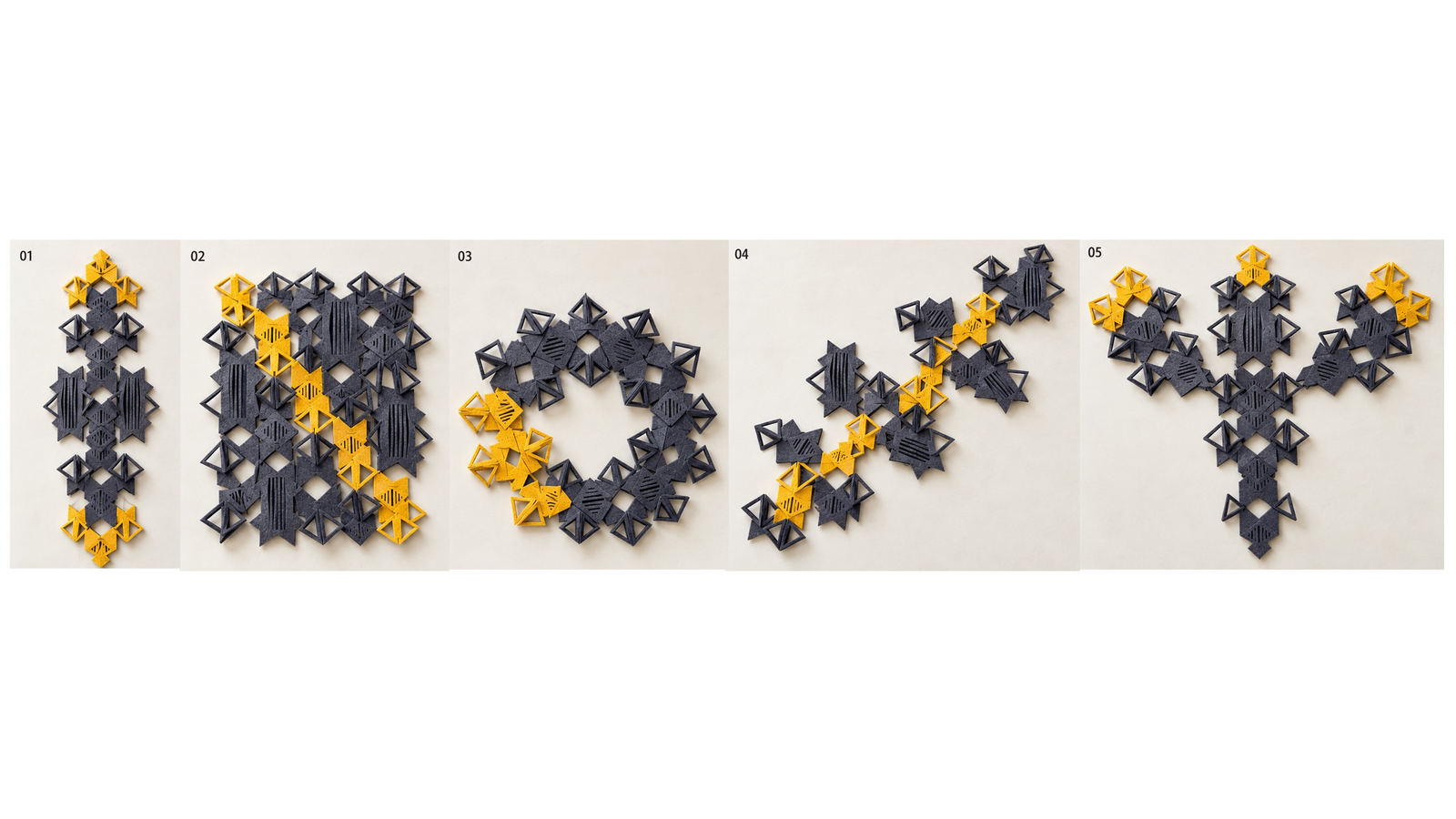 Different 2D arrangements from the same modules.
Circular isn't modular
Making separate modules does not automatically make a design circular. I also need to think about how much material I use, how the parts can be taken apart, and what can happen to them after use.
Create your own pattern
I want these three modules to be a starting point. They can be joined in many ways, so another person can try a pattern of their own. The drawings below show the parts, the joining steps, and several forms I tested.
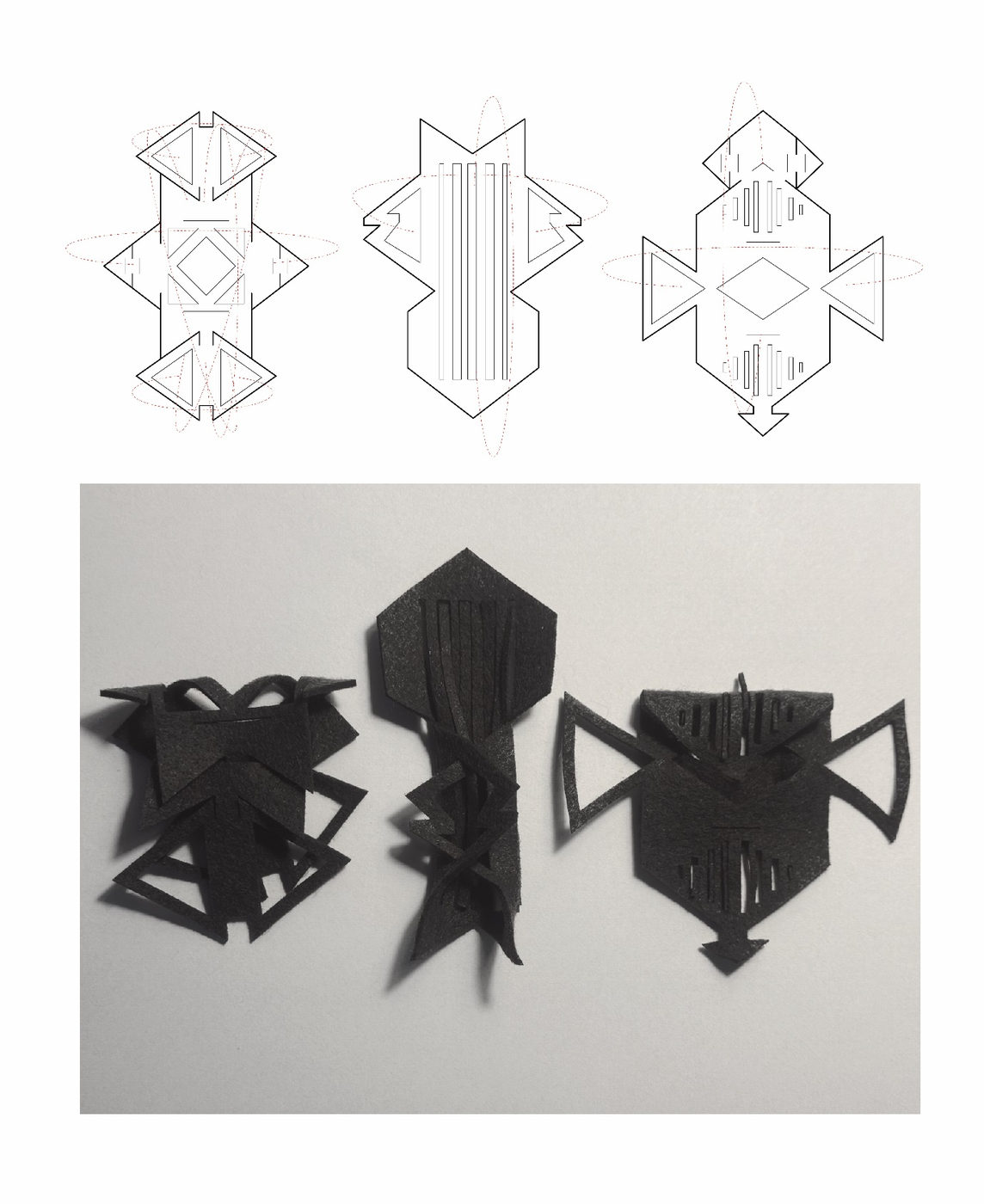 Three modules as drawings and cut samples.
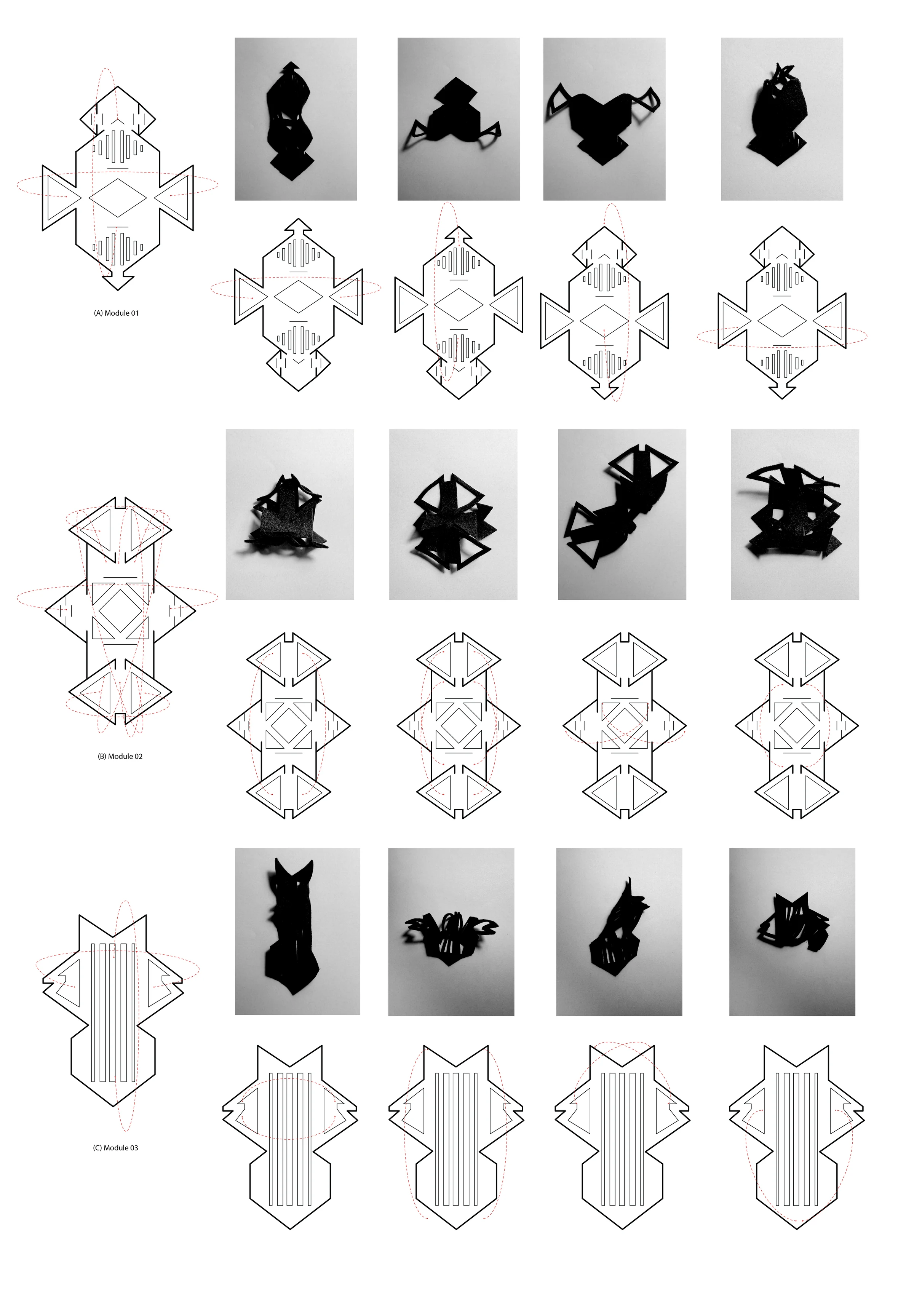 Ways to assemble each module.
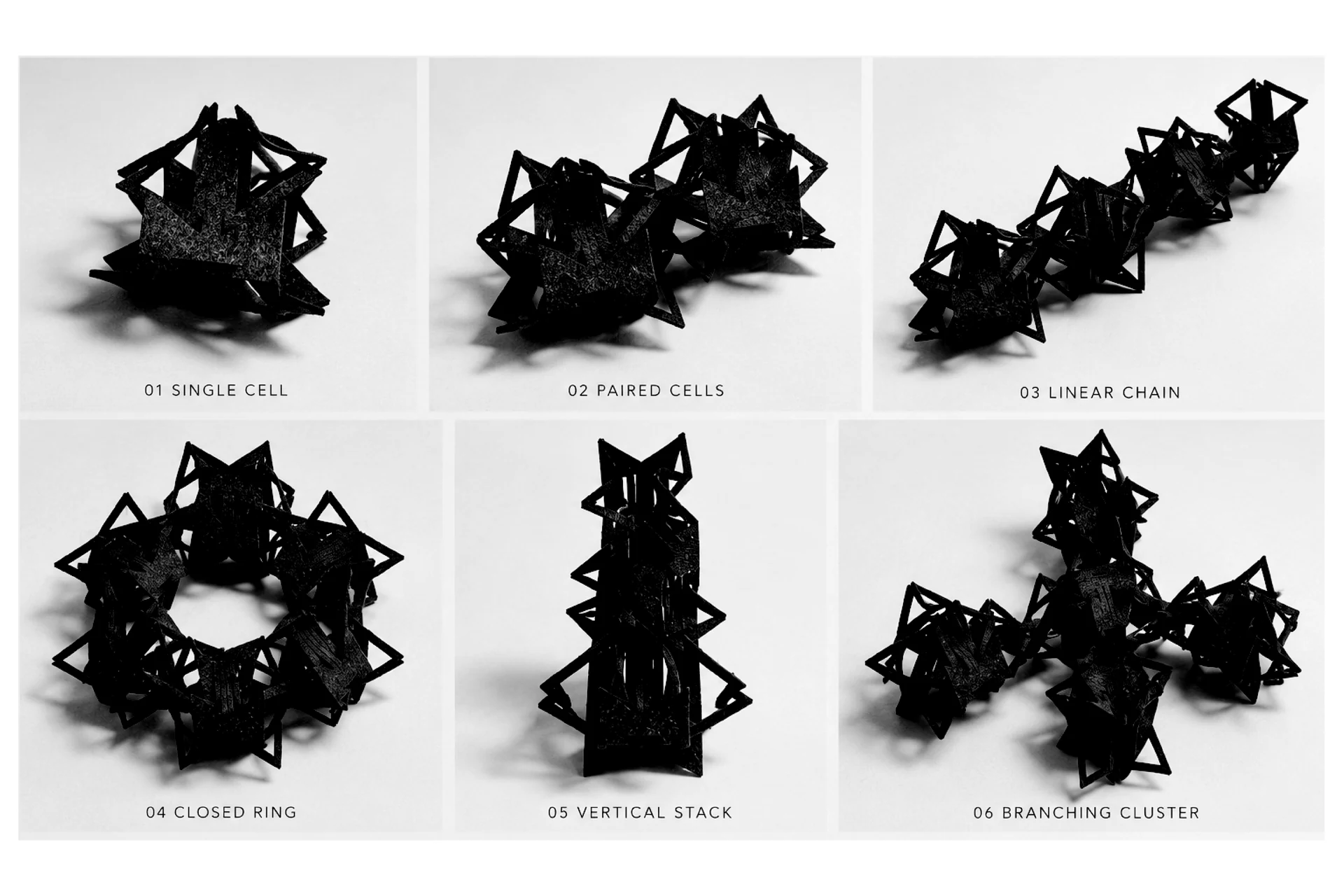 Different forms made from the same set of parts.
Inspired and prompt
I made another inspiration image using Thai traditional dance, the Thai crown, my contemporary modules, and the flowing silhouette of Marilyn Monroe.
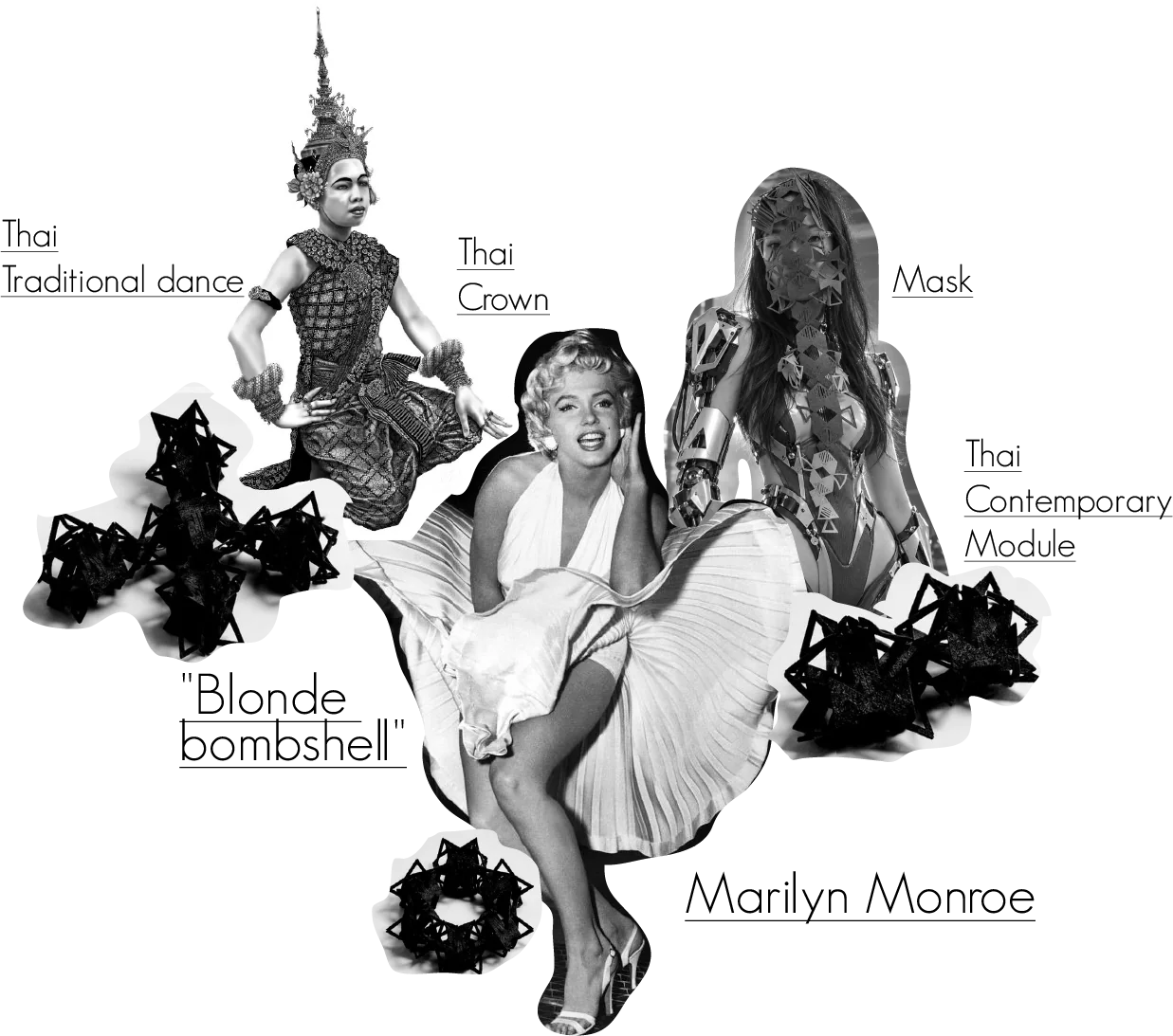 My inspiration collage.
My prompt idea was to bring these references together in a contemporary Thai street scene: a reconstructed crown, modular details, and a flowing dress. I wanted the image to show tradition taking a new body.
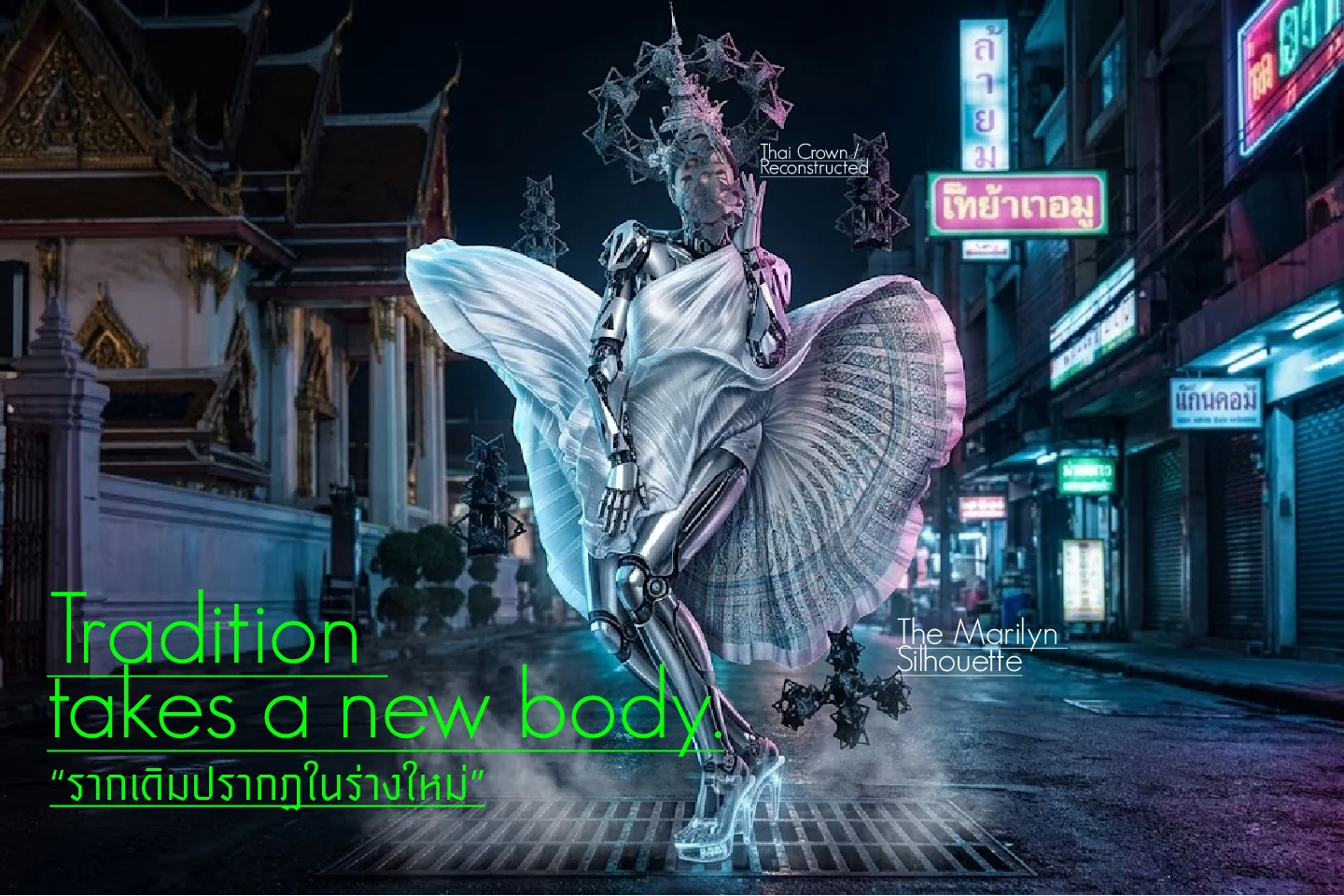 The result of exploring that idea.
Tools and fabrication file
I used xTool, AutoCAD, and Illustrator.
- Download my AutoCAD fabrication file.
- My OS Circular Fashion project link.
- References are linked beside the ideas and images above.
Special thanks
Thank you to Anastasia Pistofidou, my local instructor, for developing the pattern with me. Thank you to Sherry Lassiter, Myles Lack-Zell, Kim Ducharme, and Jack Greenfield for help with the machine technique.