E-textiles
Thoughts and inspiration
Future Story
Dey was so happy to have her new bodysuit. Finally, dey was able to speak her friends' language. Since dey arrived on planet Y, everybody talked to dem in common verbal language, some of them even used voice-devices. Dey was happy and thankful, to understand everybody, but one thing was always missing. All of deir friends talked not only through their voices, but also with their skin. It changed the colour, depending on their mood and their feelings. Sometimes they even used only their skin colour, when talking to each other. But from now on, Jenn will also be able to talk via "skin" colour. Last week, dey ordered the new communication-bodysuit. It was powered only by her skin temperature and her sweat (which she admittedly found a little gross) and could change colour in all different shades, even in colours not visible for the human eye. A little translation-device produced an colour-output, depending on the input, the skin-sensors got, which were placed all over the bodysuit to read the wearer's feelings. Dey really felt the need to wear this bodysuit, because it felt a little rude and disrespectful, not to speak deir friends whole language. Dey slipped into the bodysuit and looked at herself in the mirror. After a few seconds, the bodysuit turned from being black into a spotty pattern of bright greens and yellows, sparkled with some pink dots. The skinpattern for "being happy" and "Antici-pation" (please think of Dr. Frank N. Furter here). Dey threw deir dress over her bodysuit, grabbed deir bag, and headed over to deir friend's place, shimmering in the brightest colours.
Inspired by Becky Chambers
Thoughts
I’ve worked on 2–3 projects involving electrical and electronic systems in my life. However, there have been always several years apart, so it feels like I have to relearn everything from scratch each time. This time was no exception. I do realize, though, that my previous experience with these projects and the last few weeks at Fabricademy have helped me with understanding this week's tasks.
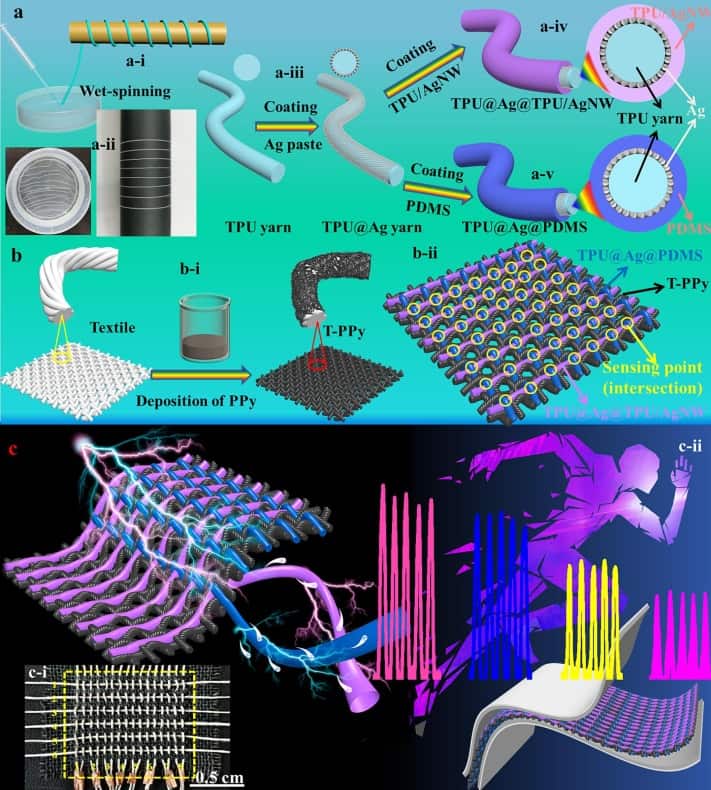
Since I had a very busy week, I tried to focus on the basics. I had a few other ideas as well, but I put those on hold for now. As I'm planning a futures thinking workshop on the topic of textile-production for November, I did some research during the last weeks. What looks like a playing with E-Textiles is helping understanding more complex projects like this research project about E-textile, which can harvest energy right from the body, from 2025: All-textile 3D triboelectric nanogenerator derived from bidirectional cross-weaving binary-yarns for bio-motion energy harvesting and sensing. As I'm into Science Communication with Art and Design methods, having an insight in the topic and understanding how to produce E-Textile-Samples can help me a lot.
Inspiration
When it comes to E-textiles, there are a lot of great projects. Iris van Herpen has to be named in this topic as well as Anouk Wipprecht.
Iris van Herpen - Hypnosis
Anouk Wipprecht - PROJECT PROXIMITY
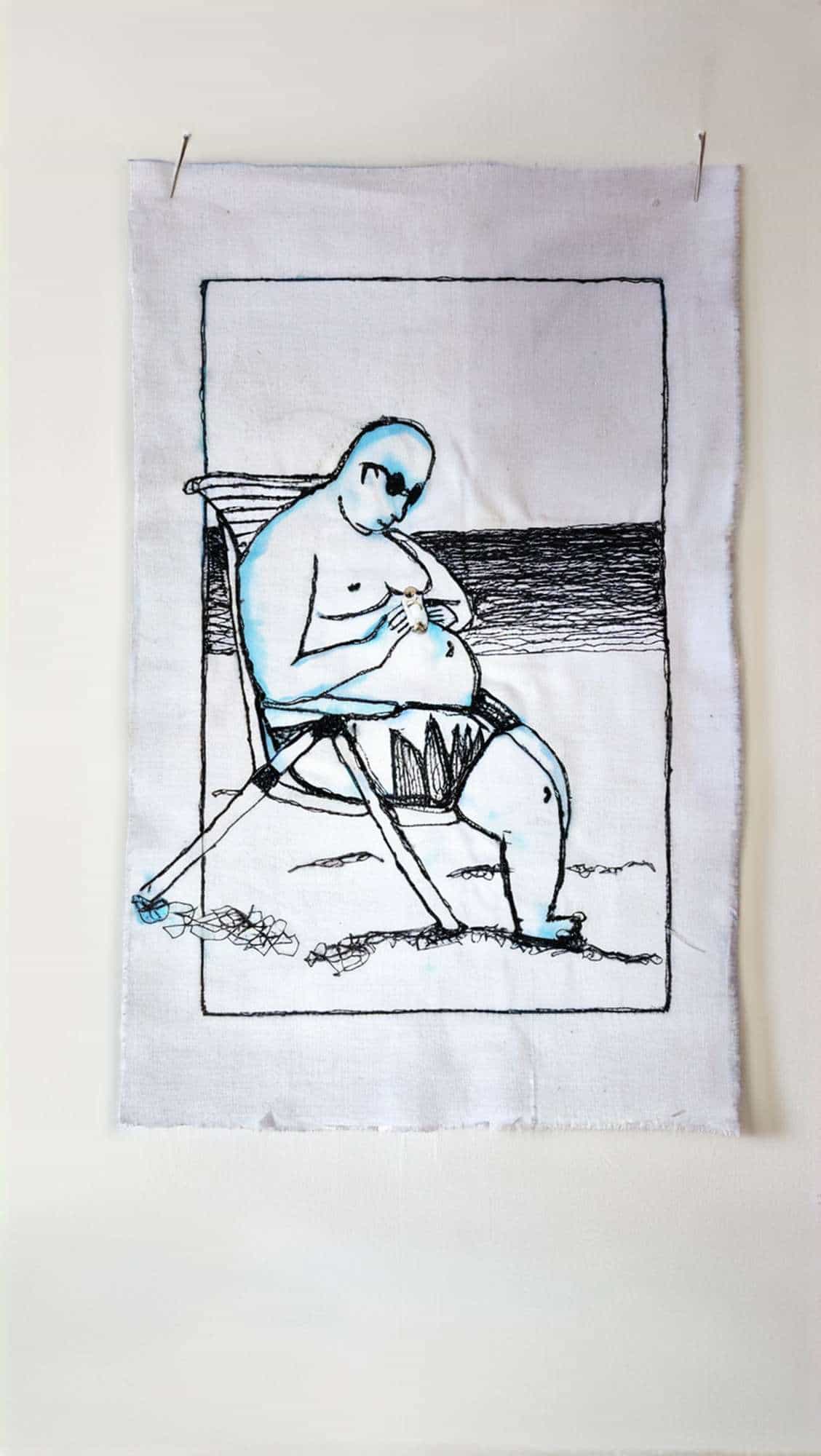
I also want to name Yvonne Dicketmüller who is an artist, living here in the Ruhr Area. We both studied at the Folkwang University in Essen.
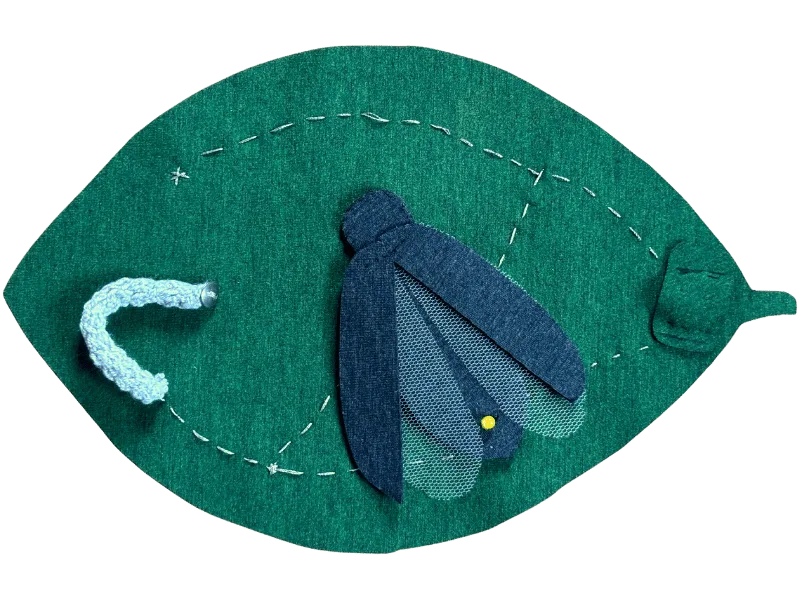
Regarding Fabricademy projects, I really liked the E-textiles-Week-project by Madeleine Olsen. I like how playful she worked with her cricuit, transforming it into a textile picture of a leaf with a bug and a caterpillar.
Documentation
Producing sensors and switches
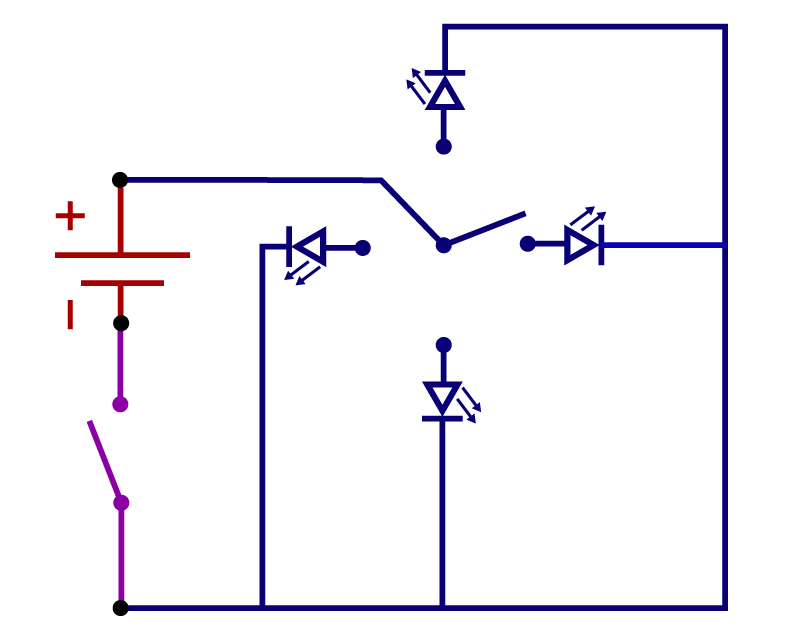
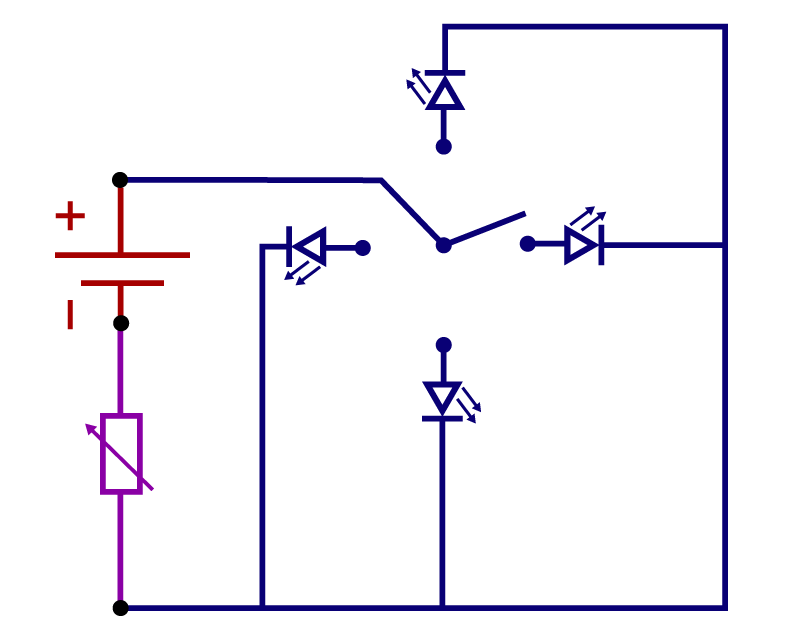
I decided to test different ways of producing digital switches and analog sensors. 1. Pressure sensor with Velostat 2. Knitted pull sensor 3. (Fake-) Matrix pressure sensor with Velostat 4. Felted pressure sensor 5. Snap button switch 6. 4-LED-switch with metal foil 7. Switch with conductive fabric
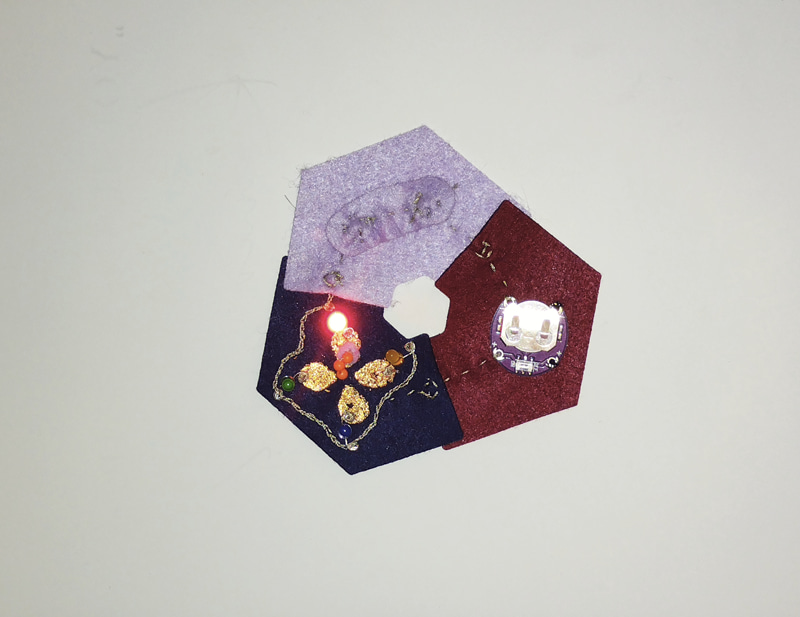
Lena designed and lasercutted pieces for a system made out of felt, which can be used for our FabLab-exhibition.
Violet = Sensors and switches
Blue = Actors
Red = Power
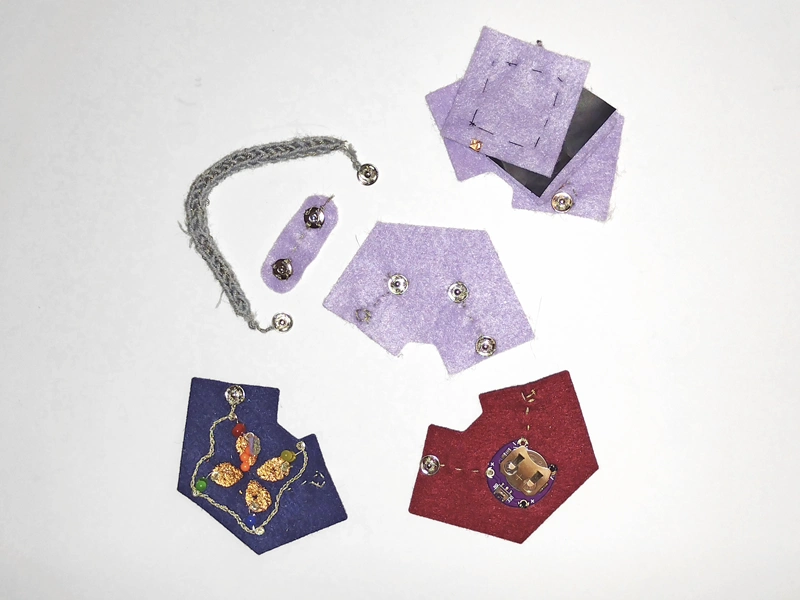
Pressure sensor with Velostat
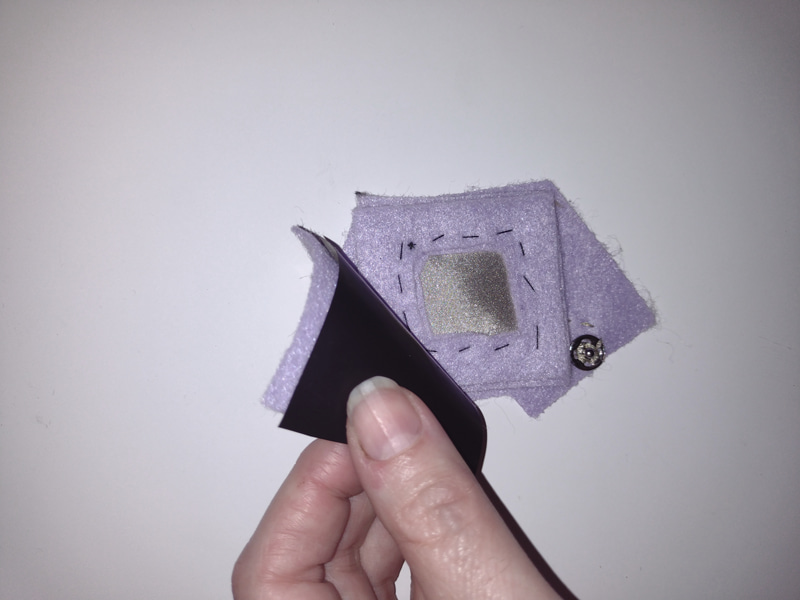
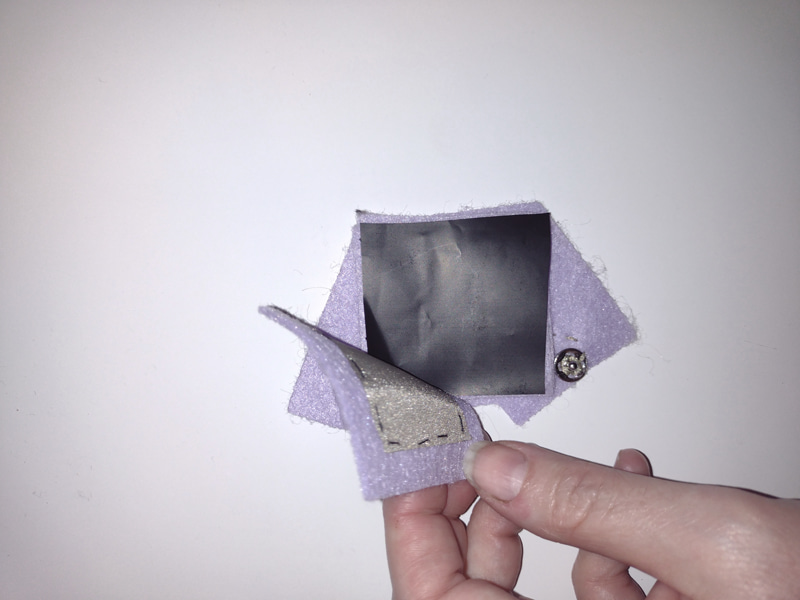
For the Velostat-pressure sensor, I sewed conducive fabric on felt. Two stapled frames, made out of felt, created the distance to the upper layers. the next layer was a piece of Velostat, then another layer of conductive fabric and felt. I connected the two pieces of conductive fabric to the snap buttons.
The pressure sensor worked quite well. It was a little bit hard to see a difference without having the Flora-board connected.
Knitted pull sensor
I knitted a tube made of wool and conductive yarn. I sewed snap buttons on the ends, to be able to use it in the snap-button-system.
This sensor also worked quite well, but it also was a little bit hard to see a difference without having the Flora-Board connected.
(Fake-) Matrix pressure sensor with Velostat
This sensor didn't show any difference in the LED-brightness without using the Flora-Board. You will find more information in the Flora-chapter.
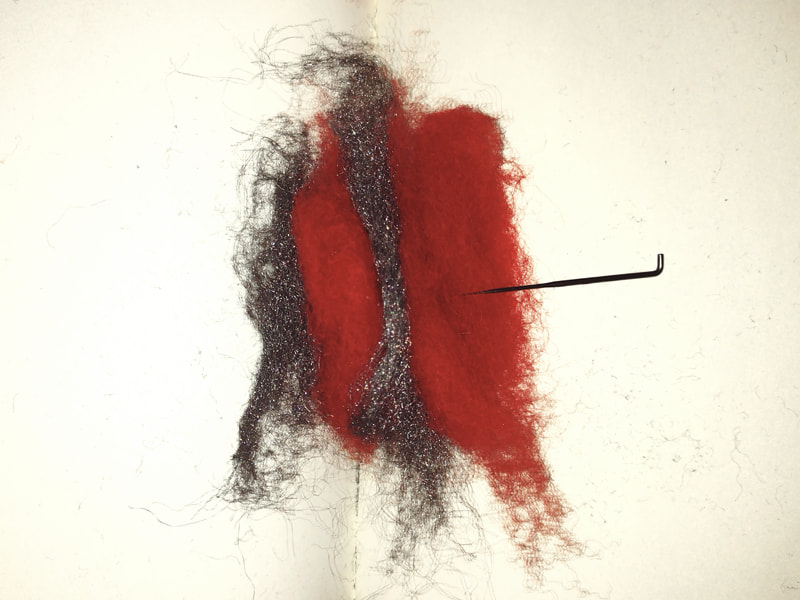
Felted pressure sensor
This sensor was an absolut failure. I tried to felt a sensor with felting wool and leftover steel-wool from last week, but the steel wool was too conductive. You will find more information in the Flora-chapter.
Snap button switch
The snap-button-switch was the easiest switch to make. Just sew snap buttons on felt. I took care, that I used clean steel snap buttons, no painted ones.
4-LED-switch with metal foil
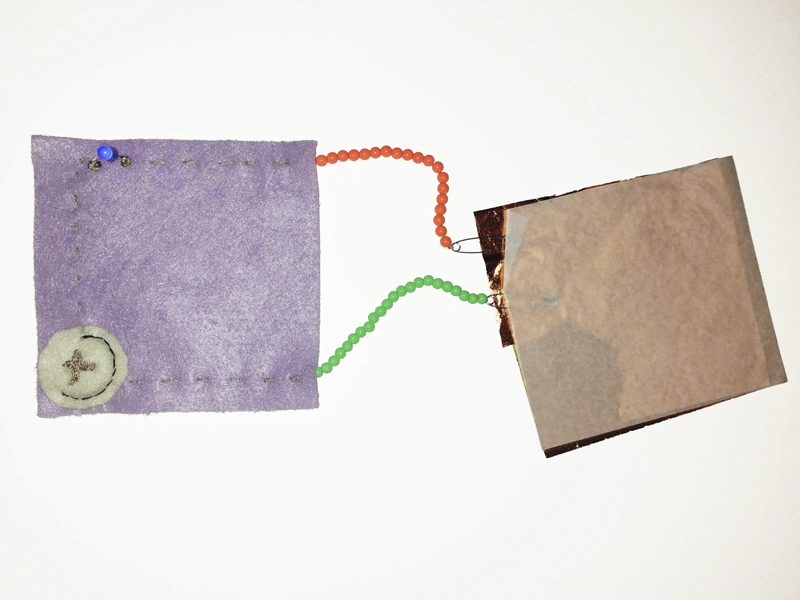
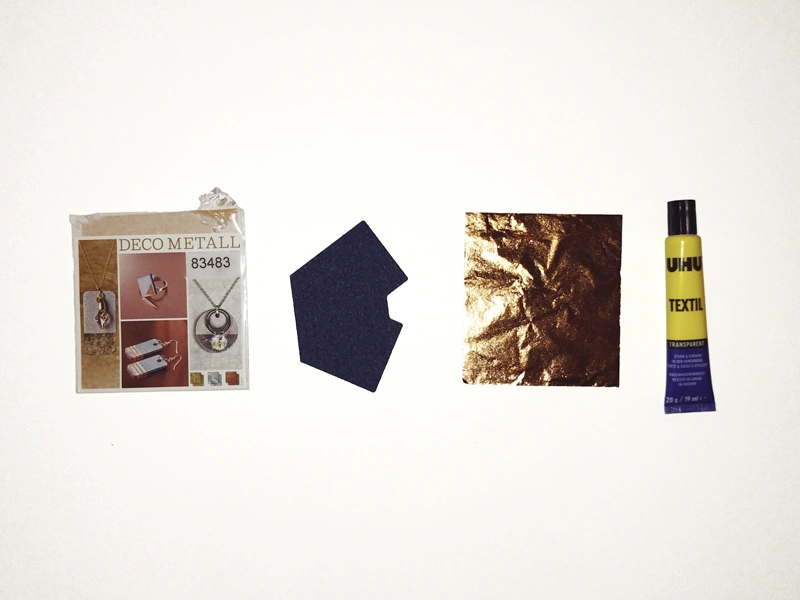
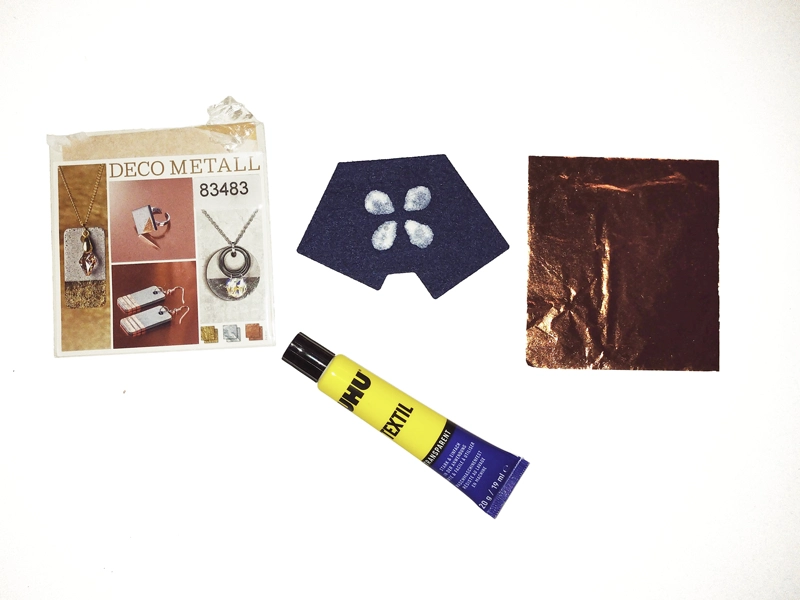
I used copper metal leaf. I checked if it's conductive first with the circuit-tester we made during the tutorial. I was optimistic to make decorative sensors with the material. It was not so easy to work with it. Unfortunately it's also too thin and fragile. It breaks too easily and destroys the connection. I think it's better for rigid materials than fabrics. You can see that clearly later in the Flora-chapter or in the video of the conductive materials tester. I created four leaf-like surfaces with glue and added the metal foil. After drying, I took away all the metal leaf, that didn't stick on the glue. Beside the surfaces, I also needed the switch-part of the 4-LED-switch, which was conductive yarn, isolated with plastic beads. I tried a hematite bead for the conductive part, but it did not work unfortunately. So I build a connecting part out of polyester felt and conductive fabric. This was then connected with the plus-snap button. I sewed an LED to each of the "leafs" and connected the ground-side of the LEDs with a seam I sewed around the leafs, connected with the ground-snap-button.
Switch with conductive fabric
I used the Velostat-pressure-sensor also as a switch. I could just leave the velostat out of the sensor, that makes it a digital switch.
Testing conductive materials
I wanted to know how the different, especially for the wearables week, when it's important to know the conductivity of different materials. So I made a tester, where I placed all the materials I had. As I knew from the 4-LED-switch, the metal leaf was not very useful as a conductive materials, as it breaks too easily. The other materials worked well. I also tested an enameled copper wire with the sewing machine. I'm planning to make a speaker in the wearables week and I wanted to know how the enameled copper wire would behave. It's important to scratch a little bit of the paint off of the wire to have a point where you can place the connection to the power source.
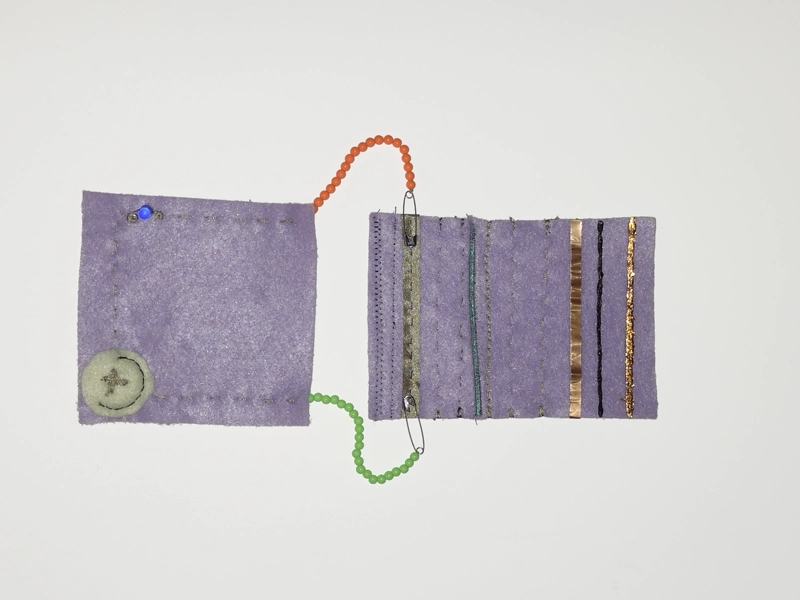
A video will be coming soon, I reached my daily upload limit at Youtube
Programming with the Adafruit Flora
I used the Adafruit Flora for the programming tasks. I also could have used an Arduino Uno, but I decided to work with the aligator clamps instead of the breadboard. For programming, I used the Arduino IDE-software.
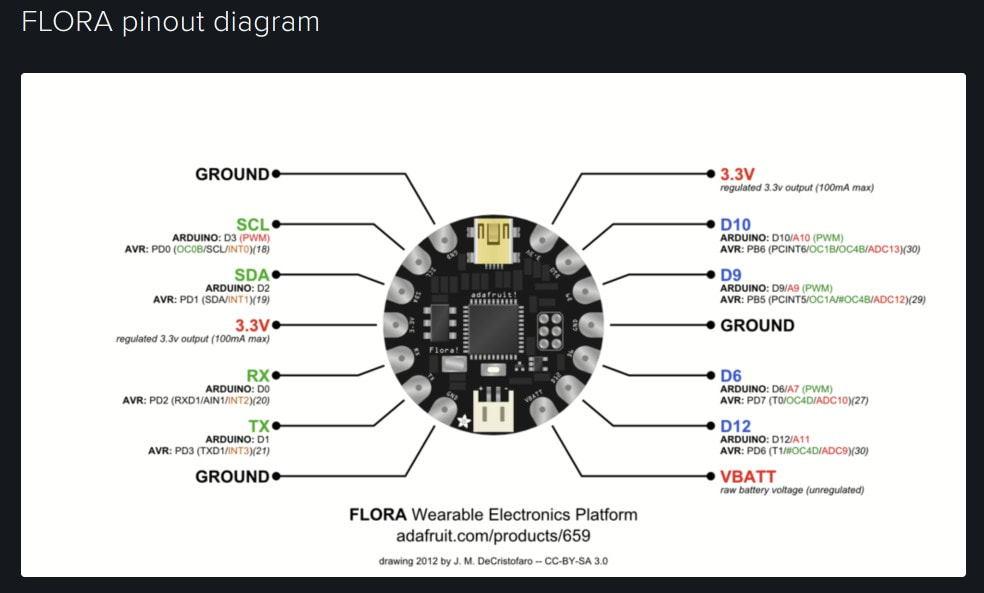
Before programming, I had to check the pinout diagram for the Adafruit Flora. The pins are slighty different to the FabriXiao, but with the help of the pinout diagram I was able to find the right pins.
Digital switch
I tested the digital switch programming both with the snap button and the conductive-fabric switch with an external resistor. I took the code from the Arduino-Examples-Library and custimzed it for the Adafruit Flora board.
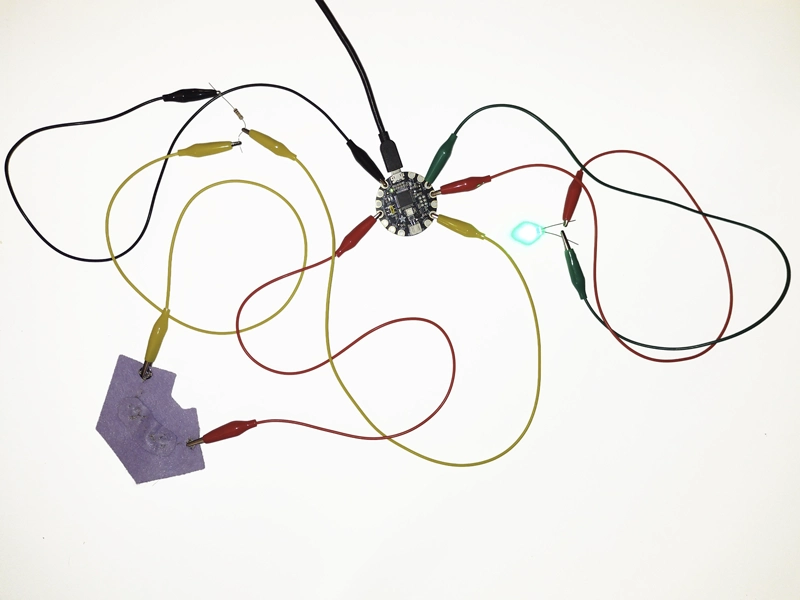
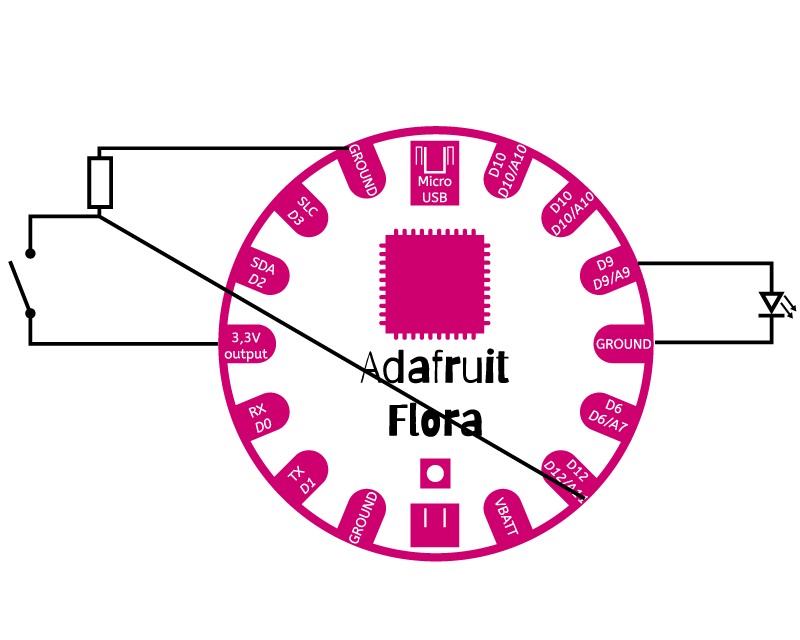
The snap button switch
A video of the conductive switch will be coming soon, I reached my daily upload limit at Youtube
Button code for external resistor
    // constants won't change. They're used here to set pin numbers:
const int buttonPin = 2;  // the number of the pushbutton pin
const int ledPin = 9;    // the number of the LED pin

// variables will change:
int buttonState = 0;  // variable for reading the pushbutton status

void setup() {
// initialize the LED pin as an output:
pinMode(ledPin, OUTPUT);
// initialize the pushbutton pin as an input:
pinMode(buttonPin, INPUT);
}

void loop() {
// read the state of the pushbutton value:
buttonState = digitalRead(buttonPin);

// check if the pushbutton is pressed. If it is, the buttonState is HIGH:
if (buttonState == HIGH) {
    // turn LED on:
    digitalWrite(ledPin, HIGH);
} else {
    // turn LED off:
    digitalWrite(ledPin, LOW);
}
}
I also tested the snap-button-switch with the internal resistor. In the video you can see first the code without the adjustment and then with the adjustment.
The switch, using the internal board resistor
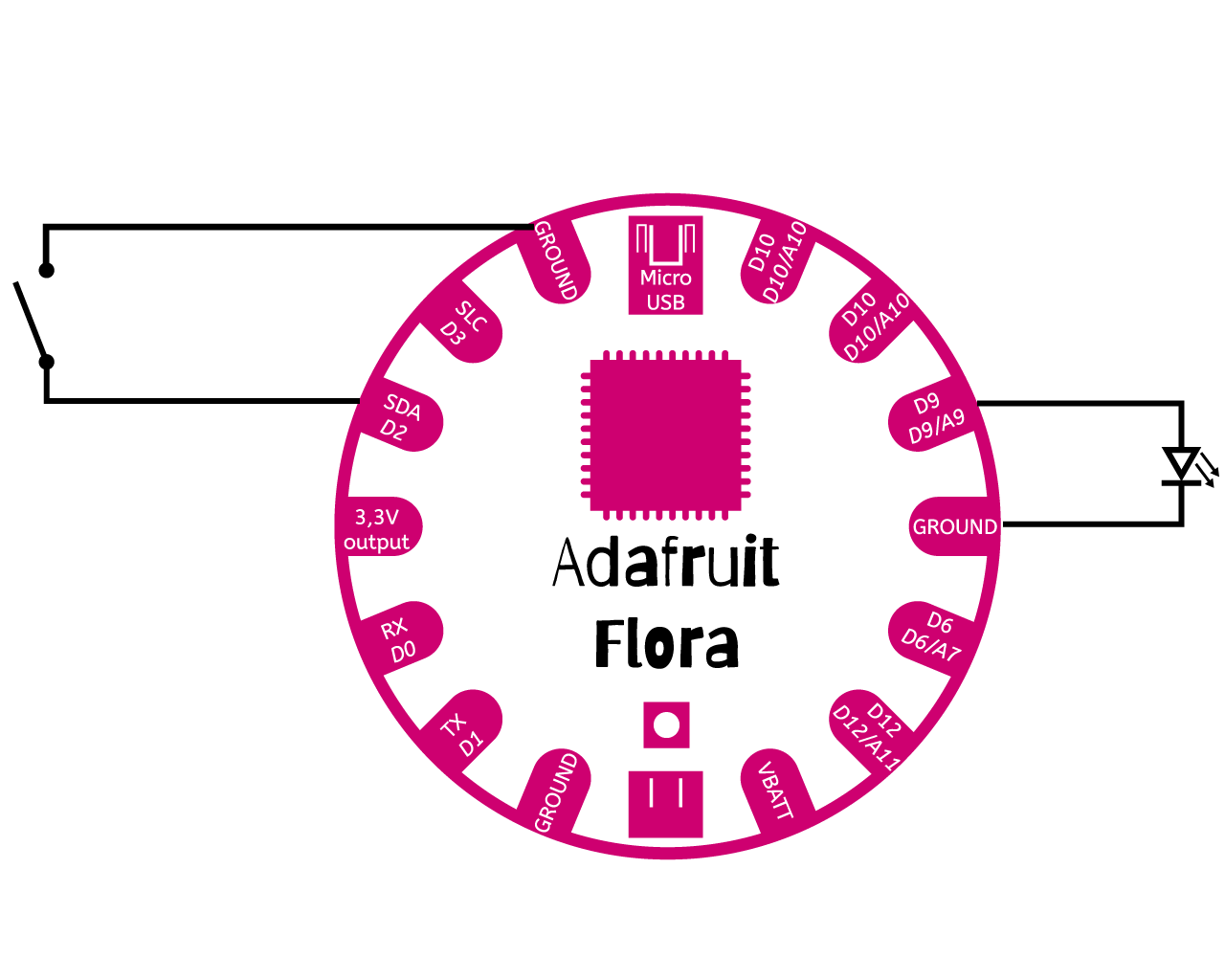
Button code for internal resistor
    // constants won't change. They're used here to set pin numbers:
    const int buttonPin = 2;  // the number of the pushbutton pin
    const int ledPin = 9;    // the number of the LED pin

        // variables will change:
        int buttonState = 0;  // variable for reading the pushbutton status

        void setup() {
        // initialize the LED pin as an output:
        pinMode(ledPin, OUTPUT);
        // initialize the pushbutton pin as an input:
        pinMode(buttonPin, INPUT_PULLUP);
        }

        void loop() {
        // read the state of the pushbutton value:
        buttonState = digitalRead(buttonPin);

        // check if the pushbutton is pressed. If it is, the buttonState is HIGH:
        if (buttonState == LOW) {
            // turn LED on:
            digitalWrite(ledPin, HIGH);
        } else {
            // turn LED off:
            digitalWrite(ledPin, LOW);
        }
        }
Analog sensor
For the analog sensor I tested all my different sensors. It was interesting to see the different values, each sensor showed. So I needed to adjust the code for each sensor to get the LED to behave in the right way.
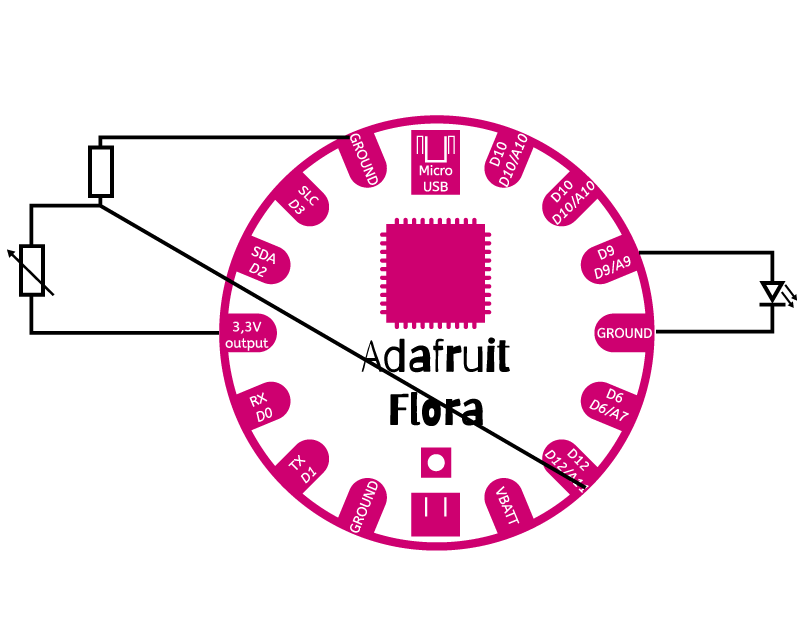
The pressure sensor
The first try was the pressure sensor. I had some challenges in the beginning. The LED was flickering, even without touching the sensor and when I was pushing on the sensor, the LED behaved more like a switch, instead of an analog sensor. So I had to make a few adjustments in the code. I added some mapping in the first step. I checked the incoming values and saw, that there was always something going on. I cropped this, setting the maximum incoming value, when nothing happens, as the new minimum and use it as the zero-point. Then I set the maximum pressure value as the maximum on 255. After doing this mapping, I had the problem, that I got minus-values. I solved this, doing constrains and setting 0-255 as the possible values. Everything worked fine after those adjustments.
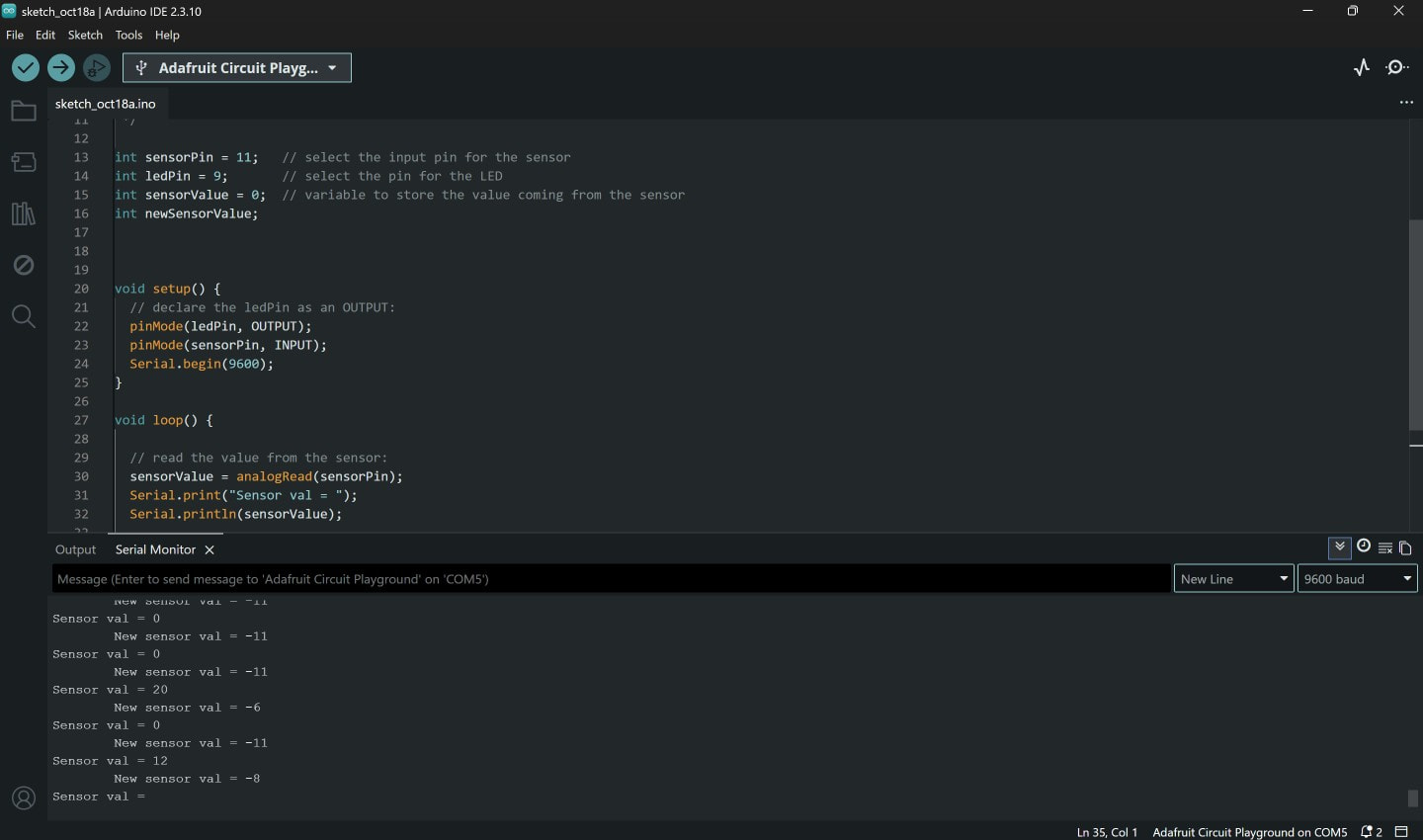
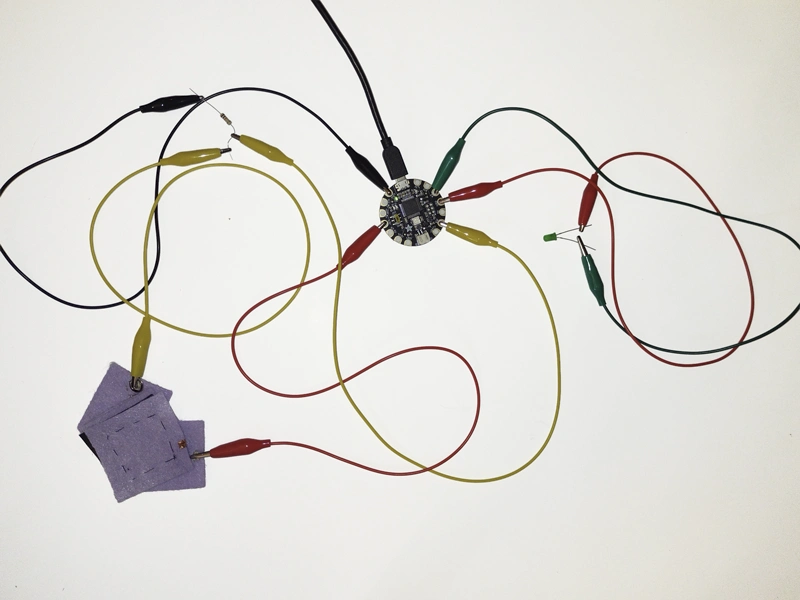
Code for Velostat pressure sensor
        /*
Reading Sensor Values
Fabricademy 2026/2027 Week 05

This sketch reads the data coming in from the pressure sensor, prints it to the serial
monitor and gives an analog output to the LED. This is extremely helpful to debug or find the range of values you
want to use.
*/

int sensorPin = 11;   // select the input pin for the sensor
int ledPin = 9;       // select the pin for the LED
int sensorValue = 0;  // variable to store the value coming from the sensor
int newSensorValue;   //variable to store the value coming from the mapping
int constrainedSensorValue;  //variable to store the value coming from the constrained mapping

void setup() {
// declare the ledPin as an OUTPUT:
pinMode(ledPin, OUTPUT);
pinMode(sensorPin, INPUT);
Serial.begin(9600);
}

void loop() {

// read the value from the sensor:
sensorValue = analogRead(sensorPin);
Serial.print("Sensor val = ");
Serial.println(sensorValue); // prints incoming sensorValue

newSensorValue = map(sensorValue, 10, 1023, 0, 255); // sets minimun and maximum
constrainedSensorValue = constrain(newSensorValue, 0, 255); // constraines newSensorValue to cut negative values

analogWrite(ledPin, constrainedSensorValue); // constrainedSensorValue as analog output for LED

Serial.print("\t");
Serial.print("New sensor val = ");
Serial.println(constrainedSensorValue); // prints constrainedSensorValue which is the output value for the LED
}
The pull sensor
I started with the code of the pressure sensor. But the input I got, was very different from the input of the pressure sensor. The values of the relaxed and the stretched sensor were very close together, so I had to adjust the minimum and maximum values. This solved the problem and everything was working fine.
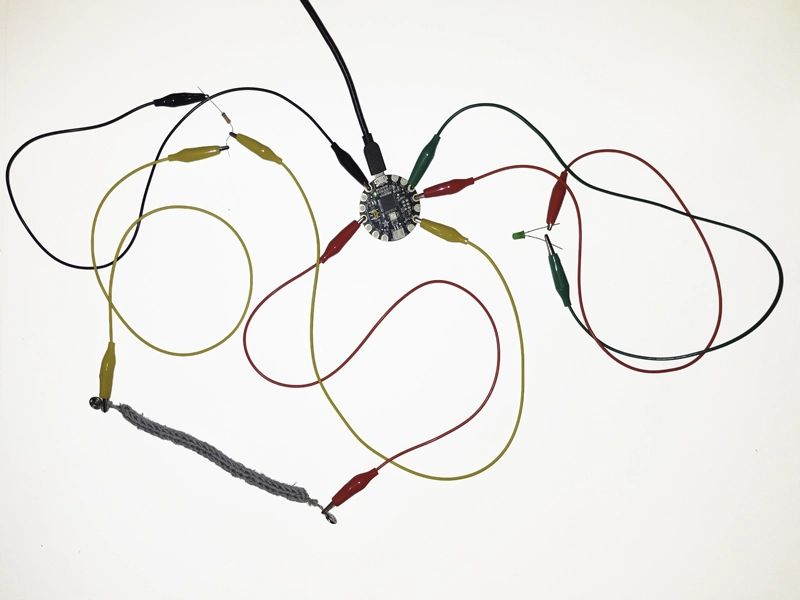
Code for Velostat pressure sensor
        /*

Reading Sensor Values
Fabricademy 2026/2027 Week 05

This sketch reads the data coming in from the pullsensor and prints it to the serial
monitor and gives an analog output to the LED. This is extremely helpful to debug or find the range of values you
want to use.


*/

int sensorPin = 11;   // select the input pin for the sensor
int ledPin = 9;       // select the pin for the LED
int sensorValue = 0;  // variable to store the value coming from the sensor
int newSensorValue;   //variable to store the value coming from the mapping
int constrainedSensorValue;  //variable to store the value coming from the constrained mapping


void setup() {
// declare the ledPin as an OUTPUT:
pinMode(ledPin, OUTPUT);
pinMode(sensorPin, INPUT);
Serial.begin(9600);
}

void loop() {

// read the value from the sensor:
sensorValue = analogRead(sensorPin);
Serial.print("Sensor val = ");
Serial.println(sensorValue); // prints incoming sensorValue

newSensorValue = map(sensorValue, 1019, 1023, 0, 255); // sets minimun and maximum
constrainedSensorValue = constrain(newSensorValue, 0, 255); // constraines newSensorValue to cut negative values

analogWrite(ledPin, constrainedSensorValue); // constrainedSensorValue as analog output for LED

Serial.print("\t");
Serial.print("New sensor val = ");
Serial.println(constrainedSensorValue);
}
The fail
After checking the printed output of the steel-wool sensor, I knew why the LED didn't show any differences in my first try. Even the printed value didn't show any change. I think, that I used too much steel wool or it's just too conductive.
A video of the failed sensor will be coming soon, I reached my daily upload limit at Youtube
The matrix-push sensor
I sewed a matrix-like structure with conductive thread into a piece of velostat. One thread always going up and down and the other thread going from left to right and back. It's important, that the two threads don't touch each other. If they do, that's a short circuit. The circuit needs to go through the velostat. Testing the velostat with the Adafruit I discovered such a short circuit. After using little pieces of paper to divide both threads, it worked as it should.
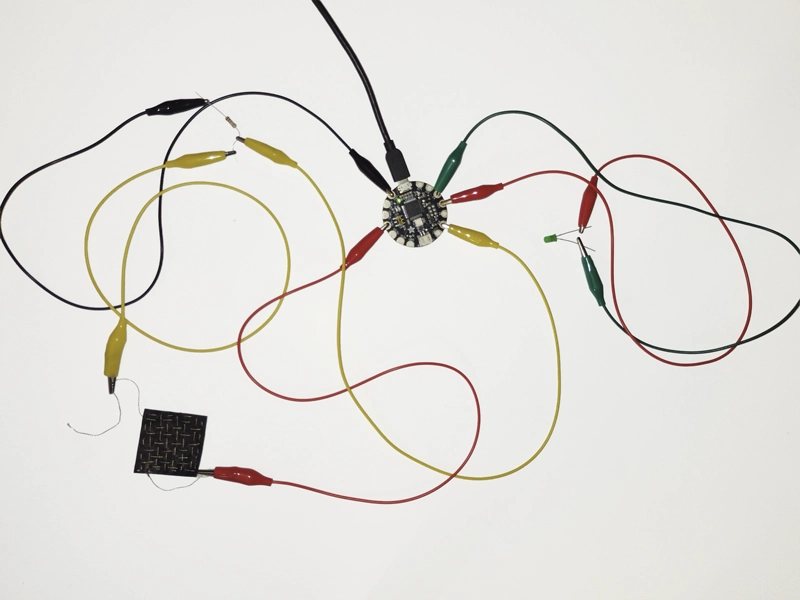
A video of the matrix-sensor will be coming soon, I reached my daily upload limit at Youtube
Ghost circuit?
While testing my sensors, I had one moment, when the LED was only connected to the Ground, because the other crocodile clamp fall off. When I took the LED, it lit up, even though I didn't touch any other part of the circuit. We were wondering and had no idea, what it could be. It was in the middle of the night, around 12 o'clock, so perhaps, we had some ghosts helping us. :ghostfolio:
Tools and sources I used
- Squishtool (for PNG and JPG): https://squish.tools/de/compress-png
- Different conductive yarns (for conductive seams and knitting)
- copper tape (as an alternativ for conductive yarn)
- conductive paint (only for tests, could be used instead of conductive yarn with more rigid fabrics)
- copper metal sheet (for conductive surfaces, should only be used with rigid material)
- conductive fabric
- Velostat (for the pressure sensor)
- Snap buttons (as connector and switch)
- Sewing needles
- Sewing machine
- Sewing yarn (for non-conductive seams)
- Enameled copper wire
- Adafruit flora
- Alligator clamps (connecting the different parts of the circuit)
- Polyester felt
- Knitting dolly (for knitting the pull sensor)
- Flora pinout diagram
- Arduino IDE 2
Reflection
I was so happy to learn, that it's quite easy to build soft sensors and that's it's also no magic to write basic code, to send an output to an actor. I think this week was a good preparation for the wearables week. Looking back, I wish I'd had more time to try out even more sensors and put some more work in the design of the sensors, too.