Circular Open Source Fashion¶
1. Objective¶
weekly assignment
Check out the weekly assignment here or login to your NuEval progress and evaluation page.
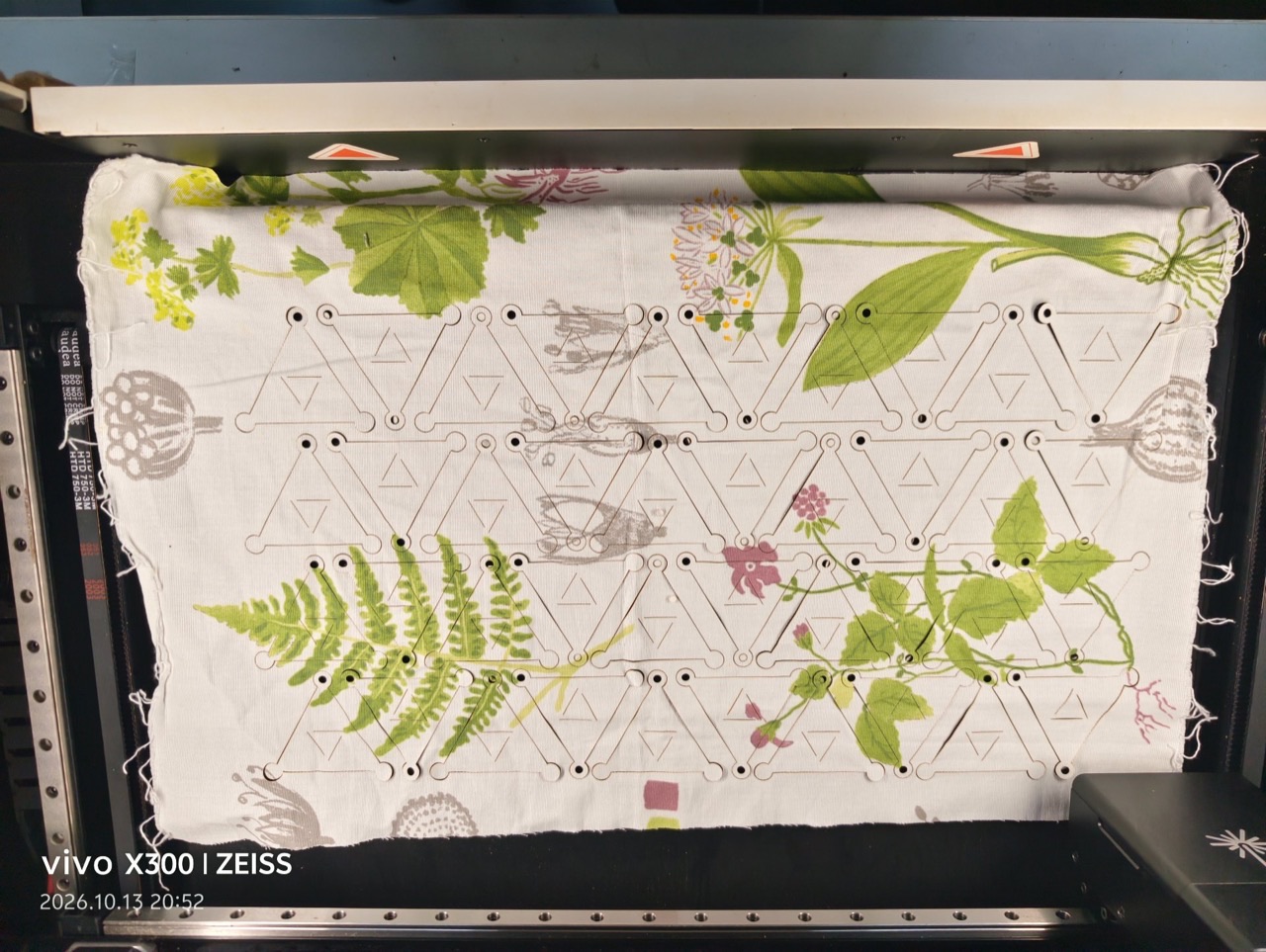
This week is about circularity: one open module, no sewing, nothing left over. My design is Modular Bougainvillea — a single triangle-and-circle module inspired by the triangulated geometry of the bougainvillea flower. It tessellates edge-to-edge on a 300 × 300 mm sheet with near-zero waste, and the three outer vertices carry Ø 6 mm assembly holes so the same cut piece can be riveted, stitched or magnetised into necklaces, belts, capes or full garments. The full sheet is now cut from printed cotton and the first modules are linked point-to-point into a wearable triangular bib — see § 7.
2. References & inspiration¶
The motif comes from the bougainvillea: three triangular bracts orbiting a single circular pistil. Triangles tessellate by definition, so the flower is already a cut pattern waiting to happen. The triangular minimum + a hub circle + three corner holes is everything the module needs — one shape, one joint, one repeat.
An earlier iteration of this week's idea — a diamond-and-slit interlocking textile inspired by Alicja Kamaj's SURRENDER — is preserved at the bottom of this page under § 8 Testing for comparison. The bougainvillea version below replaced it because the triangle tessellation is the more honest zero-waste answer: every piece of the sheet becomes a usable module.
3. Tools¶
- TinyPNG — image compression
- Inkscape 1.4 — module geometry, tessellation, export to SVG / DXF / PNG1
- Python (
gen_modular_svg.py+svg2dxf.py) — script-based regeneration of the module family at any pitch / sheet size2 - Makeblock Laserbox — cutting the tessellated sheet from printed cotton (felt / leather 1–3 mm planned next)
4. Concept¶
The bougainvillea is reduced to its smallest honest geometry: three triangular bracts orbiting a single circular pistil. Because the bract is already a triangle, the motif inherits the triangle's superpower — it tessellates. One module repeats across the fabric sheet with almost zero waste, and the pistil circle doubles as a joint: punched holes at each outer vertex let modules clip, rivet or stitch together into necklaces, belts, capes, or full garments.
把三角梅抽象到最小几何:3 片三角形苞片围绕 1 个圆形花蕊。三角形天然可无缝镶嵌,所以一个模块可以在整张布料上近零浪费地重复;花蕊圆同时是「关节」——三个外顶点上的拼装孔让模块能用铆钉 / 缝线 / 磁扣拼成项链、腰带、披肩乃至整件衣服。


Design rules
- One module only — everything on the sheet is a copy of it.
- Unit circumradius 30 mm → tessellation pitch 60 mm (edge-to-edge, near-100 % material use).
- Cut lines as 0.2 mm red hairlines; fills are for the eye, not the machine.
- Assembly holes Ø 6 mm at the three outer vertices = the modular joint.
5. Process — Inkscape workflow¶
5.1 Step 1 — Document Setup¶
File → Document Properties → set Display units: mm, then File → Document Properties → Resize to content is skipped — instead type 300 × 300 mm custom size. In the toolbar, set the stroke units to mm as well.
文档属性里把单位全部设为毫米,画布自定义 300×300mm——之后所有尺寸都能直接打数字。
5.2 Step 2 — One Equilateral Triangle (the Bract)¶
Activate the Polygon tool (*), set Corners: 3, Scatter: 0 in the toolbar. Drag while holding Ctrl to snap an upright equilateral triangle. Type the exact size in the toolbar: base 26 mm (height ≈ 22.5 mm) — the size is arbitrary, the 120° symmetry is what matters.
多边形工具边数设 3,按住 Ctrl 拖出正三角形——尺寸随意,重要的是等边。
5.3 Step 3 — Rotate-Copy × 2 → Three Bracts at 120°¶
With the triangle selected, press Ctrl+D (duplicate), then Object → Transform → Rotate 120°. The trick: first click the triangle once more so rotation handles appear, and move the rotation pivot to the point where the pistil circle will sit — about 15 mm from the triangle's base midpoint. Duplicate again, rotate another 120°.
复制一份后用「变换 → 旋转 120°」,关键是把旋转中心点拖到未来花蕊的位置;再复制旋转一次,三片苞片就位。
5.4 Step 4 — The Pistil Circle (and Joint Hub)¶
Ellipse tool (E): drag with Ctrl+Shift from the centre outward so the circle stays concentric with the rotation pivot. Set exact radius in the toolbar: R = 15 mm. The three triangles' bases now sit on this circle — this circle is both the flower's pistil and the structural hub of the joint.
椭圆工具按 Ctrl+Shift 从圆心拉出,精确半径 15mm;三片苞片的底边正好落在这个圆上。
5.5 Step 5 — Assembly Holes at the Outer Vertices¶
Copy the pistil circle (Ctrl+C · Ctrl+V), shrink to R = 3 mm (Ø 6 mm — sized for M3 rivets or waxed cord), and place its centre exactly on each outer vertex of the bracts. Duplicate × 2, rotate 120° / 240° around the pistil centre, same pivot as before.
把花蕊圆复制缩小到半径 3mm,圆心对准三角形外顶点,再用同样的 120° 旋转复制出另外两个。
These holes are the whole point of the module: they are what makes it modular. Rivet, stitch or magnet through them and the same cut piece becomes a necklace, a belt, or the cell of a cape. 这些孔就是「模块化」的全部机关。
5.6 Step 6 — Group → One Master Module¶
Select everything (Ctrl+A) and group with Ctrl+G. Set stroke width 0.2 mm, colour #FF0000 (red = cut layer for most laser software), fill: none. Align the module's bounding box to the canvas origin: Object → Align & Distribute → relative to Page.
全选成组,描边统一 0.2mm 红色、无填充——这是大多数激光软件的「切割层」约定。
5.7 Step 7 — Tessellate: Duplicate–Move at 60 mm Pitch¶
Duplicate–move–repeat (the reliable way): select the module, Ctrl+D, then Object → Transform → Move X = +60 mm. From now on every fresh Ctrl+D repeats that same offset — press it three times per row, then select the row and duplicate downwards Y = +60 mm. Result: a 4 × 4 sheet where neighbouring modules interlock, with ~8 mm of breathing gap at the tightest points, so nothing overlaps.
复制后用「变换 → 移动 X+60mm」,之后每次 Ctrl+D 都会自动重复这个位移——这就是 Inkscape 做阵列最快的方式;第二行从整行复制往下挪 60mm。相邻模块的外顶点刚好交错咬合。
Alternative: Edit → Clone → Create Tiled Clones (P1 symmetry, 4 × 4) also works, but its Shift values are percentages of the module size — for a 60 mm pitch set Shift ≈ 91–95 % and verify with the Measure tool. The duplicate-move-repeat method above keeps everything in exact millimetres. 平铺克隆的位移是百分比制,想精确 60mm 还得换算,不如复制-位移法直接。
5.8 Step 8 — Export for the Laser Cutter¶
- DXF:
File → Save As → DXF R12(in GUI; unlink clones first). This file feeds the cutter directly.3 - PNG preview:
File → Export PNG, 1000 px wide, white background — for the portfolio page.3 - Verify scale: measure one module — it must read 60 mm across.
导出前先解除克隆链接;DXF 给切割机,PNG 留作作品集预览。拿卡尺量一下模块,跨距必须是 60mm。
6. Final sheet & cut parameters¶
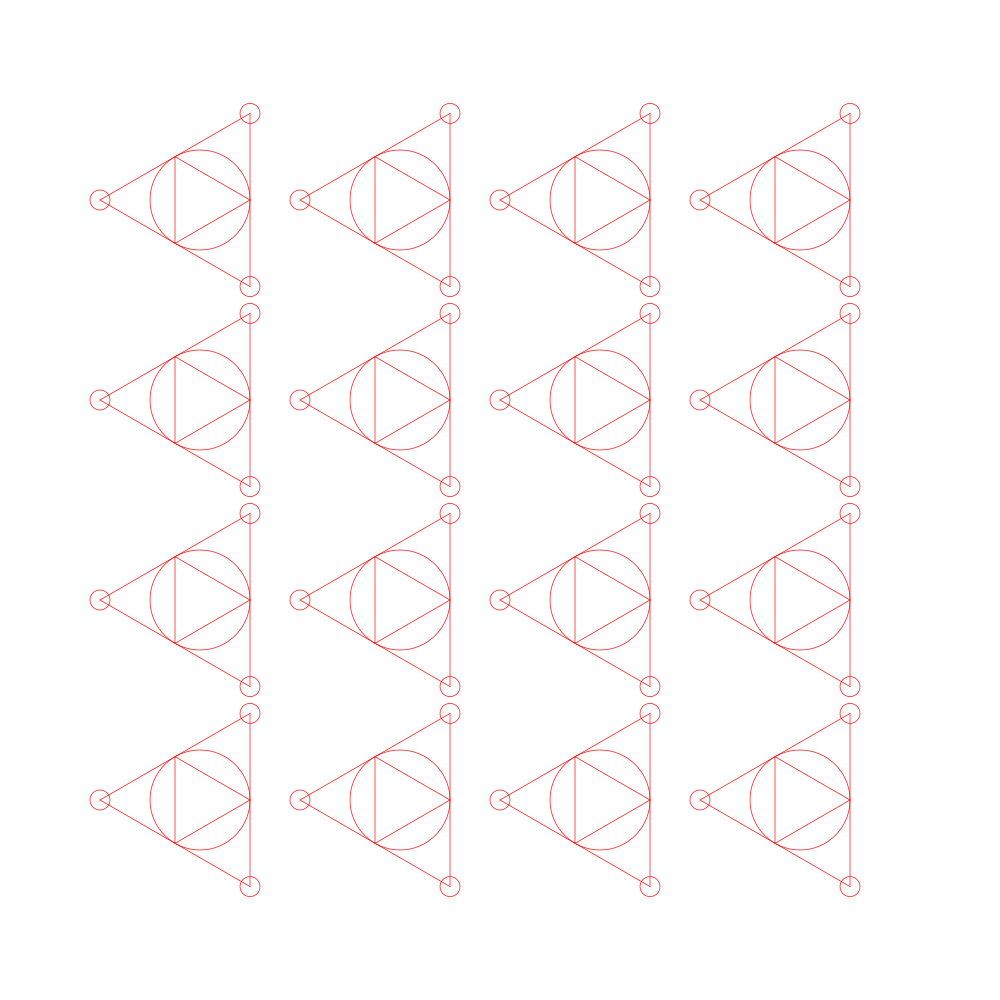
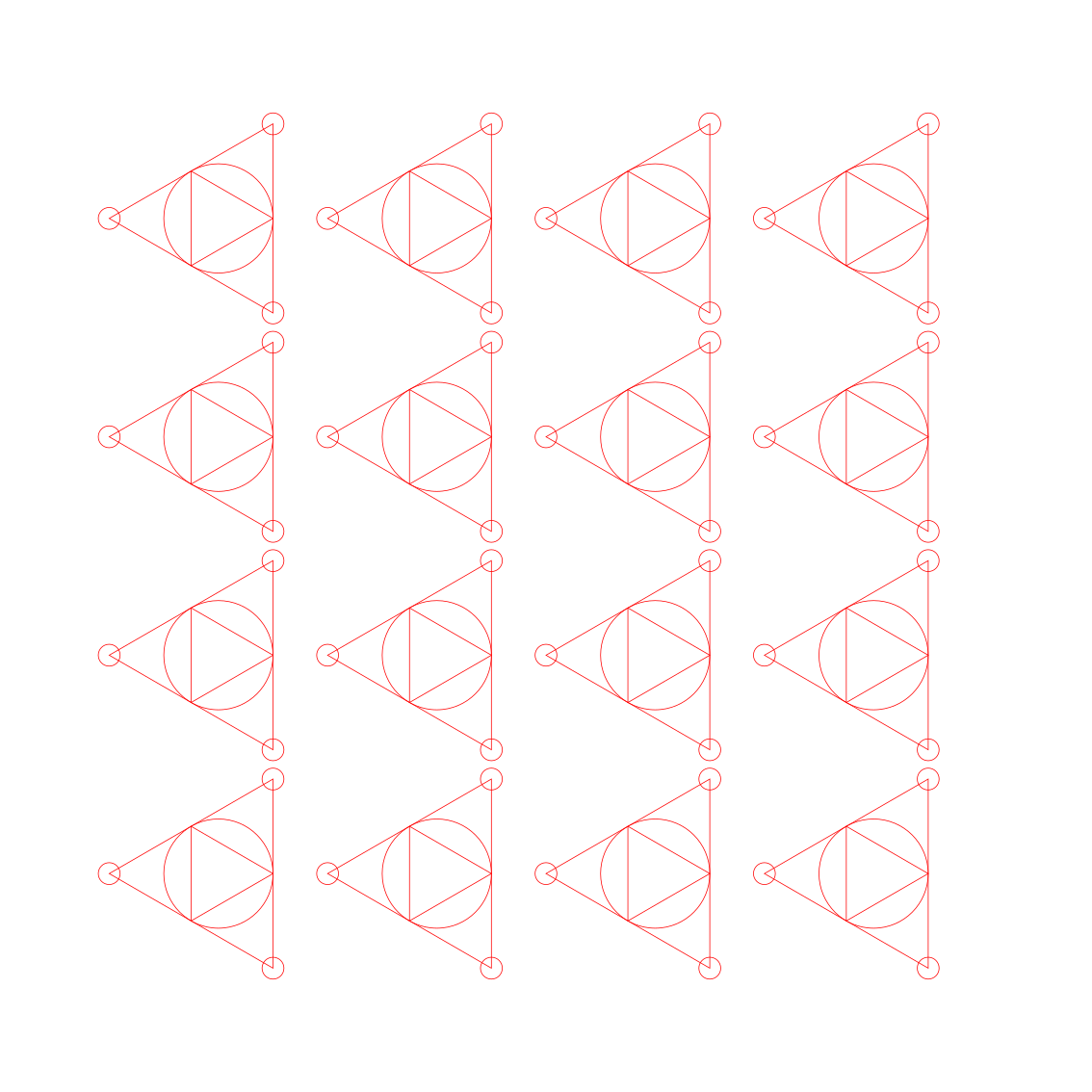
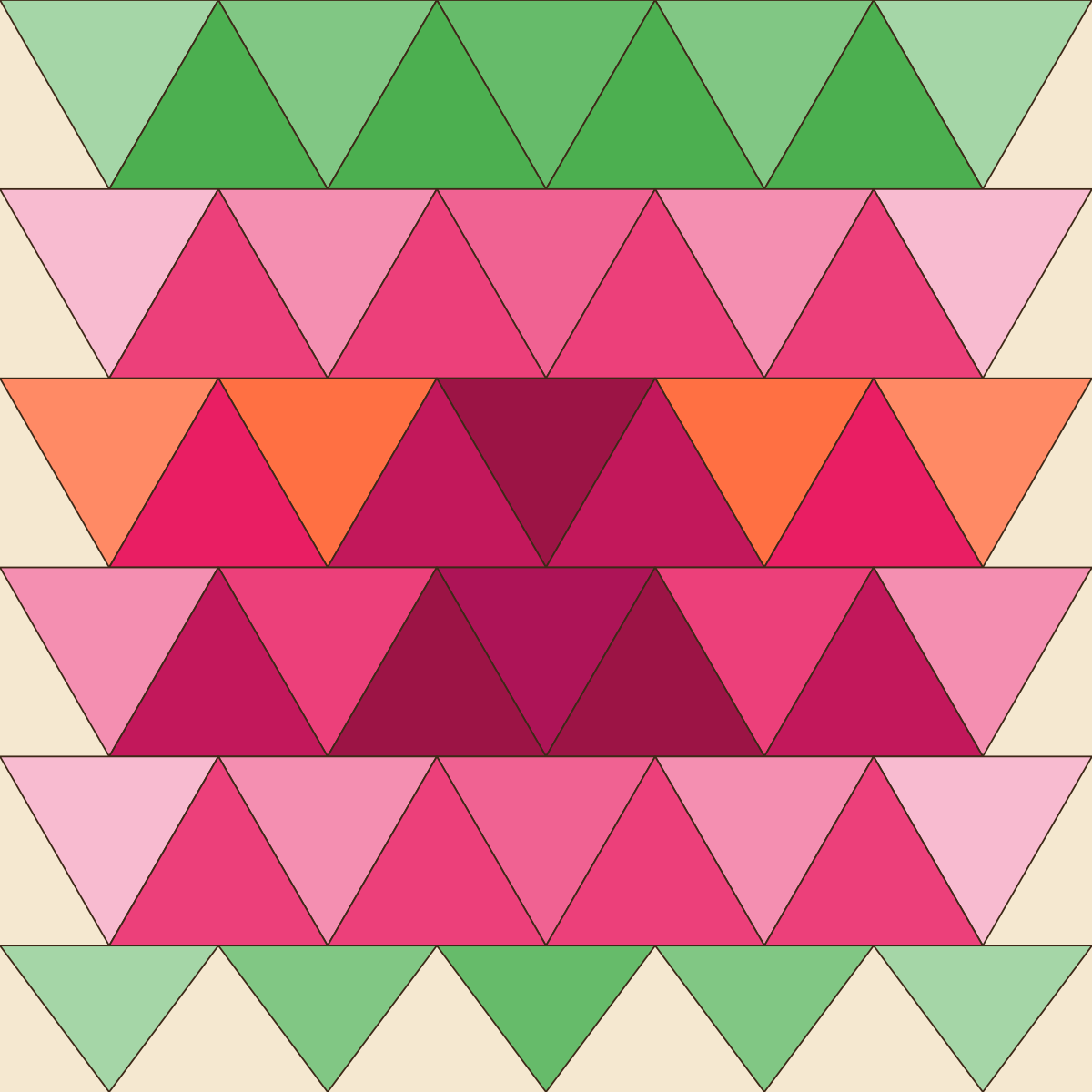
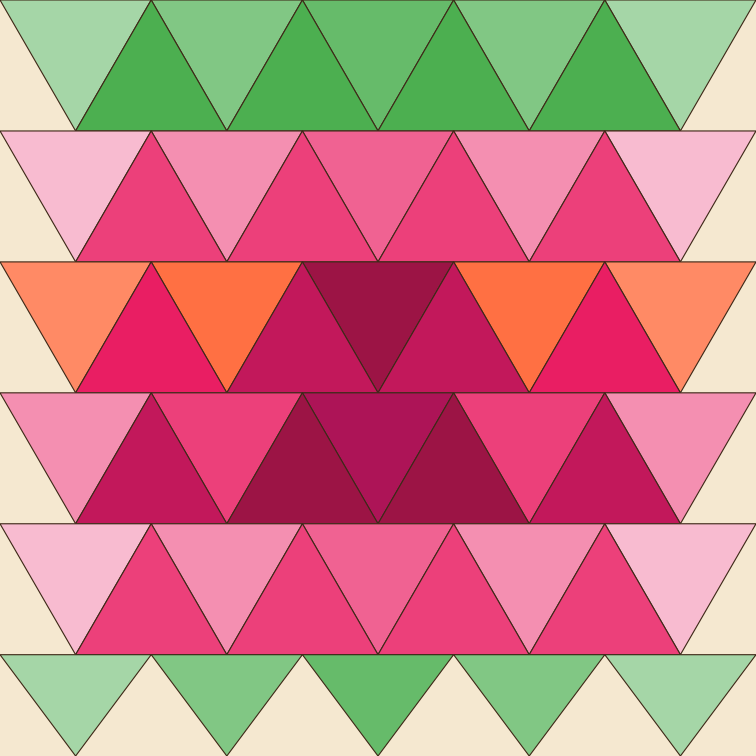
| Parameter | Value | Note |
|---|---|---|
| Sheet | 300 × 300 mm | scales freely |
| Module pitch | 60 mm | unit circumradius 30 mm |
| Pistil circle | R 15 mm | joint hub |
| Assembly holes | Ø 6 mm | M3 rivet / 2 mm cord |
| Cut stroke | 0.2 mm, #FF0000 |
no fill |
| Kerf compensation | not applied | offset +0.1 mm outward for tight fits |
| Material — this prototype | printed cotton | laser-sealed edges, no fraying |
| Material — planned next | felt / leather 1–3 mm | holes get eyelets if leather |
7. Cutting & assembly — the physical sheet¶
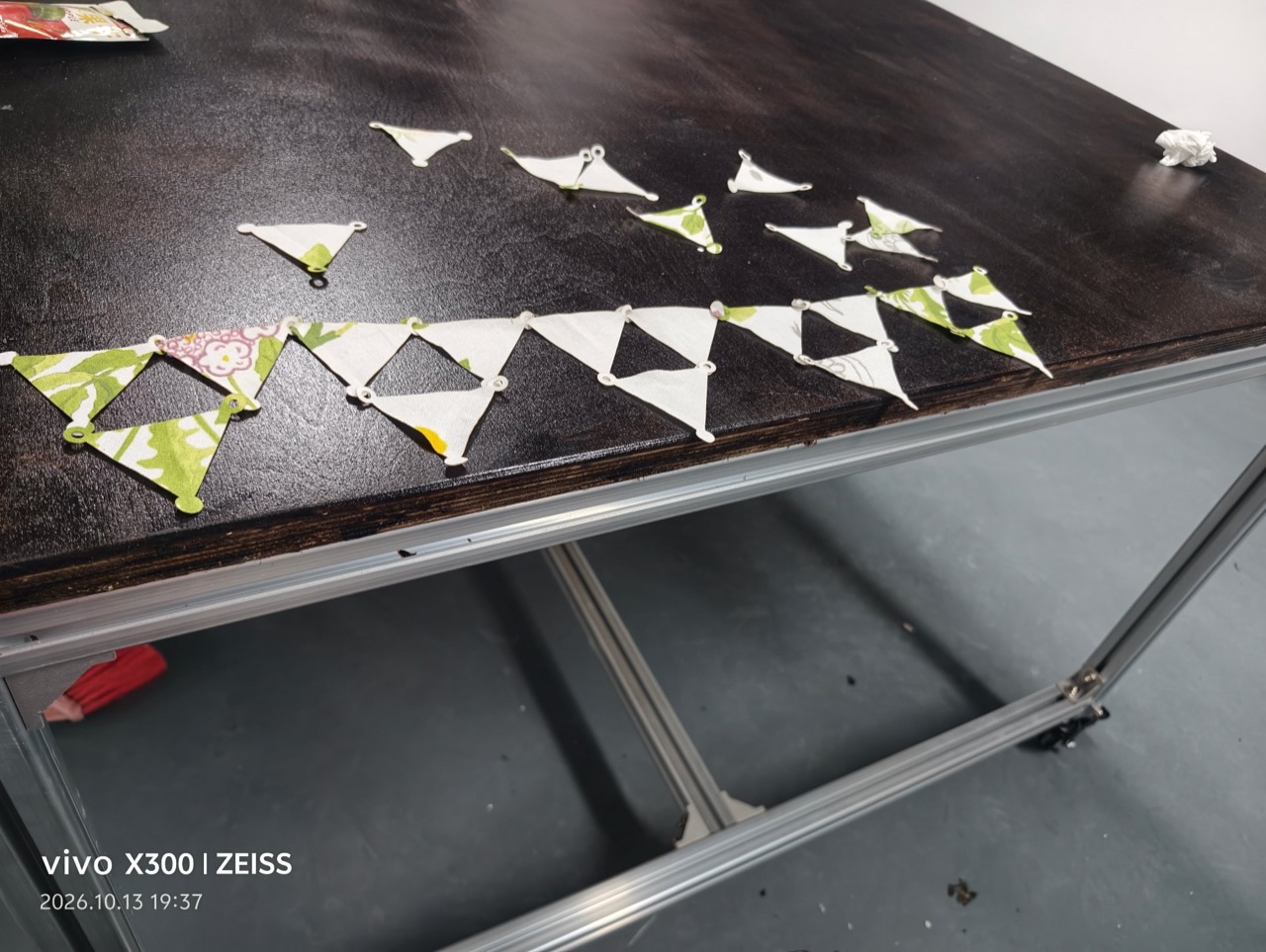
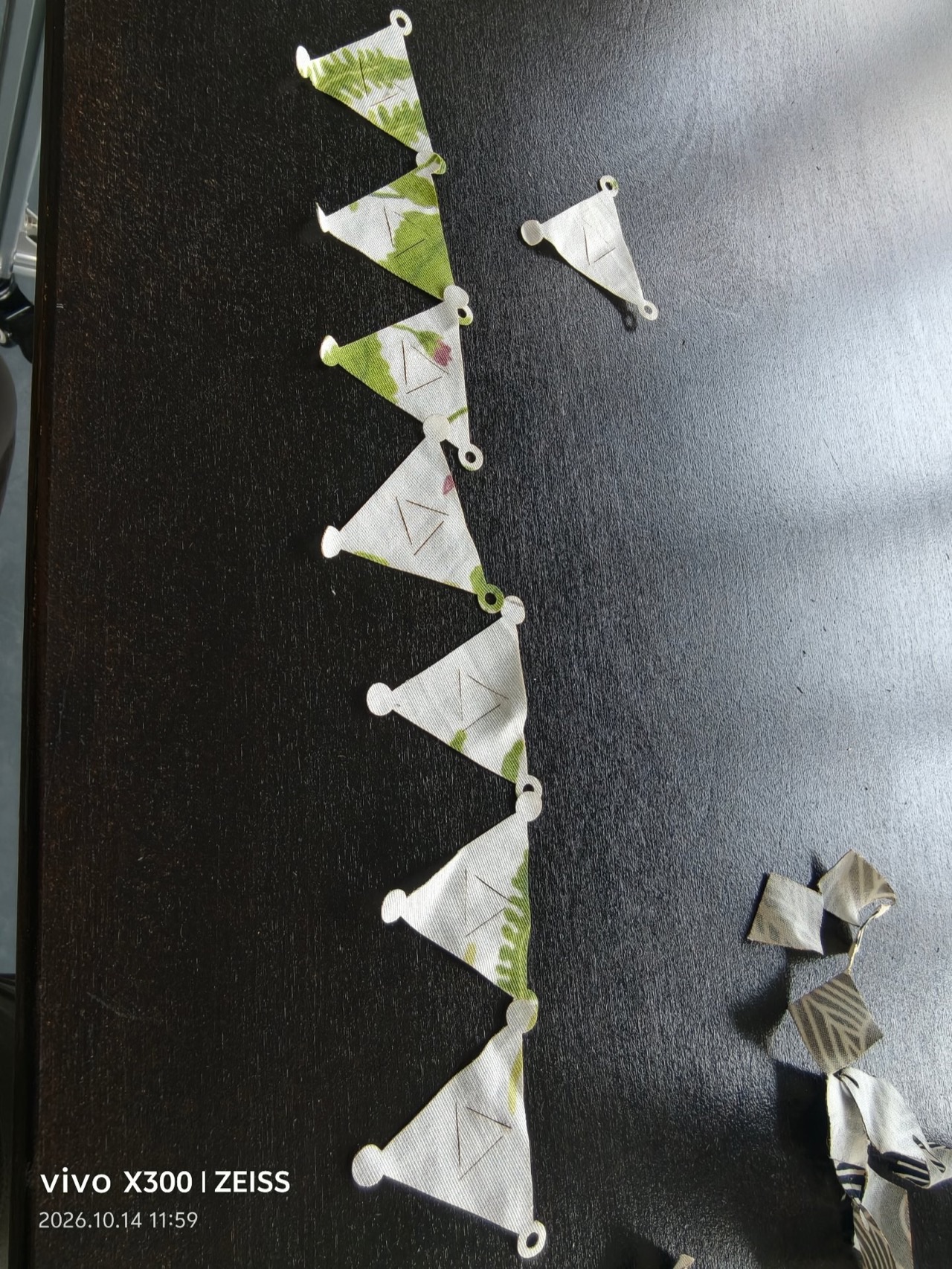
The vector workflow above became fabric on 13–14 Oct: one full tessellated sheet cut on the Makeblock Laserbox, then popped apart and re-linked by hand into the first wearable module chain.
7.1 Cutting the full sheet¶
7.2 Popping out the modules¶
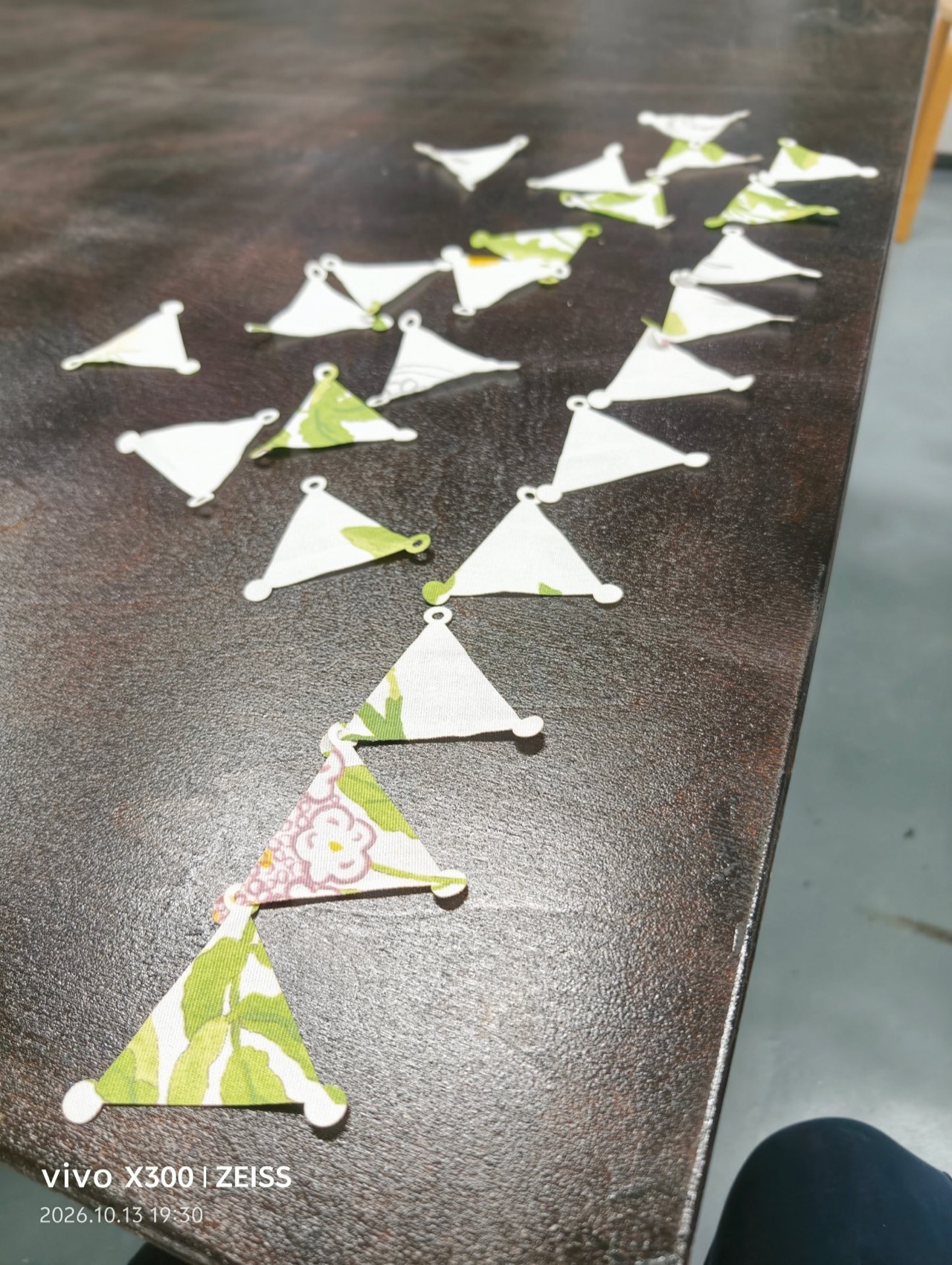
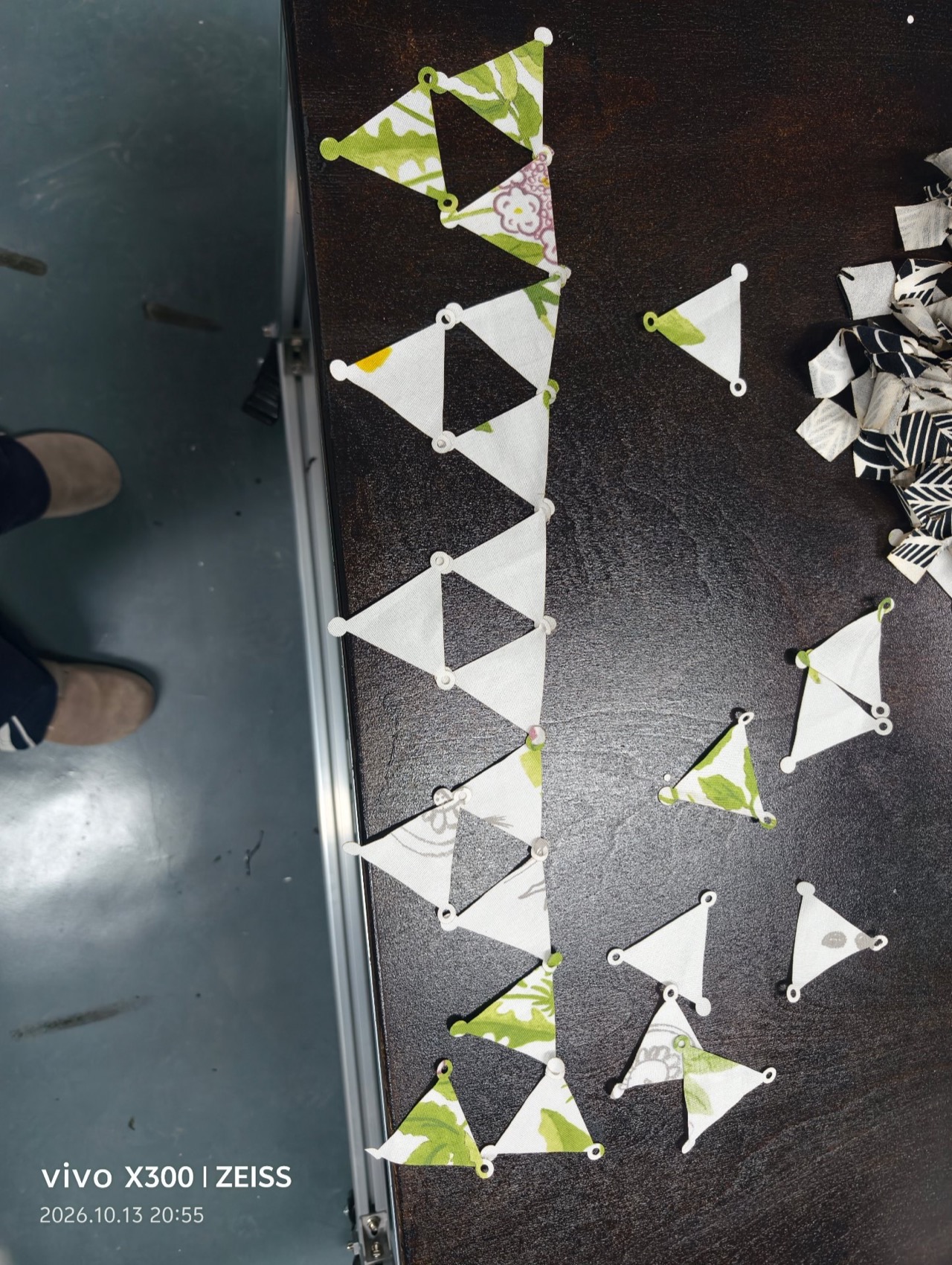
The sheet breaks down into a bag of identical modules — each one a small triangle with a ring at every vertex. The offcut pile in the corner is tiny: the tessellation really does leave almost nothing behind.
7.3 Linking the chain¶
7.4 Wearing it — first fitting on the dress form¶
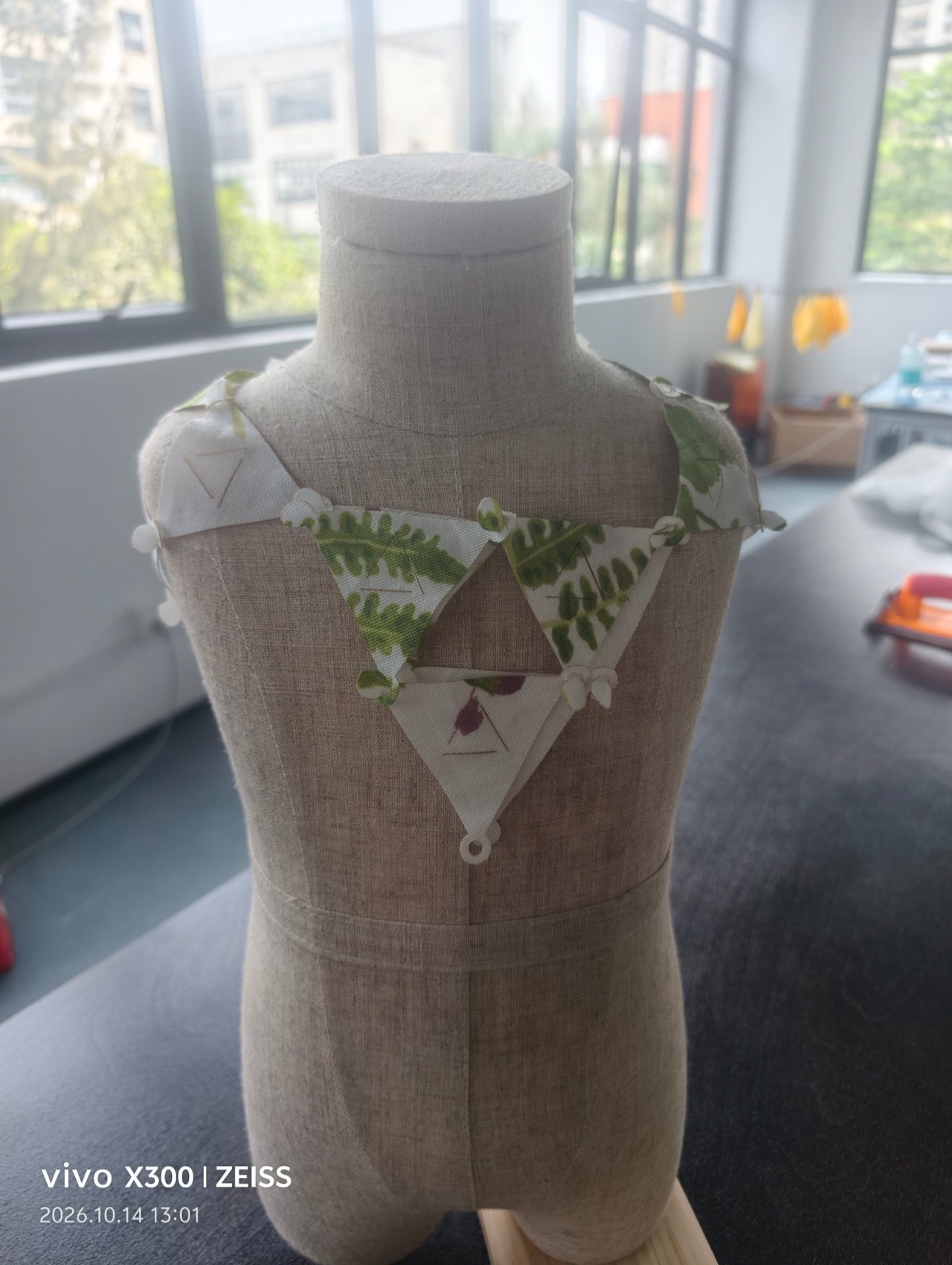
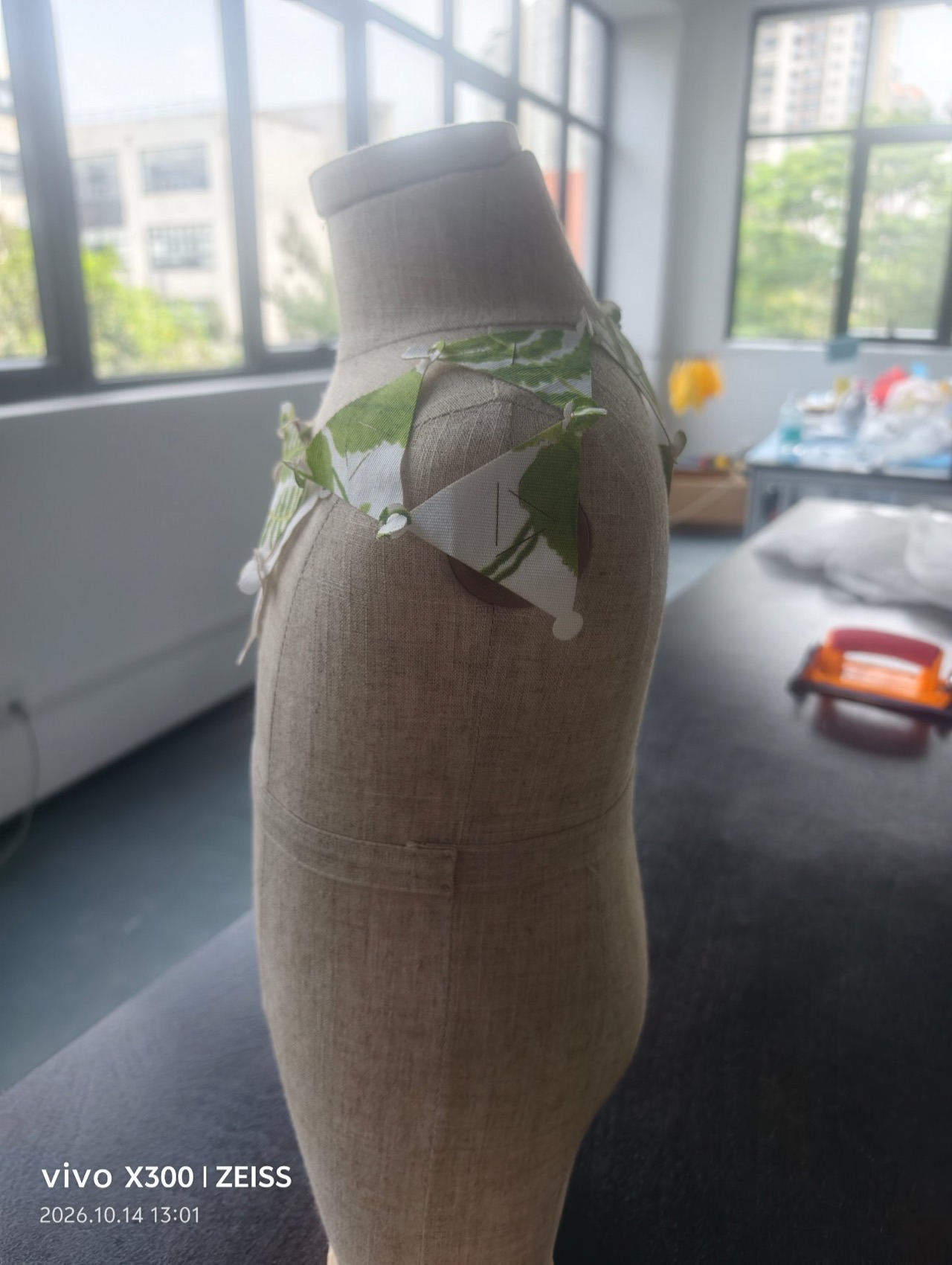
First fitting. Left: the chain gathers into a triangular bib over the chest — the negative triangle between modules is as much a part of the design as the fabric ones. Right: from the side, the flat modules sit away from the body and hold their shape without any interfacing.
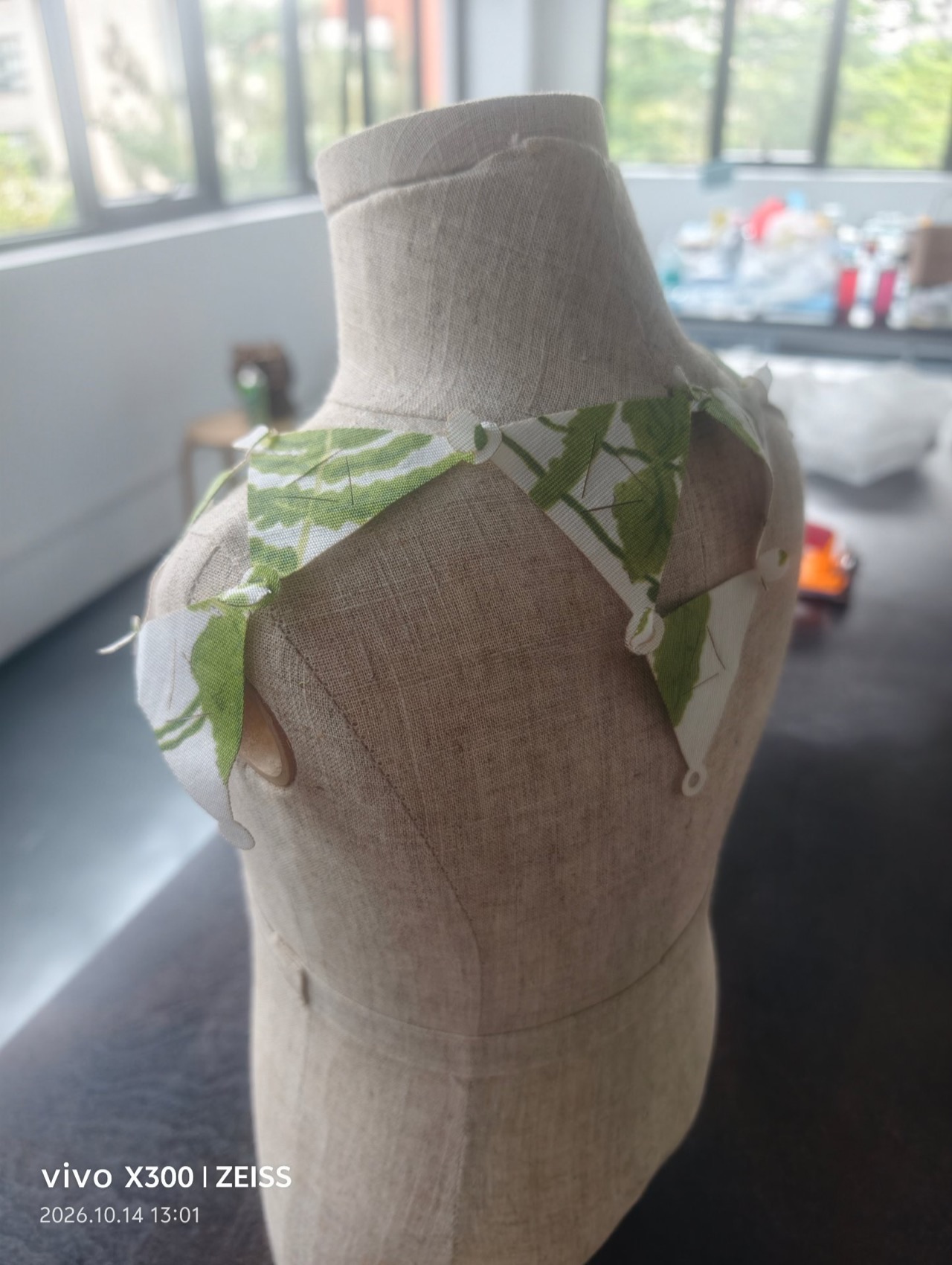
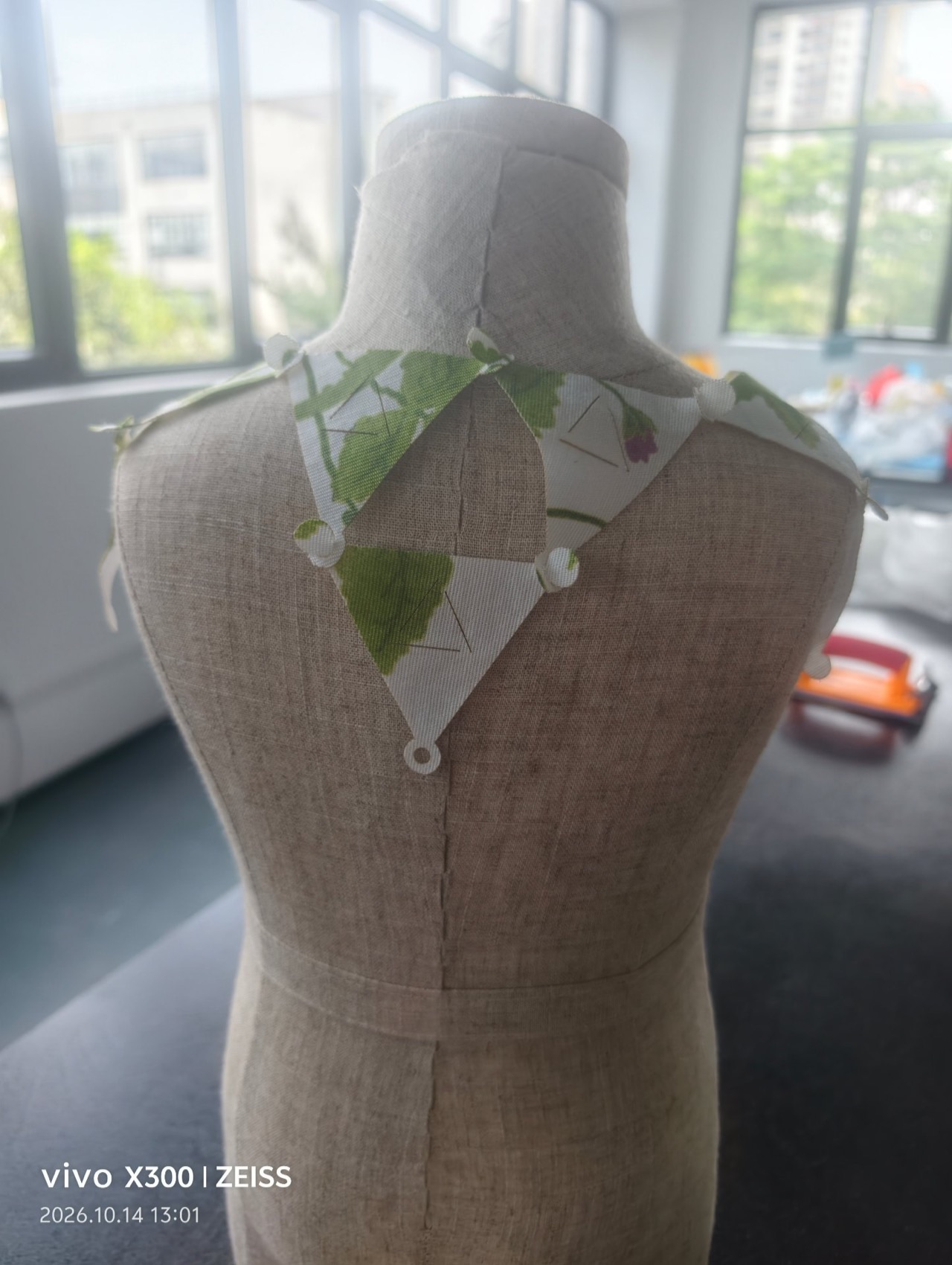
Left: over the shoulder, the modules fan and follow the body curve. Right: the back view — the bib is currently held by friction and link geometry alone; rivets or waxed cord through the Ø 6 mm holes are the next step to make the fit permanent and adjustable.
7.5 What I made¶
- One full laser-cut sheet of printed cotton — 16+ tessellated bougainvillea modules with vertex holes, cut in a single pass
- A bag of identical modules with almost zero offcuts, linked point-to-point into chains
- The first wearable prototype: a triangular modular bib fitted on the dress form, no sewing, no glue
8. Testing¶
The first modular direction for this week was a diamond-with-slit interlocking textile, cut from printed cotton on the Makeblock Laserbox. The modules slid into each other through horizontal slits and produced a chainmail-like sheet that wrapped a 3D form. That work is documented here as a test of the modular idea — the bougainvillea version above replaced it because a triangular tessellation is the more honest zero-waste answer (every piece of the sheet becomes a usable cell; the diamond version still had small offcuts at the slit bridges). Materials and findings feed forward into the next iteration.
8.1 Inspiration¶
get inspired!
Check out and research alumni pages to better understand how to document and get inspired.
- 0-waste modular dress - Stephanie Johnsons - TextileLab Amsterdam
- Modular balaclava - Mina Mayo Smith - FabLab Kamakura
- Modular jewellery - Shefali Desai - Somaya
- 0-waste garment - Ruby Lennox - FabLab Bcn
- 0-waste garment - Alve Lagercrantz - FabLab Bcn
- Assembly instructions & embedded message - Jessica Stanley - TextileLab Amsterdam
The original reference was SURRENDER4 by Alicja Kamaj — a deconstructed trench coat rebuilt piece by piece from leather production waste, donated by Elmo Leather and Zadora. Every fragment is an independent cut piece, and the whole garment holds together purely by pieces interlocking into each other — no sewing, no glue.
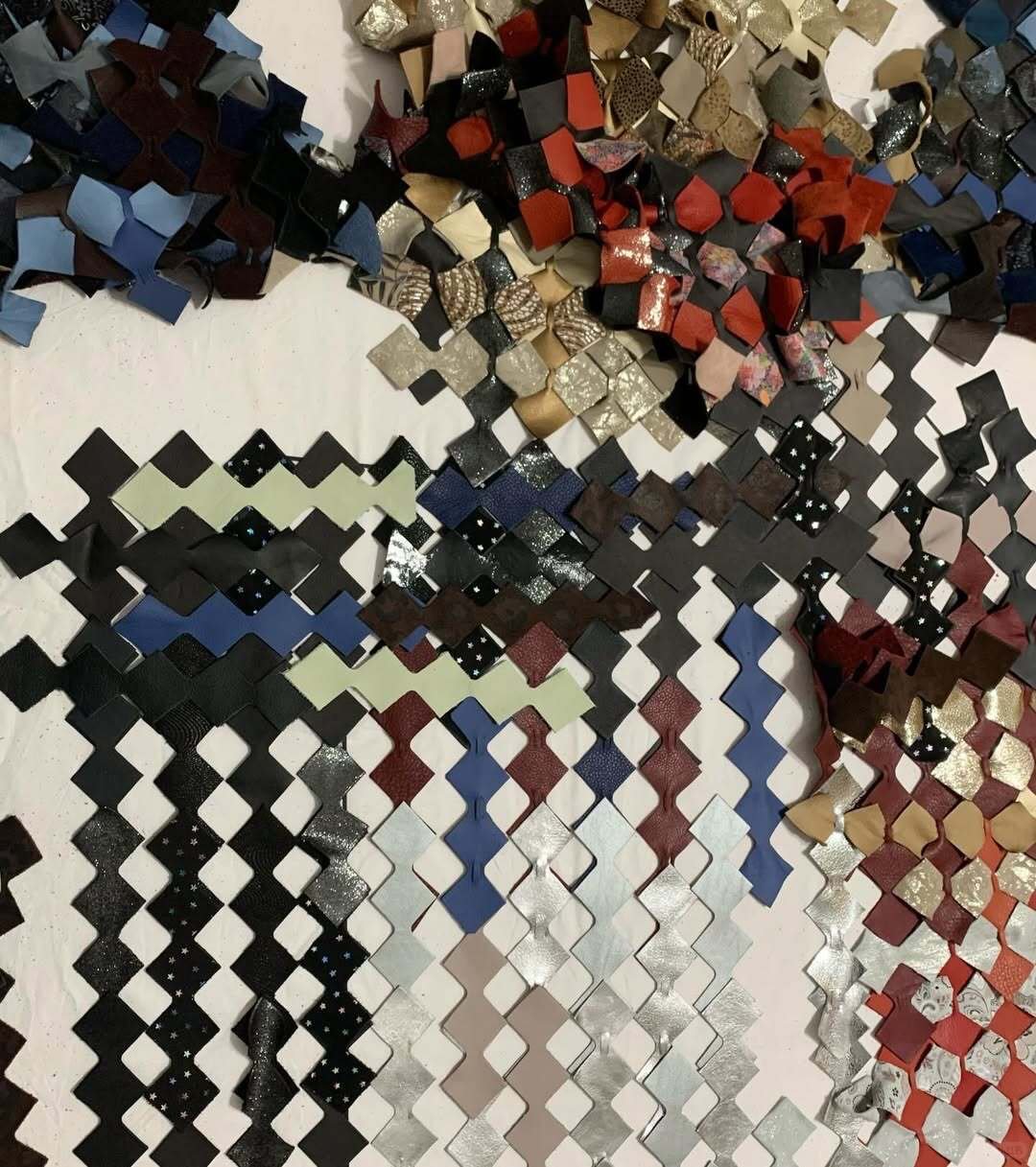
8.2 Module — diamond with slit¶

The original test-module geometry. One shape, one slit, repeated by chaining at the points.
8.3 Nesting & laser cutting¶
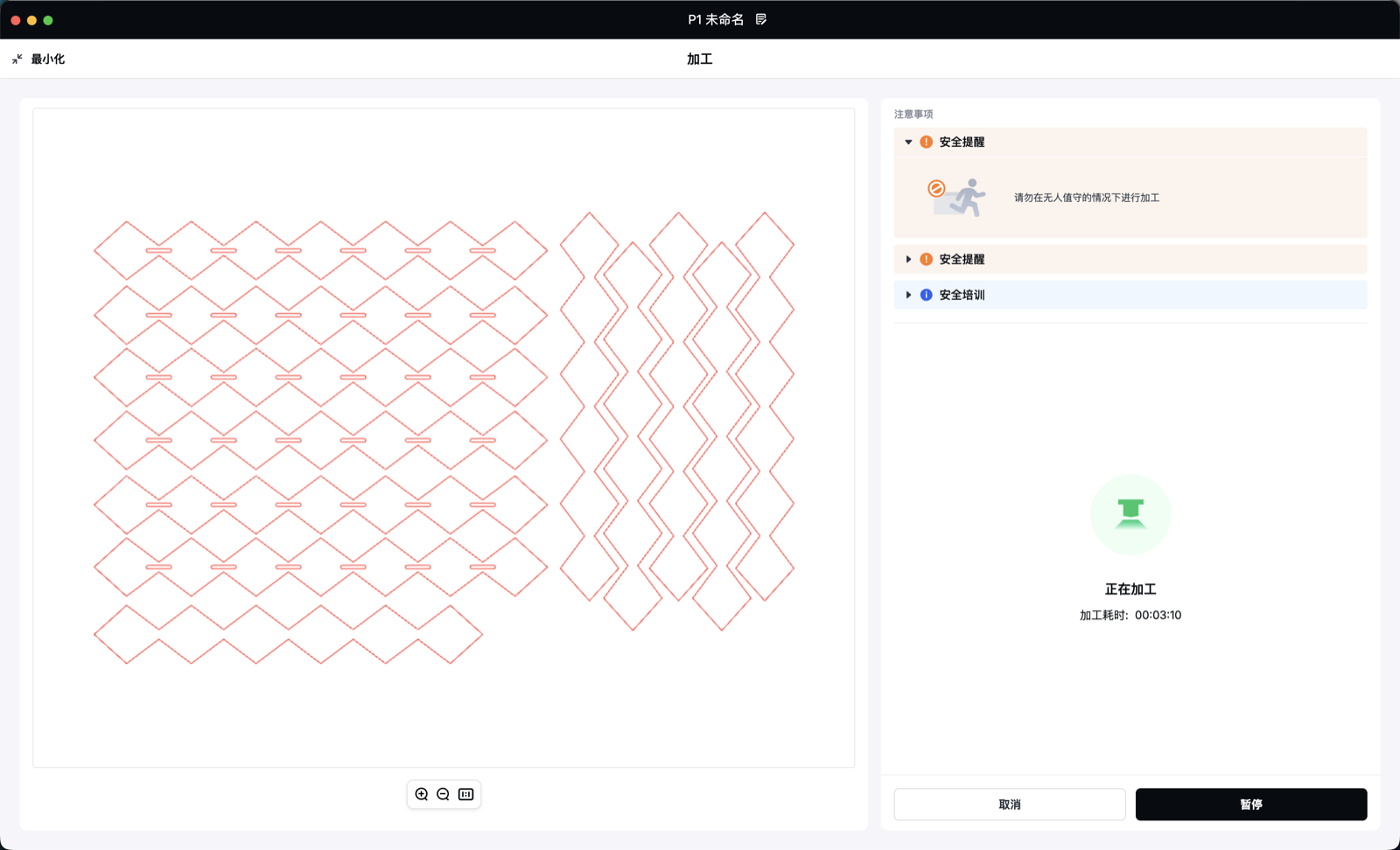
The nesting job in the Laserbox software. Chained diamond strips and a strip-shaped variant pack edge to edge on the bed.
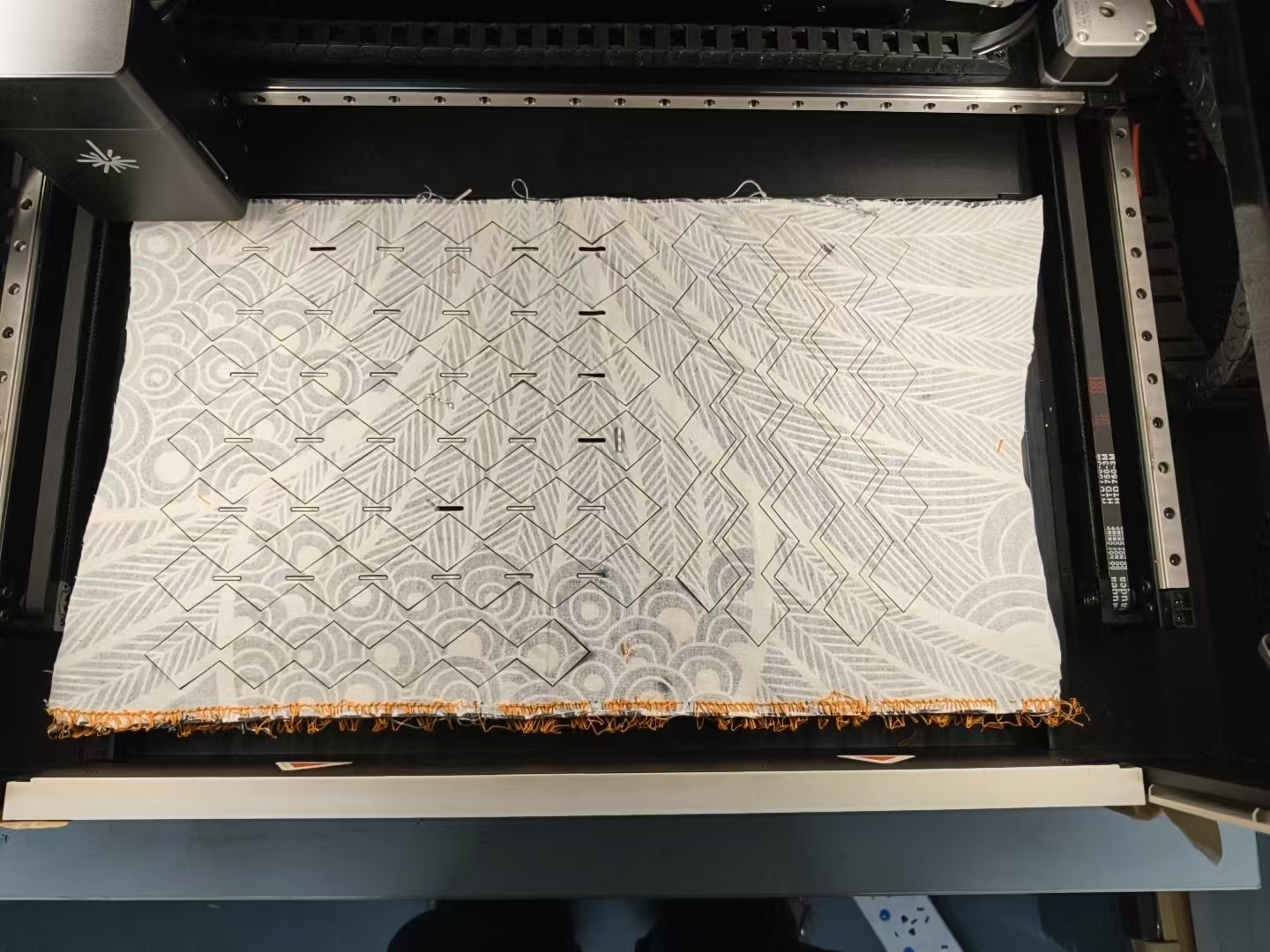
The full sheet after cutting on the Makeblock Laserbox.
Laser cutting the printed cotton — the head traces the diamond outlines and slits.
8.4 Assembly & structural tests¶
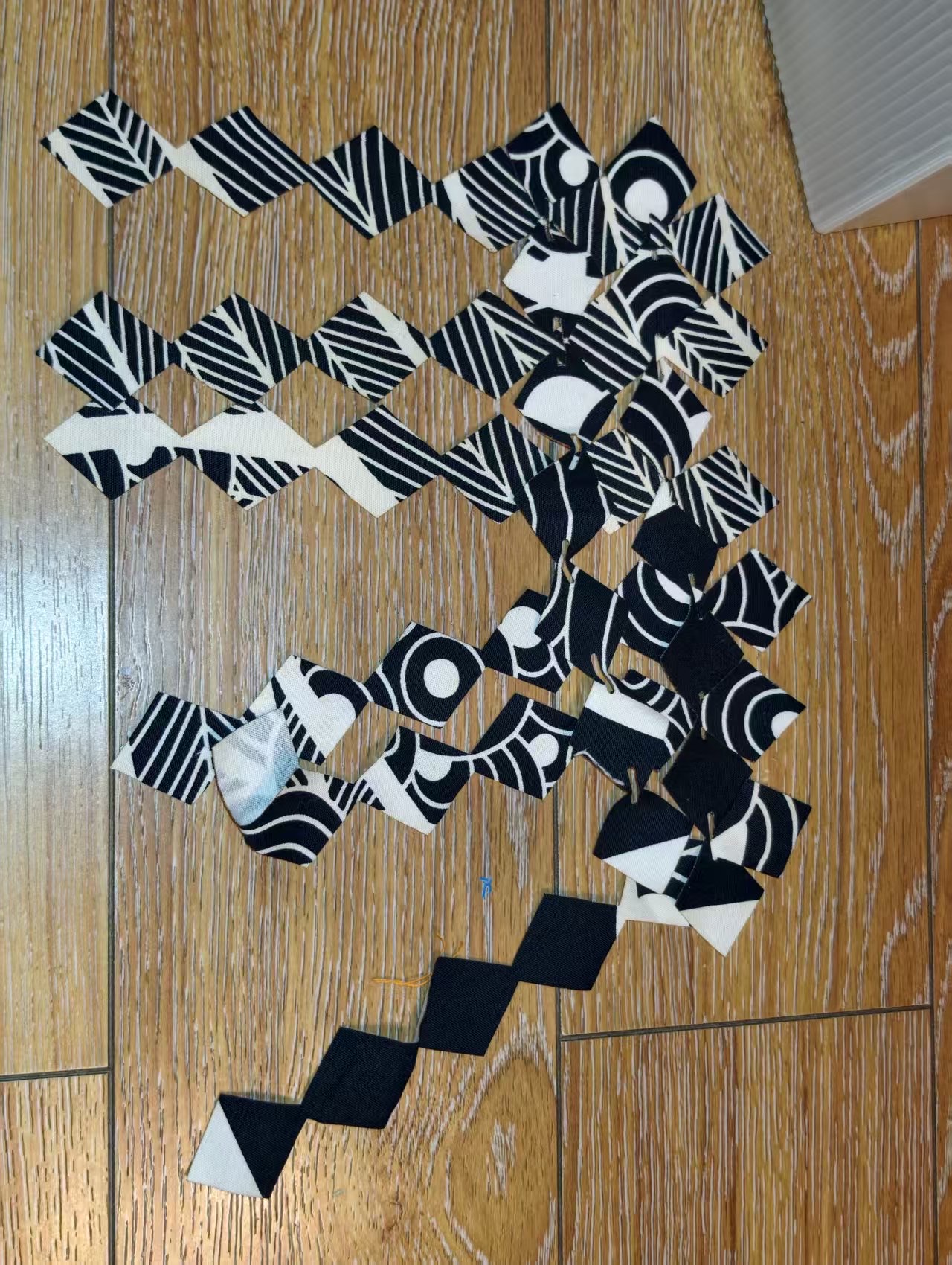
The pieces after cutting. Chained strips and single modules, all identical, all with their slits open.
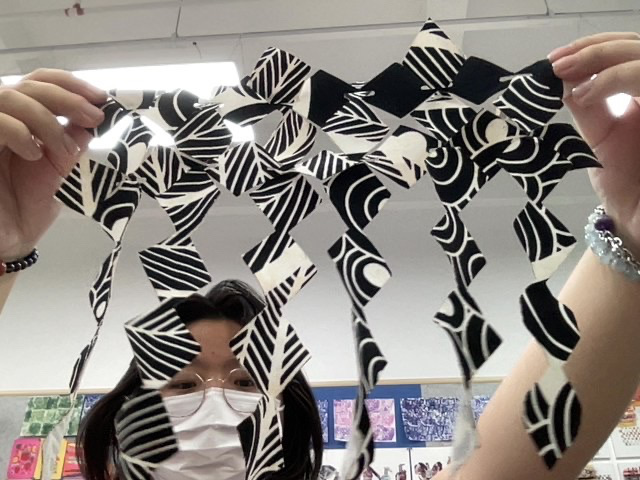
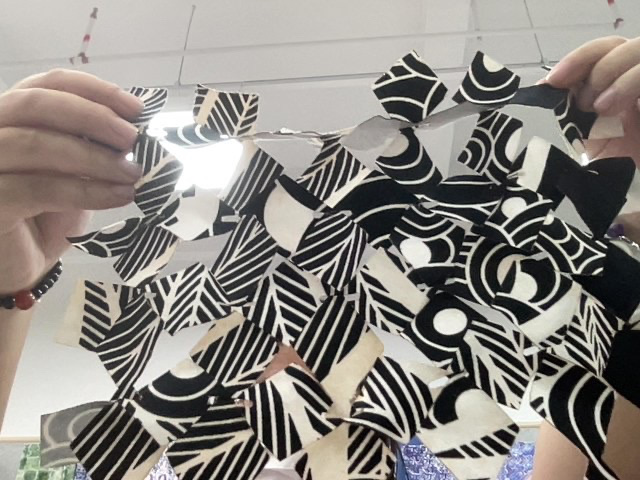
Structural tests of the diamond-slit system. Left: the sheet against light — overlaps and gaps create a translucent lattice. Right: the open weave lets the textile bend and twist freely while staying connected.
8.5 Results & what I learned¶
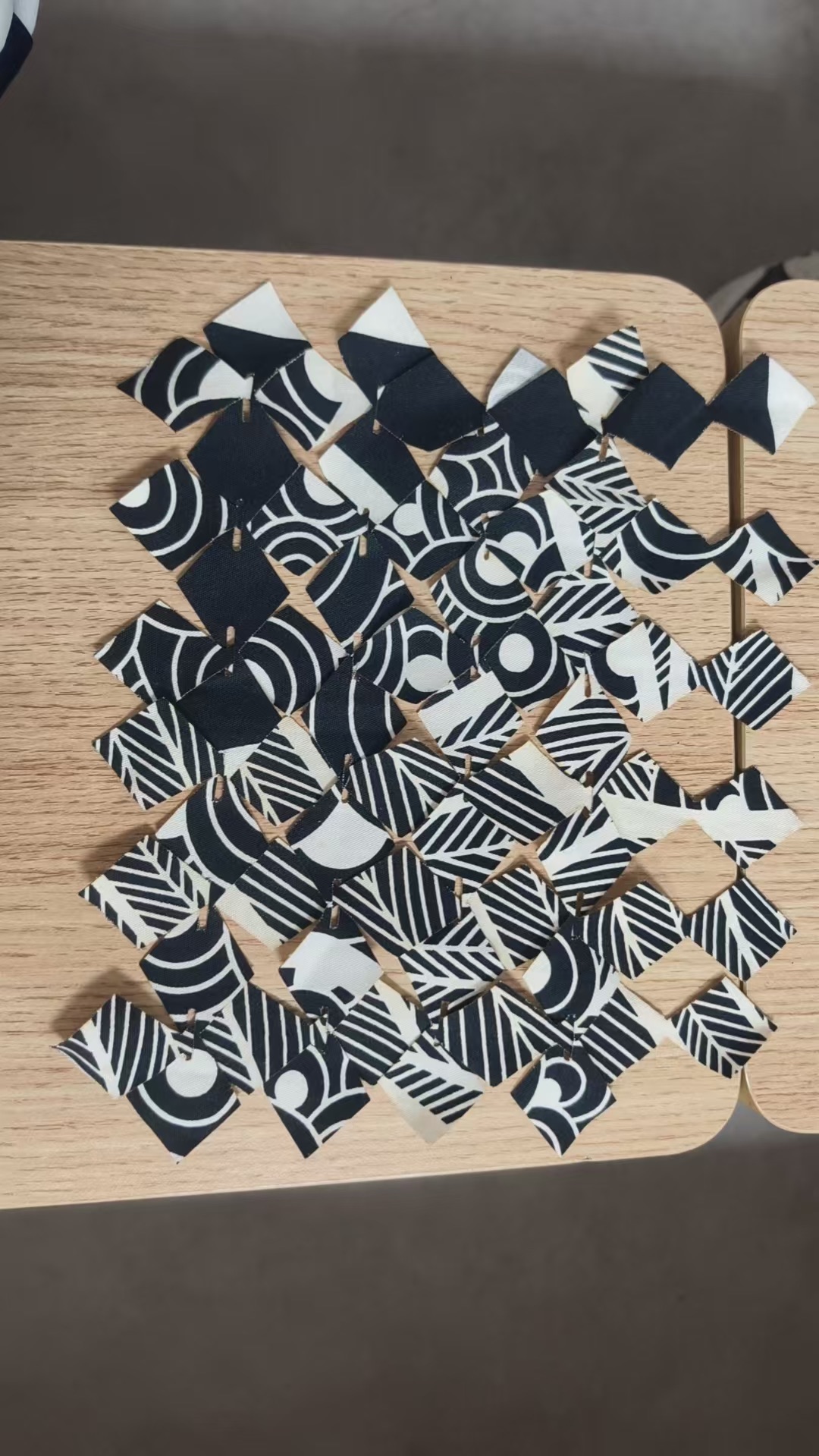
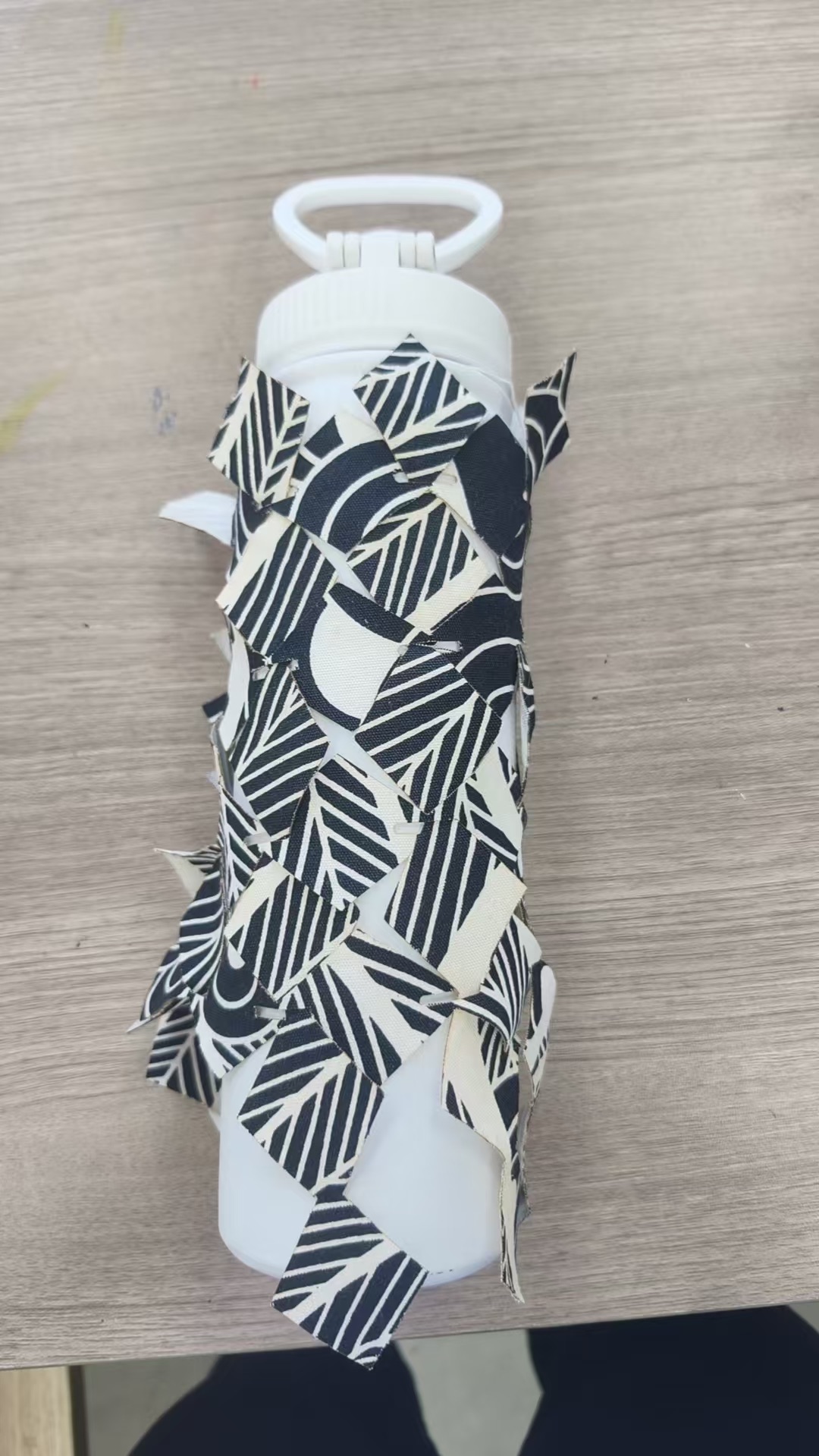
The diamond-slit prototype. Left: assembled sheet. Right: wrapped around a bottle — the modular joints let a flat textile conform to a curved body, no sewing needed.
- Diamond-and-slit modules assemble and disassemble without sewing, draping like chainmail, wrapping a flat sheet onto a 3D form.
- What I learned: geometry alone can replace a sewn chain, and laser-cut edges of woven cloth do not fray. But the slit bridges leave small offcuts and the joint tolerance on cotton is soft.
- Why this became a test, not the final: the triangular tessellation above (Modular Bougainvillea) is a stricter zero-waste geometry — every triangle is a usable cell, no bridges, the holes double as a real assembly joint for rivets and cord.
9. Weekly reflection & critical thinking¶
- What I learned. The strongest zero-waste answers are geometric. The triangle tessellation gave me a single module that fills the sheet edge to edge with no bridges, no slits, and the same cut lines that join the assembly. The hub circle + corner holes is the entire construction system — one shape, one joint, one repeat. Cutting it for real confirmed the promise: the sheet broke into identical modules and the offcut pile stayed tiny.
- What surprised me. Two things. How far
Object → Transform → Movegets you — the duplicate-move-repeat method at 60 mm pitch is more reliable than the Tiled Clones dialog, because every value stays in exact millimetres. And how the printed cotton does half the design work: each module picks up a different fragment of the botanical print, so a bag of identical shapes becomes a bag of unique-looking bracts — exactly the chaos-leads-the-design lesson from SURRENDER. - What I would do differently. Parameterise the whole thing from a small script (see
gen_modular_svg.py+svg2dxf.pyin § 10 Fabrication files & References) so I can regenerate the family at 40 / 60 / 80 mm pitch and on different sheet sizes. On the body: the first bib holds its shape well, but the point-to-point links are still the sheet's own rings — I want proper rivets or waxed cord through the Ø 6 mm holes next, which also makes the fit adjustable. And the flat modules stand away from the chest; a mixed sheet with a few scaled-down modules would drape closer. - Connection to my final project. My final project keeps moving towards body-shaped textile structures built from many identical units. Modular Bougainvillea is the cleanest version of that idea yet: open-source, zero-waste, parametric, and the same module can become a necklace, a belt or a cape depending on what you do at the three corner holes.
- Ethical / environmental note. The system is deliberately open: one small module, publishable as an SVG / DXF, reproducible on any laser cutter, cuttable from any sheet of felt / offcut leather / denim. The triangular tessellation means every offcut is either a complete unit or shared with its neighbour — the cut sheet's end of life is a return to its beginning, a bag of identical pieces.
NuEval — final step
Go to NuEval and fill in the checklist, when not complete notify your instructor.
10. Fabrication files & References¶
Modular Bougainvillea — the open-source module family and the parametric generator:
- Master module (SVG): bougainvillea_modular.svg1
- Tessellated sheet (SVG): bougainvillea_tessellation.svg1
- Cut file for the laser (DXF, modular layout): bougainvillea_modular.dxf3
- Cut file for the laser (DXF, cut-lines only): bougainvillea_cutlines.dxf3
- Parametric generator (Python): gen_modular_svg.py2
- SVG → DXF exporter (Python): svg2dxf.py2
References:
-
Inkscape 1.4 — module geometry, tessellation, export. Vector drawings on this page are the actual Inkscape SVG, rendered inline. ↩↩↩
-
Parametric regeneration of the module family at any pitch / sheet size —
gen_modular_svg.pybuilds the SVG;svg2dxf.pyconverts it to a laser-ready DXF. Seebougainvillea_modular.svgfor the static reference. ↩↩↩ -
Exported from Inkscape — DXF R12 for the cutter, PNG at 1000 px wide for the portfolio. Verify scale on the cut sheet with a caliper (one module = 60 mm across) before cutting the final material. ↩↩↩↩
-
Alicja Kamaj, SURRENDER — a trench coat rebuilt from leather production waste, Fashion Frontier Program 2025. alicjakamaj.com/projects-surrender-1 ↩