Digital bodies
1. Objective
weekly assignment
Check out the weekly assignment here or login to your NuEval progress and evaluation page.
This week I started from a real object — a canvas mannequin head borrowed from a garment wholesale market — and tried to translate it into a 3D digital body that I could slice, cut, and rebuild physically. The goal was less about getting a perfect scan and more about feeling out the whole pipeline: capture the body, repair the mesh, slice it into fabricable panels, cut the panels, and put them back together by hand.
2. References & inspiration
get inspired!
Check out and research alumni pages to better understand how to document and get inspired.
- Head portion — Betiana Pavon — FabLab Bcn
- Artistic slicing — Stephanie Vilayphiou — GreenLab
- Artistic intervention — Kae Nagano — FabLab Kamakura
- Exploration of fabrication techniques — Hala Amer — FabLab Bcn
- Electronics & DIY scanner — Naim Al-Haj Ali — CPF
- Advanced — Grasshopper slicing — Aslı Aydın Aksan — TextileLab Amsterdam
I looked at Stephanie Vilayphiou's slicing work and Hala Amer's material-driven reconstructions most closely — both showed me that the texture of the cut matters as much as the silhouette. For the scan subject I borrowed a canvas mannequin head from a garment wholesale market: I wanted a body with a fabric surface and a real relationship to clothing, not a generic downloaded model.
My real reference, though, is a plush doll — soft, round, with an over-sized head. After the mannequin head failed to scan, this doll became the scan subject itself: it is the body the whole pipeline actually processed this week, and the kind of body I want to keep working towards.
The reference object — the plush doll whose proportions and softness the sliced cardboard body should eventually echo.
3. Tools
- TinyPNG — image compression
- Kiri Engine (phone photogrammetry app) — 3D scans: mannequin head (failed), plush reference doll (worked)1
- Blender 4.3 — mesh repair: stool removal, bottom cut, flattening1
- Slicer for Fusion 360 — radial slicing of the repaired scan2
- Makeblock Laserbox — laser cutting & material testing (5 mm corrugated cardboard)
4. Process and workflow
I treated the week as one continuous experiment: scan, repair, slice, cut, assemble. The first capture failed and the week was rescued by changing the subject; everything downstream worked.
4.1 Step 1 — 3D scan with Kiri Engine (failed)
I scanned the mannequin head with Kiri Engine, a phone photogrammetry app1. The scan ran, but the reconstruction came out badly warped — and the root cause was not the app.
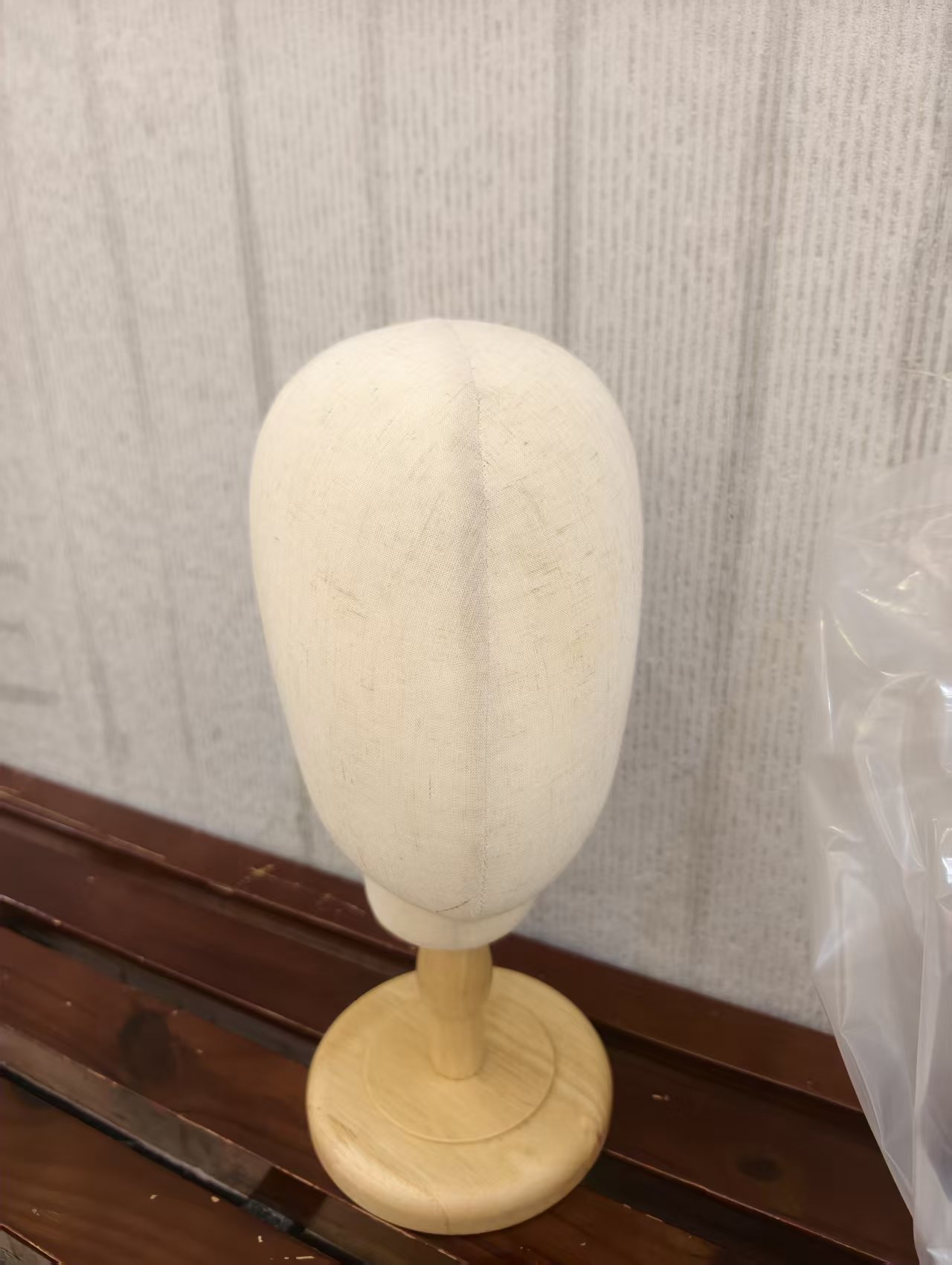
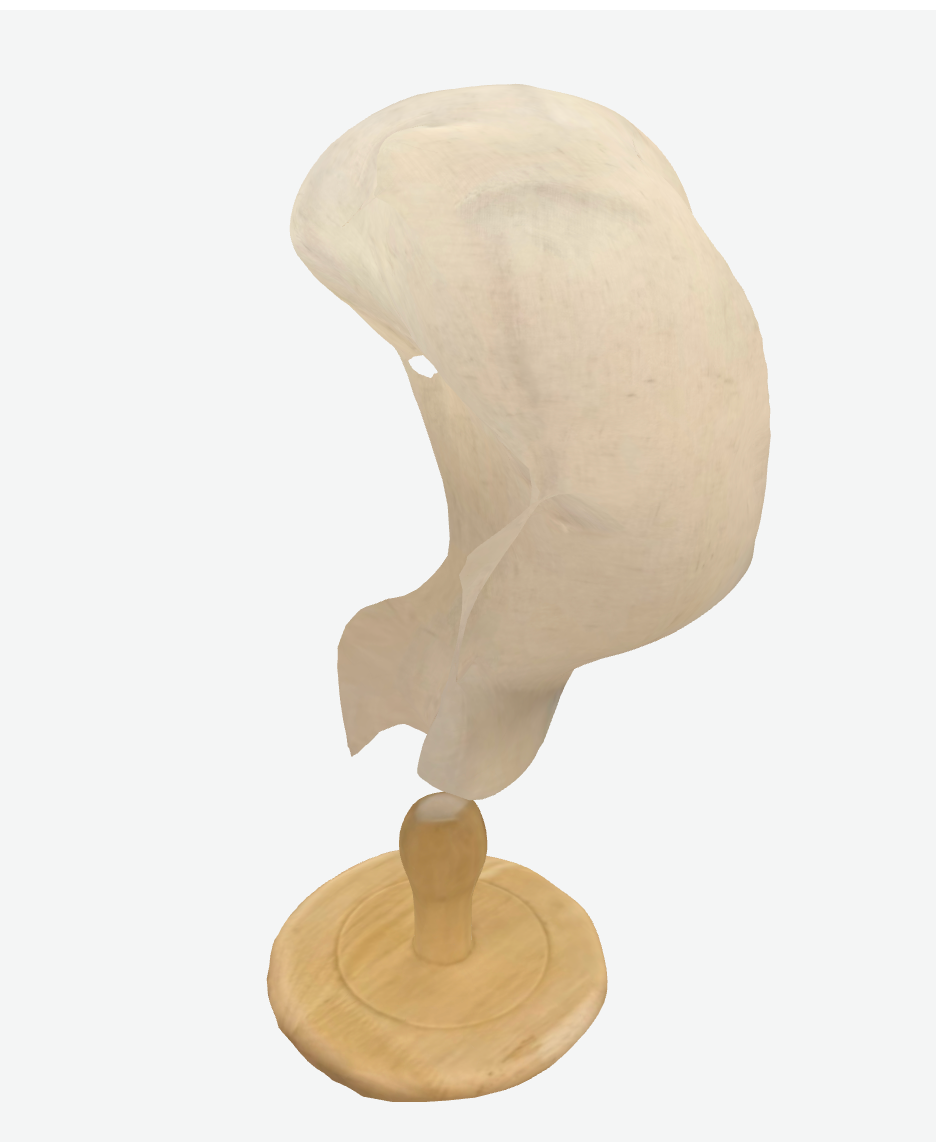
Left: the canvas mannequin head, borrowed from a garment wholesale market. Right: the mesh Kiri Engine produced — proportions collapsed, the neck is missing, and the chin fuses into the shoulders.
The main problem: the head's colour was too close to the background's. Photogrammetry relies on telling subject and background apart from every angle; when the canvas beige nearly matches the surroundings, the feature matcher keeps grabbing background pixels as if they belonged to the head, and the mesh drifts and folds in on itself. The matte, texture-light canvas surface made it worse — fewer distinguishable features to lock onto.
The lesson: capture matters as much as fabrication. And my fix in the end was the simplest one — change the subject. The plush reference doll's colours contrast with any background, exactly what the mannequin head lacked, so the doll itself became the scan subject.
4.2 Step 2 — Scanning the reference doll & repairing the mesh in Blender
The capture that did work was of the reference object itself. I scanned the plush frog doll with Kiri Engine1, and the raw mesh came back photo-textured at 14,418 vertices — including everything the camera had seen: the doll and the wooden stool it sat on.
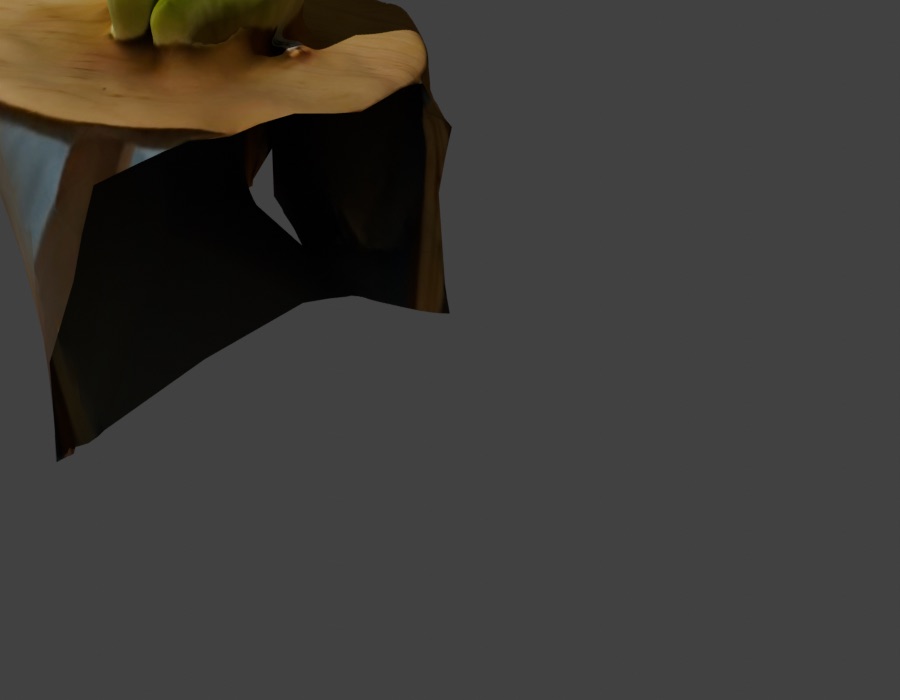
The raw scan. The doll is recognisable, but the stool is baked into the geometry and the underside is a jagged open edge.
I took the mesh into Blender (4.3) and cleaned it in five passes1:
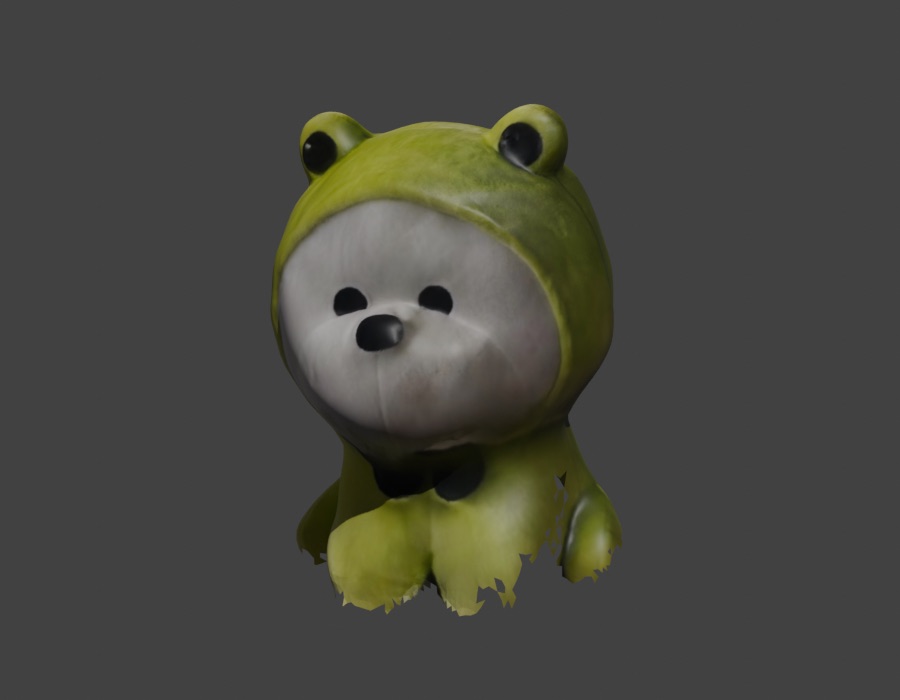
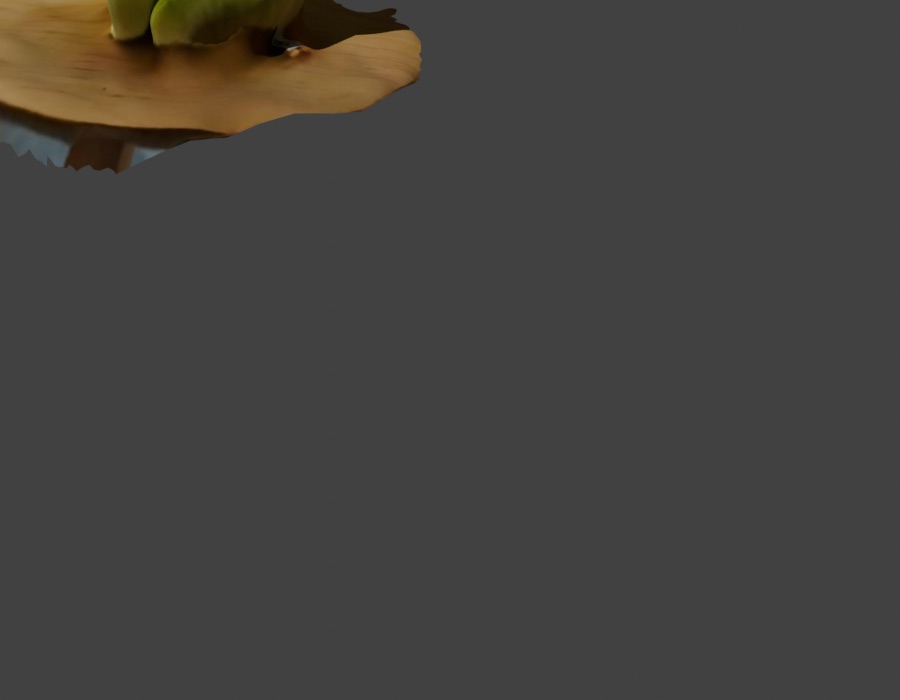
Repair, steps 1–2. Left: the stool geometry deleted. Right: the jagged bottom edge trimmed back to something a slicer can work with.
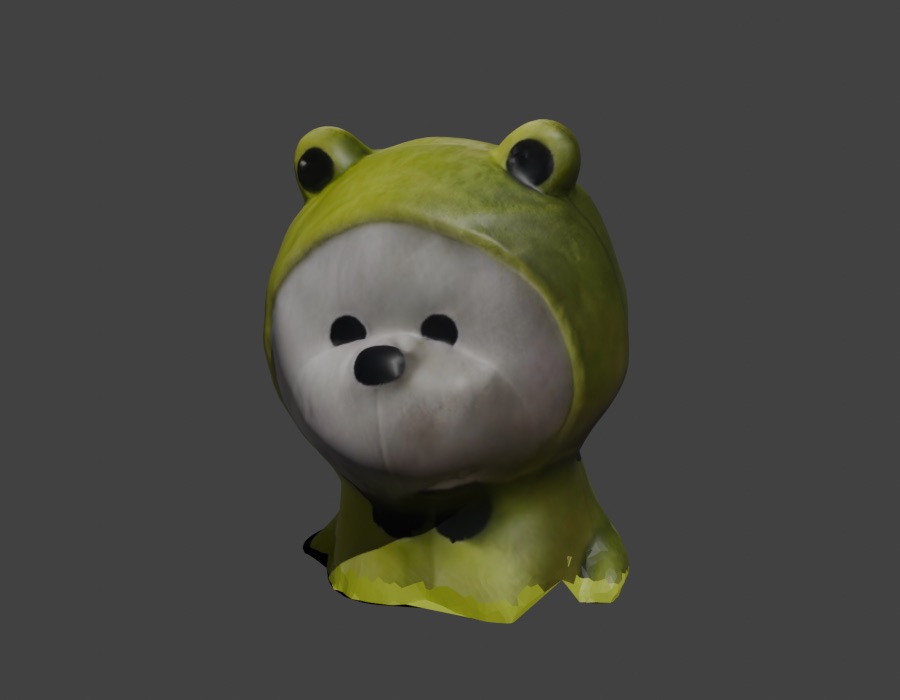
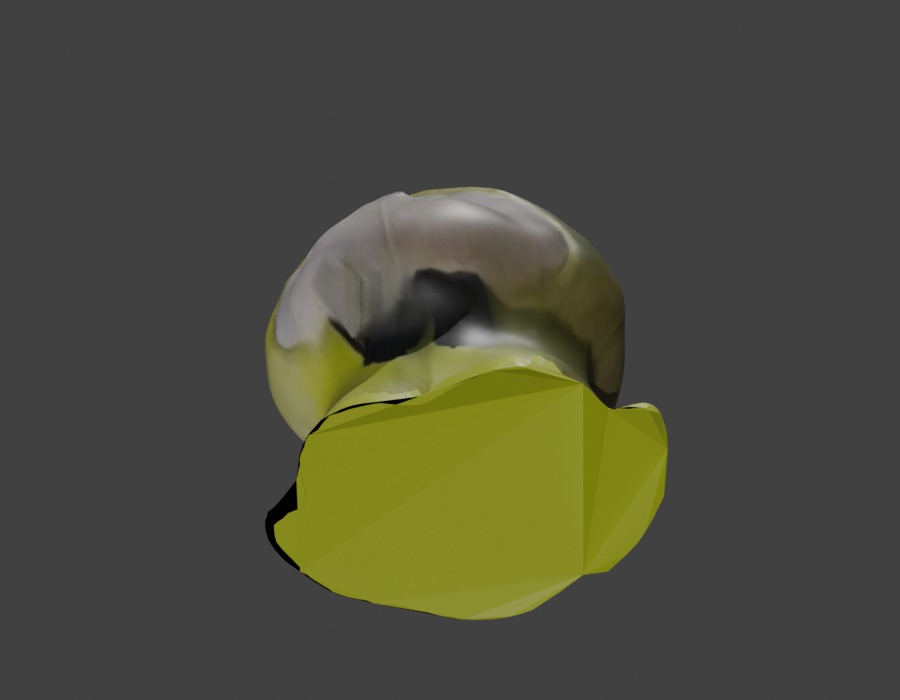
Repair, steps 3–4. The seat is flattened into a stable plane so the bust stands on its own and the slicer gets a clean reference surface.
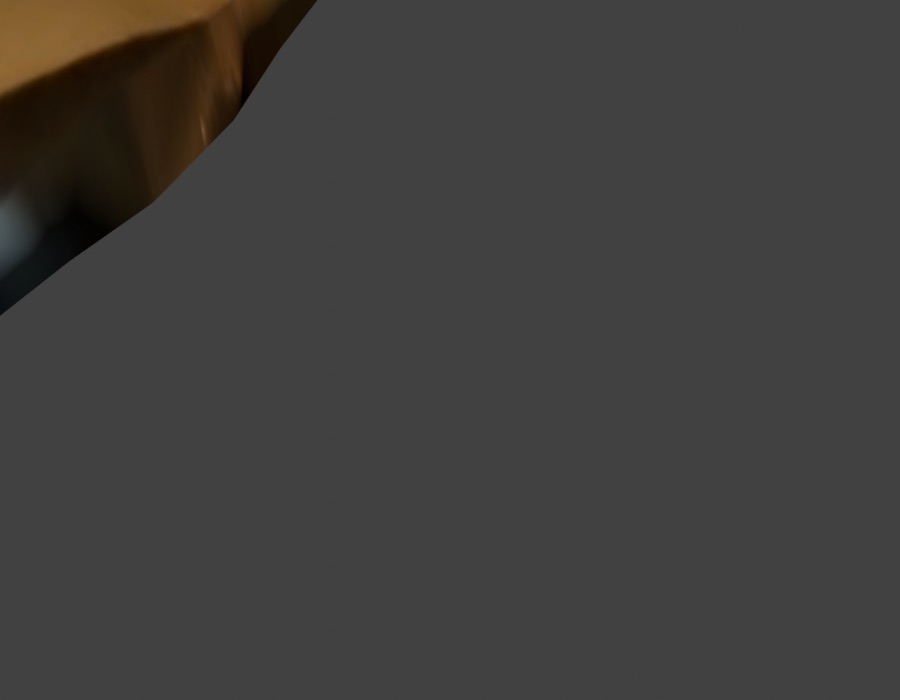
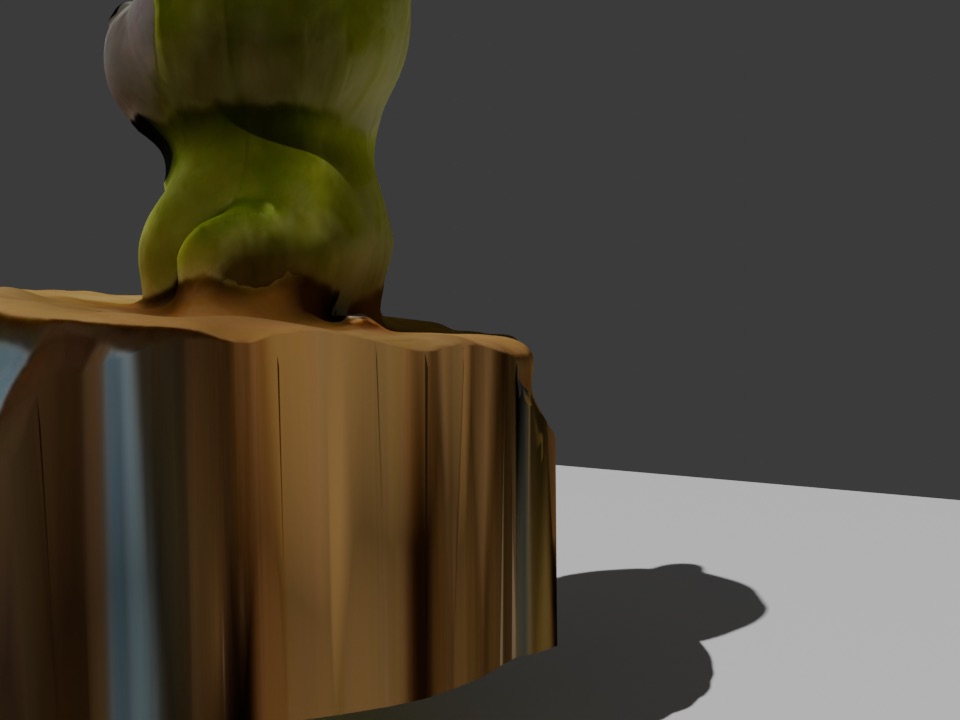
Repair, step 5 and result. The final mesh is 7,099 vertices — under half of the raw scan — with the stool gone, the bottom cut and the seat flattened. Every stage is downloadable in Section 5.2.
4.3 Step 3 — Radial slicing (Slicer for Fusion 360)
I imported the repaired scan into Fusion 360 and used the Slicer for Fusion 360 add-in with a radial slices construction2: the body is decomposed into arc-shaped panels that meet at notches, and the panels fold up into a 3D form along a 1st-axis radial count.
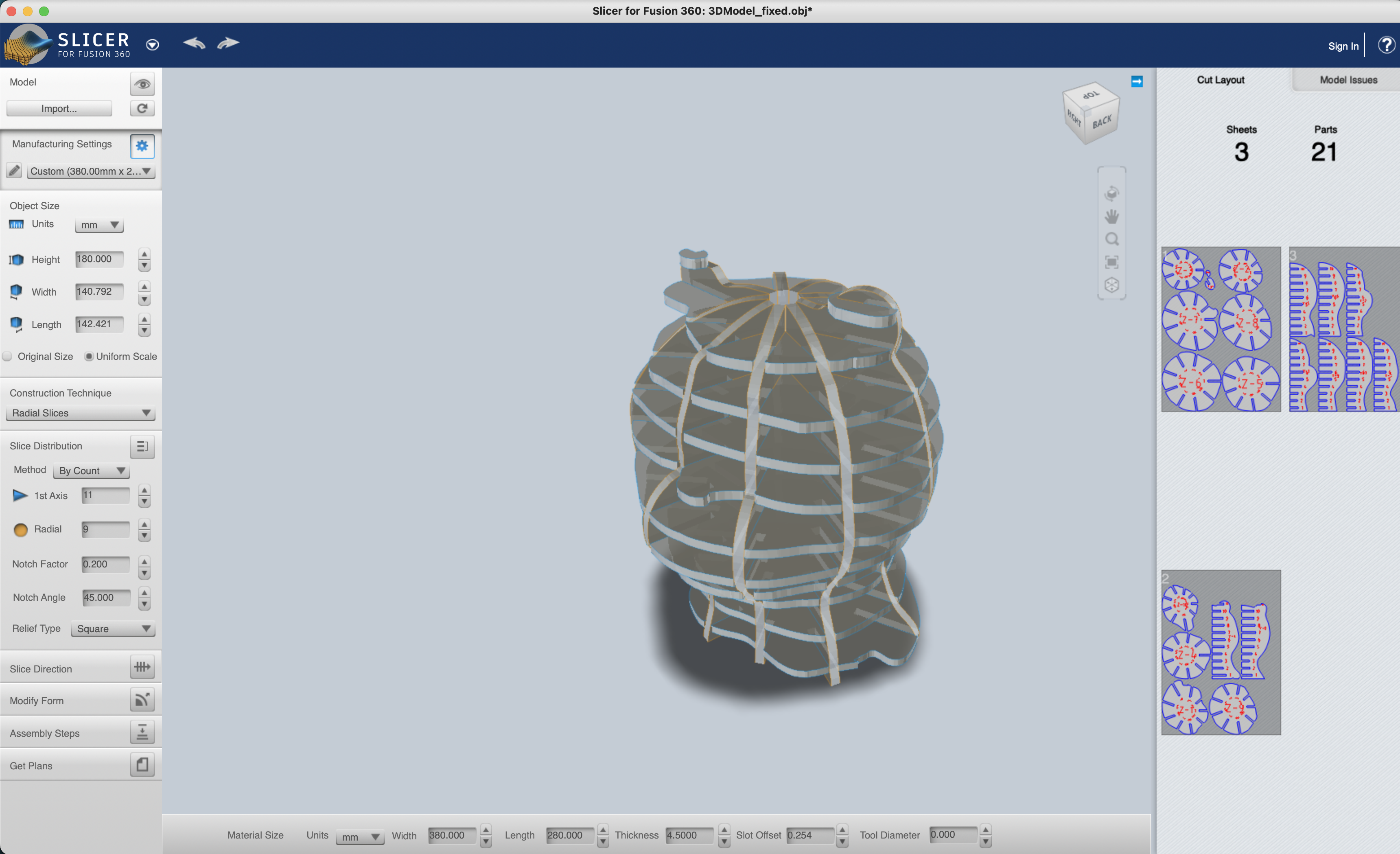
Radial slice preview. 3 sheets · 21 parts · 5 mm material · notch factor 0.200 · 1st-axis count controls the number of segments around the body — this was the first pass; the final nesting was re-exported at eight bed-sized sheets (see 4.4).
The slicer exports one flat nesting per sheet, with each panel already numbered and tabbed for assembly. Because the notches are the only joint, the figure holds together from friction and a single base disc.
4.4 Step 4 — Laser cutting2
I cut everything on a Makeblock Laserbox, using 5 mm corrugated cardboard. Cardboard was a deliberate choice — it cuts fast, is forgiving if a notch is a hair too tight, and reads as a soft body when assembled.
Setting up the machine. Before anything else: fume extraction. The extractor sits behind the machine and the duct goes straight out of the window — corrugated cardboard smokes.
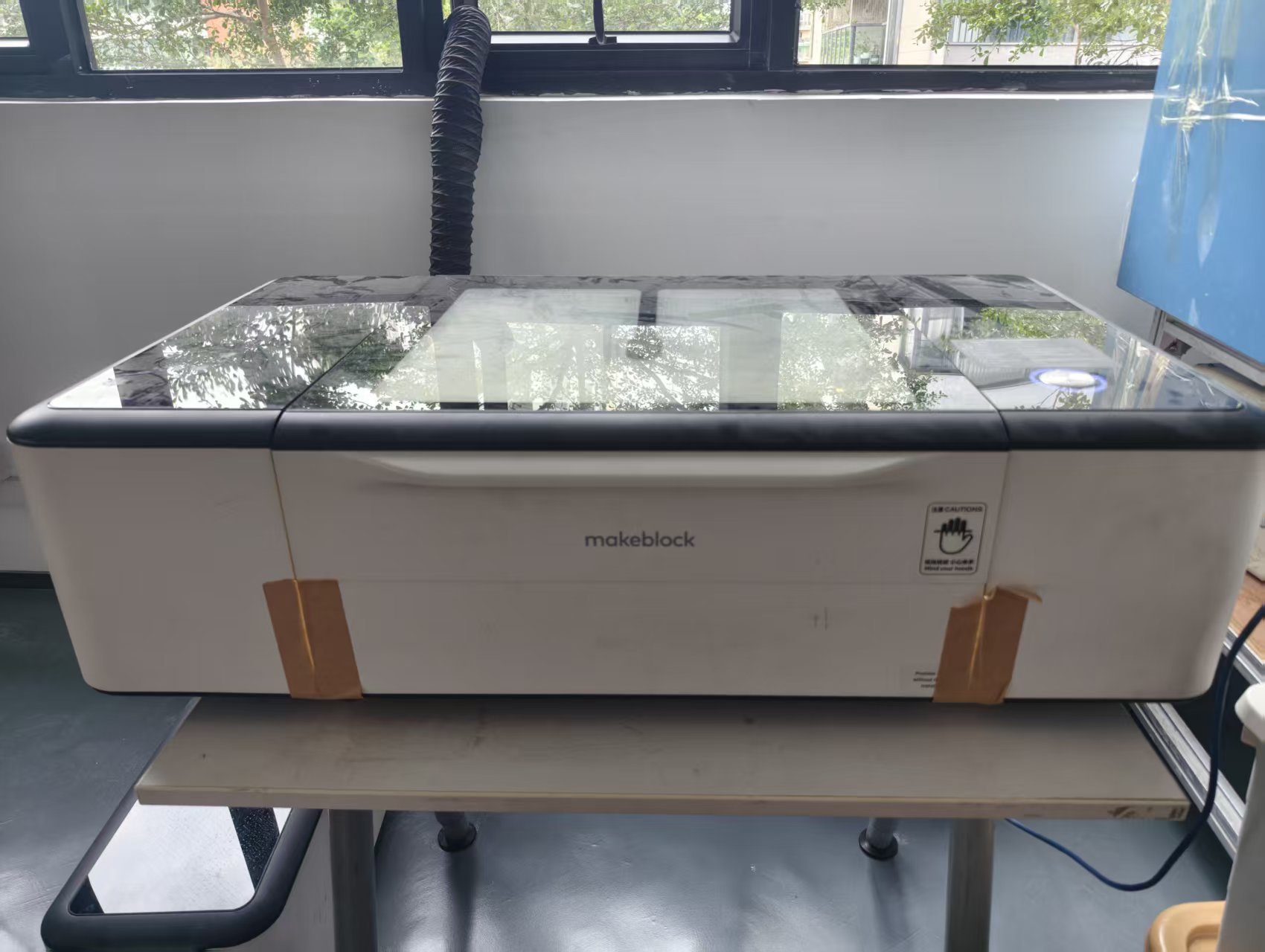
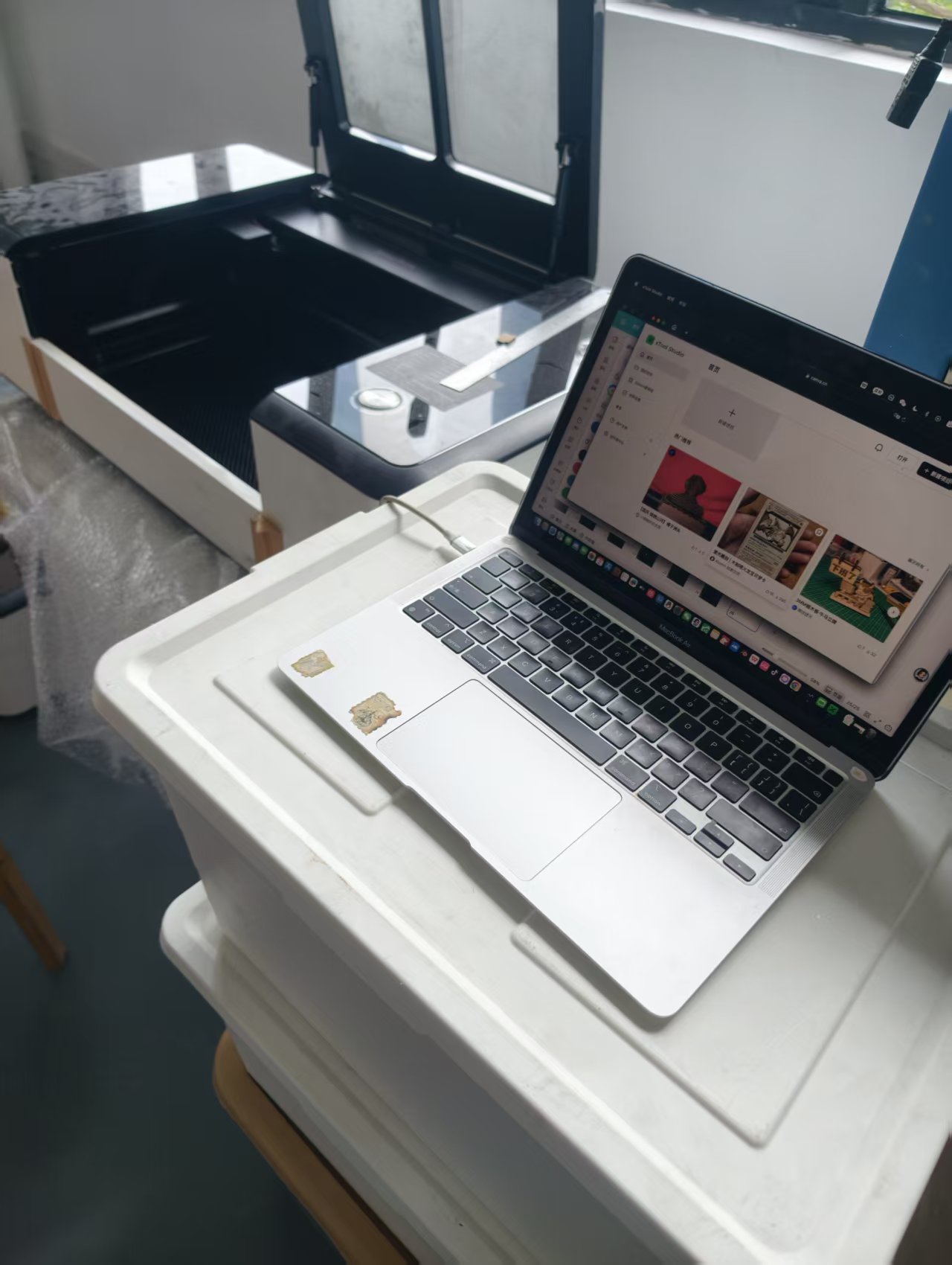
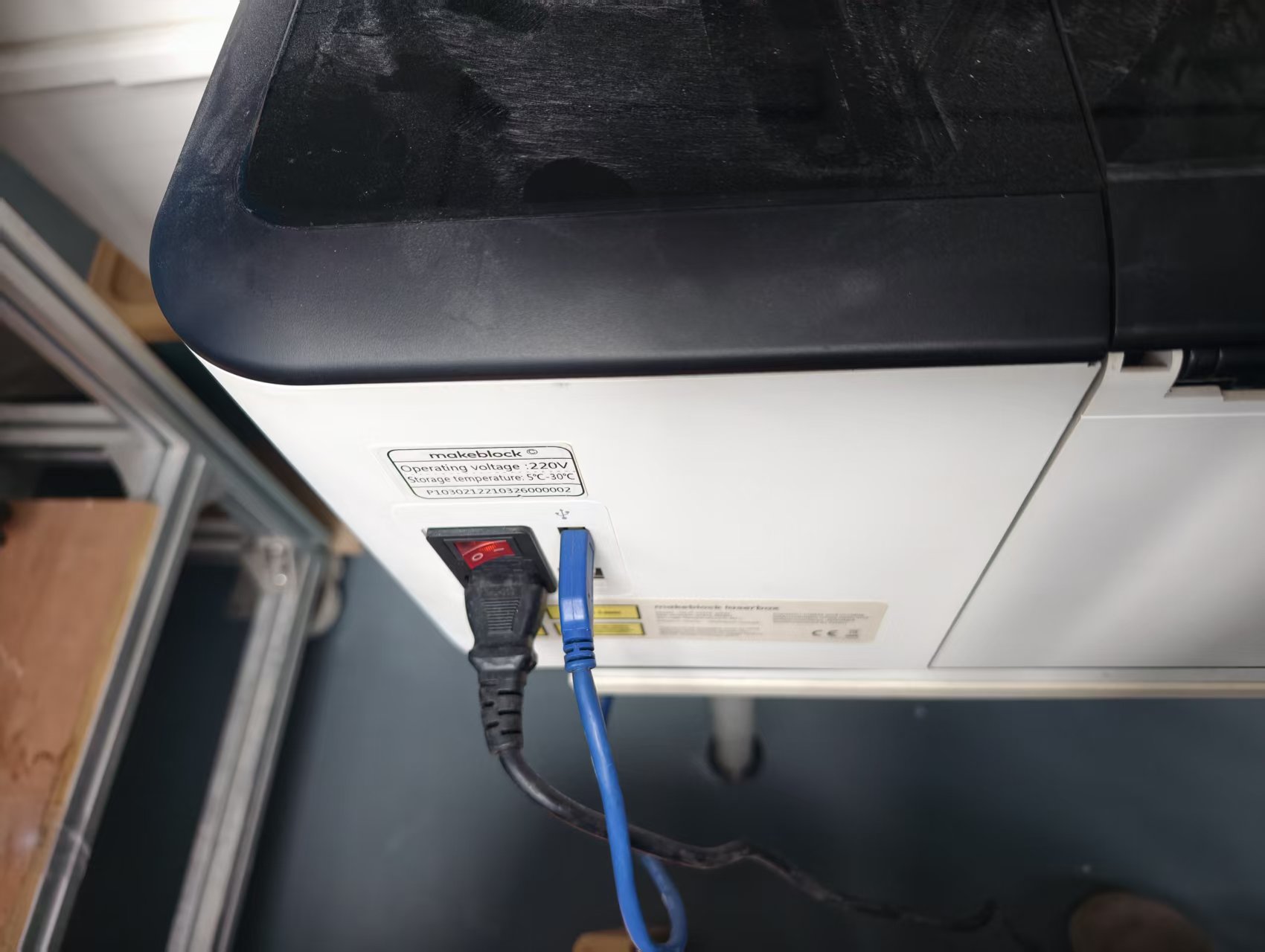
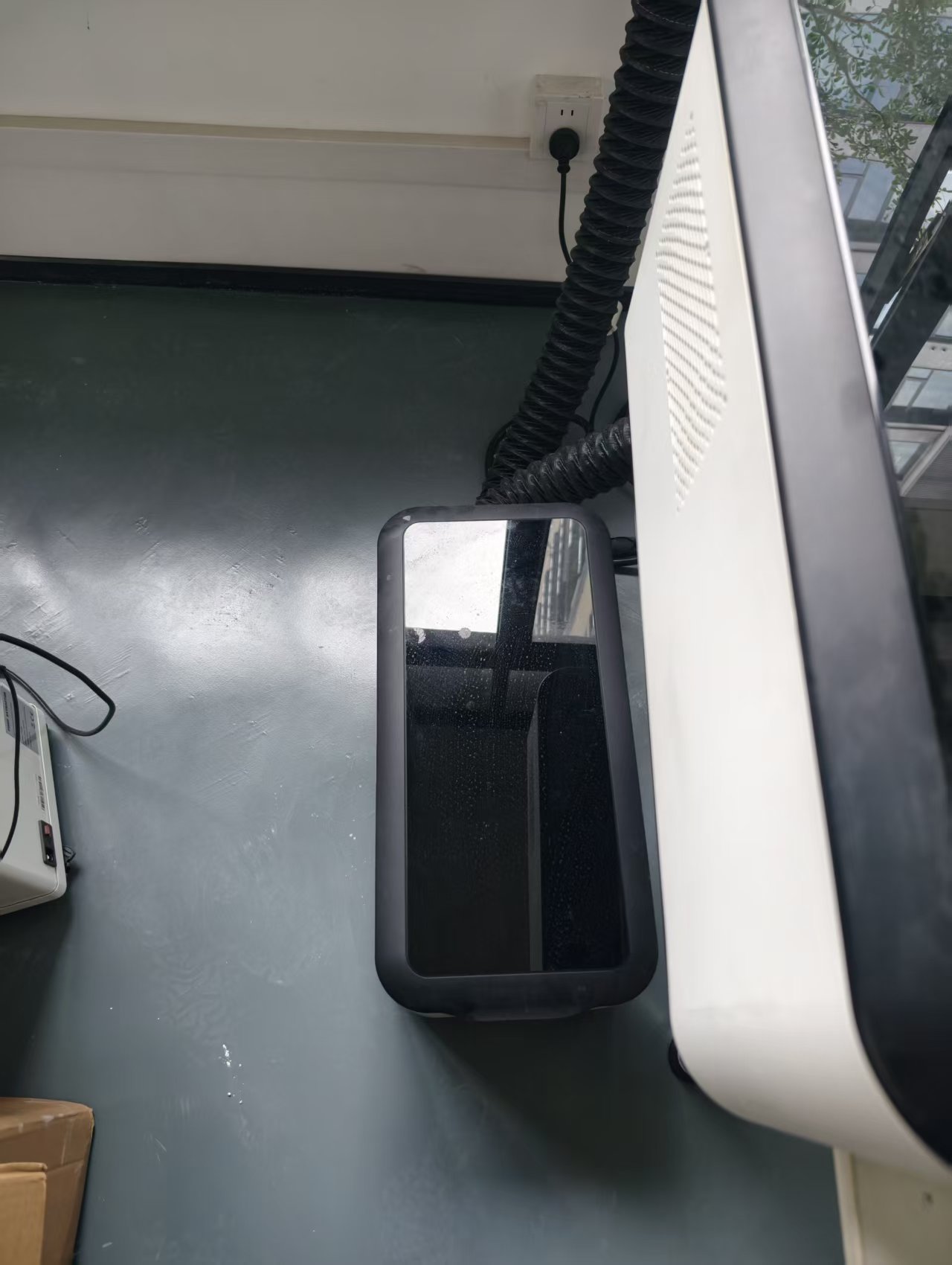
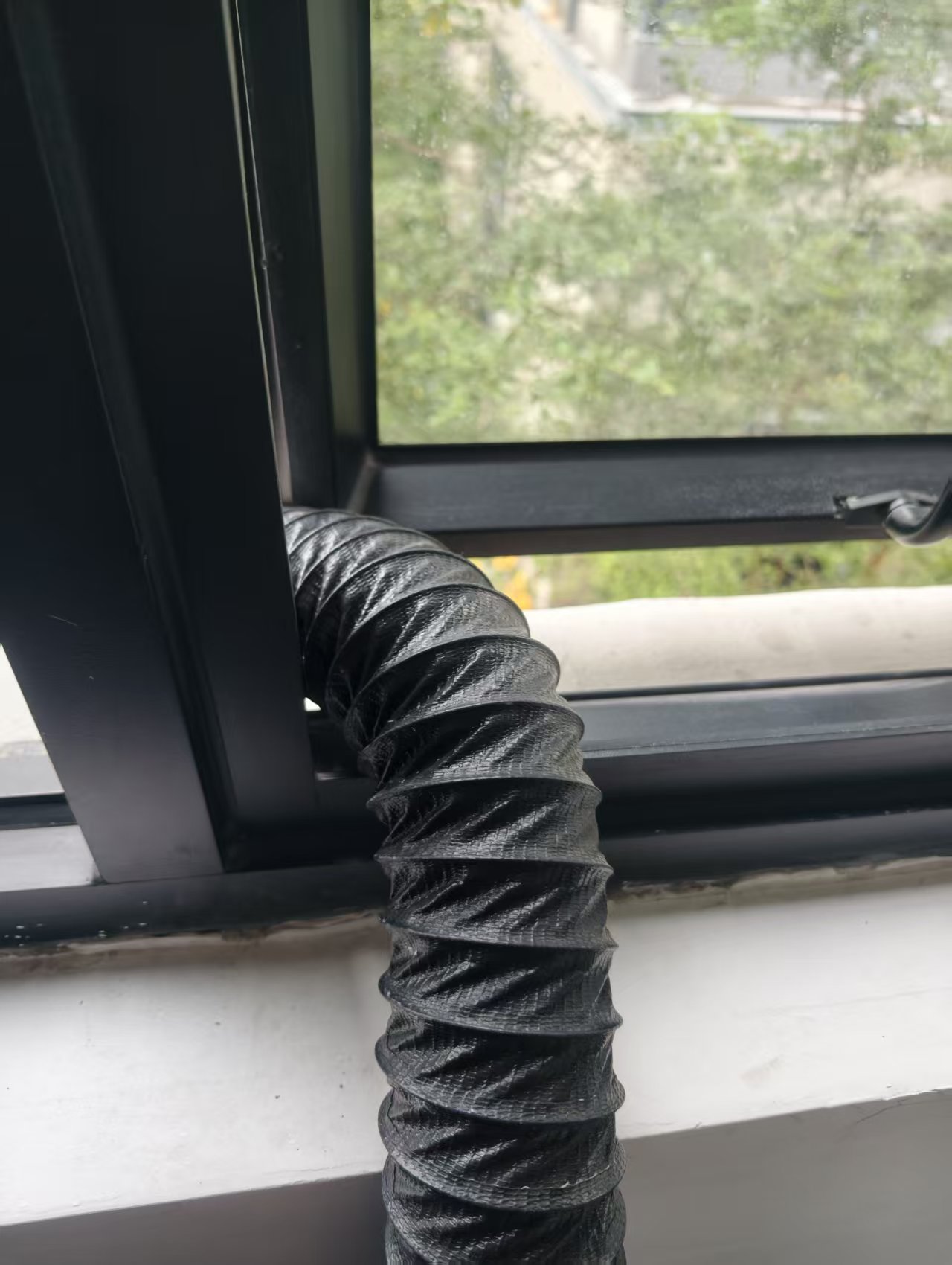
The cutting station. The Makeblock Laserbox, driven from a laptop; power on the back; and the fume extractor with its duct routed out of the window.
Material testing first. The cardboard was not in the Laserbox material library, so before committing a full sheet I ran a parameter test array: a 5×5 grid sweeping power 10–80 % and speed 10–40 mm/s, engraved and cut in one job to find the window that slices through cleanly in a single pass.
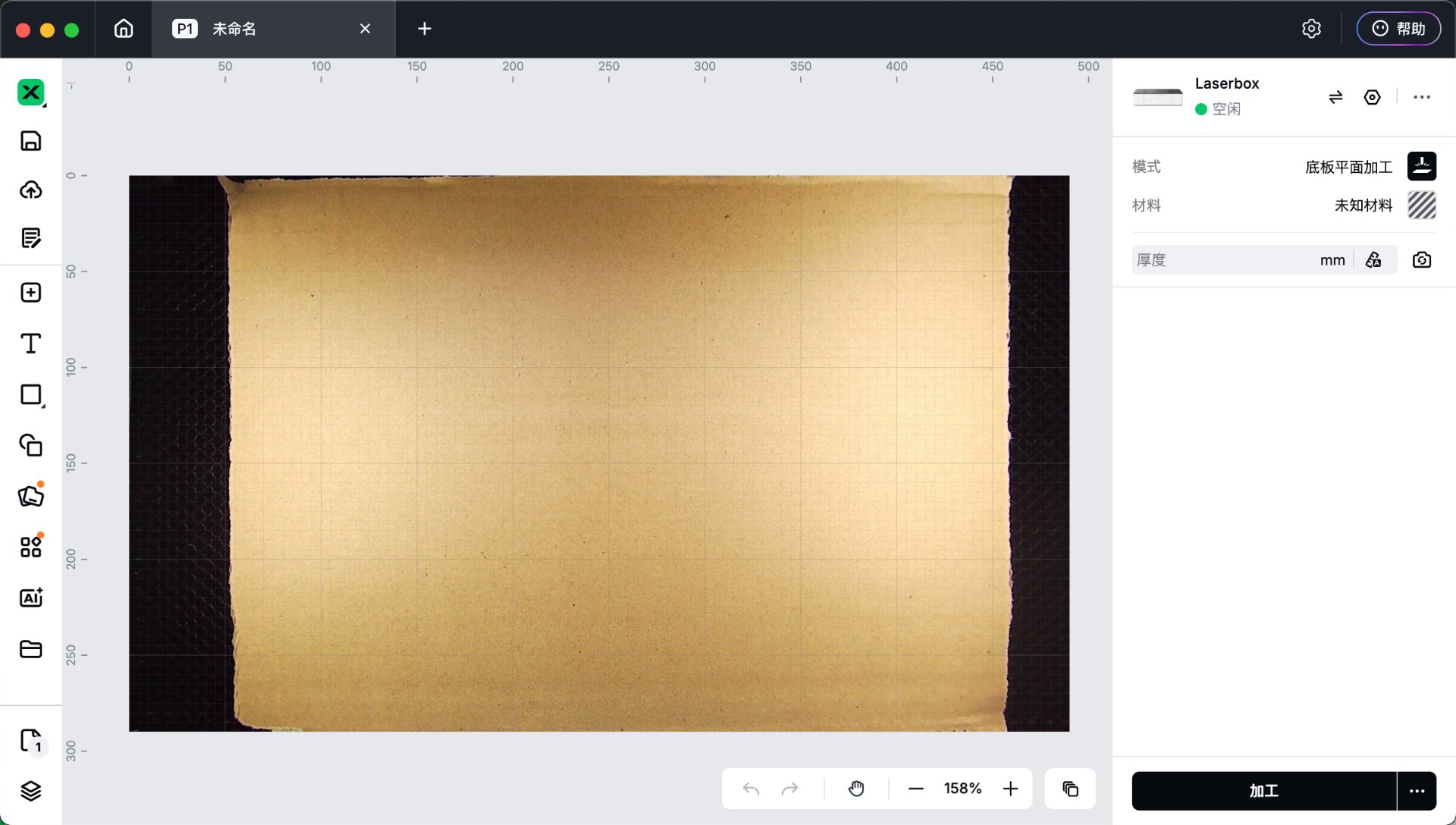
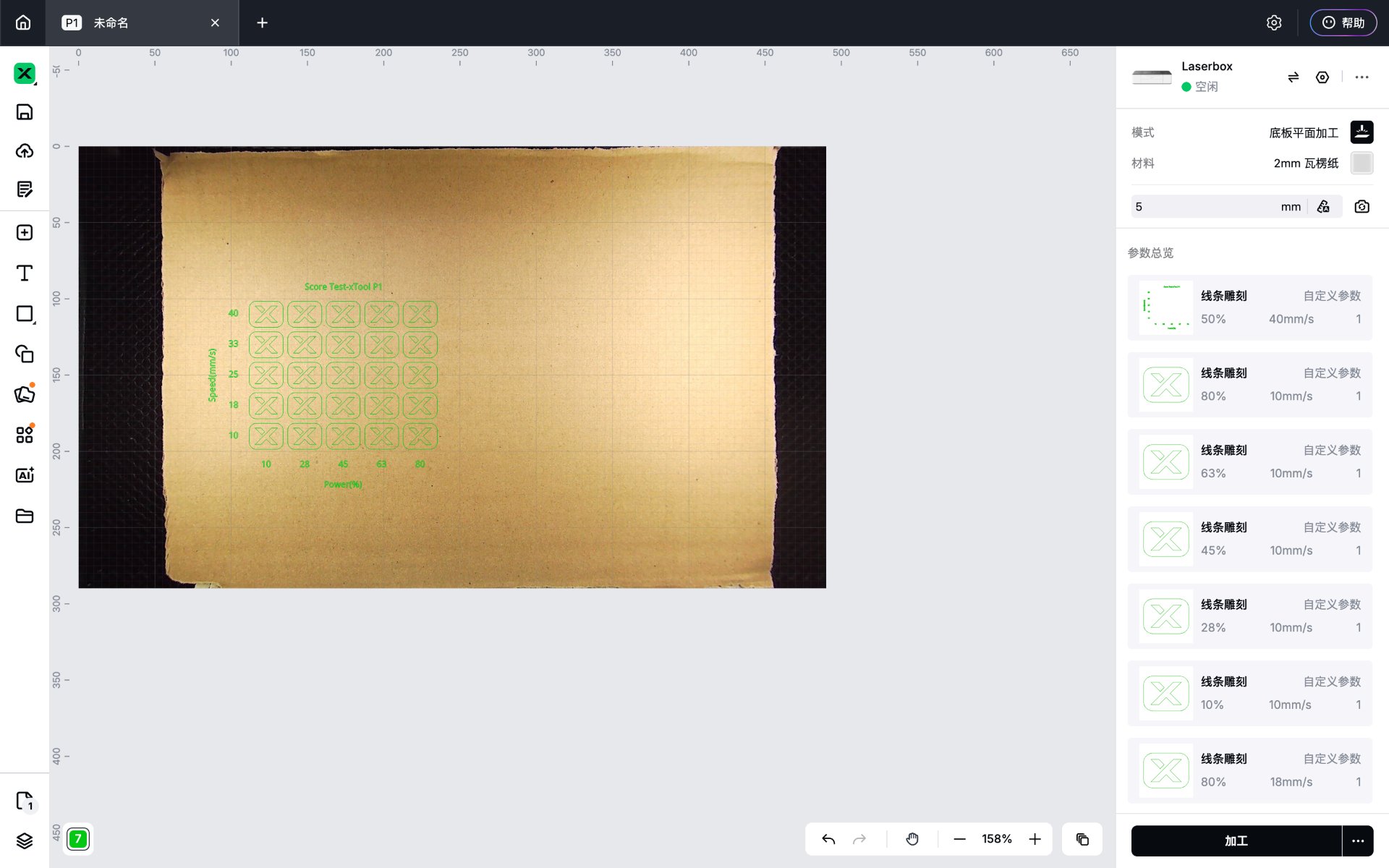
Laserbox workspace. Left: the raw sheet loaded, material still "unknown". Right: the material test array — 25 cells, each a fixed power/speed combination, spaced 2 mm apart.
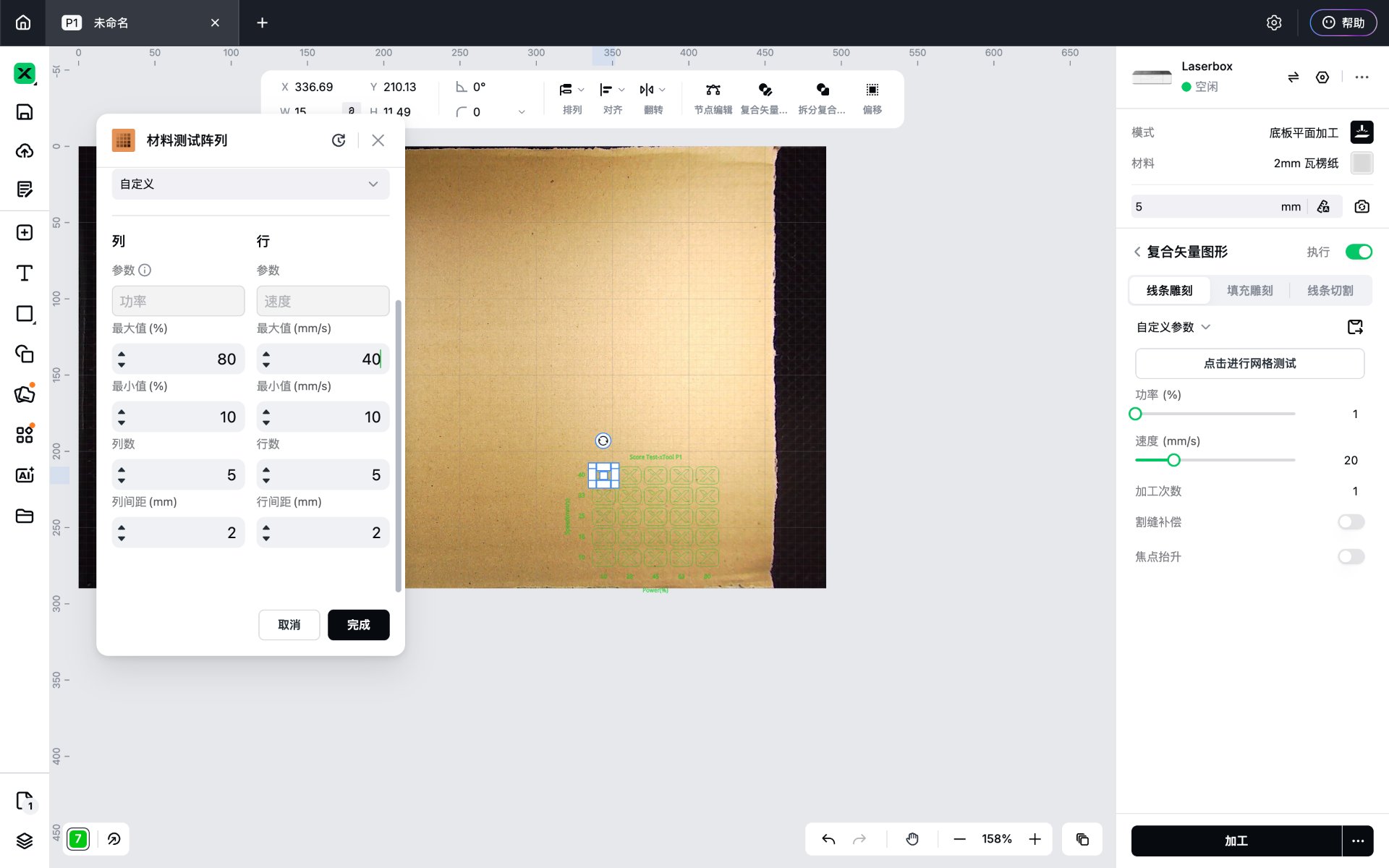

Setting up the test array (power 10–80 %, speed 10–40 mm/s, 5 columns × 5 rows) and the pre-job confirmation screen.
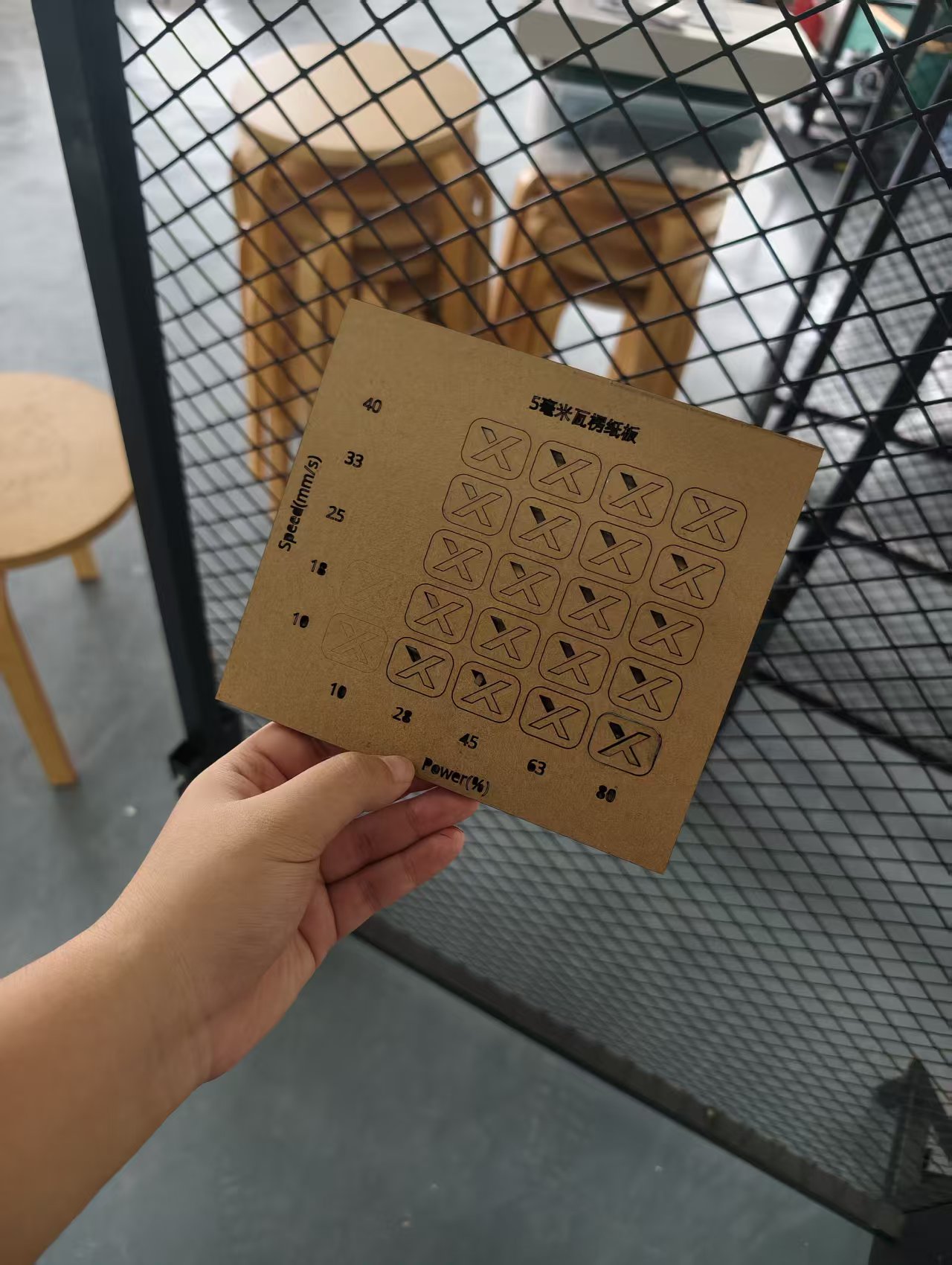
The finished test piece, labelled "5 mm corrugated cardboard". Power runs left→right (10–80 %), speed bottom→top (10–40 mm/s); an X means the cell cut all the way through, a filled triangle means it only engraved the surface. Almost the whole grid cuts through at this thickness — the two visible failures are the lowest-power cell (10 % @ 10 mm/s, engraved only) and the fastest cell (80 % @ 40 mm/s, did not pierce). This window is what I picked the real cutting parameters from.
The final cutting parameters: power 10–80 %, speed 10–40 mm/s — the working window the test array validated for 5 mm corrugated cardboard.
Slicer exported the final nesting as eight bed-sized DXF sheets (1003-0 – 1003-7, 280 × 380 mm — exactly the Laserbox working area), each panel numbered and tabbed. I loaded them into Laserbox one by one and cut them within that validated window (power 10–80 %, speed 10–40 mm/s).
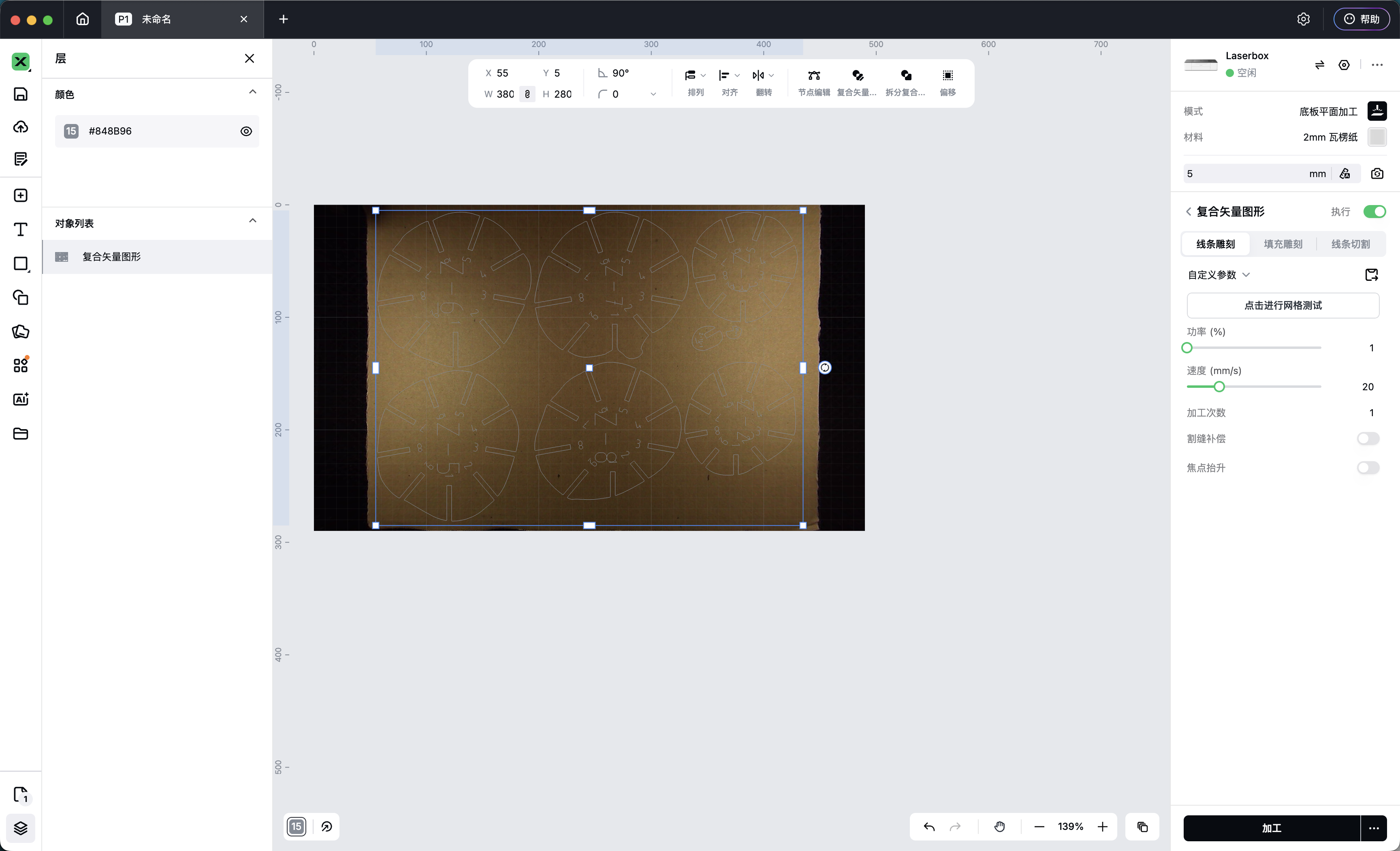
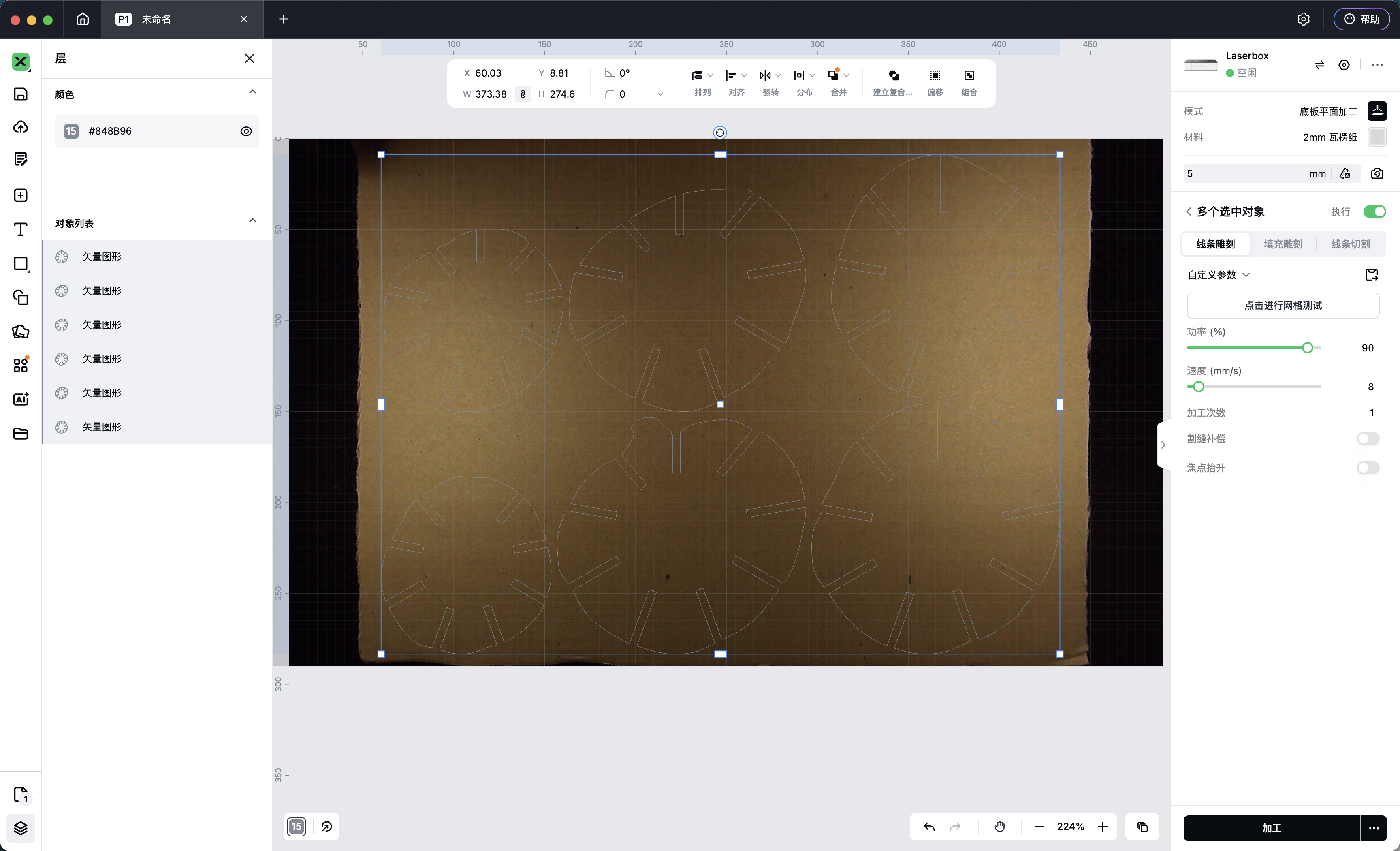
Slicer for Fusion 360 nesting exports — one flat layout per sheet, imported into the Laserbox to cut. Each disc is one cross-section of the body; the tabs around the edge are the slots that lock panels into their neighbours. Following the numbers on the panels, the pieces stack into a 3D doll.
4.5 Step 5 — Assembly & fitting
The panels slot into each other in numbered order — start from the base disc, work up section by section, and finish with the head.
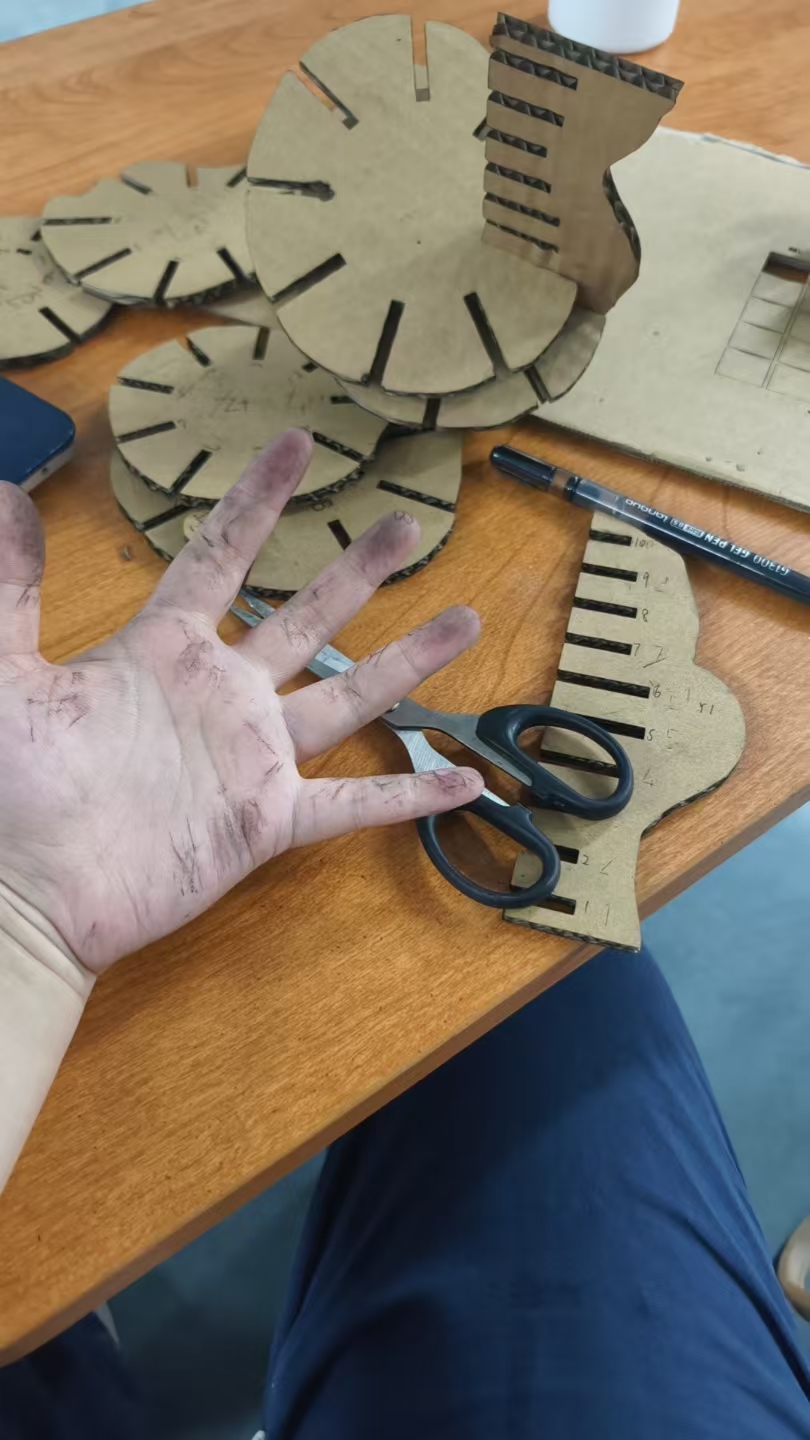
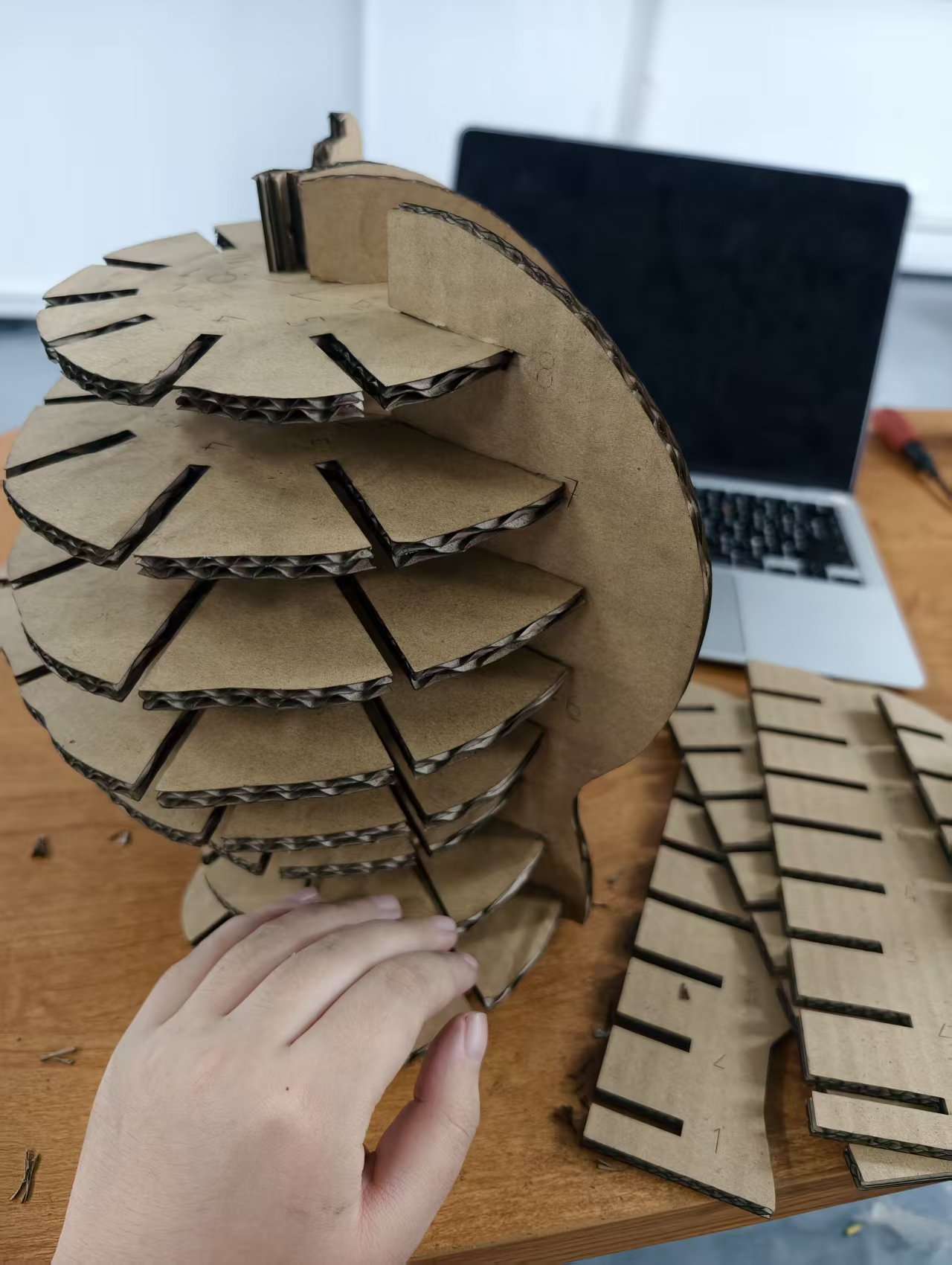
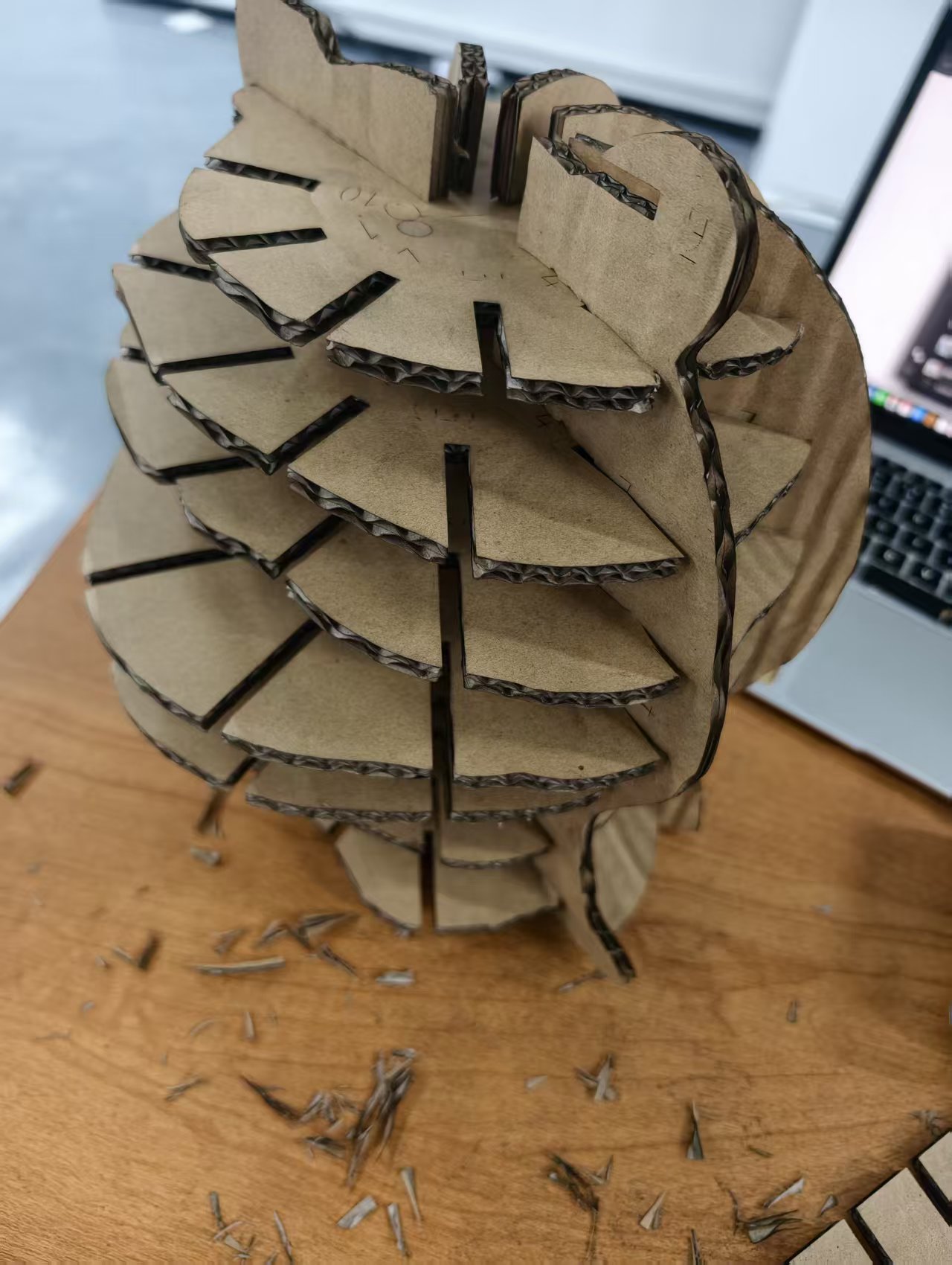
Assembly in progress. Left: the cut discs and side panels with their numbered slots. Middle and right: stacking section by section — the form appears quickly, but the panels are already starting to push against each other.
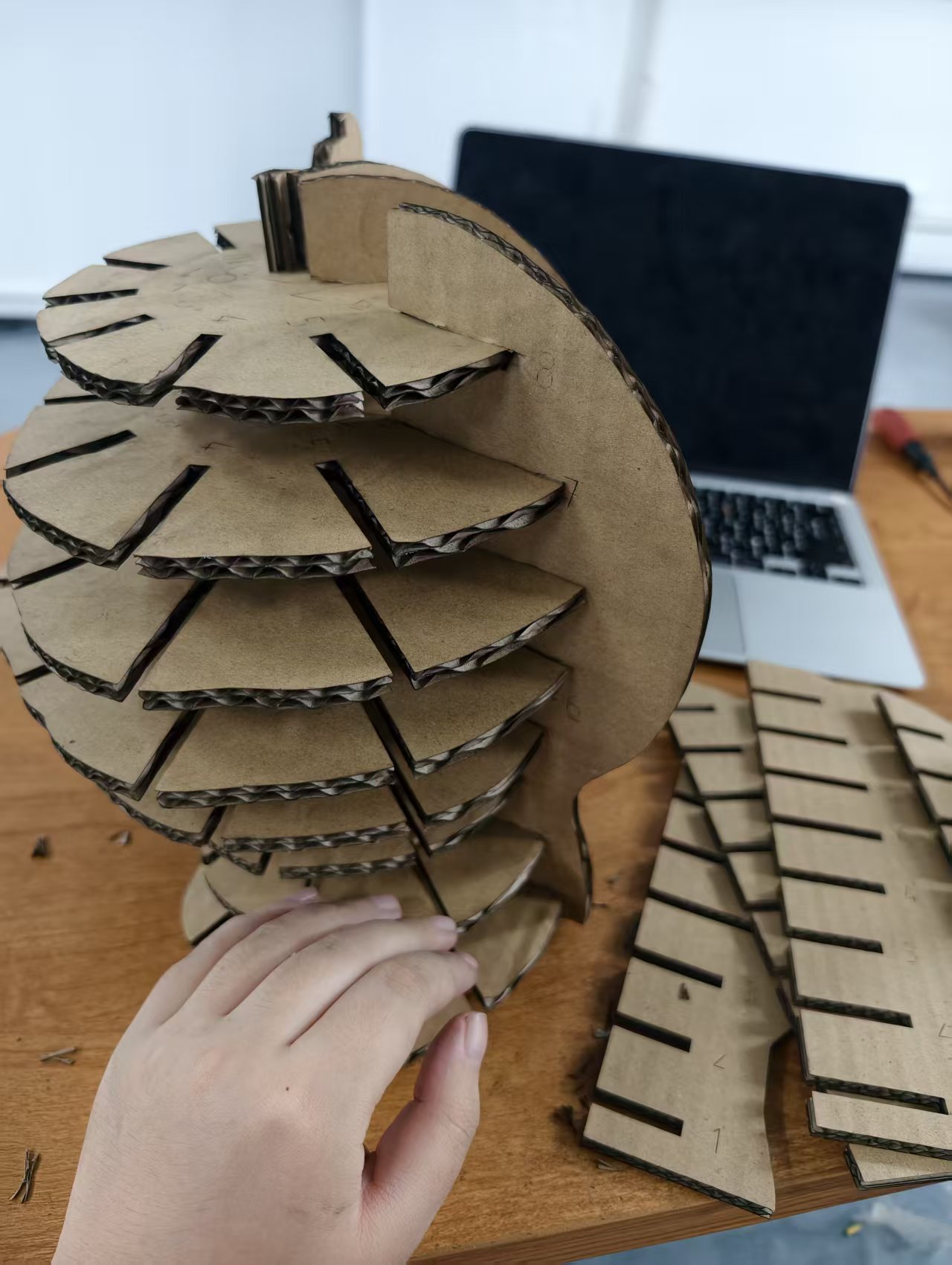
Mid-assembly: the head has taken shape, the top rings are still loose before the final panel locks everything in.
Assembly walkthrough — following the panel numbers in the nesting layout.
Where it fought back. Cardboard is forgiving to cut, but it is also flexible — and that became the real problem of the week. The panels hold together through friction alone, so every force one panel exerts is passed straight to its neighbours. As the stack grew, panels squeezed each other out of position and the whole body slowly deformed. In practice this meant I kept reaching for the scissors at the end: trimming part of the cardboard away so the notches could accept their neighbours without pushing everything out of shape.
So the final body stands on its own and reads clearly as a head in the round — but the deformation is real, visible as an uneven profile, and it is the thing I want to solve properly next time rather than trim by hand.
5. Results
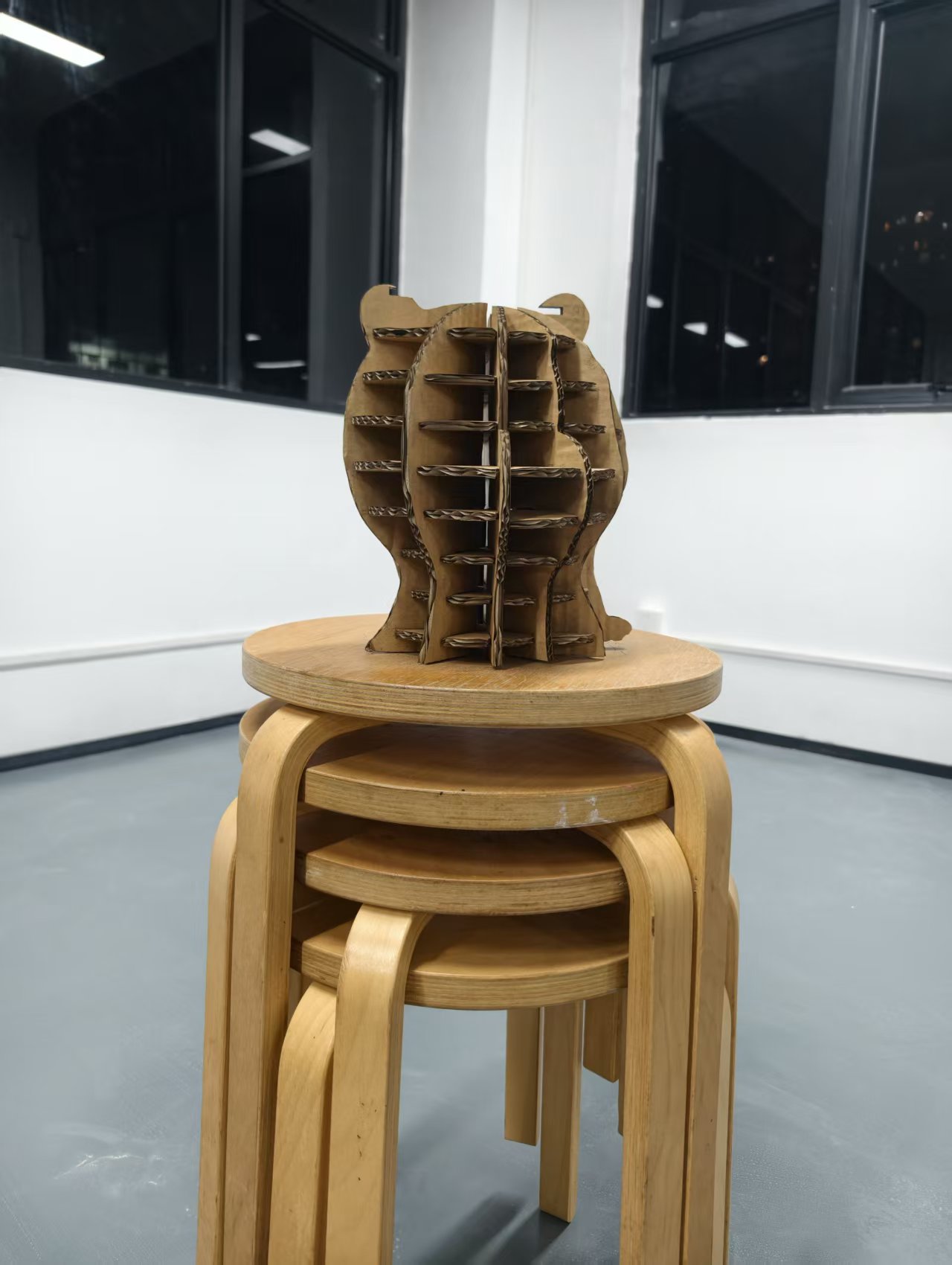
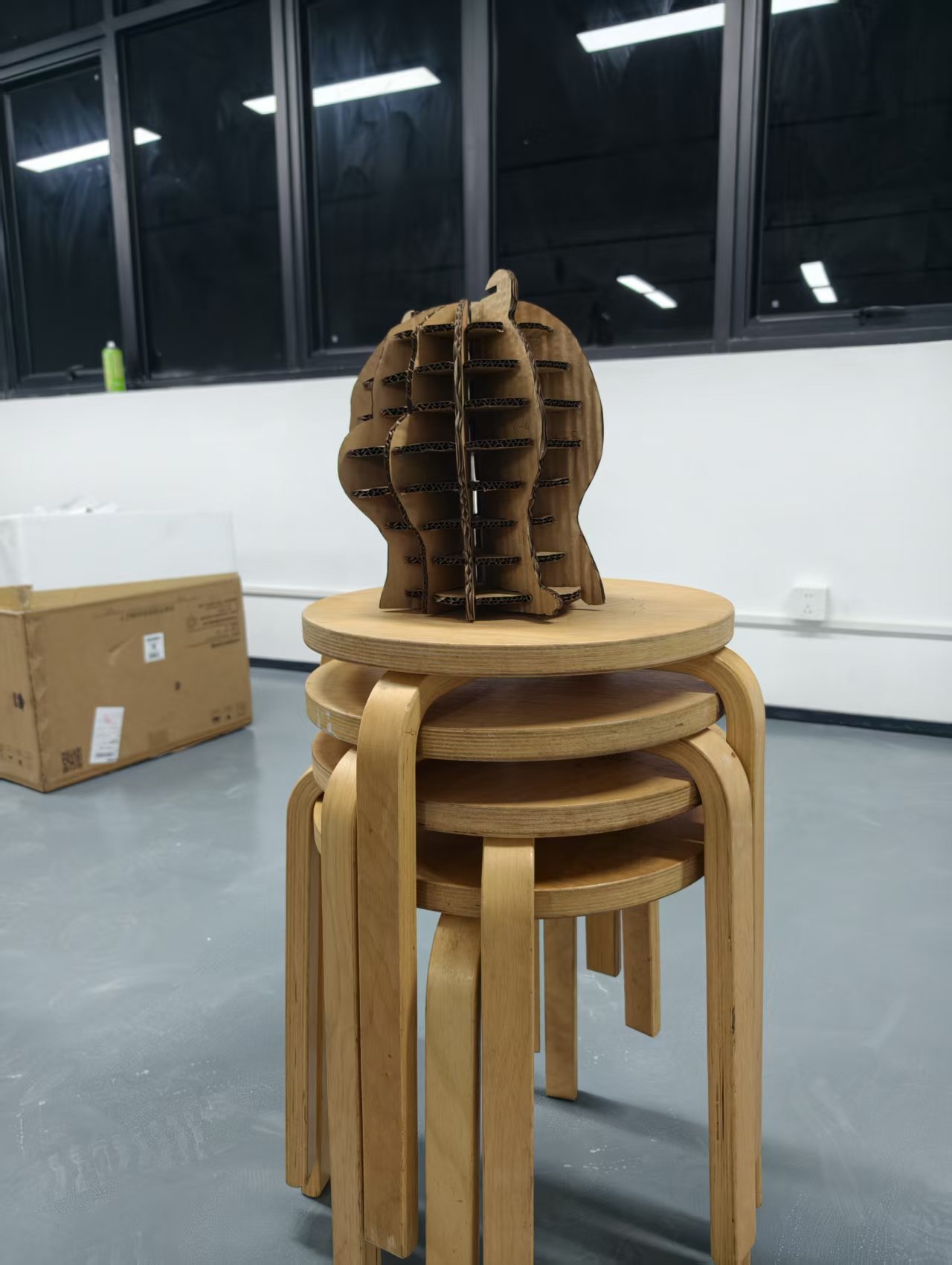
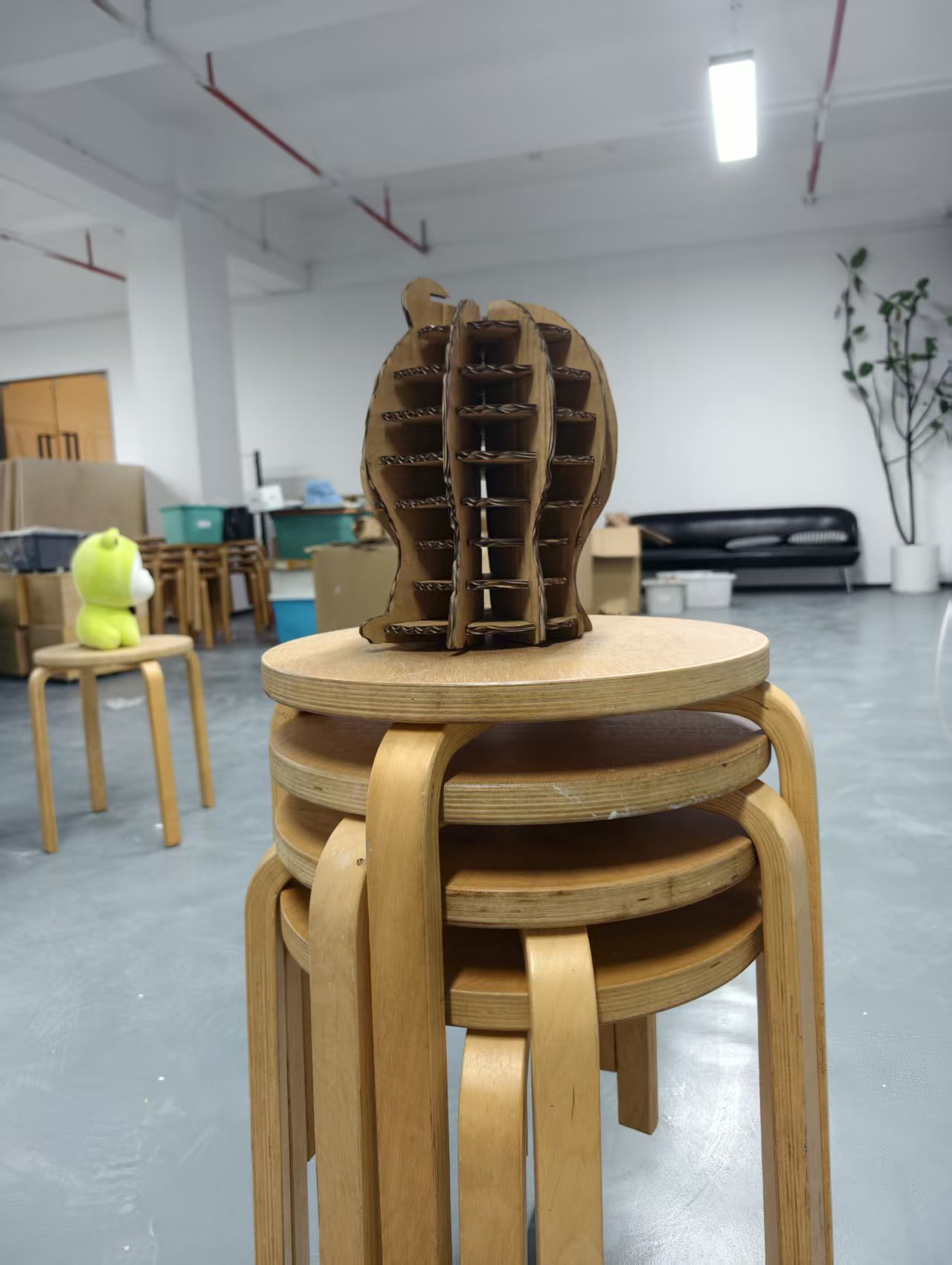
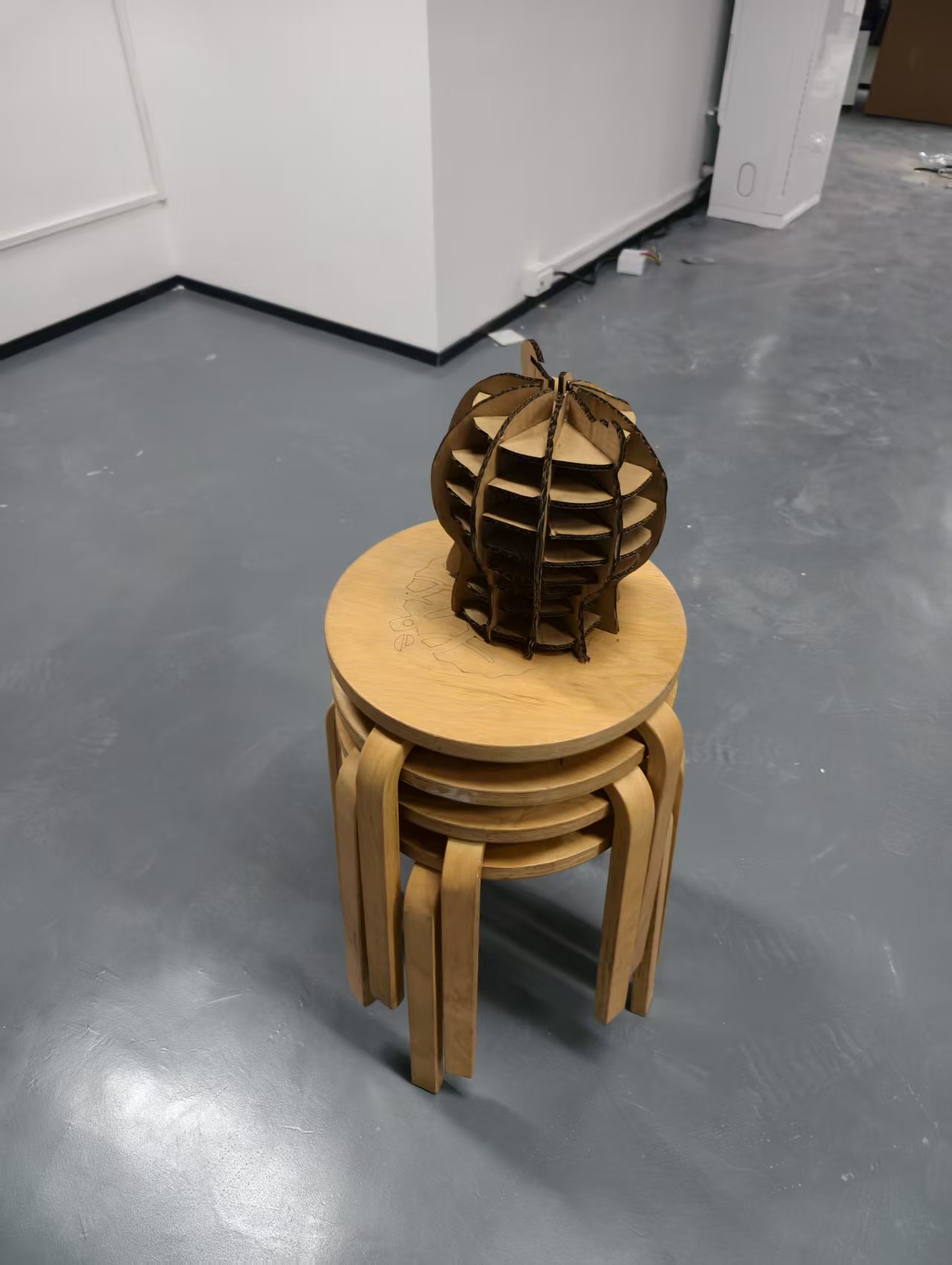
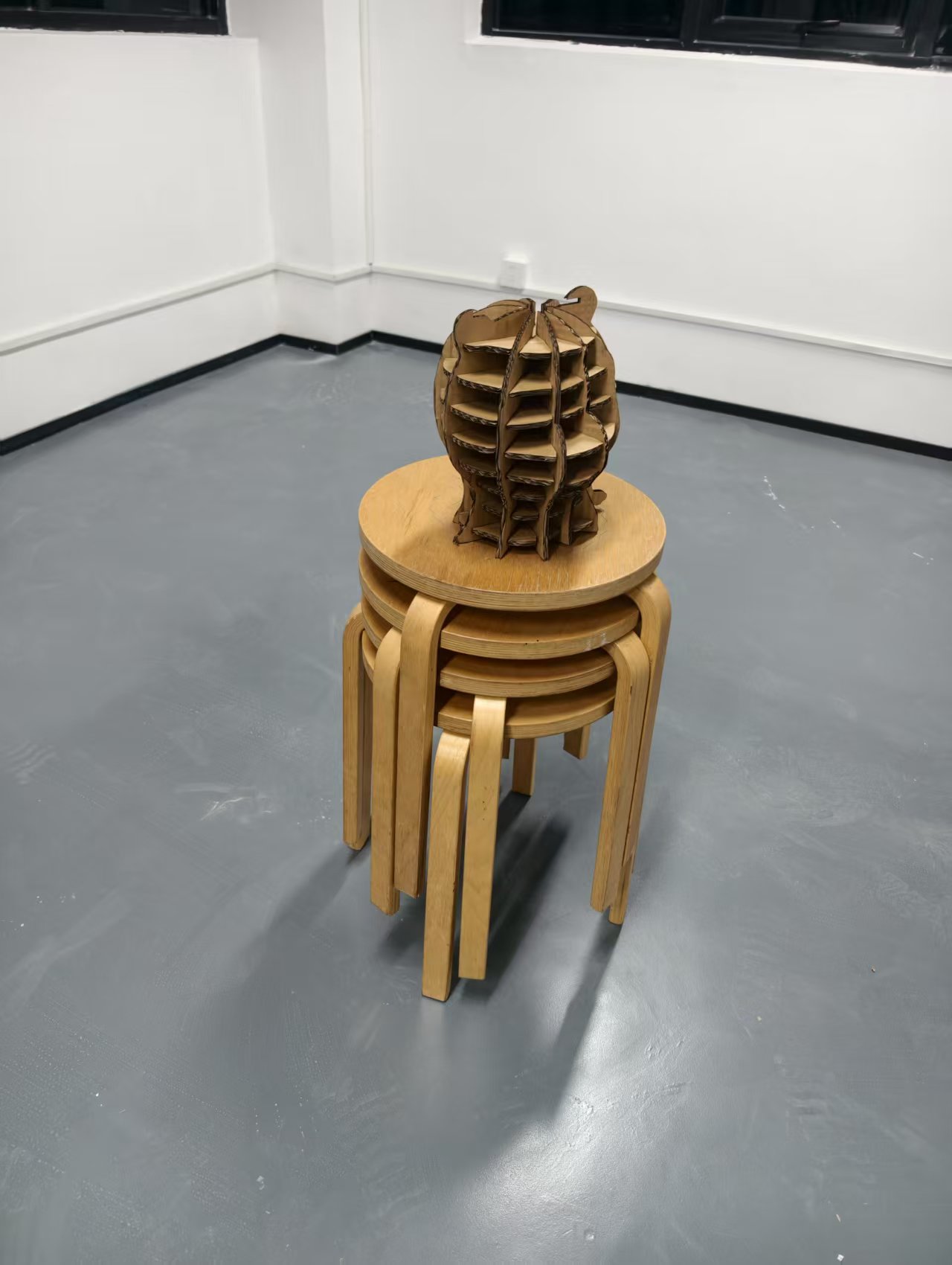
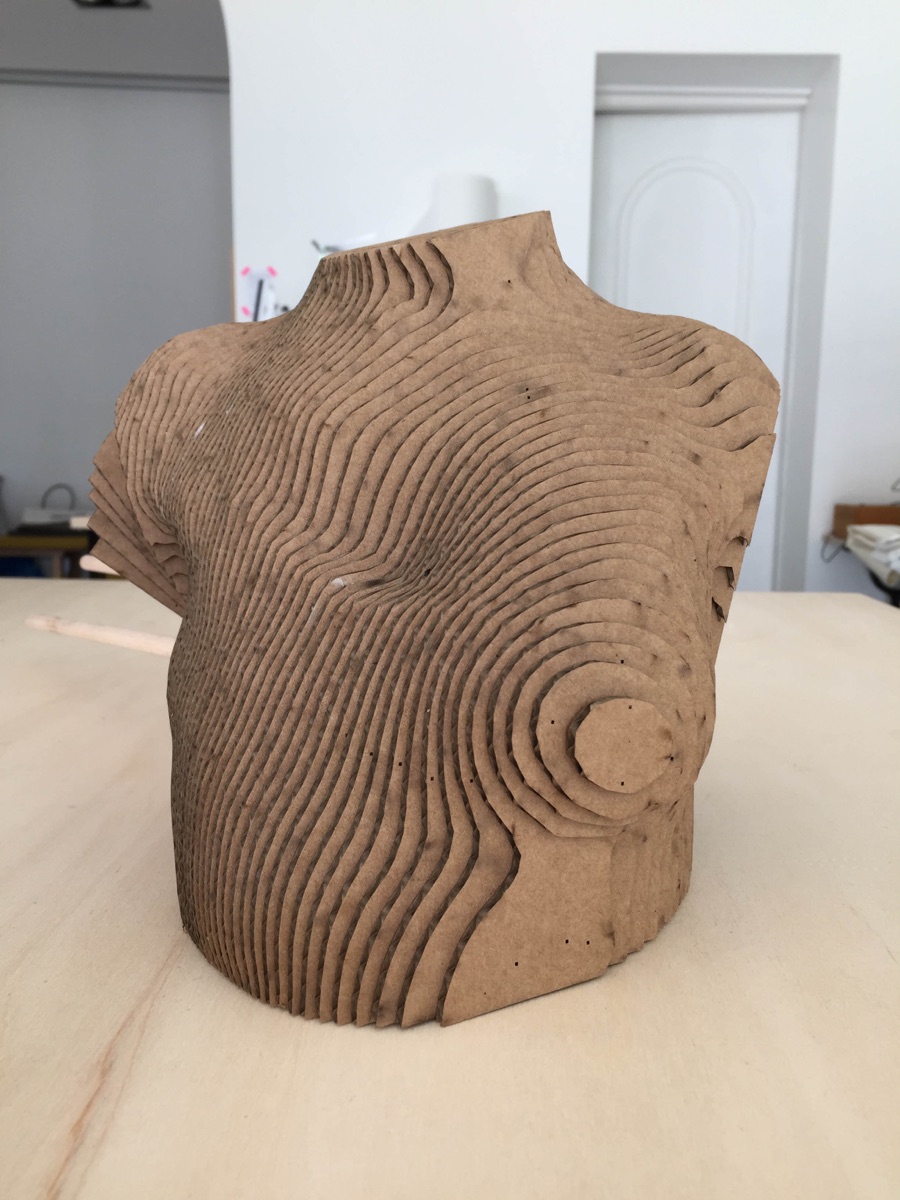
The finished cardboard head, shot from several angles on a stack of stools for scale. The slot construction reads as ribs through the shell, and the assembly deformation is visible as a slightly uneven profile.
Result video — the finished head next to its plush reference.
5.1 What I made
- A 3D digital body scanned from the plush reference doll (Kiri Engine → repaired in Blender → radially sliced in Slicer for Fusion 360)
- Eight laser-cut sheets of 5 mm corrugated cardboard — bed-sized DXF nestings exported from Slicer for Fusion 360
- One hand-assembled cardboard head, slot-and-notch construction, no glue — trimmed by hand where panels fought each other (see 4.5)
- A material test array (25 cells) that gave the cutting window for 5 mm corrugated cardboard on the Laserbox
5.2 Files
Digital body — Kiri Engine scan of the plush reference doll, with every Blender repair stage:
- Raw Kiri Engine scan (14,418 verts, stool included): 3DModel.obj · 3DModel.mtl · texture 3DModel.jpg1
- Intermediate — stool removed (7,473 verts): 3DModel_wood_removed.obj1
- Final repaired mesh — bottom cut & seat flattened (7,099 verts): 3DModel_fixed.obj · 3DModel_fixed.mtl1
- Blender source file: 3DModel_fixed.blend1
Laser-cut nesting — the final cutting files, eight bed-sized DXF sheets (280 × 380 mm) as exported from Slicer for Fusion 360:
- 1003-0.dxf · 1003-1.dxf · 1003-2.dxf · 1003-3.dxf2
- 1003-4.dxf · 1003-5.dxf · 1003-6.dxf · 1003-7.dxf2
6. Weekly reflection & critical thinking
- What I learned. The pipeline is scan → repair → slice → cut → assemble, and every step quietly depends on the one before it. I came in thinking the bottleneck would be the laser cutter, but it was actually the capture step — and the fix was changing the subject, not fighting the software. The plush doll's contrast made photogrammetry work, and once the stool was deleted and the bottom flattened in Blender, the mesh was immediately slicer-ready.
- What surprised me. How expressive a cardboard body can feel when the slicing is radial instead of horizontal. The vertical seams read like fabric seams, not like a 3D print, which is exactly the direction I want to take my final project.
- What I would do differently. Two things. First, re-shoot the mannequin head against a high-contrast background with even lighting, markers and a turntable — the colour clash between head and background was the real killer, not the software. Second, design for the compression deformation: give the notches proper tolerance (or move to a stiffer material) so panels stop pushing each other out of shape. Trimming by hand saved this build, but it is a fix, not a fabrication strategy. I would also experiment with a thicker notch factor and a single-piece fold (no base disc) to reduce the part count.
- Connection to my final project. My final project explores soft, body-like artefacts that sit between sculpture and garment. This week confirmed that slice geometry is one of the strongest ways to give a flat material a body. I will keep Slicer for Fusion 360 in the toolkit and test it on fabric and leather next.
- Ethical / environmental note. Cardboard is cheap, recyclable, and forgiving — good for iteration. For the final project I want to keep this loop: cut from one material, assemble without glue, and let the body be re-flattened into sheets at the end of its life.
NuEval — final step
Go to NuEval and fill in the checklist, when not complete notify your instructor.
7. Fabrication files & References
-
File: Kiri Engine scan of the plush reference doll + Blender repair — 3DModel_fixed.obj (raw and intermediate stages in Section 5.2) ↩↩↩↩↩↩↩↩↩
-
File: Laser-cut nesting sheets — eight bed-sized DXF files, starting at 1003-0.dxf (full list in Section 5.2) ↩↩↩↩↩