6. Computational Couture
Research & Ideation
For centuries, fashion design was largely a manual craft, rooted in hand sketching, pattern making and sewing. Designers relied on their artistic intuition, physical prototypes, and tailoring experience to achieve the desired fit and aesthetic.
Each garment was individually cut and stitched, often through repetitive trial and error. While this approach emphasized artistry and craftsmanship, it also came with challenges:
I) Waste from fabric offcuts and pattern errors.
II) Limited customization, since designs followed standard body sizes.
III) Lengthy production times and dependency on human labor.
Our todays brands like Coco Chanel, Cristóbal Balenciaga, and Christian Dior defined eras of elegance through technical mastery and creative vision but they still worked within the physical constraints of fabric and manual processes.
With changing times, digital design tools began transforming fashion’s creative process. Designers now can experiment with shapes, visualize garments digitally, and test ideas before production. They can simulate textures, test patterns, and render clothing without cutting fabric, reducing waste and improving visualization.
Being introduced to computational design has been mind blowing. The works of Julia Koerner during her session was so inspiring. Seeing how her works has evolved over the years is a testament of creativity and system thinking.
Inspiration
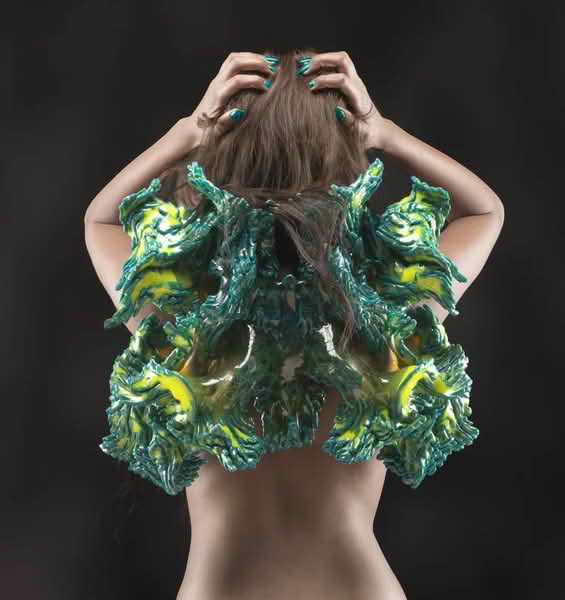
- Neri Oxman work on “Wanderers” collection and “Mushtari” wearable explored bio-printed garments that could host living organisms. Each piece was computationally generated and 3D printed to fit specific body forms.
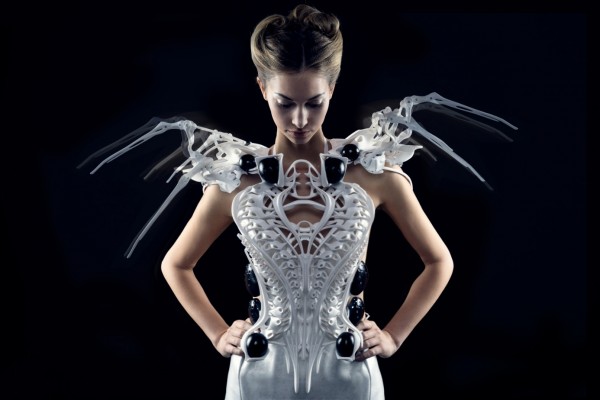
Anouk Wipprecht work of using sensors, microcontrollers, and 3D-printed structures to respond to movement and personal space through her spider dress.
At the heart of computational couture lies parametric design, a method where design elements are controlled by parameters and relationships. Instead of fixed patterns, a designer builds a flexible digital system that adapts when inputs change.
Parametric design: control, dependent, constraints
-
The control parameters(independent) are inputs that are exposed and changing them does not break the model. In blender, GN such as group inputs are independent.
-
Dependent parameters are values computed from the controls. Example is panel thickness.
-
Constraints are like rules that must be followed always.
weekly assignment
Check out the weekly assignment here or login to your NuEval progress and evaluation page.
Process and workflow
Most of my weeks work is under NDA but I did some parametric design using blender.
From the the weeks tutorial by Rico of having monkey heads, I was interested in playing around with blender and to generate a geometry node tree.
I did endless of modelling, I was not impressed with my models and I had to at least try what I learned.
steps
I used a plane and cube mesh to come up with the model.
1st I needed to add a plane as my base material which will also serve as a seatbelt.
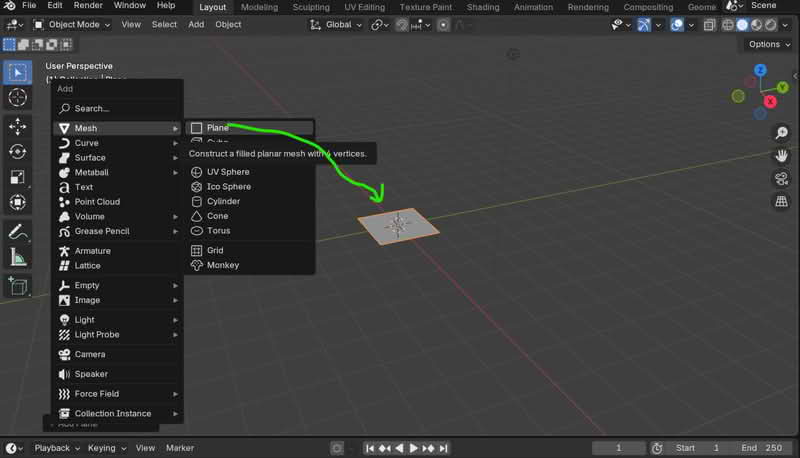
I changed to geometric node editor and added a new geometry node then geometry input and output pops up.
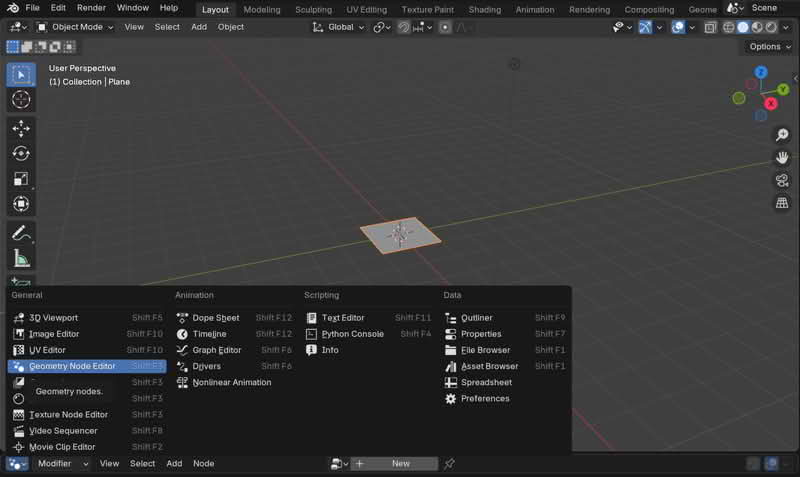
To create pattern, I started with grid node by shift+A and typed grid+enter key. I added modifier.
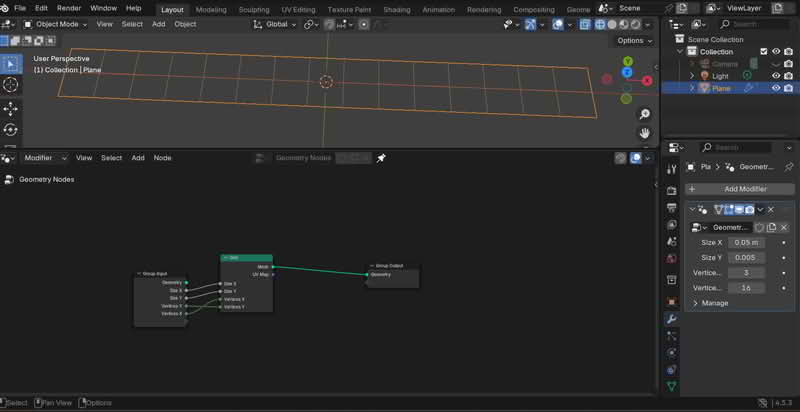
Next was to create a cube that will be linked to my pattern by also combining XYZ.
At the grid node I create instance on points to be able to duplicate my geometry.
Realize instance enables the instances to be actualized in the geometry data.
I was working with two materials, clothe fabric and filament, I had to factor it in the node through set material. Since I knew the exact materials to use, I went to the material section and named them.
After doing all that, I transformed my cube and I joined the geometry together to have a complete non-slip.
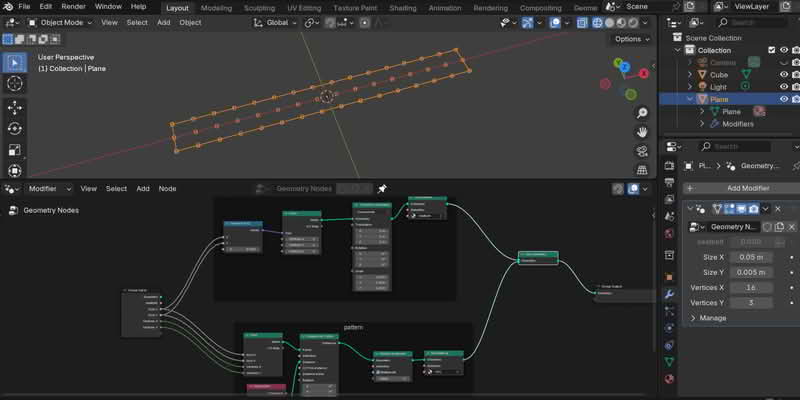
The math subtract ensures that the grid that makes the pattern to always be less wide and less long than the seatbelt width and length.
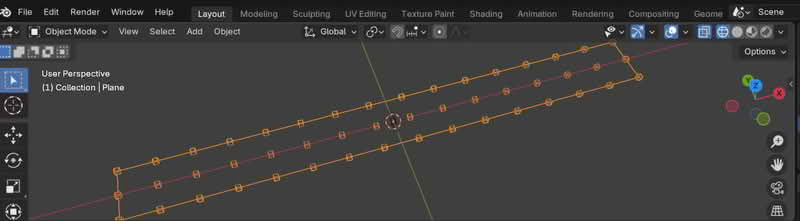
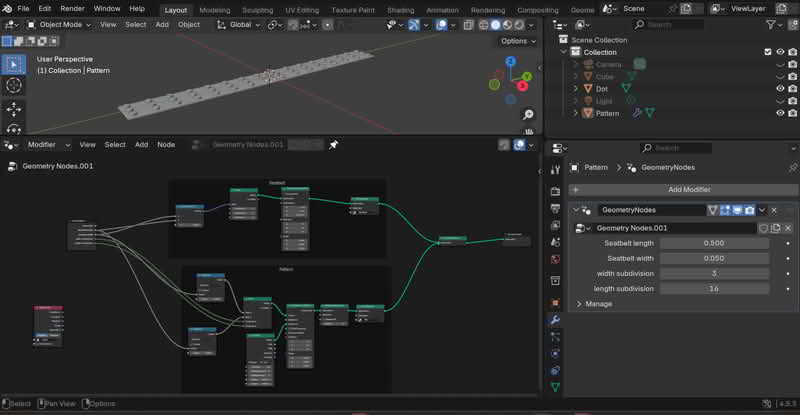
I had my geomety node tree ready for 3- D printing.
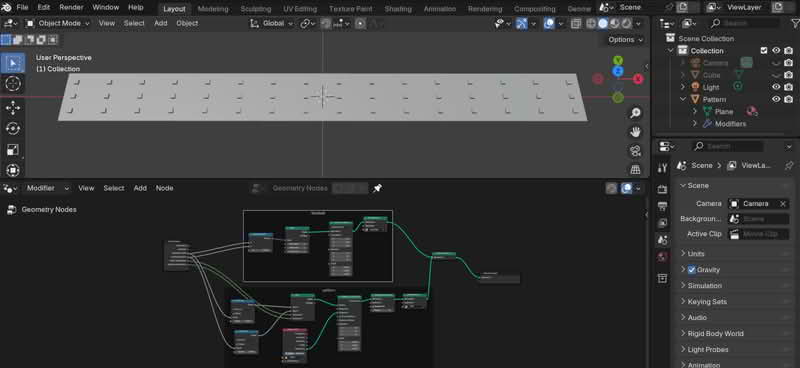
I changed the names from plane to pattern in my outliner window and the fabric parameters in node wrangler.
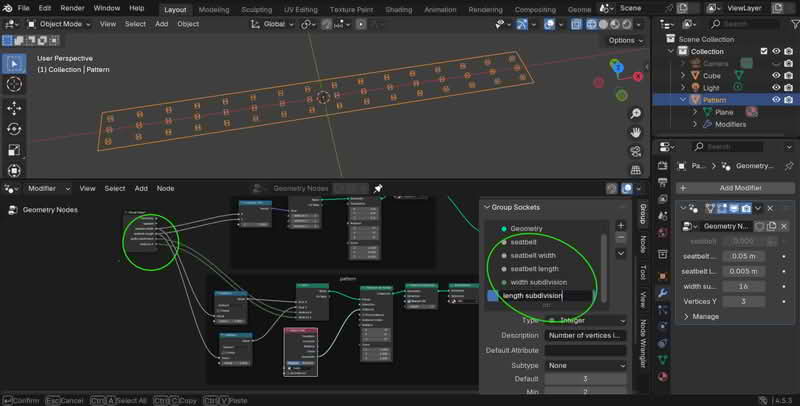
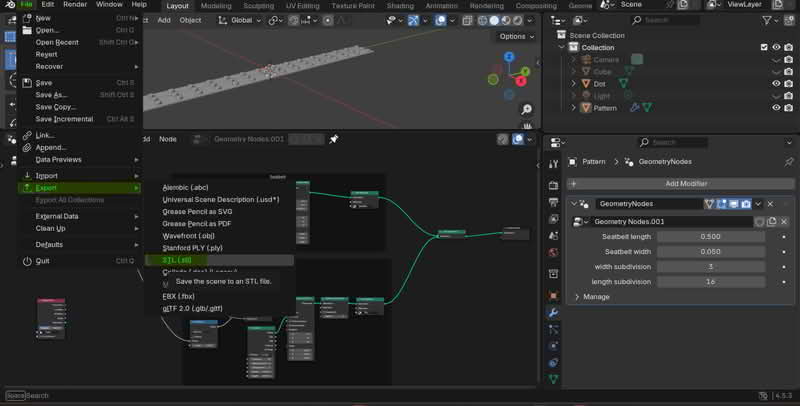
I exported my file as .stl
I used prusa slicer to slgenerate a gcode and printed it. Unfortunately I could not show the result here since it is under NDA
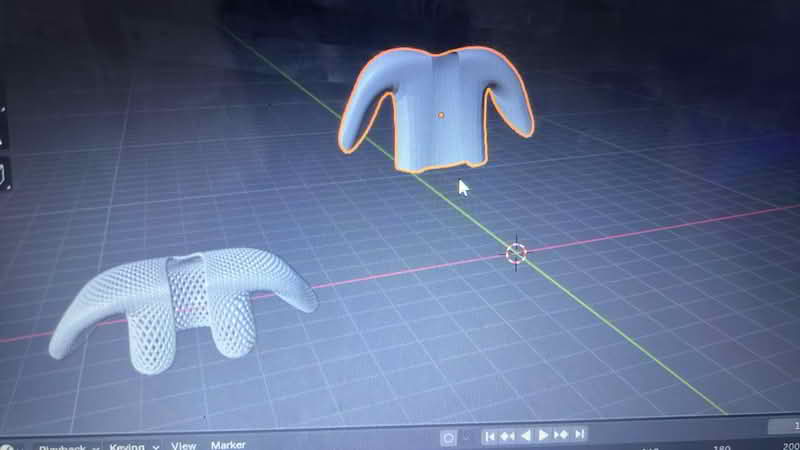
## Sisal Jacket
I used blender to design a a jacket / sweater made from sisal belt.
First I created a cube Shift+A and then select cube.
Scale it S+Y to squish it to make it tall and thin.
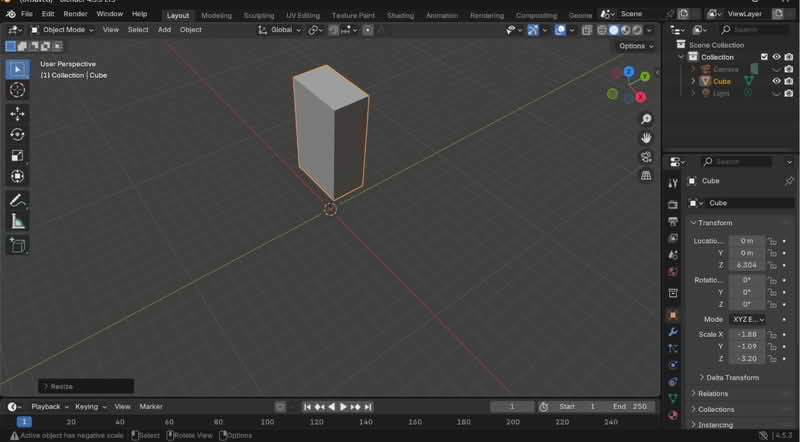 Ctrl+ R to make a line at the middle of the cube and click twice
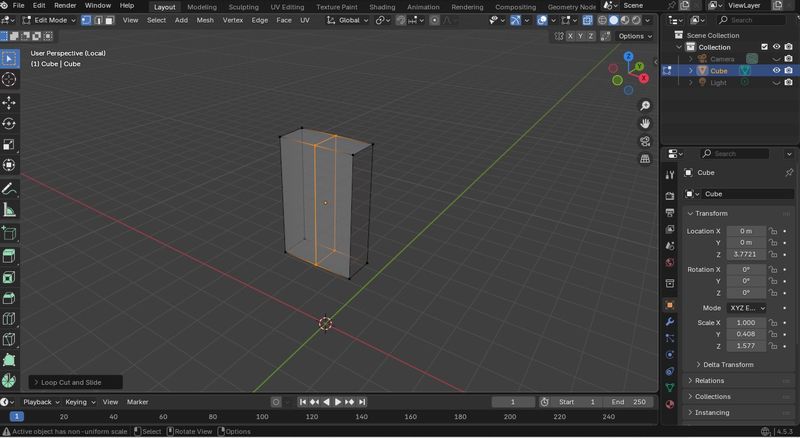 Go to toggle xray and all the dotted lines become visible. Drag your mouse and select half of the box.
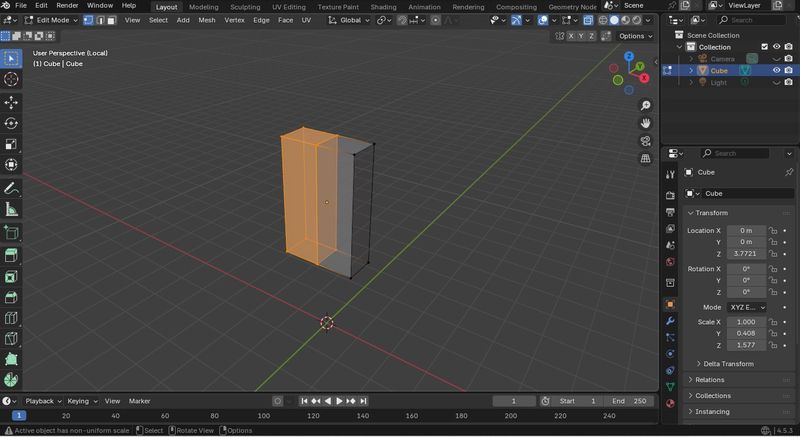
Delete (X+F)the selected half of the box
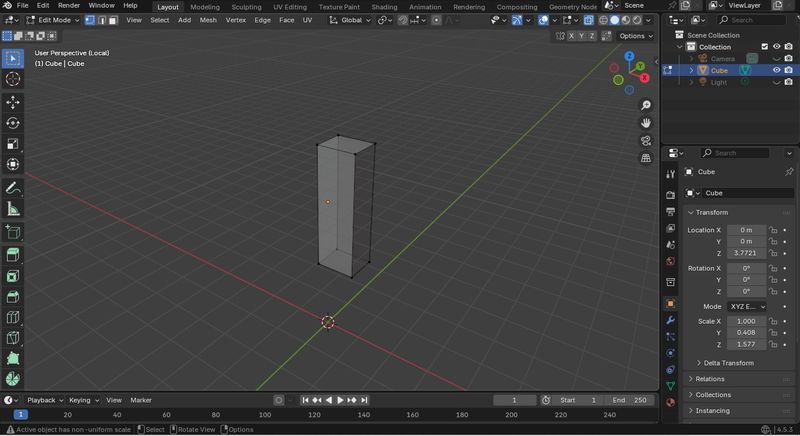
Add modifier and generate a mirror.Make sure you clip.
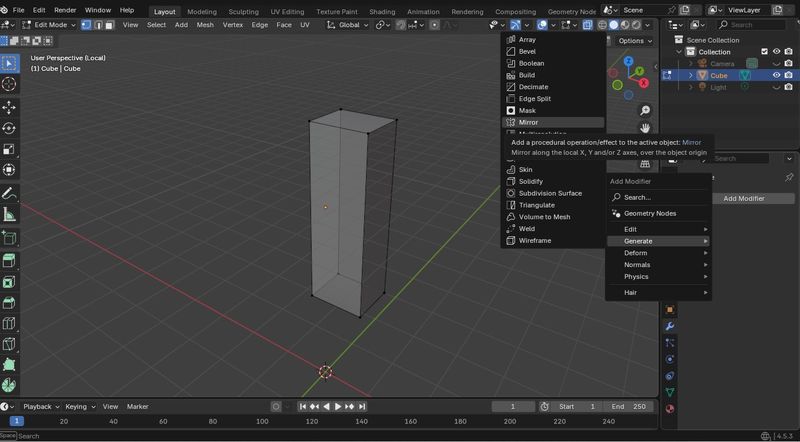
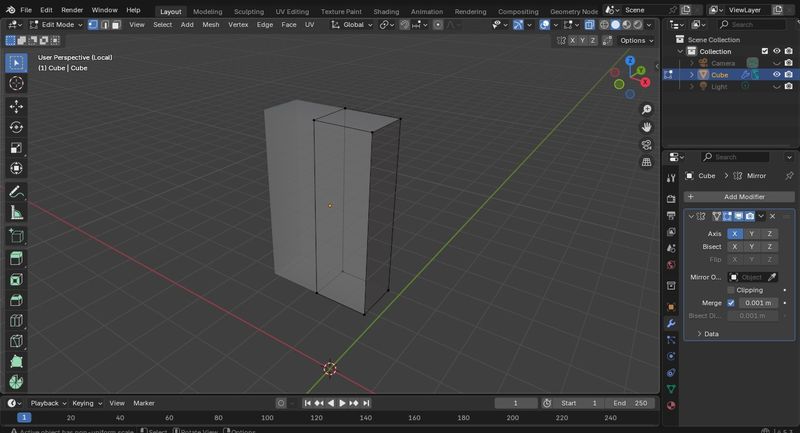
CTRL+R to add loop cuts
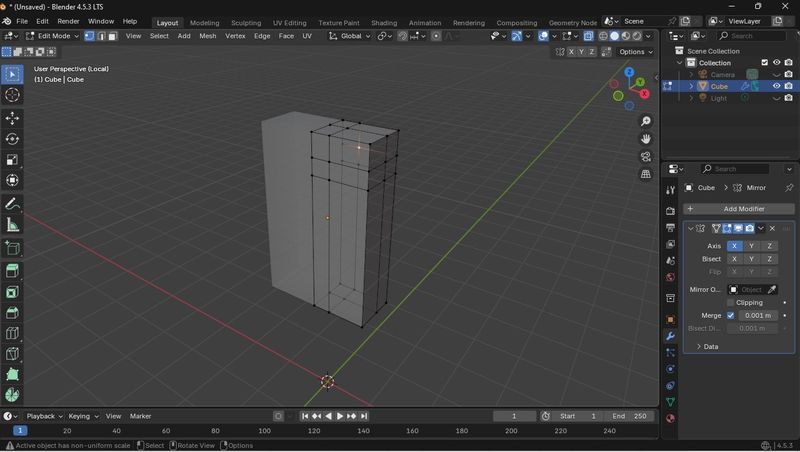
Delete some faces in vertex select mode. Hold down the shift key and select the faces you want to delete (XF)
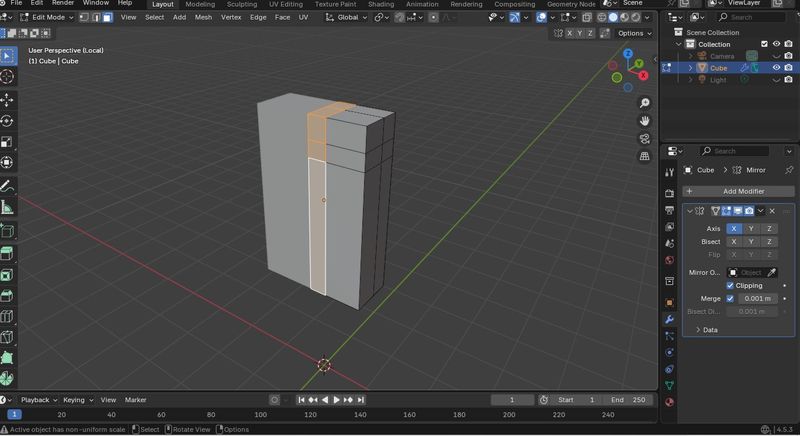
Apply the same command to create arm holes on the side.
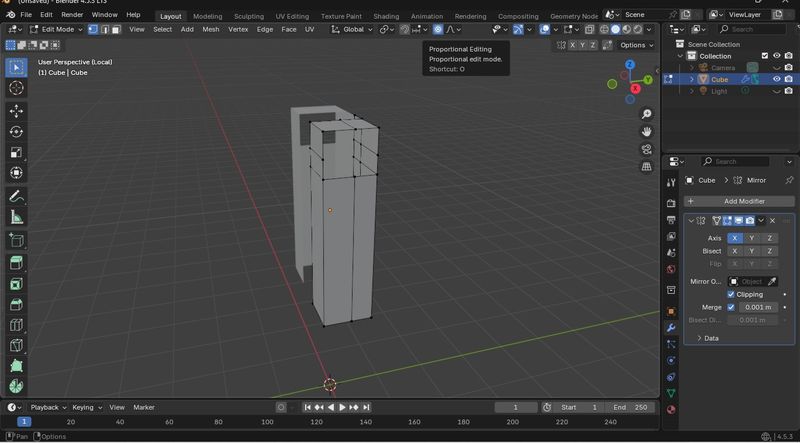
Add proportional editing and a circle will pop up that is going
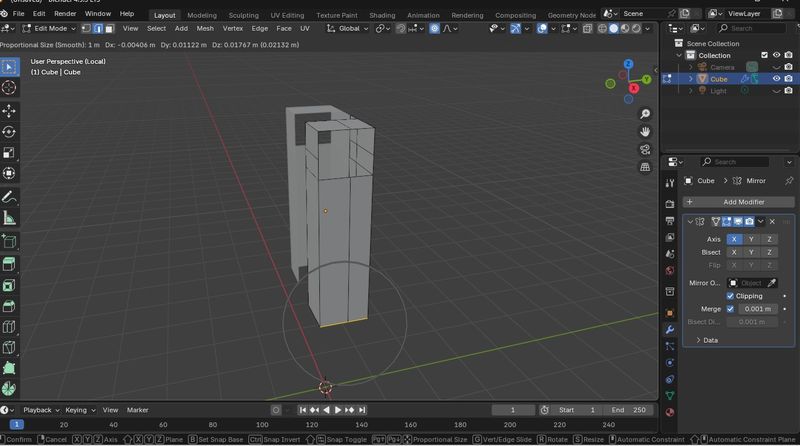
Move it out by pressing GX keyboard to make a triangular shape
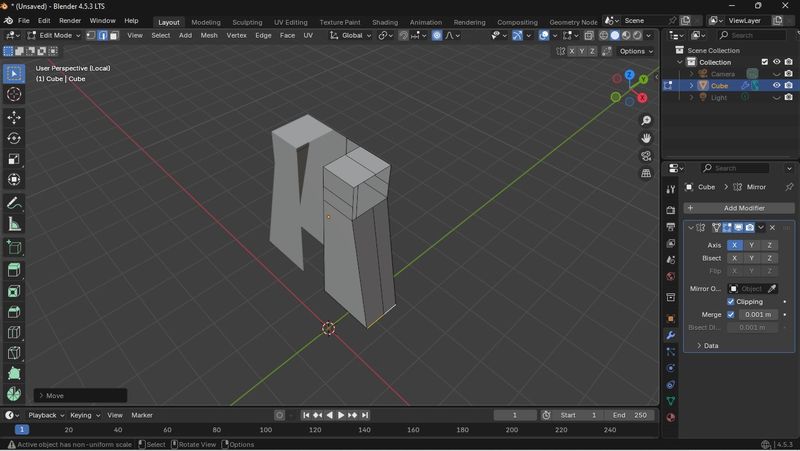
Click ALT and select the edge, and all the edges of the arm holes will be selected.
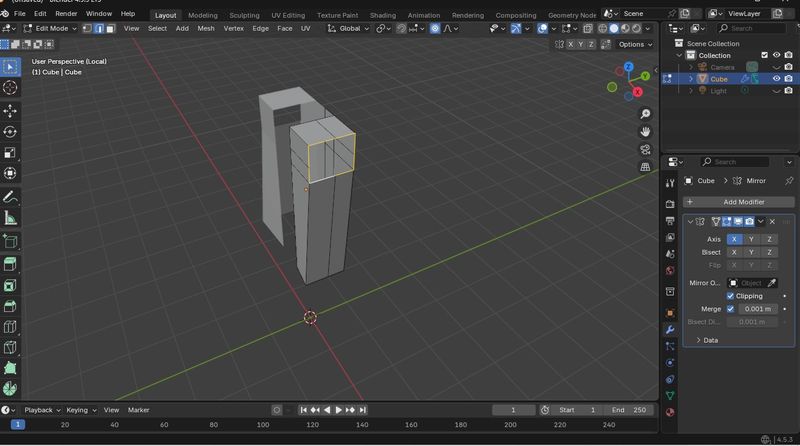
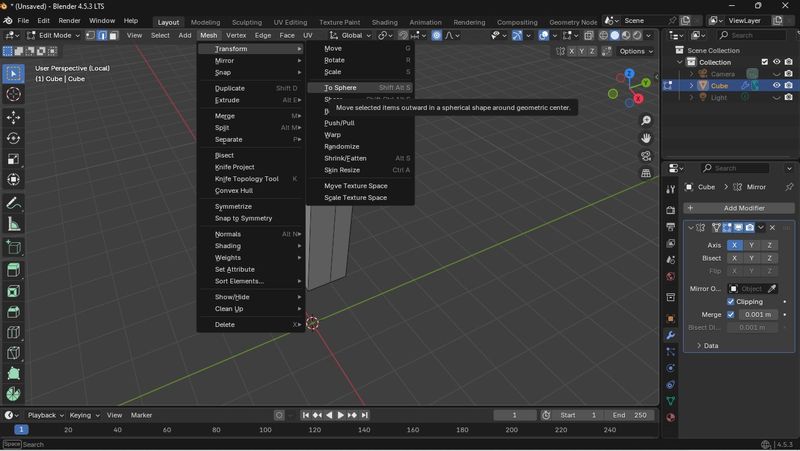
Go to mesh and transform the arm into a sphere.
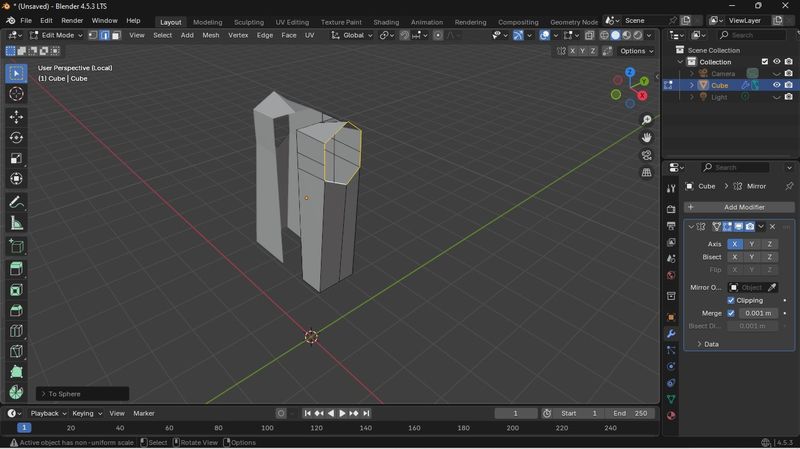
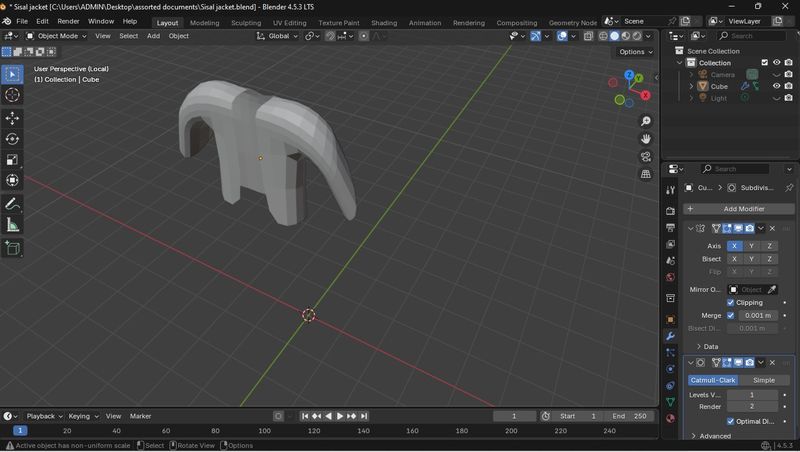
Hold Alt key and select an edge of the armhole. Cclick Ctrl+R keys and the arms will be longer.
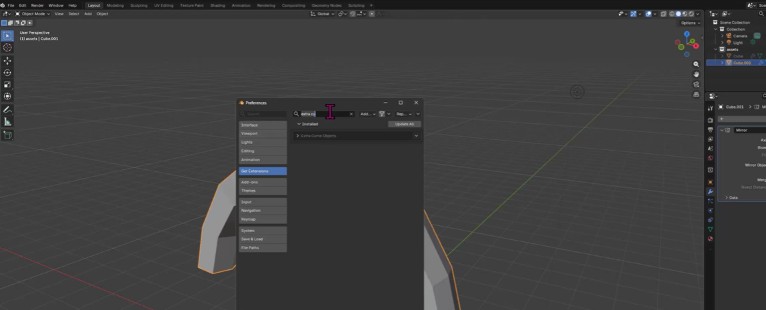
Get extra curve extensions by: Go to Edit > Preferences. Click on Get Extensions from the left-hand menu. Search for "Extra curve objects Click Install
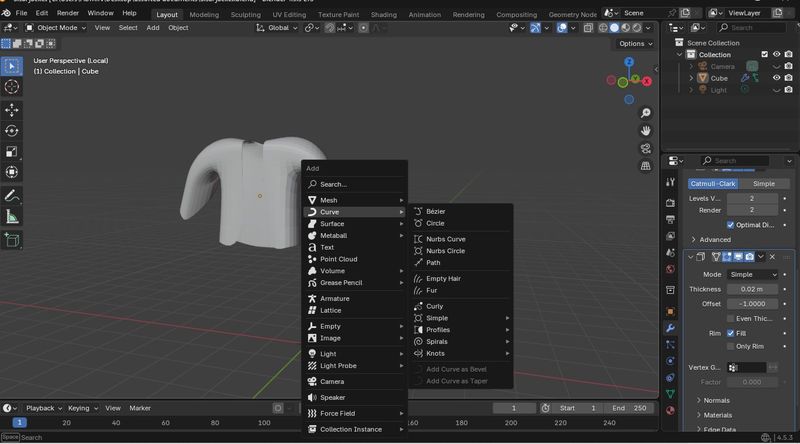
Shift+A curve and knot and choose celtic links to generate a modified jacket. Make sure you've applied the mirror modifier.
Learning Outcome
I found blender to be a unique 3-D design software because; a) Its modeling system employs a geometry node(GN) which allows for parametric generation of 3-D shapes.
b) Instead of manually modeling everything, GN lets you build models through rules and parameters. This means you can automatically generate patterns and structures that update in real time whenever you adjust values such as thickness, density, repetition, or curvature.
C) GN enables you to explore variations quickly, prototype digital fabrics, and develop complex material behaviours that would be difficult or time-consuming to model manually.
References & Inspiration
Tools
-
Blender
-
3-D printer
- Prusa slicer