State of the art, project management and documentation
1. Objective
This week I focused on establishing the foundation for my Fabricademy documentation workflow. Beyond learning how to publish a website, I explored how documentation itself can become part of the design process: recording experiments, failures, fabrication parameters, and reflections in a way that allows both myself and others to reproduce the work later.
I also tried to play around with a few different machines and tools in Fab Hub Kendall this week. Including laser cutters, DTF printers, and 3D printers.
2. Software that I downloaded and started to work with this week
2d
- Adobe Illustrator
- GIMP
- Inkscape
3d
- Blender
- Onshape
3. My documentation flow
In our class, we are using Markdown to build our webpages for assignments and projects. We use Gitlab as repository, and I am mostly using the webIDE to make changes to the .md files to update the website.
My workflow
My basic documentation workflow is as below:
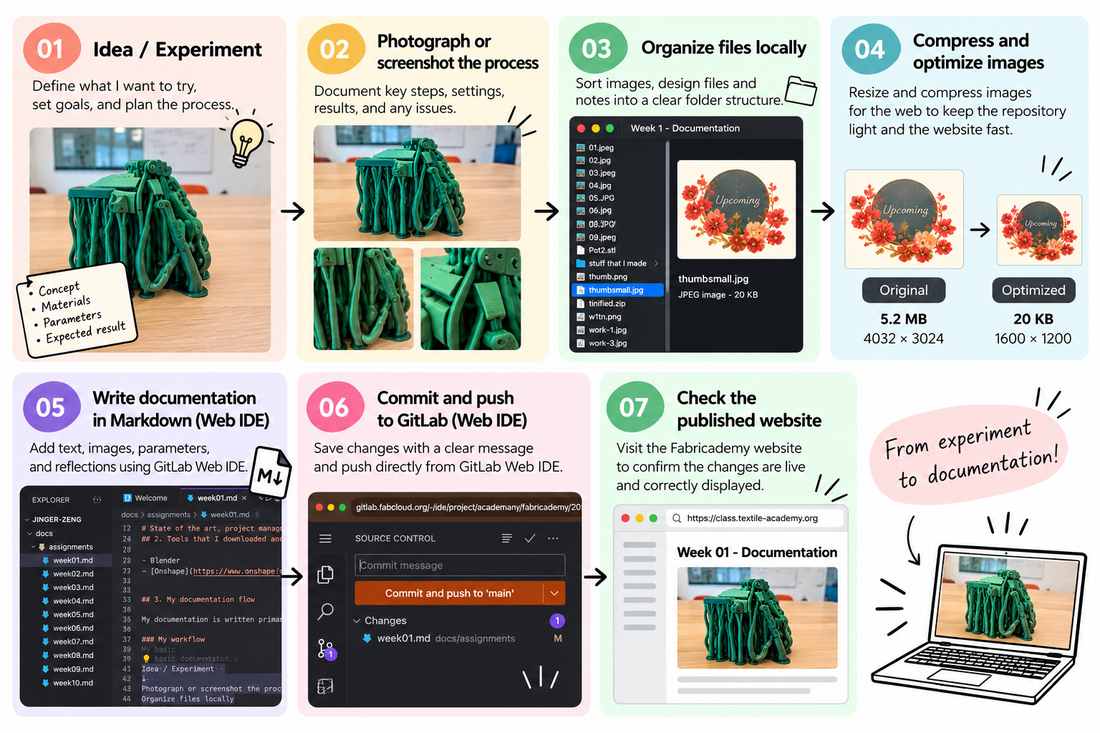
Repository Structure
I organized my weekly documentation so that each assignment has its own folder.
Example:
docs/
├── assignments/
│   ├── week01.md
│   ├── week02.md
│   └── week03..md
└── images/
    ├── week01/
    ├── week02/
    └── week03/
This makes it easier to find the source files associated with each experiment.
Content Optimization
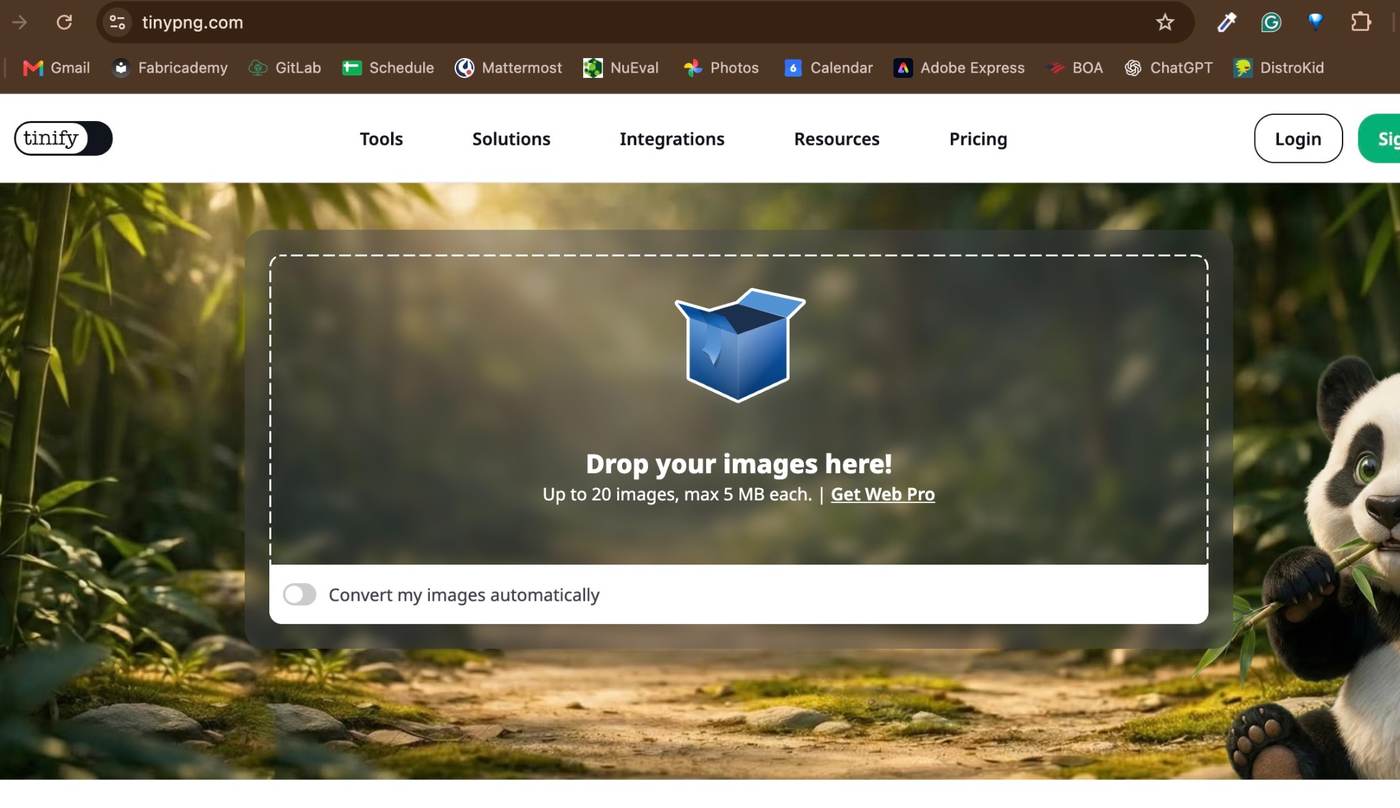
For web optimized content, I am starting to apply the principle of making all images less than 100kb. I mainly used tinypng.com for batch compression.
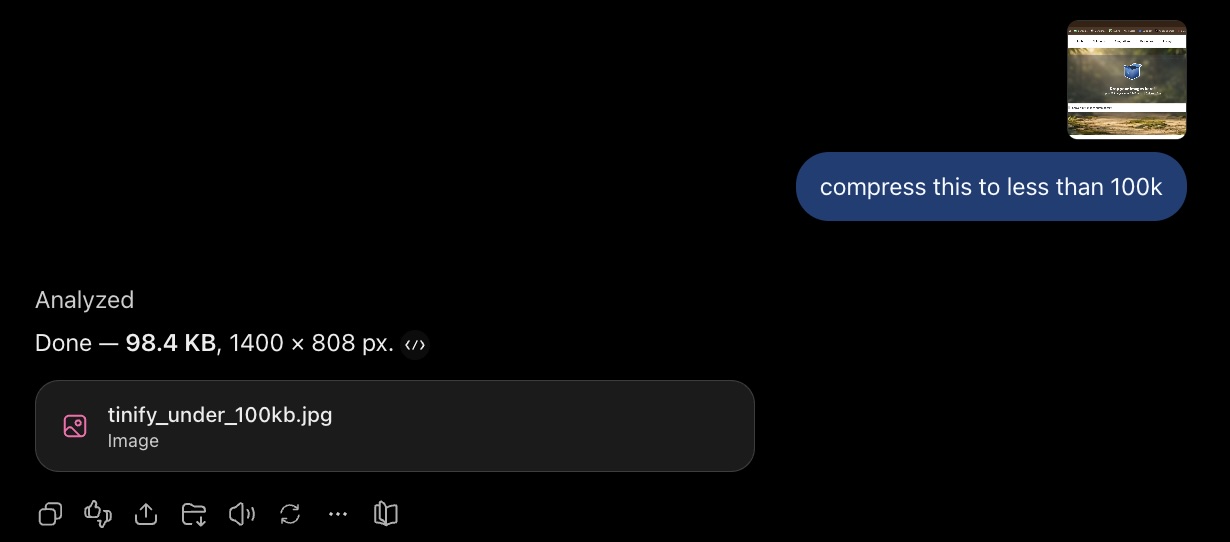
Another way of doing it is directly using ChatGPT
4. Styling and Customizing
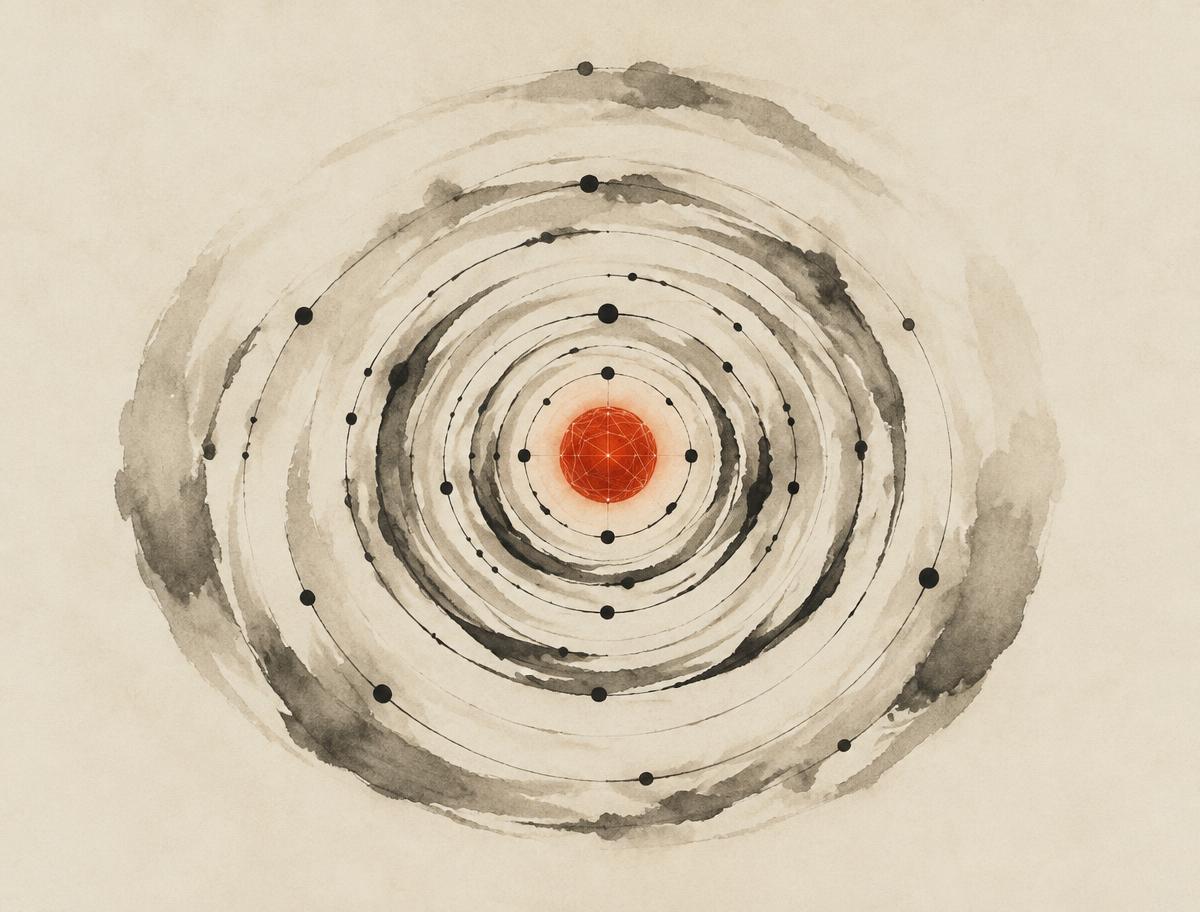
For the visual identity of my Fabricademy documentation site, I wanted something that reflects the intersection of traditional craft, organic form, and technology that runs through much of my work. These two images became aesthetic references for the site.

artboard reference 1
artboard reference 2
I am particularly drawn to their restrained composition: warm off-white backgrounds, expressive Chinese water-color style caligraphy lines, generous negative space, and a single concentrated accent color. The flowing brushwork gives the imagery an organic and handmade quality, while the fine lines, concentric geometries, and orbital structures introduce a more precise and computational feeling. This represents the East Asian aesthetic and philosophy that I adore.
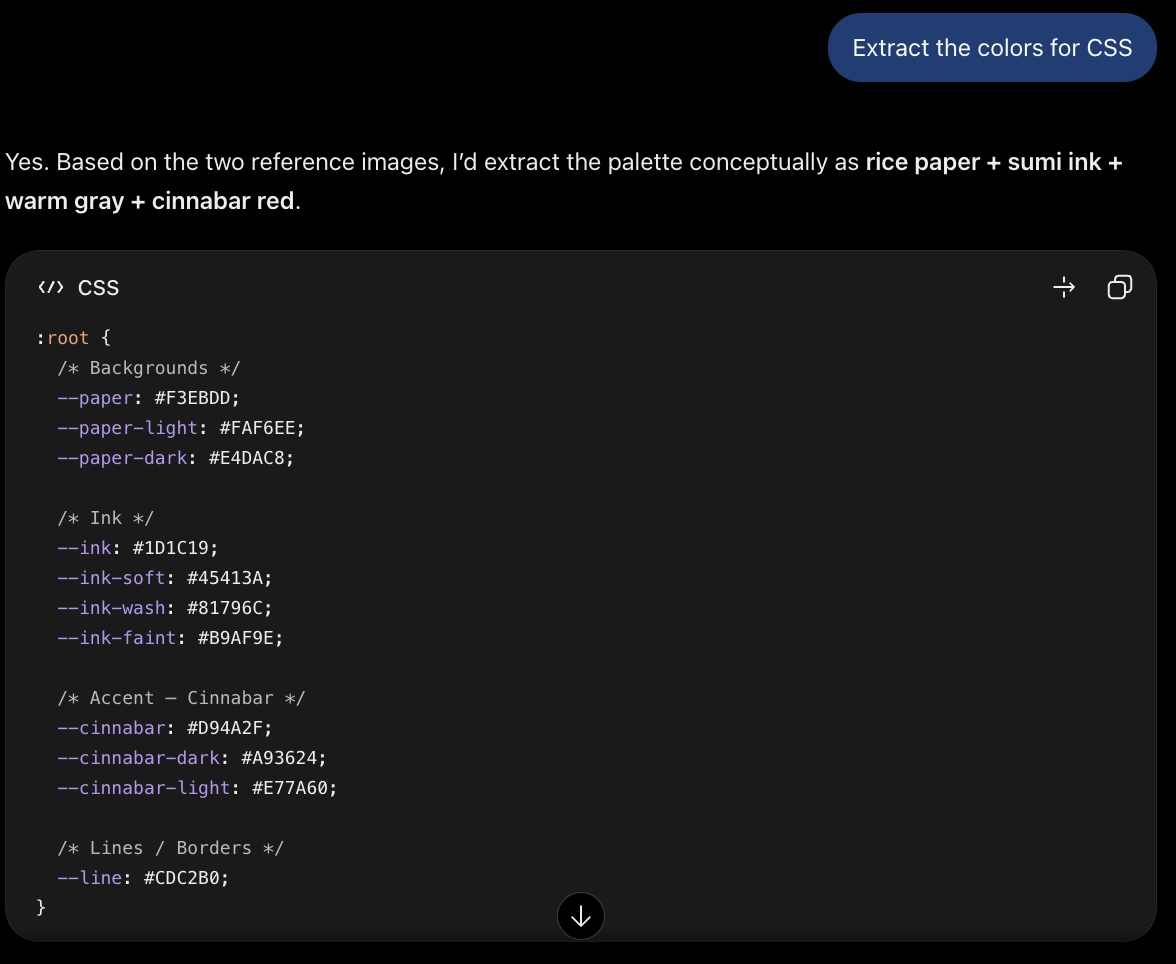
I then extracted the color system for my site from this, and applied CSS accordingly
I also created a thumb-image as placeholders for upcoming assignments on the index page

5. Exploring Digital Fabrication
Using Fab Hub Kendall booking systems
Fab Hub Kendall has an online reservation system for booking machine times and reserve space. The system helps coordinate access to shared equipment and allows me to plan my fabrication workflow ahead of time. Machines available through the system include equipment for laser cutting, 3D printing, and other digital fabrication processes.
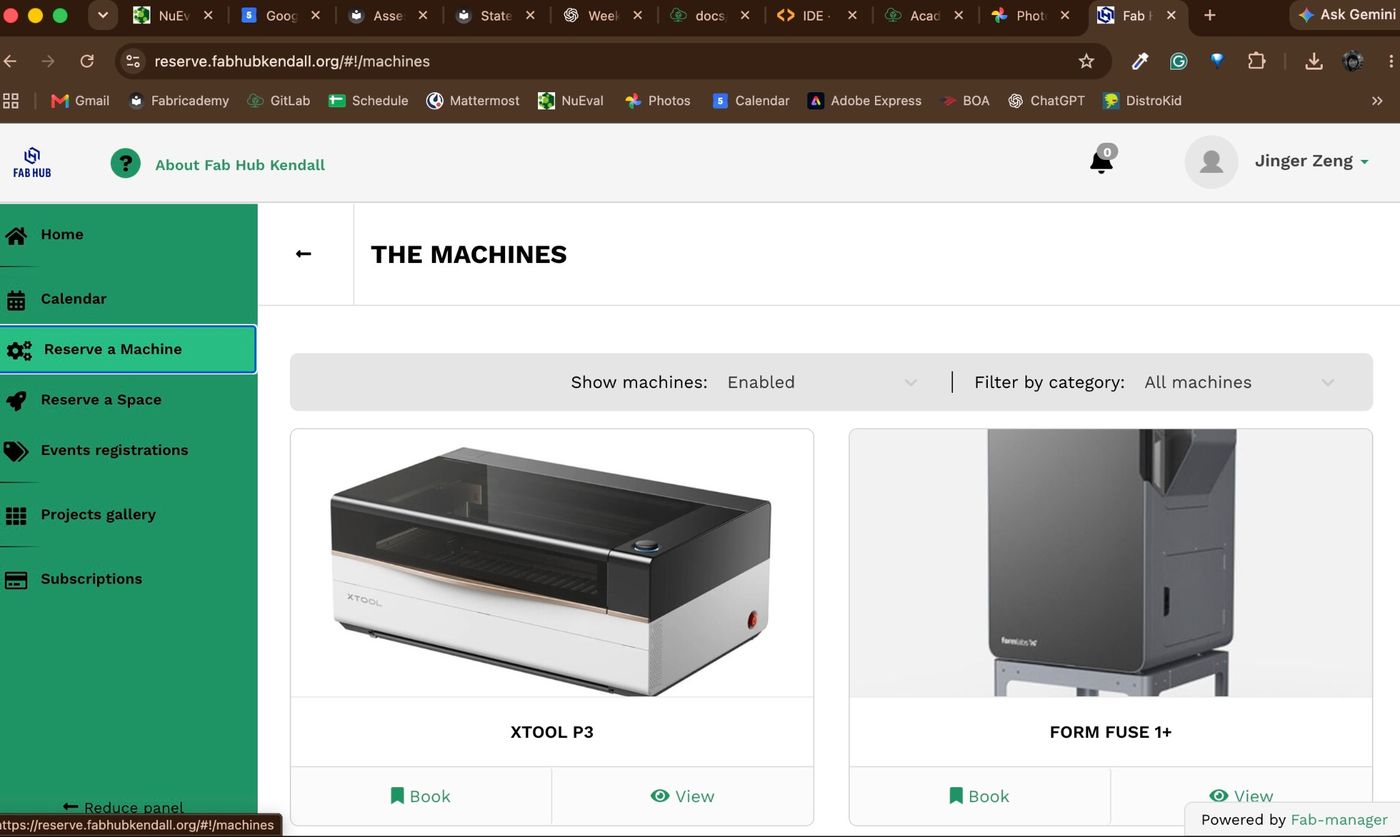
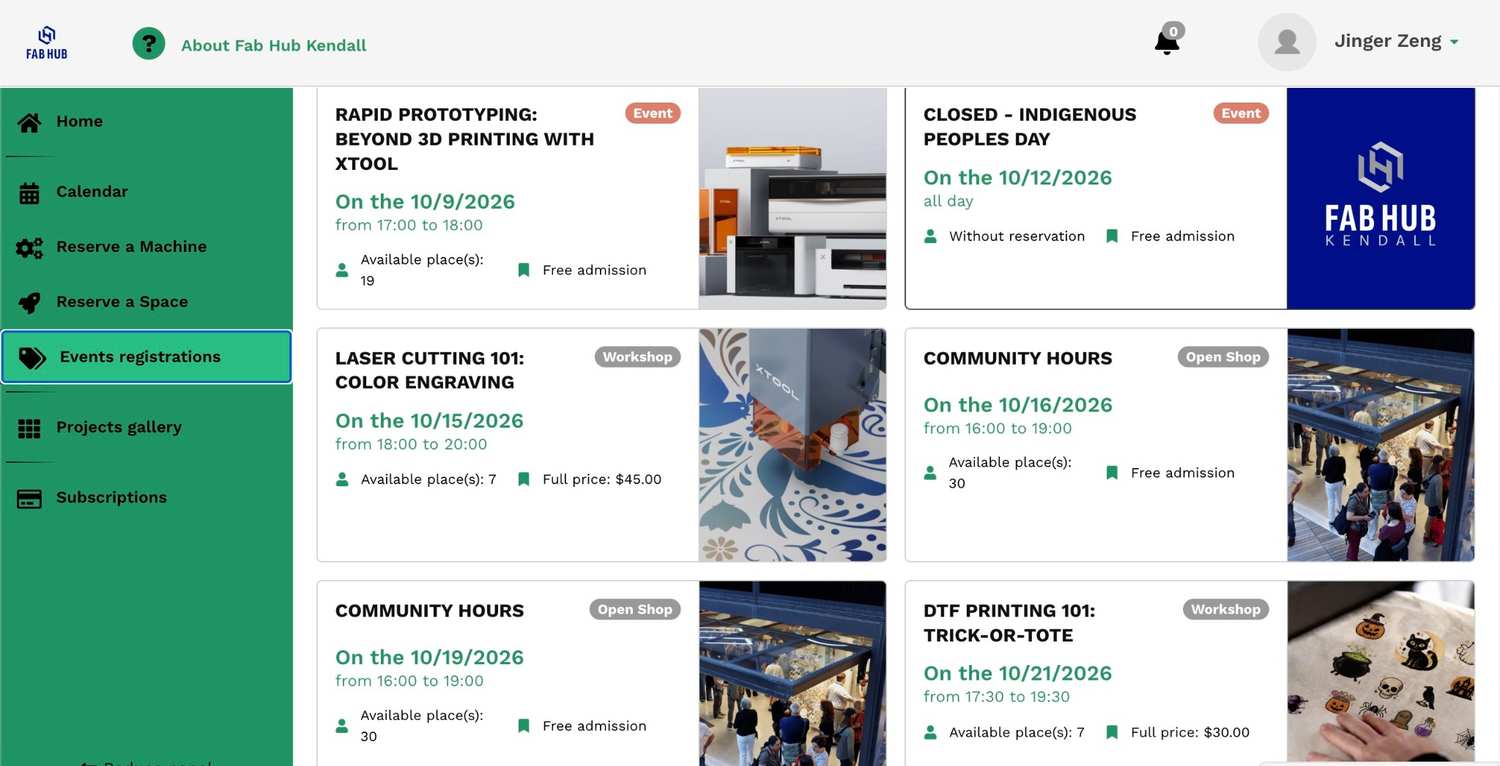
The fablab also provides workshops, machine-specific training, and FREE Community Hours where members can develop fabrication skills and receive support.
I particularly value the Community Hours, which provide open-shop time for working on projects and learning alongside other makers. For Fabricademy, this gives me a combination of structured training and more informal opportunities to experiment, troubleshoot, and ask questions while fabricating.
This community-based learning model is important to my workflow: when I encounter an unfamiliar machine or process, I can first learn the appropriate operation and safety procedures, then return during open-shop time to continue experimenting independently.
This week, I was also preparing for ROSCON - so I had some fun exploring 3D printing and laser-cutting specifically making conference swags.
3D printing
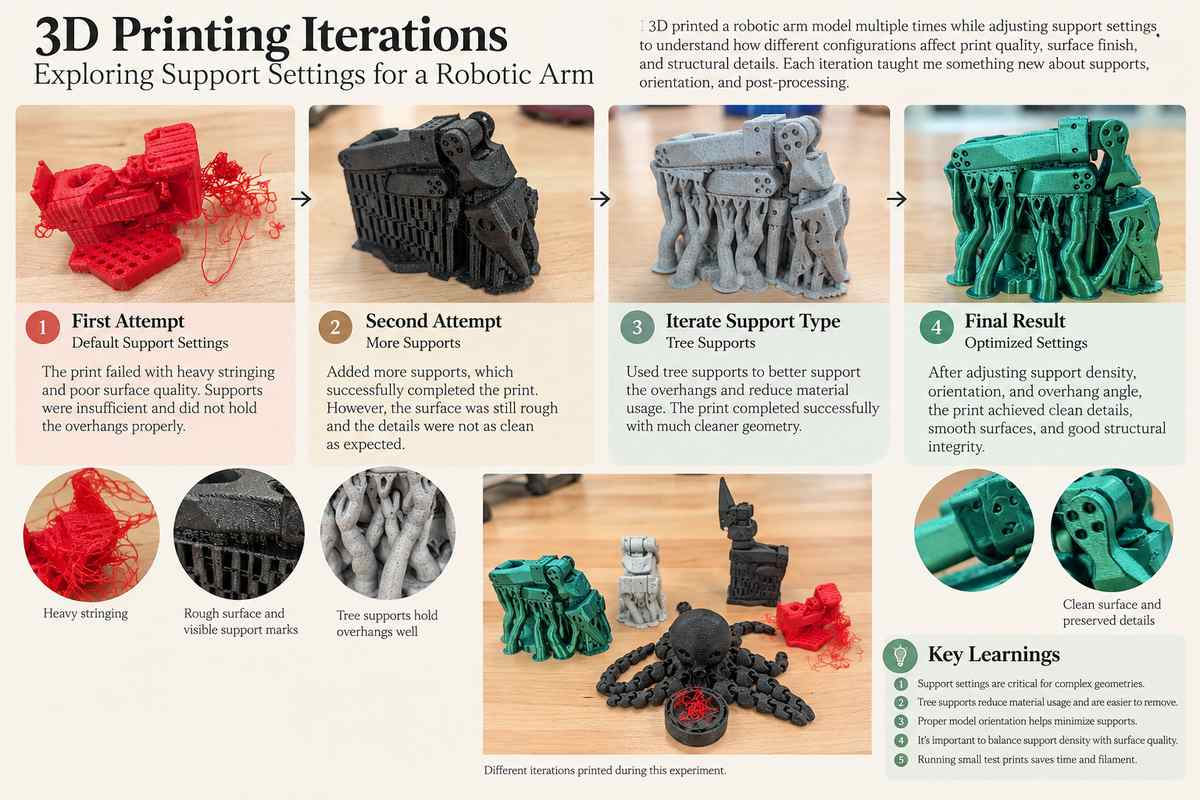
Fab Hub Kendall has a full suite of Prusa printers. Once I got trained, I started to experiment.This is a mini robot-arm that I printed:
The model is particularly challenging because it contains many mechanical features: holes, horizontal surfaces, articulated-looking components, narrow gaps and complex geometry.
The slicer therefore generated a substantial amount of support underneath and around the model. The print succeeded, but I had to spend so much time removing the dense support, which actually led to breaking some real parts. Some of the supports were trapped between relatively small features, making them almost impossible to remove.
Laser cutting and engraving
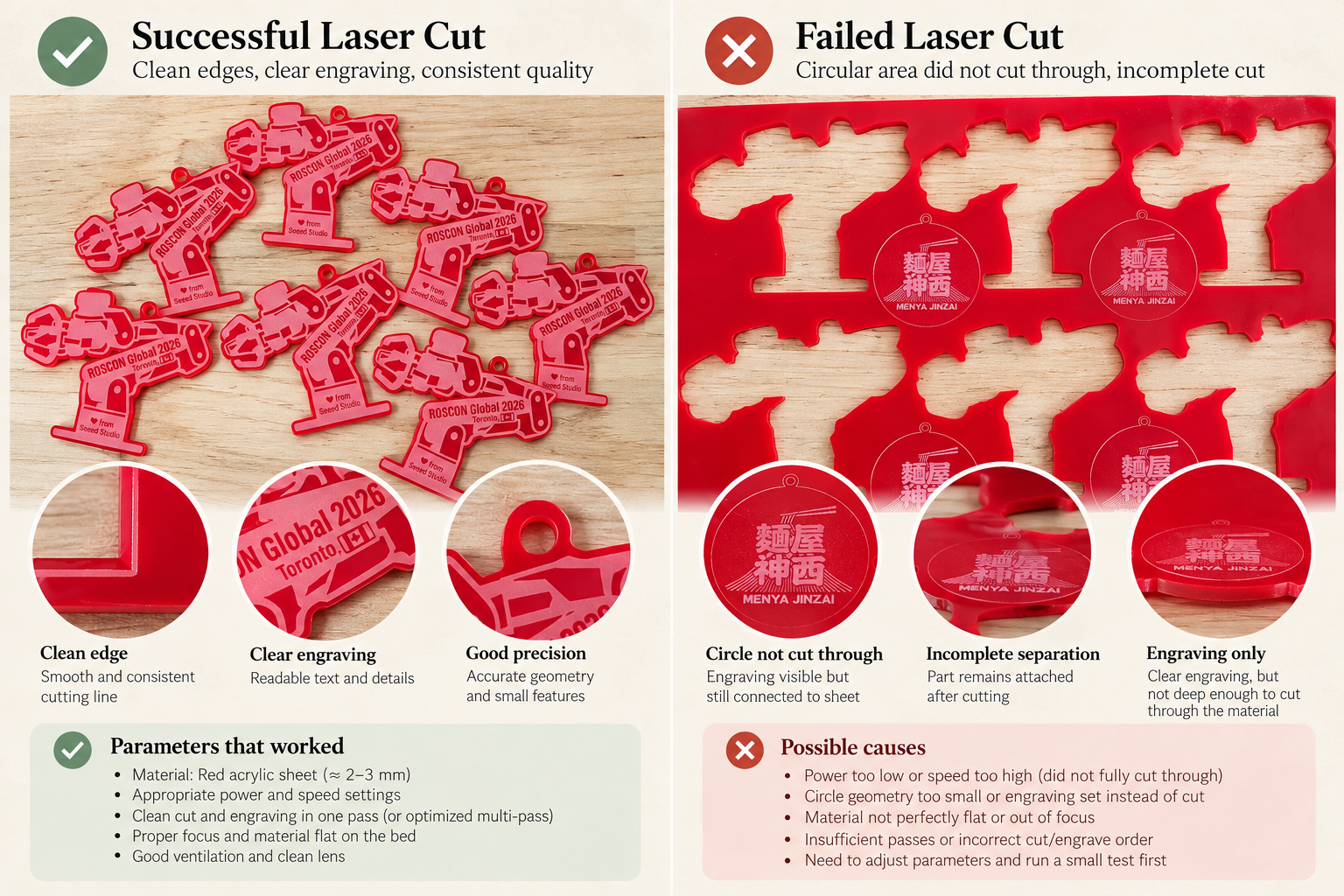
I also made a batch of small acrylic keychains experimenting with laser cutting and engraving on acrylic. . I used xTool Studio to prepare the job and found the workflow surprisingly easy to learn. Importing the artwork, positioning it on the material, and assigning different operations to the geometry was very visual and intuitive.
6. Reflection and Learnings
My highlight learning this week was understanding supports in 3D printing. FDM printing builds an object one layer at a time, so each new extrusion generally needs enough material underneath it to support the molten filament. When a model contains steep overhangs or complex geometry, temporary support structures can provide the foundation needed to print those areas successfully. I learned that the commonly mentioned 45° rule is a useful starting point for deciding when supports may be needed, but it is not a universal physical limit—the printable angle depends on factors such as layer height, nozzle diameter, material, cooling, print speed, geometry, and printer calibration. Through my own prints, I realized that support generation is almost a design process of its own: changing the orientation of a model, where supports are placed, and how much support is generated can significantly affect material use, print time, surface quality, ease of removal, and ultimately whether the print succeeds.
Another big takeaway was the importance of running a small material test before committing to an entire sheet. A few minutes spent testing different power and speed settings can prevent wasted material and significantly reduce fabrication time.
Both exploration on 3D printing and laser cutting reinforced an important lesson for digital fabrication: machine parameters are part of the design process. A digital file may be geometrically correct, but successful fabrication still requires understanding how that geometry interacts with the material and the machine.