Circular Open Source Fashion
1. Objective
weekly assignment
Check out the weekly assignment here or login to your NuEval progress and evaluation page.
2. References, research & inspiration
2.1 Inspirations
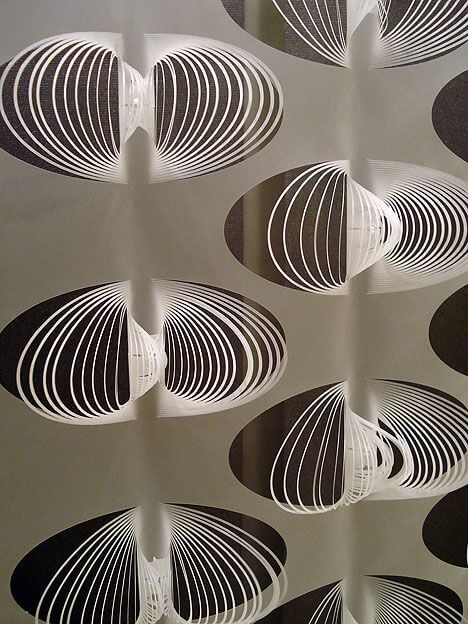
For this week I am very inspired by volume. I would like develop a modular system that also integrate volume.
The volume could be different depending on the size of the module or we could play with different volumes, different orientations.
On the right an example of volume I really like from FAF studio. I am not sure it will be suitable for garment or evn fabric but I really like it.
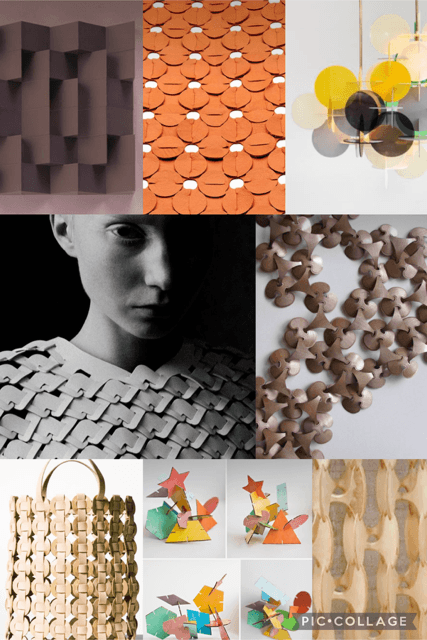
Below is a collage made from some connection system I found on pinterest. In these examples we can find gardments and fabrics but also other sytems made of wood, plexiglas or paper.
2.2 Connection referencing
After the lecture, I realized that it was not easy for me to understand how connections are made and how it is concretally working. I tried to better understand the connection principles by drawing a connection library.
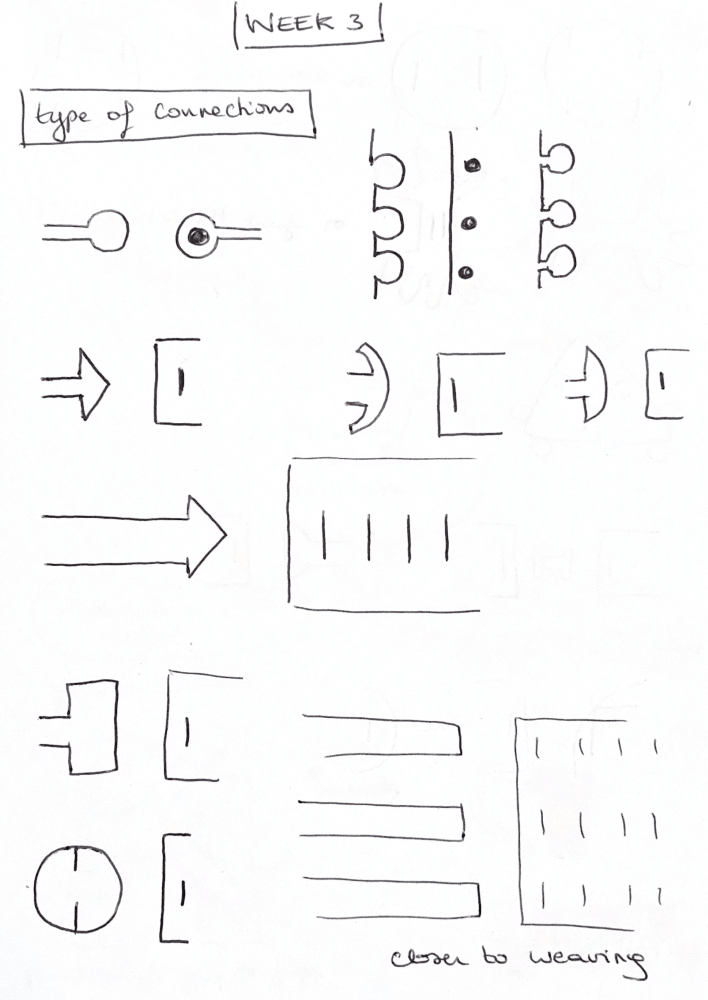
Connection library - credit: Mélanie Chillaud
3. Tools
4. Process and workflow
4.1 Sketches
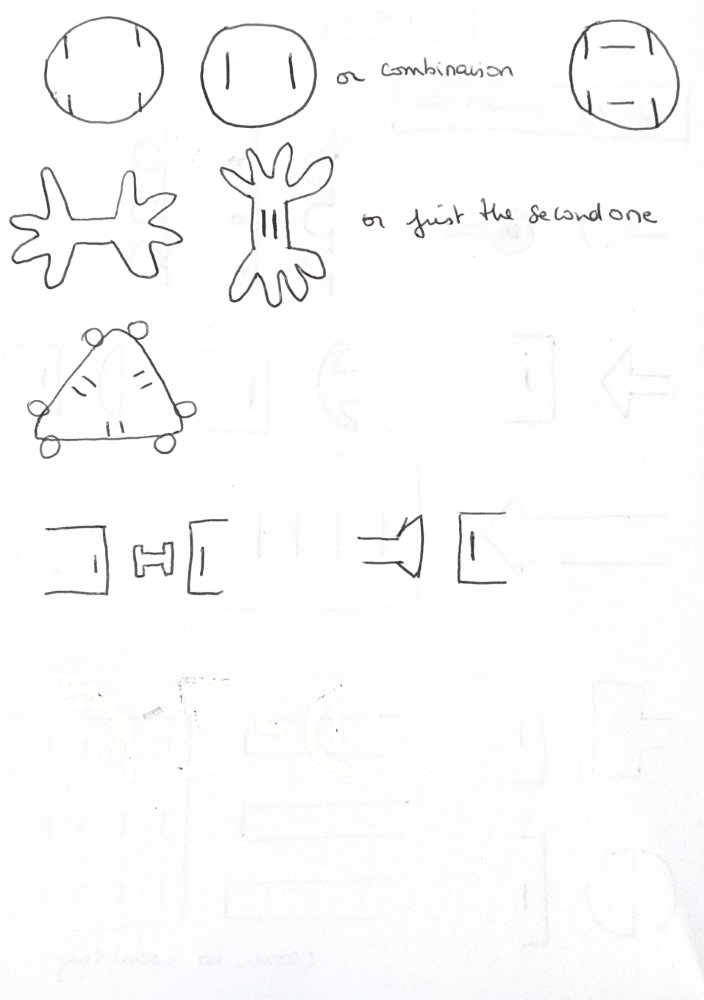
It is easier for me to draw first some ideas. I tried different shapes and connections.
4.2 Paper tests
After sketching ideas, I selected one and prepared it on paper to make sure the connections is properly working.
For this step, I did not work yet with laser cutter.
I prefered working with paper, scissors and ruler.
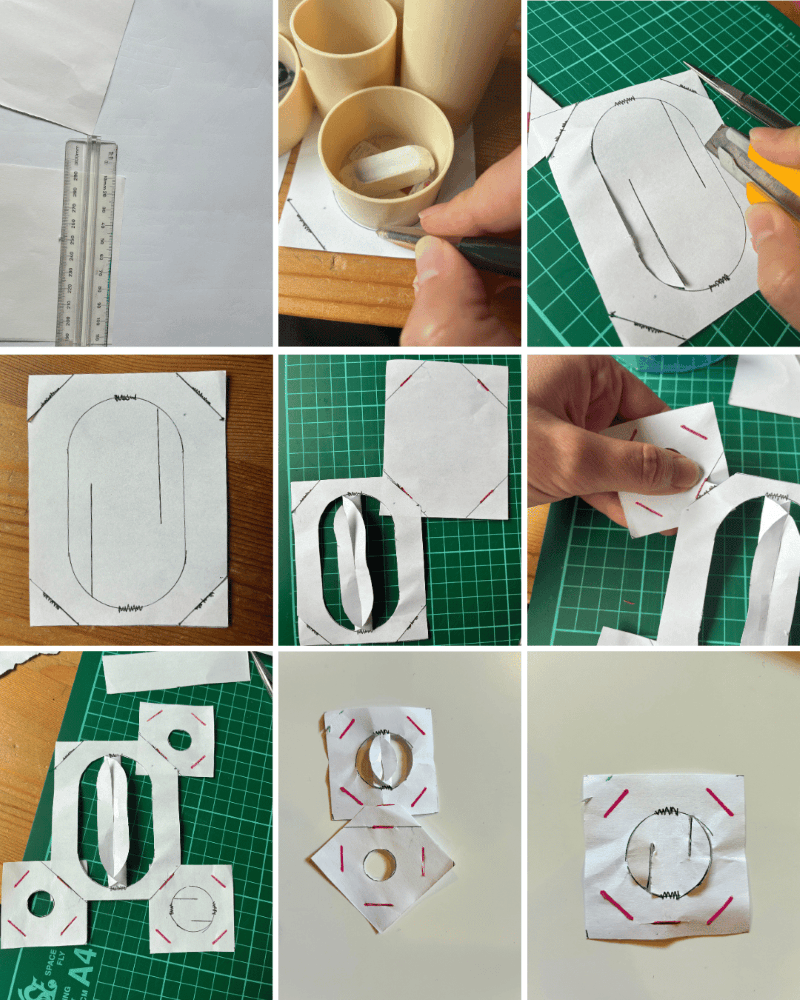
I maked sure the distance were axactly the same on female and male connections.
And As I tested, it worked very weel.
It is so satisfaying!
I will correct a little bit my module to integrate both female and male part. Then it will be easier to modelize. Furthermore, it is a zero waste module!
For the volume part, I finally prefer the small pattern. Furthermore, I am not sure the big one will corerctly work with fabric.
4.3 Modelisation
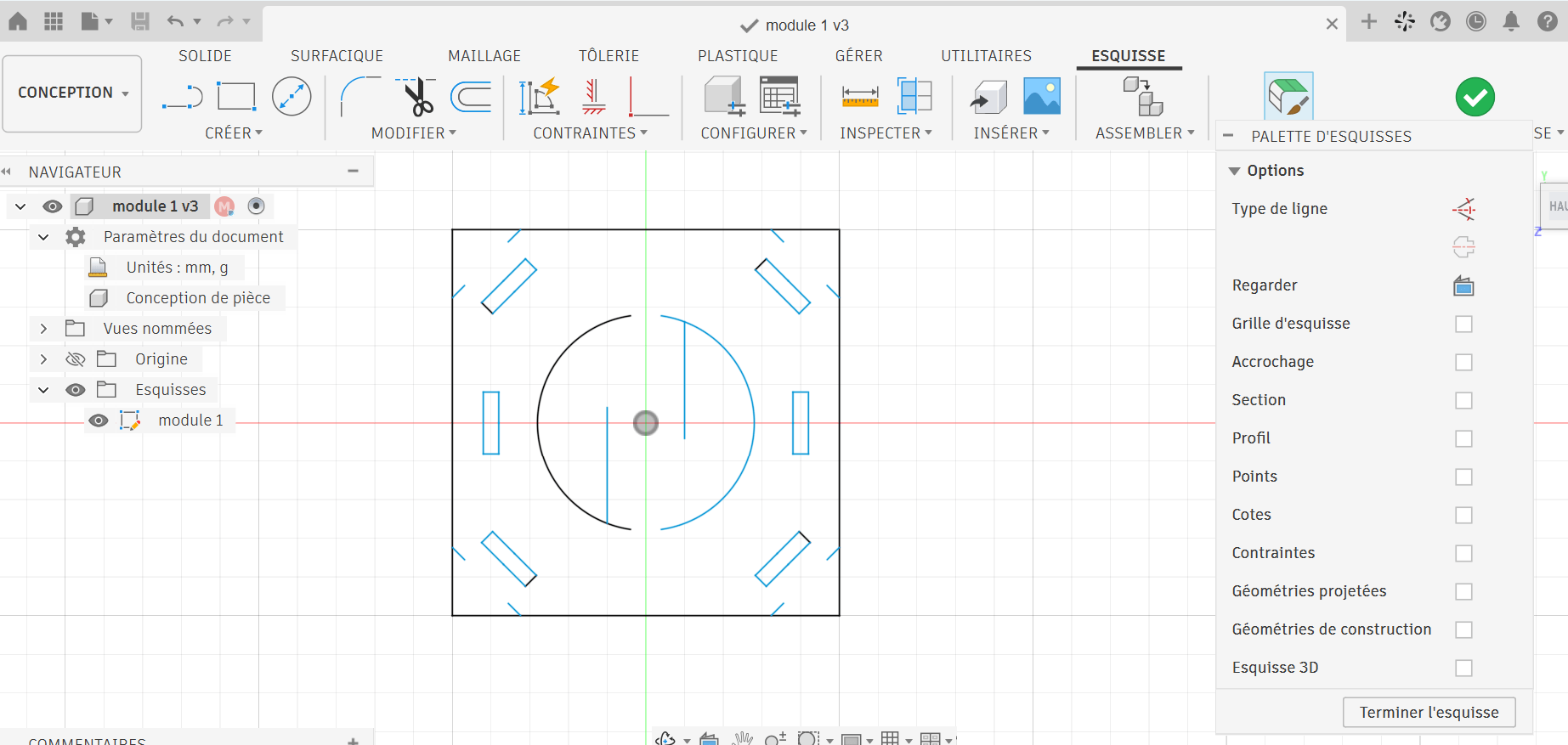
After last week lecture, I prepared my module with Fusion 360. I worked in the skech mode (2D). I used both draw and constraints to reach the desired design. Because working in Fusion 360 means a lot of steps, I first coorectly prepare my work:
- I define all dimensions:
- size of the module: 5 cm
- size of the connection: 8mm
- thickness of the fence = thickness of the material = 1 mm
- I listed all the steps to make in Fusion 360
Here some examples of tools I used:
- Draw: plein line, construction lines, circles, rectangles
- Define mesure or Inspect mesure
- Constraints: tangent, symetry, concentric, parralel, equal
When finished, I export the module as DXF file. I obtained this model1:
4.4 Preparation for laser cutter
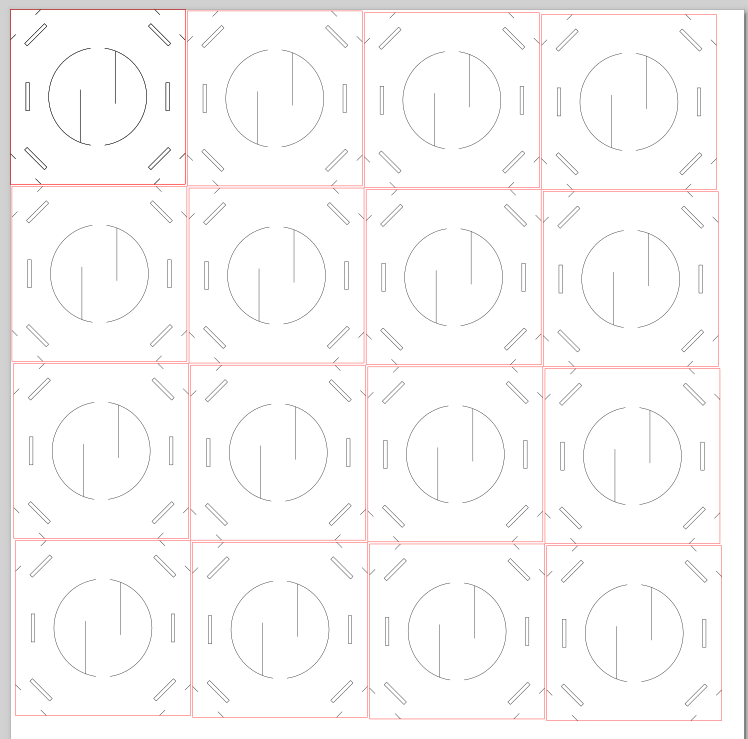
I consisted in 2 steps in a vecto modelisation software. I used Inkscape, as a free and outsourced software.
- Set color of the outlines: it will help the laser cutter to understand in which order I want to operate (inside before ouside)
- Set thickness of the outlines: 0.1 mm for a good cut (hair size)
- Clone model: for this first step I clone one time the model, as I just need design confirmation
I obtained this SVG file2.
4.5 Laser cut
I decided to prepare the module on felted colored wool avalaible in Green Fabric. I choose diferent colors: yellow, pink and dark purple.
I used the BRM 1300 Pro 150W laser cutter. It is a very big and powerful machine, and also quite easy to use.
I followed the tutorial 5 accessible with a QR code close to the machine.
Before cutting the model, I had to define the cutting parameters (speed, maximum power and minimum poswer).
I used Gemini to define the first attempt parameters as it is the first time we cut wool.
First trial: it did not cut. Then I increased a little bit the power.
After 2 trials, I finally defined the proper cutting parameters:
- speed: 120 mm/s
- Maximum power: 30%
- Minimum power: 15%
Here's a video of the the cutting:
How-to encode a VIDEO BEFORE uploading it:
Use a video encoder when uploading a video it needs to be well compressed, you can download tools such as Handbrake or online tools such as this Video Converter
4.6 Iteration process
After cutting, I tested the module in felted wool to check the connection.
Hare are my conclusions:
- dimension of the module (5cm) is good
- Connection can be looed to easily, then I will reduced these dimensions
- length= 4.6 mm (instead of 8 mm)
- thickness =0.9mm (instead of 1mm)
I make the modifications in Fusion 360 (here you can find the file 3) and Inkscape(here you can find the file 4).
I tested the new module after cutting them, and I am actually more satisfied with the result.
I then downloaded the module from the oscircularfashion website here: My module on OScircular fashion site
4.7 Assembly
After cutting, I tested the module in felted wool to check the connection.
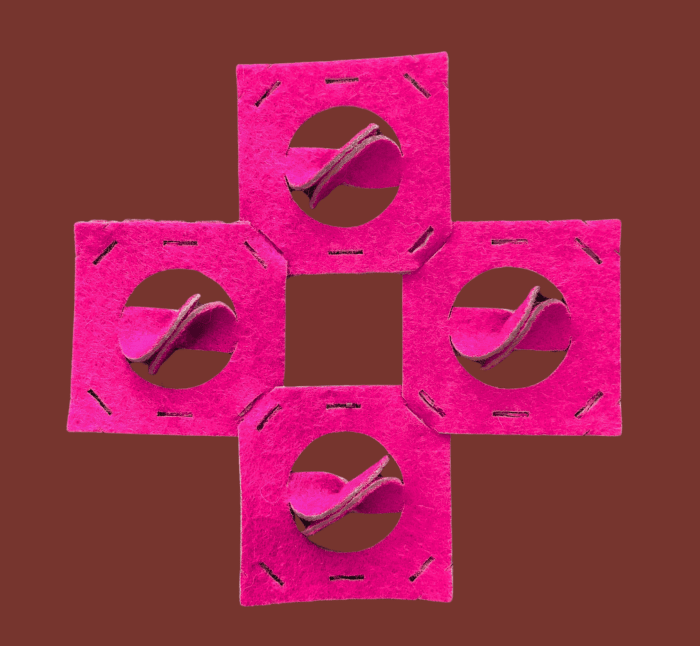
Since it worked so well, I cut out more modules in different colors and tried out some other assembly combinations. However, it's not easy to assemble them by hand, so I used pliers (like the kind used for electronics).
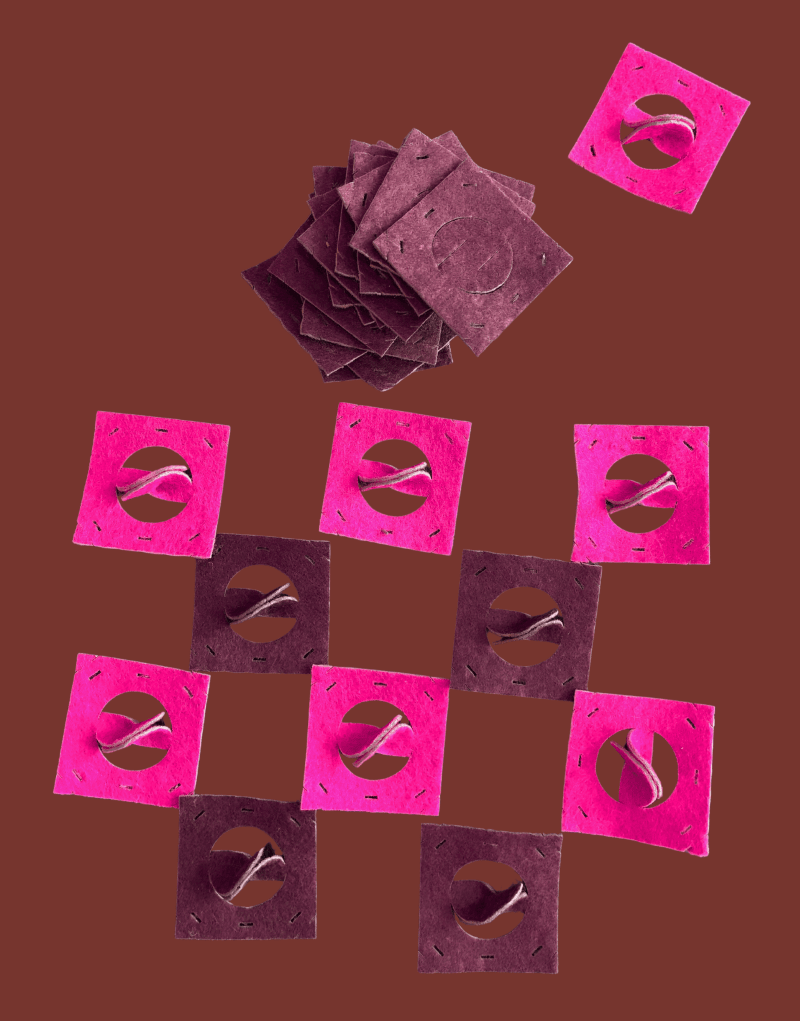
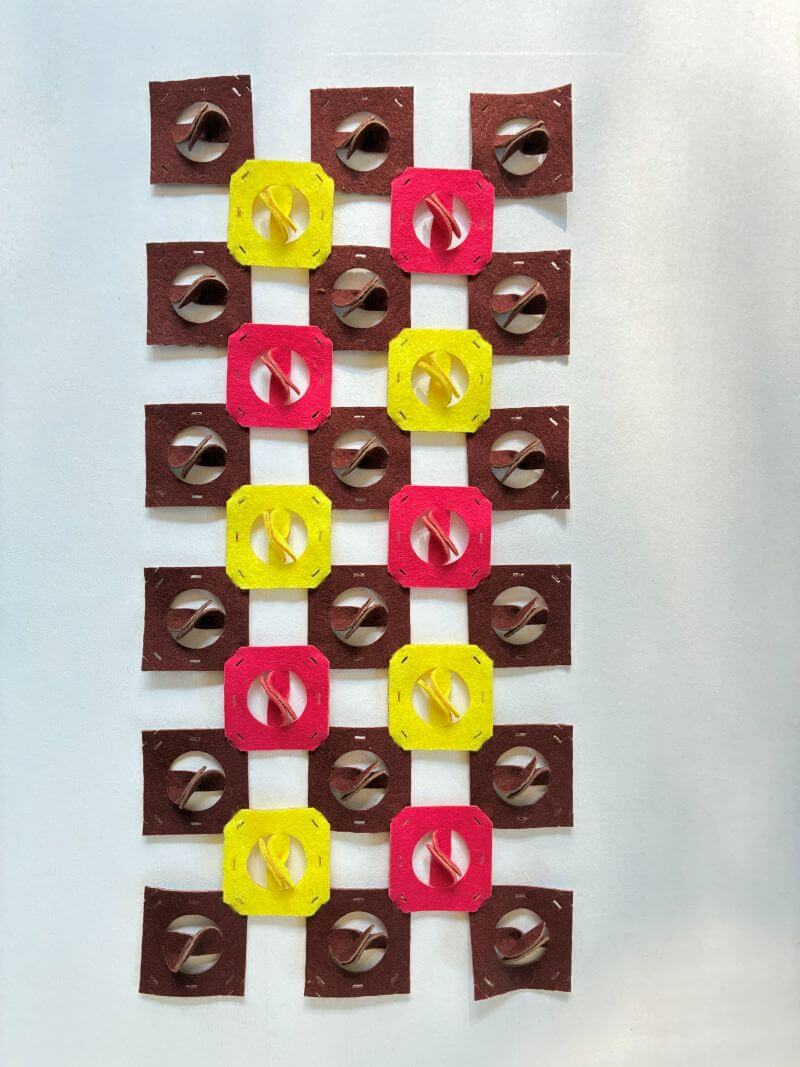
I like all three types of assemblies. I've noticed that the three-dimensional detail is still quite fragile in the sense that it comes apart easily when handled. That means it won't be easy to make a garment using this module.
4.8 Gardment
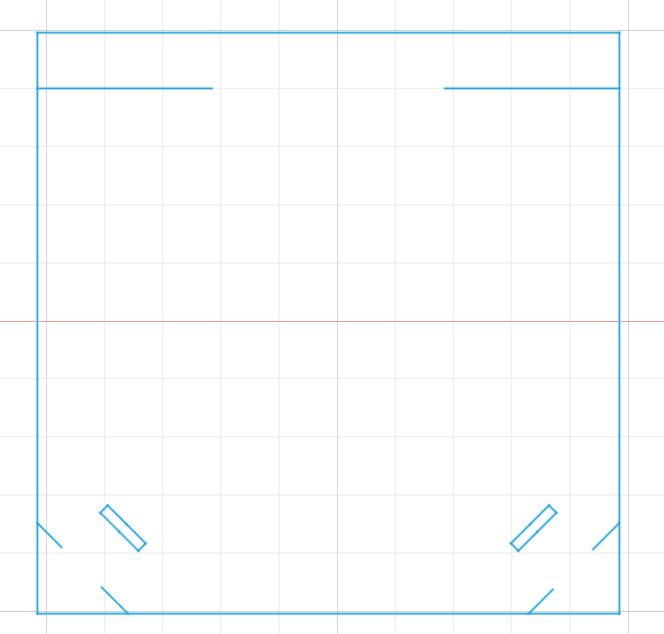
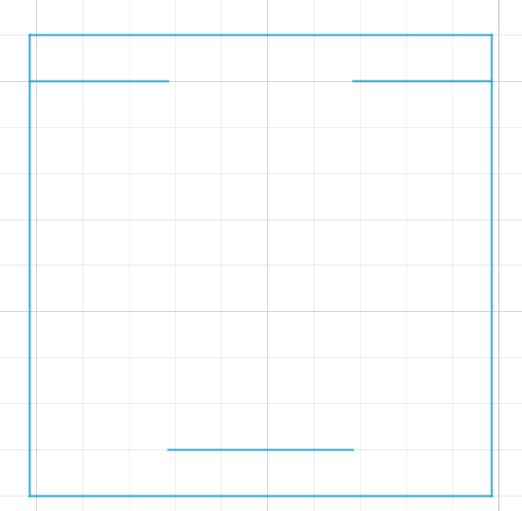
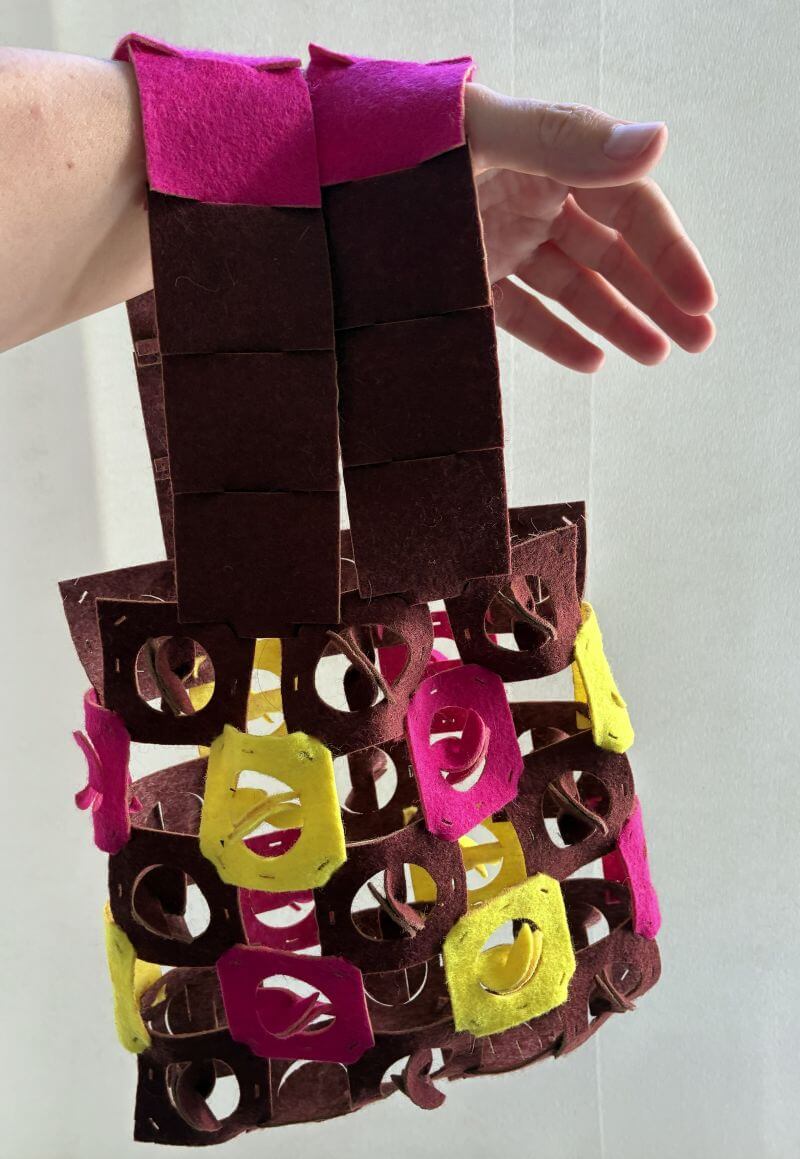
Since I’ve only worked with one module size, I’m going to make a garment that doesn’t require scaling up or down. I’m going to make an accessory: a handbag. That means I’ll have to create new modules because the ones I have won’t work for making handles. I’ve been thinking about a module that stays at 5 cm and allows for in-line connections. Here are the two modules I’ve created:
The first module connects the body of the bag to the handle.
The second module allows you to build a straight line.
As I'm putting it together, I realize I'm going to have to make a third module. That's because I need two connection modules between the bag and the handle, not just one.
In the meantime, I still managed to put the bag together, and I'm pretty happy with how it looks.
5. Results
I finally managed to make something that looks like a bag, and I'm really happy with it.
6. Weekly reflection & critical thinking
My takeaways from this week:
- Start by sketching my ideas by hand: I really enjoy this method. As a result, since I’m having fun, I come up with more ideas.
- Having defined all the steps in Fusion before opening the program really helped me stay on track and not lose my way.
- On the other hand, I should have worked parametrically in Fusion 360—that would have helped me when making adjustments for fashion.
- I made some mistakes, but I think that’s part of the process because you learn a lot by building the prototype. Iterations are part of the journey.
- A few tips for the photos: always use the same background, and have two people take the photos of objects.
NuEval — final step
Go to NuEval and fill in the checklist, when not complete notify your instructor.
7. Fabrication files & References
-
File: Laser cut sheets ↩
-
Reference: Author; Title; Source; year ↩
-
Reference: Author; Title; Source; year ↩
-
BRM Laser cutter - Tutorial: Patrick Dezséri , Tuto BRM, https://fablab.ulb.be/, 2026 ↩
-
Oscircularfashion: Author; Title; Source; year ↩