E-textiles
Inspiration & Ideation
During Liza Stark's lecture, I was drawn to the examples of organically-shaped embroidered traces. With our lab having various automated embroidery machines, I thought using traces as a visual element in a piece could be an interesting way to blend art and technology.
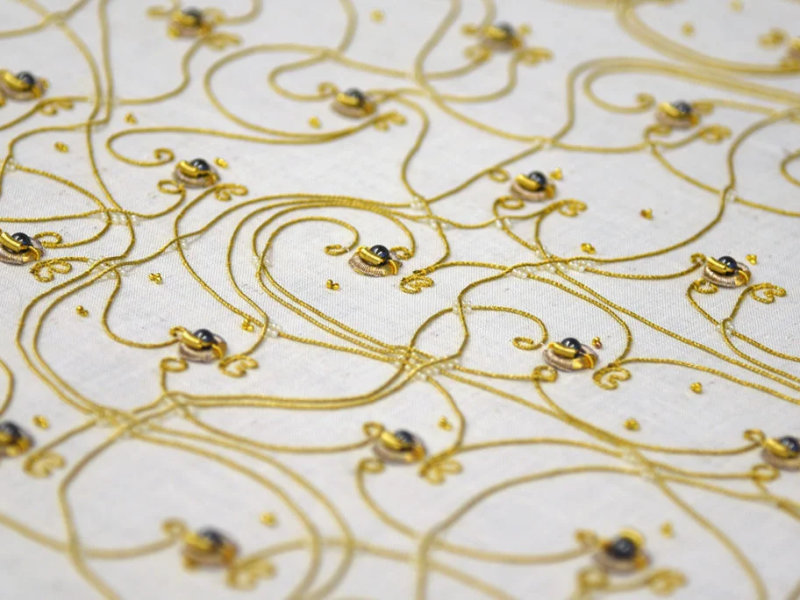
'The Embroidered Computer' (Irene Posch)
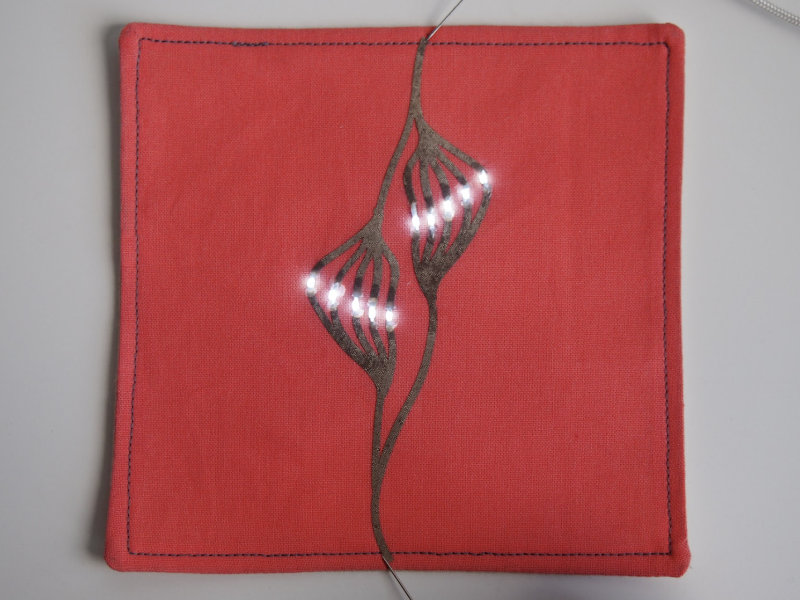
Organic embroidered traces (Liza Stark lecture, slide 102)
Also during the lecture, I thought the fiber stroke switches were a unique take that brought an 'anolog-ness' to the digital switch. Because a different number of fibers would make contact with each stroke, the resistance of the switch could be a bit variable. Not fully knowing what might happen when brushing the sensor could also add randomness to the interaction. I could also see this method used to connect different outputs to areas of the switch, so for example, different lights could come on depending on where the sensors is touched, all without any code.
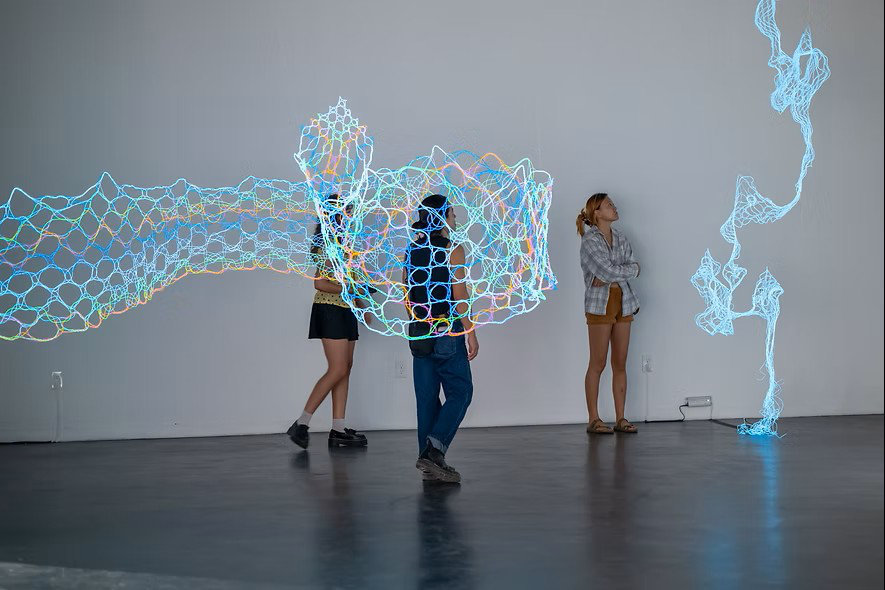
After seeing Layla Nk's 'Still Missing You (Sikinos)'1 in the global lecture, I looked at the artist's other works and was intrigued by the entire 'light lace' collection and how light-up filaments (in this case, EL wire) could be woven into textiles themselves.
As much as these more complex concepts interested me, I planned to stick to the simplest project possible as an experiment in descoping and coming up with a more sustainable approach to the participating in this program. I decided to make self-contained soft modules with conductive fabric pads as connectors, that way alligator clips, or possibly pins, could be used to connect the modules together in different configurations.
Tools
- Ink/Stich: an Inkscape extension used for creating embroidery files
- Arduino Uno: microcontroller
- Arduino IDE: programming environment for Arduino
- Circuit Diagram: circuit diagram editor
- Affinity Designer 2: vector editor
Experimenting with Quentin Bolsée
On Tuesday afternoon, Quentin Bolsée joined us in the lab to help us get started with e-textile experiments and preparing for our projects. Since I was interested in embroidering with conductive thread, we went over to the smaller embroidery machines (the lab had larger machines with many colors, as well as the more basic ones that were more like sewing machines) and tried out a test path. Quentin used Ink/Stitch, an embroidery-specific Inkscape extension, to create a basic file, while I threaded the machine. We used the conductive thread as a bobbin paired with orange top thread.
After switching the machine over to the embroidery foot and adding the embroidery table attachment, we could add a piece of fabric, layered over a piece of interfacing, to the embroidery hoop and load up the design file. It looked like the tension wasn't correct for the top thread as the machine ran, but the design came out just fine until it stopped and gave a message that the bobbin had run out. At this point, we had enough of a test to remove the piece. The bobbin definitely hadn't run out, but I wondered if the thickness and tackiness of the conductive thread may have caused slight jamming.
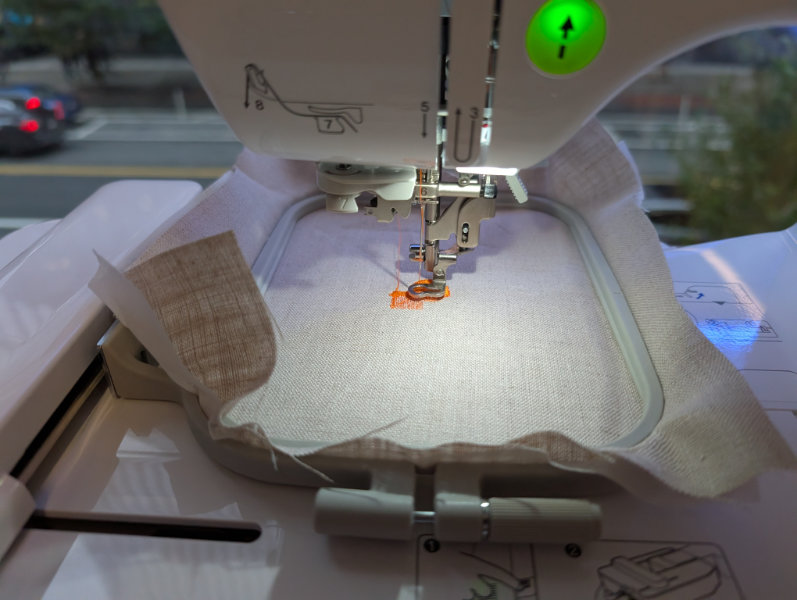
Embroidery in progress
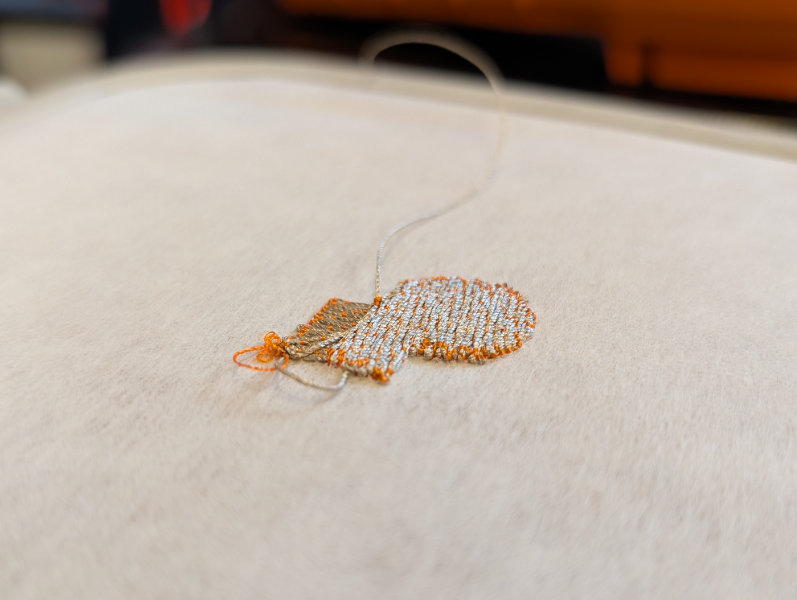
Back side of embroidery (conductive side)
Using the conductive thread as a bobbin meant that the front/top of the design was standard thread, so if I were to work with this technique for laying down traces, I would consider flipping the design and using the bottom as the final top surface.
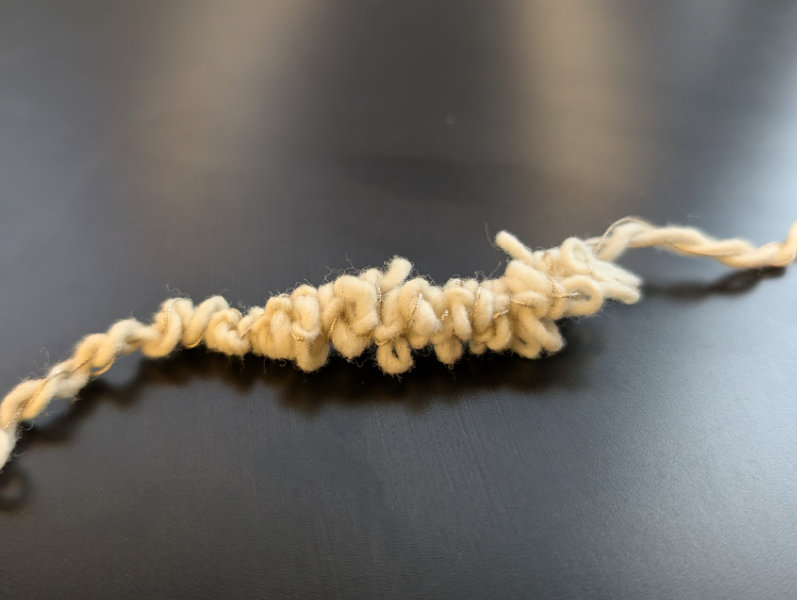
I also tried winding conductive thread into wool yarn to create conductive yarn. I set up a drill to hold one end and then held the other end taught while Jinger ran the drill and twisted the pieces together. In the end, the wool just wrapped around the conductive thread and then twisted in on itself, so the experiment didn't really work. Braiding two length of conductive thread and one of wool yarn would probably be a better option, although it would also be quite time consuming to produce.
Continuity Tester
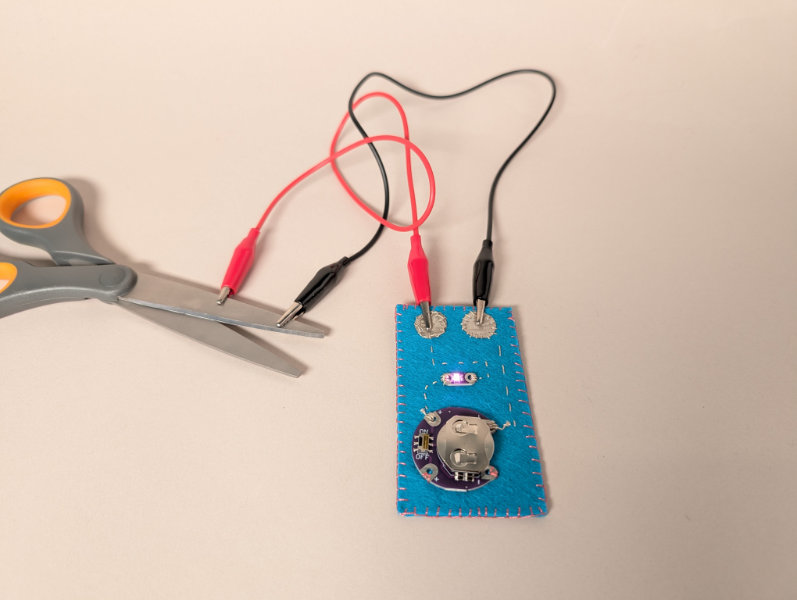
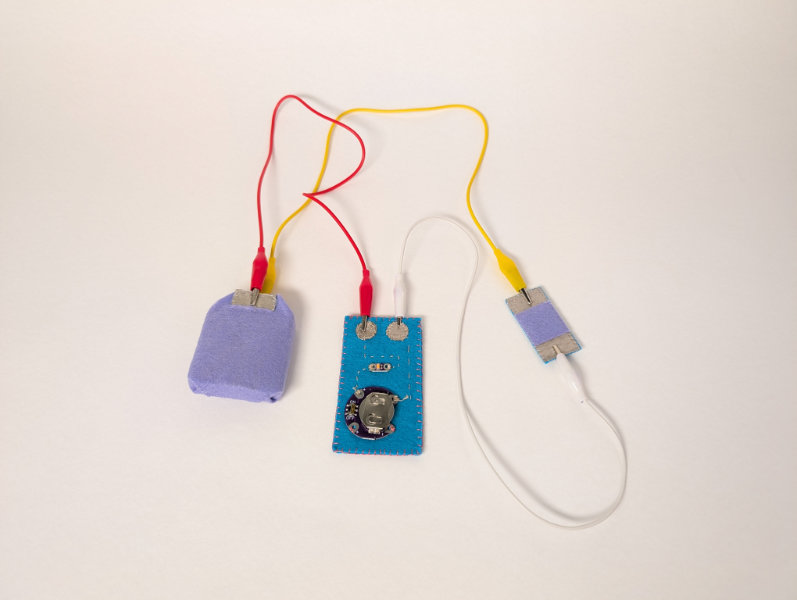
On Wednesday morning, we had a workshop with Jessica Stanley to practice sewing circuits by creating a small continuity tester. The circuit itself was simply an LED connected to a battery, but with one side, in my case the negative after the LED, left open. By attaching probes to the open ends of the circuit, touching conductive material would close the circuit, lighting the LED.
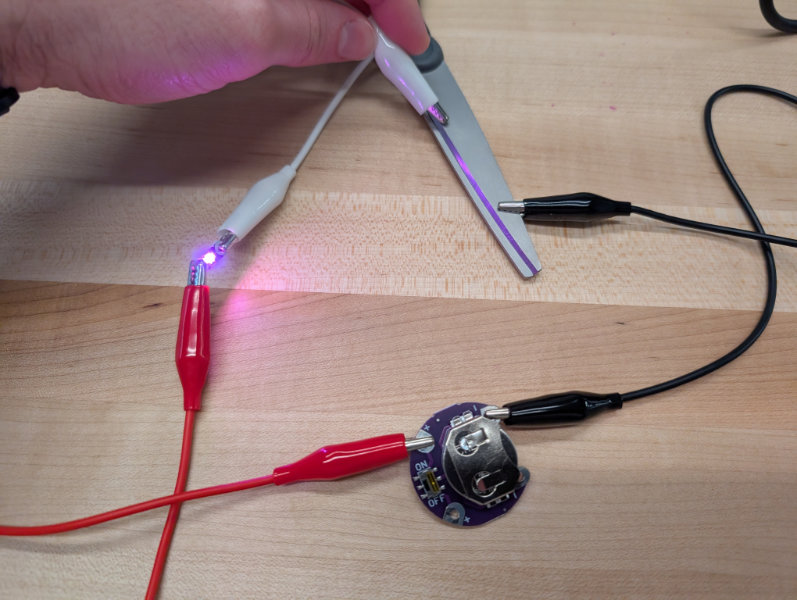
I wanted to make my continuity tester something I would actually use while working on projects, so after hearing the circuit explanation, I went off on my own to sew my piece and made a few modifications to the recommended design. I used a premade sewable battery holder with an integrated power switch so the unit wouldn't always be active. The recommended design used safety pins as probes, which were left hanging from conductive thread. Since we didn't have any safety pins on hand, I decided to replace the probes with two conductive fabric pads, allowing for alligator clips to be attached and used as probes. Once I had finished my circuit, I folded the extra felt over and sewed around the edge to cover up the back and prevent short-circuits.
Creating Switches and Sensors
Switch (digital input)
We had fairly limited materials in the lab and I wanted to stick to a simple design, so for my digital input, I make a simple momentary switch by cutting a 4x4cm foam square and removing a 2cm circle from the middle, then using this piece to separate two layers of conductive fabric. When pressed, the conductive fabric layers meet in the middle of the circular cutout. I went with the large cutout instead of multiple small holes because our foam didn't compress well, so it functioned more as a separator than an actuator.
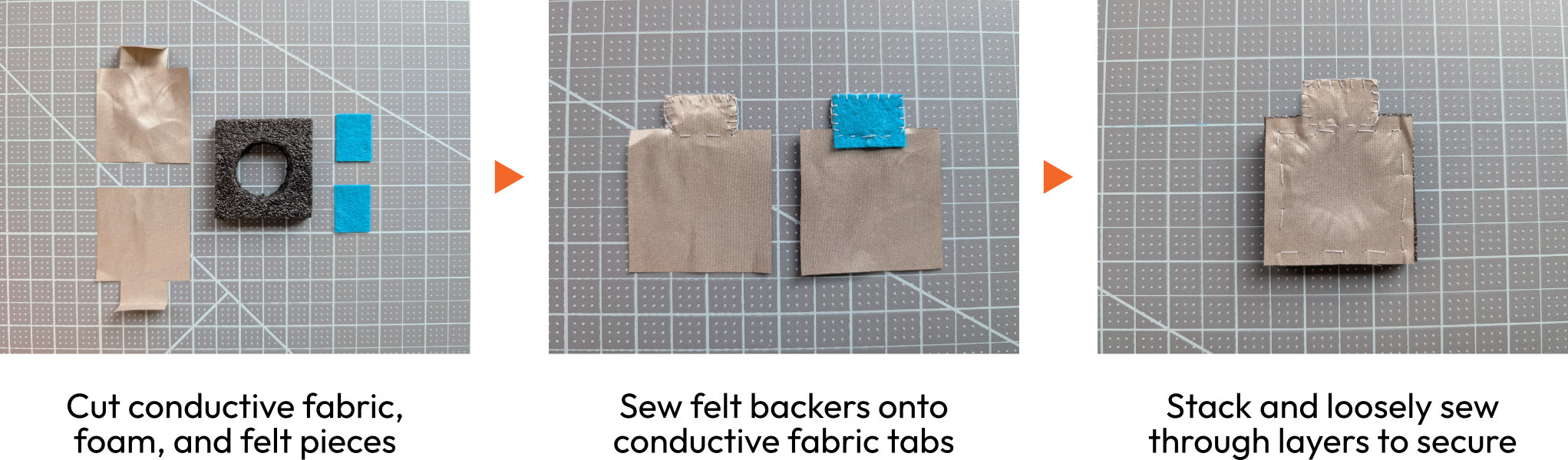
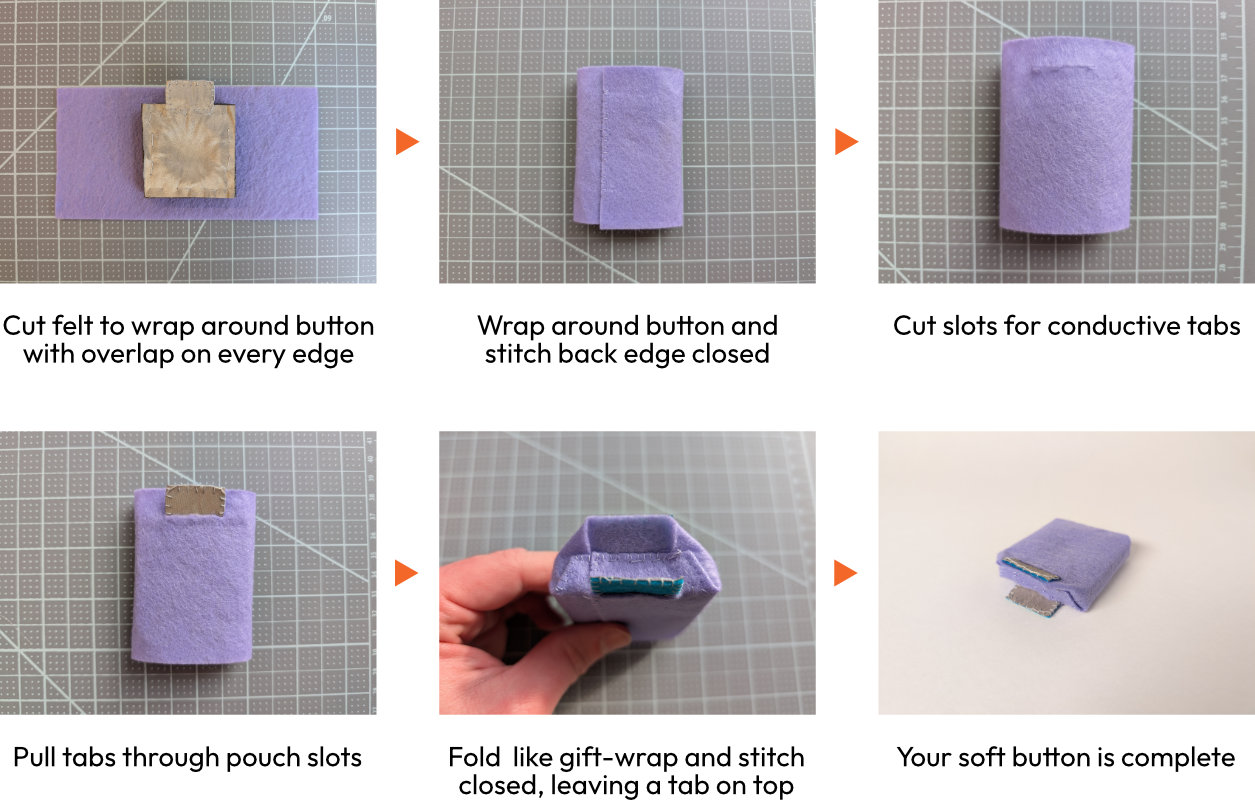
To turn the basic button into a portable component, I sewed a felt pouch around the piece using a method similar to gift wrapping. A cleaner-looking alternative would be covering the top and bottom surfaces in felt squares and sewing a border strip all the way around the edges.
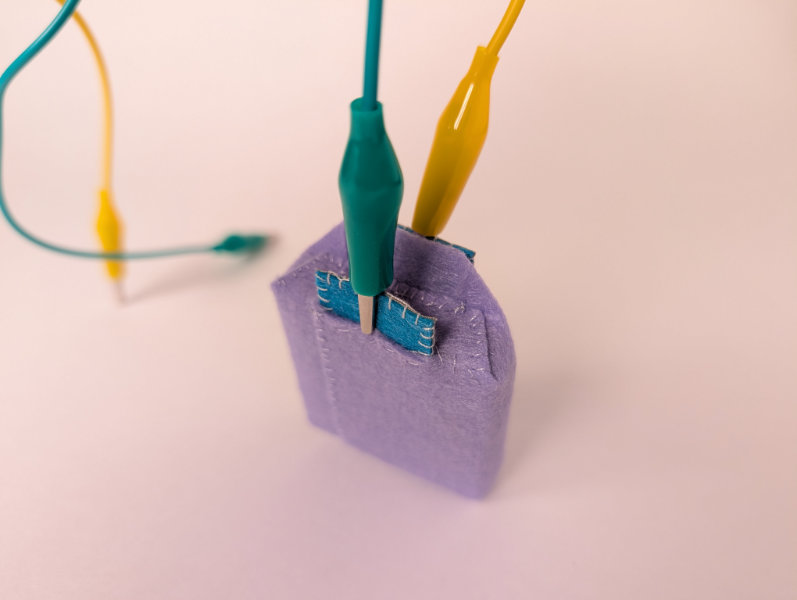
Once I had a soft button, I could attach it to my continuity tester and as a momentary switch for the LED.
Button demo
While sewing the pouch, I left a tab of the purple felt unsewn to insulate the top and bottom alligator clips from each other. The conductive tabs themselves were already properly insulated, but I didn't realize until I attach the alligator clips for the first time that the clips themselves could still come in contact. Another solution would be making 1x1cm offset conductive tabs instead of stacked 2x1cm tabs.
Sensor (analog input)
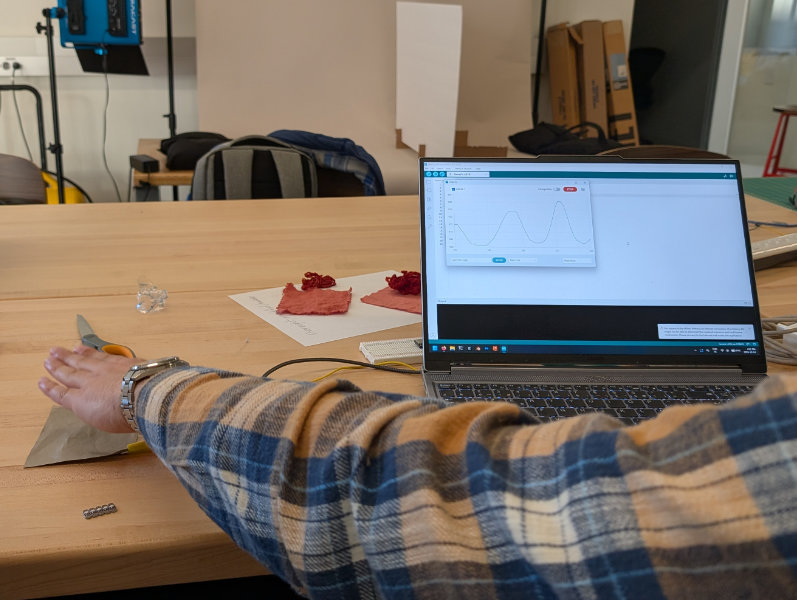
During our second session with Quentin, we started off with a demo of creating a capacitance sensor just using a piece of conductive fabric and a different microcontroller, a Seeed Studio XIAO SAMD21. With this setup, a hand could be detected from a distance, not just when touching the fabric.
Because we did not have velostat in our lab, Anastasia sent over a video2 for us to follow that went over creating sensors using paper covered in pencil graphite. To make a pressure sensor, the instructions said to color both sides of paper with a pencil and place it between conductive pads. Quentin mentioned that while the sandwich method might not work since the paper wasn't conductive itself, connecting side-by-side pads with a single sided sheet of graphite paper could. To test this, I took a small piece of felt and stuck two pieces of copper tape to it to create pads, leaving a small gap between the copper surfaces. A graphite-covered piece of paper could then span the gap and make contact with both pads. Adding two layers of felt on top of the paper reduced sensitivity by increasing give before the paper was compressed, resulting in a more controlled range of resistance. Quentin quickly wired up an LED with 1kΩ resistor and the sensor with a 10kΩ pull-down resistor. Then we could check the input readings in the serial monitor, map them to the LED range, and constrain unused values. The result was pressure control of LED brightness.
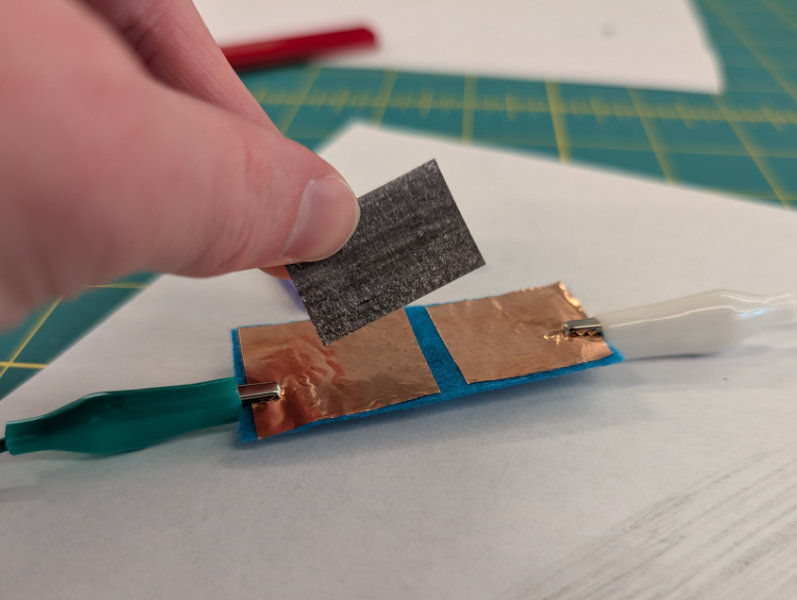
Graphite-coated paper and copper pads
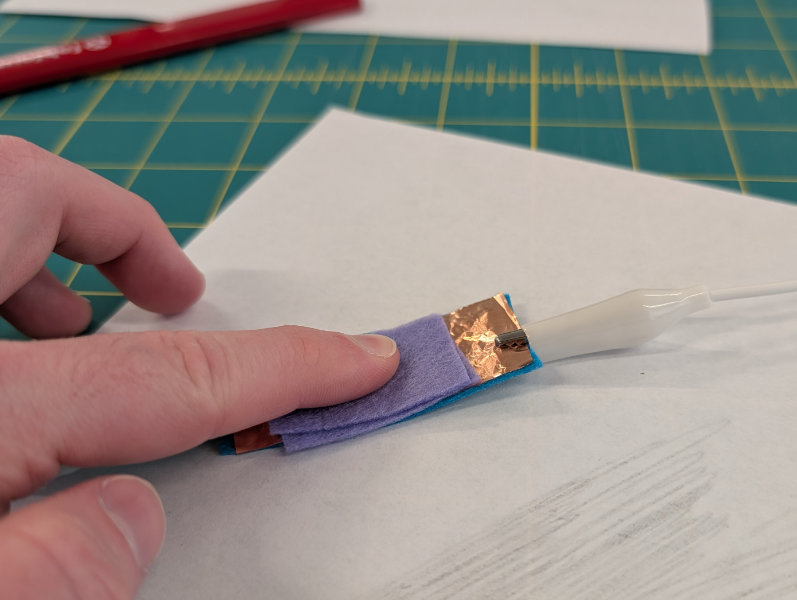
Paper and copper pressure sensor
The next day, I tried to remake the pressure sensor as a soft component, using conductive fabric in place of copper tape and graphite-coated felt instead of paper. The previous times I had worked with conductive fabric tabs, I left the edges exposed and secured with a blanket stitch, but for this sensor, I folded the edges over to prevent fraying and used the faster whip stich while sewing.
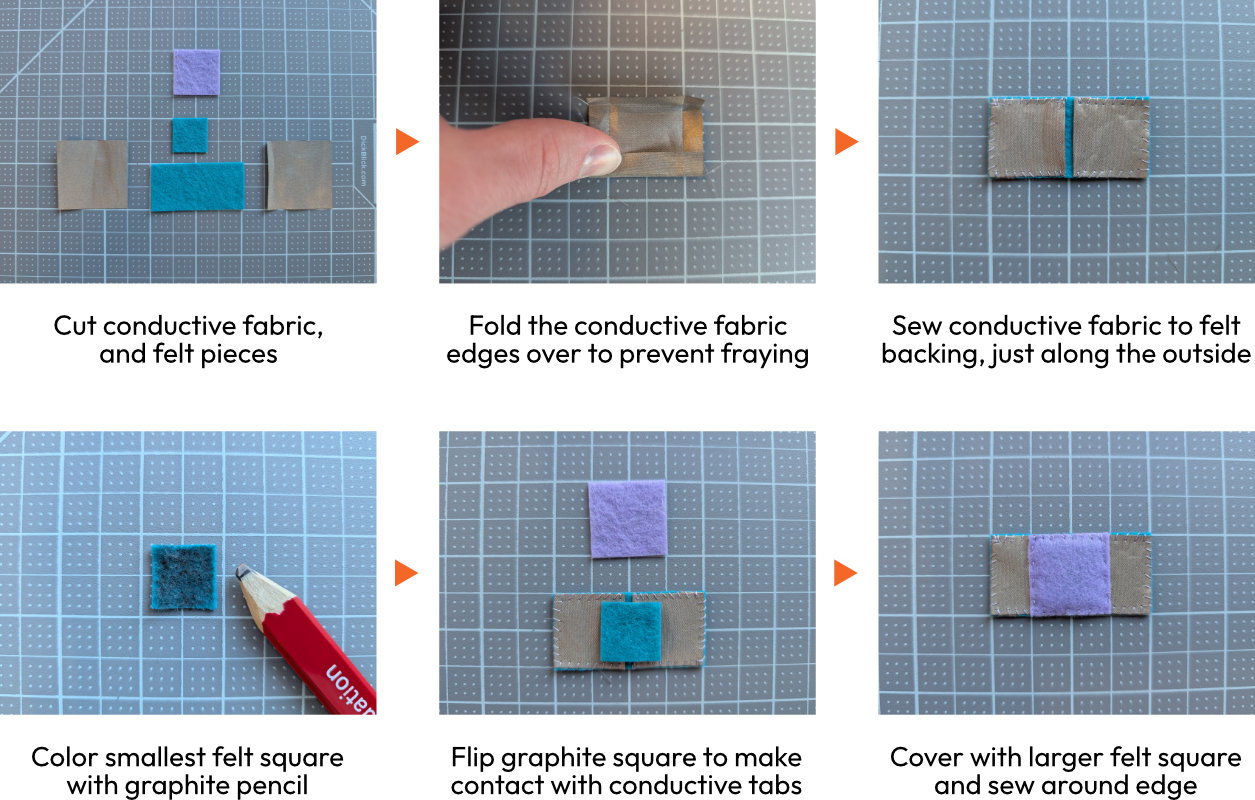
Just as with the button, I connected the pressure sensor to my continuity tester and was able to adjust the LED brightness with pressure.
Pressure sensor demo
When pressed, the more graphite made contact with the conductive tabs, reducing resistance. The felt pad initially worked pretty well, but I think the graphite might have pressed into the felt from use, leading to increased resistance over time. The sensor continued to function, but when I connected to an Arduino and ran a basic test file printing the raw data from analogRead(), the values dropped with each run. Initially, the raw values had a range of around 100-500, then 80-450, and later closer to 60-400.
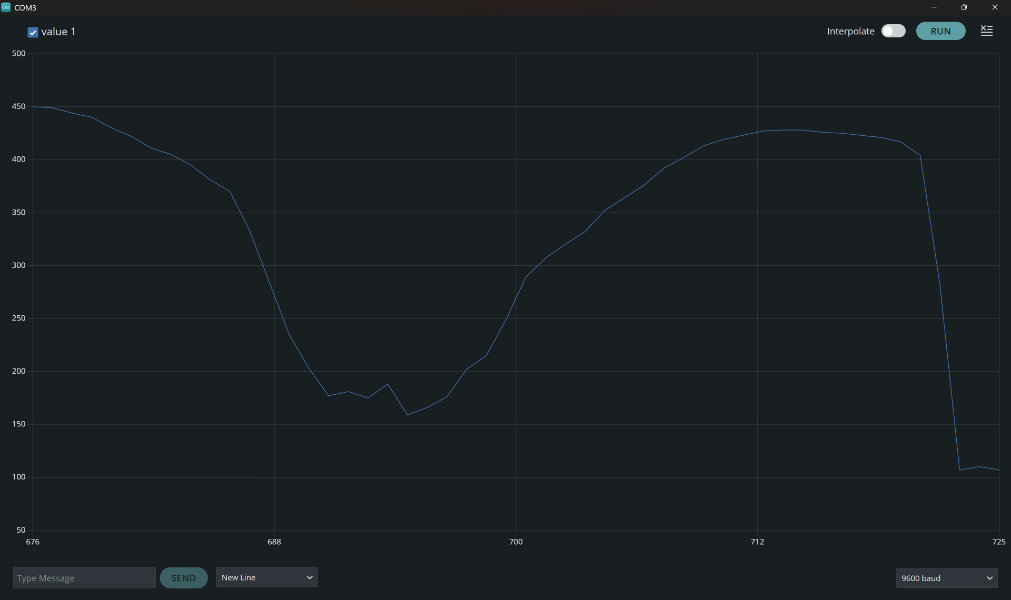
Putting Everything Together
My original plan for integrating the button and pressure sensor was to connect both to an Arduino with a 4-wire RGB LED. The pressure sensor would control brightness and I would store button presses to toggle between powering the red and green legs of the led, while the blue would always be active. The result would be a button press to switch between magenta and cyan light, with pressure-based brightness control. We didn't have basic RGB LEDs, so I instead wired up separate white and orange LEDs. I didn't want to get to far into creating the state machine for button presses, so I just controlled the white while the button wasn't pressed and the orange while it was held down.
I wired the button and sensor with 10kΩ pulldown resistors and calculated the proper resistor size for each LED using the Arduino's 5V power system. For the orange LED (1.9-2.1V, 20mA), I used 150Ω, and for the white LED (3.0-3.2V, 20mA) I used 100Ω.
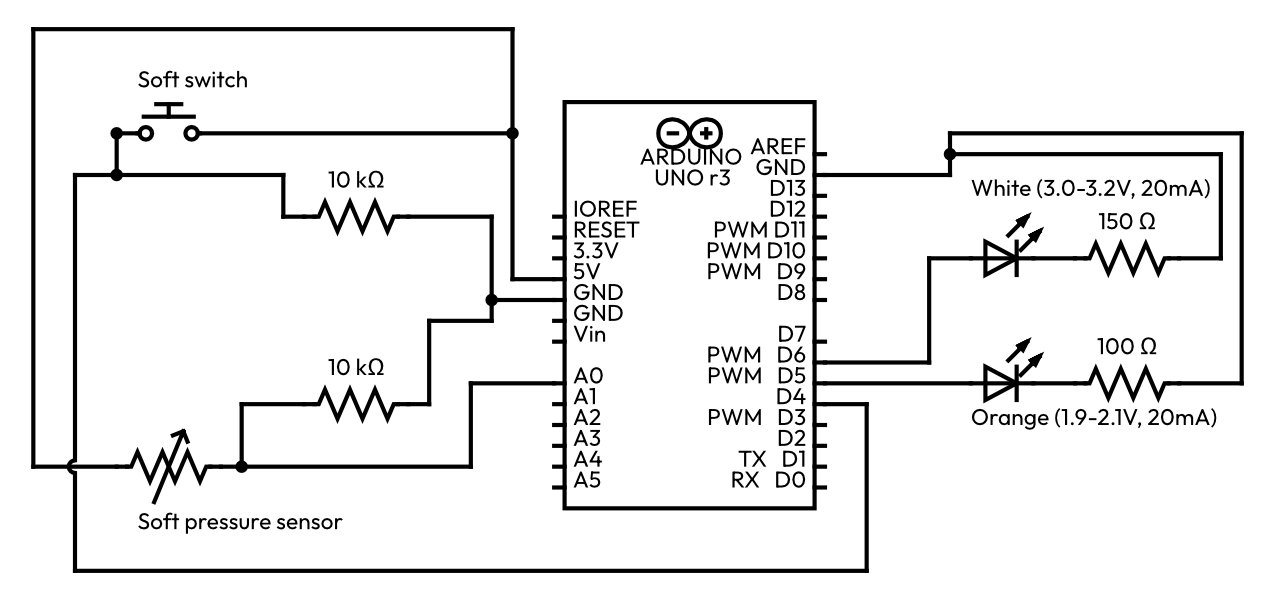
Code3
To control LED brightness using the pressure sensor, I used the constrain() function to remove values outside the range of 80-450 in from the raw input, then mapped that range to the 0-255 needed for PWM with map(). To determine which LED to control, I used conditional statements based on the button input value.
// Connected pins
const int pressureSense = A0;
const int button = 4;
const int LED_orange = 5; // pin 5 is PWM (~)
const int LED_white = 6; // pin 6 is PWM (~)

// Usable variables
int buttonState = 0; // store button press state for switching LED colors (0, 1)
int pressureRaw = 0; // stores raw pressure data (~80 - ~450)
int pressureConstrained = 0; // stores constrained pressure data (80-450)
int brightness = 0; // stores LED brightness from mapped, constrained, pressure data (0-255)

void setup() {
  // put your setup code here, to run once:
  Serial.begin(9600);
}

void loop() {
  // put your main code here, to run repeatedly:
  Serial.println(analogRead(pressureSense)); // shows raw pressure data for debugging

  // Process pressure input
  pressureRaw = analogRead(pressureSense); // store raw pressure value
  pressureConstrained = constrain(pressureRaw, 80, 450); // constrain pressure data to range of 80-450
  brightness = map(pressureConstrained, 80, 450, 0, 255); // map pressure scale to brightness scale

  // Choose and control LEDs
  buttonState = digitalRead(button); // store current button state
  if (buttonState == 1) { // if button pressed, light orange LED
    analogWrite(LED_orange, brightness);
  }
  else { //otherwise, white LED
    analogWrite(LED_white, brightness);
  }

  delay(50);
}
Results
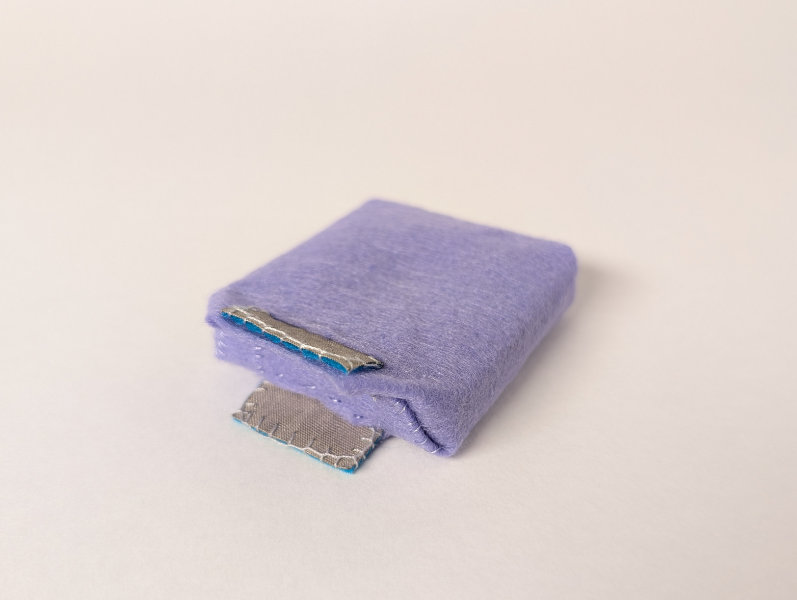
Final button/switch
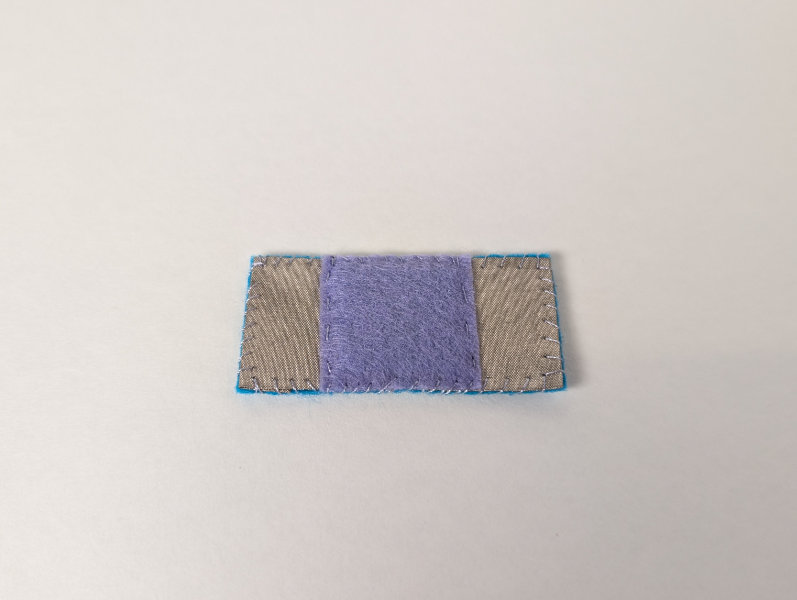
Final pressure sensor
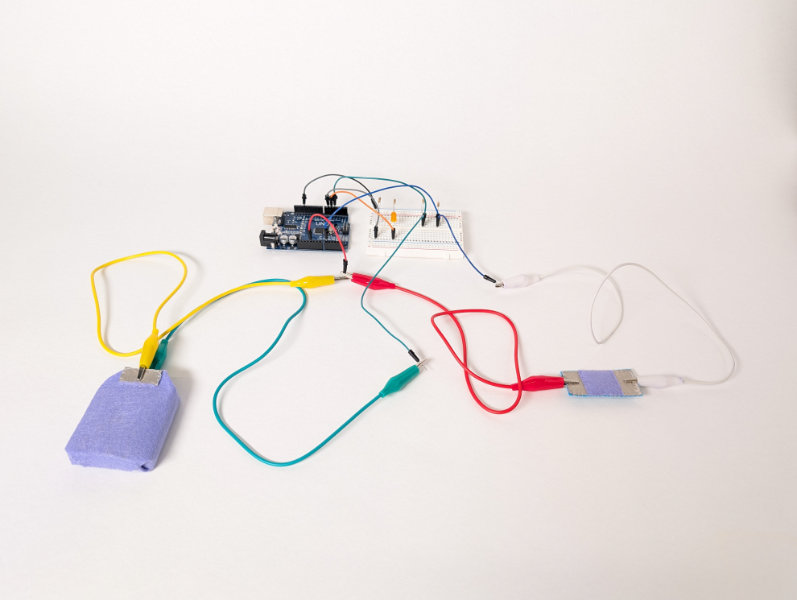
Combined Arduino setup
Combined analog setup
Combined circuit demo
Reflection & Thinking Towards the Future
While this week's circuits were conceptually simple, I learned a lot about the conductive materials themselves in the process of sewing multiple components together and trying different techniques. The metallic fibers of the conductive thread and fabric made them difficult to sew with, so I'm glad to have had a chance to practice working with them. The thread was on the thick side and a little prickly, so it caught on itself and the fabric it was sewn onto quite often. I suspect that this is what caused issues with machine embroidery but need to experiment more. Sewing through the conductive fabric felt like working with paper, with it being initially difficult to pass the needle through and then leaving a larger hole. I would be interested in testing embroidering around the edges of conductive fabric for a more finished look, but I don't know if a machine could do it.
We only touched on capacitive sensors this week, but the fact that hands could be sensed from a distance with just a piece of conductive fabric leads me to believe that the technique has potential as a control system for lighting in my final project.
Treating this week as an experiment in descoping and finding ways work more efficiently in the program, I set out to leave time at the end of each day for documentation and planned to finish up the project earlier in the week. Initially I was quite stressed when we were starting to play with materials, as we didn't have everything we were expecting and I felt like I needed to go right into a making my final pieces instead of trying out concepts I already understood. We had booked work time later into the day, so instead of fully documenting my work and getting it onto the website, I tried to write up my progress as notes and then finished them in the evening or the next morning. Once I had a plan to make components for which we did have the materials, I was able to just get into the process. By the end of the week, I had a mostly final writeup of the project itself with image locations, and could just write up the inspiration and reflection sections while uploading everything to the website. My takeaways from this experiment are to come up with the plan for the week and follow it, as well as to continue with the daily documentation process, even if I lose some of the cohesiveness of writing a narrative at the end of the project.
References & Files
-
Reference: Layla Nk; 'Still Missing You (Sikinos)'; laylank.com; 2021 ↩
-
Reference: pi3g; "DIY Sensors"; YouTube; 2022 ↩
-
File: Arduino code ↩