Computational Couture
Inspiration & Ideation
pl
Tools
pl
Initial Trainings & Testing
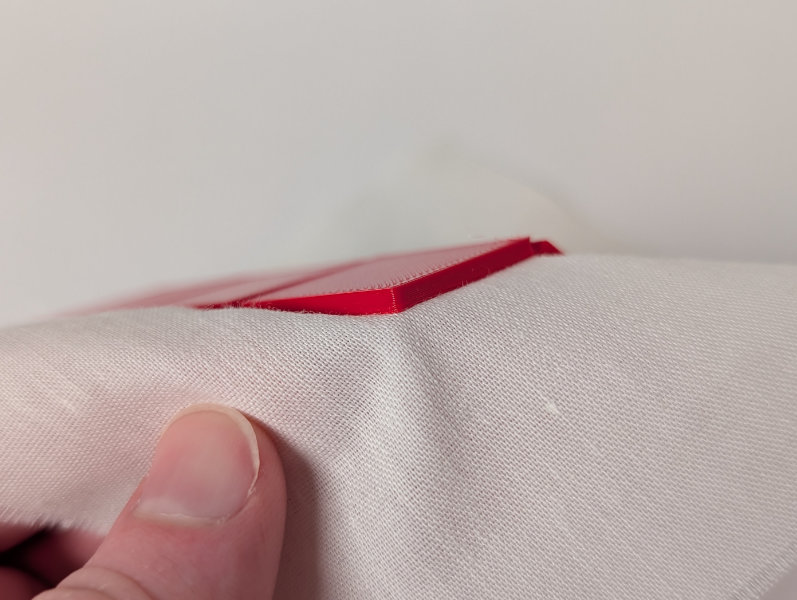
In preparation for training our group on the FDM printers, Jack, our shop manager, prepared a sample PLA print directly on fabric, which sort of adhered but could be pulled apart.
After Tuesday's lecture and 3d-printed textile demo, I started getting trained on various equipment that could be useful for the week's experiments. II started with the xTool Omni, a 2.5D UV printer that could potentially be used to add full color spikes to fabric. An initial test, we just printed black text on fabric to see if the result would stick and flex, which it did. I also noticed that the lint on the fabric took on some color, an issue which should be avoidable when printing thicker layers.
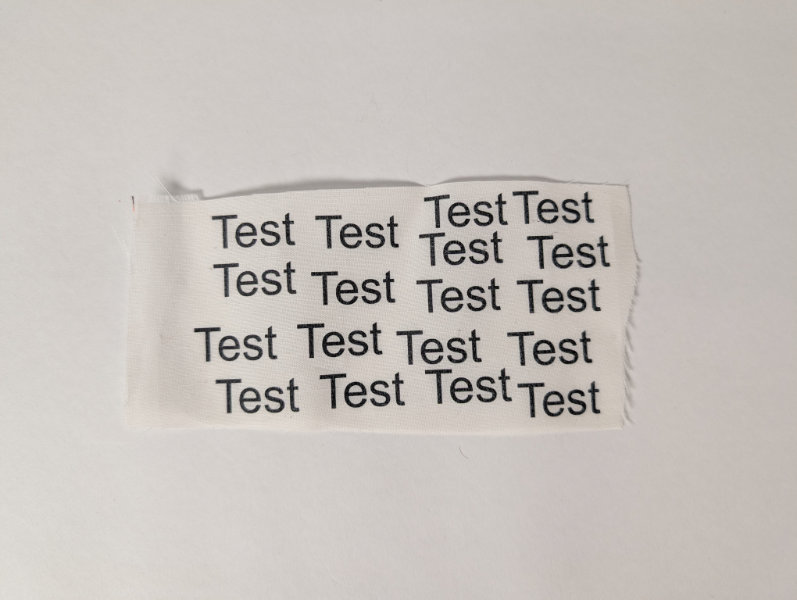
Black text printed on fabric

Printed lint
I also got trained on the DTF transfer printer (xTool Apparel Printer Plus), which prints plastic-coated transfers to press onto fabric, or in our case, PLA prints, to add color and patterns. I already had experience with 3D printing, so I was able to start working with the printers on my own after getting the correct printer profiles added to PrusaSlicer.
After more research during the week, I decided not to move forward with either of these machines as they would not produce great results when used on materials outside their intended purpose.
Generative Design in Grasshopper
Basic Arrays
I had been wanting to learn Grasshopper for a decade before this course and had only really used it once, so I used this week as an opportunity to start working with the plugin. To start, I looked at the Fabricademy 2026 Bootcamp Grasshopper slides1 and, since I had already gone through the recommended official Grasshopper tutorial1 a few months earlier, went right into downloading and editing the provided grasshopper definition. The tutorial took an input of a curve, extruded it to a height set by the user, and then create a rectangular array of objects, with adjustable instances and spacing. I didn't want to just create a repetitive pattern, so I started with a 5mm circle and then added a random number generator to scale each object in the array to a different size. Switching to a blob created with a polyline in Rhino, I then added a second random number generator to rotate each object.
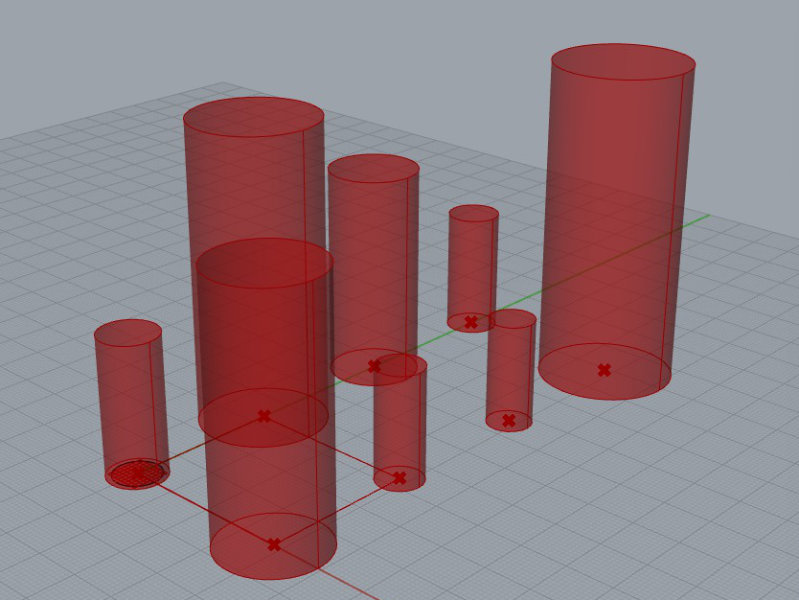
Randomly scaled cylinders
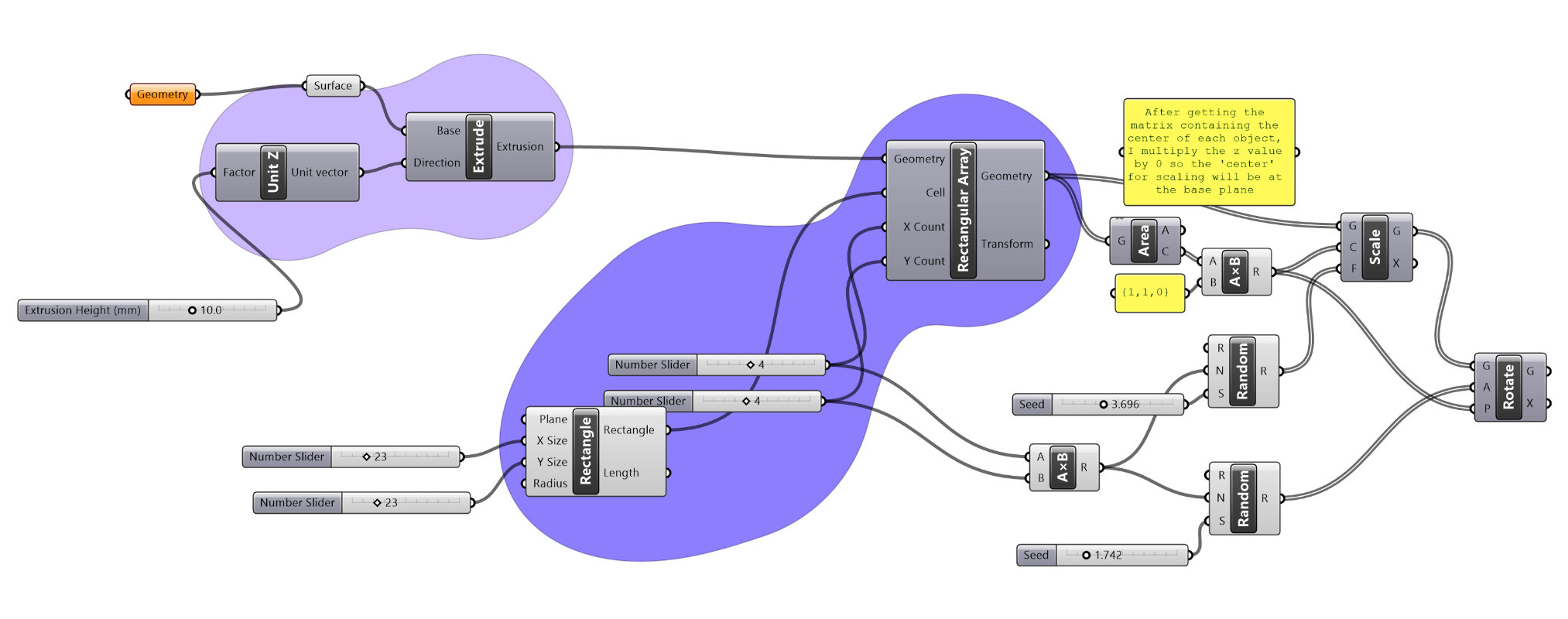
Grasshopper array definition with random scaling & rotation
Random Voronoi
I wanted a more organic, random, and well nested pattern, so I moved away from the rectangular array and began creating a new generator that would take sheet size inputs and produce random 3D Voronoi cell patterns, with tuning controls for the user to play with.
A lot of Grasshopper is really just matrix manipulation, so having some experience in MATLAB helped me with conceptual understanding. Then I just needed to spend the time figuring out what components would do the manipulation I wanted. I often began with trial and error, then looked up "Grasshopper how to ___" to find the name of the correct component. In my limited experience with Grasshopper, I've found that there are often specialized components to do exactly what you want, if you have the right name, but you can spend a long time trying to manually create the manipulation before realizing that there's a better way to do it.
In order to get a better understanding of how components work and debug definitions, I would often add a 'Panel' or 'Display Matrix' component and wire it to the output of a component to visualize the result.
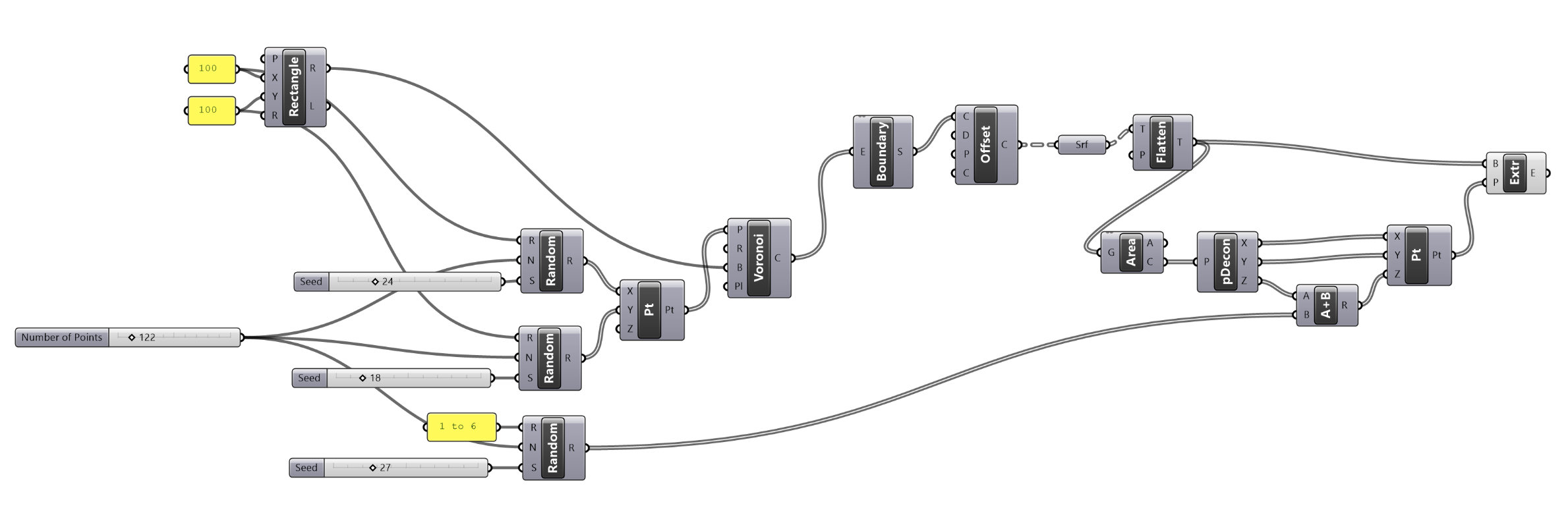
Grasshopper Definition
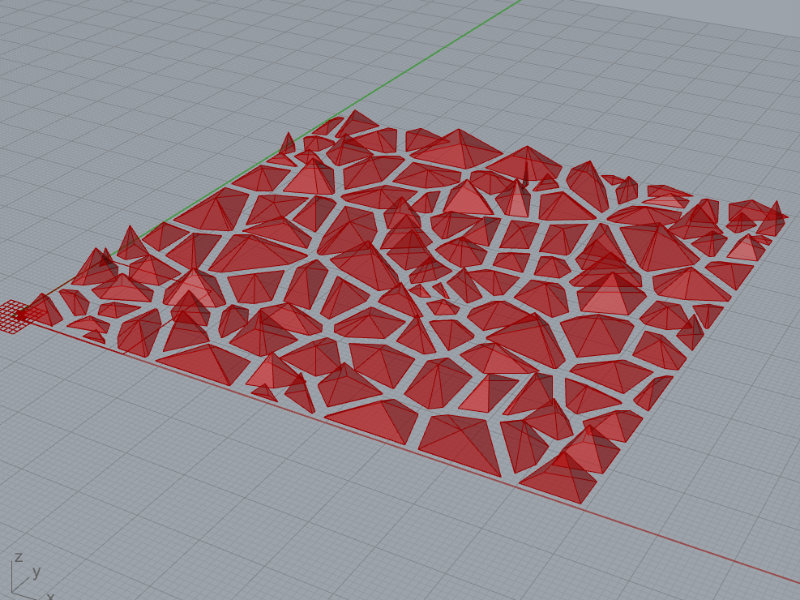
Randomly-generated Voronoi pattern
More Control
Once I had a randomly-generate pattern, I wanted to try starting with a controlled grid and then adding in movement and randomness. I found a number of tutorials online to follow and started working with Parametric House's Attractor Point video1, which went over using attractor points and the graph mapper to resize circles in a grid based on their distance from a point the user could drag around. After building out the initial Grasshopper definition while following the tutorial, I added an adjustable extrusion height and played around with settings to reach a pattern that I wanted to print.
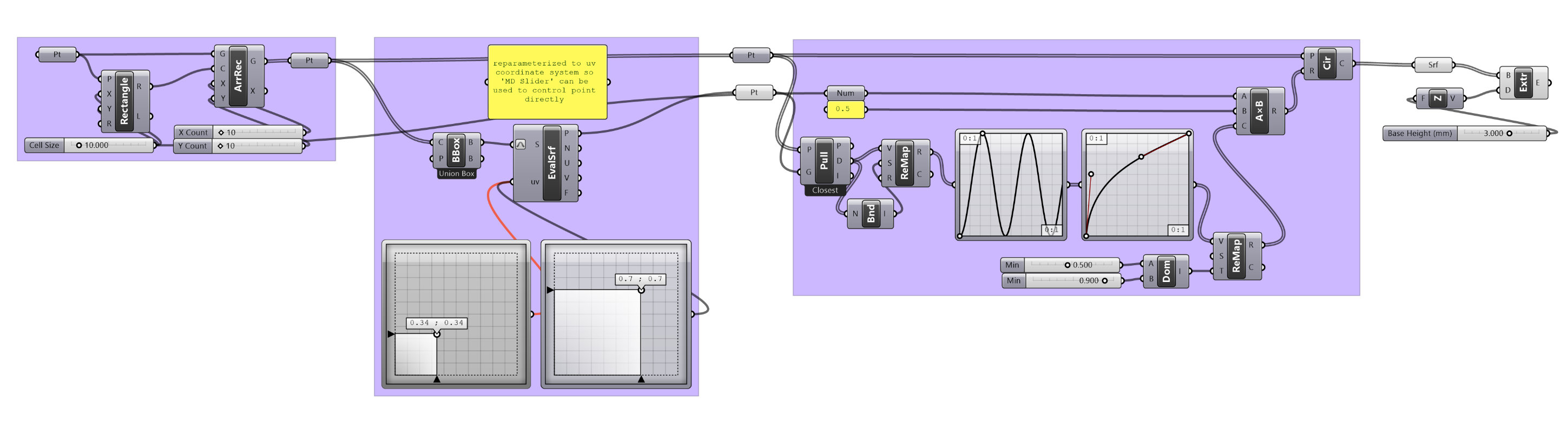
Grasshopper Definition
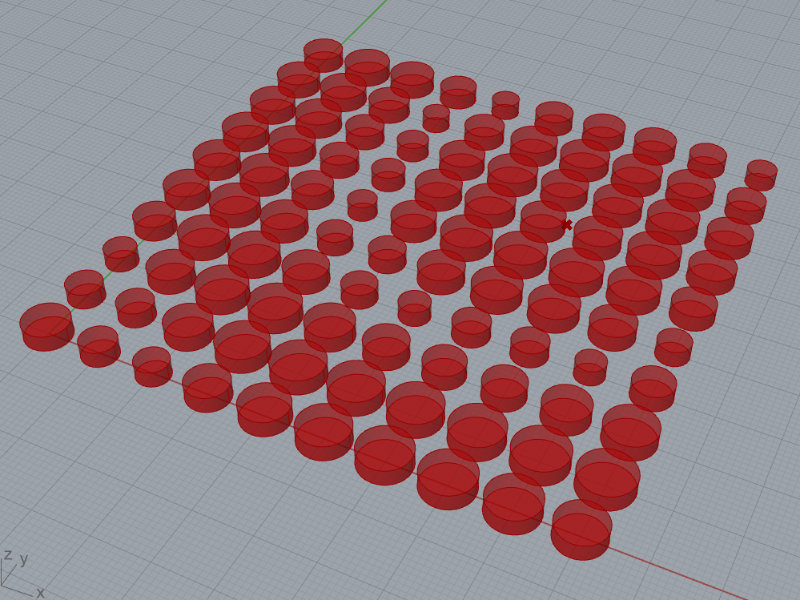
Generated cylinder pattern
If I had more time, I would go through more tutorials and try to pull my own Grasshopper definition together to generate a grid of cells, use attractor points to scale/rotate/skew, and then offer different options for tapered, faceted, and rounded extrusion. I will likely use Grasshopper for my final project, so I'll have a chance to go into more depth with it in the future.
Printing on Fabric
I experimented a number of time with printing with different filaments on various mesh fabrics, trying a new print for each pattern I designed in Grasshopper. For me, adding texture to existing textiles was more of a draw than printing flat sheets, so I mostly focused on this method.
FDM Print Settings
Apart from disabling supports I used the default print settings for each filament in PrusaSlicer, so I have just included the basics below:
- Nozzle temperature: 230°C
- Bed temperature: 60°C
- Supports: none
- Infill: 15%
- Nozzle temperature: 230°C
- Bed temperature: 65°C
- Supports: none
- Infill: 15%
- NO RETRACTION WHEN USING FLEX FILAMENTS (set by default when using filament type: flex)
Rigid on Mesh (PLA)
As a first attempt, I printed my randomly scaled/rotate blob array onto stretchy mesh fabric (90% nylon, 10% spandex). I started the print and waited for the first two layers to complete, then paused the print, secured the fabric to the build plate with magnets, and restarted the print. Because the fabric was stretchy and I didn't want it spring back when released from the build plate, I barely held it under tension. This resulted in the printhead dragging and twisting the fabric a bit on the first few layers after restarting. Small printed areas separated from the build plate, but the larger parts stayed in place and recovered after a few messy layers.
IMAGE (randomly rotate blobs steps)
We had some non-stretch sheer fabric from curtains, so I printed my attractor circles pattern on it to see if I could secure the non-stretch material to the build plate more easily than stretchy fabric. After the first two layers, I paused the print and secured the fabric to the build plate with binder clips, removing all slack but not over-stretching the material. After removing the handles from the binder clips, I restarted the print. One of the small parts on the print detached from the build plate during the pause, and after the print restarted, a few parts didn't extrude on the third layer. I let the print complete, but a few parts just didn’t adhere and got thrown around by the printhead as it moved. After the print finished, I pulled the part off the build plate without any tears in the fabric, even though it seemed delicate.
IMAGES (attractor circles steps)
I was intrigued by the idea of printing on stretched fabric and having the piece collapse into a 3D form when removed from the build plate ('4D' printing), so I copied the tripoint layout from a paper on '4D' textile printing1 to test out. I ended up creating the final layout manually in Rhino instead of generating one in Grasshopper, but with more time, I would work on an automated layout method. When extruding the curves into 3d objects, I set the height to that of four layers (0.2mm * 4 = 0.8mm), that way there would be two layers below the fabric and two above.
IMAGES (4D Paper figure, Rhino screenshot)
I printed the pattern in Prusament PLA on the most stretchy fabric we had, which happened to be the 90% nylon, 10% spandex mesh that I had used in earlier testing. The '4D' printing technique is usually done with Lycra or other really stretchy fabrics, so I wasn't sure how our mesh would perform. I tested stretching the mesh to determine how small to cut the piece, and for our 10" build plate, I cut the mesh to a 7" square. After the first two layers had printed, I paused the print and secured the mesh with binder clips, stretching the fabric to its limits to reach the edges of the build plate. After removing the clip handles, I restarted the print. Although the first object's third layer didn't extrude after the pause, the mesh was stretched wide enough that the plastic below and above the fabric still fused.
IMAGES (4D printing steps)
With the fabric I used, the pattern only resulted in a slight 3D effect, but I would be interested in trying other patterns and more stretchy fabrics to see what I can make.
IMAGE (4D print)
Flexible on Mesh (TPU)
I thought TPU would stick better to the build plate and would therefore be a better material choice than PLA for patterns with small sections, so I printed my randomly-generated Voronoi pattern in Prusament TPU 95A on stretchy mesh fabric (100% nylon). I cut the fabric slightly smaller than the build plate so it would be under a little bit of tension when clipped in place around the edges. After the first two layers had printed, I paused the print, secured the fabric with binder clips, removed the handles from the clips, then restarted the print. It took some time for the filament to start extruding after the pause, so the first few cells didn't get a third layer. The TPU adhered really well to the smooth PEI build plate, so after pulling some areas up, I switched to a scraper to carefully remove the delicate back layers.
IMAGE (random voronoi)
The stretch of TPU filament typically requires it to be printed with no retraction, which is where pulls the filament back up a bit while moving (not actively printing). Because of this, there ended up being a lot of stringing between Voronoi cells, which combined with the small cell size, made it difficult to make out the details of the pattern. I just used the default Prusament TPU 95A profile, so the results could probably be improved at least a little bit with tuning, but the lack of retraction makes TPU a better fit for single object printing than arrays/patterns.
IMAGES (TPU on mesh)
Because a few of the Voronoi cells didn't have the third layer embedding the print in the mesh, the bottom layers ended up detaching from the fabric. The layers printed on top of the fabric did stay pretty well secured, but it affected the look of the back.
IMAGES (TPU on mesh detached cells)
Printing Textiles
TPU
As a quick test of printing textiles, I used one of the included patterns in FilaFabric, bubbles, and printed a 100x100mm swatch in Prusament TPU 95A. Instead of using the included print and filament profiles, I opened PrusaSlicer, selected my printer (Original MK4S with HF0.4mm nozzle) and the default Prusament TPU profile, then exported the printer config to upload to FilaFabric. I kept all print profile settings at the default 0.2mm SPEED settings.
I wasn't sure if the g-code generated by FilaFabric would include or trigger bed leveling, so I made sure to watch closely at the beginning of the print to stop it if the nozzle rammed into the bed. The printer did run through automatic bed leveling and the rest of the process went smoothly.
IMAGES (filafabric bubbles, print)
SLS Chainmail
Since our lab has SLS printing available, we ran a test print of chainmail to see how the print-in-place design would handle. Anastasia recommended a chainmail model1 with 11mm links and 1mm spacing, so I scaled the STL down to 50% scale in PreForm for a more detailed part.
IMAGES ()
Reflection & Thinking Towards the Future
pl
Fabrication Files
-
Randomly Scaled & Rotated Array
-
Random Voronoi
-
Attractor Circles