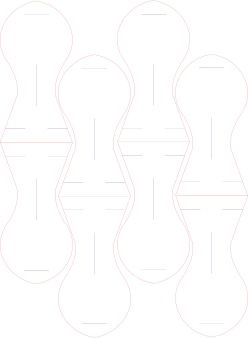
Circular Open Source Fashion
Week03: Students checklist
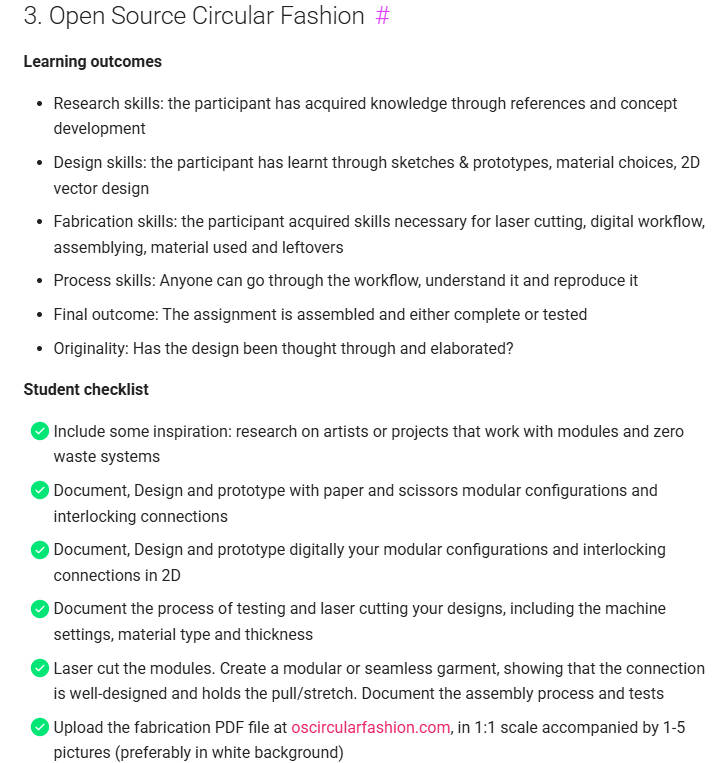
Image Source: Fabricademy Handbook
1. Objective
This week focuses on Open Source Circular Fashion, exploring how modular configurations and zero-waste systems can transform garment design. The learning outcomes involve mastering everything from 2D vector design and laser cutting to developing digital workflows that anyone can reproduce. We began the week with an inspiring lesson on circular design by Claudia Simonelli, followed by a fascinating lecture by Zoe Romano from Milan, Italy. Today, Zoe works as a freelancer, educator, activist, and social impact specialist. She shared insights from various projects she has championed over the years, including the EU-funded initiative The Woolshed Project: A new era for alpine wool. Her talk focused on supply chains, extending material lifespans in rural areas, and recycling local wool through washing and processing. As she perfectly put it, the goal was creating a "disrupted supply chain of the wool from the sheep."
2. References, research & inspiration
Local wool supply chain
A Faroese parallel from Our Own Lab. Zoe’s presentation mirrors a story from our own place here in the Faroe Islands. In my introduction, I shared a local wool project where we created a sittingmat using a circular design framework, which we modified and tailored specifically to our local Faroese wool. Here is a more detailed breakdown of the wool project:
Our process is deeply rooted in the local community: • Summer Shearing: The first photos show my children and me shearing the wool from our sheeps during the summer. • Traditional Washing: You can clean the wool the "old-fashioned way," as shown in the picture (thats me washing). • Local Entrepreneurship: We are fortunate to have a local startup on the island called Vestergarður.Supported by agricultural grants, they have invested in washing machines and an automatic carding machine.
My role in the supplychain is collecting and sorting the wool by colors and removing dirt and debris. Afterward, I drive the raw wool up to Vestergardur, where they then wash the wool and can return to the fab lab and be ready for use by locals.
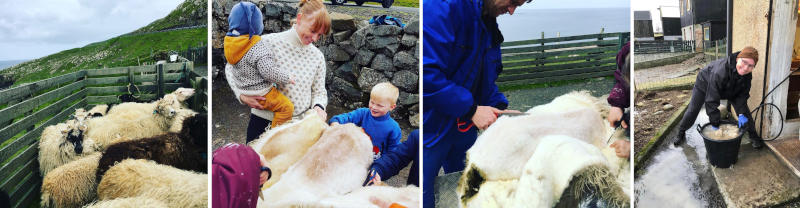
Image source: Tina Grønbech
After sorting and washing, the wool it is carded into the desired colors. The necessary pieces are then created by using the Feltloom. Here is a link: FeltLoom. By needlefelting with the feltLoom, you are making the woolsheets ready to be laser cut. I will share with you, our guideline for the sittingmat as a pdf, have a look after the pictures.
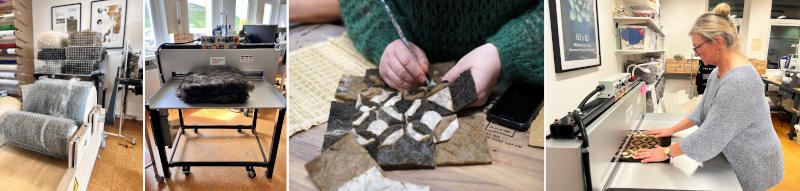
Image source: FabLab Vágur
We also created a denim cover for the sittingmats. We laser-engraved the denim with different local mountain hiking routes and crafted unique buttons made from local sheep horns.
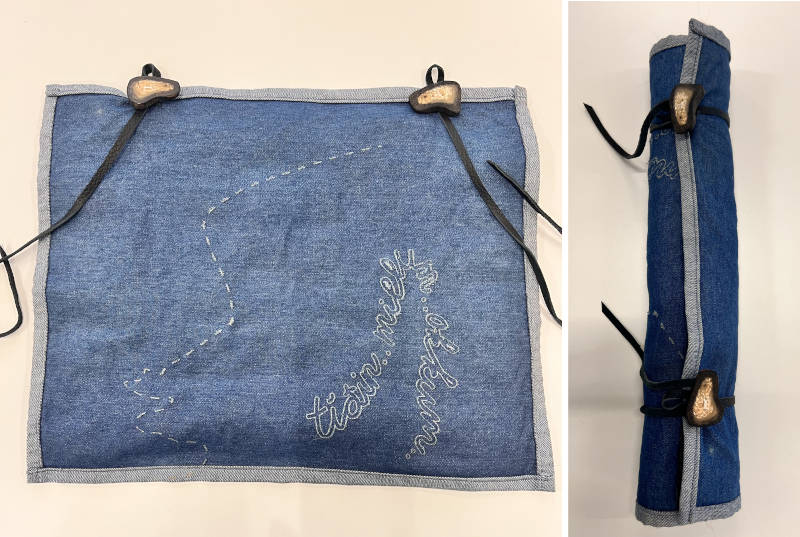
Image source: Tina Grønbech
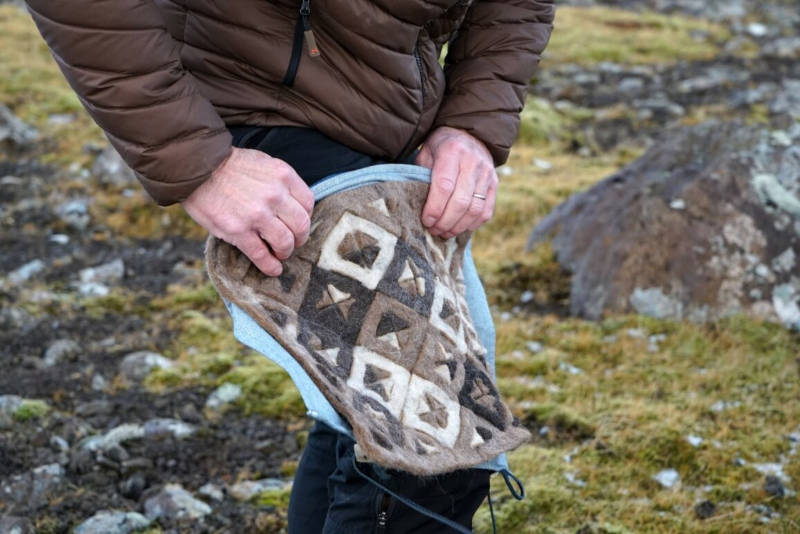
Image source: IJsblink Floortje
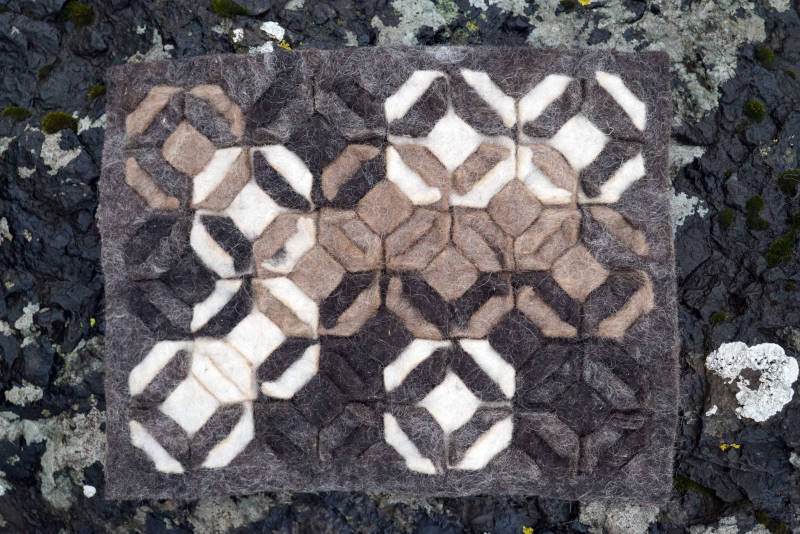
Image source: IJsblink Floortje
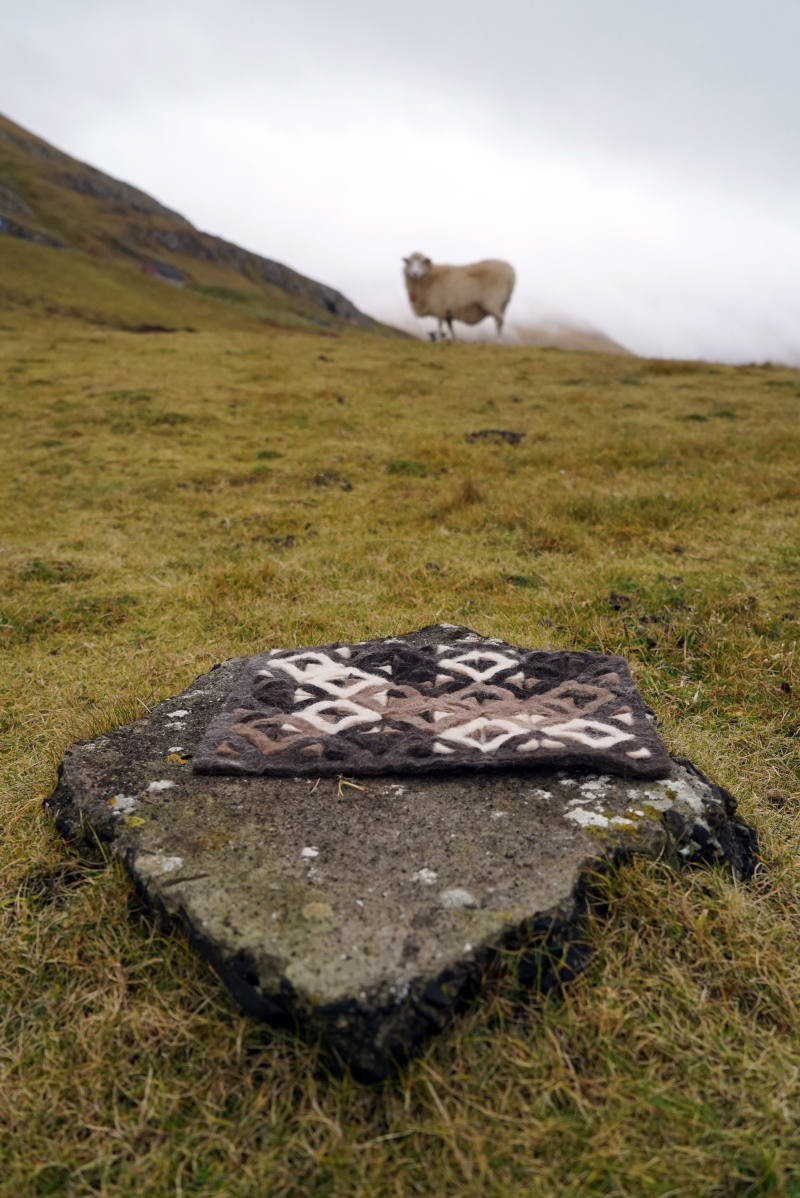
Image source: IJsblink Floortje
You can find the link here to the PDF with the full introduction including laser settings etc, to making your own sittingmat:Download instructions (PDF)
Taking it a Step Further: Zero Waste supply chain
We didn’t stop at the first mat. To embrace a truly circular mindset, we took the offcuts from the first project and used them to create a second sittingmat. By cutting the leftover pieces and arranging them into a landscape-like pattern, we were able to needle-felt the components together using the Feeltloom in our lab. The result: Zero waste and two uniquely beautiful designs. You can see the final result here:
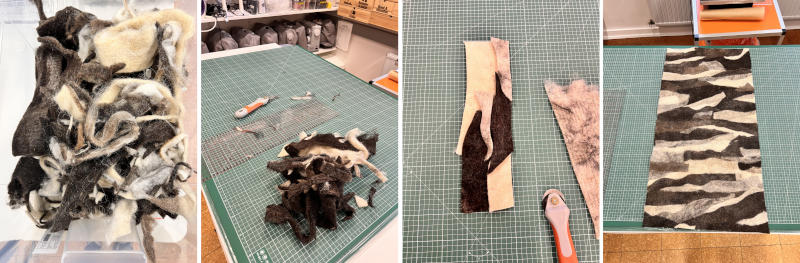
Image source: Tina Grønbech
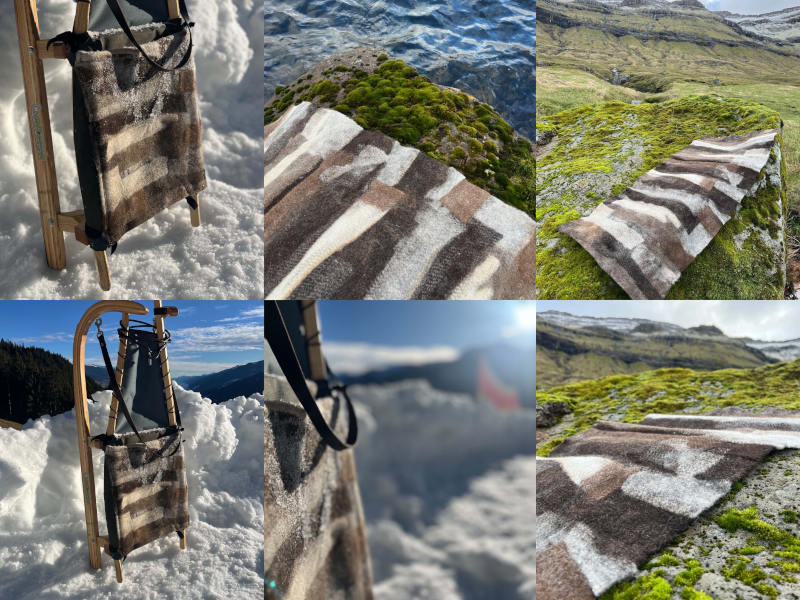
Image source: IJsblink Floortje
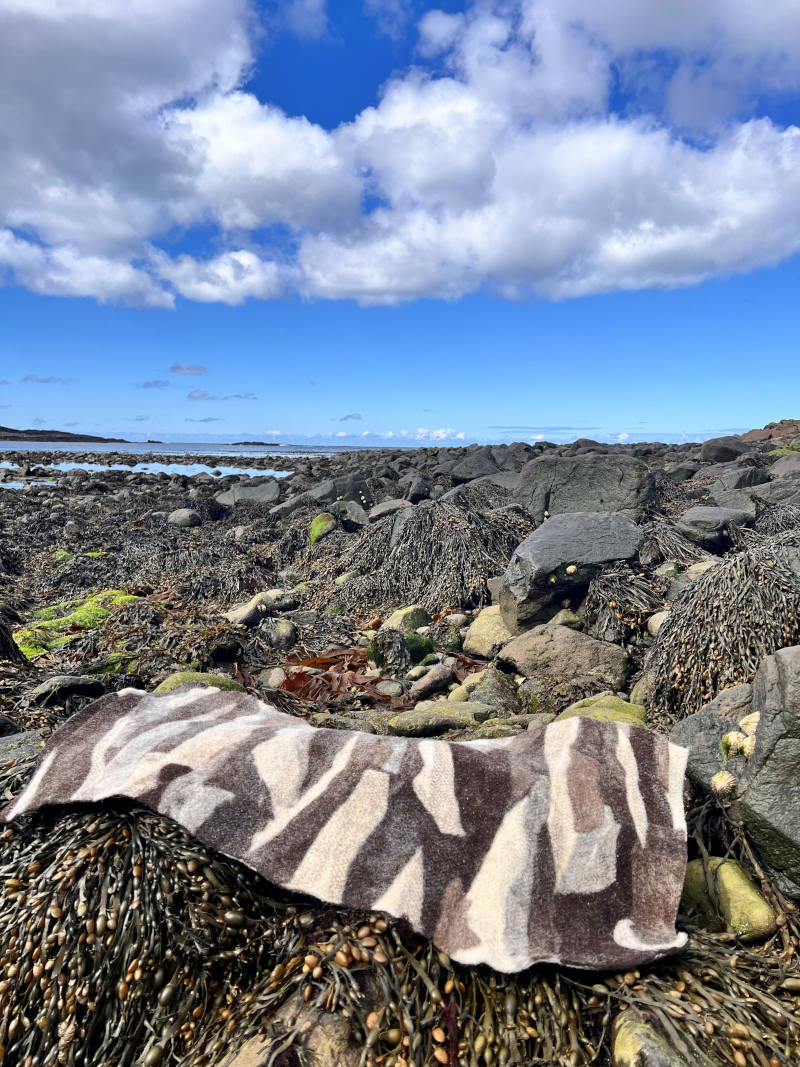
Image source: Tina Grønbech
This entire process beautifully highlights one of Zoe’s most resonant remarks: "Low-tech is the new high-tech." It serves as powerful proof that what we create with our own hands, is here to stay. By designing with a focus on longevity, repair becomes a fundamental part of the design right from the very beginning, rather than an afterthought. It shows that sustainable ideas and circular supply chains can be successfully brought to life in rural areas and in small-scale local environments. If a hole or wear occurs during use, you can simply return to the lab and add more wool.
Rák Lab
I am excited to introduce a new project: Rák Lab, a specialized research and reuse laboratory as part of Fab Lab Vágur. The lab is dedicated to transforming marine industrial debris found on shorelines from the North Atlantic into new, functional products. This November, we will launch our very first public workshops in a temporary pop-up lab at the habour site, utilizing our newly acquired plastic shredder and melting machine. Building on our award-winning Blue and Green Education - framework, our long-term plan is to expand our machinery park and scale our operations by incorporating other local waste streams. As we secure ongoing funding to keep the Rák lab open, we aim to expand our material research to include textile offcuts for fluff, single-use hospital packaging, and waste and fishing nets from our local fish factories on the island. Exciting times ahead.
Image source: Eva Bullens for FabLab Vágur
The name Rák meaning Currents of chance carries a vital dual meaning for us: literally, it translates in Faroese to "ocean current" or "wave," referencing the debris brought to our shores, but metaphorically, it signifies a "trend" or "shift in tide," as we aim to spark a cultural movement toward a circular economy and waste managemnet in our community.
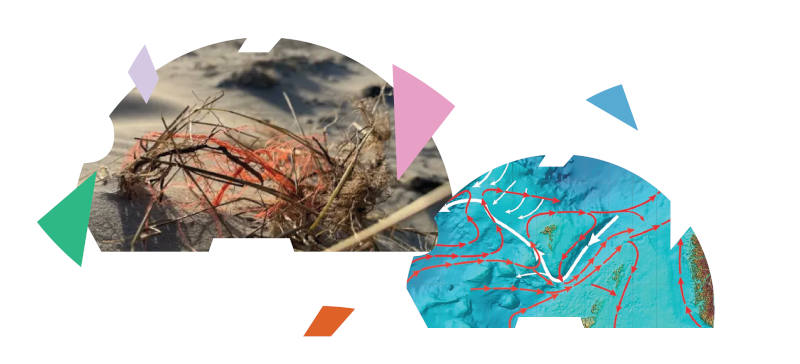
Image source: Eva Bullens for FabLab Vágur
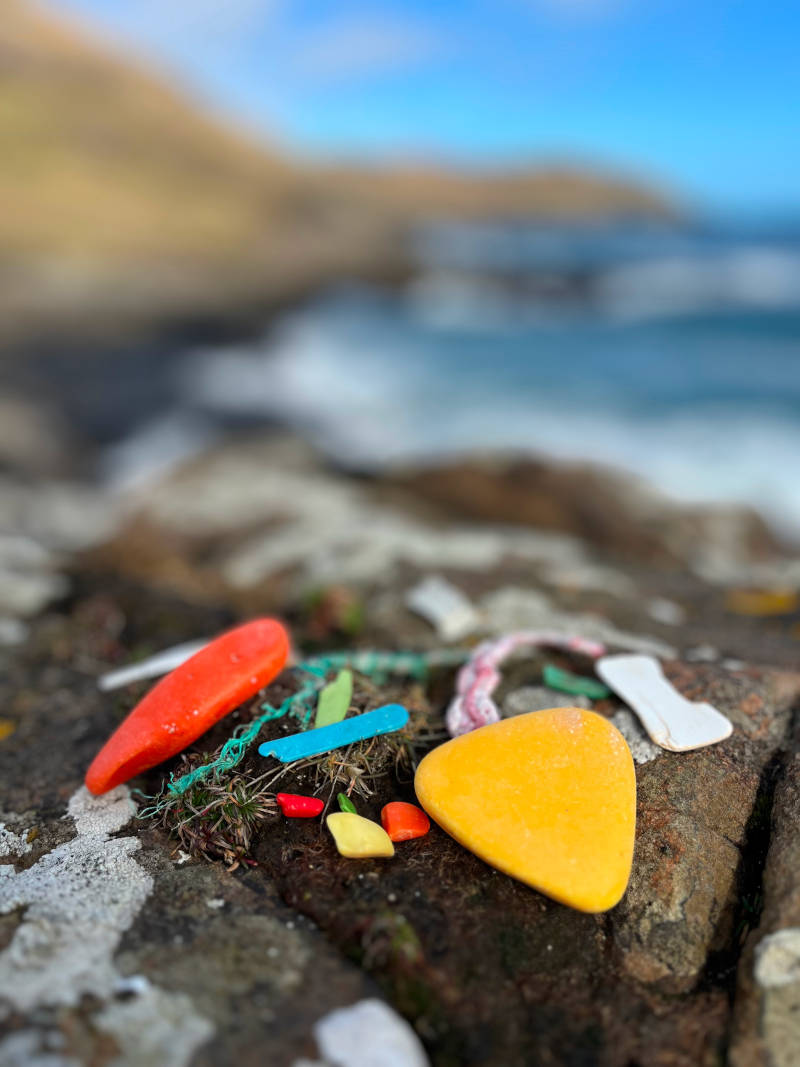
Image source: IJsblink Floortje for FabLab Vágur
Looking ahead to 2027, we are also planning a new community project to help local sheep farmers create and recycle their own sheep tags using recycled plastic. Instead of buying new ones, they can remake or change the existing ones by shredding them again and remelting them into new shapes or colors. This provides a low-cost solution that can be tailored to the individual sheep farmer.
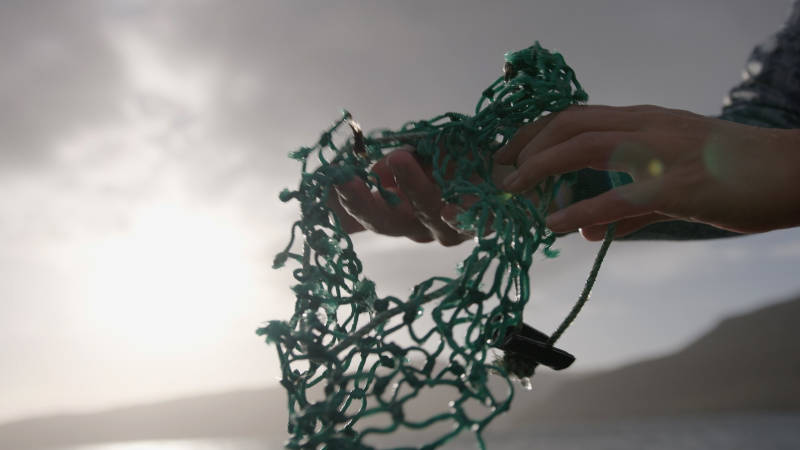
Image source: IJsblink Floortje for FabLab Vágur
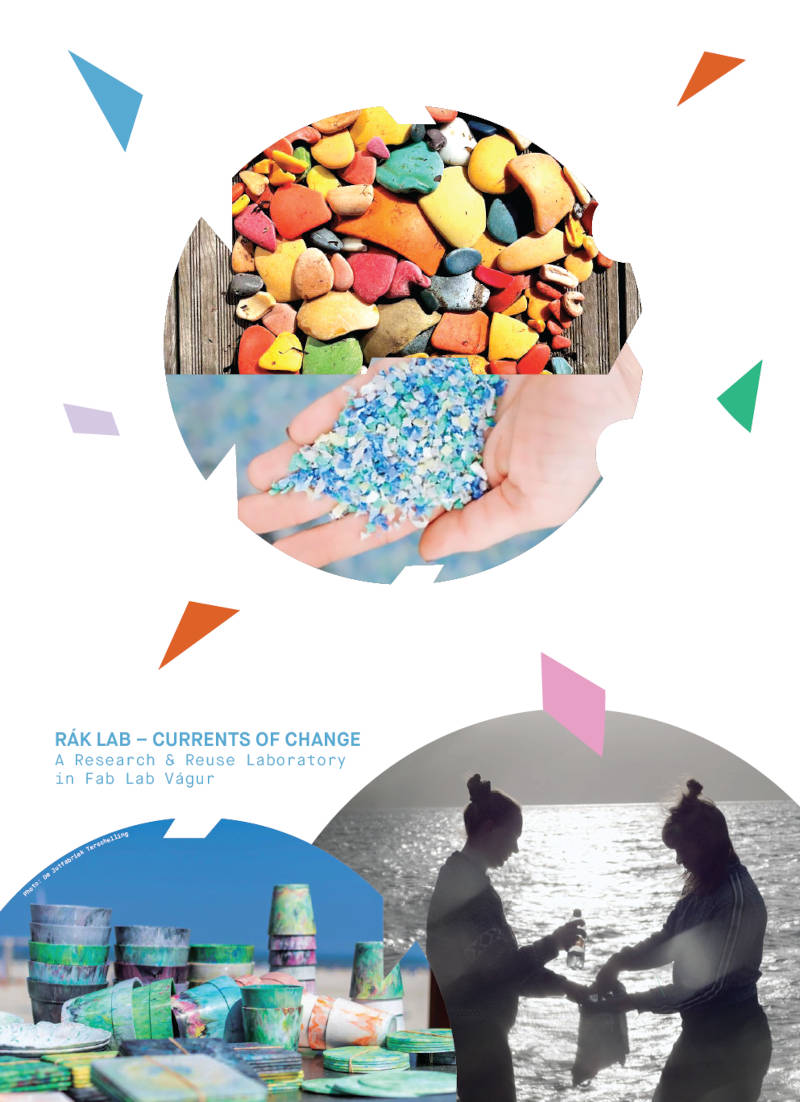
Image source: Eva Bullens for FabLab Vágur
How the Herring Sleeps
For my inspiration this week, I am drawing from the local book "Náttúrunnar Børn" (Children of Nature), written by Jørgen M. Olsen in 1982. To ensure accessibility for a wide audience, the book is uniquely published with Faroese, Danish, and English language compiled together in a single edition. The book provides a beautiful account of the behavior and natural cycles of the Atlantic herring within our local Vágsfjørður — including the fascinating discovery of how the herring sleeps vertically with its head pointing downward. Book: Children of Nature
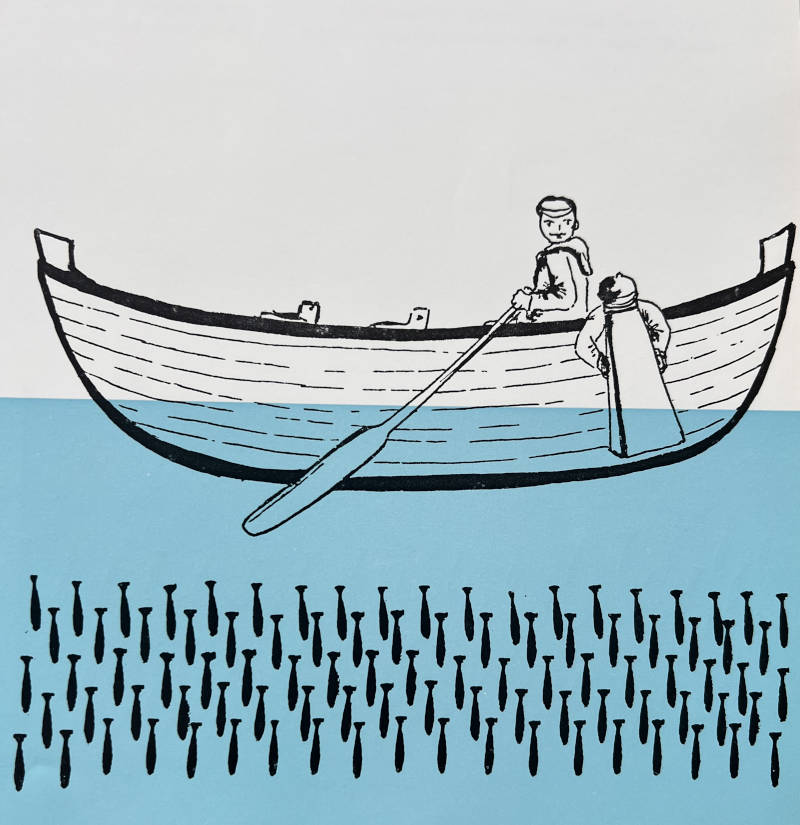
Image source: from the book by Jørgen M.Olsen
Image Credit & Reference Note: Since the author, Jørgen M. Olsen, illustrated the book himself, he is credited for both the text and the visual artwork.
The illustration of the fish from the book, combined with the author's observations on how herring sleep in vertical positions, serves as my direct inspiration for the modular fish forms in this week's assignment. In my design, the circular layout frames a dynamic school of fish, moving seamlessly in and out of the grid and swimming in different directions depending on which way the module is rotated.
Inspired by these marine wonders and Claudia’s presentation on the concept of tessellation, I wanted to explore this captivating concept where art and the natural world collide. A tessellation represents a powerful expression of "changing forms"—a geometric pattern of shapes that fit together perfectly without leaving gaps or overlaps, a phenomenon found everywhere in nature from honeycomb structures to fish scales. As direct inspiration for my pattern, I selected a series of illustrations from the book showcasing how herrings move collectively in a school—constantly shifting, changing lanes, and altering their direction in unison.
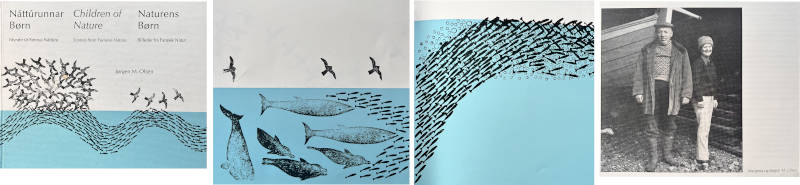
Image source: from the book
Translating this movement of direction into an artistic framework, I focused my project on the anatomy shape of a fish. I designed a modular fish shape engineered to interlock seamlessly into a continuous pattern by using male and female conections. The geometry allows the shapes to be woven and tiled together efficiently, mirroring the dynamic rhythm of a schooling swarm while creating a repeating layout perfect for the surface design of a rug, pillow or bag. To bring this to life, I digitally drafted the vector file and processed them for the laser cutter.
3.Tools
Software i have used for week03:
- Pdfservices for compressing pdf
- Gimp for pictures
- gemini google AI for translation
- Fusion360 for parametric design
- 2D modelling Inkscape
- Uploading files to Fabricademy Open Source Circular fashion Catalogue
4.Process and workflow
From Fabricademy Bootcamp to Week 3
I was fortunate to attend the Fabricademy Bootcamp in Ireland this past May, where Claudia Simonelli introduced us to open-source circular fashion. During the bootcamp, I sketched my first draft of a modular fish shape for a circular pattern using an introductory Rhino tutorial. However, my initial design was far from perfect, as it included gaps and generated some material waste. To improve the shape, my next step is to import the SVG file into Fusion 360 to refine the geometry and scale it down for a sleeker, more simplified look. Finally, I will bring it into Inkscape to prepare the vector paths for laser cutting. The following pictures show the initial outcome from the bootcamp tutorial.
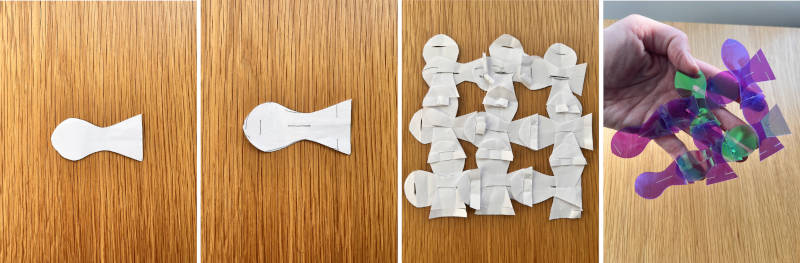
Image source: Tina Grønbech
Material Experiments: From Paper to Fish Leather
Before jumping into the final production, I began experimenting with the first version of the shape by physical prototyping to explore how the fish shapes could interlock in different ways. I started testing the geometry in paper and later moved on to felt. These hands-on tests allowed me to play with the weaving of the pattern, and I discovered that the fish modules can actually be woven together in several different ways – just like the herring in the story.
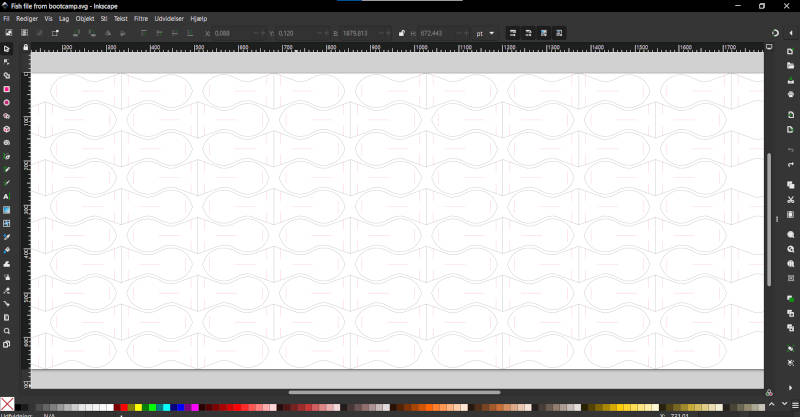
Image source: Tina Grønbech
I used normal felt from any craft shop. Lasersettings for 1mm thick felt:
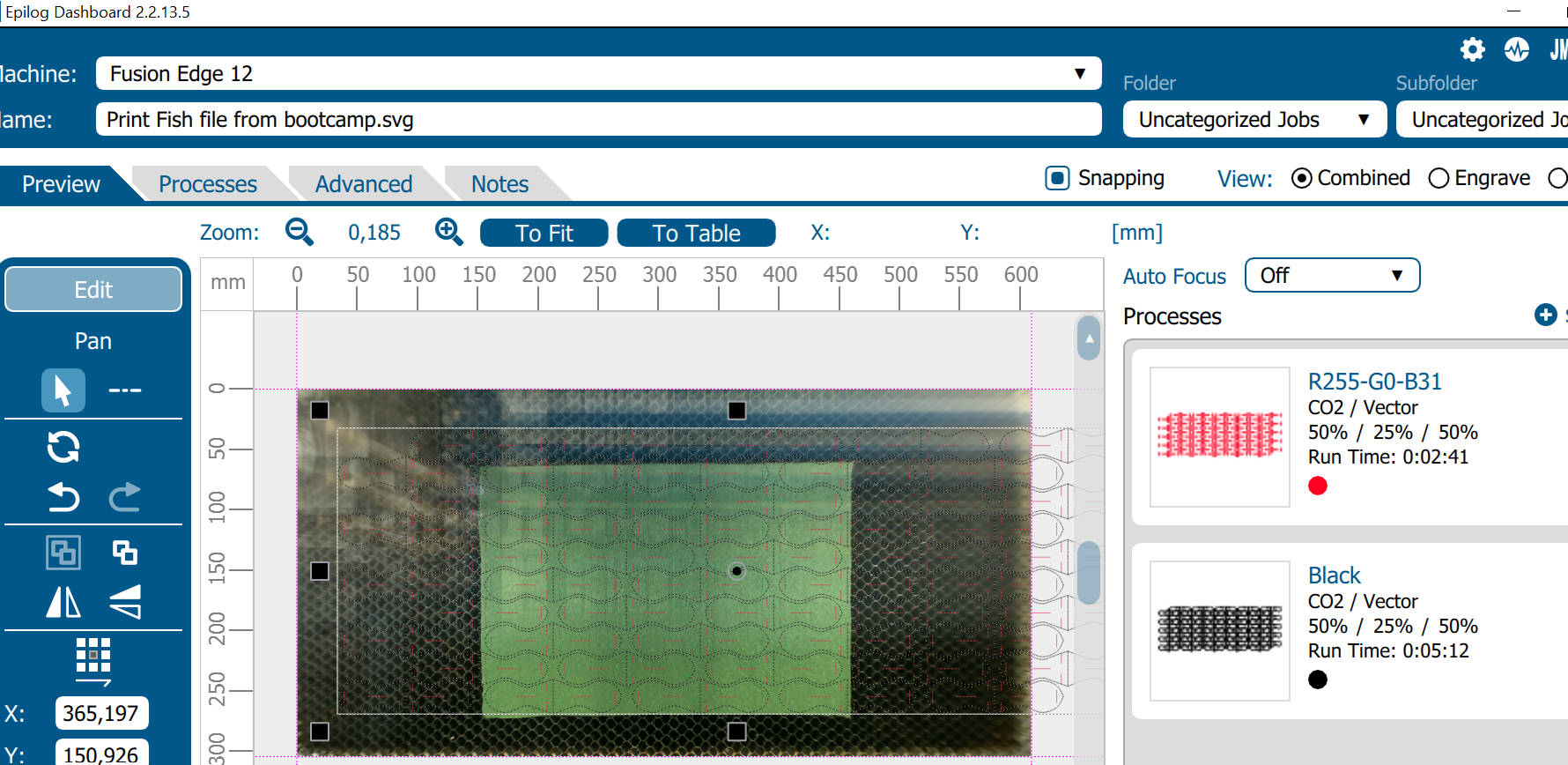
Image source: Tina Grønbech
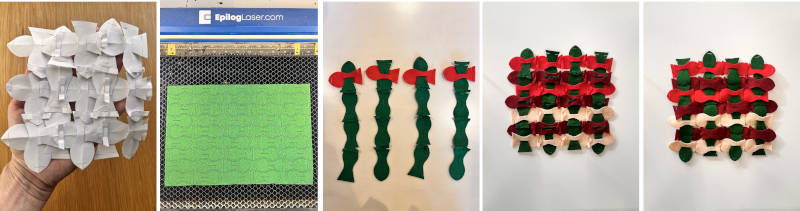
Image source: Tina Grønbech
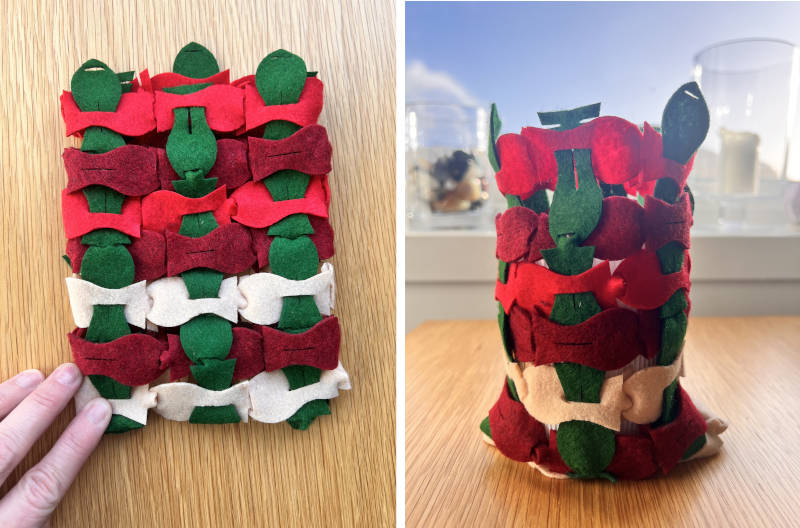
Image source: Tina Grønbech
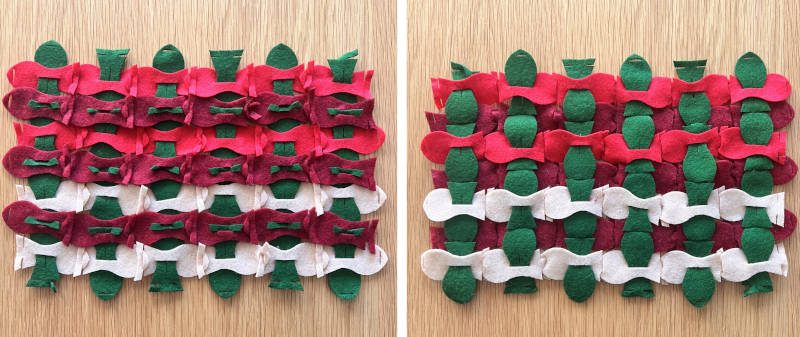
Image source: Tina Grønbech
Once the digital design is completely optimized in Fusion 360 and Inkscape, my next goal is to laser cut the final pattern using beautiful fish leather, which I was lucky enough to receive as a gift.
Fusion 360 and Inkscape
The advantage of editing the file in Fusion 360 is the access to parametric design tools, which allow for precise distances between the cutting lines. This parametric approach offers far greater accuracy and control than working strictly in 2D vector programs like Inkscape or Illustrator. After importing the first version of my fish shape into Fusion 360, I focused on updating the geometry. Since I don't have much experience with the sketch function in Fusion 360 yet, I took a step-by-step approach. My first goal was to modify the rounded section of the fish so that its width aligned diagonally with the tips of the tail.
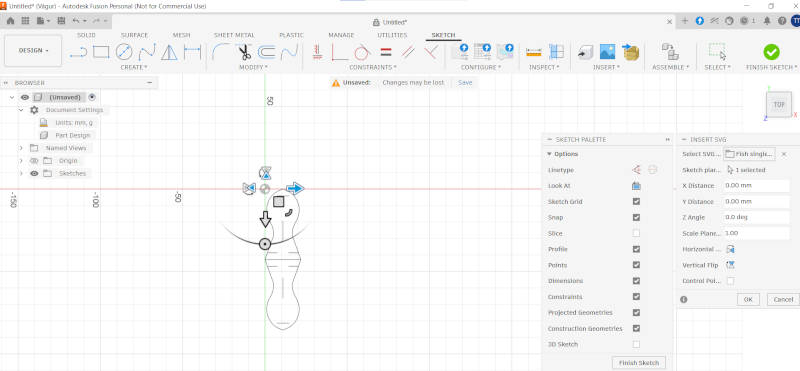
Image source: Tina Grønbech
My initial SVG file featured two fish positioned tail-to-tail; this layout was nested as a single group so that the shared tail line would only be laser-cut once. However, I decided to delete one of the fish in order to scale the remaining shape up properly before applying the new settings in Inkscape. The reason for this is that the head of the fish was not calculated using a mathematical approach; instead, it was originally drawn freehand in Rhino, based on my paper prototype, and now I will try to recreate it in Fusion 360 by deleting lines and sketching new ones.
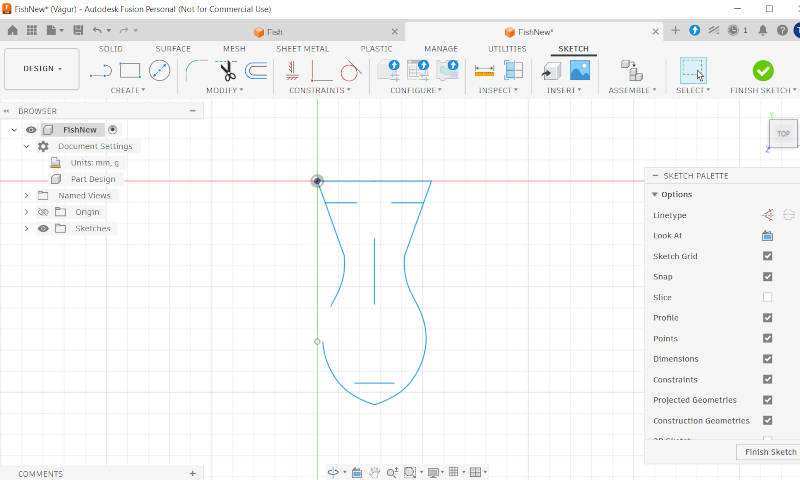
Image source: Tina Grønbech
When working in a sketch, it is an advantage to look at your drawing from above. You can switch to "Top view" using the view cube in the top right corner, similar to changing views in Blender. To clear unwanted geometry, simply select the lines and hit Delete. Next, you need to create a construction line to serve as a reference. Press L to activate the line tool, click your starting point at one of the tail tips, drag the mouse down to a point below the fish, and press Esc. Finally, select the line and press X to turn it into a dashed construction line.

Image source: Tina Grønbech
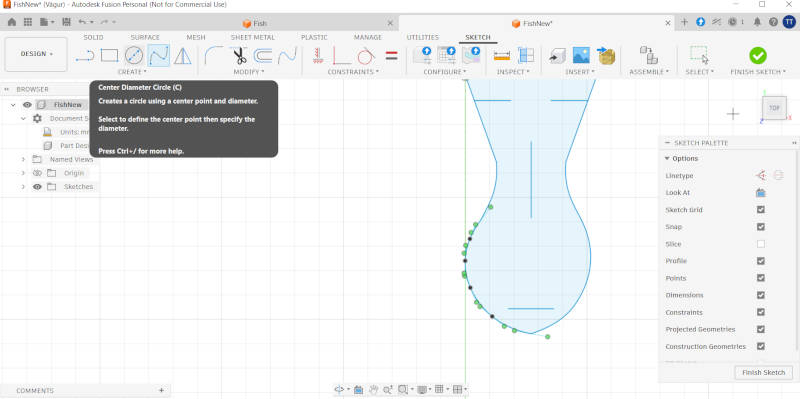
Image source: Tina Grønbech
After deleting the lines on one side of the fish, I left the other side intact, as it is crucial to keep a fixed point at the top of the fish's head. Next, I used the Spline tool—specifically choosing a Fit Point Spline—to manually reshape the head. I aligned its widest section with the construction line to ensure that the head and tail are exactly the same width. The reason for doing this is to maximize material efficiency during laser cutting and to create a tighter, more cohesive fit when interlocking the fish pieces.
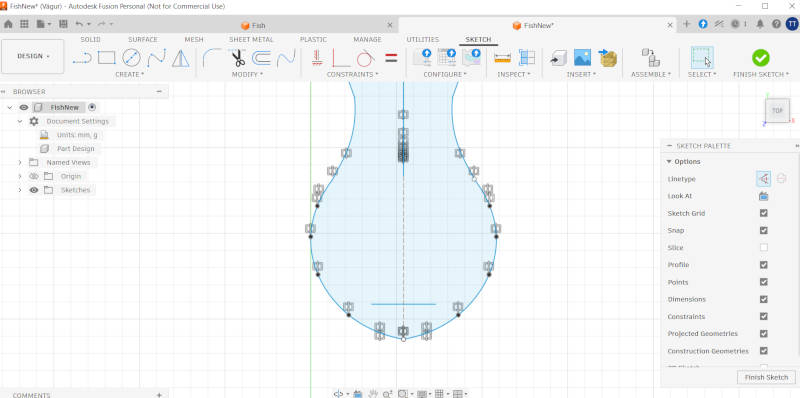
Image source: Tina Grønbech
Once I am satisfied with the curve on one side of the head, I can use the Mirror function to copy it to the other side. Before doing so, I must repeat the previous step and draw a new line down the exact center of the fish, turning it into a dashed construction line so it serves as a guide rather than a part of the final design. This gives me the necessary centerline to mirror across. Mirror is done by select object. When you hold with the mouse curser over the "Mirror" function under "Create", it tells you what to do. Once the mirror operation is complete, a series of gray icons will appear on the canvas. These are the geometric constraints that lock the lines in place and stabilize the geometry of the shape.
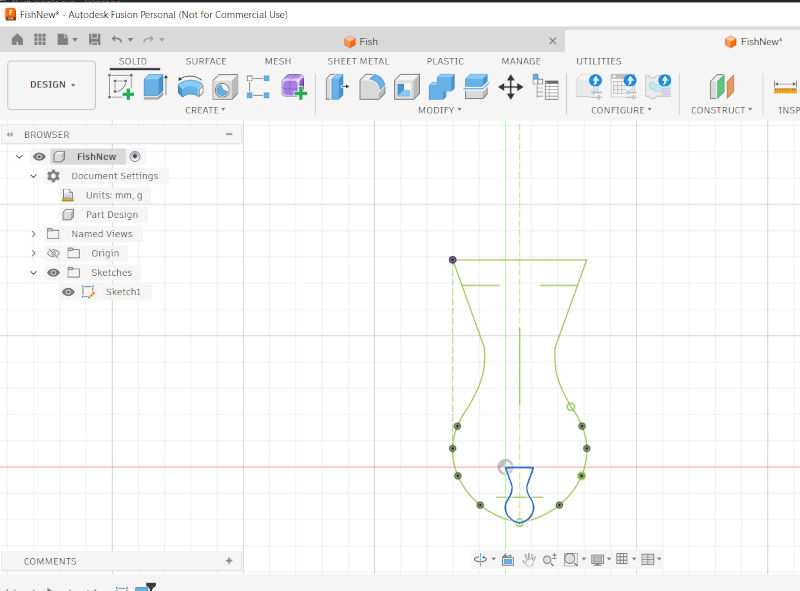
Image source: Tina Grønbech
With the form finalized, the next step is to resize the fish and prepare the sketch for DXF export. To achieve the exact dimensions, I followed these steps: • Step 1: Select all perimeter lines around the fish (Ctrl + Click) to ensure a single, closed profile. • Step 2: Press D to activate the dimension tool, which showed a current width of 10.583 mm. • Step 3: Go to Modify > Sketch Scale, select the entities, and click the lowest point of the shape to act as the base point. • Step 4: Enter the fraction 50/10.583 into the scale factor input field, allowing Fusion 360 to automatically calculate the exact scale ratio. • Step 5: Right-click the sketch in the browser layout on the left and select Save As DXF.
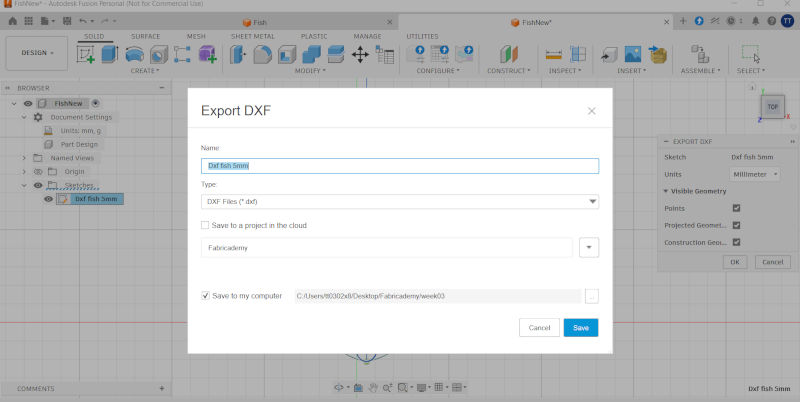
Image source: Tina Grønbech
However, I encountered a well-known issue when opening the file in Inkscape: the new spline lines I had just designed were completely missing. This occurs because Fusion 360 exports splines in a format that Inkscape cannot natively read. To resolve this, I had to install an official add-on from the Autodesk App Store to convert the splines into readable polylines before exporting. After I installed the add on, it worked perfectly.
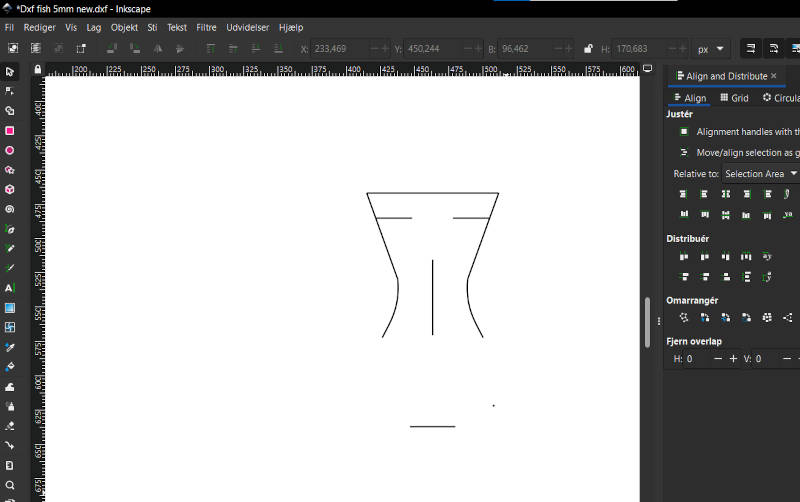
Image source: Tina Grønbech
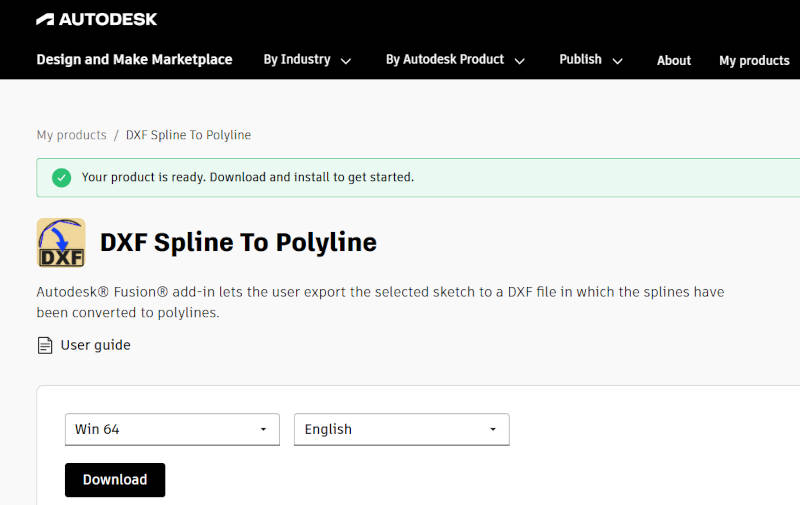
Image source: Tina Grønbech
When importing the DXF file into Inkscape, I selected the 'Manual Scale' option in the import dialog. My next task in Inkscape was to ungroup the paths, prepare the single geometry for duplication, and apply the correct hair-thin stroke settings required for laser cutting, based on the specifications Claudia shared with us. The settings used were a hairline width of 0.025 mm (or equivalent hairline setting) with the stroke paint set to pure RGB Red (255, 0, 0). Once the vector paths were configured, I duplicated the fish by pressing Ctrl + D on the keyboard, holding down the left mouse button, and moving the new shape aside. To minimize wastematerial, I needed to group two fish together again so they shared a single cutting line at the tail. To merge the paths and ensure the shared tail line would only be laser-cut once, I selected two figures and used the Path > Combine (or Union) function. Finally, I wanted to upload the SVG file into Deepnest to see how tightly the software could arrange the shapes to minimize material waste. However, since this is not a zero-waste geometry and I am working with fish skin—which has an irregular, non-homogeneous shape that are long and narrow at one end — I decided to limit the nesting layout to a maximum of 8 fish grouped together.
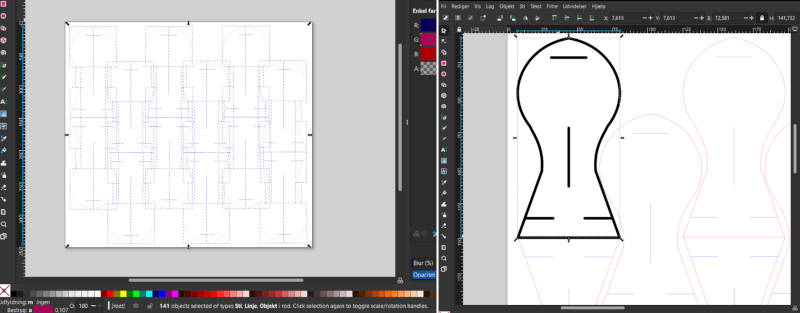
Image source: Tina Grønbech
Unfortunately, I could not get the Deepnest software to work this time either. Having already spent a significant amount of time on this week's assignment, I realized I could not afford to keep troubleshooting it. Had I succeeded in creating a true zero-waste geometry within a rectangular sheet for laser cutting, I would have prioritized this step differently. However, since developing a mathematically perfect zero-waste shape in Inkscape was unsuccessful, I decided to manage my time wisely and move on. In project planning, you have to choose your battles carefully.
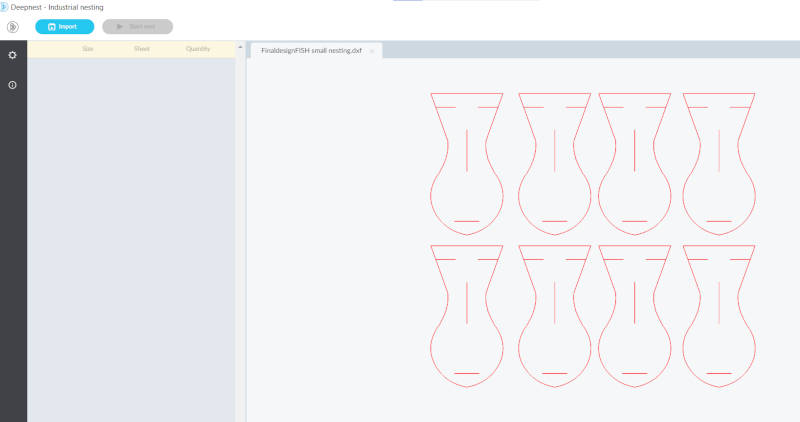
Image source: Tina Grønbech
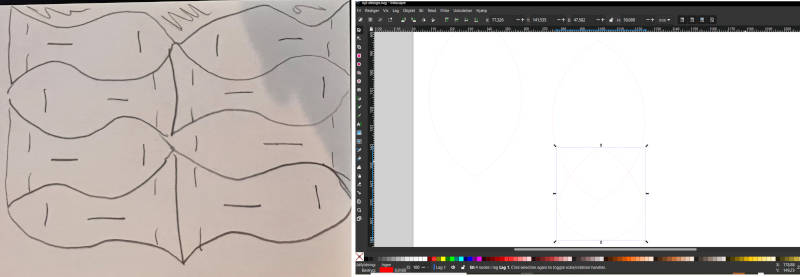
Image source: Tina Grønbech
I experimented with various interlocking configurations, looking at how the modular fish shapes connect in different directions. The pieces can be interlocked on the front or the back, depending on the desired aesthetic and whether the goal is a seamless, clean surface."
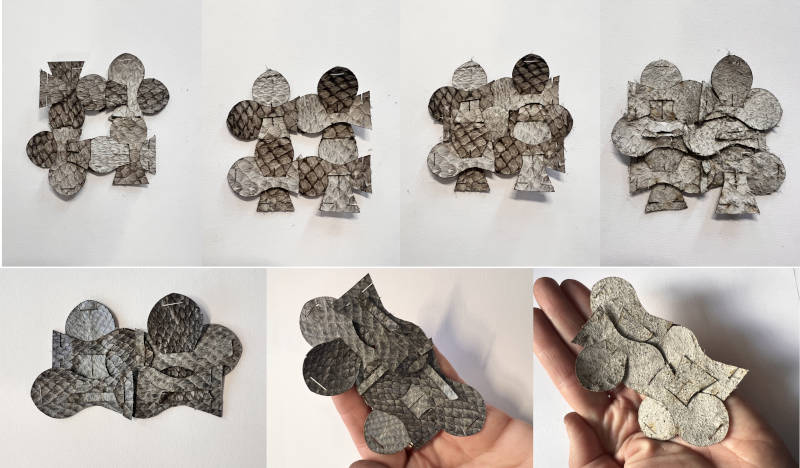
Here is the lasersettings i used for the fish skin materials. There is a significant difference in the amount of offcuts and material waste between the first design and the new refinement of the svg file. For instance, the initial draft left behind an interesting, net-like waste pattern that resembled a fishing net, which could potentially be repurposed for another project. However, because the final design is fabricated from natural fish skin—which is a very narrow material to work with—it makes more sense to maximize material efficiency as much as possible. During the laser cutting process, I noticed that some areas of the fish skin were thicker and coarser than others. In these spots, the laser didn't cut the shapes out perfectly. However, with a little assistance from a knife, almost all of the pieces could still be used, except for a few minor exceptions.
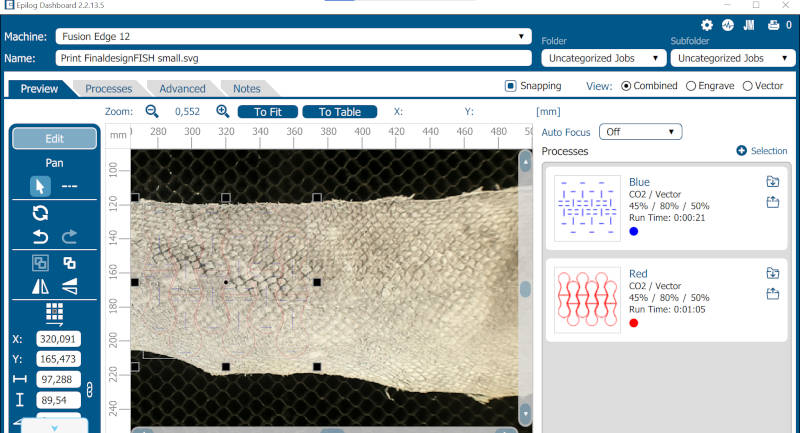
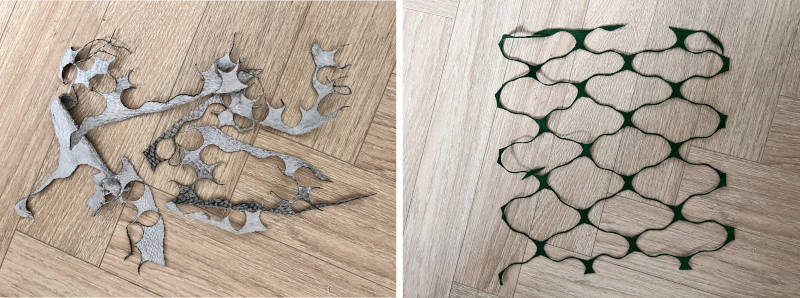
Image source: Tina Grønbech
5. Final result
The final result of this assigment is a small fold-over clutch bag, where the elongated back panel folds over the front.
Material Characteristics: The project was fabricated using natural fish skin. This organic material is highly non-homogeneous, tough, yet flexible. It has a beautiful unique grain texture on the front and a smooth finish on the back, offering excellent durability for modular interlocking systems.
Measurements & Scale: A single modular fish piece measures exactly 19.2 mm in width and 37.5 mm in height. This compact size was selected to maximize the yield from the limited surface area of the fish skins. All nested modular shapes have been successfully laser-cut and hand-assembled. The production files, including the 1:1 scale layout and high-resolution images with a clear background, have been uploaded to the open-source platform at oscircularfashion.com.
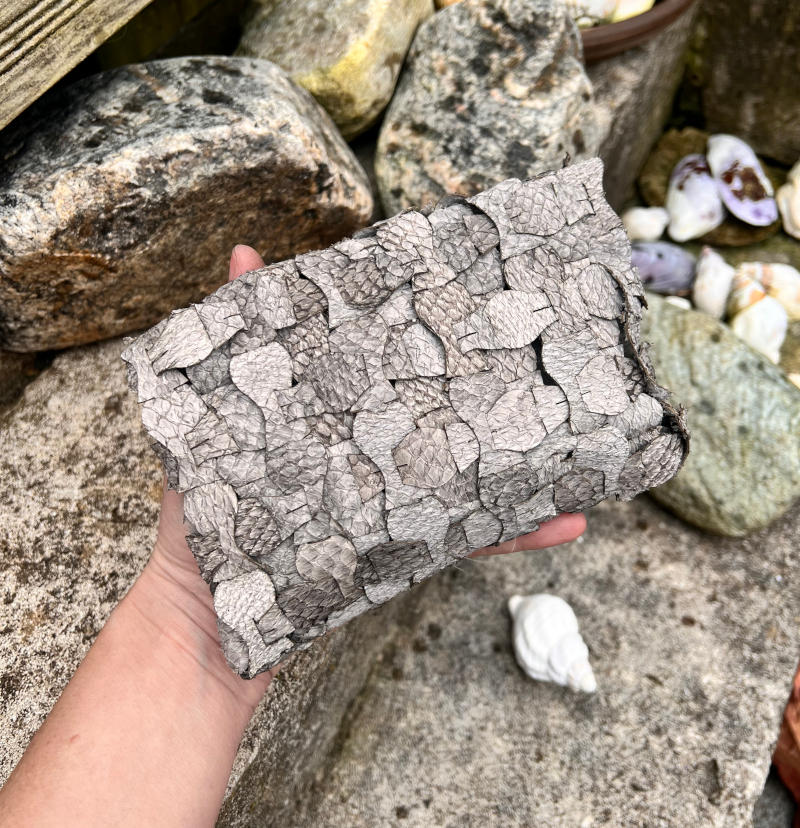
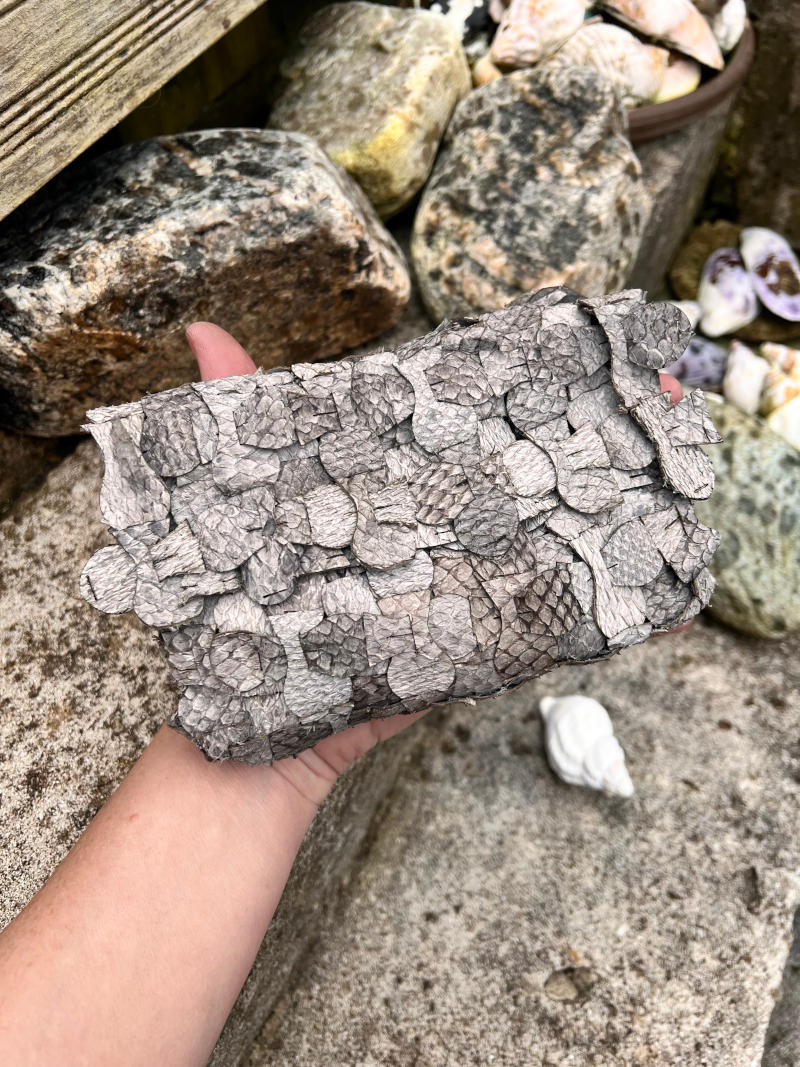
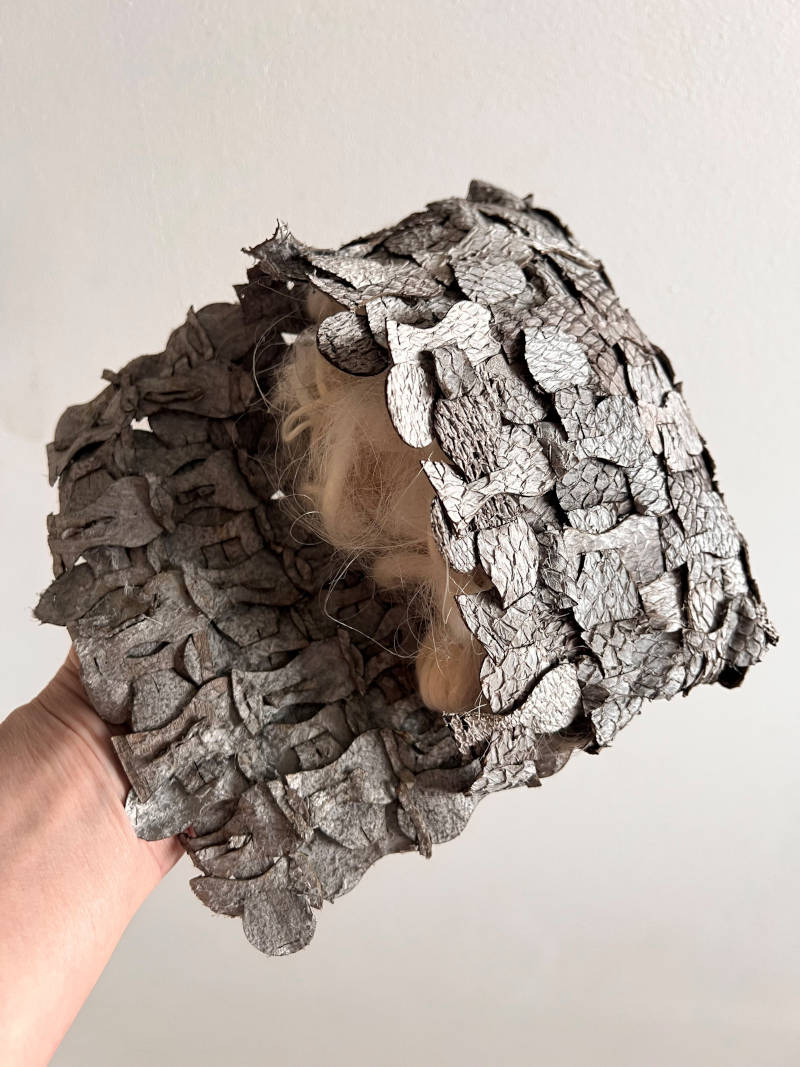
Image source: Tina Grønbech
6. Weekly reflection & critical thinking
This week was a steep but highly rewarding learning curve. I gained hands-on experience in bridging the gap between freehand organic design and technical parametric modeling. Learning to navigate Fusion 360’s sketch tools and geometric constraints allowed me to transform a premade shape into a predictable vector profile. On a technical workflow level, I learned how to troubleshoot cross-platform compatibility issues, specifically discovering that Fusion’s native spline geometry requires a conversion tool (like the DXF Spline to Polyline add-on) before 2D vector software like Inkscape can read it. Furthermore, I expanded my understanding of material optimization, nesting logic, and how to configure vector paths for efficient laser cutting using clean, shared paths to eliminate overlapping doing lasercutting.
Reflecting on the CAD workflow, I realize that I still have a lot to learn when it comes to the sketch function in Fusion 360. Parametric drawing requires a completely different mindset compared to 2D vector tools, and mastering how to properly apply constraints and dimensions to control geometry is something that will require a lot of practice and training going forward.
What did I personally find interesting or surprised me? What surprised me the most was the practical reality of time management when working within a tight, daily schedule. I had to realize that you cannot always fix every software glitch on a deadline; when Deepnest failed to function, the most responsible design choice was to manage my time wisely, choose my battles, and shift to a smart manual nesting layout.
I found it incredibly interesting to observe how digital geometry behaves when applied to a highly irregular, non-homogeneous material like natural fish skin. Unlike flat, rectangular synthetic fabrics, organic skin forces you to think adaptively. I was fascinated by how a single modular piece—measuring just 19.2 mm x 37.5 mm completely shift character depending on the assembly method. Discovering that a back-locked configuration creates a smooth, flat surface, while a front-locked structure introduces a volumetric texture, proved to me that open-source modular fashion holds endless tactile possibilities, even when working with small, local, and irregular material streams.
I have successfully completed all the requirements on the student checklist for Week 03: Open Source Circular Fashion. This documentation covers the entire workflow from initial zero-waste research and manual paper prototyping to 2D parametric digital modeling in Fusion 360 and Inkscape. Finally, it includes the laser cutting process, structural assembly testing on natural fish skin, and the final production upload.
7. Fabrication files
-
File: Modules I have also uploaded the files on oscircularfashion webpages as part of this weeks assigments criteria oscircularfashion ↩