Open Source Circular Fashion
00 Assignment
- Design and prototype modular configurations and locking connections using paper and scissors. Document the paper prototypes.
- Run laser-cutting tests on fabric and document the parameters for the selected material. Document the design and testing process.
- Laser cut the final modules.
- Create a modular or seamless garment and demonstrate that the connections are well designed and can withstand the pull and stretch of a garment.
- Document the assembly process and connection tests.
- Upload the open-source file as a correctly scaled PDF to oscircularfashion.com, together with 1–5 pictures, preferably on a white background. Include a list of suitable materials, pictures of the final piece and different configurations, as well as details of the assembly and any special parameters that should be considered.
- Extra: Submit some of the modules to the analog or digital material library of the lab, approximately 20 × 20 cm.
01 Inspiration & Research
01 Modular Fashion – Alessia Talò
02 Circular Open Source Fashion – Gabríella Kamí Árnadóttir




For my design, I am especially inspired by animal scales and the way they combine protection with flexibility. The pangolin is a particularly interesting example because its large, overlapping scales form a protective armor while still allowing the animal to move and curl up.
The bearded dragon and sungazer lizard show different types of scales, including smaller, rougher surfaces and pointed structures. I find it interesting how the shape, size, and arrangement of the scales can create very different appearances.
Fantasy dragons are another important source of inspiration for me. Their scales often exaggerate the idea of protection, with larger, more dramatic shapes and overlapping armor-like structures. At the same time, the baby dragon shows how scales can also create a softer and more playful appearance.
What I find most interesting is how individual scales can be combined to create a larger surface. By overlapping the elements, the structure can remain flexible while still looking like a protective armor. This is exactly what I want to explore with my modular garment.
01 First Ideas
For this week, I want to develop a modular, scale-like garment for children. The main idea is to create a piece that can grow with the child, since children's clothing is often only usable for a short time.
We go to Live Action Role-Playing (LARP) around three to four times a year, and especially with children this creates a practical problem: they grow so quickly that I often need to make or adapt costumes twice a year. At the same time, the costumes get dirty very quickly during outdoor events and camping.
Because of this, I want to create a costume element that can be adjusted and extended over time instead of being completely replaced. I am interested in a structure inspired by scales or armor, where repeating modules connect directly to each other and overlap in a slightly offset way. The design should be material-efficient, easy to repair and easy to enlarge by adding more modules.
The design should be modular, extendable and adjustable as the child grows. The individual scale-like elements should connect both horizontally and vertically and overlap to create a flexible but protective surface. The garment should be lightweight, durable, easy to repair and clean, and simple to enlarge by adding new modules.
02 Paper Prototyping
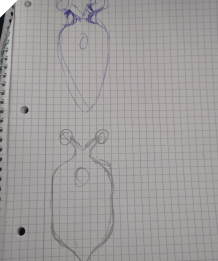
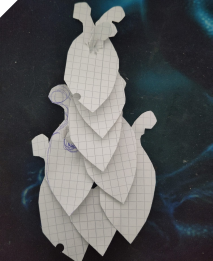
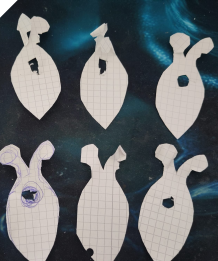
I started by putting my rough idea onto paper. Each scale is designed with one hole so that the two small tabs or rounded connectors of the scales below can be inserted into it. This way, the scales can be connected both vertically and horizontally. The overlapping structure is intended to hide the connections underneath, so the upper scales cover the joints of the lower ones. Here, you can see my first paper sketches.
03 Digital Design
I created my design again in Fusion 360 because I already have a lot of experience working with this software.
01 / Create the Sketch
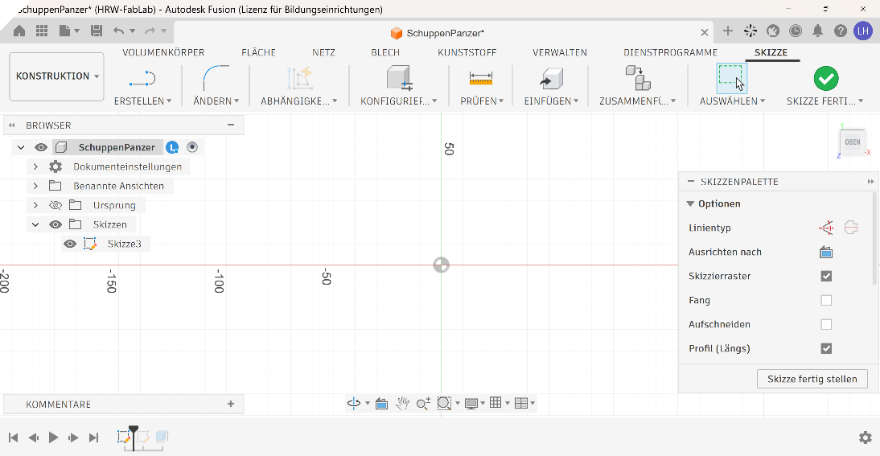
First, I created a new sketch in Fusion 360 as the basis for my module.
02 / Define Parameters
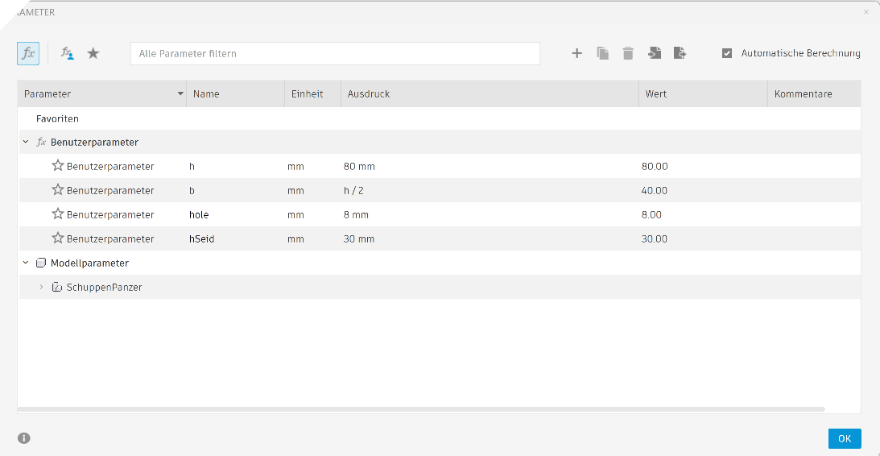
Next, I transferred the dimensions from my paper prototype into Fusion 360 and saved them as parameters. This makes it much easier to adjust the design later without changing every dimension manually.
In Fusion 360, the parameters can be created under:
Modify → Change Parameters
There, I saved the important dimensions of my module as individual values.
03 / Draw the Module
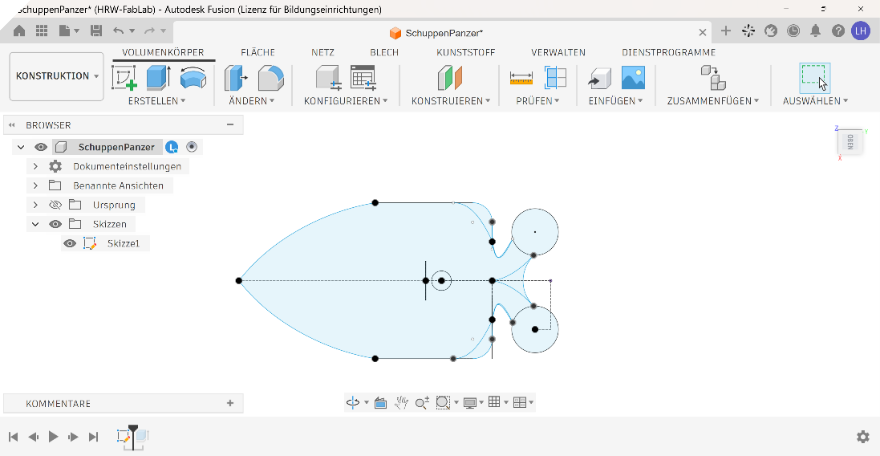
After defining the parameters, I first created construction lines to set up the basic geometry. I then drew the final shape of the module around these guide lines.
04 / Extrude the Body
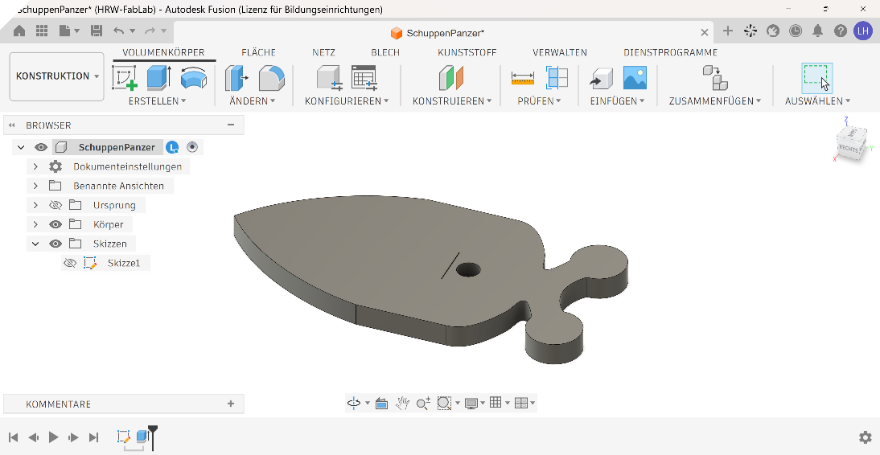
After finishing the sketch, I extruded the shape by 2 mm. This gave me a simple 3D body that I could use for checking the geometry and preparing the export.
05 / Export as SVG
Finally, I used the Shaper plugin in Fusion 360 to export the selected face of the body as an SVG file. This gave me a 2D vector file that I could use for the next fabrication steps.
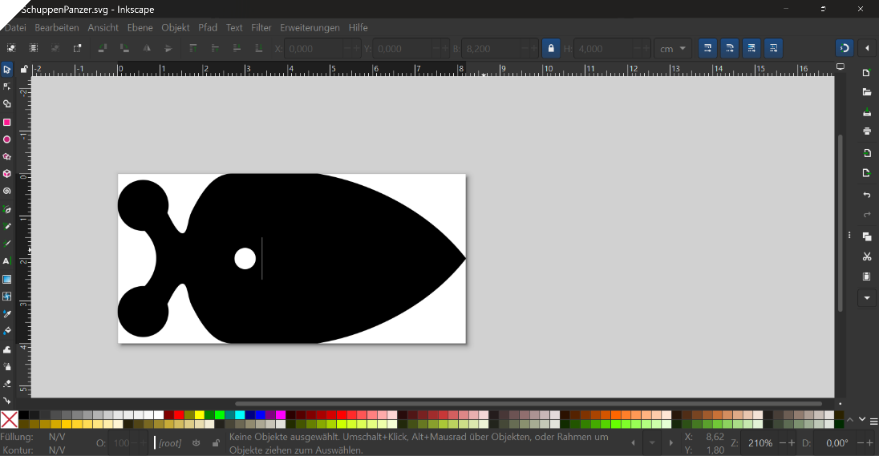
04 Material & Laser Tests
I wanted a material whose edges would melt and seal during laser cutting rather than fray, while still having a soft, natural-looking texture. Polyester felt seemed like a good fit: its fibrous surface gives the scales a softer appearance, while the sealed edges could help keep the small connecting tabs and slots neat. I selected a 1.5 mm felt made from 100% polyester for my initial tests.
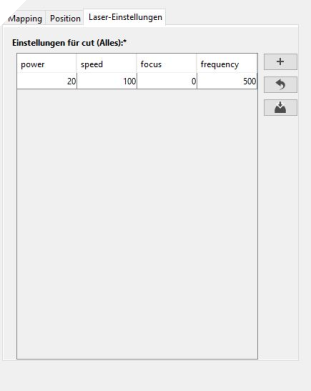
I started with very low power and high speed, gradually adjusting the settings until I achieved a clean cut. For this felt on our Epilog Zing 24 (50 W), the settings that worked best were 20% power and 100% speed.
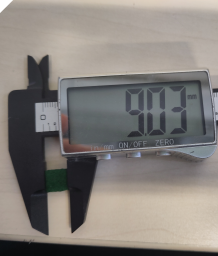
Next, I cut a 1 × 1 cm square and measured its actual dimensions to check how much material had melted away along the edges. This helped me assess the cutting kerf and account for it when refining the connections between my scales.
As you can see in the image, my 10 × 10 mm test square measured only about 9 × 9 mm after laser cutting. This means that approximately 0.5 mm of material is lost on each cut edge.
This offset has to be considered in the further design process, especially for the connection points and openings, where even small dimensional differences can affect how well the parts fit together.
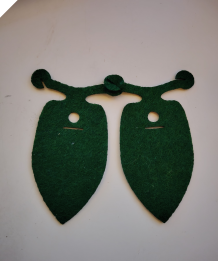
I then started laser cutting the first versions of my design, usually making around three scales at a time to test how they connected.
The first version was much too small, so I adjusted my parameters in Fusion and enlarged the model.
Next, I noticed that the connecting arms were too thin and broke easily. Since the scales are intended to be reusable, the connections need to withstand repeated assembly and disassembly.
I also adjusted the position and size of the holes to improve how the scales overlapped and how securely they held together. As the finished piece is intended to be worn by a child, the connections need to hold up during movement and play.
After testing the complete model a few times, I decided to take a step back and focus first on the connection between the individual scales.
I also had to consider the properties of the material. For example, when cutting felt with the laser, the edges melt slightly. This creates a small offset that needs to be taken into account when designing the connections.
I tested two possible connection methods: inserting one rounded tab into a hole, or inserting two tabs together. These create different material thicknesses at the connection point. Making the opening larger would make one connection too loose, while making it smaller would make the other one too tight and less stable.
The two connection points also need to sit at different heights so that the scales form an even pattern. Because of this, I decided to use a small hole at the top and a narrow slot underneath.
Finally, I added small notches to the rounded connection points. On the right side, the notch is placed at the top, while on the left side it is placed at the bottom. This allows the two parts to hook into each other and makes the connection more secure.
This video shows how the shape of my module developed through different design iterations. I gave ChatGPT ten numbered photos and asked it to align and scale the shapes consistently, adjust the lighting and colours, and use a clean white background. I then requested smooth morphing transitions in numerical order, preserving the original felt texture, cut edges, holes and slits so that the design changes remain visible.
Final Version
Here you can see the interlocking mechanism in more detail. In the first image, you can see how the connection tabs of the individual scales interlock directly with each other, creating a connection without any additional fasteners.
Here you can see the offset connection pattern from both the front and the back. The scales are attached in a staggered arrangement so that the rows overlap evenly and create a continuous scale structure.
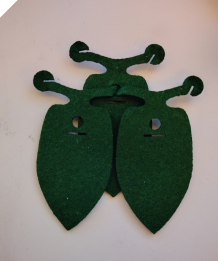
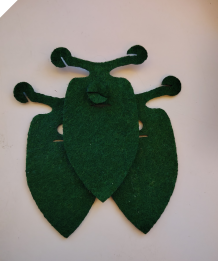
And here you can see how the pieces are connected when the scales are meant to sit directly on top of each other. In this configuration, the connection points align vertically instead of being offset.
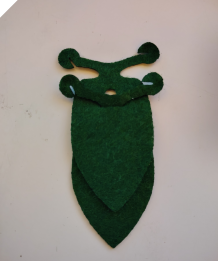
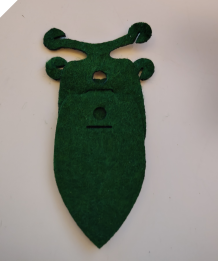
05 Laser Cutting
To cut out the pieces, I used our smaller laser cutter, nicknamed “Baziinga”.
Open-source laser cutting software for preparing vector files, assigning cutting parameters and controlling compatible laser cutters.
For communication between the computer and the laser cutter, we use VisiCut. It is used to send the prepared files to the machine and configure the cutting or engraving job.
Laser Cutter
Machine Epilog Zing 24
Company Epilog Laser
Working Area 610 × 305 mm
Laser Power 50 W CO₂
Software VisiCut
Input Format SVG, DXF
Cutting and engraving materials such as textiles, wood, cardboard and acrylic with a CO₂ laser.
I opened my file in Inkscape and selected Extensions → Lasercut → Open in VisiCut to transfer the design to VisiCut.
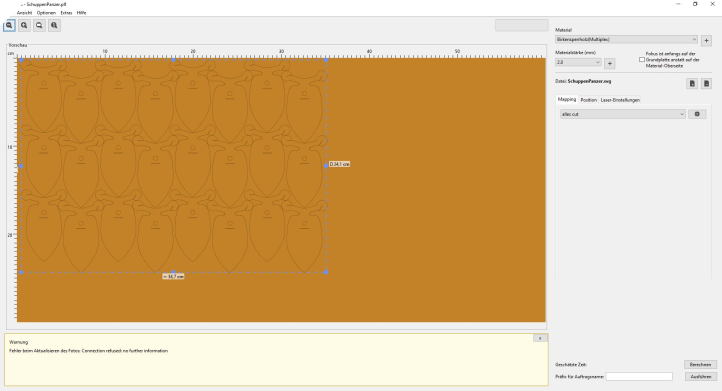
After preparing the file, I cut out a large number of individual pieces for assembling the final structure.
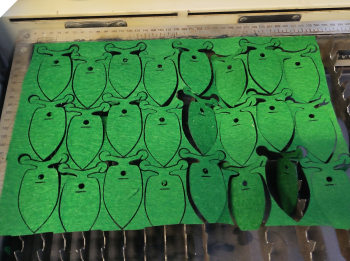
06 Assembly
Felt
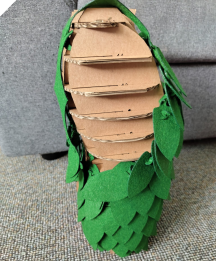
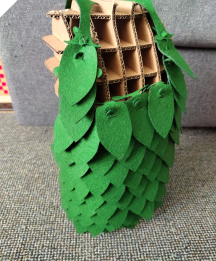
After producing and testing many individual scale pieces, I ended up with a large pile of components. I cut 125 scales.
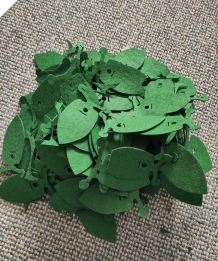
The next challenge was to turn all these separate parts into an actual wearable garment. For this, I started arranging and connecting the scales step by step, using the modular connection system developed during the previous tests.
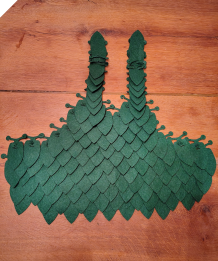
I had not cut enough pieces to build the garment exactly as originally planned, so I adapted the design and left more open space at the back. This made the garment lighter and also showed how the modular system can be adjusted depending on the number of available pieces.
While assembling it, I also noticed that the final result looks a little like a dress made of leaves. I think this impression mainly comes from the shape of the individual elements and the green color.
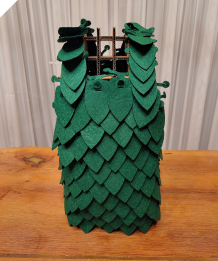
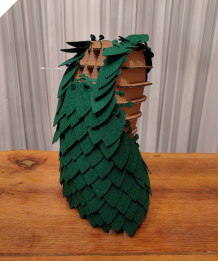
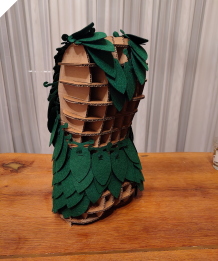
After optimizing my model to produce less waste during cutting, I ended up with a new leftover element. Instead of discarding it, I decided to use this piece for the straps.
I also used the existing holes to fold in the small arms sticking out at the outer edges. This makes the overall shape look cleaner and more finished.
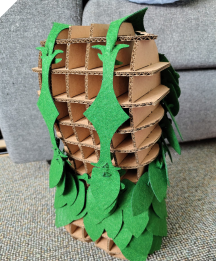
Leather
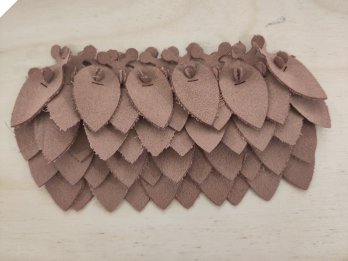
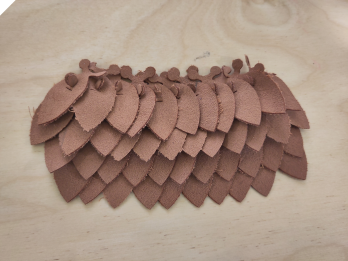
For a short experiment, I also wanted to try a different material. I still had some leftover leather, so I used the current version of my design at that point, around iteration 5, and scaled it down because I wanted the scales to be smaller. I then laser-cut the pieces from leather and assembled them into a bracelet.
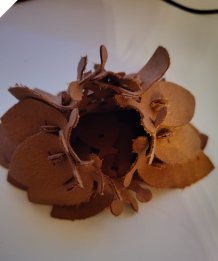
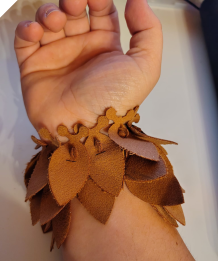
As you can see here, the scales in this version still overlap quite strongly. To improve this, I tried two different variations of the connection and arrangement to see which one created a cleaner and more even scale pattern.
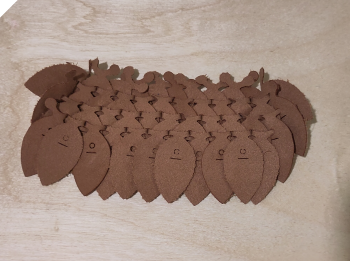
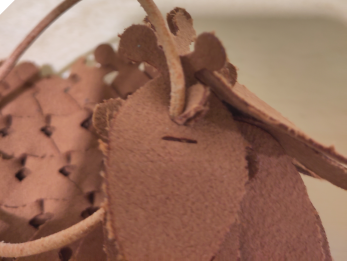
Finally, I threaded a leather cord through the existing holes to connect the ends. With that, the bracelet was finished.
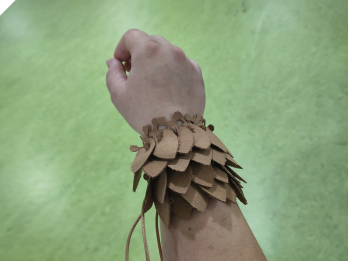
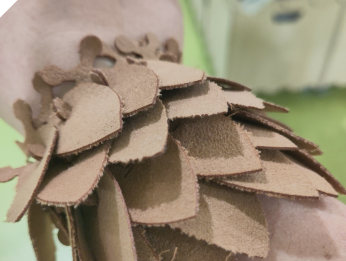
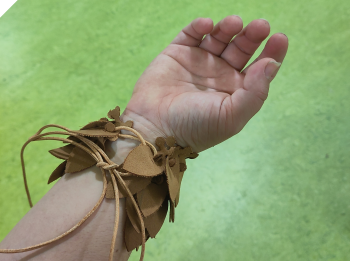
The bracelet can also be worn as a closed loop without the leather cord. However, you definitely need a second person to help close it, as connecting the individual scales while wearing it is quite tricky.
07 Files
V5 Lether

V10 Felt
99 Waste of the Week – Fabric Scraps
This week, most of the waste consisted of fabric scraps. During the assignment, my shapes did not fit perfectly into each other on the fabric, which created leftover pieces between the cut parts. In addition, I did not always cut the fabric to the exact size needed, which resulted in some extra offcuts.
Another source of waste came from the prototyping process. I tested several versions of my scale design and changed the size, connection points, holes and small connecting arms. Some of these test pieces did not work as intended or became unusable after testing the connections, so they also became textile waste.
Fabric waste is also generated regularly in our lab during sewing projects. Larger leftover pieces are usually kept and reused, for example as cleaning cloths or for small projects. Very small scraps are more difficult to reuse.
Another type of textile waste comes from the overlock machine, where narrow strips and threads are cut off continuously while sewing.
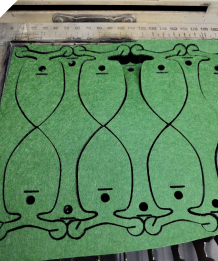
To reduce waste and make better use of the leftover material, I experimented with a different arrangement of the scales.
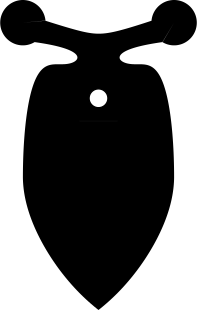
This new layout creates a leftover shape that can be reused instead of discarded. I added the same connection elements to this remaining piece, so it can become a matching upper edge for the modular structure.
This could also improve the overall design, as the current top edge still looks a little unfinished. The new piece could create a cleaner and more intentional ending.
If I have enough time in the next few weeks, I would like to cut this version again and test how well it works in practice.

Here you can see the cut example using the spaces between the individual parts. By arranging the pieces this way, the gaps are used more efficiently and fewer leftover pieces are created during cutting.