Circular Open Source Fashion
Initial thoughts
Paper and pen are again my friends to organize my thoughts and set preferences. Even if later the preferences change, it still guides me to find the flow.
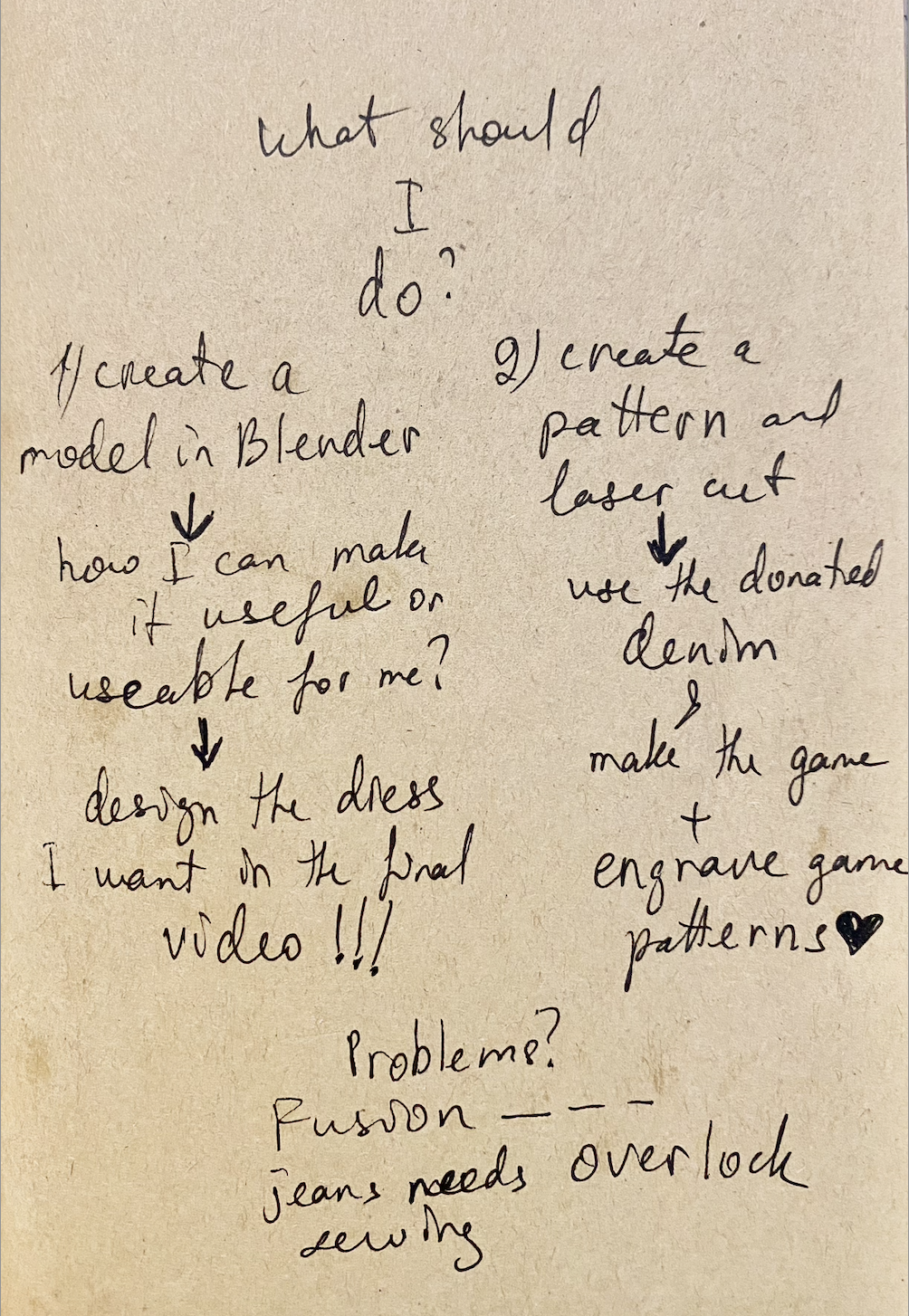
So, based on the handbook and my artisitic practice, I set my to-do this week:
-
do research about circular and fashion and modular design, designers who had achieved circularity and enrich my knowledge in fashion and design in general;
-
master new sofrware like Ai and Fusion 360;
-
try papercut modules;
-
create my own tessallation;
-
beewax old denim for my modular accessory. Denim is donated by the community for my previous environmental project. About the project see in my LinkedIn.
-
lasercut the modules after testing and following the safety rules;
-
assemble them;
-
document everything!
Research & inspiration
Circular fashion is described in Google as: "a regenerative system that replaces the traditional "take-make-waste" linear model by keeping clothing and textiles in use for as long as possible. Clothes are designed from the start for durability, repairability, and easy disassembly using single-material (mono-fiber) or fully biodegradable inputs." This description took me back to my childhood when my grandma sheared sheep in spring, scoured the wool in summer, where my sister and I had a role to play: wear rubber boots and trample the wool. And throughout the cold autumn and winter days she would turn the wool into yarn and together with my mom they would knit sweaters, socks, scarves, vests... they repaired the ones that were worn out with special filling technique I can't recall in details. So, we used to have circularity in outwear, and upcycling. Now with this course I feel going back to that source. Modules in their turn play an outstanding role: CHANGEABILITY. You don't need to buy or have several items, instead you can have one module which can be disassembled and reassembled infinitely in various ways to serve various purposes. This is FREEDOM.
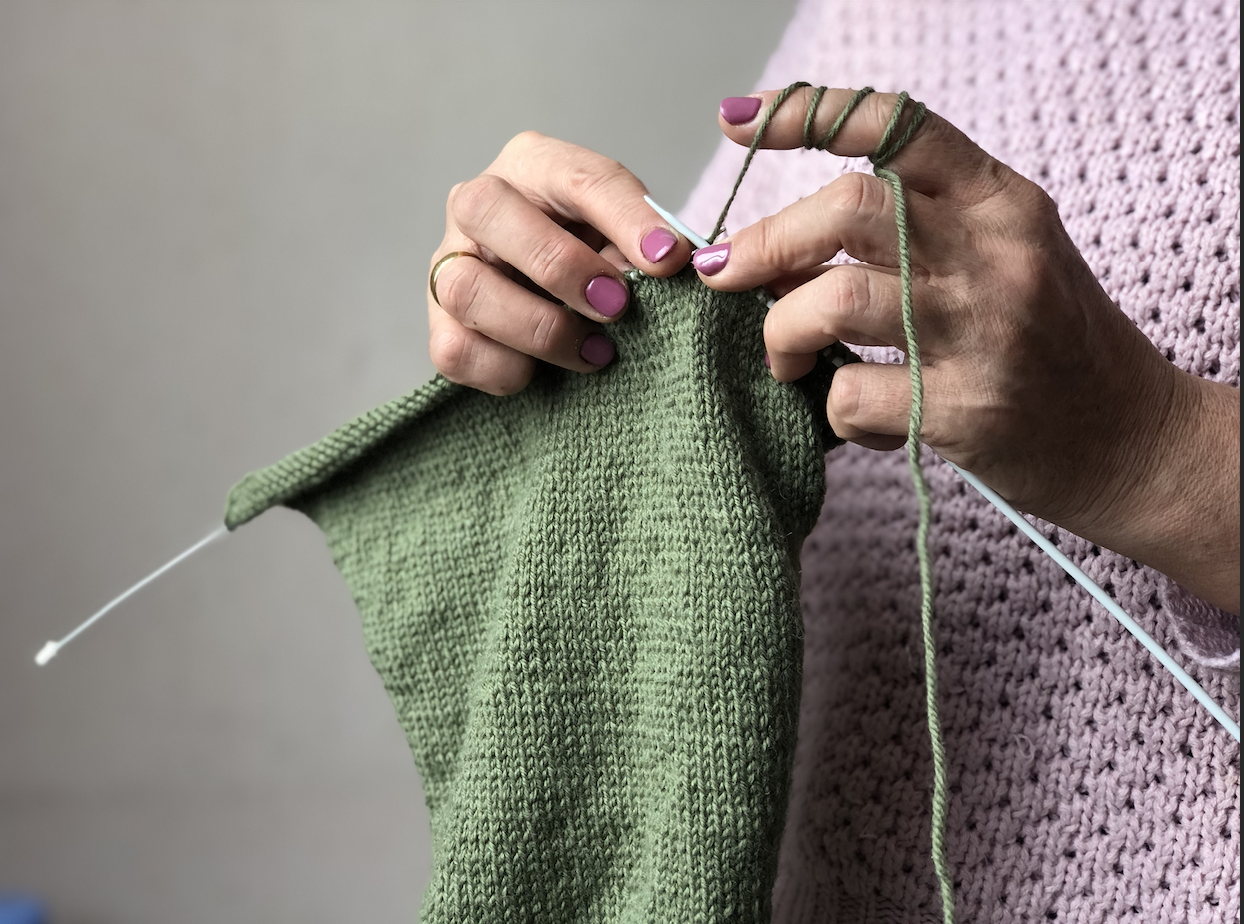 Photo by Luiza Naslyan: "Mom's caring hands"
The first inspirations I got from the lecture by Zoe Romano, all the fascinating projects regarding sustainability, repairment, and degitalization, bringing technology into traditional crafts made deep impressions on me. Even though wool is not within my first interests, it was highly inspiring. Another crucial point resonated with me as an ARTivist, suing the fashion show to bring up the topics regarding workers'rights, such as poor working conditions, harassment especially to women at workplace, etc. Another huge source of inspiration is the OS Circular Fashion website where you can delve for days.
Serpica Naro
OS Circular Fashion
I made a pdf of my inspirations and ideation:
Tools (software, application, machine)
Software
Application:
Machine:
Process & workflow
My assignment this week is all about upcycling. I used donated worn-out denim and leftover leather to create my modules: the ancient game redesigned by me and a leather belt/bodice.
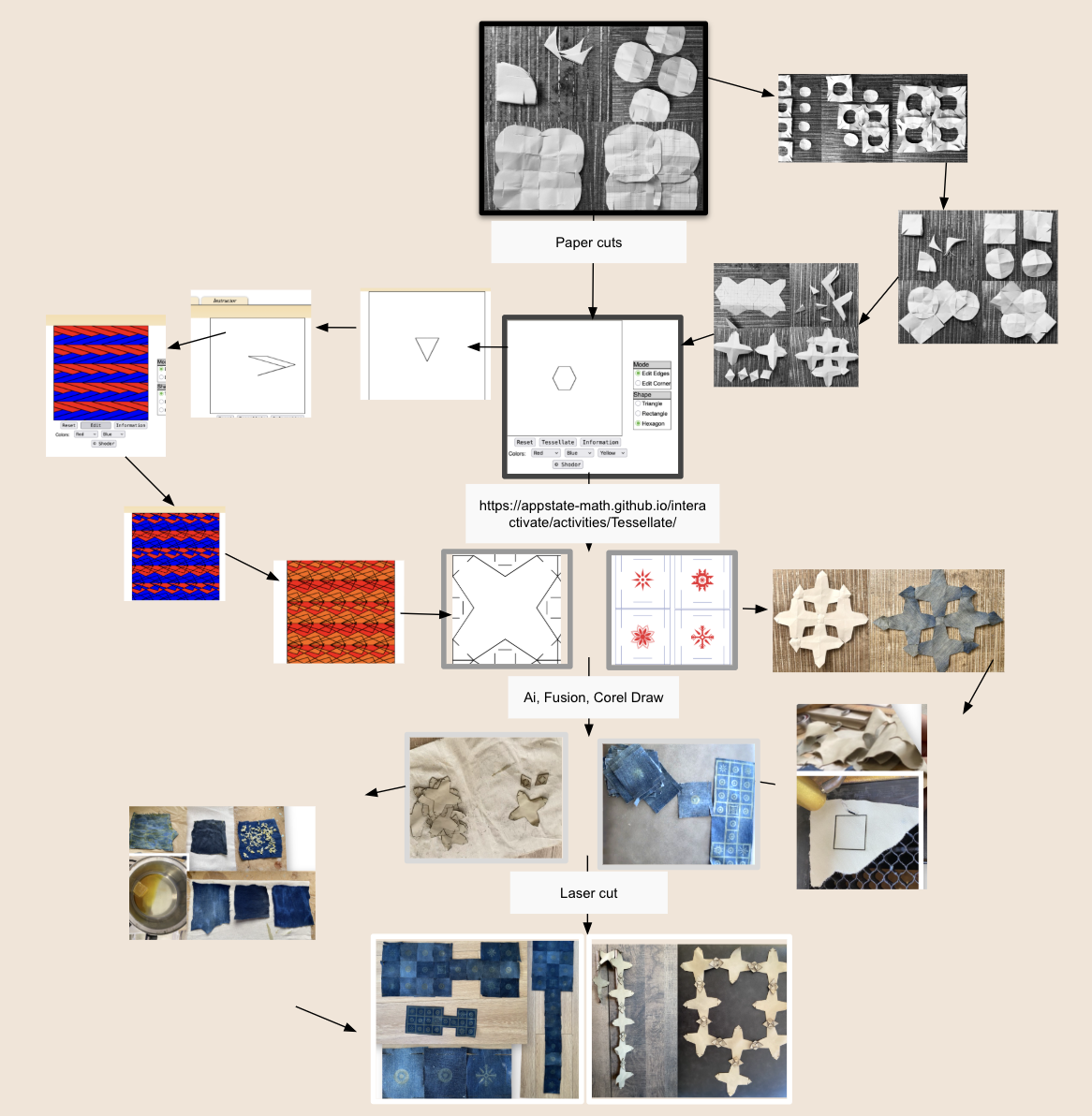
Let me walk you through this journey step by step.
Step 1: Paper cuts
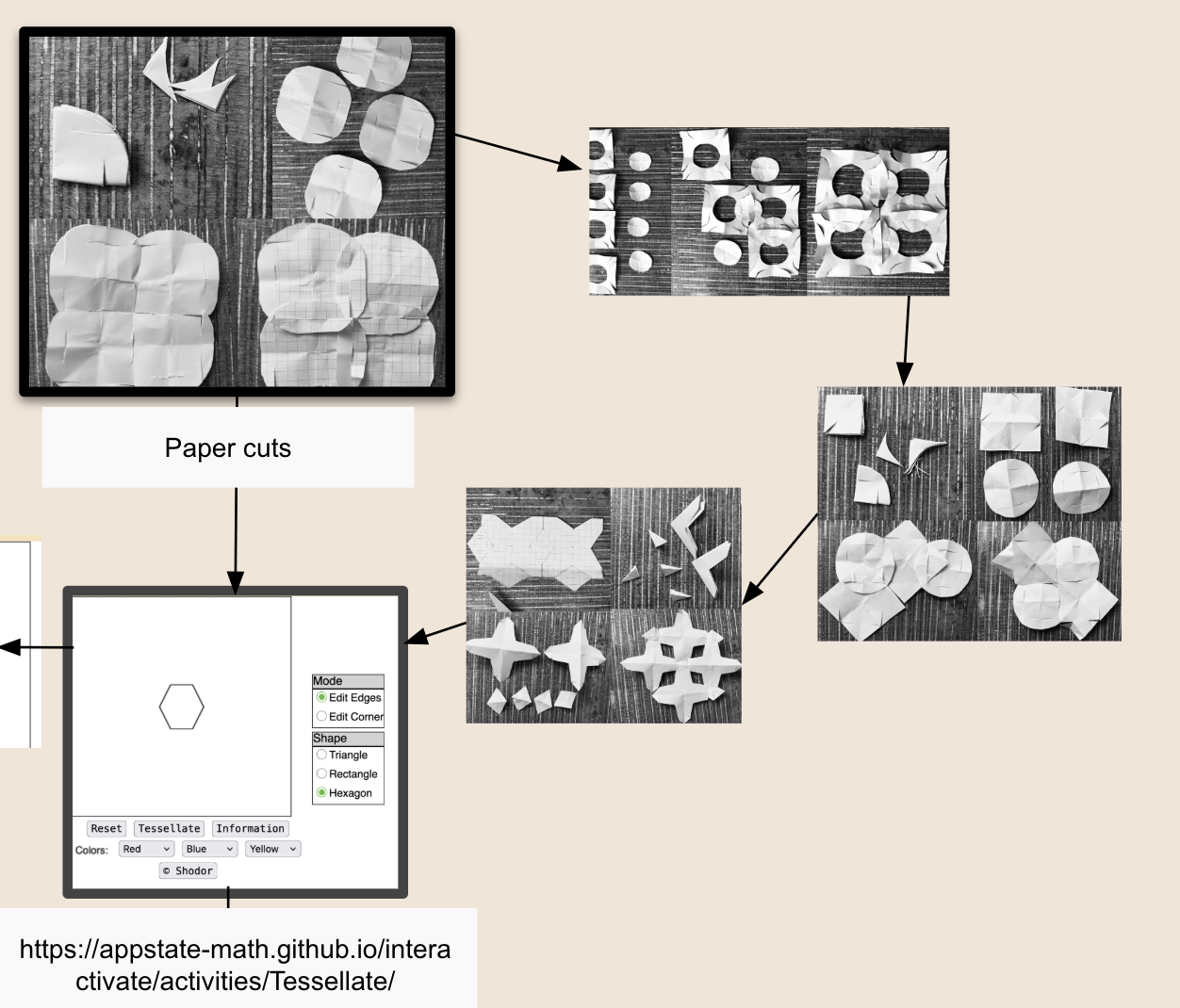
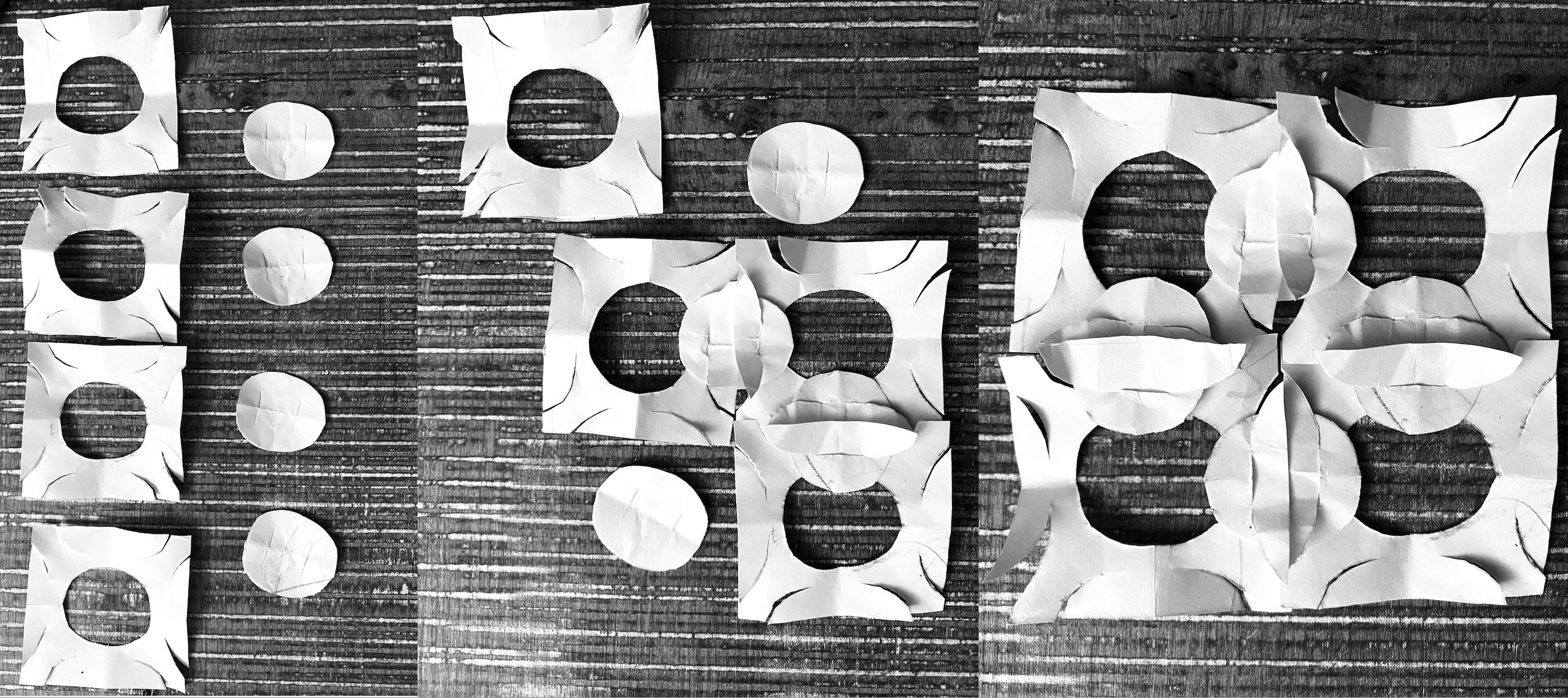
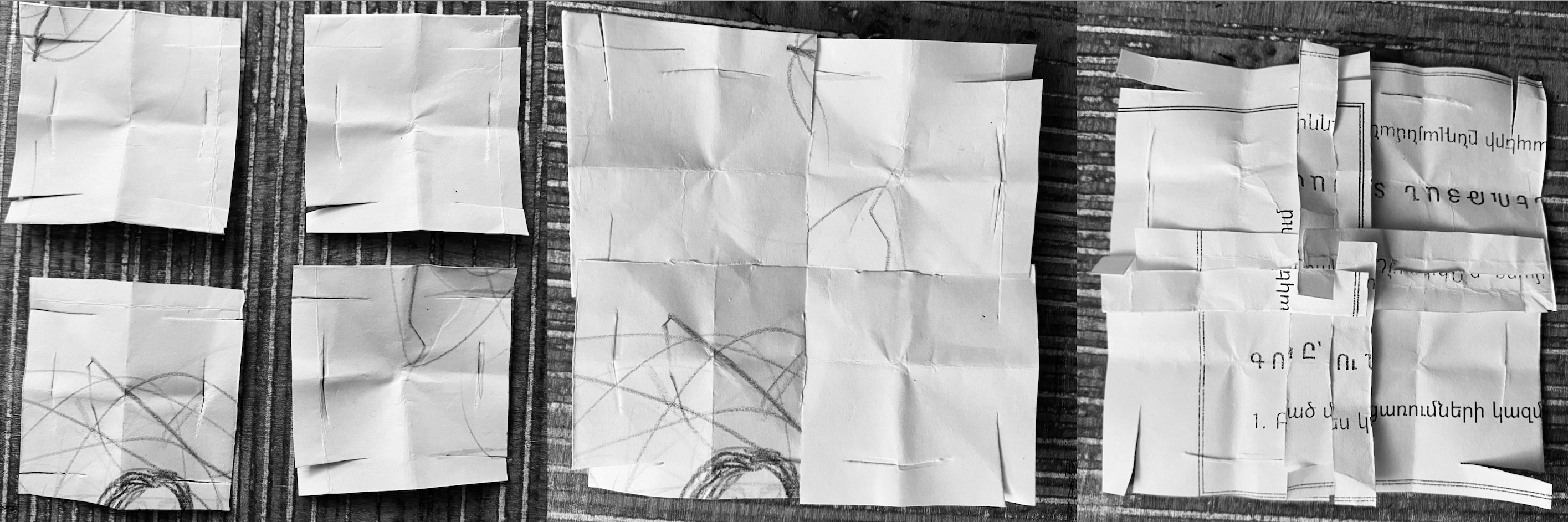
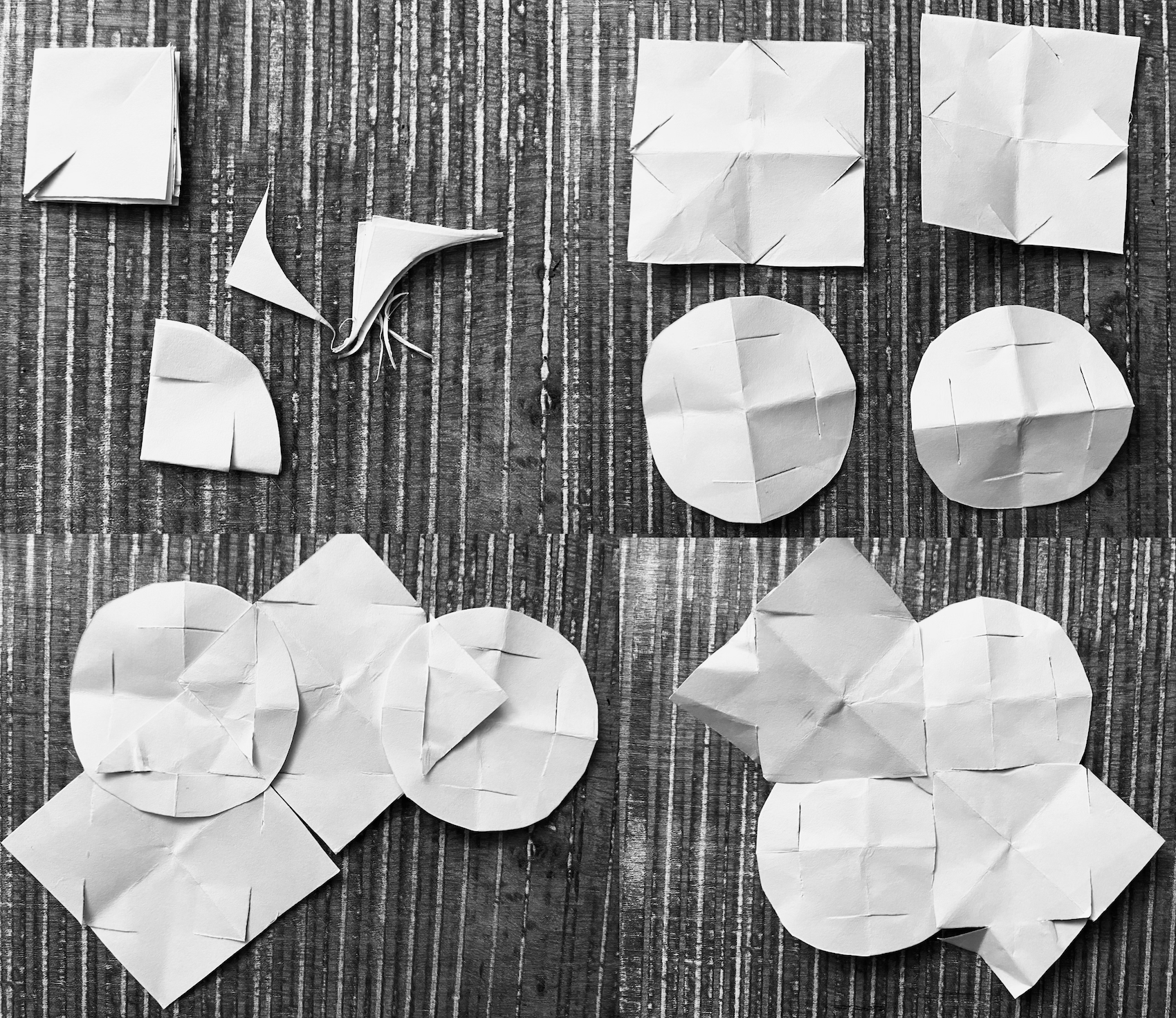
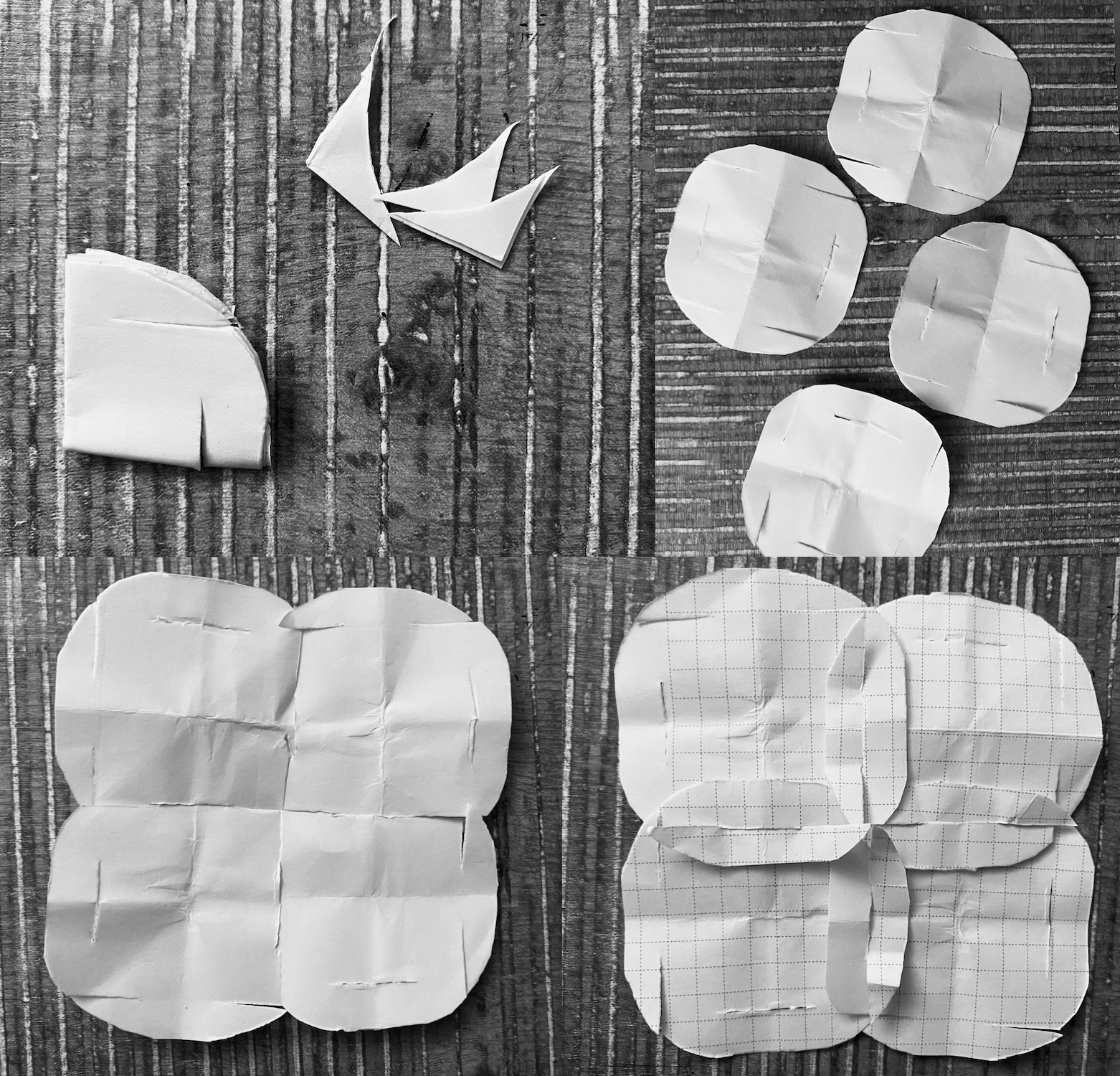
Firstly, I attended two lectures by RICO Kanthatham and Claudia Simonelli and tried some paper cuts. After cutting square modules there was no left over paper, and they fit together perfectly, they did not snap when pulled. Meanwhile, after cutting the circular modules there were paper left overs, the modules fit together also well and did not snap when pulled. Here you can see my tests on paper and see the leftover paper in case of circular modules:
Step 2: Tessellate!
It was exciting to try out this website: Tessellate!. I tried to reshape square, hexagon and triangle. I find the triangular tessellations interesting, especially the overlapping parts. It is also interesting to try out various color combinations:
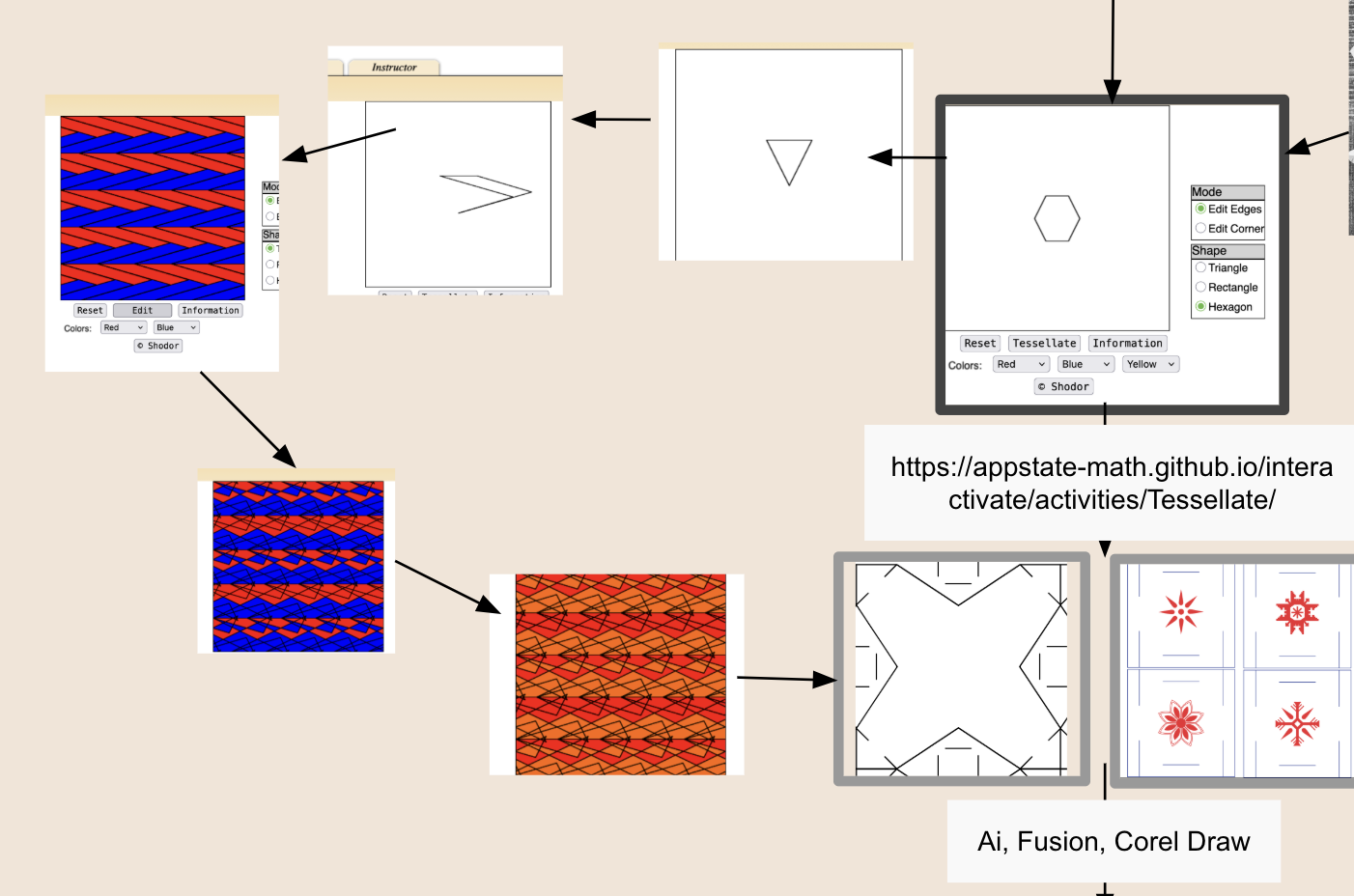
Step 3: Ai (Adobe illustrator), Fusion Autodesk
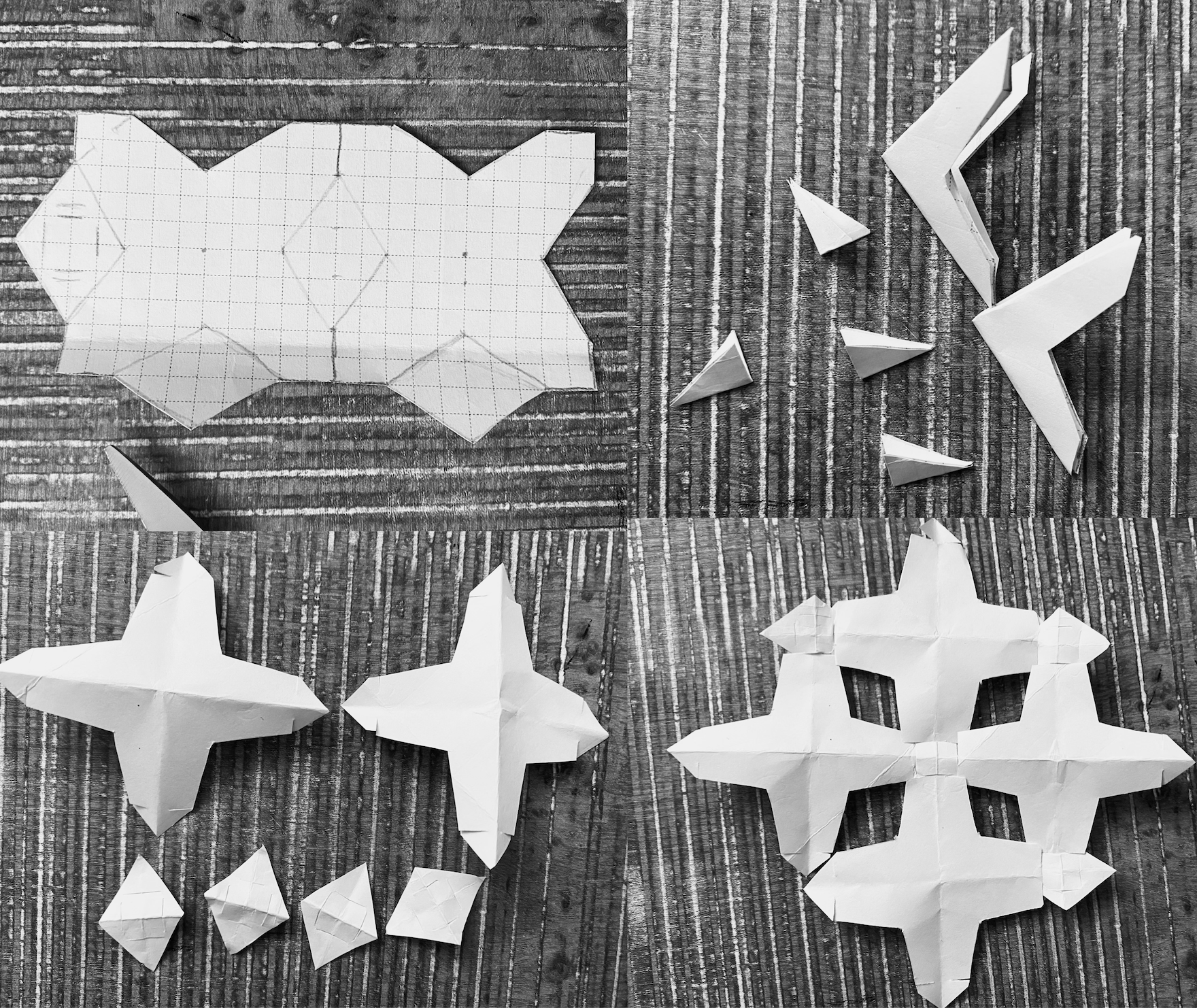
After obtaining some understanding how tessellation works, and based on my paper cut tests, how the modules work not to snap, how square module provides zero waste / no leftover pattern, I made my decision to use square modules for my weekly assignment.
For the game, it was easy: the game already was designed in squares in my CorelDraw, so I just added male and felmale parts within the same square module with the help of Ai and copy-paste the sun-crosses/rosettes from the CorelDraw file:
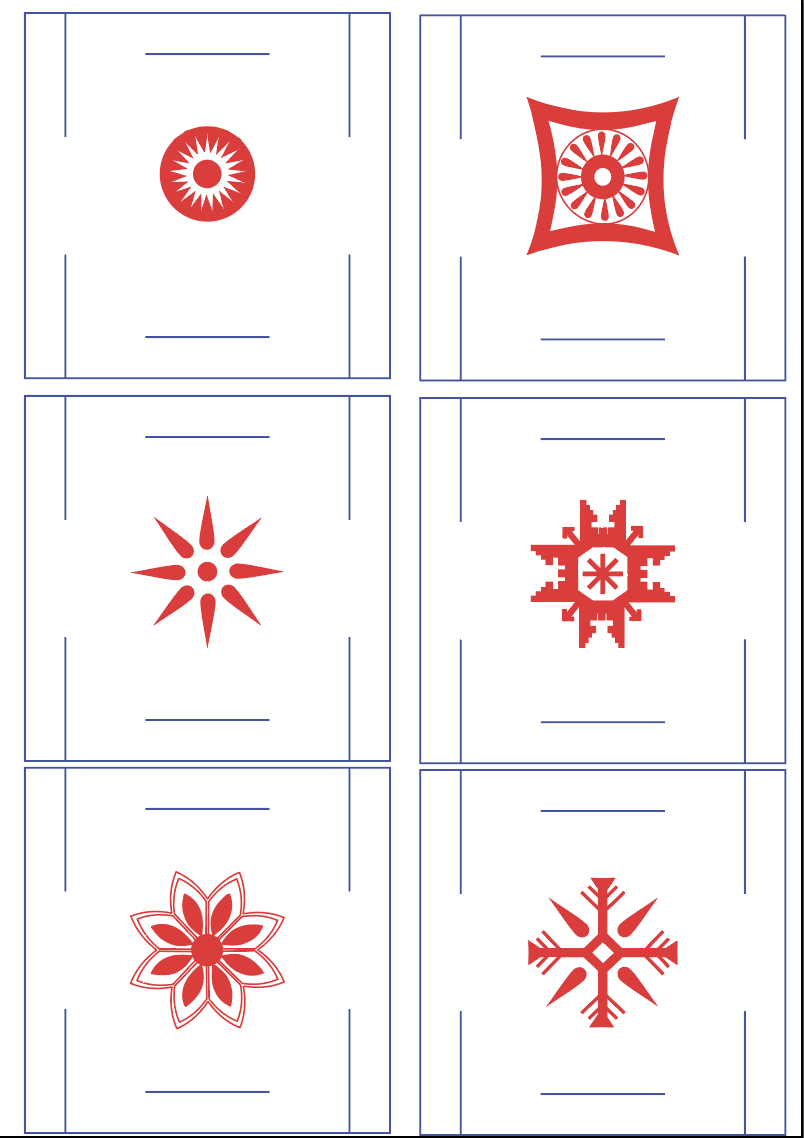
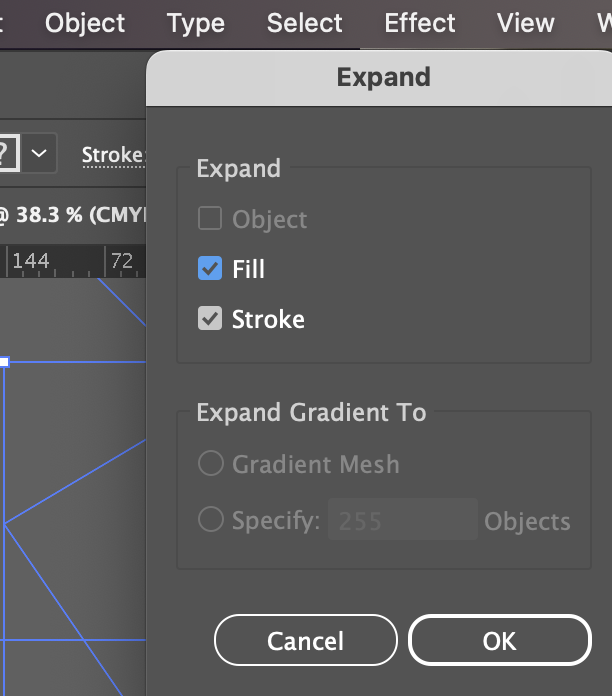
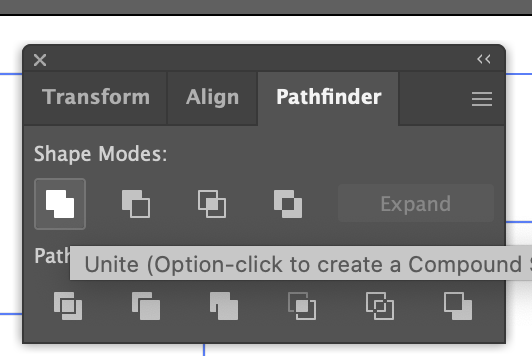
IMPORTANT: I needed to do some modification in Ai with the copy-pasted patterns from CorelDraw to make them ENGRAVE-able in laser. Follow the path: Ai - import the file or copy-paste -> select the pattern -> click on Object - Expand (make sure fill is selected) -> Expand again -> click on Window - Pathfinder - Unite
Based on my research and practical knowledge, I finalized my decision on belt-bodice pattern too: it should be a square module too to not have any leftover. The pattern first is made with paper, then with left-over denim, then it is tested with left-over leather pieces and eventually cut the full length of belt/bodice with the rest of left over leather pieces.
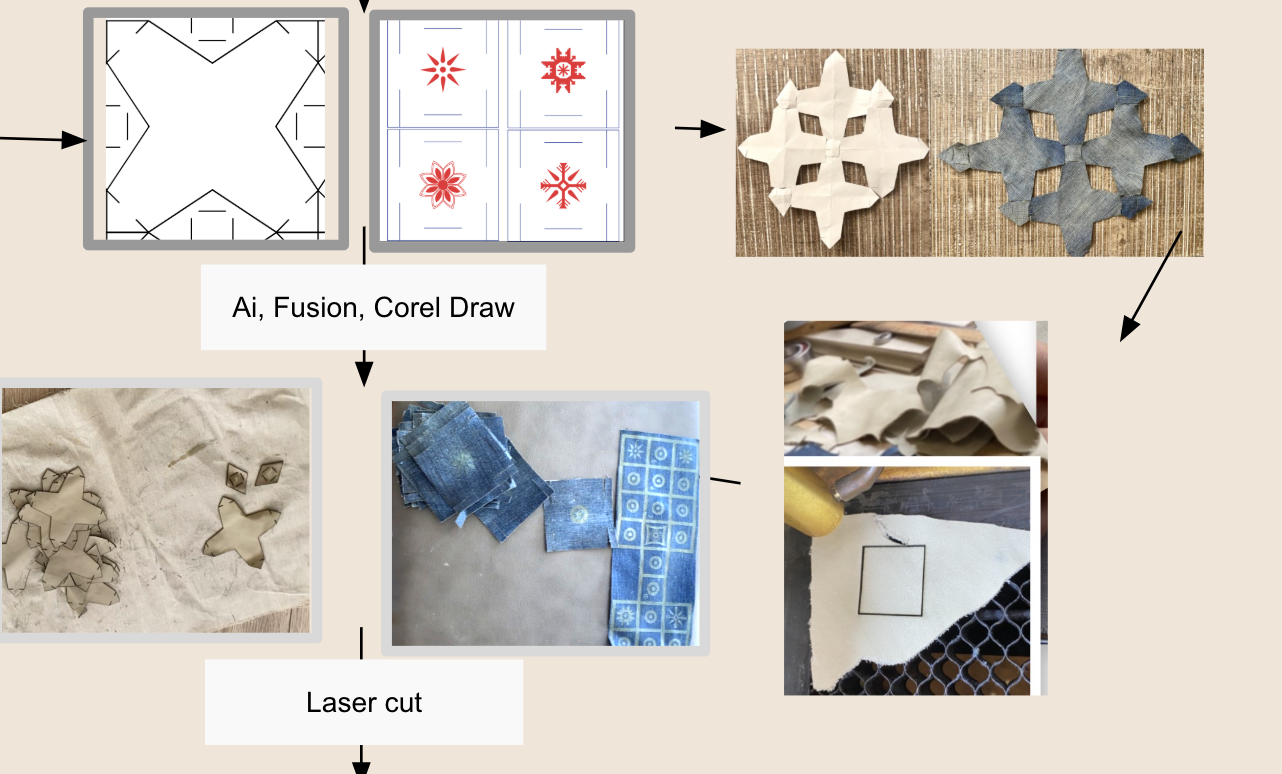
I created my belt/bodice patterns in Ai with the help of wonderful Erika Mirzoyan. Here is the path to create this pattern in Ai:
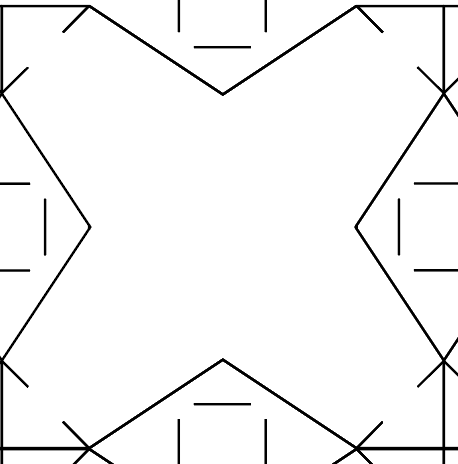
New file -> Selection tool -> click on Rectangle tool -> while pressing Shift draw a Square -> V -> pull out the guides from the Ruler and Rotate some guides to match my pattern needs.
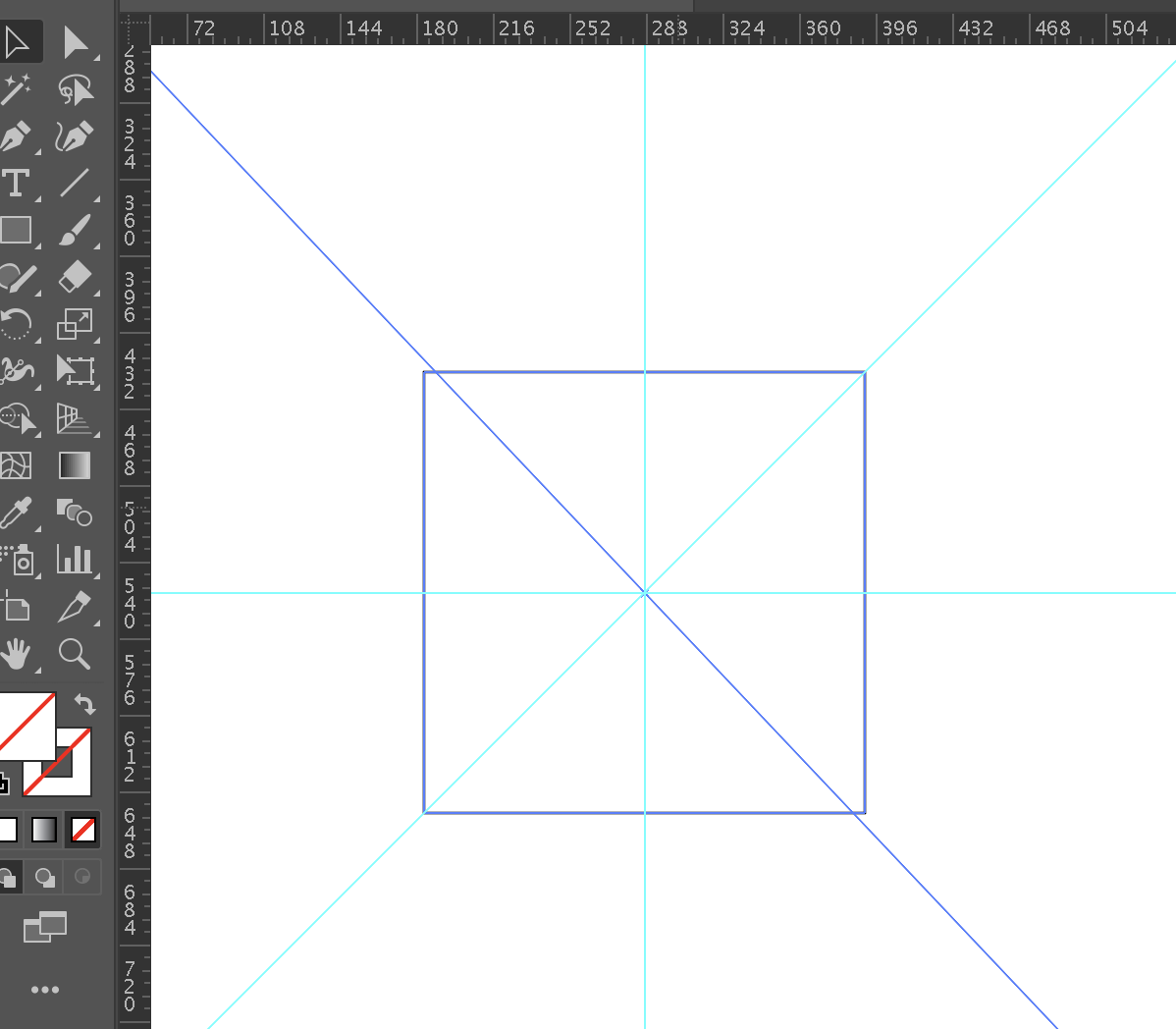
-> take either Line tool from the left bar and make the pattern with individual lines or take a Pen tool -> make only ¼ of the pattern -> V
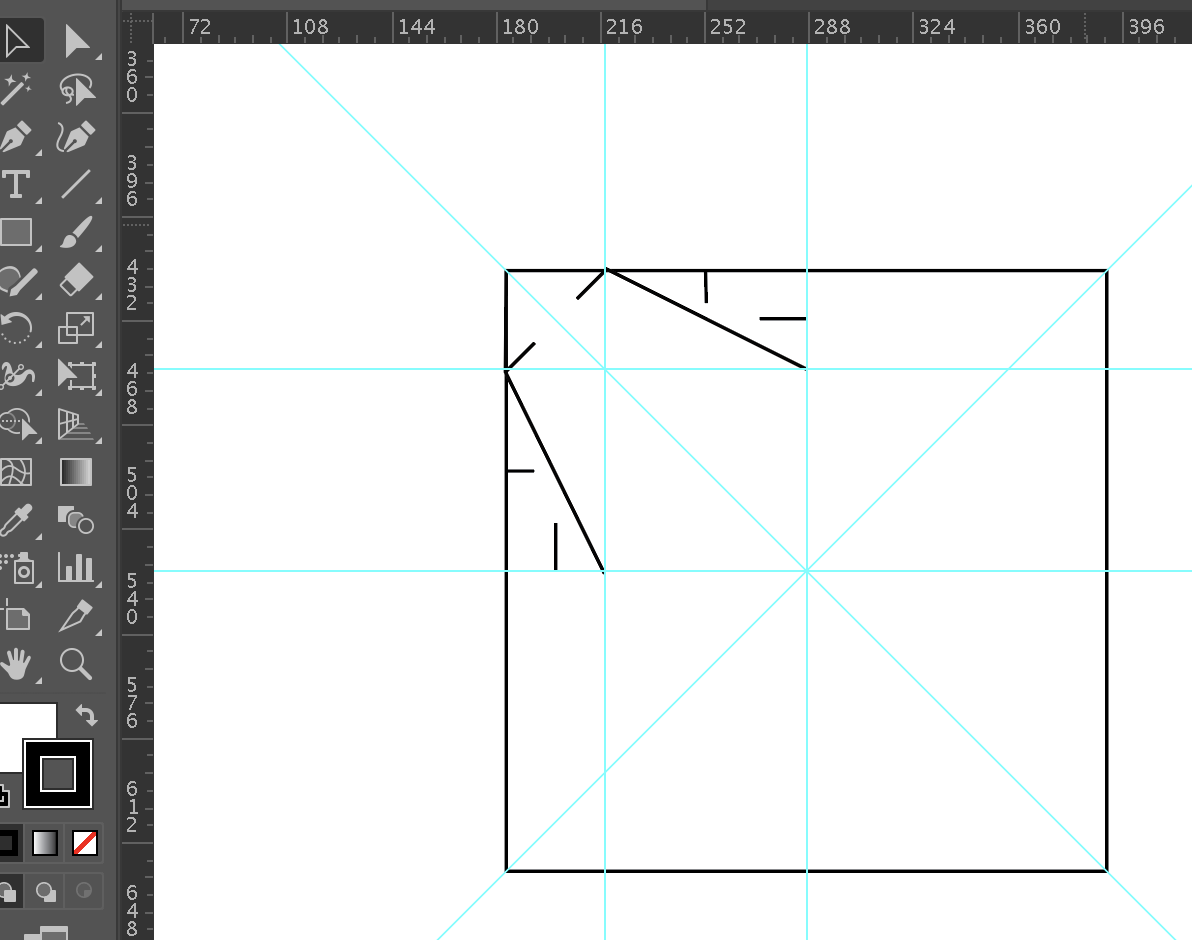
-> to add lines for male parts on the corner, choose the Line tool again, start from the corner and point towards the center, the guides will detact the central point, stretch approximately ⅓ of the diagonal line from corner to corner -> copy-paste the line and move to the other corner -> V
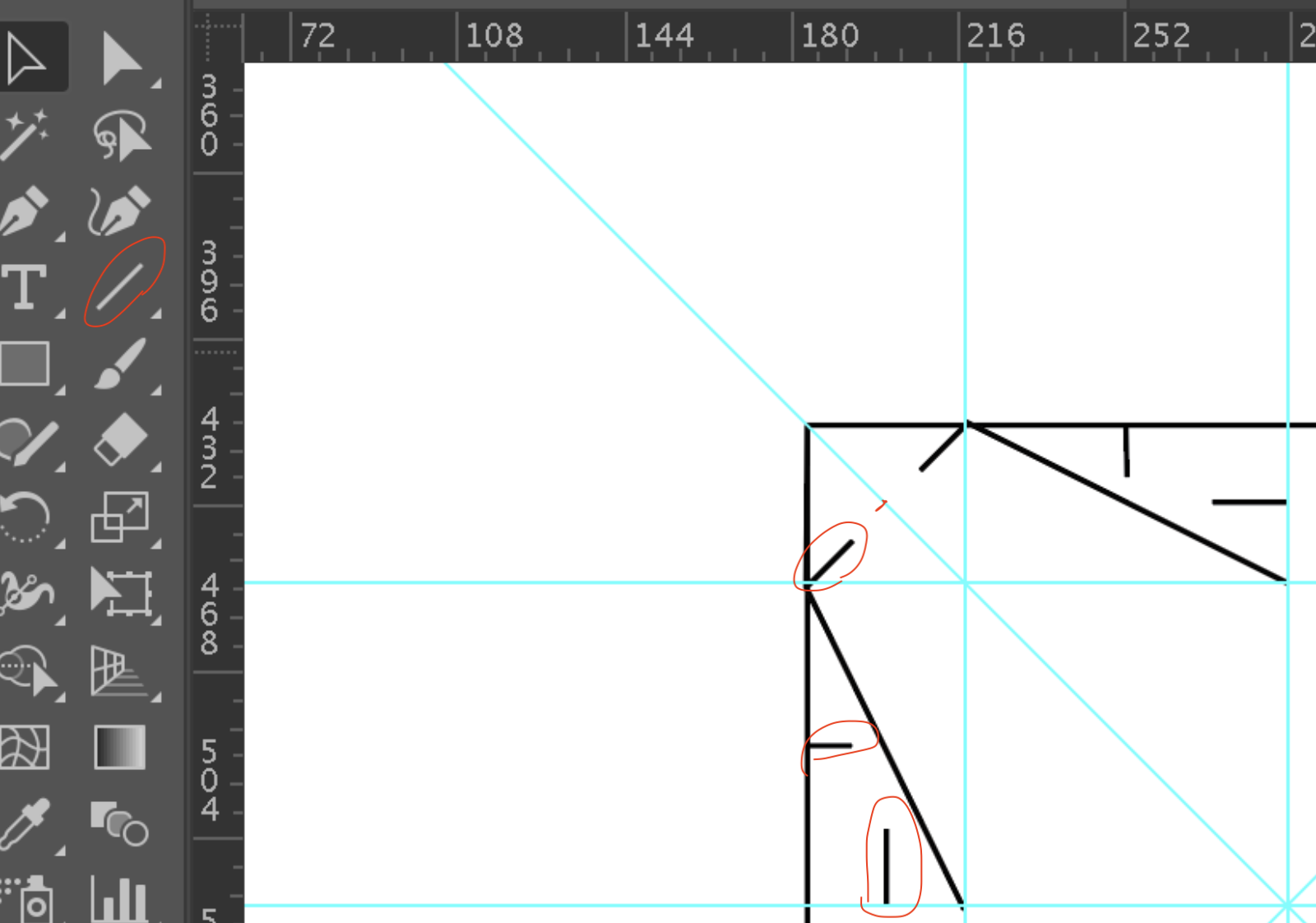
-> add lines for male and female parts on the side choose Line tool and find the center on the side line (see in the image above) -> stretch the line half of the distance until the other line of the pattern -> V
-> Select the pattern -> Command+G -> Rotate and COPY
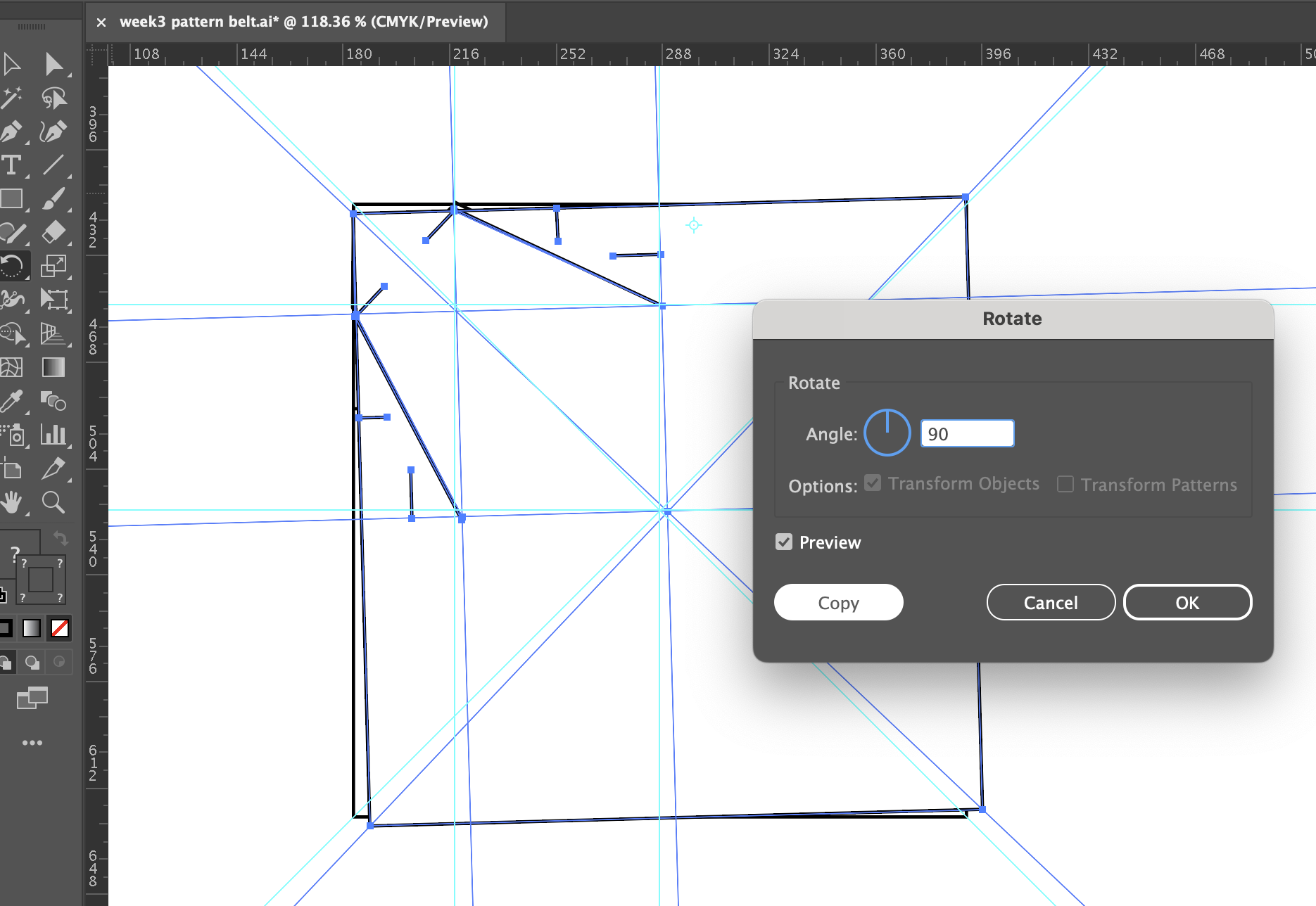
And finally, nest your module.
To laser cut the module I needed an EPS file because it is one of the formates our laser cutter reads. So, on the upper bar I chose File -> Save As -> and chose from the dropdown list EPS -> Save.
I obtained my module in Ai because due to technical issues I could not download Fusion Autodesk. However, to learn Fusion and practice also parametrical design, I asked help from my local instructor Anoush Arshakyan who generously let me use Fusion in her laptop and I practiced pattern making in Fusion, too:
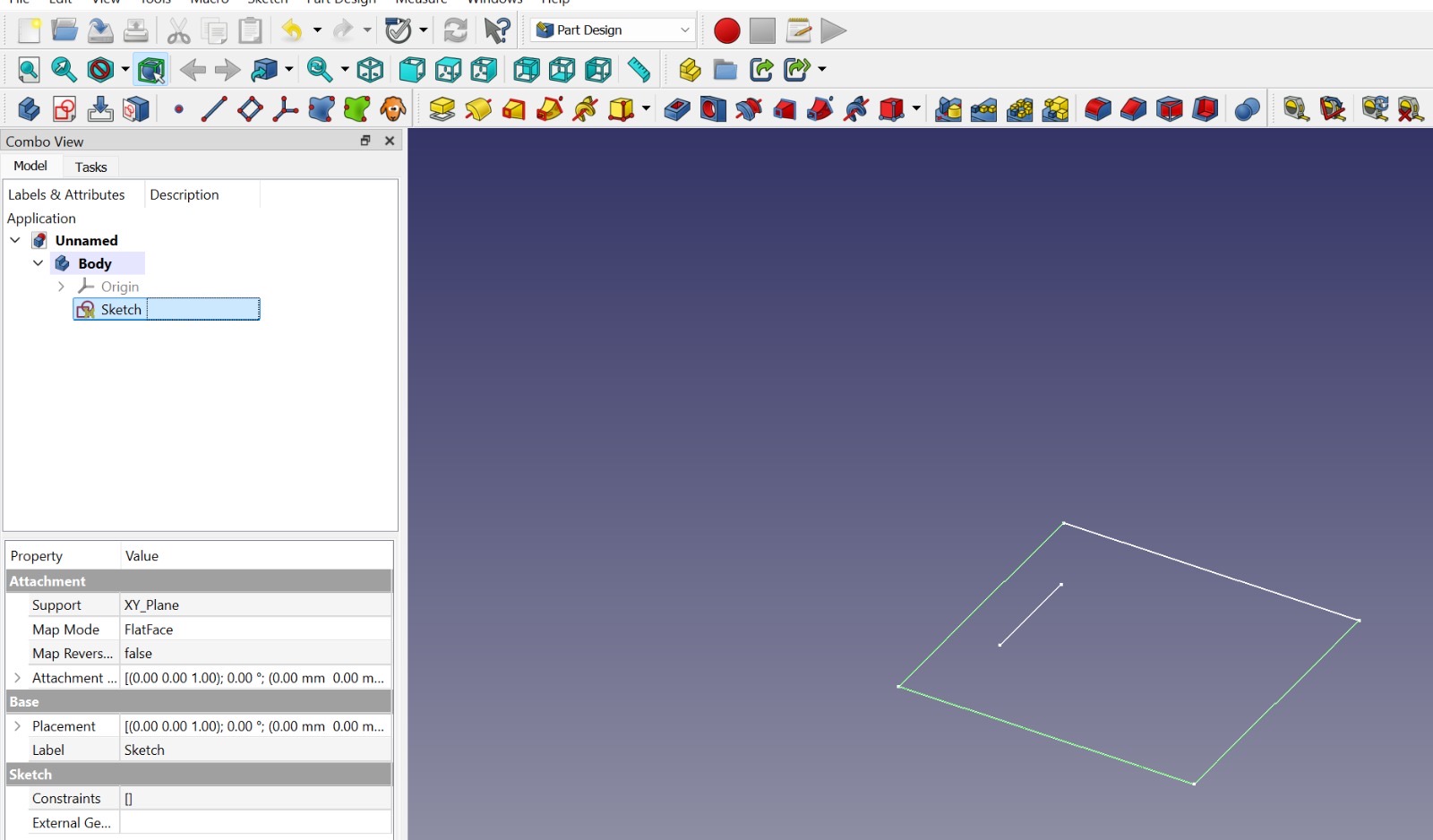
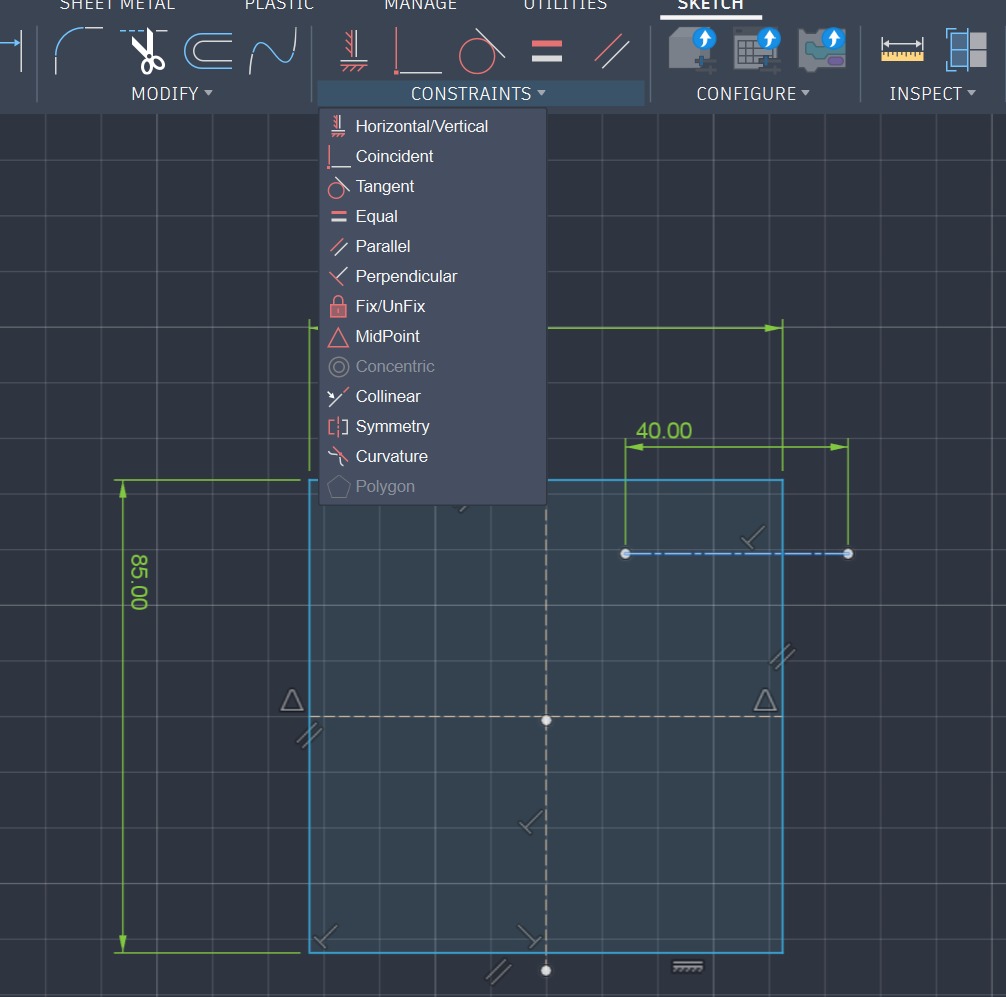
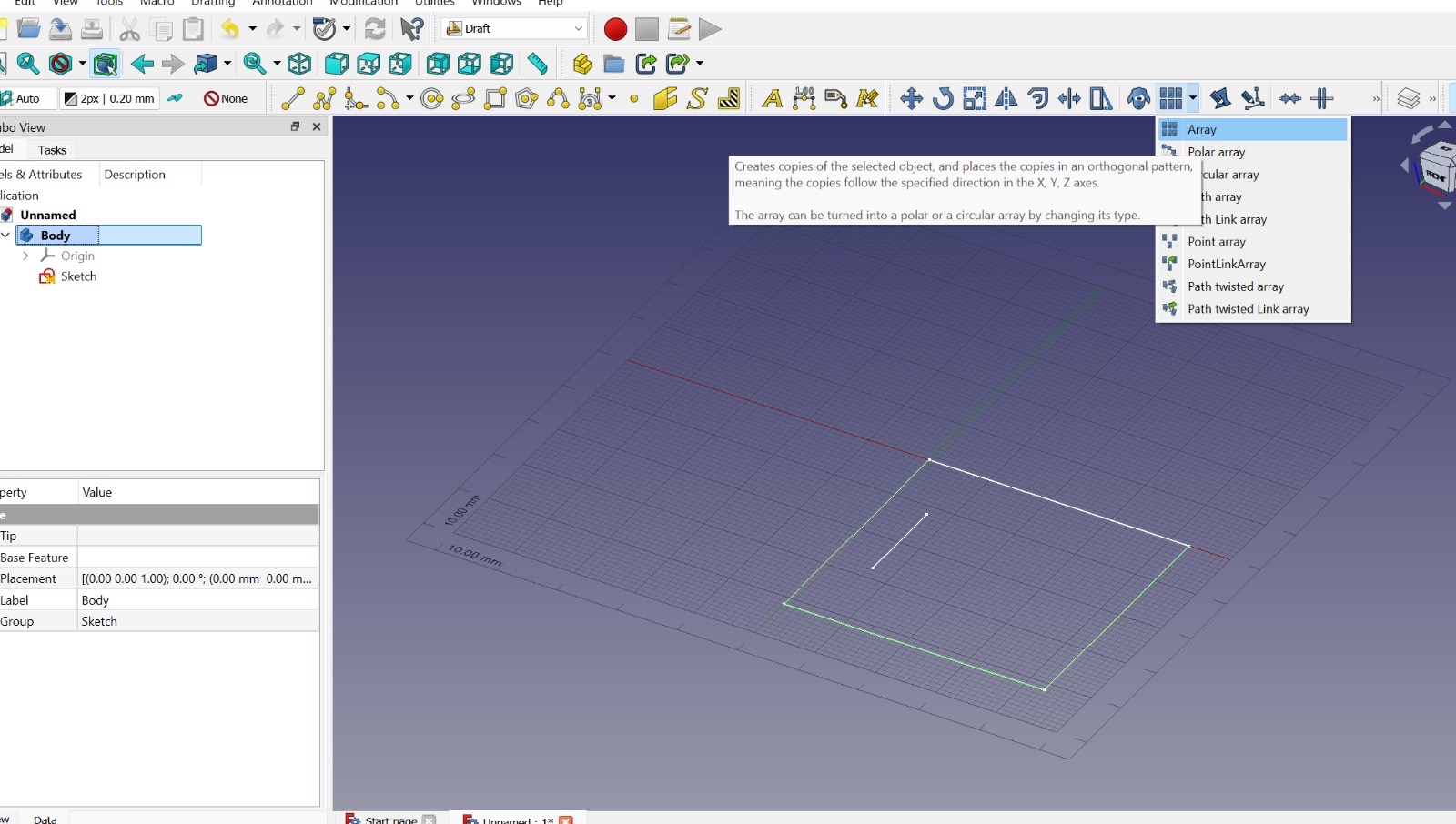
Here is a detailed path how created the pattern in Fusion:
- choose Part design -> Body - Sketch in XY plane
- make Condtraints to give the lines the desired measurements
- make the line for male or female cut -> click on ARRAY to make 4 copies of the line for my design
- You can change the line type here
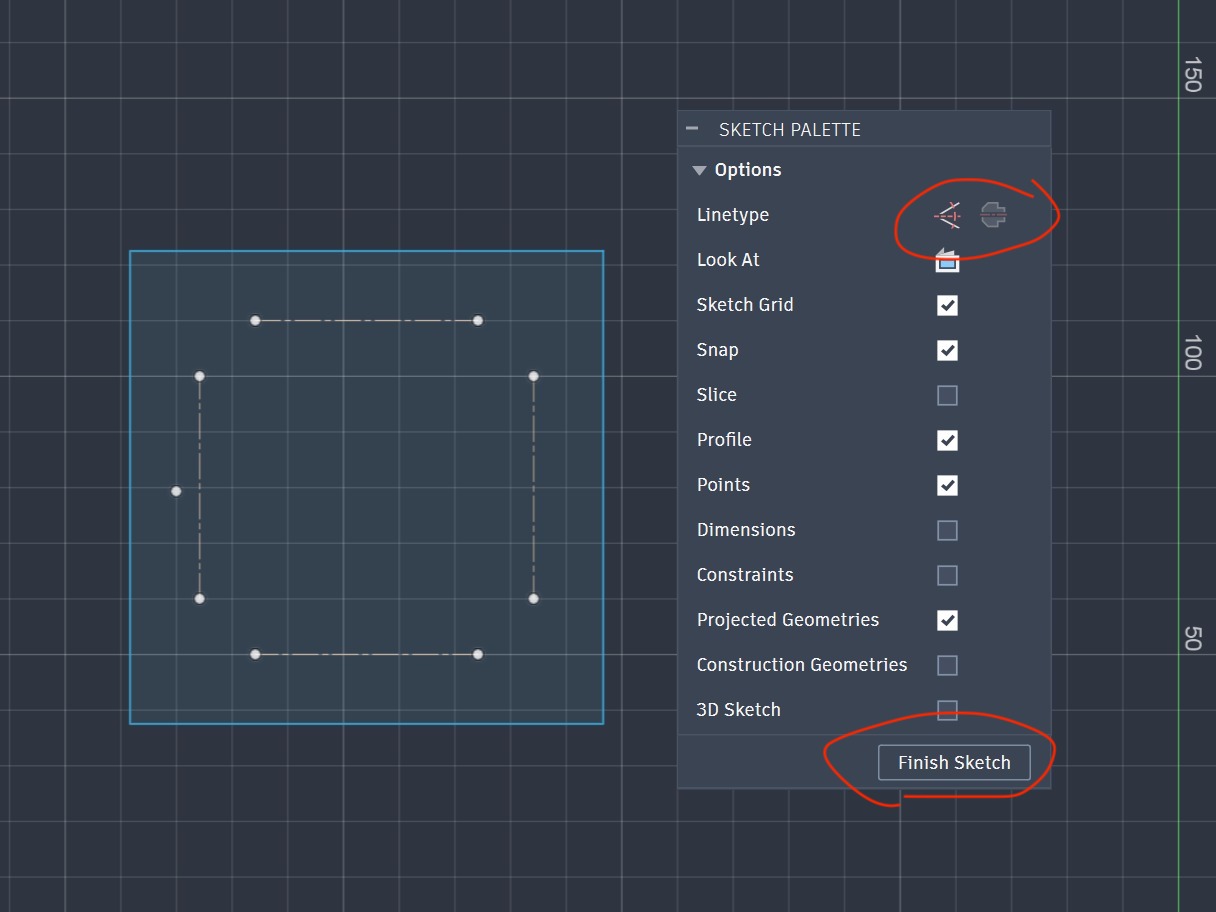
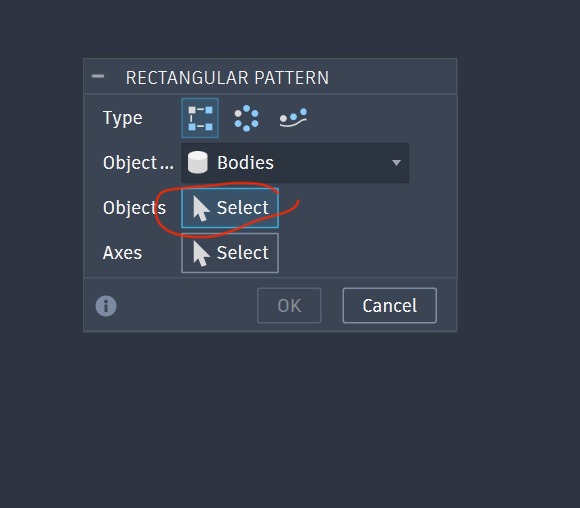
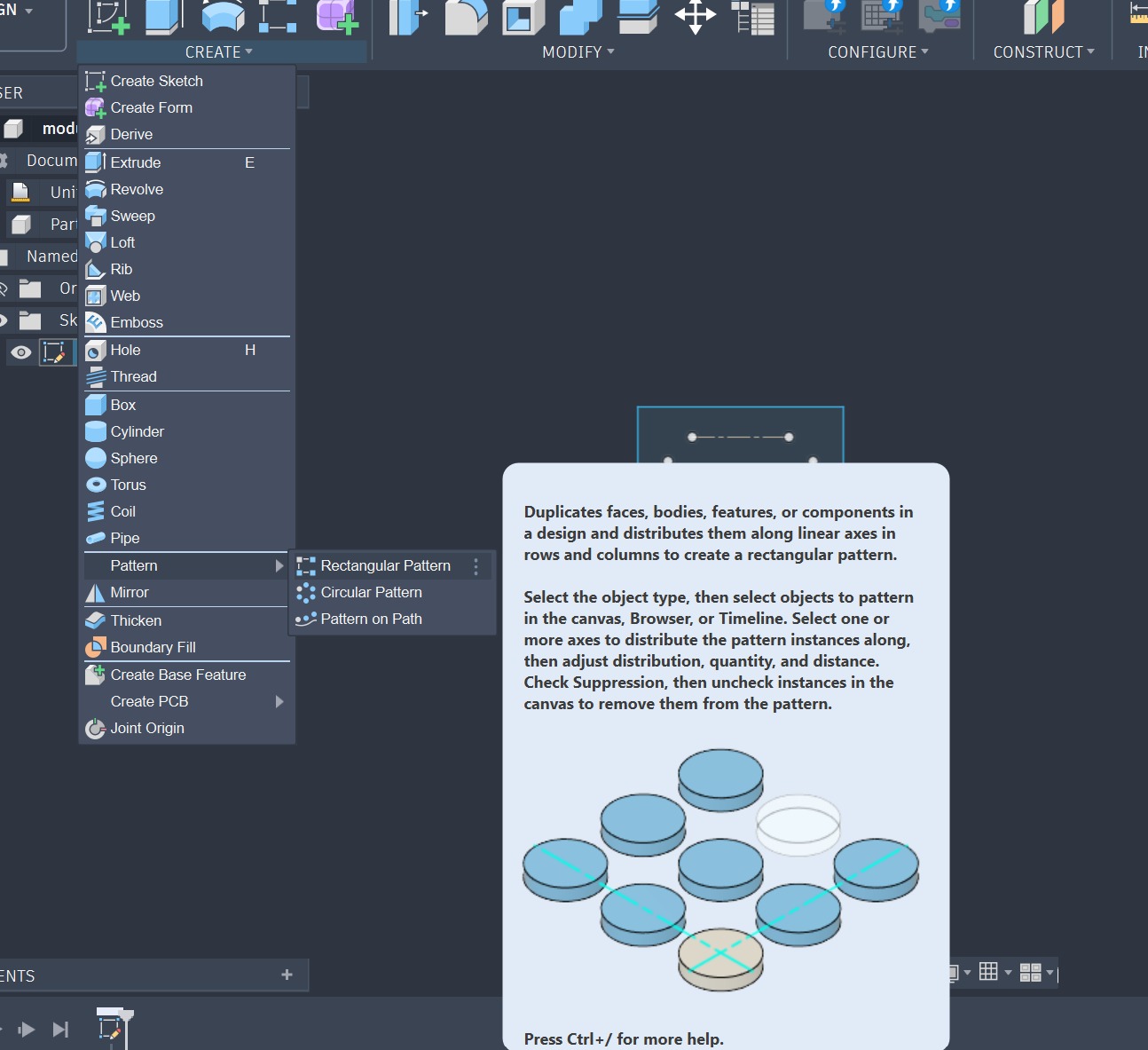
- when the pattern is ready, choose Rectangular pattern (or any other based on your idea) -> Select body with the arrow
Step 4: Laser cutting, Laser engraving and Safety rules
Kimian 6040 laser cutter is used to cut the denim and the leather and to engrave on denim. Again it is necessary to recall and follow the safety rules:
-
turn on the laser cutter according to the order of the buttons
-
turn on the ventilation before cutting
-
stay near the machine while it is still in use
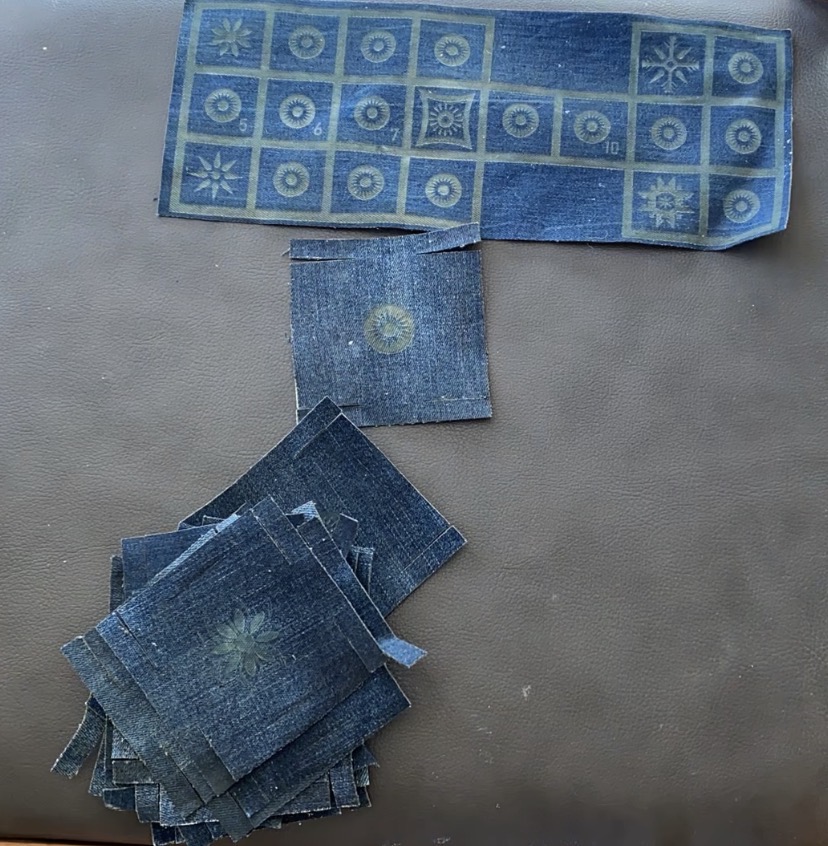
Denim for the game
I tested 2 pieces of denim. The first test proved the cutting force and speed were precise,, but the engraving was too strong.
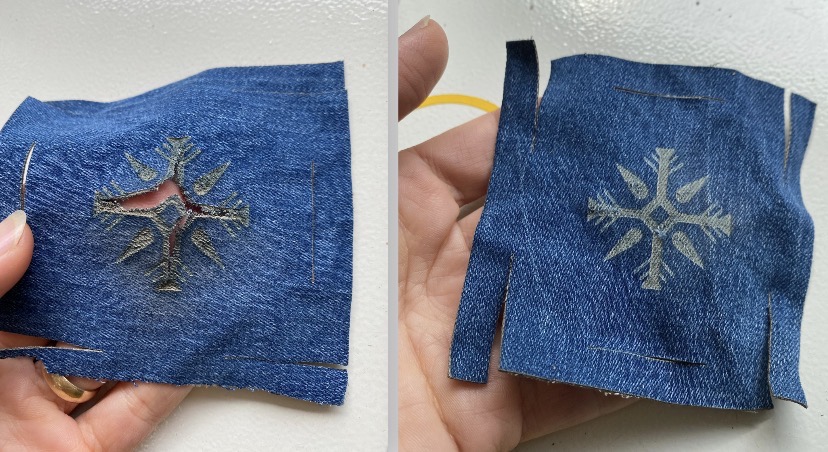
The first test parameters for denim are:
cutting:
Speed: 50 mm/s
MinPower: 45
MaxPower: 50
engraving:
Speed: 200 mm/s
MinPower: 26
MaxPower: 28
The second test proved the adjustment for engraving worked well, so I kept the parameters for cutting the same from the first test and the engraving from the second test:
engraving:
Speed: 220 mm/s
MinPower: 18
MaxPower: 20
Leather for the belt/bodice
Firstly, my mentors, Anoush Arshakyan and Erika Mirzoyan introduced the peculiarites of leather:
We roll a piece of leather, burn it. If the smoke is white and smells something burned, it is natural leather. If the smoke is greenish and smells like plastic burning, then either it is not natural leather or it is died with chmical dies. In the latter case, it emits toxical components into the air. Likewise, while laser cutting it will produce chemical emitions.
So, I avoided it and took natural, not died leather. Moreover, I stood close to my values and took only leather scraps left from previous students. So, based on research and previous experience I chose the following parameters:
cutting:
Speed: 30 mm/s
MinPower: 50
MaxPower: 55
The leather was not burned, all the parts were separate. So, I decided to keep these parameters and started to place the scraps, adjust the design by adding or subtracting in CorelDraw based on the scrap and cut.
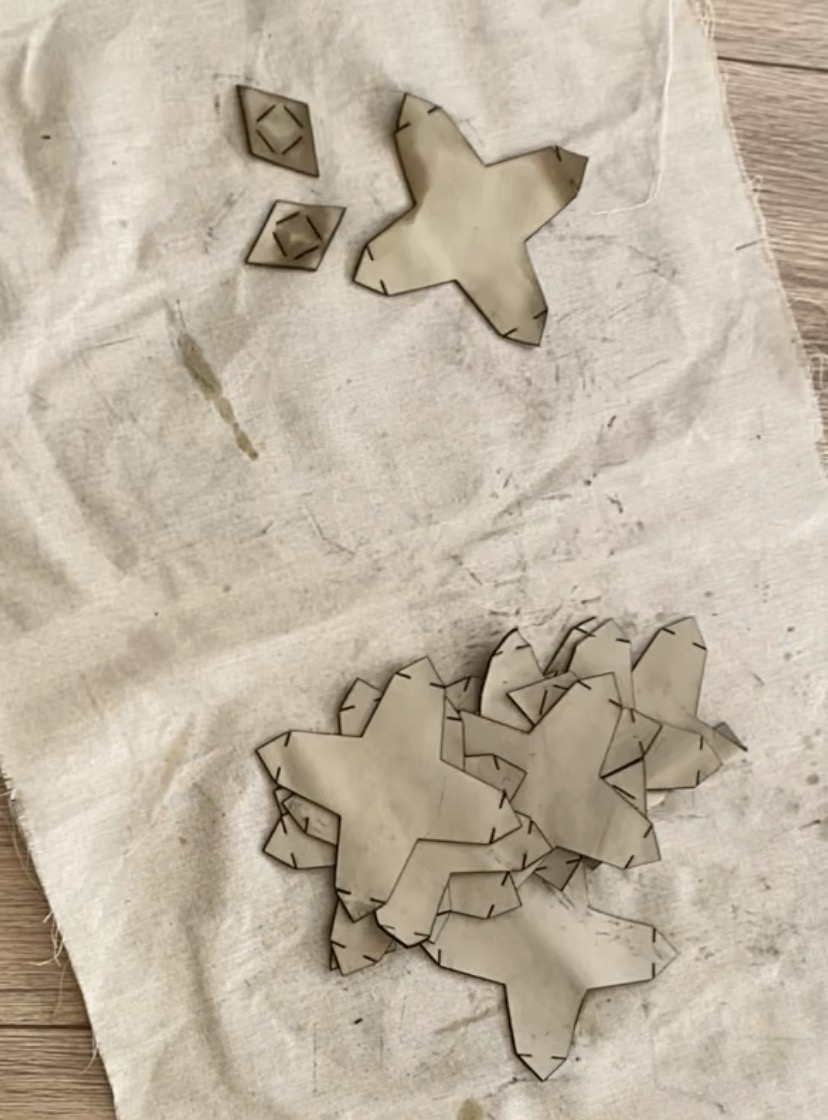 Photo is taken by Luiza Naslyan
Step 5: Beewaxing denim and cleaning leather
Before assembling the modules, it is crucial to treat the material as needed to be get durable and long lasting modules. In my case, I pretreated denim cuts with beewax. But first we tested 3 ways of beewaxing:
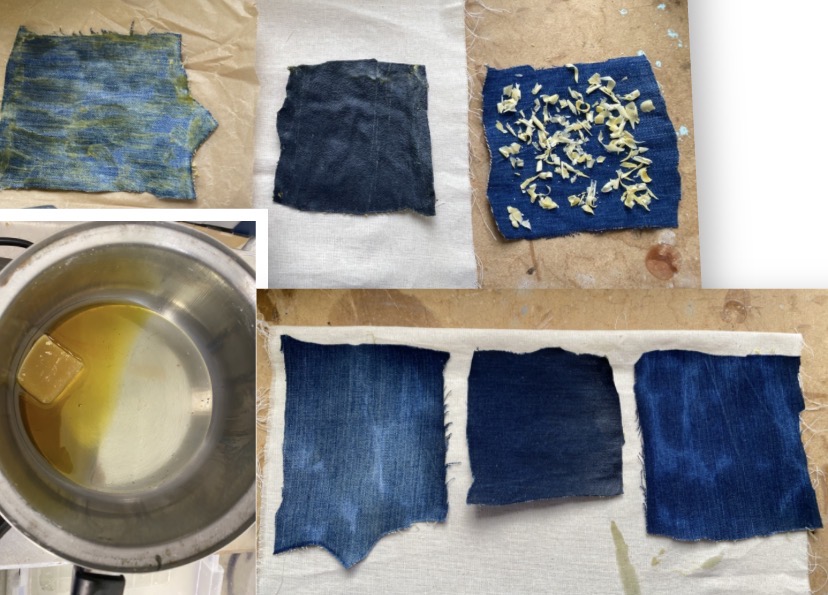 Photo is taken by Luiza Naslyan
Denim
We treated the 1st and 2nd samples with melt beewax. We melt it on an electric heater in a stainless pot on top of another pot full of water.
For the 1st sample I applied beewax with a paintbrush, let it dry (it dries very quickly and smells amazing). Then ironed in between some non-stick baking paper.
I soaked the 2nd sample into the melt beewax, took it out (either with fingers or tweezers). Let it dry and ironed as well in beetween the baking paper.
For the 3rd one, I used knife and chipped some beewax directly on the denim piece, ironed the same way.
The first test turned out to be the most efficient one. For instance, the 2nd test proved to consume a lot of beewax, and while ironing I had quite some excess beewax. The third seemed to need more beewax with less results. The chiped beewax was melting without spreading properly. So, I chose the first option: melt the beewax and apply each individual piece with a brush, then iron after getting dry.
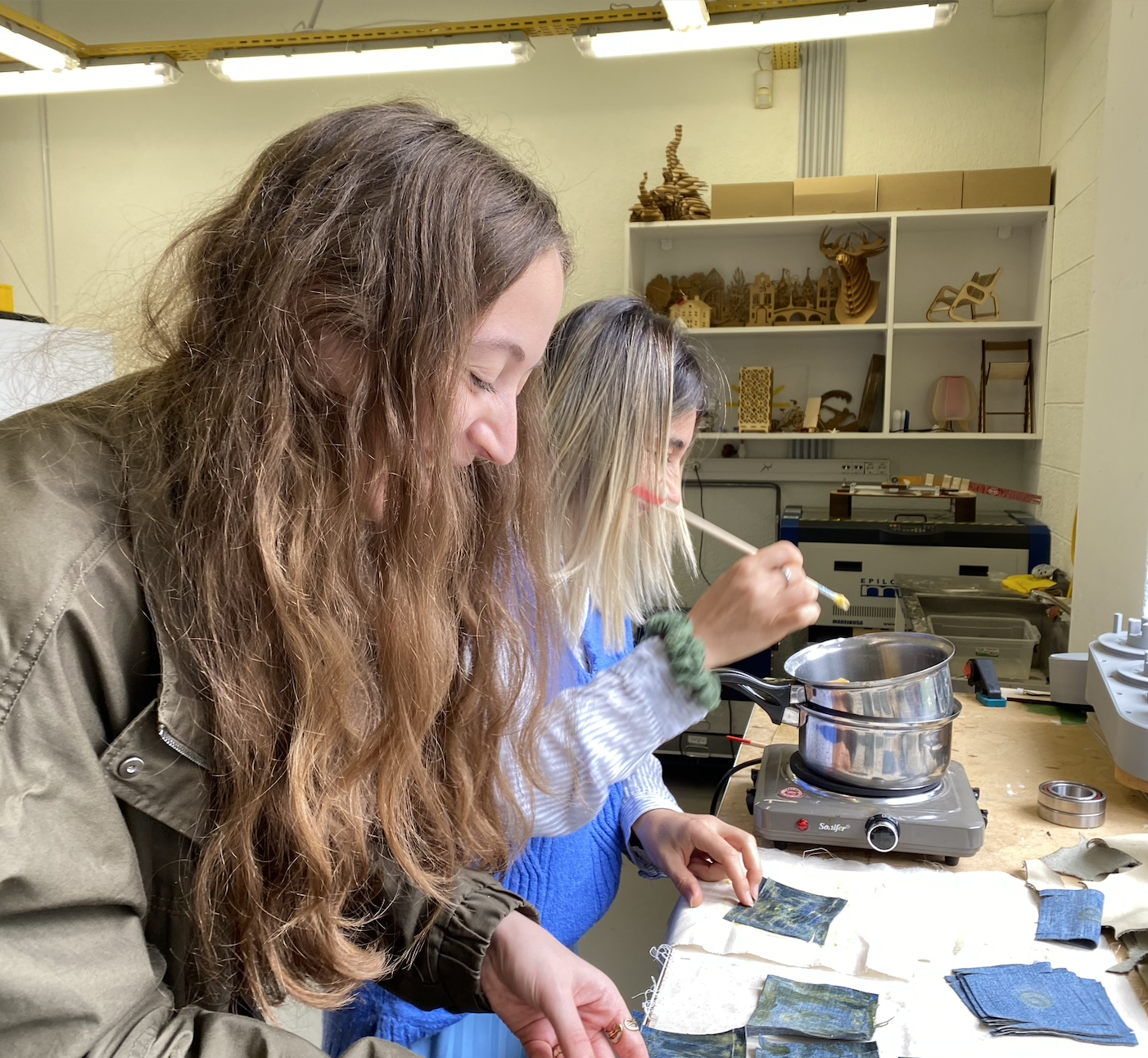 Dear Erika Mirzoyan helping me out with beewazing denim
Photo is taken by Anoush Arshakyan with my iPhone11
Leather
As for the leather, I needed to clean the leather from the soot as a result of laser cutting-burning process. I used a dump clothing to wipe around all the edges, cuts and the surface. It is crucial to not smudge the garment with black stains while assembling the modules.
Results
As a result of design-test-cut-beewax-iron-assemble process, I have an engraved small prototype of the game and a modular game. The modular game is a 3 in 1 version of the game. First, modules allow me to assemble it the same way people made 5500 years ago. Second, modules can be reassembled to change the game into 1000 year younger version of the game. And third, you cna go craxy and create your new modern version of the field!
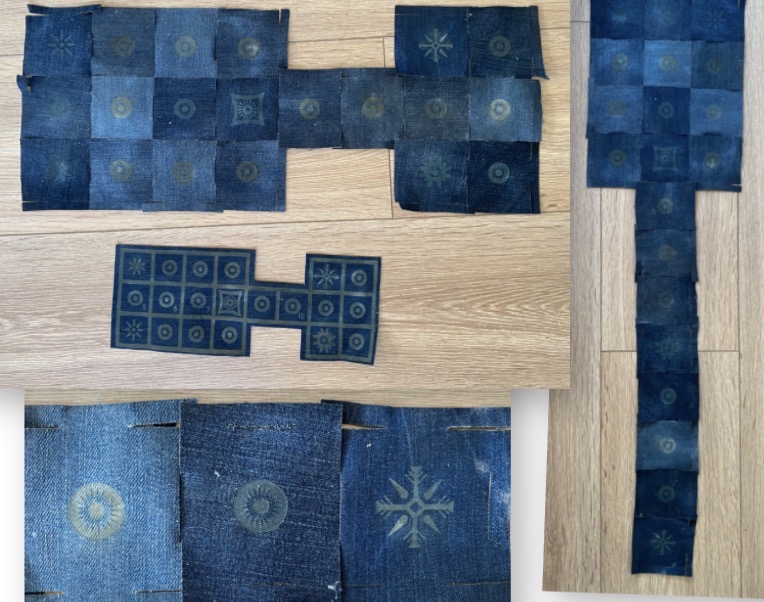
Here is a video of the assembly process recorded on my iPhone11 on a tripod in my home:
And as a result of design-test-cut-clean-assemble process, the module allowed me to get a belt and a prototype for the bodice for the dress I am planning for my final video.
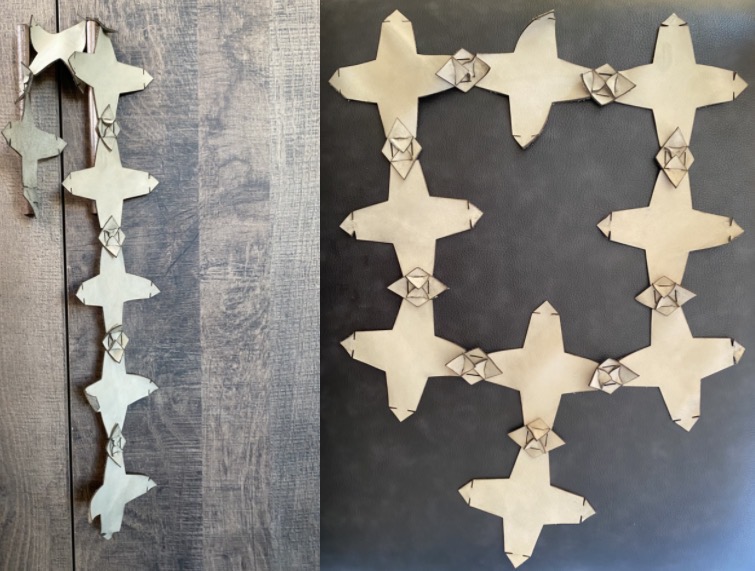
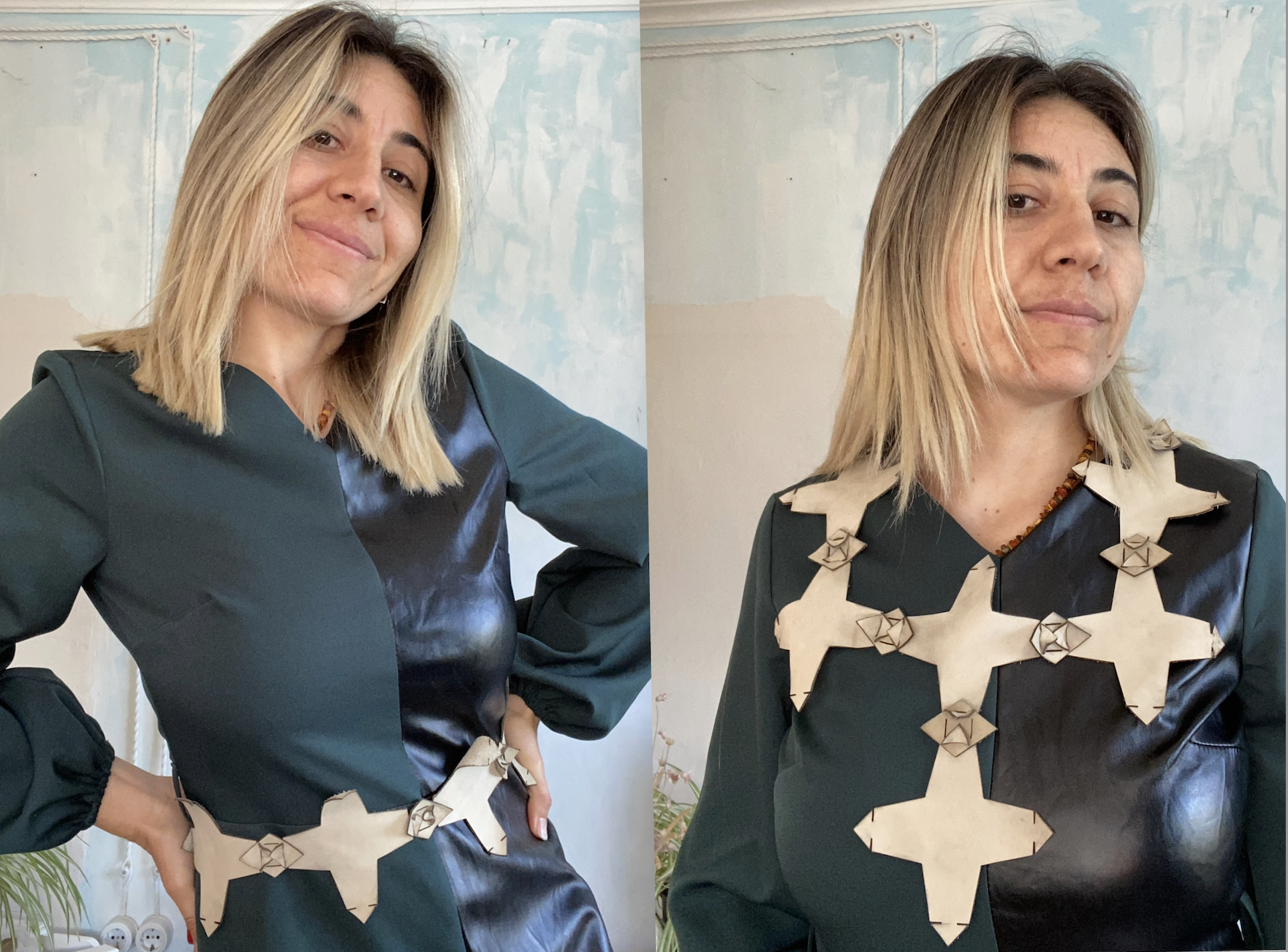
Here is a video of the assembly process recorded on my iPhone11 on a tripod:
Files
Module 1: Game
Module 2: Belt/ Bodice
For my project description in OS Circular Fashion website click here.
Final thoughts
- I learned a lot of new tools, functions in Ai, Fusion, and Blender, learned more about fashion and artivisim through fashion.
- In retrospect, I would make my belt modules smaller and more. But I still have time to try before the final video.
- This week was a big step for me to realize my dance carpets in terms of exploring patterns, thinking about the dress for performing the dance.
- This definately connects to what I have been doing: upcycling and recycling, going deeper into patterns and origins and bring them to our era with a new approach.